
一次dropzone体验
对于前端,本人不是太擅长,对于当前的一些网上的样例,也许是习武悟性太差,不是太透,所以只能通过blog的方式记录下一些武功套路,便于以后查询使用
首先,我们需要知道这个武功适应的战场。
什么是dropzone?
DropzoneJS是一个提供文件拖拽上传并且提供图片预览的开源类库,它是轻量级的,不依赖任何其他类库(如JQuery)并且高度可定制.
支持浏览器:
- Chrome 7+
- Firefox 4+
- IE 10+
- Opera 12+ (Version 12 for MacOS is disabled because their API is buggy)
- Safari 6+
对于所有其他浏览器 , dropzone 提供了一个 file input 作为应对策略,对于老旧的浏览器,会出现file input,还是可以文件上传的。
资源
官网:https://www.dropzonejs.com/
GitHub:https://github.com/enyo/dropzone
看demo:
dropzone.html
<!DOCTYPE html>

<html lang="en" xmlns:th="http://www.thymeleaf.org">

<head>

    <meta charset="UTF-8">

    <title>Title</title>

    <!-- css 引用-->

    <link rel="stylesheet" type="text/css" th:href="@{~/static/css/basic.min.css}"/>

    <link rel="stylesheet" type="text/css" th:href="@{~/static/css/dropzone.min.css}"/>

    <!-- js 引用 -->

    <script th:src="@{~/static/js/jquery_3.1.0_jquery.min.js}"></script>

    <script th:src="@{~/static/js/dropzone.min.js}"></script>

</head>

<body>

<input type="text" value="TASK20190309" id="taskKey"/>

<div id="dropz" class="dropzone" style="width: 500px; height: 300px;"></div>

<!-- 文件上传缩略图模板 -->

<div id="preview-template" class="hide">

    <div class="dz-preview dz-file-preview">

        <div class="dz-image">

            <img data-dz-thumbnail="" />

        </div>

        <div class="dz-details">

            <div class="dz-size">

                <span data-dz-size=""></span>

            </div>

            <div class="dz-filename">

                <span data-dz-name=""></span>

            </div>

        </div>

        <div class="dz-error-message">

            <span data-dz-errormessage=""></span>

        </div>

        <div class="dz-success-mark">

            <span class="fa-stack fa-lg bigger-150">

                <i class="fa fa-circle fa-stack-2x white"></i>

                <i class="fa fa-check fa-stack-1x fa-inverse green"></i>

            </span>

        </div>

        <div class="dz-error-mark">

            <span class="fa-stack fa-lg bigger-150">

                <i class="fa fa-circle fa-stack-2x white"></i>

                <i class="fa fa-remove fa-stack-1x fa-inverse red"></i>

            </span>

        </div>

    </div>

</div>

<!--<div id="preview-template" style="display: none;">

    <div class="dz-preview dz-file-preview ">

        <div class="dz-image"><img data-dz-thumbnail /></div>

        <div class="dz-details">

            <div class="dz-filename"><span data-dz-name></span></div>

            <div class="dz-size" data-dz-size></div>

        </div>

        <div class="dz-progress"><span class="dz-upload" data-dz-uploadprogress></span></div>

        <div class="dz-success-mark"><span>✔</span></div>

        <div class="dz-error-mark"><span>✘</span></div>

        <div class="dz-error-message"><span data-dz-errormessage></span></div>

    </div>

</div>-->

</body>

<script th:inline="javascript">

    Dropzone.autoDiscover = false;//解决两次实例Dropzone错误,可在控制台看到该错误

    var $taskKey = $("#taskKey");

    try{

        var myDropzone = new Dropzone("#dropz",{

            url: "/uploadFile",//文件提交地址

            method:"post",  //也可用put

            paramName:"file", //默认为file

            maxFiles:2,//一次性上传的文件数量上限

            maxFilesize: 2, //文件大小,单位:MB

            acceptedFiles: ".jpg,.gif,.png,.jpeg", //上传的类型

            addRemoveLinks:true, //默认false。如果设为true,则会给文件添加一个删除链接

            uploadMultiple:true,//如果设为true,则相当于 HTML 表单添加 multiple 属性

            parallelUploads: 2,//一次上传的文件数量

            autoProcessQueue:true, //当设置 false 你必须自己像这样 myDropzone.processQueue()

            previewTemplate: $('#preview-template').html(),//如果去掉该选项就会使用默认的

            dictDefaultMessage :

                '<span class="bigger-150 bolder"><i class="ace-icon fa fa-caret-right red"></i> 拖拽文件到此处</span> \

                <span class="smaller-80 grey">(或点击下面的上传按钮选择待上传文件)</span> <br /> \

                <i class="upload-icon ace-icon fa fa-cloud-upload blue fa-3x"></i>'

            ,

            dictMaxFilesExceeded: "您最多只能上传{{maxFiles}}个文件!",

            dictResponseError: '文件上传失败!',

            dictInvalidFileType: "文件类型只能是*.jpg,*.gif,*.png,*.jpeg",

            dictFallbackMessage:"浏览器不受支持",

            dictFileTooBig:"文件过大({{filesize}}MB). 上传文件最大支持: {{maxFilesize}}MB.",

            dictRemoveLinks: "删除",

            dictCancelUpload: "取消",

            dictRemoveFile: "移除",

            //文件信息预览

            thumbnail: function(file, dataUrl) {

                if (file.previewElement) {

                    $(file.previewElement).removeClass("dz-file-preview");

                    var images = $(file.previewElement).find("[data-dz-thumbnail]").each(function() {

                        var thumbnailElement = this;

                        thumbnailElement.alt = file.name;

                        thumbnailElement.src = dataUrl;

                    });

                    setTimeout(function() { $(file.previewElement).addClass("dz-image-preview"); }, 1);

                }

            },

            accept: function(file, done) {

                //此处可以在上传前添加一些校验

                var taskKey = $taskKey.val();

                if (taskKey === "" || taskKey == null) {

                    done("任务不为空");

                } else {done();}

            },

            init:function(){

                //添加文件触发

                this.on('addedfile',function(file){

                    console.log("addedfile .....");

                });

                this.on('successmultiple',function(files,reponse){

                    console.log("successmultiple .....");

                    $.each(files,function(index,file){

                        if(file.accepted){

                                if(reponse[file.name]!='0'){

                                    //表示后台处理失败

                                    var $div = $(file.previewElement);

                                    $div.removeClass("dz-success").addClass("dz-error");

                                    $div.find(".dz-error-message").find("span").text("上传失败");

                                }

                        }

                    });

                });

                this.on('sending',function(files, xhr, formData){

                    //此处可以添加自定义参数

                    formData.append("taskKey", $taskKey.val());

                });

                this.on('errormultiple',function(files,reponse){

                    console.log("errormultiple .....");

                    $.each(files,function(index,file){

                        if(file.accepted){

                            if(reponse[file.name]=='0'){

                                //表示后台处理成功

                                var $div = $(file.previewElement);

                                $div.removeClass("dz-error").addClass("dz-success");

                            }

                        }

                    });

                });

            }

        });

        //在以ajax模式离开此页面时删除dropzone实例

        $(document).one('ajaxloadstart.page', function(e) {

            try {

                myDropzone.destroy();

            } catch(e) {}

        });

    }catch (e) {

        alert('浏览版本过低,不支持文件上传!');

    }

</script>

</html>
后台:
package com.paic.phssp.springtest.dropzone;

import com.fasterxml.jackson.core.JsonProcessingException;

import com.fasterxml.jackson.databind.ObjectMapper;

import com.mongodb.util.JSON;

import com.paic.phssp.springtest.dto.Student;

import com.rabbitmq.tools.json.JSONUtil;

import org.slf4j.Logger;

import org.slf4j.LoggerFactory;

import org.springframework.boot.autoconfigure.EnableAutoConfiguration;

import org.springframework.boot.json.JsonParser;

import org.springframework.http.HttpStatus;

import org.springframework.http.ResponseEntity;

import org.springframework.stereotype.Controller;

import org.springframework.util.MultiValueMap;

import org.springframework.web.bind.annotation.RequestMapping;

import org.springframework.web.multipart.MultipartFile;

import org.springframework.web.multipart.MultipartHttpServletRequest;

import javax.annotation.Resource;

import javax.servlet.http.HttpServletRequest;

import java.io.File;

import java.io.IOException;

import java.util.HashMap;

import java.util.List;

import java.util.Map;

import java.util.UUID;

/**

 * 文件上传demo

 */

@Controller

@EnableAutoConfiguration

public class DropzoneController {

    private final Logger log = LoggerFactory.getLogger(getClass());

    @Resource

    private Student student;

    @RequestMapping("/dropzone")

    private String toDropzonePage() {

        System.out.println("Hello World.....");

        return "dropzone";

    }

    @RequestMapping("/uploadFile")

    private ResponseEntity<String> uploadFile(MultipartHttpServletRequest request) {

        log.info("start upload file ......");

        HttpStatus httpStatus = HttpStatus.INTERNAL_SERVER_ERROR;//status code 500

        Map<String, Object> loadResultMap = new HashMap<String, Object>();

        MultiValueMap<String, MultipartFile> multiMap = request.getMultiFileMap();

        String taskKey = request.getParameter("taskKey");

        log.info("taskKey = "+taskKey);

        String filePath = "F:\\test";

        //TODO 异常

        //int i = 9/0;

        for (Map.Entry<String, List<MultipartFile>> entry : multiMap.entrySet()) {

            List<MultipartFile> mFList = entry.getValue();

            for (MultipartFile mFile : mFList) {

                int loadResult = loadFile(mFile, filePath);

                String fileName = mFile.getOriginalFilename();

                loadResultMap.put(fileName, loadResult);

            }

        }

        //封装返回

        ObjectMapper objMapper = new ObjectMapper();

        String body = "";

        try {

            body = objMapper.writeValueAsString(loadResultMap);

            httpStatus = HttpStatus.OK;

        } catch (JsonProcessingException e) {

            log.error("load file error", e);

        } catch (Exception e) {

            log.error("load file error", e);

        }

        ResponseEntity responseEntity = new ResponseEntity(body, httpStatus);

        return responseEntity;

    }

    private int loadFile(MultipartFile mfile, String filePath) {

        log.error("load file param=", mfile.toString());

        int result = 1;

        // 获取上传的原始文件名

        String fileName = mfile.getOriginalFilename();

        //TODO 制造有失败上传场景

       /* if(fileName.equals("5a38b9ee3b7fb.jpg")){

            return result;

        }*/

        String fileSuffix = fileName.substring(fileName.lastIndexOf("."), fileName.length());

        // 判断并创建上传用的文件夹

        File file = new File(filePath);

        if (!file.exists()) {

            file.mkdir();

        }

        // 重新设置文件名为 UUID,以确保唯一

        file = new File(filePath, UUID.randomUUID() + fileSuffix);

        result = 0;

        try {

            // 写入文件

            mfile.transferTo(file);

        } catch (IOException e) {

            log.error("load file error", e);

        }

        return result;

    }

}
可能的报错:
org.apache.tomcat.util.http.fileupload.FileUploadBase$FileSizeLimitExceededException: The field file exceeds its maximum permitted size of xxx bytes.
解决方案:
#springBoot自带tomcat,Post请求参数默认限制1024,设置0就不限制大小了

server.tomcat.max-http-post-size=0
1)在配置文件(application.properties)加入如下代码,一般这个方法解决不了问题
multipart.maxFileSize = 10Mb

multipart.maxRequestSize=100Mb
2)把如下代码放在启动类上,并在类上加入@Configuration
@Bean

    public MultipartConfigElement multipartConfigElement() {

        MultipartConfigFactory factory = new MultipartConfigFactory();

        //  单个数据大小

        factory.setMaxFileSize(DataSize.ofMegabytes(2L));

        /// 总上传数据大小

        factory.setMaxRequestSize(DataSize.ofMegabytes(10L));

        return factory.createMultipartConfig();

    }
测试:
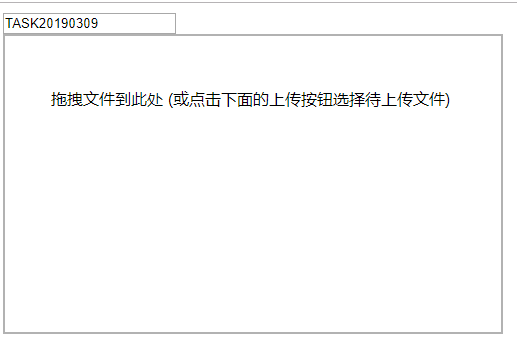
(1) 未写就异常失败了;//TODO 异常,放开
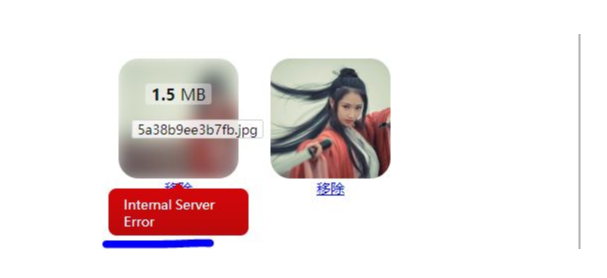
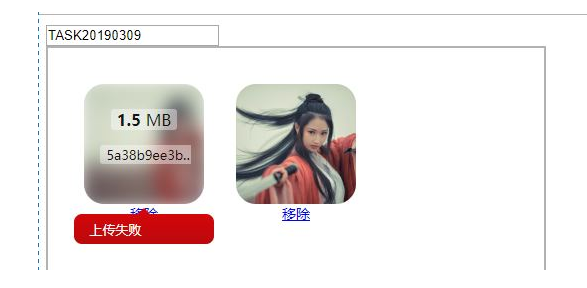
(2)因为uploadMultiple=true(一次请求可{{parallelUploads}}文件),成功与失败都有,//TODO 制造有失败上传场景,放开
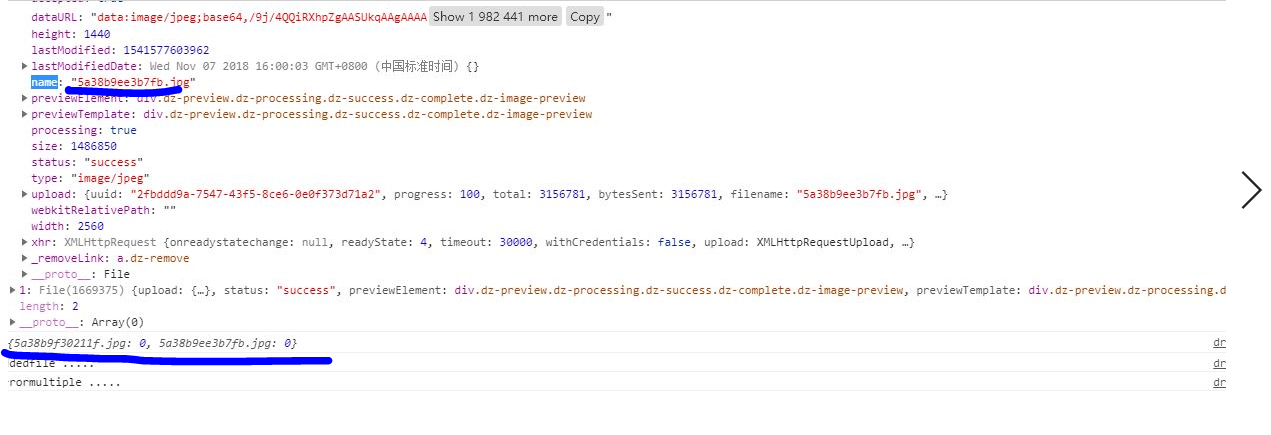
(3)成功,主要看下,前端file打印:
参考:
https://blog.csdn.net/weixin_40119256/article/details/81843361
http://wxb.github.io/dropzonejs.com.zh-CN/
https://blog.csdn.net/qq_25446311/article/details/78600354
一次dropzone体验的更多相关文章
- 体验三大JavaScript文件上传库(Uppy.js/Filepond/Dropzone)
最近发现了一个高颜值的前端上传组件Uppy.js,立即上手体验了一波,感觉还不错.然后又看到同类型的Filepond以及Dropzone.js,对比体验了一下,感觉都很优秀,但是在体验过程中,都遇到了 ...
- ASP.NET MVC中使用Dropzone.js实现图片的批量拖拽上传
说在前面 最近在做一个MVC相册的网站(这里),需要批量上传照片功能,所以就在网上搜相关的插件,偶然机会发现Dropzone.js,试用了一下完全符合我的要求,而且样式挺满意的,于是就在我的项目中使用 ...
- Android UI体验之全屏沉浸式透明状态栏效果
前言: Android 4.4之后谷歌提供了沉浸式全屏体验, 在沉浸式全屏模式下, 状态栏. 虚拟按键动态隐藏, 应用可以使用完整的屏幕空间, 按照 Google 的说法, 给用户一种 身临其境 的体 ...
- 移动端之Android开发的几种方式的初步体验
目前越来越多的移动端混合开发方式,下面列举的大多数我都略微的尝试过,就初步的认识写个简单的心得: 开发方式 开发环境 是否需要AndroidSDK 支持跨平台 开发语言&技能 MUI Win+ ...
- TODO:小程序开发过程之体验者
TODO:小程序开发过程之体验者 1. 小程序开发过程,先下载开发者并安装开发者工具,现在腾讯开放测试了,普通用户也可以登录开发者工具,如图普通用户登录为调试类型,但是只能建立无AppID的项目 如果 ...
- 微信小程序体验(2):驴妈妈景区门票即买即游
驴妈妈因为出色的运营能力,被腾讯选为首批小程序内测单位.驴妈妈的技术开发团队在很短的时间内完成了开发任务,并积极参与到张小龙团队的内测问题反馈.驴妈妈认为,移动互联网时代,微信是巨大的流量入口,也是旅 ...
- 一起学微软Power BI系列-使用技巧(3)Power BI安卓手机版安装与体验
Power BI有手机版,目前支持安卓,苹果和WP,不过没有WP手机,苹果在国内还不能用,要FQ和用就不测试了.安卓的我也也是费了九牛二虎之力才把app下载下来,把方法分享给大家. FQ太麻烦,所以建 ...
- .NET平台开源项目速览(15)文档数据库RavenDB-介绍与初体验
不知不觉,“.NET平台开源项目速览“系列文章已经15篇了,每一篇都非常受欢迎,可能技术水平不高,但足够入门了.虽然工作很忙,但还是会抽空把自己知道的,已经平时遇到的好的开源项目分享出来.今天就给大家 ...
- Xamarin+Prism开发详解四:简单Mac OS 虚拟机安装方法与Visual Studio for Mac 初体验
Mac OS 虚拟机安装方法 最近把自己的电脑升级了一下SSD固态硬盘,总算是有容量安装Mac 虚拟机了!经过心碎的安装探索,尝试了国内外的各种安装方法,最后在youtube上找到了一个好方法. 简单 ...
随机推荐
- php mysqli 的使用方法
原文链接:https://blog.csdn.net/solly793755670/article/details/52217456 Mysqli是php5之后才有的功能 需要修改php.ini的配置 ...
- iOS App架构相关
一) 我们可以定义一个好的架构应该具备的特点: 任务均衡分摊给具有清晰角色的实体 可测试性通常都来自与上一条(对于一个合适的架构是非常容易) 易用性和低成本维护 二) 传统的MVC模式.:三个实体间相 ...
- Bootstrap3基础 btn-xs/sm... 按钮的四种大小
内容 参数 OS Windows 10 x64 browser Firefox 65.0.2 framework Bootstrap 3.3.7 editor ...
- (转)renren-fast解读(一)
(二期)8.renren-fast项目解读(一) [课程八]预防xss...注入.xmind0.2MB [课程八预习]开...解读.xmind0.5MB 课程八_日志处理与...模块.xmind0.2 ...
- java 之 schema解析
一,schema约束 *dtd语法:<ELEMENT 元素名 约束> *schema符合xml的语法,xml语句 **一个xml中可以有多个schema,多个schema使用名称空间区分( ...
- Java基础【基本数据类型包装类、int与String 之间的相互转换】
为什么会有基本类型包装类? 将基本类型数据类型封装成对象,这样的好处可以在对象中定义更多方法操作该数据. 包装类常用的操作就是用于基本数据类型与字符串之间的转换 问题:int a=100; 为什么不能 ...
- 【C#】委托的发展
"用事件去处理程序, 进而解决问题" ---- 委托的目的 委托早在C#2的时候就已经初具模型, 但是并不是特别灵活, 制止C#3才在代码中被广泛使用. C#4中泛型委托, C#5 ...
- CommandLineParser命令行解析类
目的:方便用户在命令行使用过程中减少工作量 以前版本没这个类时,如果要运行带参数的.exe,必须在命令行中输入文件路径以及各种参数,并且输入的参数格式要与代码中的if语句判断内容格式一样,一不小心就输 ...
- 用命令bat打开某个文件或文件夹
打开文件或文件夹可以用start命令,start命令会根据文件关联的程序自动调用关联的程序打开文件和文件夹. 可以用记事本写如下命令,之后改扩展名为.bat即可 打开文件夹 start "& ...
- 【Django】【问题集锦】
参考:http://www.linuxidc.com/Linux/2013-03/80649.htm 1. Django的shell模式下,如果报warning,则再执行一次,也许就好了 2. Dja ...