
封装UIlabel 辨别用户名 ,话题 ,链接,电话,高亮文字等
概述
详细
 封装UIlabel辨别用户名,话题,链接,电话,高亮文字等,链接跳转网页,拨打电话

 完美封装UIlabel,适合绝大多数需求
一、准备工作
整体项目中,主要是自己自定义的一个GZLabel类
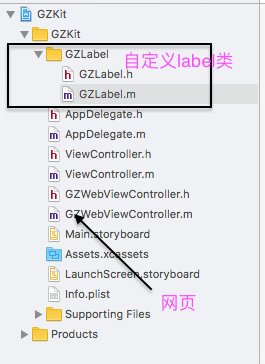
只需要依赖此自定义类,可以设置自己想要的所有效果。
二、程序实现
对UIlabel进行封装,让其识别一些Label不匹配的东西,我们就要利用
NSMutableAttributeString

来对其进行处理,我们用到的主要是它的子类

@property(nonatomic, strong)NSTextStorage *GZTextString;
主要就是对Label进行匹配,给其一个类型属性
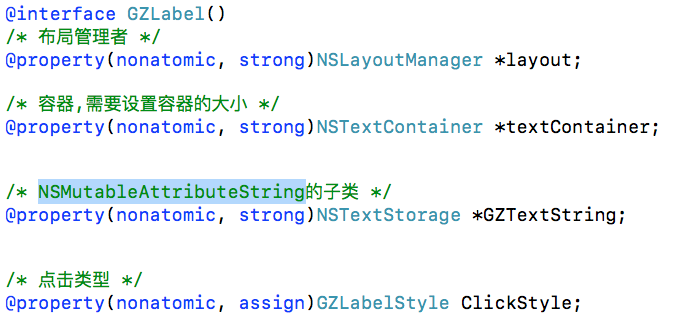
我们想要达到自己想要的效果的话,就必须要对label进行分类处理
typedef NS_ENUM(NSUInteger , GZLabelStyle){

    GZLabelStyleNone = 0,

    GZLabelStyleUser = 1,

    GZLabelStyleTopic = 2,

    GZLabelStyleLink = 3,

    GZLabelStyleAgreement = 4,

    GZLabelStyleUserDefine = 5,

    GZLabelStylePhoneNumber = 6

};
给label设置各种属性,(点击前后颜色,代理 ,点击事件等)
/* 普通文字颜色 */

@property(nonatomic , strong)UIColor *GZLabelNormalColor ;

/* 选中时高亮背景色 */

@property(nonatomic , strong)UIColor *GZLabelHightLightBackgroundColor ;

/* 字符串+显示颜色 字典数组, */

@property(nonatomic, strong)NSArray<NSDictionary *> *GZLabelMatchArr;

/* 高亮文字设置颜色*/

-(void)setHightLightLabelColor:(UIColor *)hightLightColor forGZLabelStyle:(GZLabelStyle)GZLabelStyle;

/* delegate */

@property(nonatomic, weak)id<GZLabelDelegate> delegate;

/* 点击事件block */

@property(nonatomic, strong)TapGZLabel GZTapOperation;
设置自己想要的文字颜色,范围 位置
/* 用于记录用户选中的range */

@property(nonatomic, assign)NSRange selectedRange;

/* 用户记录点击还是松开 */

@property(nonatomic, assign)BOOL isSelected;

/* 用户文字颜色 */

@property(nonatomic, strong)UIColor *userHightColor;

/* 话题文字颜色 */

@property(nonatomic, strong)UIColor *topicHightColor;

/* 链接文字颜色 */

@property(nonatomic, strong)UIColor *linkHightColor;

/* 协议/政策文字颜色 */

@property(nonatomic, strong)UIColor *agreementHightColor;

/* 电话号码文字颜色 */

@property(nonatomic, strong)UIColor *PhoneNumberHightColor;

/* 链接范围 */

@property(nonatomic, strong)NSArray *linkRangesArr;

/* 用户名范围 */

@property(nonatomic, strong)NSArray *userRangesArr;

/* 话题范围 */

@property(nonatomic, strong)NSArray *topicRangesArr;

/* 协议/政策范围 */

@property(nonatomic, strong)NSArray *agreementRangesArr;

/* 电话号码范围 */

@property(nonatomic, strong)NSArray *PhoneNumberRangesArr;

/* 自定义要查找的范围 */

@property(nonatomic, strong)NSArray *userDefineRangesArr;
再者我们需要重写系统的属性
#pragma mark 重写系统的属性

-(void)setText:(NSString *)text{

    [super setText:text];

    [self prepareText];

}

-(void)setFont:(UIFont *)font{

    [super setFont:font];

    [self prepareText];

}

-(void)setTextColor:(UIColor *)textColor{

    [super setTextColor:textColor];

    [self prepareText];

}
系统回调
#pragma mark 系统回调

// 布局子控件

-(void)layoutSubviews{

    [super layoutSubviews];

    // 设置容器的大小为Label的尺寸

    self.textContainer.size = self.frame.size;

}
字符串匹配封装
#pragma mark 字符串匹配封装

// 查找用户给定的字符串的range

-(NSArray<NSDictionary*> *)getUserDefineStringsRange{

    if (self.GZLabelMatchArr.count == 0) return nil;

    NSMutableArray<NSDictionary*> *arrM = [NSMutableArray array];

    NSString *str = [self.GZTextString string];

    for (NSDictionary *dict in self.GZLabelMatchArr) {

        NSString *subStr = dict[@"string"];

        UIColor *color = dict[@"color"];

        // 没传入字符串

        if (!subStr) return nil;

        NSRange range = [str rangeOfString:subStr];

        // 没找到

        if (range.length == 0) continue;

        NSValue *value = [NSValue valueWithBytes:&range objCType:@encode(NSRange)];

        NSMutableDictionary *aDictM = [NSMutableDictionary dictionary];

        aDictM[GZRange] = value;

        aDictM[GZColor] = color;

        [arrM addObject:[aDictM copy]];

    }

    return [arrM copy];

}
创建正则表达式对象
-(NSArray *)getRanges:(NSString *)pattern{

    // 创建正则表达式对象

    NSError *error;

    NSRegularExpression *regex = [[NSRegularExpression alloc]initWithPattern:pattern options:0 error:&error];

    return [self getRangesFromResult:regex];

}
三、运行效果
这些只是我能用到的一些属性,如果你们需要其他的可以自己试着写或者联系我,我根据你们的需求来定义!
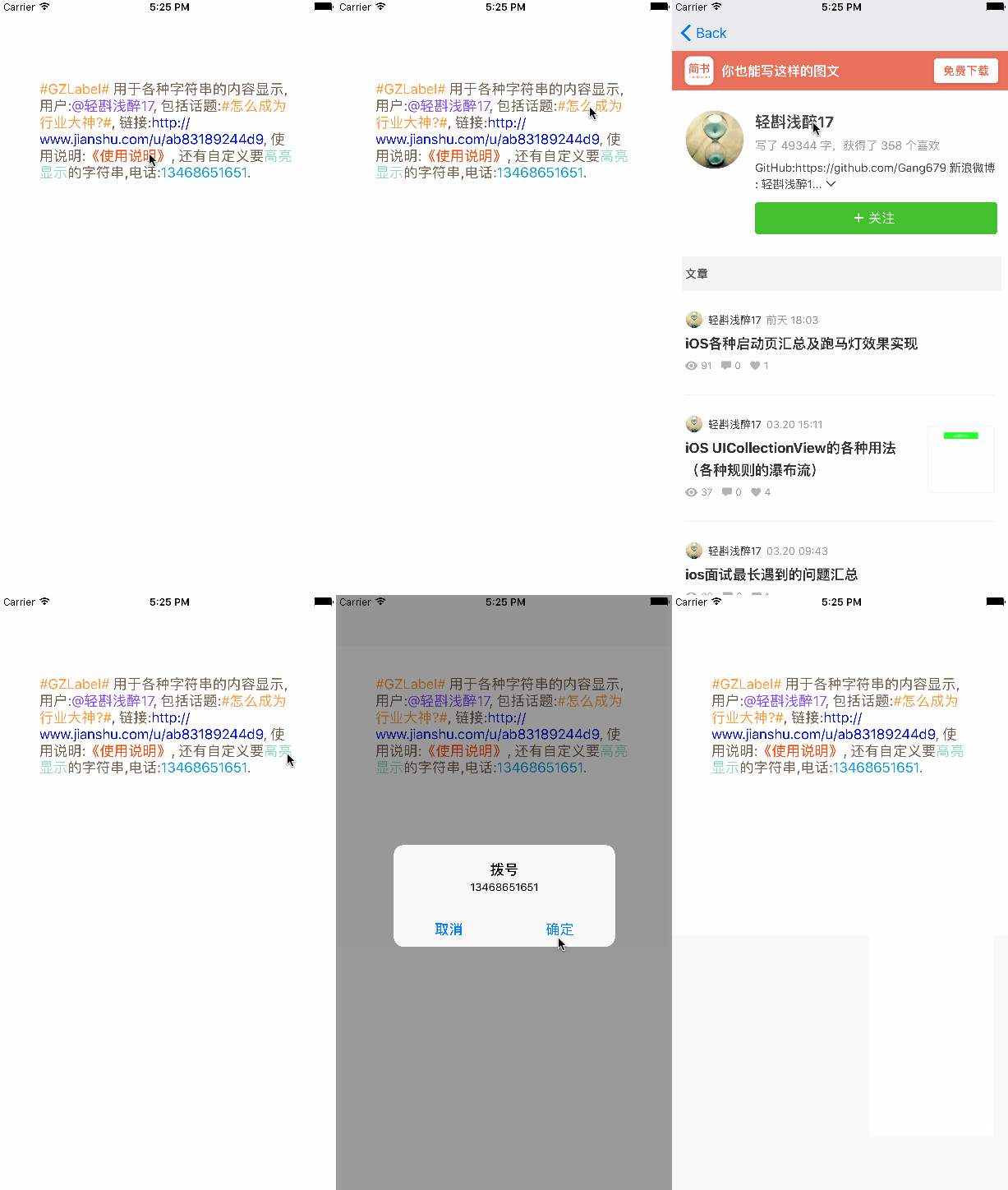
运行效果如下:
注:本文著作权归作者,由demo大师发表,拒绝转载,转载需要作者授权
封装UIlabel 辨别用户名 ,话题 ,链接,电话,高亮文字等的更多相关文章
- Laya和白鹭的高亮文字 (textFlow)
版本2.1.1.1 游戏中用的高亮文字,例如下图 "使用 2钻石 可获得金币",2钻石是不同颜色高亮的. 白鹭的高亮文字有文本样式 txt.textFlow = <Array ...
- 【Android车载系统 News | Tech 4】知乎--车载话题链接
知乎--车联网话题http://www.zhihu.com/topic/19646713
- 封装MongoDB的 asp.net 链接类
using System;using System.Collections.Generic;using System.Linq;using MongoDB; /// <summary>// ...
- NGUI-使用UILabel呈现图片和不同格式的文字
1.可以使用BBCode标记 [b]Bold[/b] 粗体[i]italic[/i] 斜体[u]underli ...
- 【Swift】获取UILabel中点击的某个功能标签文字并作出响应动作
1.需求 首先.针对UILabel中显示的多个功能标签,作出颜色标记提示. 其次.对关键字作出点击响应动作. 如图所示: 解决: 1.使用正则匹配到关键字 public static var hash ...
- UILabel图文混排显示图片和文字
//传入文字 自动图片放在左边文字紧接着后排排布 -(void)setAttrDetailLabelWithTitle:(NSString *)title { NSMutableAttributedS ...
- Android-滑动解锁高亮文字自定义TextView
public class HightLightTextView extends TextView { // 存储view的宽度 private int mTextViewWidth = 0; // 画 ...
- 谈CSS模块化【封装-继承-多态】
第一次听到“CSS模块化”这个词是在WebReBuild的第四届“重构人生”年会上,当时我还想,“哈,CSS也有模块化,我没听错吧?”事实上,我没听错,你也没看错,早就有CSS模块化这个概念了.之所以 ...
- springboot-18-springboot的参数封装
springboot的参数封装, 和springmvc相识 简单参数的封装 1.直接把表单的参数写在Controller相应的方法的形参中,适用于get方式提交,不适用于post方式提交. /** * ...
随机推荐
- Java String和Date的转换 Date类型操作
String—>Date String dateString = "2012-12-06 "; try { SimpleDateFormat sdf = new Simple ...
- DevExpress Components16.2.6 Source Code 编译
DevExpress 是一个比较有名的界面控件套件,提供了一系列优秀的界面控件.这篇文章将展示如何在拥有源代码的情况下,对 DevExpress 的程序集进行重新编译. 特别提示:重编译后,已安装好的 ...
- quartz 中JobExecutionContext的使用
假如execute方法中需要一些额外的数据怎么办?比如说execute 中希望发送一封邮件,但是我需要知道邮件的发送者.接收者等信息? 存在两种解决方案: 1.JobDataMap类: 每个Jo ...
- [翻译] 学习iOS开发的建议:如何从菜鸟到专家
[文章原地址] http://mobile.tutsplus.com/tutorials/iphone/ios-quick-tip-from-novice-to-expert/ 翻译有误之处请勿见笑, ...
- 字符测试篇isalnum isalpha isascii iscntrl isdigit isgraphis islower isprint isspace ispunct isupper isxdigit
isalnum(测试字符是否为英文或数字) 相关函数 isalpha,isdigit,islower,isupper 表头文件 #include<ctype.h> 定义函数 int isa ...
- 数学图形之Boy surface
这是一个姓Boy的人发现的,所以取名为Boy surface.该图形与罗马图形有点相似,都是三分的图形.它甚至可以说是由罗马曲面变化而成的. 本文将展示几种Boy曲面的生成算法和切图,使用自己定义语法 ...
- C#一个FTP操作封装类FTPHelper
参考了网上一些代码,作了一些调整优化. 001 using System; 002 using System.Collections.Generic; 003 using System.Linq; 0 ...
- angular6 Can't bind to 'zzst' since it isn't a known property of
文档: https://angular.io/guide/template-syntax#event-binding The Angular compiler may reject these bin ...
- jquery制作一个简单的轮播
效果图: 演示地址: http://ae6623.cn/demo/slider/index.html 思路: 利用css的定位属性 left 进行调整图片的显示,每次点击上一页下一页按钮的时候,-图片 ...
- perl install-module.pl DateTime 执行无效问题的解决
运行./checksetup.pl,总说DateTime模块需要安装,但是执行提示的perl install-module.pl DateTime 多次也还是说DateTime模块需要安装. 在神奇的 ...