
Linux_防火墙与SElinux
一、防火墙与SElinux
1、防火墙和selinux
- 防火墙
- iptables 默认允许所以
- firewalld 默认拒绝所有
- ebtables 不认识,不管
- selinux 安全上下文标识(使用 ls -Z 查看)
二、配置防火墙规则
1、查看防火墙当前规则
[root@localhost ~]# firewall-cmd --list-all

public (active)

  target: default

  icmp-block-inversion: no

  interfaces: eth0               //当前网卡设备

  sources:

  services: cockpit dhcpv6-client ssh

  ports:

  protocols:

  masquerade: no

  forward-ports:

  source-ports:

  icmp-blocks:

  rich rules:              //副规则,主要在这添加规则
2、我这用httpd服务测试
- 查看当前防火墙状态
[root@localhost ~]# systemctl status firewalld

● firewalld.service - firewalld - dynamic firewall daemon

   Loaded: loaded (/usr/lib/systemd/system/firewalld.service; enabled; vendor preset: enabled)

   Active: active (running) since Wed 2020-08-26 05:20:39 CST; 12min ago

     Docs: man:firewalld(1)

 Main PID: 1038 (firewalld)

    Tasks: 2 (limit: 11340)

   Memory: 36.5M

   CGroup: /system.slice/firewalld.service

           └─1038 /usr/libexec/platform-python -s /usr/sbin/firewalld --nofork --nopid

Aug 26 05:20:37 localhost.localdomain systemd[1]: Starting firewalld - dynamic firewall daemon...

Aug 26 05:20:39 localhost.localdomain systemd[1]: Started firewalld - dynamic firewall daemon.
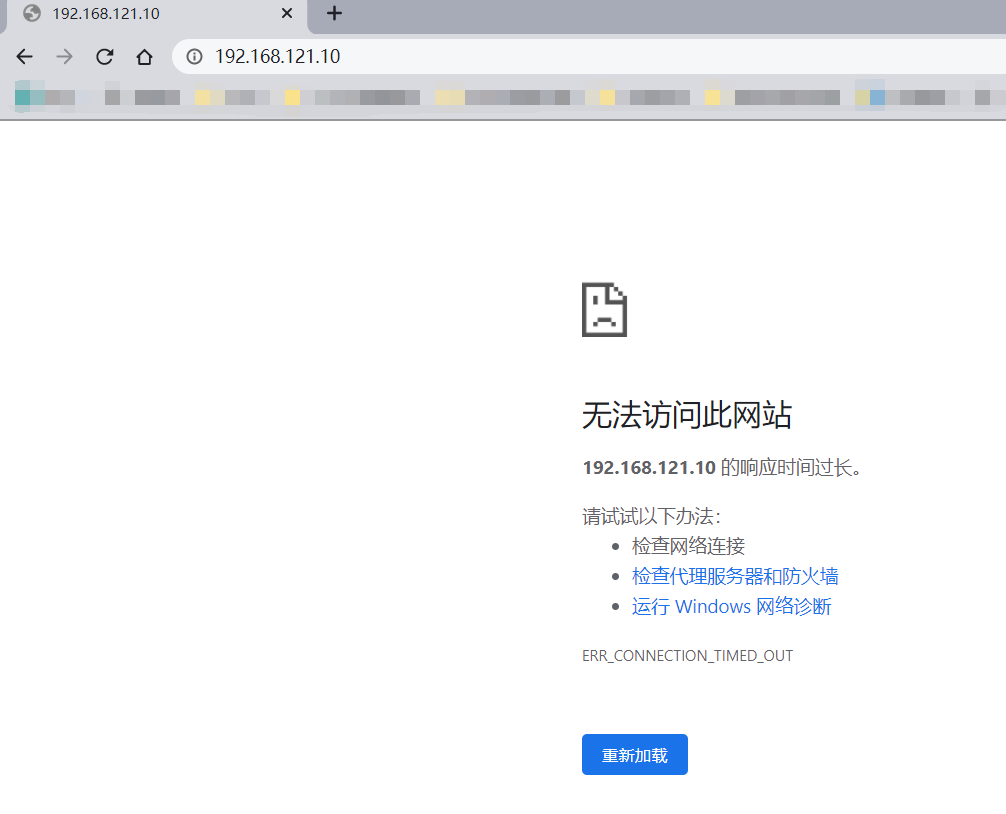
- 测试httpd测试主页是否可以访问
3、添加rich rules规则
[root@localhost ~]# firewall-cmd --add-rich-rule 'rule family=ipv4 source address=192.168.121.0/24 service name=http accept' --permanent

success                         //添加副规则                                                                                    //永久添加(开机永久生效)

 //重新加载防火墙规则 (此步骤必须要)

[root@localhost ~]# firewall-cmd --reload

success
4、查看是否添加rich rules规则
[root@localhost ~]# firewall-cmd --list-all

public (active)

  target: default

  icmp-block-inversion: no

  interfaces: eth0

  sources:

  services: cockpit dhcpv6-client ssh

  ports:

  protocols:

  masquerade: no

  forward-ports:

  source-ports:

  icmp-blocks:

  rich rules:

	rule family="ipv4" source address="192.168.121.0/24" service name="http" accept
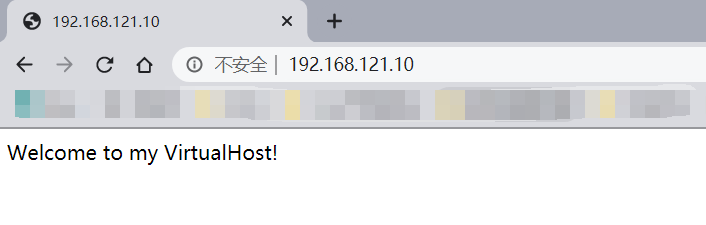
5、在次访httpd测试主页
四、配置SElinux规则
1、首先在防火墙放行8090端口
[root@localhost ~]# firewall-cmd --add-rich-rule 'rule family=ipv4 source address=192.168.121.0/24 port port=8090 protocol=tcp accept' --permanent

success

 //重新加载防火墙配置(此步骤必须做)

[root@localhost ~]# firewall-cmd --reload

success
2、查看防火墙配置
[root@localhost ~]# firewall-cmd --list-all

public (active)

  target: default

  icmp-block-inversion: no

  interfaces: eth0

  sources:

  services: cockpit dhcpv6-client ssh

  ports:

  protocols:

  masquerade: no

  forward-ports:

  source-ports:

  icmp-blocks:

  rich rules:

	rule family="ipv4" source address="192.168.121.0/24" service name="http" accept

	rule family="ipv4" source address="192.168.121.0/24" port port="8090" protocol="tcp" accept
3、安装semanage命令
//首先查看semanage命令安装包

[root@localhost ~]# yum provides *bin/semanage

Updating Subscription Management repositories.

Unable to read consumer identity

This system is not registered to Red Hat Subscription Management. You can use subscription-manager to register.

Last metadata expiration check: 0:50:01 ago on Wed 26 Aug 2020 05:30:36 AM CST.

policycoreutils-python-utils-2.9-3.el8.noarch : SELinux policy core python utilities

Repo        : baseos

Matched from:

Other       : *bin/semanage

 //安装policycoreutils-python-utils

[root@localhost ~]# yum install -y policycoreutils-python-utils

............

Installed:

  policycoreutils-python-utils-2.9-3.el8.noarch           checkpolicy-2.9-1.el8.x86_64                       python3-audit-3.0-0.13.20190507gitf58ec40.el8.x86_64

  python3-libsemanage-2.9-1.el8.x86_64                    python3-policycoreutils-2.9-3.el8.noarch           python3-setools-4.2.2-1.el8.x86_64

Complete!
4、使用semanage查看httpd可使用的端口号
[root@localhost ~]# semanage port -l|grep http

http_cache_port_t              tcp      8080, 8118, 8123, 10001-10010

http_cache_port_t              udp      3130

http_port_t                    tcp      80, 81, 443, 488, 8008, 8009, 8443, 9000

pegasus_http_port_t            tcp      5988

pegasus_https_port_t           tcp      5989
5、使用semanage给http添加可使用的端口号
[root@localhost ~]# semanage port -a -t http_port_t -p tcp 8090

 //再次查看端口是否添加

[root@localhost ~]# semanage port -l | grep http

http_cache_port_t              tcp      8080, 8118, 8123, 10001-10010

http_cache_port_t              udp      3130

http_port_t                    tcp      8090, 80, 81, 443, 488, 8008, 8009, 8443, 9000

pegasus_http_port_t            tcp      5988

pegasus_https_port_t           tcp      5989
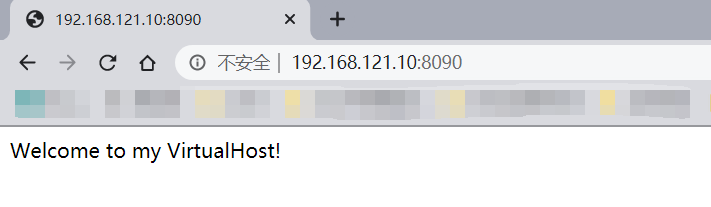
6、使用IP:8090访问测试页面
Linux_防火墙与SElinux的更多相关文章
- Linux关闭防火墙、SELinux
使用root权限: Linux关闭防火墙: 1. chkconfig –list|grep iptables 2. chkconfig iptables off 永久关闭防火墙 3. chkconfi ...
- SpringCloud的应用发布(四)vmvare+linux,防火墙和selinux
一.vmvare网络配置为nat模式 二.vmvare的网络设置为桥接bridge模式 1.linux 网卡的ip获取方式dhcp 三.关闭linux的防火墙和selinux 1.临时关闭防火墙 sy ...
- CentOS7 关闭防火墙和selinux
本文将简单介绍在CentOS7上如何临时和永久关闭防火墙和selinux. 关闭防火墙 # 查看防火墙状态 [root@localhost ~]# systemctl status firewalld ...
- Centos 7 安装 设置 IP地址,DNS,主机名,防火墙,端口,SELinux (实测+笔记)
环境: 系统硬件:vmware vsphere (CPU:2*4核,内存2G,双网卡) 系统版本:CentOS-7.0-1406-x86_64-DVD.iso 安装步骤: 1.虚拟系统安装 1.1 使 ...
- CentOS 关闭防火墙和selinux
1)关闭防火墙(每个节点) [Bash shell] 1 2 service iptables stop chkconfig iptables off 2)关闭selinux(重启生效) [Bash ...
- Centos7关闭防火墙与selinux
CentOS 7.0默认使用的是firewall作为防火墙 直接关闭防火墙 systemctl stop firewalld.service #停止firewall systemctl disable ...
- 永久关闭防火墙和selinux
临时关闭selinux: setenforce 0 //设置SELinux 成为permissive模式 彻底禁用selinux: 使用root用户,vim /etc/sysconfig/sel ...
- linux关闭防火墙及selinux
RHEL6.5 查看linux防护墙状态: service iptables status 关闭linux防火墙: 1)永久关闭,重启后生效 开启: chkconfig iptables on 关闭: ...
- 关闭防火墙,selinux,交互式设置IP的脚本
脚本内容: #!/bin/bash # ens=$(cat /proc/net/dev | awk '{if($2>0 && NR > 2) print substr($1 ...
随机推荐
- Distributed | Raft
1. 复制状态机 一致性算法是在复制状态机的背景下产生的.在这种方法下,一组服务器的状态机计算相同状态的相同副本,即使某些服务器宕机,也可以继续运行. 复制状态机通常使用复制日志实现,每个服务器存储一 ...
- java面试-强引用、软引用、弱引用和幻象引用有什么区别
在Java语言中,除了基本数据类型外,其他的都是指向各类对象的对象引用:Java中根据其生命周期的长短,将引用分为4类. 不同的引用类型,主要体现的是对象不同的可达性状态和对垃圾收集的影响. 1 .强 ...
- Html5新增了什么
h5新增了些什么 介绍 HTML5 是下一代的 HTML, 将成为 HTML.XHTML 以及 HTML DOM 的新标准. 起步 HTML5 是 W3C 与 WHATWG 合作的结果. 为 HTML ...
- 【剑指offer】10:矩形覆盖
题目描述: 我们可以用2*1的小矩形横着或者竖着去覆盖更大的矩形.请问用n个2*1的小矩形无重叠地覆盖一个2*n的大矩形,总共有多少种方法? 解题思路: ①方法一 对于这种题没有思路怎么办?可以先从最 ...
- Leedcode算法专题训练(贪心)
1. 分配饼干 455. 分发饼干 题目描述:每个孩子都有一个满足度 grid,每个饼干都有一个大小 size,只有饼干的大小大于等于一个孩子的满足度,该孩子才会获得满足.求解最多可以获得满足的孩子数 ...
- starctf_2019_babyshell
starctf_2019_babyshell 有时shellcode受限,最好的方法一般就是勉强的凑出sys read系统调用来注入shellcode主体. 我们拿starctf_2019_babys ...
- 数据结构☞二叉搜索树BST
二叉查找树(Binary Search Tree),(又:二叉搜索树,二叉排序树)它可以是一棵空树,也可以是具有下列性质的二叉树: 若它的左子树不空,则左子树上所有结点的值均小于它的根结点的值: 若它 ...
- JVM学习笔记(三):JVM基本参数
1 来源 来源:<Java虚拟机 JVM故障诊断与性能优化>--葛一鸣 章节:第三章 本文是第三章的一些笔记整理. 2 GC日志:-Xlog:gc 要打印GC日志的话,可以加上-Xlog: ...
- JDBC_10_使用Statement实现升序和降序
使用Statement数据库操作对象实现升序和降序 Statement可以使用在需要SQL语句拼接的情况下,因为在这样的情况下如果使用PreparedStatement就会给需要拼接的某个SQL关键字 ...
- Day03_17_数组
数组 什么是数组? 数组是多个相同类型数据按照一定顺序排列的有序集合,并使用一个名字命名,通过编号的方式,对这些数据进行统一的管理. 数组也是对象,数组中的元素相当于数组对象的成员变量 数组的长度是固 ...