
(转)在SAE使用Apple Push Notification Service服务开发iOS应用, 实现消息推送
在SAE使用Apple Push Notification Service服务开发iOS应用, 实现消息推送
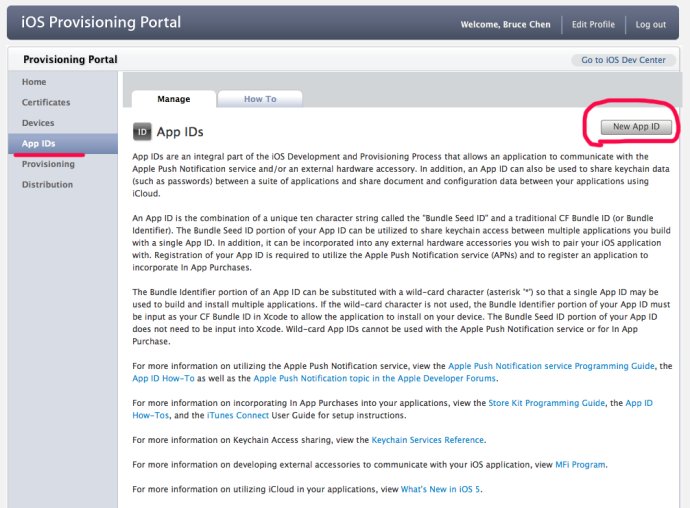
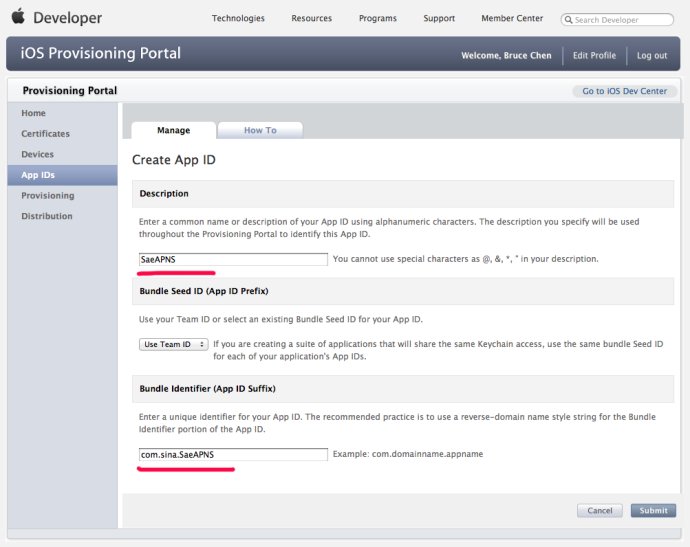
1,在iOS开发者中心: iOS Provisioning Portal 创建一个AppID,如图:
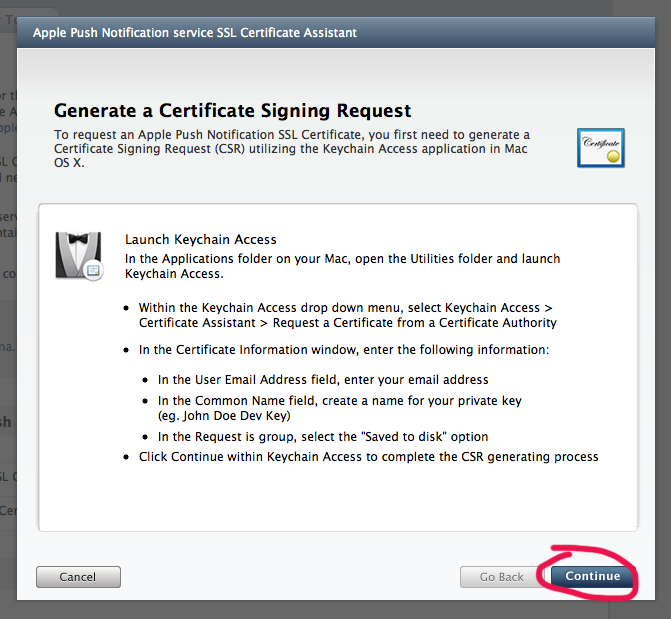
2,生成iOS Push Service证书,如图:


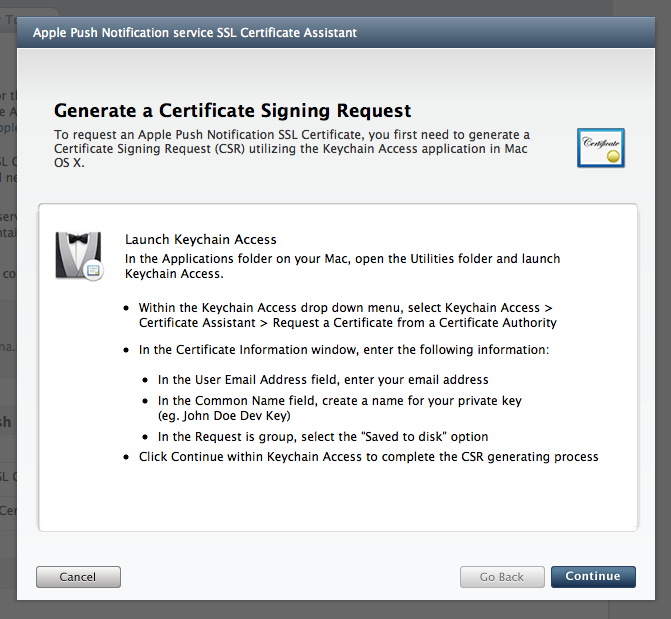
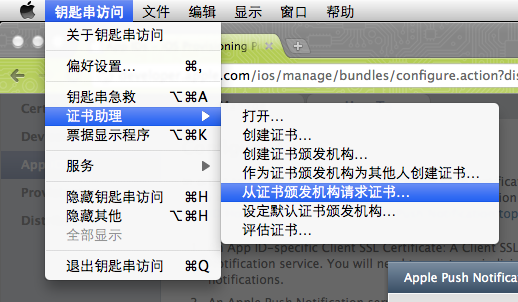
按照上述提示操作:
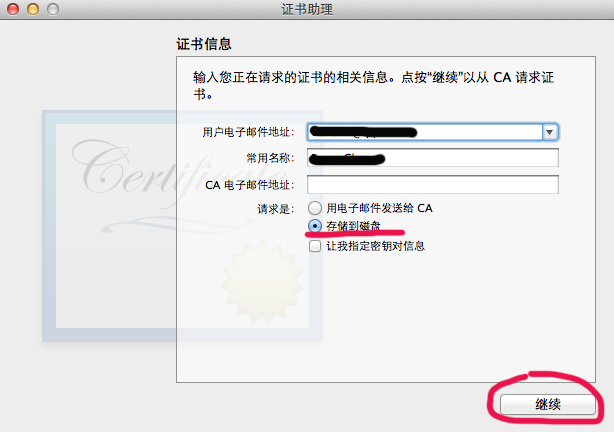
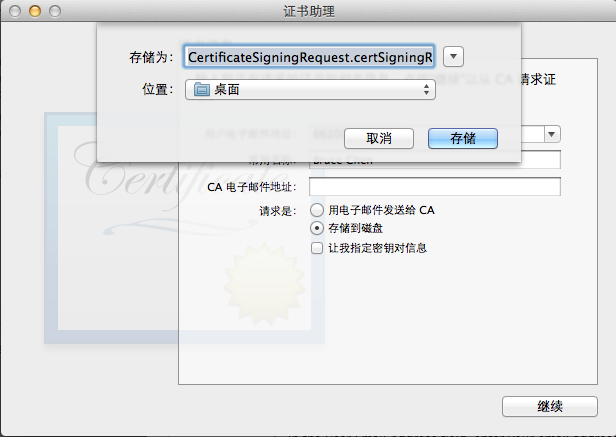
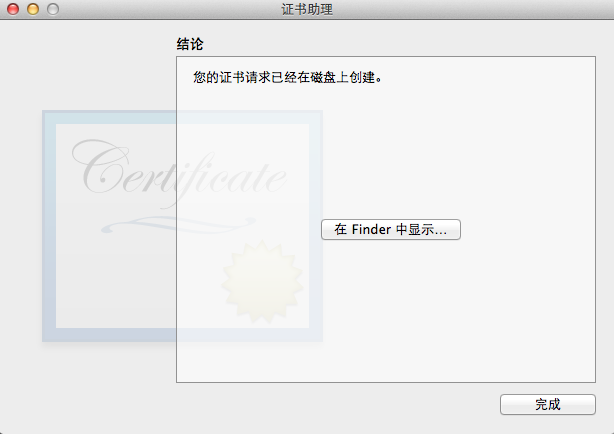
回到iOS Provisioning Portal:
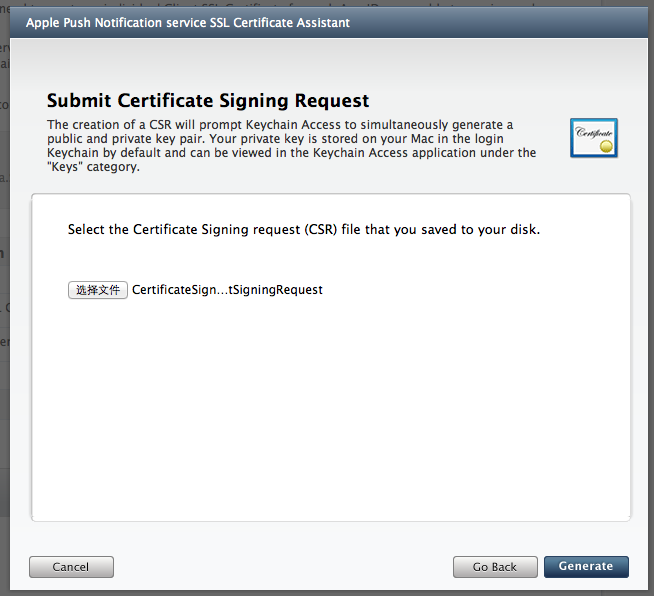
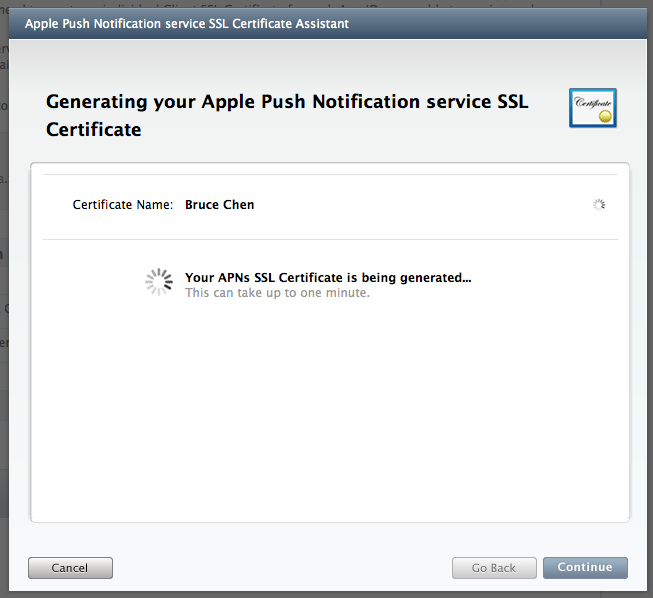
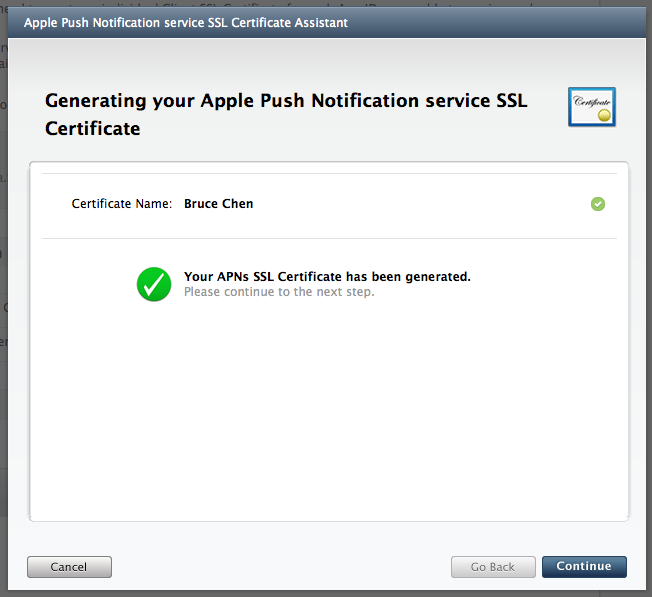
点击“Download”下载iOS Push Service证书文件,如图:
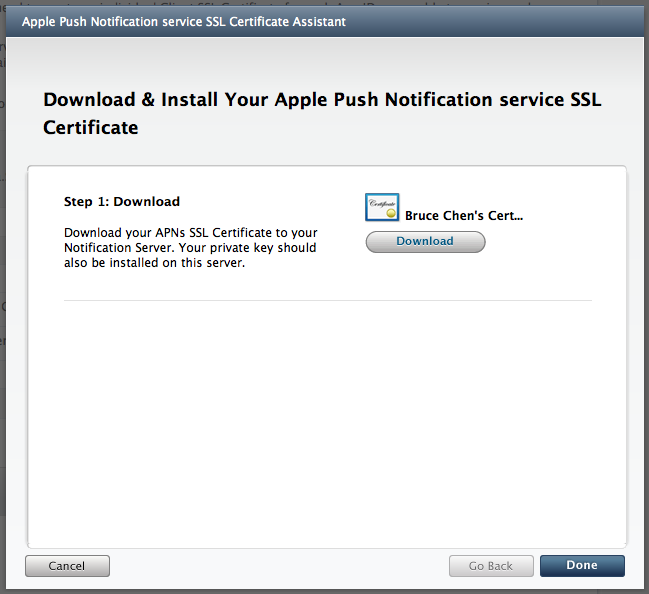
3,导入证书文件到keychain:双击即可
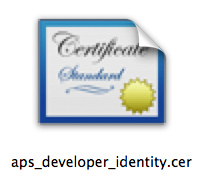
4,生成ck.pem
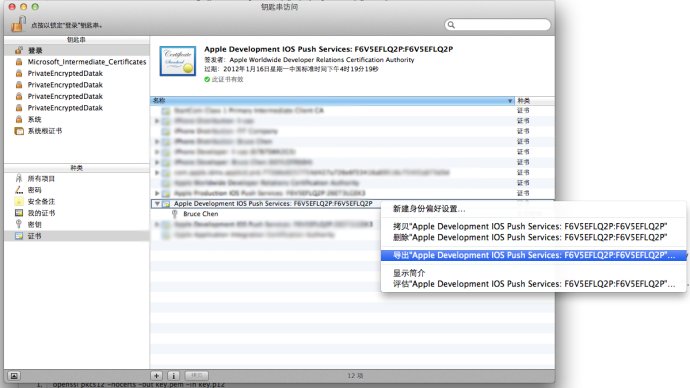
导出cert.p12:

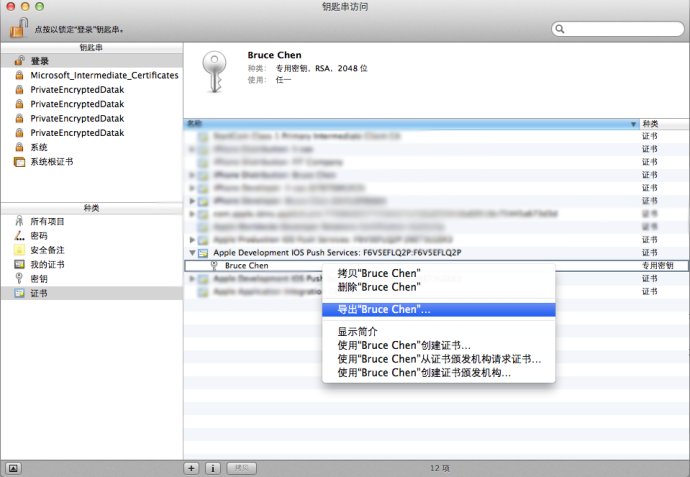
导出key.p12:
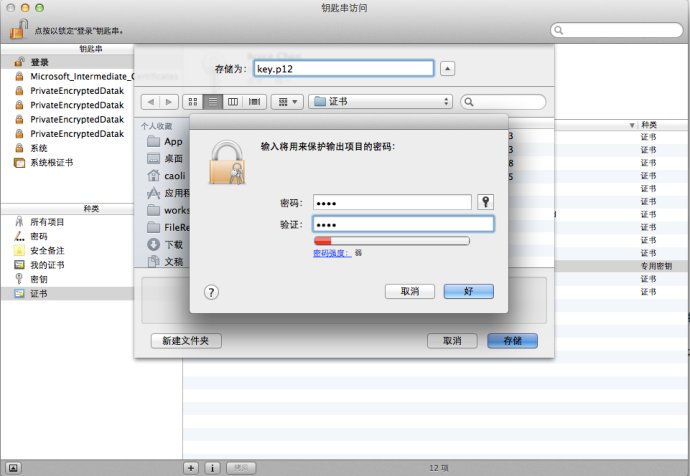
得到这样两个文件:
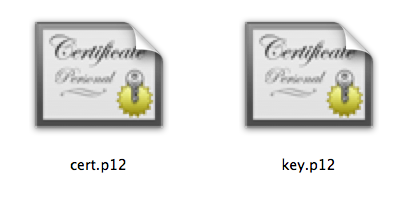
接下来打开终端:
输入命令:openssl pkcs12 -clcerts -nokeys -out cert.pem -in cert.p12

然后输入命令:openssl pkcs12 -nocerts -out key.pem -in key.p12
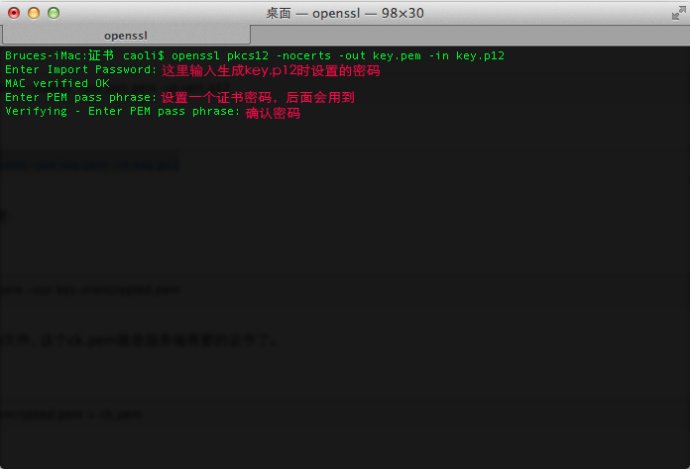
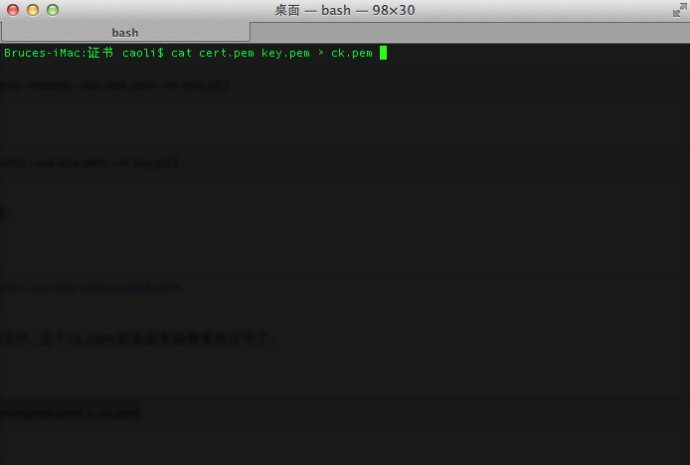
最后合并成一个ck.pem文件:
输入命令:cat cert.pem key.pem > ck.pem
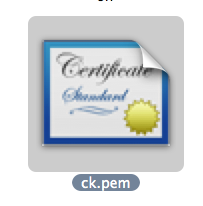
得到一个ck.pem文件:
5, 生成并安装Profile文件:
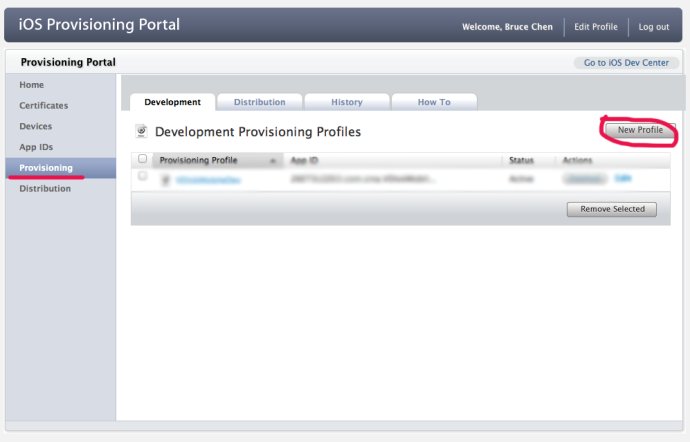
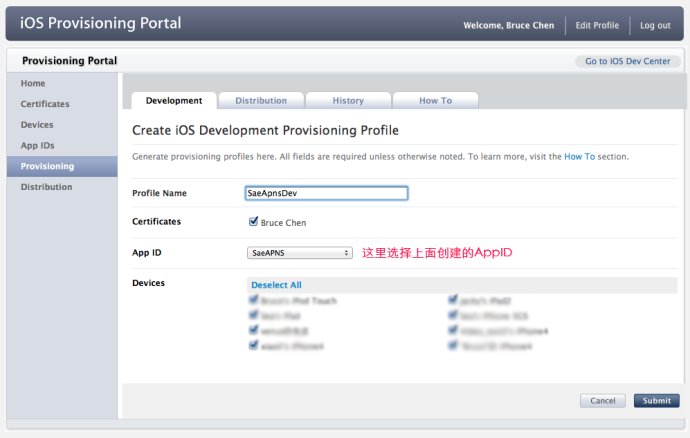
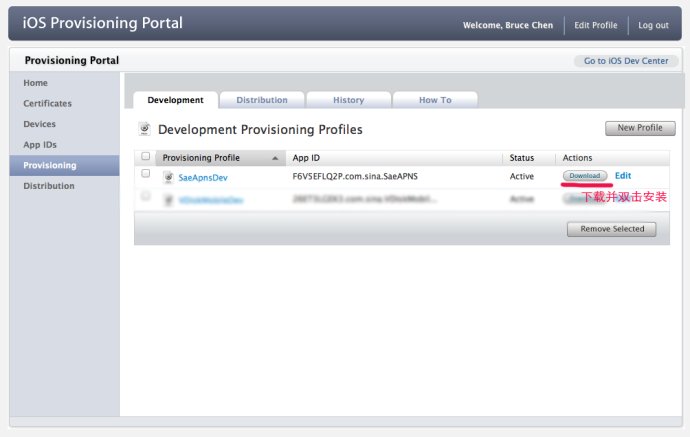
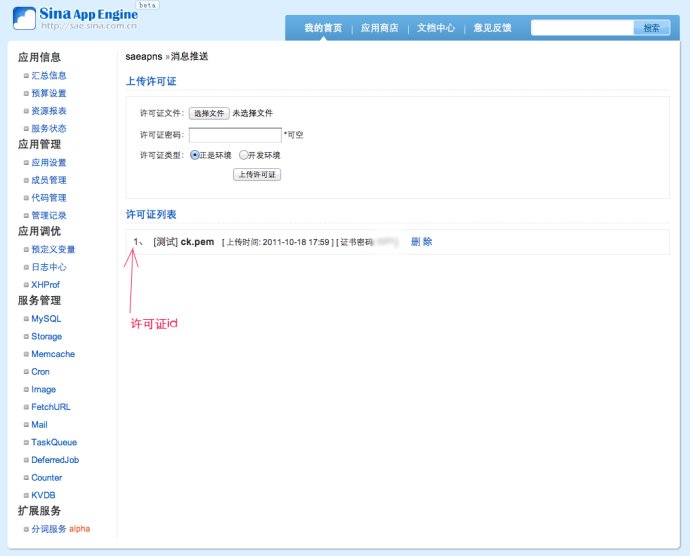
6, 上传ck.pem到SAE, 如图:
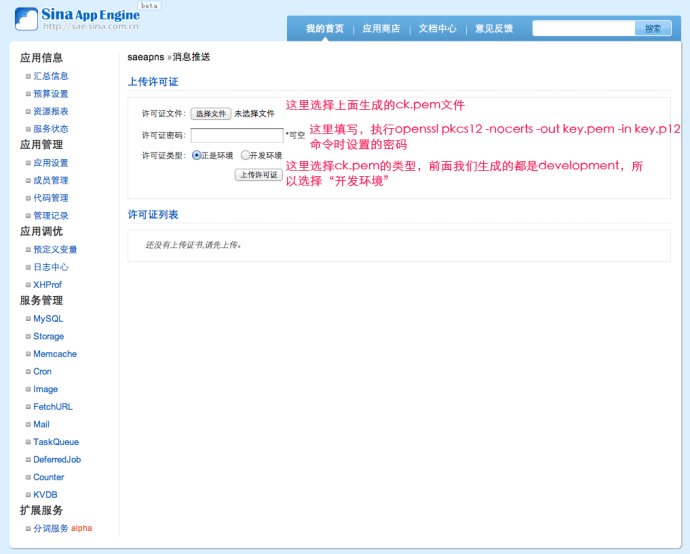
7, 客户端程序:
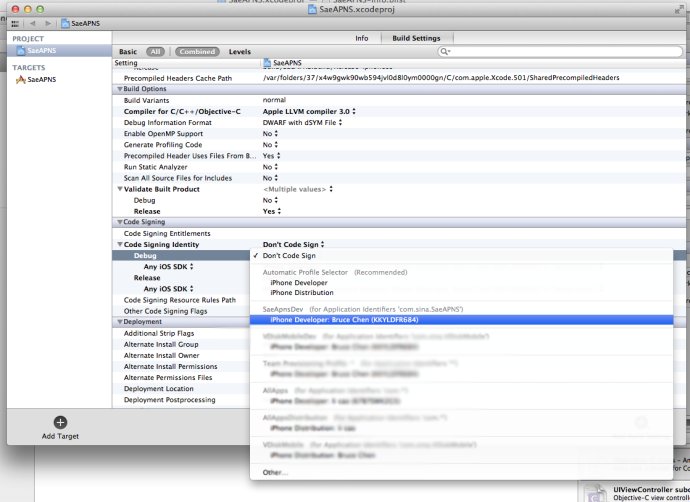
设置profile:
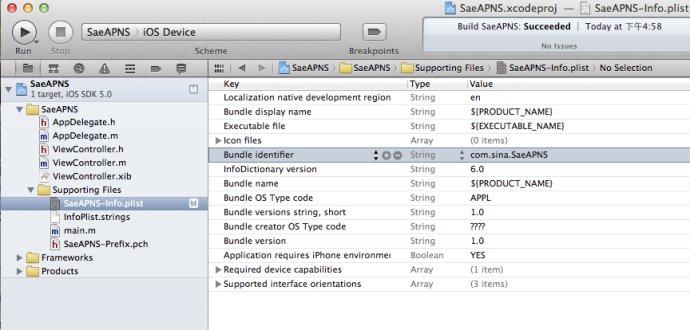
在info.plist中设置Bundle identifier:
在合适的位置加入下面代码,将你的应用注册到消息中心:
- 1234567891011121314
- (IBAction)action:(id)sender {//注册到消息中心:[[UIApplicationsharedApplication]registerForRemoteNotificationTypes:(UIRemoteNotificationTypeBadge|UIRemoteNotificationTypeSound|UIRemoteNotificationTypeAlert|UIRemoteNotificationTypeNewsstandContentAvailability)];} 在AppDelegate中加入下面代码:
- 123456789101112131415161718192021222324252627282930313233343536373839404142434445464748495051525354
#pragma mark -#pragma mark APNS- (void)application:(UIApplication*)applicationdidRegisterForRemoteNotificationsWithDeviceToken:(NSData*)deviceToken {//获得 device tokenNSLog(@"deviceToken: %@", deviceToken);/*. . . . . .在这里把deviceToken和用户信息发送到服务器端. . . . . .*///获得 唯一标示NSLog(@"uniqueIdentifier: %@", [[UIDevicecurrentDevice]uniqueIdentifier]);}- (void)application:(UIApplication*)applicationdidFailToRegisterForRemoteNotificationsWithError:(NSError*)error {NSLog(@"Error in registration. Error: %@", error);}- (void)application:(UIApplication*)applicationdidReceiveRemoteNotification:(NSDictionary*)userInfo {/*收到消息自定义事件*/if([[userInfoobjectForKey:@"aps"]objectForKey:@"alert"] !=nil) {UIAlertView*alert = [[UIAlertViewalloc]initWithTitle:@"通知"message:[[userInfoobjectForKey:@"aps"]objectForKey:@"alert"]delegate:selfcancelButtonTitle:@"确定"otherButtonTitles:nil];[alertshow];[alertrelease];}}
8, 服务器端程序:
- 123456789101112131415161718192021222324252627282930313233343536373839404142434445464748495051525354555657
/**** 实例代码** SaeAPNS调用方法详见API文档:http://apidoc.sinaapp.com/sae/SaeAPNS.html** @author Bruce Chen**/header("Content-Type: text/html;charset=utf-8");include_once("saeapns.class.php");/* int $cert_id 许可证序号(1-10)*/$cert_id= 1;/* string $device_token 设备令牌 */$device_token='xxxxxxxx xxxxxxxx xxxxxxxx xxxxxxxx xxxxxxxx xxxxxxxx xxxxxxxx xxxxxxxx';/* string $message 消息内容 */$message=date('Y-m-d H:i:s') .": \n".'测试消息 from SAE';/*array $body 消息体(包括消息、提醒声音等等),格式请参考示例和{@link http://developer.apple.com/library/ios/#documentation/NetworkingInternet/Conceptual/RemoteNotificationsPG/ApplePushService/ApplePushService.html#//apple_ref/doc/uid/TP40008194-CH100-SW1 Apple官方文档}*/$body=array('aps'=>array('alert'=>$message,'badge'=> 1,'sound'=>'in.caf'),'others'=>array());//实例化SaeAPNS$apns=newSaeAPNS();//推送消息$result=$apns->push($cert_id,$body,$device_token);if($result!== false) {echo'发送成功';}else{echo'发送失败';var_dump($apns->errno(),$apns->errmsg());}
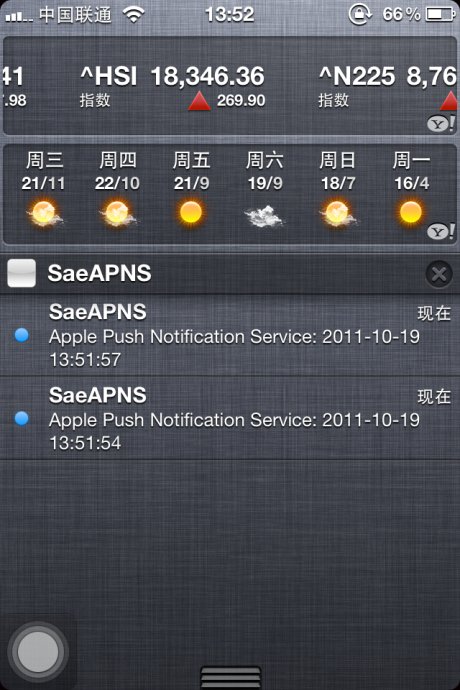
9, 手机收到通知效果:
源码实例下载地址: http://vdisk.weibo.com/s/SbY2

转自:http://blog.csdn.net/wave_1102/article/details/7669152
(转)在SAE使用Apple Push Notification Service服务开发iOS应用, 实现消息推送的更多相关文章
- Provider Communication with Apple Push Notification Service
This chapter describes the interfaces that providers use for communication with Apple Push Notificat ...
- 陌陌架构分享 – Apple Push Notification Service
http://blog.latermoon.com/?p=878 先描述下基本概念,标准的iPhone应用是没有后台运行的,要实现实时推送消息到手机,需要借助Apple提供的APNS服务. iPhon ...
- (转)How to build an Apple Push Notification provider server (tutorial)
转自:https://blog.serverdensity.com/how-to-build-an-apple-push-notification-provider-server-tutorial/ ...
- (转)Apple Push Notification Services in iOS 6 Tutorial: Part 2/2
转自:http://www.raywenderlich.com/32963/apple-push-notification-services-in-ios-6-tutorial-part-2 Upda ...
- (转)Apple Push Notification Services in iOS 6 Tutorial: Part 1/2
转自:http://www.raywenderlich.com/32960/apple-push-notification-services-in-ios-6-tutorial-part-1 Upda ...
- (转)苹果推送通知服务教程 Apple Push Notification Services Tutorial
本文译自http://www.raywenderlich.com/.原文由iOS教程团队 Matthijs Hollemans 撰写,经原网站管理员授权本博翻译. 在iOS系统,考虑到手机电池电量,应 ...
- [Erlang 0106] Erlang实现Apple Push Notifications消息推送
我们的IOS移动应用要实现消息推送,告诉用户有多少条消息未读,类似下图的效果(笑果),特把APNS和Erlang相关解决方案笔记于此备忘. 上面图片中是Apple Notif ...
- Push:iOS基于APNS的消息推送
1. Push的三个步骤,如下图所示: (1)Push服务应用程序把要发送的消息.目的iPhone的标识打包,发给APNS: (2)APNS在自身的已注册Push服务的iPhone列表中,查找有相应标 ...
- [置顶] 手把手教你iOS消息推送证书生成以及Push消息
iOS推送消息是许多iOS应用都具备的功能,今天在给应用加推送功能,在生成证书的过程中,发生了各种令人蛋痛的事.下面就把步骤拿出来分享下: iOS消息推送的工作机制可以简单的用下图来概括: Provi ...
随机推荐
- 更加详细的Log4net的配置
请转到周金桥的文章 http://blog.csdn.net/zhoufoxcn/article/details/6029021
- JDBC连接Oracle数据库时出现的ORA-12505错误及解决办法
转载至http://www.blogjava.net/itspy/archive/2007/12/20/169072.html Oracle 问题描述:今天使用jdbc连接oracle 10.2.0. ...
- iOS之使用QLPreviewController打开文件,处理txt文件出现乱码的情况
iOS之使用QLPreviewController打开文件,处理txt文件出现乱码的情况 主要代码: - (id <QLPreviewItem>)previewController:(QL ...
- 关于.net 对excel操作的方法
asp.net打印文件用的最多的一般2种,word和excel,今天在这里整洁一下关于打印excel的几种方式及优缺点 第一种:直接打印html代码,然后将输出类型伪装成excel文件(excel是可 ...
- 你好,C++(13)这道单选题的答案是A、B、C还是D?3.7 枚举类型
3.7 枚举类型 除了之前我们介绍的数值数据和文字数据之外,在现实世界中,常常还会遇到这样一类数据:一道单选题的答案只能是A.B.C.D四个选项中的某一个:红绿灯的颜色只能是红色,绿色和黄色中的某一 ...
- windows核心编程-信号量(semaphore)
线程同步的方式主要有:临界区.互斥区.事件.信号量四种方式. 前边讲过了互斥器线程同步-----windows核心编程-互斥器(Mutexes),这章我来介绍一下信号量(semaphore)线程同步. ...
- jQuery的remove和detach的区别
1.remove([expr]) 概述:从DOM中删除所有匹配的元素. 这个方法不会把匹配的元素从jQuery对象中删除,因而可以在将来再使用这些匹配的元素.但除了这个元素本身得以保留之外,其他的 ...
- 深入浅出Java 重定向和请求转发的区别
深入浅出Java 重定向和请求转发的区别 <span style="font-family:FangSong_GB2312;font-size:18px;">impor ...
- 使用Statement执行sql语句
import java.sql.Connection; import java.sql.DriverManager; import java.sql.SQLException; import java ...
- HTTP_X_FORWARDED_FOR 和 REMOTE_ADDR的使用 php
参考来源:http://qq398705749.iteye.com/blog/963818 php中HTTP_X_FORWARDED_FOR 和 REMOTE_ADDR的使用 1.REMOTE_ADD ...