
iptables 开放80端口以及删除80端口的规则
[root@zabbix-server html]# iptables --version

iptables v1.4.21

[root@zabbix-server html]# iptables -I INPUT -p tcp --dport  -j ACCEPT

[root@zabbix-server html]# iptables -L

Chain INPUT (policy ACCEPT)

target     prot opt source               destination

ACCEPT     tcp  --  anywhere             anywhere             tcp dpt:http

ACCEPT     all  --  anywhere             anywhere             state RELATED,ESTABLISHED

ACCEPT     icmp --  anywhere             anywhere

ACCEPT     all  --  anywhere             anywhere

ACCEPT     tcp  --  anywhere             anywhere             state NEW tcp dpt:ssh

REJECT     all  --  anywhere             anywhere             reject-with icmp-host-prohibited

Chain FORWARD (policy ACCEPT)

target     prot opt source               destination

REJECT     all  --  anywhere             anywhere             reject-with icmp-host-prohibited

Chain OUTPUT (policy ACCEPT)

target     prot opt source               destination
[root@zabbix-server html]# service iptables save
iptables: Saving firewall rules to /etc/sysconfig/iptables:[ 确定 ]
测试访问
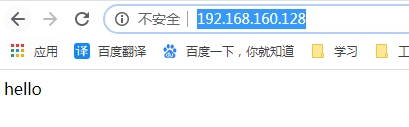
删除刚刚添加的80端口
[root@zabbix-server html]# iptables -D INPUT  -p tcp --dport  -j ACCEPT

[root@zabbix-server html]# iptables -L

Chain INPUT (policy ACCEPT)

target     prot opt source               destination

ACCEPT     all  --  anywhere             anywhere             state RELATED,ESTABLISHED

ACCEPT     icmp --  anywhere             anywhere

ACCEPT     all  --  anywhere             anywhere

ACCEPT     tcp  --  anywhere             anywhere             state NEW tcp dpt:ssh

REJECT     all  --  anywhere             anywhere             reject-with icmp-host-prohibited

Chain FORWARD (policy ACCEPT)

target     prot opt source               destination

REJECT     all  --  anywhere             anywhere             reject-with icmp-host-prohibited

Chain OUTPUT (policy ACCEPT)

target     prot opt source               destination

[root@zabbix-server html]# service iptables save

iptables: Saving firewall rules to /etc/sysconfig/iptables:[  确定  ]
测试访问

iptables 开放80端口以及删除80端口的规则的更多相关文章
- [转载]CENTOS 6.0 iptables 开放端口80 3306 22端口
原文地址:6.0 iptables 开放端口80 3306 22端口">CENTOS 6.0 iptables 开放端口80 3306 22端口作者:云淡风轻 #/sbin/iptab ...
- Iptables 防火墙开放常见的22,53,80端口
用iptables防火墙 iptables -F # 允许包从22端口进入 iptables -A INPUT -p tcp --dport 22 -j ACCEPT # 允许从22端口进入的包返回 ...
- (转载)CentOS: 开放80、22、3306端口操作
(转载)http://blog.sina.com.cn/s/blog_3eba8f1c0100tsox.html #/sbin/iptables -I INPUT -p tcp --dport 80 ...
- 【转】CentOS: 开放80、22、3306端口操作
#/sbin/iptables -I INPUT -p tcp --dport 80 -j ACCEPT#/sbin/iptables -I INPUT -p tcp --dport 22 -j AC ...
- CentOS7防火墙开启与关闭以及开放6379,3306,80等端口
CentOS7用firewall防火墙替代了原来的iptables,所以我们应该使用firewall的一些命令.如下:1.关闭防火墙 systemctl stop firewalld.service ...
- centos7防火墙iptables开放常用端口
清除所有规则: iptables -F 开放常用tcp端口: iptables -I INPUT -p tcp -m multiport --dports 20,21,22,3690,80,443,4 ...
- linux将80端口映射到指定端口命令
1.添加一个端口映射 将80端口映射到8088端口命令如下: iptables -t nat -I PREROUTING -p tcp --dport 80-j REDIRECT --to-port ...
- Linux中使用iptables开放特定端口
禁止其他主机对该特定主机进行访问和远程连接控制,所以只开放特定端口 只控制INPUT链就可达到控制其他主机对该主机的访问. 1.首先关闭INPUT链 iptables -P INPUT DROP 使用 ...
- docker上部署nginx容器80端口自动转443端口
拉去nginx镜像 # docker pull nginx 运行nginx容器config用于拷贝nginx配置文件 # docker run --name nginxconfig -d docker ...
随机推荐
- soap,restful 两种web service实现方式比较
web service服务 目前常用的实现web service的方式有有两种 1.SOAP 原始的web service标准,一堆标准,不过这些标准是在开发框架中实现的,有上层接口,可以调用 2.R ...
- C实现日志等级控制
#include <stdio.h> #include <stdlib.h> #include <string.h> #include <stdarg.h&g ...
- iOS转场弹窗、网易云音乐动效、圆环取色器、Loading效果等源码
iOS精选源码 view controller transition and popover (控制器转场和弹窗) UITableView头部悬停+UITableView侧滑嵌套 一行代码集成时间选择 ...
- G - 旅行的意义(概率DP) (DAG图的概率与期望)
为什么有人永远渴望旅行,或许就因为,巧合和温暖会在下一秒蜂拥而至吧. 一直想去旅游的天天决定在即将到来的五一假期中安排一场环游世界的旅行.为此,他已经提前查阅了很多资料,并准备画一张旅游路线图.天天先 ...
- Tomcat下访问HTML页面乱码的解决方法
问题:在 Tomcat 服务器中访问 HTML 静态页面出现中文乱码,html 页面即使 charset 设置成 UTF-8 也会是乱码,打开浏览器的开发者工具发现 response 的请求头中的 C ...
- python学习笔记(24)-类与对象
#类与对象 #python类的语法 关键字 class #class 类名 类名的规范是:数字字母下划线组成,不能以数字开头 首字母大写 驼峰命名 #类属性 放在类里面的变量值 #类方法 放在类里面的 ...
- 《C程序设计语言》练习 1-8,1-9
#include <stdio.h> /*编写一个统计空格,制表符与换行符个数的程序*/ main() { int a,b,c,d;//a表示空格个数,b表示制表符个数,c表示换行符个数 ...
- AngularJS中格式化日期为指定格式字符串
var date = $filter('date')(new Date(),'MM/dd/yyyy');
- Java IO: 序列化与ObjectInputStream、ObjectOutputStream
作者:Jakob Jenkov 译者: 李璟(jlee381344197@gmail.com) 本小节会简要概括Java IO中的序列化以及涉及到的流,主要包括ObjectInputStream和O ...
- vyos的Xvlan配置方式
set interfaces bridge br0 address '172.12.12.10/24' //开启一个桥借口,用于xvlan的通信 set interfaces vxlan vxlan0 ...