
Java 异常处理与输入输出
一、异常

1.1
package exception;

import java.util.Scanner;

public class ArrayIndex {

	public static void main(String[] args) {

		int[] a=new int[10];

		Scanner in=new Scanner(System.in);

		int index=in.nextInt();

		try

		{

			a[index]=25;

			System.out.println("right");

		}

		catch(ArrayIndexOutOfBoundsException b)

		{

		    System.out.println("there is a wrong");

		}

        in.close();

	}

}

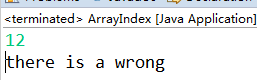
出现异常就会到catch。
1.2 调用的函数中出现异常
package exception;

import java.util.Scanner;

public class ArrayIndex {

	public static void f()

	{

		int[] a=new int[10];

		a[10]=15;

		System.out.println("right");

	}

	public static void main(String[] args) {

		try

		{

			f();

		}

		catch(ArrayIndexOutOfBoundsException b)

		{

		    System.out.println("there is a wrong");

		}

		System.out.println("end");

	}

}
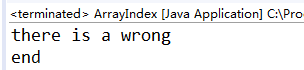
1.3
package exception;

import java.util.Scanner;

public class ArrayIndex {

	public static void f()

	{

		int[] a=new int[10];

		a[10]=15;

		System.out.println("hello");

	}

	public static void g()

	{

		f();

	}

	public static void h()

	{

		int i=10;

		if(i<100)

			g();

	}

	public static void k()

	{

		try {

			h();

		}

		catch(ArrayIndexOutOfBoundsException e)

		{

			 System.out.println("k()");

		}

	}

	public static void main(String[] args) {

		try

		{

			k();

		}

		catch(ArrayIndexOutOfBoundsException e)

		{

		    System.out.println("there is a wrong");

		}

		System.out.println("end");

	}

}

try ...catch 里出现嵌套时,只会输出里层嵌套的内容。
catch的存在就是为了处理出现的异常。
相当于在k()函数中发现了异常,并且利用catch已经将异常解决了。所以在main()中便默认k()没有了异常,所以不会输出“there is a wrong”。
1.4
package exception;

import java.util.Scanner;

public class ArrayIndex {

	public static void f()

	{

		int[] a=new int[10];

		a[10]=15;

		System.out.println("hello");

	}

	public static void g()

	{

		f();

	}

	public static void h()

	{

		int i=10;

		if(i<100)

			g();

	}

	public static void k()

	{

		try {

			h();

		}

		catch(ArrayIndexOutOfBoundsException e)

		{

			 System.out.println("k()");

			 throw e;//抛出异常

		}

	}

	public static void main(String[] args) {

		try

		{

			k();

		}

		catch(ArrayIndexOutOfBoundsException e)

		{

		    System.out.println("there is a wrong");

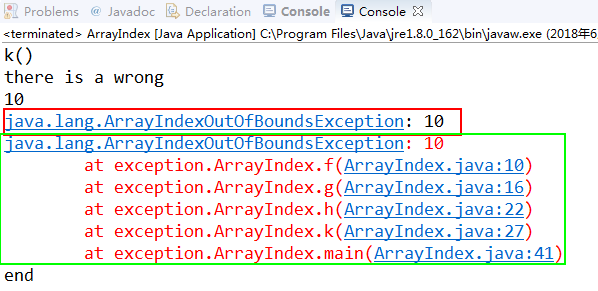
		    System.out.println(e.getMessage());//输出e的值,10,这是指数组a[10]处赋值出现问题

		    System.out.println(e);

		    e.printStackTrace();//显示调用路径

		}

		System.out.println("end");

	}

}
throw e:相当于将处理的异常又重新添加加进来,这样“there is a wrong ”也便会输出。
或者说对于异常catch没有处理完全。所以还需要再度输出。
1.5
二、流
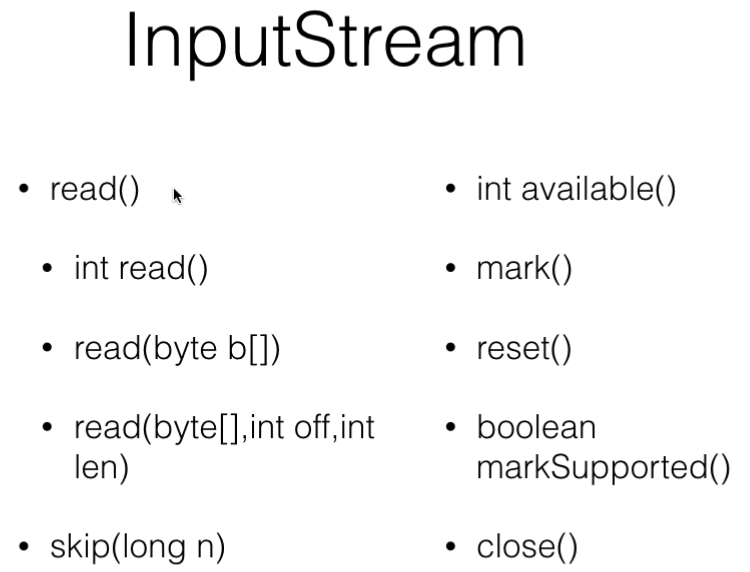
2.1 二进制数据
package Hello;

import java.io.IOException;

import java.util.Scanner;

public class test {

	public static void main(String[] args) {

		System.out.println("Hello world");

		byte[] buffer=new byte[1024];//定义了字节数组

		try {

			int len=System.in.read(buffer);//往buffer中写入数据,并返回长度

			String s=new String(buffer, 0, len);//从buffer中0的位置开始,获取len长度的字节

			System.out.println("读到了"+len+"字节");

			System.out.println(s);

			System.out.println("s的长度是:"+s.length());

		} catch (IOException e) {

			// TODO Auto-generated catch block

			e.printStackTrace();

		}

	}

}
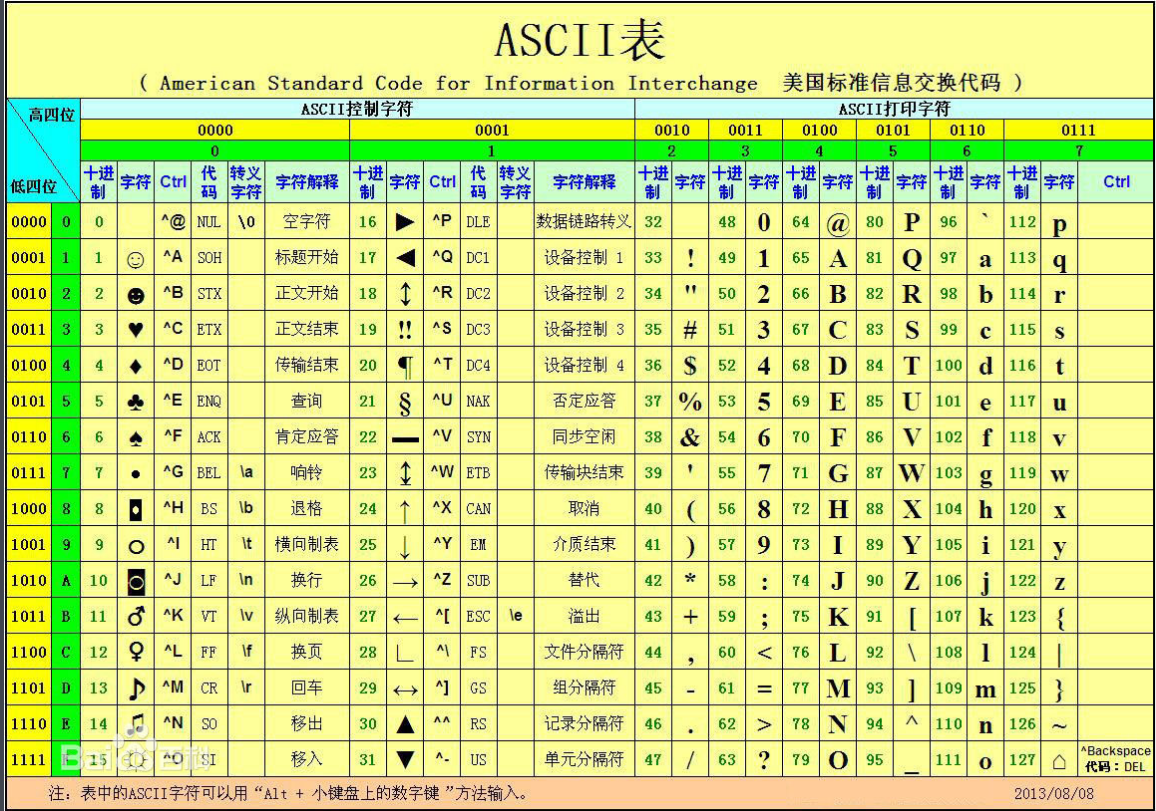
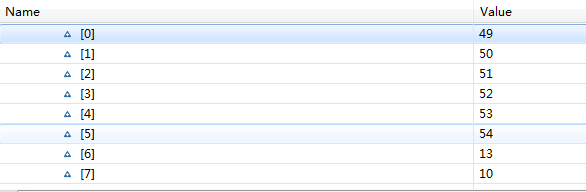


回车和换行算两个字符。

2.2
package Hello;

import java.io.FileNotFoundException;

import java.io.FileOutputStream;

import java.io.IOException;

import java.util.Scanner;

public class test {

	public static void main(String[] args) {

		System.out.println("Hello world");

		byte[] buffer=new byte[5];

		for(int i=0;i<buffer.length;i++)

		{

			buffer[i]='a';

		}

		try {

			FileOutputStream out=new FileOutputStream("a.txt");

			out.write(buffer);

			out.close();

		} catch (FileNotFoundException e) {

			// TODO Auto-generated catch block

			e.printStackTrace();

		} catch (IOException e) {

			// TODO Auto-generated catch block

			e.printStackTrace();

		}

	}

}
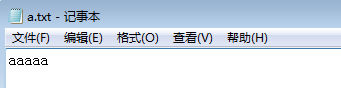

2.3 过滤器

package Hello;

import java.io.BufferedInputStream;

import java.io.BufferedOutputStream;

import java.io.DataInputStream;

import java.io.DataOutputStream;

import java.io.FileInputStream;

import java.io.FileNotFoundException;

import java.io.FileOutputStream;

import java.io.IOException;

import java.util.Scanner;

import javax.imageio.stream.FileImageOutputStream;

public class test {

	public static void main(String[] args) {

		System.out.println("Hello world");

		byte[] buffer=new byte[10];

		for(int i=0;i<buffer.length;i++)

		{

			buffer[i]=(byte) i;

		}

		try {

			DataOutputStream out=new DataOutputStream(

					new BufferedOutputStream(

							new FileOutputStream("b.dat")));//只能处理字节

			int i=123454;

			out.writeInt(i);

			out.close();

			DataInputStream in=new DataInputStream(

					new BufferedInputStream(

							new FileInputStream("b.dat")));

			int j=in.readInt();

			System.out.println(j);

		} catch (FileNotFoundException e) {

			// TODO Auto-generated catch block

			e.printStackTrace();

		} catch (IOException e) {

			// TODO Auto-generated catch block

			e.printStackTrace();

		}

	}

}
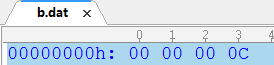
以16进制存储。

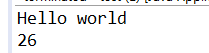

2.4 文本
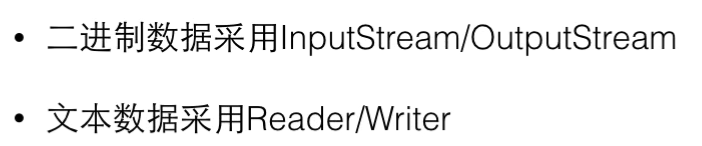

package Hello;

import java.io.BufferedInputStream;

import java.io.BufferedOutputStream;

import java.io.BufferedReader;

import java.io.BufferedWriter;

import java.io.DataInputStream;

import java.io.DataOutputStream;

import java.io.FileInputStream;

import java.io.FileNotFoundException;

import java.io.FileOutputStream;

import java.io.IOException;

import java.io.InputStreamReader;

import java.io.OutputStreamWriter;

import java.io.PrintWriter;

import java.util.Scanner;

import javax.imageio.stream.FileImageOutputStream;

public class test {

	public static void main(String[] args) {

		System.out.println("Hello world");

		byte[] buffer=new byte[10];

		for(int i=0;i<buffer.length;i++)

		{

			buffer[i]=(byte) i;

		}

		try {

			PrintWriter out=new PrintWriter(

					new BufferedWriter(

							new OutputStreamWriter(

									new FileOutputStream("c.txt"))));//

			int i=12345;

			out.println(i);

			out.close();

			BufferedReader in=new BufferedReader(

					new InputStreamReader(

							new FileInputStream("c.txt")));

			String line;

			while((line=in.readLine())!=null)

			    System.out.println(line);

		} catch (FileNotFoundException e) {

			// TODO Auto-generated catch block

			e.printStackTrace();

		} catch (IOException e) {

			// TODO Auto-generated catch block

			e.printStackTrace();

		}

	}

}
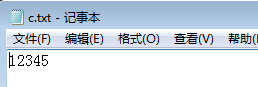
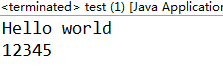


2.5编码格式
package Hello;

import java.io.BufferedInputStream;

import java.io.BufferedOutputStream;

import java.io.BufferedReader;

import java.io.BufferedWriter;

import java.io.DataInputStream;

import java.io.DataOutputStream;

import java.io.FileInputStream;

import java.io.FileNotFoundException;

import java.io.FileOutputStream;

import java.io.IOException;

import java.io.InputStreamReader;

import java.io.OutputStreamWriter;

import java.io.PrintWriter;

import java.util.Scanner;

import javax.imageio.stream.FileImageOutputStream;

public class test {

	public static void main(String[] args) {

		System.out.println("Hello world");

		byte[] buffer=new byte[10];

		for(int i=0;i<buffer.length;i++)

		{

			buffer[i]=(byte) i;

		}

		try {

			PrintWriter out=new PrintWriter(

					new BufferedWriter(

							new OutputStreamWriter(

									new FileOutputStream("c.txt"))));//

			int i=12345;

			out.println(i);

			out.close();

			BufferedReader in=new BufferedReader(

					new InputStreamReader(

							new FileInputStream("a.txt"),"GBk"));//设置编码格式

			String line;

			while((line=in.readLine())!=null)

			    System.out.println(line);

		} catch (FileNotFoundException e) {

			// TODO Auto-generated catch block

			e.printStackTrace();

		} catch (IOException e) {

			// TODO Auto-generated catch block

			e.printStackTrace();

		}

	}

}
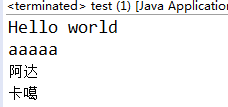
GBK编码时,正确读出
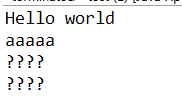
utf8时
2.6 格式化输出

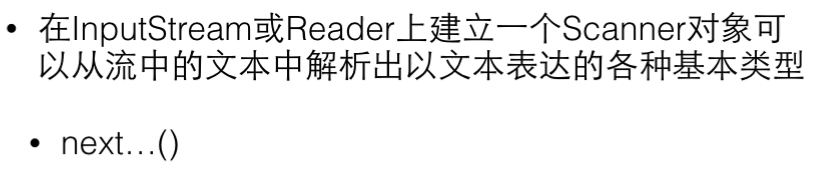
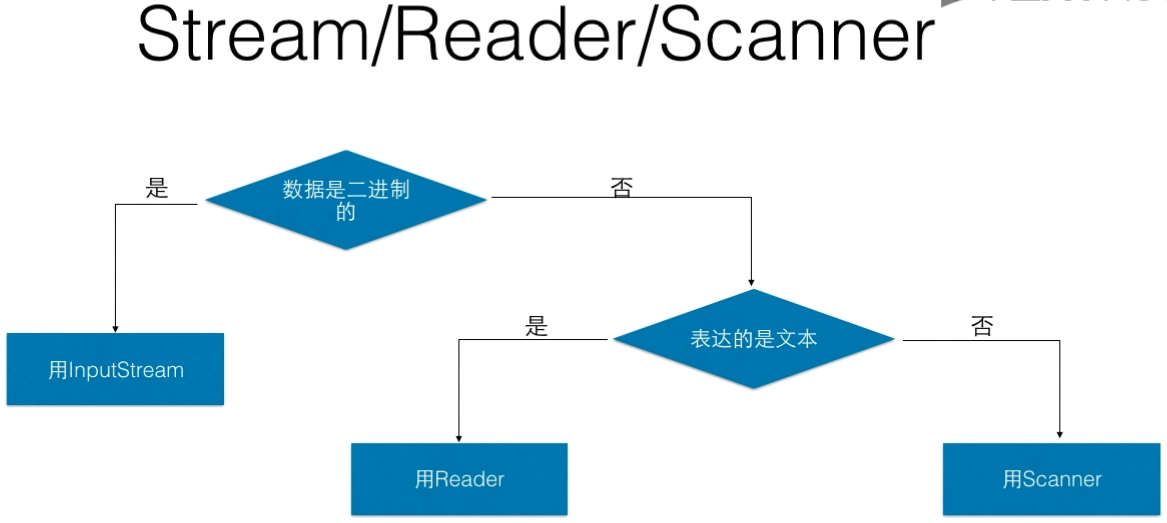
三、流应用
package Hello;

import java.io.BufferedReader;

import java.io.BufferedWriter;

import java.io.FileInputStream;

import java.io.FileOutputStream;

import java.io.IOException;

import java.io.InputStreamReader;

import java.io.OutputStreamWriter;

import java.io.PrintWriter;

import java.net.InetAddress;

import java.net.Socket;

public class hello {

	public static void main(String[] args) {

		try {

			Socket socket=new Socket(InetAddress.getByName("localhost"),12345);

			PrintWriter out=new PrintWriter(

					new BufferedWriter(

							new OutputStreamWriter(

									socket.getOutputStream())));//

			out.println("hello");

			BufferedReader in=new BufferedReader(

					new InputStreamReader(

							socket.getInputStream()));//设置编码格式

			String line;

			line=in.readLine();

			System.out.println(line);

			out.close();

			socket.close();

		}catch (IOException e) {

			// TODO Auto-generated catch block

			e.printStackTrace();

		}

	}

}
四、对象串行化
package Hello;

import java.io.BufferedReader;

import java.io.BufferedWriter;

import java.io.FileInputStream;

import java.io.FileOutputStream;

import java.io.IOException;

import java.io.InputStreamReader;

import java.io.ObjectInputStream;

import java.io.ObjectOutput;

import java.io.ObjectOutputStream;

import java.io.OutputStreamWriter;

import java.io.PrintWriter;

import java.io.Serializable;

import java.net.InetAddress;

import java.net.Socket;

class Student implements Serializable{ //可串行化的类

	private String name;

	private int age;

	private int grade;

	public Student(String name,int age,int grade)

	{

		this.name=name;

		this.age=age;

		this.grade=grade;

	}

	public String toString()

	{

		return name+" "+age+" "+grade;

	}

}

public class hello {

	public static void main(String[] args) {

		try {

			Student s1=new Student("John",18,5);

			System.out.println(s1);

			ObjectOutputStream out=new ObjectOutputStream(

					new FileOutputStream("obj.dat"));

			out.writeObject(s1);

			out.close();

			ObjectInputStream in=new ObjectInputStream(

					new FileInputStream("obj.dat"));

			Student s2=(Student)in.readObject();

			System.out.println(s2);

		}catch (IOException e) {

			// TODO Auto-generated catch block

			e.printStackTrace();

		} catch (ClassNotFoundException e) {

			// TODO Auto-generated catch block

			e.printStackTrace();

		}

	}

}
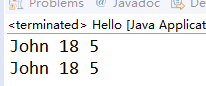
保存在obj.dat中的值

Java 异常处理与输入输出的更多相关文章
- Java—异常处理总结
异常处理是程序设计中一个非常重要的方面,也是程序设计的一大难点,从C开始,你也许已经知道如何用if...else...来控制异常了,也许是自发的,然而这种控制异常痛苦,同一个异常或者错误如果多个地方出 ...
- [ Java学习基础 ] Java异常处理
一.异常概述 异常是程序中的一些错误,但并不是所有的错误都是异常,并且错误有时候是可以避免的.比如说,你的代码少了一个分号,那么运行出来结果是提示是错误 java.lang.Error:如果你用Sys ...
- 2017.4.7 java异常处理总结
目录 1.java异常处理的几种错误做法 2.异常处理示例 3.常用异常 4.异常类的继承关系 5.异常处理机制 6.Throw和Throws的区别 7.e.toString(), e.getCaus ...
- Java异常处理总结Exception\Error
Java异常处理总结Exception\Error 2012-12-28 08:17:17| 分类: JAVA | 标签:java |举报|字号 订阅 Java异常处理总结 ...
- 这几种Java异常处理方法,你会吗?
摘要:我们在软件开发的过程中,任何语言的开发过程中都离不开异常处理. 本文分享自华为云社区<Java异常处理学习总结>,作者: zekelove . 我们在软件开发的过程中,任何语言的开发 ...
- 札记:Java异常处理
异常概述 程序在运行中总会面临一些"意外"情况,良好的代码需要对它们进行预防和处理.大致来说,这些意外情况分三类: 交互输入 用户以非预期的方式使用程序,比如非法输入,不正当的操作 ...
- java异常处理(父子异常的处理)
我当初学java异常处理的时候,对于父子异常的处理,我记得几句话“子类方法只能抛出父类方法所抛出的异常或者是其子异常,子类构造器必须要抛出父类构造器的异常或者其父异常”.那个时候还不知道子类方法为什么 ...
- Java 异常处理
异常是程序中的一些错误,但并不是所有的错误都是异常,并且错误有时候是可以避免的. 比如说,你的代码少了一个分号,那么运行出来结果是提示是错误java.lang.Error:如果你用System.out ...
- 《转载》Java异常处理的10个最佳实践
本文转载自 ImportNew - 挖坑的张师傅 异常处理在编写健壮的 Java 应用中扮演着非常重要的角色.异常处理并不是功能性需求,它需要优雅地处理任何错误情况,比如资源不可用.非法的输入.nul ...
随机推荐
- Flutter01-学习准备
1. 简介: Flutter是谷歌的移动UI框架,可以快速在iOS和Android上构建高质量的原生用户界面. Flutter可以与现有的代码一起工作.在全世界,Flutter正在被越来越多的开发者和 ...
- Web网页布局的主要方式
一.静态布局(static layout) 即传统Web设计,网页上的所有元素的尺寸一律使用px作为单位. 1.布局特点 不管浏览器尺寸具体是多少,网页布局始终按照最初写代码时的布局来显示.常规的pc ...
- input type="file"使用
问题: 在实际开发过程中,会遇到上传文件的一些需求.但是使用原生的<input type="file" />在使用中存在一些问题 在未上传文件时,显示"no ...
- WinPcap vs Npcap
1.两者都一直有人在维护,而并不是nmap官网介绍的已经停止维护了,https://nmap.org/npcap/vs-winpcap.html 2.Wireshark默认使用WinPcap,他无法抓 ...
- python之函数介绍
# 函数 # 什么是函数: 能完成特定功能的工具,在Python中表示能完成特定功能的代码块.(函数定义) # 为什么要用函数 :①函数可以重复调用出来,效率高,而且维护成本低 ②使程序结构看起来清晰 ...
- 登录页面判断session退出登录清空session
1 2 3 4 5 6 if(empty($_POST)){ $_SESSION = array(); if(isset($_COOKIE[session_name()])){ ...
- 2020centos解决“nginx 403 Forbidden"错误的故事
最近折腾一个放在日本的vps,网速还可以,就是经常丢包. 原本配置了Nginx的做代理服务器,我想反正服务器空闲者,放点我自己的资料 配置了一个静态html文件,方便自己随时查看 结果,不停的修改ng ...
- windows7免费永久激活方法分享
前言 我相信,这里肯定有看过我上一篇博客的同学. 我说了,为解决windows7激活问题,我会找一个比较好的方法. 首先先让大家看一看激活前windows7的计算机属性: 显示是未激活的.下面就是方法 ...
- LeetCode 41,一题解读in-place思想
本文始发于个人公众号:TechFlow,原创不易,求个关注 今天是LeetCode题解系列第21篇,今天来看一道人狠话不多的题目. 题面 题目非常简单,只有一句话,给定一个整数数组,要求返回最小的不在 ...
- postgresql自增字段初始值的设定
在实际开发中会有这样的需求,想要自己设置表中自增字段的初始值. 比如:有一个your_table表中有一个自增字段id,我们知道,插入数据后,默认是从1开始自增的. 但是假如现在有一个需求,是要求id ...