
Using Virtual Serial Ports on Linux (Ubuntu)
A virtual serial port is a redirector without network software support which is usually used to create a pair of back-to-back virtual COM ports on the same computer. Two legacy applications can then communicate using virtual serial ports instead of conventional inter-process communication mechanisms such as named pipes.
This type of software is capable of emulating all serial port functionality, including Baud rate, data bits, parity bits, stop bits, etc. Additionally, it allows the data flow to be controlled, emulating all signal lines (DTR/DSR/CTS/RTS/DCD/RI) and customizing pinout.
Often I write software for embedded devices, and they have to exchange data with a PC. Since the devices often, if we don't want to say "always", aren't available during the development phase I have to simulate the connection in other ways. When I have to use UARTs to communicate, I use a tool which generates 2 virtual ports and then joins them back to back.
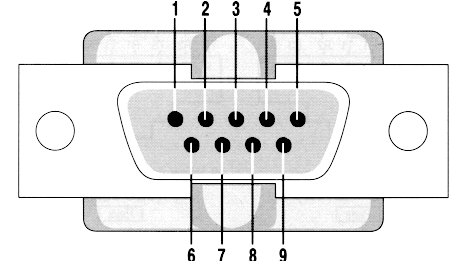
The software I use on Linux is socat, it is a very complex software and it can do a lot of other things, maybe in another article I'll show other functionalities of socat.
Socat Man Page: "Socat is a command line based utility that establishes two bidirectional byte streams and transfers data between them. Because the streams can be constructed from a large set of different types of data sinks and sources (see address types), and because lots of address options may be applied to the streams, socat can be used for many different purposes."
However let's try socat:
Installation on Ubuntu
To install socat on Ubuntu (I'm using 12.04) just run the following command:
# sudo apt-get install socat
Setting up two serial lines
now on a terminal window run socat
# socat -d -d PTY PTY:
The output should look like the following one:
2013/09/20 14:07:10 socat[6871] N PTY is /dev/pts/5

2013/09/20 14:07:10 socat[6871] N PTY is /dev/pts/6

2013/09/20 14:07:10 socat[6871] N starting data transfer loop with FDs [3,3] and [5,5]
Now you have two "serial" ports connected back to back
Testing the ports
open a new terminal and issue the following command
# sudo cat /dev/pts/5
open a new terminal and issue the following command
# sudo echo "Hello World" > /dev/pts/6
On the first terminal you should see the string "Hello World".
That's all, nothing more.
Using Virtual Serial Ports on Linux (Ubuntu)的更多相关文章
- Power OFF and ON USB device in linux (ubuntu)
Power OFF and ON USB device in linux (ubuntu) http://loginroot.com/power-off-and-on-usb-device-in-li ...
- [转]Linux Ubuntu上架设FTP
Linux Ubuntu上架设FTP http://www.blogjava.net/stonestyle/articles/369104.html 操作系统:ubuntu (GNU/Linux) 为 ...
- libserialport: cross-platform library for accessing serial ports
/*********************************************************************************** * libserialport ...
- The Guideline of Setting Up Samba Server on linux(Ubuntu)
The Guideline of Setting Up Samba Server on linux(Ubuntu) From terminate command window, install the ...
- golang 跨平台编译——go 在windows上编译Linux平台的程序(Cross Compilation from Windows to Linux/Ubuntu)
Go Cross Compilation from Windows to Linux/Ubuntu I have GO 1.7 installed on my Windows 10. I create ...
- Arch Linux 安装博通 BCM4360 驱动(Arch Linux, Ubuntu, Debian, Fedora...)
BCM4360 在2010年9月,博通完全开源的硬件驱动[1].该驱动程序 brcm80211已被列入到自2.6.37之后的内核中.随着2.6.39发布,这些驱动程序已被重新命名为 brcmsmac和 ...
- 在Linux(Ubuntu)下搭建ASP.NET Core环境并运行 继续跨平台
最新教程:http://www.cnblogs.com/linezero/p/aspnetcoreubuntu.html 无需安装mono,在Linux(Ubuntu)下搭建ASP.NET Core环 ...
- Linux ubuntu 10.10安装OpenCv
在windows系统下已经成功做出了一个打开摄像头并检测人脸的小程序了. 开始转战linux,因为最终目标是将程序移植到嵌入式开发板上面. 但是,问题接踵而至~ 首先linux上面要安装OpenCv, ...
- windows远程连接Linux(Ubuntu)的方法
需要做的工作: 1.在Linux(Ubuntu)端安装.设置好SSH 2.下载putty,并通过putty的SSH连接登录Linux 一 .如何在Linux(Ubuntu)端安装.设置好SSH,获取I ...
随机推荐
- PowerShell-第3章 变量与对象
3.1 在变量中存储信息 假如说变量存储了大量数据,且不用了,可以赋值为$null,则可以释放变量占用的内存空间. 3.2 访问环境变量 获得所有环境变量 Get-ChildItem env: 获得某 ...
- Knockout v3.4.0 中文版教程-7-计算监控-依赖跟踪如何工作
3.依赖跟踪如何工作 初学者不需要知道这一点,但更高级的开发人员将想知道为我们怎么实现KO自动跟踪依赖性和自动更新UI的正确部分... 它其实相当简单优雅,跟踪算法如下: 当你定义一个计算监控,KO立 ...
- 七、docker基本命令
Docker 基本命令 docker的基本命令 docker version :查看docker的版本号,包括客户端.服务端.依赖的Go等 [root@centos7 ~]# docker versi ...
- intellij idea 17 log4j 中文乱码
先是在intellij idea里设置没有得到解决, 然后在tomcat的server.xml里设置没有得到解决, 再然后在log4j配置文件里配置没有得到解决. 以下是解决方案. C:\Progra ...
- c++ - 在终端中,cout不显示任何内容
g++ 是一个编译器,它将源代码转换成可以执行程序,但不运行它. 你必须亲自运行程序. g++ 生成的程序的默认名称是 a.out ( 因为历史原因),因此你将运行它作为 $./a.out 如果要 ...
- ctype.h 第2章
ctype.h ctype.h是c标准函数库中的头文件 定义了一批c语言字符分类函数 (c character classification functions) 用于测试字符是否属于特定的字 ...
- 组合数学的卡特兰数 TOJ 3551: Game of Connections
这个就是卡特兰数的经典问题 直接用这个公式就好了,但是这个题涉及大数的处理h(n)=h(n-1)*(4*n-2)/(n+1) 其实见过好几次大数的处理了,有一次他存的恰好不多于30位,直接分成两部分l ...
- nginx的详解(四)
10.nginx的访问控制及DDOS预防1)访问控制配置基于各种原因,Ningx有时要进行访问控制.比如说,一般网站的后台都不能让外部访问,所以要添加 IP 限制,通常只允许公司的IP访问.访问控制就 ...
- 【树状数组区间修改区间求和】codevs 1082 线段树练习 3
http://codevs.cn/problem/1082/ [AC] #include<bits/stdc++.h> using namespace std; typedef long ...
- Fabrice Bellard其人 ---- FFMPEG及其他……
有些计算机科学家的名字耳熟能详:阿兰·图灵(Alan Turing).高纳德(Donald Knuth).艾兹赫尔·戴克斯特拉(Edsger Dijkstra),这些人的名气甚至大于他们突破性的成就. ...