
0010Springboot整合thymeleaf
1、pom.xml中添加thymeleaf的起步依赖
2、编写html文件并放在classpath:/templates/路径下
3、编写controller并返回字符串,会到classpath:/templates/路径下找 字符串.html的文件解析并返回
pom.xml中添加thymeleaf的起步依赖
<!--引入thymeleaf模板引擎-->
<dependency>
    <groupId>org.springframework.boot</groupId>
    <artifactId>spring-boot-starter-thymeleaf</artifactId>
</dependency>
若想更改thymeleaf版本号,可在pom.xml中添加如下配置
<properties>
    <java.version>1.8</java.version>
    <!--更改thymeleaf版本-->
    <thymeleaf.version>3.0.11.RELEASE</thymeleaf.version>
    <!-- 布局功能的支持程序  thymeleaf3主程序 适配 layout2以上版本 -->
    <!-- thymeleaf2   layout1-->
    <thymeleaf-layout-dialect.version>2.2.2</thymeleaf-layout-dialect.version>
</properties>
编写html文件并放在classpath:/templates/路径下
<!DOCTYPE html>
<html lang="en" xmlns:th="http://www.thymeleaf.org">
<head>
    <meta charset="UTF-8">
    <title>Title</title>
</head>
<body>
    <h1>成功</h1>
    转义为普通字符,输出字符串"<h1>您好!</h1>"
    <div th:text="${hello}"> </div>
    <!--不转义为普通字符,即输出为h1标题大小的字符串"您好!"-->
    <div th:utext="${hello}"> </div>

<!-- th:each每次遍历都会生成当前标签,所以会生成3个h4标签-->
<h4 th:each="user:${users}" th:text="${user}"></h4>
<h4>
    <!--/*[[]]相当于th:text*/-->
    <span th:each="user:${users}" >[[${user}]]</span>
    <!--/*[[]]相当于th:utext*/-->
    <span th:each="user:${users}" >[(${user})]</span>
    <!--/*加斜杠星形式的代码在解析时会被移除,上边带th:utext形式的代码,如果注释中不加斜杠星,
    访问该页面解析时会报错,审查元素时看不到这部分注释,其他形式的注释在审查元素时可以看到*/-->
</h4>
</body>
</html>
编写controller并返回字符串,会到classpath:/templates/路径下找 字符串.html的文件解析并返回
package com.myself.controller;

import org.springframework.stereotype.Controller;
import org.springframework.web.bind.annotation.RequestMapping;
import org.springframework.web.bind.annotation.ResponseBody;
import org.springframework.web.bind.annotation.RestController;

import java.util.Arrays;
import java.util.Map;

@Controller
public class HelloController {

    @RequestMapping("/hello")
    //注意此处不能写@ResponseBody,否则就不会解析success.html文件了,而是之间返回"success"字符串给页面
    //同理,类上也不能写@RestController,因为它相当于@Controller和@ResponseBody的合体
    //@ResponseBody
    public String hello(Map<String,Object> map){
        map.put("hello","<h1>您好!</h1>");
        map.put("users", Arrays.asList("张三","李四","王五"));
        return "success";
    }
}

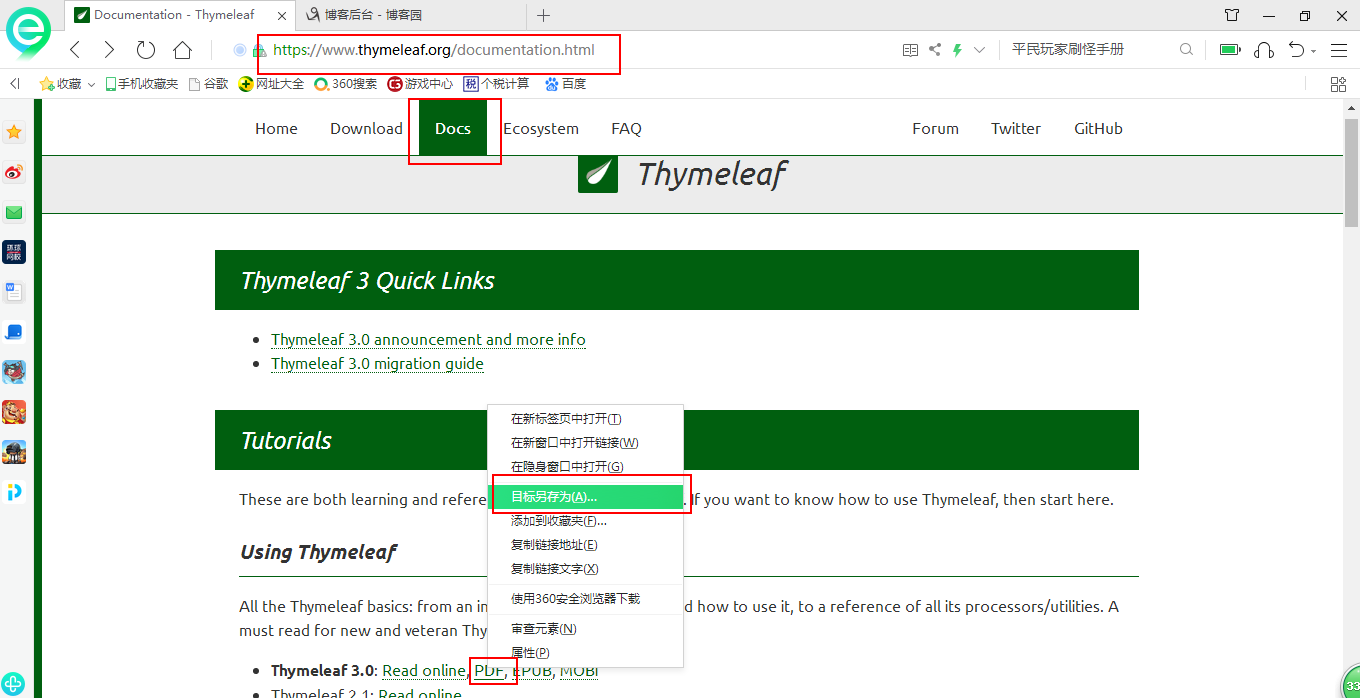
另外thymeleaf的语法可访问thymeleaf的官网进行学习,为方便查看也可导出pdf进行查看
若有理解不到之处,望指正!
0010Springboot整合thymeleaf的更多相关文章
- SpringBoot 同时整合thymeleaf html、vue html和jsp
问题描述 SpringBoot如何同时访问html和jsp SpringBoot访问html页面可以,访问jsp页面报错 SpringBoot如何同时整合thymeleaf html.vue html ...
- 【Springboot】Springboot整合Thymeleaf模板引擎
Thymeleaf Thymeleaf是跟Velocity.FreeMarker类似的模板引擎,它可以完全替代JSP,相较与其他的模板引擎,它主要有以下几个特点: 1. Thymeleaf在有网络和无 ...
- Spring Boot 2.x 综合示例-整合thymeleaf、mybatis、shiro、logging、cache开发一个文章发布管理系统
一.概述 经过HelloWorld示例(Spring Boot 2.x 快速入门(上)HelloWorld示例)( Spring Boot 2.x 快速入门(下)HelloWorld示例详解)两篇的学 ...
- SpringMVC整合Thymeleaf
Thymeleaf的介绍 进行JavaWeb开发时主要用到的是JSP,传统的JSP需要在页面中加入大量的JSTL标签,这些标签只能运行在服务器中,前端开发人员维护这些页面比较困难,页面加载速度也比较慢 ...
- spring boot 学习(二)spring boot 框架整合 thymeleaf
spring boot 框架整合 thymeleaf spring boot 的官方文档中建议开发者使用模板引擎,避免使用 JSP.因为若一定要使用 JSP 将无法使用. 注意:本文主要参考学习了大神 ...
- Spring Boot 整合 Thymeleaf 完整 Web 案例
Thymeleaf 是一种模板语言.那模板语言或模板引擎是什么?常见的模板语言都包含以下几个概念:数据(Data).模板(Template).模板引擎(Template Engine)和结果文档(Re ...
- Springboot整合thymeleaf模板
Thymeleaf是个XML/XHTML/HTML5模板引擎,可以用于Web与非Web应用. Thymeleaf的主要目标在于提供一种可被浏览器正确显示的.格式良好的模板创建方式,因此也可以用作静态建 ...
- SpringBoot整合Thymeleaf
一个整合Thymeleaf与Mybatis的CRUD例子 整合Mybatis例子 一.添加maven依赖 <dependency> <groupId>org.springfra ...
- Spring Boot2 系列教程(九)Spring Boot 整合 Thymeleaf
虽然现在慢慢在流行前后端分离开发,但是据松哥所了解到的,还是有一些公司在做前后端不分的开发,而在前后端不分的开发中,我们就会需要后端页面模板(实际上,即使前后端分离,也会在一些场景下需要使用页面模板, ...
随机推荐
- 最新 花椒直播java校招面经 (含整理过的面试题大全)
从6月到10月,经过4个月努力和坚持,自己有幸拿到了网易雷火.京东.去哪儿.花椒直播等10家互联网公司的校招Offer,因为某些自身原因最终选择了花椒直播.6.7月主要是做系统复习.项目复盘.Leet ...
- 从零开始学游戏开发(一):下载与安装UE4游戏引擎
如何下载和安装虚幻引擎 下载Epic Games Launcher 步骤 百度搜索"what is ue4" 点击第一个搜索结果,进入ue4官网 进入官网首页,点击右上角下载 创建 ...
- nginx之配置proxy_set_header问题梳理
客户端请求web服务,客户端:ip:192.168.223.1 nginx作为反向代理服务器:192.168.223.136 nginx作为后端web服务器:192.168.223.137 前提条件: ...
- jquery换一批的写法
jquery换一批的写法 <pre> <img src="{$yuming}/images/3/huanyipi.png" alt="" cu ...
- 第一周----常量和final
符号常量 final 字面常量:1 2 int a=3; a是变量 3是常量
- HTML札记
HTML 指的是 超文本标记语言 (Hyper Text Markup Language) 文档后缀名: 当您保存 HTML 文件时,既可以使用 .htm 也可以使用 .html 扩展名.两者没有区别 ...
- XDebug调试
安装 访问Xdebug 点击download 找到RELEASES,点击 custom installation instructions. 在白色框框内填入phpinfo()出来的源码 点击Anal ...
- Python列表排序方法reverse、sort、sorted详解
python语言中的列表排序方法有三个:reverse反转/倒序排序.sort正序排序.sorted可以获取排序后的列表.在更高级列表排序中,后两中方法还可以加入条件参数进行排序. reverse() ...
- ubuntu系统里常用的几个命令
### ubuntu系统里常用的几个命令 卸载软件: sudo apt-get --purge remove easy-rsa //最后是包名, --purge是可选参数,加上的话移除配置文件 删除文 ...
- go 实现每次生成不同随机值
直接使用rand.Intn(10) 多次运行发现每次的随机值都是一样的 查看 Intn方法的源码说明 // Intn returns, as an int, a non-negative pseudo ...