
Win+PHP+IECapt完整实现网页批量截图并创建缩略图
最近在开发一个本地互联网应用的项目,为了增加用户体验,需要在搜索结果左侧显示如图一所示的某个网站的缩略图效果,在网上不停地百度谷歌了一上午后,发现大多数实现少量截图还是可以的,如果大批量的截图总会在中途出现很多问题,最终也没有发现十分满意的程序,干脆自己弄吧。
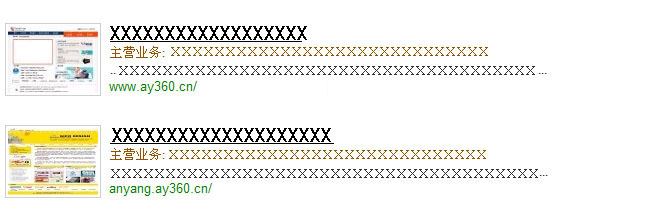
(图一)
下面是在windows环境下用php结合iecapt实现的网页截图并创建缩略图的步骤和代码:
一、准备
下载最新版IECapt
官方地址:http://iecapt.sourceforge.net/
在linux环境下,可以考虑用HTML2Image来实现
下载地址:http://www.guangmingsoft.net/htmlsnapshot/html2image.i386.tar.gz
其它的实现方式还有CutyCapt,另外,只要是windows环境,有IE浏览器(推荐使用IE7)即可,这个大部分机器都应该不是问题。
二、创建数据表(这一步非必须,根据实际情况选用)
因为要批量截图,数据十分的多,建立一个数据表来存放要截图的网站的url地址还是有必要的,如下所示(mysql数据库表):
CREATE TABLE IF NOT EXISTS `t_url` (

  `id` int(11) unsigned NOT NULL AUTO_INCREMENT,

  `url` varchar(100) NOT NULL,

  `pictype` tinyint(1) unsigned NOT NULL COMMENT '1.非比例缩略图2比例缩略图

  `flag` tinyint(1) NOT NULL DEFAULT '1' COMMENT '0.禁用1.可用

  PRIMARY KEY (`id`)

) ENGINE=MyISAM DEFAULT CHARSET=gbk COMMENT='url链接表' AUTO_INCREMENT=1 ;
三、创建批处理文件
1.首先把下载的iecapt压缩包解压,然后把iecapt.exe放到要生成截图的文件夹下(如:img_tmp)。
为了便于理解,在看下面代码前,先创建一个test.bat文件,鼠标右击编辑,写入一句话if not exist ay360cn.jpg (iecapt.exe --url=http://www.ay360.cn/ --out=ay360cn.jpg)保存,双击运行test.bat看看是否会在本目录下多出一个名叫ay360cn.jpg的文件,如果看到说明截图成功,这句话是截图的核心语句。
2.将需要截图的url链接导入url链接表t_url,然后执行如下php代码:
 <?php

 //------------------------------------------------------------

 //从表t_url中提取url链接,存放到数组$data中

 //--------------------------------------------------------------

 mysql_connect("localhost","root","123");

 mysql_select_db("test");

 $sql = "select * from t_url";

 //选用sql语句$sql2 = "select * from t_url where pictype = 1 and flag = 1";

 $query = mysql_query($sql);

 //------------------------------------------

 //生成批处理文件

 //------------------------------------------

 $expire_time = 10;   //代表10天,文件过期时间,86400秒/天

 $i = 0;

 foreach($row = mysql_fetch_array($query)){

   $url_md5 = md5($row['url']);

   $file_folder = 'img/';

   $filename = $file_folder.$url_md5.'.'.'jpg';

   $newname = $url_md5.'.'.'jpg';

   if (!file_exists($filename) || (filemtime ($filename) + $expire_time * 86400 < time()) ) {

        $str .= "if not exist ".$newname." (iecapt.exe --url=".$value['url']." --out=".$newname.")\r\n";

        if(($i % 30) == 0 && $i > 0){     //每30条为一个批处理文件

               $title = "title capt".$i.".bat\r\n";

               $str = $title.$str;

               $file_bat = fopen("img_tmp/capt".$i.".bat","w");

               if(fwrite($file_bat,$str)){

                 echo "批处理文件capt".$i."生成成功<br>";

                 $str = "";

               }

        }

        $i = $i+1;

   }

 }

 ?>
运行结果: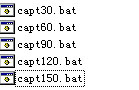
(图二)
四、执行批处理文件
可以通过php程序循环执行 批处理文件,但在运行当中会出现很多问题,这里手动直接批量打开上面刚创建好的批处理文件,考虑到带宽和cpu,最多不要超过20个,截图的速度大约3-5秒/张效果如图三:
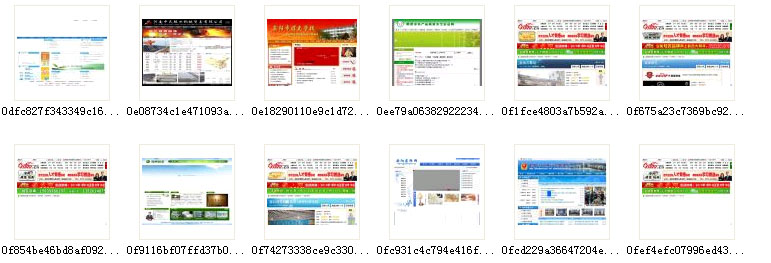
(图三)
五、创建缩略图
生成缩略图的文件是create_image_img.php,其中包含生成缩略图的主要的一个类文件是image.class.php,两个文件的代码如下:
ceate_image_img.php代码:
<?php
mysql_connect("localhost","root","123456");
mysql_select_db("test"); if(!isset($_GET['ID'])){
$_GET['ID'] = 1;
} if($_GET['ID']){
$sql = "select * from t_url id =".$_GET['ID'];
$query = mysql_query($sql);
$row = mysql_fetch_array($query); echo "<span style='color:#CE0000;'>正在生成缩略图:</span>".$row['id']." ".$row['url']."<br><br>"; $url = $row['url'];
$url_md5 = md5($url);
$pictype = $row['pictype']; $limit_time = 1; //创建 $limit_time日内创建的大图,天
$thumbnails_folder = 'img_tmp/'; //保存临时大图的目录,必须以/结束
$thumbnails_folder2 = 'img/'; //保存小图的目录,必须以/结束
$output_format = 'jpg';
$cached_filename = $thumbnails_folder.$url_md5.".".$output_format; $to_filename = $thumbnails_folder2 .$url_md5.'.'.$output_format; if((file_exists($cached_filename) || filemtime ($filename) + $limit_time*86400 > time())
&& !file_exists($to_filename)){ if (filesize($cached_filename) > 1024){ //字节,不能是空白图片
//创建缩略图
include("image.class.php");
$img = new Zubrag_image; // get parameters
$img->image_type = 2; // 1 = GIF, 2 = JPG, 3 = PNG
$img->quality = 80;
$img->max_w = 90;
$img->max_h = 67;
$img->iscapt = ($pictype == 1) ? true : false; //此处用布尔型即可,数据库不可1.非比例缩略图2.按比例缩略 if($img->GenerateThumbFile($cached_filename, $to_filename)){
echo "<span style='color:#CE0000;'>成功创建缩略图:</span>".$row['id']." ".$row['url'];
}else{
echo "<span style='color:#0000CE;'>未能创建缩略图:</span>".$row['id']." ".$row['url'];
}
}
} $sql = "select * from t_url id >".$_GET['ID']." and flag = 1 order by id asc limit 1";
$query = mysql_query($sql);
$row = mysql_fetch_array($query); echo "<br><span style='color:#0000CE;'>准备生成缩略图:</span>".$row['id']." ".$row['url']."<br><br>"; if($row['id']){
echo "<script>window.location.href='create_image_img.php?ID=".$row['id']."';</script>";
}else{
$_GET['ID'] = "";
}
} ?>
image.class.php代码:
 <?php

 class Zubrag_image {

   var $iscapt = true;

   var $image_type = -1;

   var $quality = 100;

   var $max_w = 100;

   var $max_h = 100;

   function SaveImage($im, $filename) {

     $res = null;

     if(($this->image_type == 1)  && !function_exists('imagegif')) $this->image_type = 3;

     switch ($this->image_type) {

       case 1:

         //if ($this->save_to_file) {

           $res = ImageGIF($im,$filename);

         //}

         //else {

         //  header("Content-type: image/gif");

         //  $res = ImageGIF($im);

         //}

         break;

       case 2:

           $res = ImageJPEG($im,$filename,$this->quality);

         break;

       case 3:

           $res = ImagePNG($im,$filename);

         break;

     }

     return $res;

   }

   function ImageCreateFromType($type,$filename) {

      $im = NULL;

      switch ($type) {

        case 1:

          $im = ImageCreateFromGif($filename);

          break;

        case 2:

          $im = ImageCreateFromJpeg($filename);

          break;

        case 3:

          $im = ImageCreateFromPNG($filename);

          break;

     }

     return $im;

   }

   function GenerateThumbFile($from_name, $to_name) {

     list($orig_x, $orig_y, $orig_img_type, $img_sizes) = GetImageSize($from_name);

     /*if ($this->cut_x > 0) $orig_x = min($this->cut_x, $orig_x);

     if ($this->cut_y > 0) $orig_y = min($this->cut_y, $orig_y);*/

        if ($this->iscapt && (($orig_y/$orig_x) > (90/67))) {  //是截图,且高度过高

           $orig_y = $orig_x*(67/90);

        }

     $this->image_type = ($this->image_type != -1 ? $this->image_type : $orig_img_type);

     if ($orig_img_type < 1 or $orig_img_type > 3) die("Image type not supported");

     if ($this->image_type == 1) {

       $ni = imagecreate($this->max_w, $this->max_h);

     }

     else {

       $ni = imagecreatetruecolor($this->max_w,$this->max_h);

     }

     $white = imagecolorallocate($ni, 255, 255, 255);

     imagefilledrectangle( $ni, 0, 0, $this->max_w, $this->max_h, $white);

     $im = $this->ImageCreateFromType($orig_img_type,$from_name);

     imagepalettecopy($ni,$im);

     imagecopyresampled(

       $ni, $im,

       0, 0, 0, 0,

       $this->max_w, $this->max_h,

       $orig_x, $orig_y);

     if($this->SaveImage($ni, $to_name)){

          return true;

     }else{

          return false;

     }

   }

 }

 ?>
六、总结
至此整个实现网页截图并创建缩略图的的步骤结束,其中执行批处理文件部分为了提高截图效率采用手动的方式,批量打开批处理文件,另外,链接数据库部分还可以用封装的数据库操作类来实现,代码会更加简洁。
Win+PHP+IECapt完整实现网页批量截图并创建缩略图的更多相关文章
- 截图还在使用QQ的Ctrl + Alt + A 截图?还不会网页长截图?
截图还在使用QQ的Ctrl + Alt + A 截图?还不会网页长截图? 手机自带快捷键,常常使用组合键进行快速截图编辑发好友.保存等,但是貌似到了电脑截图就出现了一大堆拍屏幕党,不少人需要打开微 ...
- chrome比较好用的网站整页(超长网页)截图插件
chrome比较好用的网站整页(超长网页)截图插件:fireshot capture 试用过比较好用
- js实现视频截图,视频批量截图,canvas实现
截取视频的某一时间的图像并保存 利用canvas的绘画能力画出视频某一帧的视频画面, 获得到图像之后转换成base64图像, 再利用a标签的实现自动保存到本地 html代码 <!DOCTYPE ...
- Chromium网页Graphics Layer Tree创建过程分析
在前面一文中.我们分析了网页Render Layer Tree的创建过程.在创建Render Layer的同一时候,WebKit还会为其创建Graphics Layer.这些Graphics Laye ...
- Android之WebView网页滚动截图
WebView 网页滚动截屏,可对整个网页进行截屏而不是仅当前屏幕哦! 注意若Web页面存在position:fixed; 的话得在调用前设置为 position:absolute; 哦,否则会出现很 ...
- [C#] 如何截取完整的网页图片
前言 有时候浏览到非常有用的网页时,我们会选择将它加入到收藏夹中,但是网站一旦过期,以后就看不到这个网页了.当然也可以将网页打印成PDF文档保存.最新的Windows 10中的Edge浏览器支持将网页 ...
- 抓取分析网页批量下载评书(3)之批量下载mp3
本系列目录: <1.搜索有声小说> <2.分析详细页地址> <3.批量下载mp3> 本篇是大结局,看过前两篇的放心吧,不会有 ...
- 利用 Chrome 原生工具进行网页长截图
转自https://sspai.com/post/42193 要想使用截图功能,你需要首先确保 Chrome 已升级至 59 或更高版本.在想要截图的网页中,首先按下 ⌘Command + ⌥Opti ...
- 使用python对整个网页进行截图
方法一.使用PyQt4的QtWebKit组件 ? 1 2 3 4 5 6 7 8 9 10 11 12 13 14 15 16 17 18 19 20 21 22 23 24 25 26 27 28 ...
随机推荐
- Sample RWD Setup for Client-Side Development
RWD and RESS concepts fluid images, responsive grids, and media queries. Twitter's Bootstrap based o ...
- TProcedure,TMethod,TNotifyEvent,TWndMethod的区别,并模拟点击按钮后发生的动作
忽然发现TProcedure和TNotifEvent的区别还挺大的: procedure TForm1.Button2Click(Sender: TObject); begin ShowMessage ...
- Hadoop FileInputFormat实现原理及源码分析
FileInputFormat(org.apache.hadoop.mapreduce.lib.input.FileInputFormat)是专门针对文件类型的数据源而设计的,也是一个抽象类,它提供两 ...
- HDOJ(HDU) 2088 Box of Bricks(平均值)
Problem Description Little Bob likes playing with his box of bricks. He puts the bricks one upon ano ...
- 浅谈SQL Server中的快照
原文地址:http://www.cnblogs.com/CareySon/archive/2012/03/30/2424880.html 简介 数据库快照,正如其名称所示那样,是数据库在某一时间点的视 ...
- dojox.grid.EnhancedGrid 和 dojox.grid.DataGrid 的继承关系
dojox.grid.EnhancedGrid 的介绍说, EnhancedGrid 是基于 DataGrid 提供增强功能的. EnhancedGrid (dojox.grid.EnhancedG ...
- HDU2050(分平面问题)
分平面问题: 一.n条直线最多分平面问题. n条直线最多可以把平面分成多少个区域? 此类问题主要采用递归的思想.当有n-1条直线时,平面最多被分成了f(n-1)块区域.如果要使第n条直线分的区域最多, ...
- php中使用伪静态
上次简单的说了下php中正则表达式的使用,这一次正则表达式可以派上用场了,学习伪静态需要能够很好的使用正则表达式,那么伪静态和真静态的区别是什么呢,我觉得应该是伪静态可以节约磁盘空间.利于SEO.访问 ...
- 二分图的最大匹配-hdu-3729-I'm Telling the Truth
题目链接: http://acm.hdu.edu.cn/showproblem.php?pid=3729 题目意思: 有n个学生,老师询问每个学生的排名,每个学生都告诉了一个排名区间,求可能的最多的学 ...
- [Redux] Avoiding Array Mutations with concat(), slice(), and ...spread
For Redux, you cannot use mutable methods like push, splice. Need to use immutable methods such as c ...