
Android样式主题及自定义属性


<resources>

    <style name="sss" parent="@android:style/Theme.Holo.Light.Dialog"></style>

    <!-- Base application theme. -->

    <style name="AppTheme" parent="Theme.AppCompat.Light.DarkActionBar">

        <!-- Customize your theme here. -->

        <!--标题栏-->

        <item name="colorPrimary">@color/colorPrimary</item>

        <!--状态栏-->

        <item name="colorPrimaryDark">@color/colorPrimaryDark</item>

        <!--系统中,子空间,复选框,单选按钮,选中时的颜色-->

        <item name="colorAccent">@color/colorAccent</item>

        <!--窗体的背景色-->

        <item name="android:windowBackground">@android:color/white</item>

        <!--窗体无标题栏-->

        <item name="windowNoTitle">true</item>

        <!--无actionbar-->

        <item name="windowActionBar">false</item>

        <!--取消状态栏,也就是全屏显示-->

        <item name="android:windowFullscreen">true</item>

    </style>

    <!--需要注意的是,不能有空格,值不用引号-->

    <style name="bottom_bar_rb">

        <item name="android:layout_width">0dp</item>

        <item name="android:layout_height">match_parent</item>

        <item name="android:layout_marginTop">5dp</item>

        <item name="android:layout_marginBottom">5dp</item>

        <item name="android:gravity">center</item>

        <item name="android:layout_weight">1</item>

        <item name="android:button">@null</item>

        <item name="android:background">@android:color/transparent</item>

        <item name="android:textSize">14sp</item>

        <item name="android:textColor">@color/selector_bar_font_1</item>

    </style>

</resources>

<?xml version="1.0" encoding="utf-8"?>

<!--默认矩形-->

<shape xmlns:android="http://schemas.android.com/apk/res/android"

 android:shape="rectangle">

 <!--纯色-->

 <solid android:color="@color/colorAccent"/>

 <!--圆角-->

 <!-- android:radius="100dp"四个角都是圆角-->

 <corners

 android:bottomLeftRadius="100dp"

 android:topRightRadius="100dp"/>

 <!--边框-->

 <!--android:dashWidth="50dp线段长-->

 <!--android:dashGap="20dp"线段之间的间隔-->

 <stroke

 android:width="10dp"

 android:color="@color/colorPrimary"

 android:dashWidth="50dp"

 android:dashGap="20dp"/>

 <!--大小-->

 <size

 android:width="200dp"

 android:height="200dp"/>

 <padding

 android:left="20dp"

 android:top="20dp"

 android:bottom="20dp"

 android:right="20dp"/>

 <!--渐变-->

 <!--默认左右渐变-->

 <!--android:centerColor="@color/colorPrimary" 三色渐变-->

 <!--渐变类型,默认为linear android:type="linear"-->

 <!--注意,这个属性的值只能是45的倍数,并且只能在linear中使用-->

 <!--<gradient-->

 <!--android:centerColor="@color/colorPrimary"-->

 <!--android:startColor="#fff"-->

 <!--android:endColor="@color/colorAccent"-->

 <!--android:type="linear"-->

 <!--android:angle="-90"/>-->

 <!--android:type="radial" 径向渐变-->

 <!--注意必须设置径向渐变半径-->

 <!--<gradient-->

 <!--android:centerColor="@color/colorPrimary"-->

 <!--android:startColor="#fff"-->

 <!--android:endColor="@color/colorAccent"-->

 <!--android:type="radial"-->

 <!--android:gradientRadius="200"-->

 <!--android:centerX="0.5"-->

 <!--android:centerY="0.3"/>-->

 <!--扫描线-->

 <!--也可以设置中心点,默认是0.5XY-->

 <gradient

 android:centerColor="@color/colorPrimary"

 android:startColor="#fff"

 android:endColor="@color/colorerAccent"

 android:type="sweep"

 android:centerX="0.5"

 android:centerY="0.5"/>

</shape>
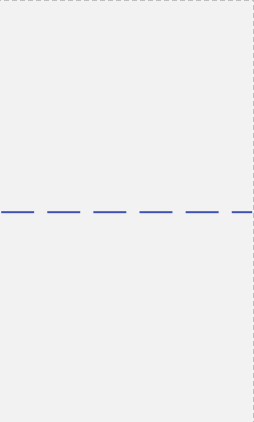
<shape xmlns:android="http://schemas.android.com/apk/res/android"

 android:shape="line">

 <stroke

 android:width="3dp"

 android:color="@color/colorPrimary"

 android:dashGap="20dp"

 android:dashWidth="50dp"/>

</shape>
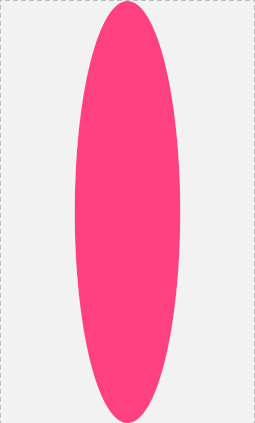
<shape xmlns:android="http://schemas.android.com/apk/res/android"

 android:shape="oval">

 <!--这里边的属性都可以使用-->

 <solid android:color="@color/colorAccent" />

 <!--宽高相等,会变成圆形-->

 <size

 android:width="50dp"

 android:height="200dp" />

</shape>
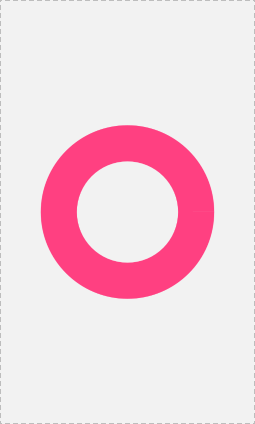
<!--环形-->

 <!--固定值,好处,固定大小不变,但是不能根据控件大小变化-->

<!--android:innerRadius="" 内环半径

 android:thickness="" 环厚度-->

<!--**** android:useLevel="false"必须为false,

默认为true,为false时显示*****-->

<!--比例

 android:innerRadiusRatio=""

 android:thicknessRatio=""-->

<!--控件的宽度/5,内环的半径 控件的宽度/7,环厚度-->

<shape xmlns:android="http://schemas.android.com/apk/res/android"

 android:shape="ring"

 android:innerRadiusRatio="5"

 android:thicknessRatio="7"

 android:useLevel="false">

 <solid

 android:color="@color/colorAccent"/>

</shape>
Android样式主题及自定义属性的更多相关文章
- Android 样式 (style) 和主题(theme)
转载:https://gold.xitu.io/post/58441c48c59e0d0056a30bc2 样式和主题 样式是指为 View 或窗口指定外观和格式的属性集合.样式可以指定高度.填充.字 ...
- Android 样式和主题(style & theme)
Android 样式 android中的样式和CSS样式作用相似,都是用于为界面元素定义显示风格,它是一个包含一个或者多个view控件属性的集合.如:需要定义字体的颜色和大小. 在CSS中是这样定义的 ...
- Android样式(style)和主题(theme)
样式和主题 样式是指为 View 或窗口指定外观和格式的属性集合.样式可以指定高度.填充.字体颜色.字号.背景色等许多属性. 样式是在与指定布局的 XML 不同的 XML 资源中进行定义. Andro ...
- android中的样式主题和国际化
一.Android中的样式和主题 1.1样式 样式是作用在控件上的,它是一个包含一个或者多个view控件属性的集合.android style类似网页设计中的css设计思路,可以让设计 ...
- 【转载】总结一下Android中主题(Theme)的正确玩法
http://www.cnblogs.com/zhouyou96/p/5323138.html 总结一下Android中主题(Theme)的正确玩法 在AndroidManifest.xml文件中有& ...
- Android 切换主题以及换肤的实现
Android 切换主题以及换肤的实现 一.介绍 现在市面上有很多 APP 有切换主题和皮肤的功能!特别是阅读类的 APP! 上面两张图分别是 知乎 APP 和Fuubo APP的两张截图!都带有切换 ...
- [转]Android样式的开发:shape篇
转载自Keegan小钢原文链接:http://keeganlee.me/post/android/20150830 Android样式的开发:shape篇Android样式的开发:selector篇A ...
- MVC4 jquery 样式 主题 用法(案例)
MVC4已经自带了jquery,新建的项目,基本上什么都不用添加就可以运行,跑项目.(集成了那么多东西,jquery,modernizr,自带的默认权限,生成的模板,但是缺没有一个统一的文档或者什么去 ...
- [置顶]
xamarin android自定义标题栏(自定义属性、回调事件)
自定义控件的基本要求 这篇文章就当是自定义控件入门,看了几篇android关于自定义控件的文章,了解了一下,android自定义控件主要有3种方式: 自绘控件:继承View类,所展示的内容在OnDra ...
随机推荐
- ThinkPHP 5隐藏public/index.php方法
1.复制public下的index.php与.htaccess文件至根目录: 2.直接修改index.php,将内容修改为:<?php require 'public/index.php'; ? ...
- Kubernetes集群搭建之企业级环境中基于Harbor搭建自己的私有仓库
搭建背景 企业环境中使用Docker环境,一般出于安全考虑,业务使用的镜像一般不会从第三方公共仓库下载.那么就要引出今天的主题 企业级环境中基于Harbor搭建自己的安全认证仓库 介绍 名称:Harb ...
- mybatis框架(1)---mybatis入门
mybatis入门 MyBatis是什么? MyBatis 本是apache的一个开源项目iBatis, 2010年这个项目由apache software foundation 迁移到了goog ...
- 全能系统监控工具dstat
一.什么是dstat? 通过man帮助,可以看到官方对dstat的定义为:多功能系统资源统计生成工具( versatile tool for generating system resource st ...
- 浅入浅出Typescript Decorators
临时起的兴趣,想写一篇关于ts decorator的文章,就花小半天整理了一下... 这东西,在ES2017里好像也有... 文档的话看这里. 因为临时,就没想写太多文字介绍,带少许文字说明直接开撸 ...
- MFC原理第一讲.MFC的本质.以及手工编写MFC的程序
MFC原理第一讲.MFC的本质.以及手工编写MFC的程序 PS: 这个博客属于复习知识.从头开始讲解. 在写这篇博客之前.已经写了3篇MFC的本质了.不过掌握知识点太多.所以从简重新开始. 一丶MFC ...
- 为什么LINQ to XML的性能要优于XmlDocument?
一直很忙,压了很多贴,今天发一篇吧.后面的看心情吧. 今天群里有人问如何解析web.config方便,然后我就推荐了Linq to XML,然后就有人说“我宁可XmlDocument,再SeleteN ...
- SOAP系列目录
1.协议分析 2.WebService.WCF介绍 3.HttpClientHelper实现webservice调用 4.SoapCore介绍
- Deep Learning中的Large Batch Training相关理论与实践
背景 [作者:DeepLearningStack,阿里巴巴算法工程师,开源TensorFlow Contributor] 在分布式训练时,提高计算通信占比是提高计算加速比的有效手段,当网络通信优化到一 ...
- 华为交换机以 LACP 模式实现链路聚合
LACP 链路聚合模式简介 以太网链路聚合是指将多条以太网物理链路捆绑在一起成为一条逻辑链路,从而实现增加链路带宽的目的.链路聚合分为手工模式和LACP模式. LACP模式需要有链路聚合控制协议LAC ...