
SpringBoot之表单验证@Valid
转自:https://www.cnblogs.com/chenlove/p/8708627.html
SpringBoot提供了强大的表单验证功能实现,给我们省去了写验证的麻烦;
这里我们给下实例,提交一个有姓名和年龄的表单添加功能,
要求姓名不能为空,年龄必须是不小于18 ;
我们先新建一个Student实体
|
1
2
3
4
5
6
7
8
9
10
11
12
13
14
15
16
17
18
19
20
21
22
23
24
25
26
27
28
29
30
31
32
33
34
35
36
37
38
39
40
41
42
43
44
45
46
47
48
49
50
51
52
|
package com.java1234.entity;import javax.persistence.Column;import javax.persistence.Entity;import javax.persistence.GeneratedValue;import javax.persistence.Id;import javax.persistence.Table;import javax.validation.constraints.Min;import javax.validation.constraints.NotNull;@Entity@Table(name="t_student")public class Student { @Id @GeneratedValue private Integer id; @NotEmpty(message="姓名不能为空!") @Column(length=50) private String name; @NotNull(message="年龄不能为空!") @Min(value=18,message="年龄必须大于18岁!") @Column(length=50) private Integer age; public Integer getId() { return id; } public void setId(Integer id) { this.id = id; } public String getName() { return name; } public void setName(String name) { this.name = name; } public Integer getAge() { return age; } public void setAge(Integer age) { this.age = age; } } |
这里只用了两个注解,下面列下清单,平时可以参考用;
| 限制 | 说明 |
|---|---|
| @Null | 限制只能为null |
| @NotNull | 限制必须不为null |
| @AssertFalse | 限制必须为false |
| @AssertTrue | 限制必须为true |
| @DecimalMax(value) | 限制必须为一个不大于指定值的数字 |
| @DecimalMin(value) | 限制必须为一个不小于指定值的数字 |
| @Digits(integer,fraction) | 限制必须为一个小数,且整数部分的位数不能超过integer,小数部分的位数不能超过fraction |
| @Future | 限制必须是一个将来的日期 |
| @Max(value) | 限制必须为一个不大于指定值的数字 |
| @Min(value) | 限制必须为一个不小于指定值的数字 |
| @Past | 限制必须是一个过去的日期 |
| @Pattern(value) | 限制必须符合指定的正则表达式 |
| @Size(max,min) | 限制字符长度必须在min到max之间 |
| @Past | 验证注解的元素值(日期类型)比当前时间早 |
| @NotEmpty | 验证注解的元素值不为null且不为空(字符串长度不为0、集合大小不为0) |
| @NotBlank | 验证注解的元素值不为空(不为null、去除首位空格后长度为0),不同于@NotEmpty,@NotBlank只应用于字符串且在比较时会去除字符串的空格 |
| 验证注解的元素值是Email,也可以通过正则表达式和flag指定自定义的email格式 |
dao接口写下:
|
1
2
3
4
5
6
7
8
9
10
11
12
13
14
|
package com.java1234.dao;import org.springframework.data.jpa.repository.JpaRepository;import com.java1234.entity.Student;/** * 学生Dao接口 * @author user * */public interface StudentDao extends JpaRepository<Student, Integer>{} |
service接口写下:
|
1
2
3
4
5
6
7
8
9
10
11
12
13
14
15
16
|
package com.java1234.service;import com.java1234.entity.Student;/** * 学生Service接口 * @author user * */public interface StudentService { /** * 添加学生 */ public void add(Student student);} |
service接口实现类写下:
|
1
2
3
4
5
6
7
8
9
10
11
12
13
14
15
16
17
18
19
20
21
22
23
24
25
26
|
package com.java1234.service.impl;import javax.annotation.Resource;import org.springframework.stereotype.Service;import com.java1234.dao.StudentDao;import com.java1234.entity.Student;import com.java1234.service.StudentService;/** * 学生Service实现类 * @author user * */@Servicepublic class StudentServiceImpl implements StudentService{ @Resource private StudentDao studentDao; @Override public void add(Student student) { studentDao.save(student); }} |
controller写下:
|
1
2
3
4
5
6
7
8
9
10
11
12
13
14
15
16
17
18
19
20
21
22
23
24
25
26
27
28
29
30
31
32
33
34
35
36
37
38
39
40
41
42
43
44
|
package com.java1234.controller;import javax.annotation.Resource;import javax.validation.Valid;import org.springframework.stereotype.Controller;import org.springframework.validation.BindingResult;import org.springframework.web.bind.annotation.PostMapping;import org.springframework.web.bind.annotation.RequestMapping;import org.springframework.web.bind.annotation.ResponseBody;import org.springframework.web.bind.annotation.RestController;import org.springframework.web.servlet.ModelAndView;import com.java1234.entity.Student;import com.java1234.service.StudentService;/** * 学生控制类 * @author user * */@RestController@RequestMapping("/student")public class StudentController { @Resource private StudentService studentService; /** * 添加图书 * @param book * @return */ @ResponseBody @PostMapping(value="/add") public String add(@Valid Student student,BindingResult bindingResult){ if(bindingResult.hasErrors()){ return bindingResult.getFieldError().getDefaultMessage(); }else{ studentService.add(student); return "添加成功!"; } }} |
add方法里 实体前要加@Valid 假如字段验证不通过,信息绑定到后面定义的BindingResult;
student添加页面studentAdd.html
|
1
2
3
4
5
6
7
8
9
10
11
12
13
14
15
16
17
18
19
20
21
22
|
<!DOCTYPE html><html><head><meta charset="UTF-8"><title>学生信息添加页面</title><script src="jQuery.js"></script><script type="text/javascript"> function submitData(){ $.post("/student/add",{name:$("#name").val(),age:$("#age").val()}, function(result){ alert(result); } ); }</script></head><body>姓名:<input type="text" id="name" name="name"/>年龄:<input type="text" id="age" name="age"/><input type="button" value="提交" onclick="submitData()"/></body></html> |
浏览器请求:http://localhost:8888/studentAdd.html
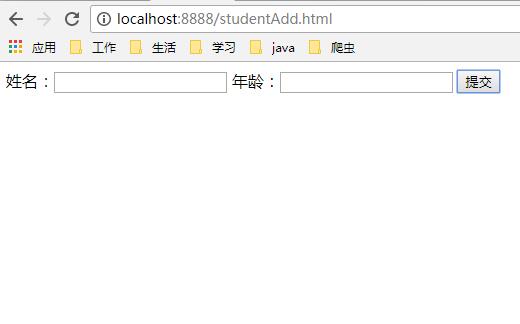
直接点击提交
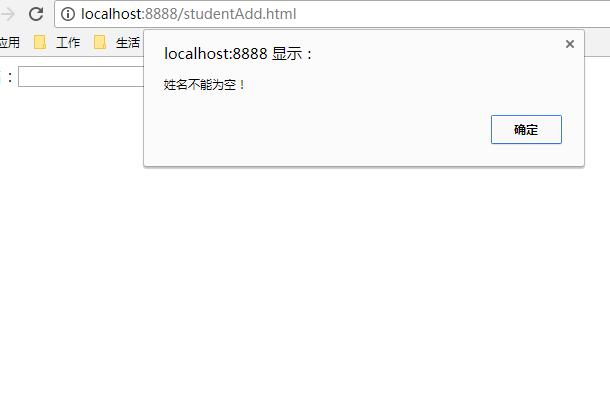
输入姓名后,提交
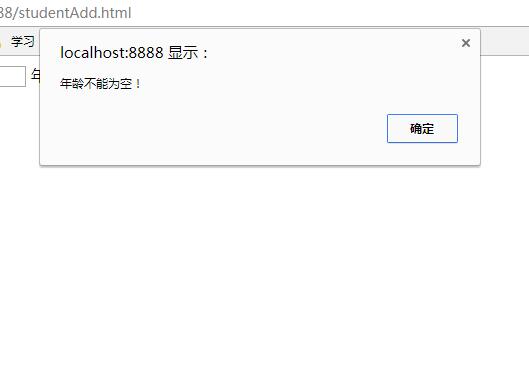
输入年龄5,提交
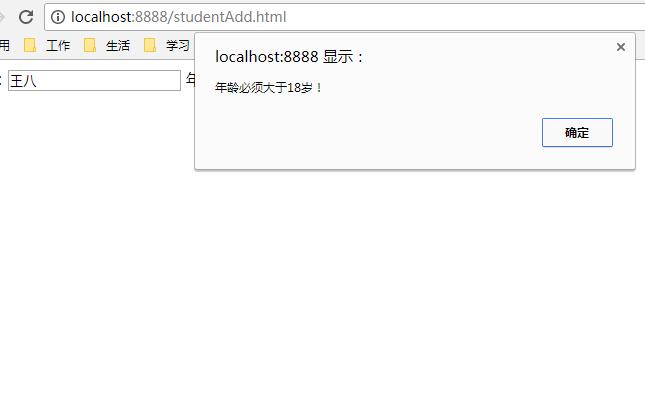
我们改成20,提交
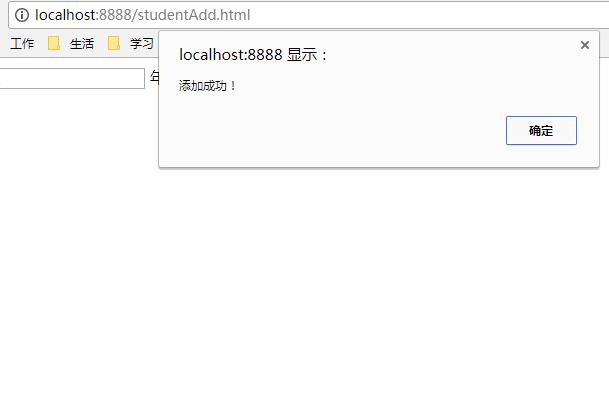
提交通过。
SpringBoot之表单验证@Valid的更多相关文章
- (办公)springboot配置表单验证@Valid
项目用到了springboot,本来很高兴,但是项目里什么东西都没有,验证,全局异常这些都需要自己区配置.最近springboot用的还是蛮多的,我还是做事情,把经验发表一下. SpringBoot提 ...
- spring boot学习(7) SpringBoot 之表单验证
第一节:SpringBoot 之表单验证@Valid 是spring-data-jpa的功能: 下面是添加学生的信息例子,要求姓名不能为空,年龄大于18岁. 贴下代码吧: Student实体: ...
- 1-7SpringBoot之表单验证@Valid
SpringBoot提供了强大的表单验证功能实现,给我们省去了写验证的麻烦: 这里我们给下实例,提交一个有姓名和年龄的表单添加功能, 要求姓名不能为空,年龄必须是不小于18 : 我们先新建一个Stud ...
- SpringBoot整合表单验证注解@Validated,以及分组验证
首先引入jar包 <dependency> <groupId>org.hibernate</groupId> <artifactId>hibernate ...
- SpringBoot(五)_表单验证
SpringBoot(五)_表单验证 参数校验在我们日常开发中非常常见,最基本的校验有判断属性是否为空.长度是否符合要求等,在传统的开发模式中需要写一堆的 if else 来处理这些逻辑,很繁琐,效率 ...
- @valid表单验证demo
springMVC 表单验证demo 视图层使用的是jsp
- Spring Boot笔记八:表单验证
所谓的表单验证,就是为了防止用户乱输入的,这个问题前端的HTML5就可以判断了,其实不需要后端来验证,这里还是讲一下后端验证 首先,我们的Person类,我们加上一些表单验证的注释,如下: packa ...
- Spring进行表单验证
转自:https://www.tianmaying.com/tutorial/spring-form-validation 开发环境 IDE+Java环境(JDK 1.7或以上版本) Maven 3. ...
- jQuery学习之路(8)- 表单验证插件-Validation
▓▓▓▓▓▓ 大致介绍 jQuery Validate 插件为表单提供了强大的验证功能,让客户端表单验证变得更简单,同时提供了大量的定制选项,满足应用程序各种需求.该插件捆绑了一套有用的验证方法,包括 ...
随机推荐
- RRDtool入门详解
---------------原创内容,转载请注明出处.<yaoyao0777@Gmail.com>------------ 一.概述 RRDtool(round-robin databa ...
- JSP状态管理_1_Cookie
http协议的无状态性:当浏览器发送请求飞服务器时,服务器相应客户端请求:但当同一个浏览器再次发送请求给浏览器时,服务器并不知道它就是刚才那个客户端. 保存用户状态的两大机制:Session,Cook ...
- Javascript语法,变量类型,条件,循环语句,函数,面向对象
1.JavaScript代码革两种存在形式: <!-- 方式一 --> <script type='txt/javascript' src='/js/comment.js'>& ...
- webstorm界面主题
http://www.webstormthemes.com/
- Swoole server函数列表(转载)
swoole_server::__construct swoole_server::set swoole_server::on swoole_server::addlistener swoole_se ...
- PAT_A1134#Vertex Cover
Source: PAT A1134 Vertex Cover (25 分) Description: A vertex cover of a graph is a set of vertices su ...
- ArchLinux简单介绍
一.Archlinux的由来 2002年由加拿大的Judd Vinet,Archlinux的创始人 怀着对Debian.Redhat的包管理器不满,于是创建了Archlinux!目前ArchLinux ...
- Windows Server 2008 R2x64 IIS7+PHP5.6 错误 500.0
这两天准备升级一个网站项目,新项目基于PHP并进行了ZendGuard加密,需要在PHP5.6版本中运行 而客户之前的运行环境是php5.2~5.4,那好,再新建一个PHP版本不就完事了吗!!! 于是 ...
- Java设计模式之 — 模板方法(Template Method)
转载请注明出处:http://blog.csdn.net/guolin_blog/article/details/8744002 今天你还是像往常一样来上班,一如既往地开始了你的编程工作. 项目经理告 ...
- 使用timthumb.php截取文章缩略图
wordpress自带的缩略图功能会对每次上传的所有图片根据设置的图片尺寸进行裁剪,并把原图和裁剪后的图片保存在网站空间中,图片只裁剪一次,更改设置的尺寸不会重新生成,这样不仅占用主机空间,以后改版网 ...