
Nginx+uwsgi安装配置
一、安装基础开发包
yum groupinstall "Development tools"

yum install zlib-devel bzip2-devel pcre-devel openssl-devel ncurses-devel sqlite-devel readline-devel tk-devel
二、安装Python包管理
cd ~

wget https://pypi.python.org/packages/source/d/distribute/distribute-0.6.49.tar.gz

tar xf distribute-0.6.49.tar.gz

cd distribute-0.6.49

python2.7 setup.py install

easy_install --version
pip包: https://pypi.python.org/pypi/pip

安装pip的好处是可以 pip list、pip uninstall 管理Python包, easy_install 没有这个功能,只有uninstall
三、安装uwsgi
uwsgi:https://pypi.python.org/pypi/uWSGI

uwsgi参数详解:http://uwsgi-docs.readthedocs.org/en/latest/Options.html

pip install uwsgi

uwsgi --version    #查看 uwsgi 版本
测试uwsgi是否正常:
新建test.py文件,内容如下:
def application(env, start_response):

    start_response('200 OK', [('Content-Type','text/html')])

    return [b"Hello World"]
四、uwsgi配置:

然后在终端运行:
uwsgi --http 192.168.14.23:8086 --wsgi-file test.py

五、安装 Django
pip install django
六、配置django setting
设置settings.py,使用的数据库,如果使用mysql则需要设置数据库的地址和端口,如果设置sqlit则不需要进行更多设置
七:更新数据库:
python manage.py makemigrations

python manage.py migrate
八、运作django
python manage.py runserver XXXXXX:XXX

九、安装 Nginx
cd ~

wget http://nginx.org/download/nginx-1.5.6.tar.gz

tar xf nginx-1.5.6.tar.gz

cd nginx-1.5.6

./configure --prefix=/usr/local/nginx-1.5.6 \

--with-http_stub_status_module \

--with-http_gzip_static_module

make && make install
十、编译安装
[root@bogon nginx-1.6.2]#./configure --prefix=/usr/local/nginx --with-http_stub_status_module --with-http_ssl_module --with-pcre=/usr/local/src/pcre-8.38
[root@bogon nginx-1.6.2]#make
[root@bogon nginx-1.6.2]#make install
十一、查看nginx版本
[root@bogon nginx-1.6.2]# /usr/local/webserver/nginx/sbin/nginx -v
十二、Nginx 配置
[root@bogon conf]# /usr/sbin/groupadd www

[root@bogon conf]# /usr/sbin/useradd -g www www
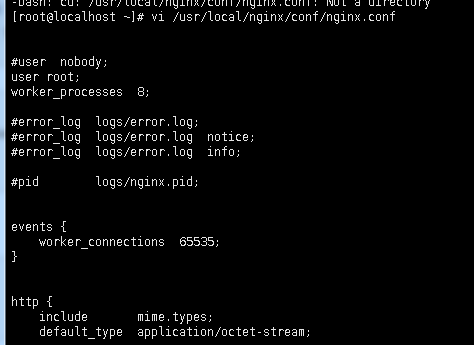
配置nginx.conf ,将/usr/local/nginx/conf/nginx.conf替换为以下内容
#user  nobody;

#user root;

user www www;

worker_processes  8;

error_log /usr/local/nginx/logs/nginx_error.log crit; #日志位置和日志级别

#error_log  logs/error.log;

#error_log  logs/error.log  notice;

#error_log  logs/error.log  info;

#pid        logs/nginx.pid;

pid /usr/local/nginx/nginx.pid;

worker_rlimit_nofile 65535;

events {

    use epoll;

    worker_connections  65535;

}

http {

    include       mime.types;

    default_type  application/octet-stream;

    log_format  main  '$remote_addr - $remote_user [$time_local] "$request" '

                      '$status $body_bytes_sent "$http_referer" '

                      '"$http_user_agent" "$http_x_forwarded_for"';

    #access_log  logs/access.log  main;

    server_names_hash_bucket_size 128;

    client_header_buffer_size 32k;

    large_client_header_buffers 4 32k;

    client_max_body_size 8m;

    sendfile        on;

    tcp_nopush     on;

    #keepalive_timeout  0;

    keepalive_timeout  65;

    tcp_nodelay on;

    fastcgi_connect_timeout 300;

    fastcgi_send_timeout 300;

    fastcgi_read_timeout 300;

    fastcgi_buffer_size 64k;

    fastcgi_buffers 4 64k;

    fastcgi_busy_buffers_size 128k;

    fastcgi_temp_file_write_size 128k;

    gzip on;

    gzip_min_length 1k;

    gzip_buffers 4 16k;

    gzip_http_version 1.0;

    gzip_comp_level 2;

    gzip_types text/plain application/x-javascript text/css application/xml;

    gzip_vary on;

    #gzip  on;

    server {

        listen       8091;

        server_name  localhost;

        #charset koi8-r;

        #access_log  logs/host.access.log  main;

        access_log /data/guest-master/access_log;

    error_log /data/guest-master/error_log;

    # max upload size

    client_max_body_size 75M;   # adjust to taste

        location / {

        autoindex on;

        autoindex_exact_size off;

            autoindex_localtime on;

            #include ip_allow on;

           # root   html;

        root  /data/guest-master;

            #index  index.html index.htm;

        uwsgi_pass 192.168.14.23:8086;

            include uwsgi_params;

        #include    /etc/nginx/uwsgi_params; # the uwsgi_params file you installed

        access_log off;

        }

    location /static {

        alias /data/guest-master/sign/static; # your Django project's static files - amend as required

        #root /data/guest-master;

    }

    location ~.*.(gif|jpg|png|ico|jpeg|bmp|swf)$ {

        expires 3d;

    }

    location ~.*.(css|js)$ {

        expires 12h;

    }

       #error_page  404              /404.html;

        # redirect server error pages to the static page /50x.html

        #

        error_page   500 502 503 504  /50x.html;

        location = /50x.html {

            root   html;

        }

        # proxy the PHP scripts to Apache listening on 127.0.0.1:80

        #

        #location ~ \.php$ {

        #    proxy_pass   http://127.0.0.1;

        #}

        # pass the PHP scripts to FastCGI server listening on 127.0.0.1:9000

        #

        #location ~ \.php$ {

        #    root           html;

        #    fastcgi_pass   127.0.0.1:9000;

        #    fastcgi_index  index.php;

        #    fastcgi_param  SCRIPT_FILENAME  /scripts$fastcgi_script_name;

        #    include        fastcgi_params;

        #}

        # deny access to .htaccess files, if Apache's document root

        # concurs with nginx's one

        #

        #location ~ /\.ht {

        #    deny  all;

        #}

    }

    # another virtual host using mix of IP-, name-, and port-based configuration

    #

    #server {

    #    listen       8000;

    #    listen       somename:8080;

    #    server_name  somename  alias  another.alias;

    #    location / {

    #        root   html;

    #        index  index.html index.htm;

    #    }

    #}

    # HTTPS server

    #

    #server {

    #    listen       443 ssl;

    #    server_name  localhost;

    #    ssl_certificate      cert.pem;

    #    ssl_certificate_key  cert.key;

    #    ssl_session_cache    shared:SSL:1m;

    #    ssl_session_timeout  5m;

    #    ssl_ciphers  HIGH:!aNULL:!MD5;

    #    ssl_prefer_server_ciphers  on;

    #    location / {

    #        root   html;

    #        index  index.html index.htm;

    #    }

    #}

}
检查配置文件ngnix.conf的正确性命令:
[root@bogon conf]# /usr/local/nginx/sbin/nginx -t

十三、启动 Nginx
[root@bogon conf]# /usr/local/nginx/sbin/nginx
访问站点
Nginx+uwsgi安装配置的更多相关文章
- 吴裕雄--天生自然Django框架开发笔记:Django Nginx+uwsgi 安装配置
Django Nginx+uwsgi 安装配置 使用 python manage.py runserver 来运行服务器.这只适用测试环境中使用. 正式发布的服务,需要一个可以稳定而持续的服务器,比如 ...
- Django Nginx+uwsgi 安装配置
使用 python manage.py runserver 来运行服务器.这只适用测试环境中使用. 正式发布的服务,我们需要一个可以稳定而持续的服务器,比如apache, Nginx, lighttp ...
- python Django Nginx+ uWSGI 安装配置
环境: CentOS7.python-3.5.3.Nignx 1.10.3 .Django 1.10.6.uWSGI 2.0.14 django项目目录:/var/webRoot/p1 项目结构: 基 ...
- ubuntu配置Python-Django Nginx+uwsgi 安装配置
安装Nginx sudo apt-get install nginx ubantu安装完Nginx后,文件结构大致为: 所有的配置文件都在 /etc/nginx下: 启动程序文件在 /usr/sbin ...
- linux下Django Nginx+uwsgi 安装配置
原文链接 在前面的章节中我们使用 python manage.py runserver 来运行服务器.这只适用测试环境中使用. 正式发布的服务,我们需要一个可以稳定而持续的服务器,比如apache, ...
- webpy+nginx+uwsgi安装配置
转:(1)安装Nginx1.1 下载nginx-1.0.5.tar.gz并解压1.2 ./configure (也可以增加--prefix= path指定安装路径)此时有可能会提示缺少pcre支持,如 ...
- nginx初级安装配置
nginx初级安装配置 转自:(lykyl原创)http://www.cnblogs.com/lykyl/archive/2012/11/21/2781077.html 实验环境:系统 CENTOS5 ...
- nginx+tomcat安装配置
nginx+tomcat安装配置 # nginx+tomcat安装配置 #创建网站目录 mkdir -p /www/wwwroot cd /www #安装配置 wget http://mirrors. ...
- gerrit+nginx+centos安装配置
安装环境 centos 6.8 gerrit-full-2.5.2.war 下载地址:https://gerrit-releases.storage.googleapis.com/gerrit-ful ...
随机推荐
- 监测程序运行的时间,stopWatch
ArrayList arrInt = new ArrayList(); //用stopwatch来计时 运行的时间 Stopwatch watch = new Stopwatch(); watch.S ...
- Class.forName()的作用
大家都用过Class.forName(),也都知道是类加载的作用,其实这方法不只是类加载,还有类初始化. 下面用个小例子说明一下: A类,是用来加载的类 /** * 用来测试类加载的类此类有 * 静态 ...
- ajax完整格式
$.ajax({ url: encodeURI( "@Url.Action("NavList", "Home")" ...
- Struts2 文件上传和文件下载
一.单个文件上传 文件上传需要两个jar包: 首先制作一个简单的页面,用于实现文件上传 <h1>单个文件上传</h1> <s:form action="uplo ...
- ASP.NET 你必须知道的EF知识和经验
原文:http://www.cnblogs.com/zhaopei/p/5721789.html
- Spring Boot下配置MyBatis多数据源
http://m.blog.csdn.net/article/details?id=51481911
- CodeForces 518B. Tanya and Postcard
B. Tanya and Postcard time limit per test 2 seconds memory limit per test 256 megabytes input standa ...
- Jquery事件:鼠标移入移出(mouseenter,mouseleave)
前几天帮朋友做了一个单页面,其中有个效果就是鼠标移动到头像上变换头像样式,当鼠标移出时恢复头像样式.当时没多想,脑子就蹦出了mouseover,mouseout两个方法. 但是在编写页面的过程中,无论 ...
- PHP+Mysql+easyui点击左侧tree菜单对应表名右侧动态生成datagrid加载表单数据(二)
关于tree菜单生成,参考我的另一篇博文地址tree 菜单 实现功能:点击左侧tree菜单中的table,右侧通过datagrid加载出该表对用的所有数据 难点:获取该表的所有列名,动态生成datag ...
- HDU 3032 Nim or not Nim?(sg函数)
题目链接 暴力出来,竟然眼花了以为sg(i) = i啊....看表要认真啊!!! #include <cstdio> #include <cstring> #include & ...