
Spring Boot + Spring Cloud 实现权限管理系统 (系统服务监控)
系统服务监控
新建监控工程
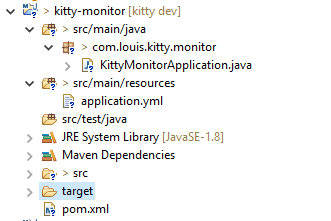
新建Spring Boot项目,取名 kitty-monitor,结构如下。
添加项目依赖
添加 spring boot admin 的相关依赖。
pom.xml

  <dependency>

    <groupId>de.codecentric</groupId>

    <artifactId>spring-boot-admin-server</artifactId>

    <version>2.0.0</version>

  </dependency>

  <dependency>

    <groupId>de.codecentric</groupId>

    <artifactId>spring-boot-admin-server-ui</artifactId>

    <version>2.0.0</version>

  </dependency>
修改启动端口
修改监控服务器启动端口号。
application.yml
# tomcat

server:

  port: 8000
修改启动器类
修改启动器类,主要是添加@EnableAdminServer注解开启监控服务器的支持。
package com.louis.kitty.monitor;

import org.springframework.boot.SpringApplication;

import org.springframework.boot.autoconfigure.SpringBootApplication;

import de.codecentric.boot.admin.server.config.EnableAdminServer;

@EnableAdminServer

@SpringBootApplication

public class KittyMonitorApplication {

    public static void main(String[] args) {

        SpringApplication.run(KittyMonitorApplication.class, args);

    }

}
启动监控服务端
至此,监控服务端就完成了。
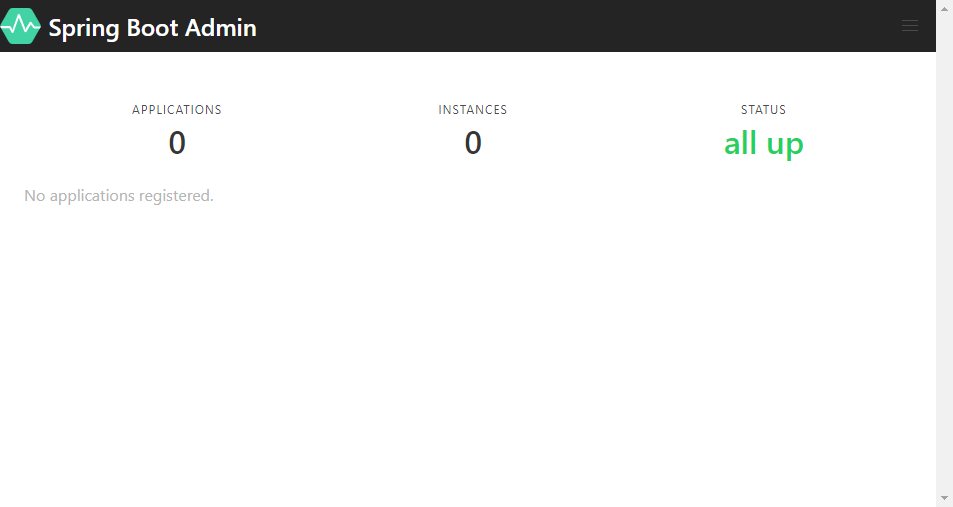
启动应用,访问 http://localhost:8000,效果如下。
服务监控客户端
将 kitty-admin 和 kitty-bakcup 注册成服务监控客户端,这里以 kitty-bakcup 为例。
添加依赖
添加服务监控客户端依赖包。
kitty-backup/pom.xml
      <dependency>

            <groupId>de.codecentric</groupId>

            <artifactId>spring-boot-admin-starter-client</artifactId>

            <version>2.0.0</version>

      </dependency>
添加配置
修改配置文件,注册服务监控客户端。
application.yml
# tomcat

server:

  port: 8001

# spring boot admin

spring:

  application:

    name: Kitty Backup Service

  boot:

    admin:

      client:

        url: "http://localhost:8000"

management:

  endpoints:

    web:

      exposure:

        include: "*"

# backup datasource

kitty:

  backup:

    datasource:

      host: localhost

      userName: root

      password: 123456

      database: kitty
启动测试
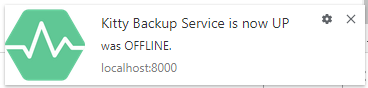
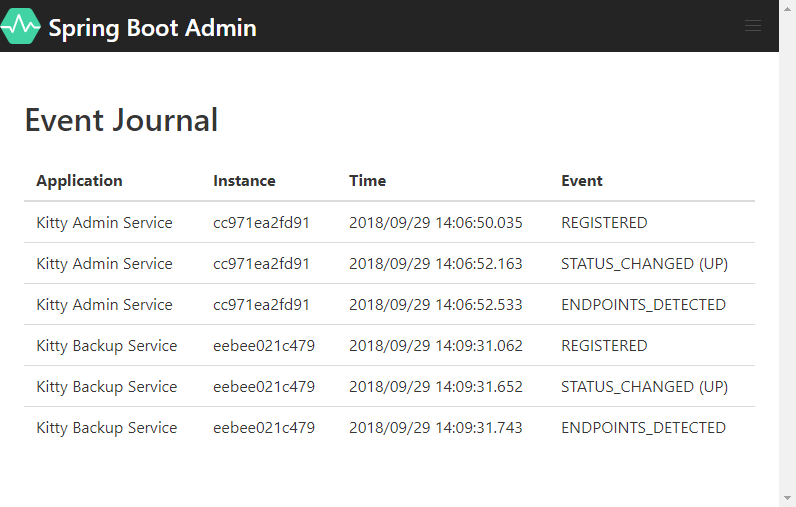
启动备份服务,会出现下图所示监控客户端服务注册推送通知。
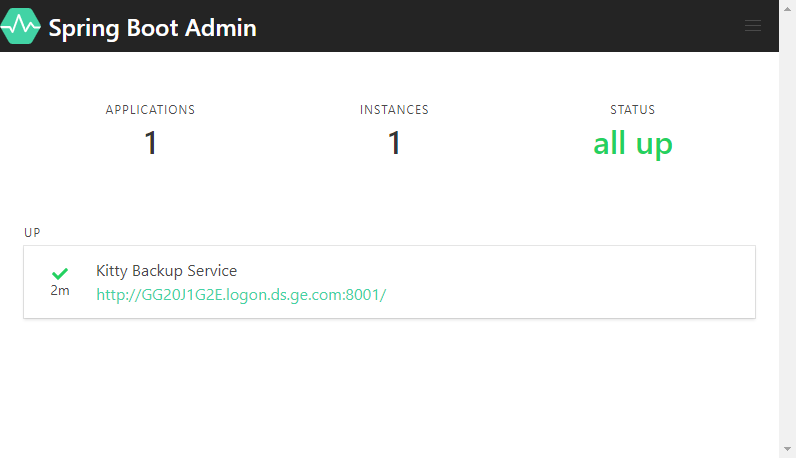
再次查看监控页面,如下图所示。
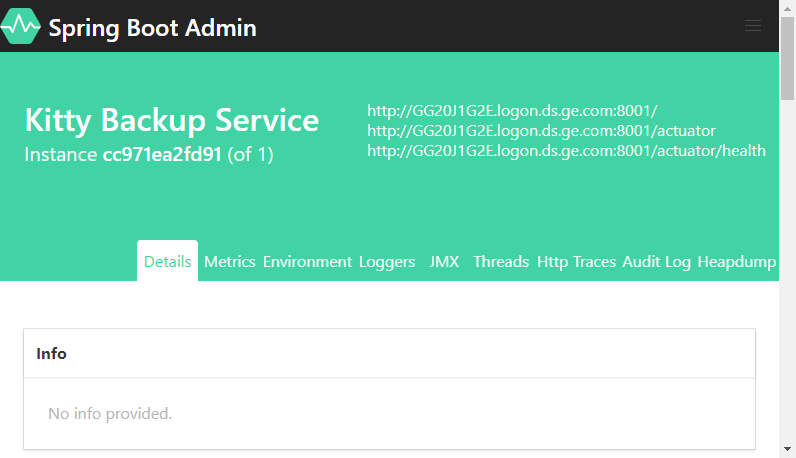
Application 页面。
Wallboard 页面。
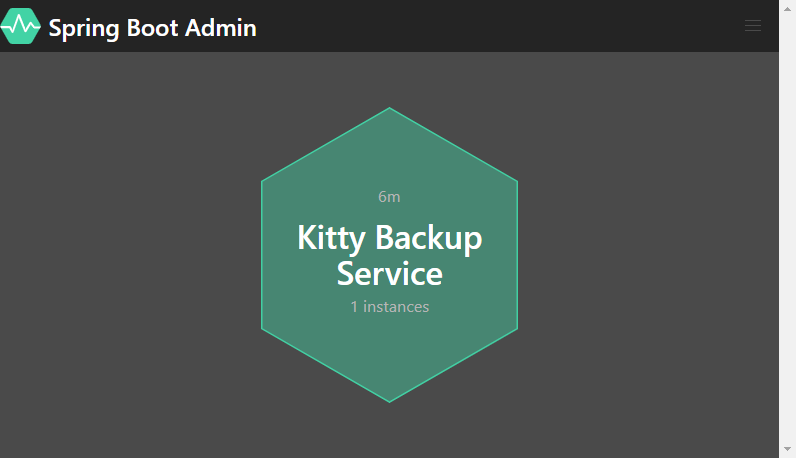
Wallboard 页面各种明细指标。
服务上线日志。
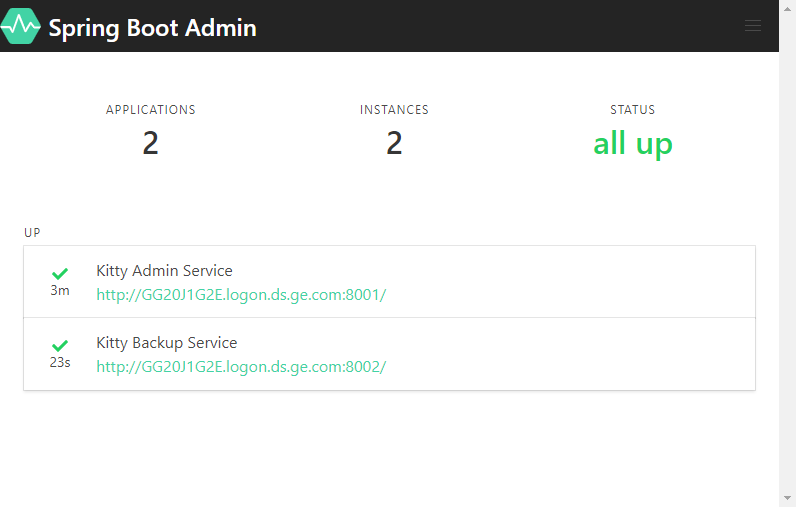
kitty-boot 服务同理,改造完成,启动后显示。
Spring Boot + Spring Cloud 实现权限管理系统 (系统服务监控)的更多相关文章
- 新书上线:《Spring Boot+Spring Cloud+Vue+Element项目实战:手把手教你开发权限管理系统》,欢迎大家买回去垫椅子垫桌脚
新书上线 大家好,笔者的新书<Spring Boot+Spring Cloud+Vue+Element项目实战:手把手教你开发权限管理系统>已上线,此书内容充实.材质优良,乃家中必备垫桌脚 ...
- [权限管理系统(四)]-spring boot +spring security短信认证+redis整合
[权限管理系统]spring boot +spring security短信认证+redis整合 现在主流的登录方式主要有 3 种:账号密码登录.短信验证码登录和第三方授权登录,前面一节Sprin ...
- 基于Spring Boot和Shiro的后台管理系统FEBS
FEBS是一个简单高效的后台权限管理系统.项目基础框架采用全新的Java Web开发框架 —— Spring Boot 2.0.3,消除了繁杂的XML配置,使得二次开发更为简单:数据访问层采用Myba ...
- spring Boot+spring Cloud实现微服务详细教程第二篇
上一篇文章已经说明了一下,关于spring boot创建maven项目的简单步骤,相信很多熟悉Maven+Eclipse作为开发常用工具的朋友们都一目了然,这篇文章主要讲解一下,构建spring bo ...
- spring Boot+spring Cloud实现微服务详细教程第一篇
前些天项目组的大佬跟我聊,说项目组想从之前的架构上剥离出来公用的模块做微服务的开发,恰好去年的5/6月份在上家公司学习了国内开源的dubbo+zookeeper实现的微服务的架构.自己平时对微服务的设 ...
- Cola Cloud 基于 Spring Boot, Spring Cloud 构建微服务架构企业级开发平台
Cola Cloud 基于 Spring Boot, Spring Cloud 构建微服务架构企业级开发平台: https://gitee.com/leecho/cola-cloud
- spring boot、cloud v2.1.0.RELEASE 使用及技术整理
2018年10月30日 springboot v2.1.0.RELEASE 发布: https://github.com/spring-projects/spring-boot/releases/ta ...
- Spring Boot/Spring Cloud、ESB、Dubbo
如何使用Spring Boot/Spring Cloud 实现微服务应用spring Cloud是一个基于Spring Boot实现的云应用开发工具,它为基于JVM的云应用开发中的配置管理.服务发现. ...
- 使用Spring Boot,Spring Cloud和Docker实现微服务架构
https://github.com/sqshq/PiggyMetrics Microservice Architecture with Spring Boot, Spring Cloud a ...
- spring boot 2 + shiro 实现权限管理
Shiro是一个功能强大且易于使用的Java安全框架,主要功能有身份验证.授权.加密和会话管理.看了网上一些文章,下面2篇文章写得不错.Springboot2.0 集成shiro权限管理 Spring ...
随机推荐
- React时间组件(时分秒补0)页面全局引用
1.common.js export function formatTime(data){ var d = new Date(data); function doTime(d){ if(d<10 ...
- iDigital2019数字营销广告主峰会
iDigital 数字营销品牌广告主峰会是定向邀请形式的闭门社交峰会, 现已成长为享誉亚洲的营销广告行业活动, 致力于帮助品牌营销官, 决策者和业界同行在日益整合的数字商业时代下获得战略远景.组委会邀 ...
- 谈谈 ArrayList 和 LinkedList 的区别
ArrayList: 基于动态数组的数据结构:删除和插入操作每次都要改变数组的长短,比较消耗性能,但是查询会比较快 除非插入和删除的位置都在表末尾,否则代码开销会很大,因为里面需要数组的移动. Lin ...
- java Timer 定时每天凌晨0点执行任务
import java.util.TimerTask; /** * 执行内容 * @author admin_Hzw * */ public class Task extends TimerTask ...
- [openjudge-动态规划]滑雪
题目描述 描述 Michael喜欢滑雪百这并不奇怪, 因为滑雪的确很刺激.可是为了获得速度,滑的区域必须向下倾斜,而且当你滑到坡底,你不得不再次走上坡或者等待升降机来载你.Michael想知道载一个区 ...
- 记录tiny6410 jlink 命令行调试linux-2.6.38内核
1\首先启动nandflash uboot->linux内核->文件系统,进入文件系统命令行 2\启动JLinkGDBServer -device ARM11 3\启动arm-none-e ...
- vue用mand-mobile ui做交易所移动版实战示例
vue用mand-mobile ui做交易所移动版实战示例 先展示几个界面: 目录结构: main.js // The Vue build version to load with the `impo ...
- 爬虫----selenium模块
一.介绍 selenium最初是一个测试工具,而爬虫中使用它主要是为了解决requests无法直接执行JavaScript代码的问题 selenium本质是通过驱动浏览器,完全模拟浏览器的操作,比如跳 ...
- C++的重载操作符(operator)介绍(转)
本文主要介绍C++中的重载操作符(operator)的相关知识. 1. 概述 1.1 what operator 是C++的一个关键字,它和运算符(如=)一起使用,表示一个运算符重载函数,在理解时可将 ...
- Docker Compose 介绍安装
Compose介绍 Compose是一个定义和管理多容器的工具,也是一种容器编排工具,前身是Pig,使用Python语言编写.使用Compose配置文件描述多个容器应用的架构,biubiu使用什么镜像 ...