
Android -- 打开本地图片且显示路径
背景


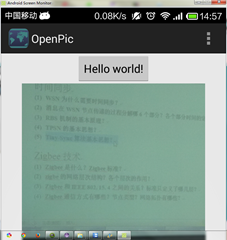
代码
先上布局文件:
<LinearLayout xmlns:android="http://schemas.android.com/apk/res/android"

    xmlns:tools="http://schemas.android.com/tools"

    android:layout_width="match_parent"

    android:layout_height="match_parent"

    android:orientation="vertical"

    tools:context=".MainActivity" >

    <Button

        android:id="@+id/button"

        android:layout_width="wrap_content"

        android:layout_height="wrap_content"

        android:layout_gravity="center"

        android:text="@string/hello_world"/>

    <ImageView

        android:id="@+id/pic"

        android:layout_width="wrap_content"

        android:layout_height="wrap_content"

        android:layout_gravity="center"

        android:contentDescription="@string/app_name"/>

</LinearLayout>
这里没有TextView,我最后是将路径以System.out.println方式输出的。
初始化:
button = (Button)findViewById(R.id.button);

        pic = (ImageView) findViewById(R.id.pic);

        button.setOnClickListener(new View.OnClickListener() {

            @Override

            public void onClick(View v) {

                // TODO 自动生成的方法存根

                System.out.println("onClick");

                Intent intent = new Intent();

                intent.setType("image/*");

                intent.setAction(Intent.ACTION_GET_CONTENT);

                startActivityForResult(intent, 1);

            }

        });
对于startActivityForResult的回调函数进行覆写:
@Override

    protected void onActivityResult(int requestCode, int resultCode, Intent data) {

        // TODO 自动生成的方法存根

        System.out.println(requestCode+"");

        if(requestCode==1)

        {

            //获得图片的uri

            Uri uri = data.getData();

            //外界的程序访问ContentProvider所提供数据 可以通过ContentResolver接口

            ContentResolver cr = this.getContentResolver();

            Bitmap bitmap;

            //Bitmap bm; //这是一种方式去读取图片

            try

            {

                //bm = MediaStore.Images.Media.getBitmap(cr, uri);

                //pic.setImageBitmap(bm);

                bitmap = BitmapFactory.decodeStream(cr.openInputStream(uri));

                pic.setImageBitmap(bitmap);

                System.out.println("GOOD");
                //第一种方式去读取路径

                //String[] proj = {MediaStore.Images.Media.DATA};

                /*

                 //好像是android多媒体数据库的封装接口,具体的看Android文档

                Cursor cursor = managedQuery(uri, proj, null, null, null);

                //按我个人理解 这个是获得用户选择的图片的索引值

                int column_index = cursor.getColumnIndexOrThrow(MediaStore.Images.Media.DATA);

              //将光标移至开头 ,这个很重要,不小心很容易引起越界

                cursor.moveToFirst();

                //最后根据索引值获取图片路径

                String path = cursor.getString(column_index);

                System.out.println(path);

                   */
                //第二种方式去读取路径

                Cursor cursor =this.getContentResolver().query(uri, null, null, null, null);

                int column_index = cursor.getColumnIndexOrThrow(MediaStore.Images.Media.DATA);

                cursor.moveToFirst();

                String path = cursor.getString(column_index);

                System.out.println(path);

            }

            catch (Exception e)

            {

                // TODO 自动生成的 catch 块

                e.printStackTrace();

                System.out.println("BAD");

            }

        }

        super.onActivityResult(requestCode, resultCode, data);

    }
最后的path就是路径。
我是天王盖地虎的分割线
源代码:http://pan.baidu.com/s/1dD1Qx01
OpenPic.zip
转载请注明出处:http://www.cnblogs.com/yydcdut/p/3720594.html
Android -- 打开本地图片且显示路径的更多相关文章
- android获取本地图片并显示图片
import java.io.FileNotFoundException; import android.content.ContentResolver; import android.content ...
- Springboot读取本地图片并显示
在application.yml中配置url访问路径和本地图片路径: 方框1:url中访问路径,这里为:localhost:8080/testspringboot/image/... 方框2:本地图片 ...
- js读取本地图片并显示
抄自 http://blog.csdn.net/qiulei_21/article/details/52785191 js读取本地图片并显示 第一种方法比较好 版权声明:本文为博主原创文章,未经博主允 ...
- Android实现本地图片选择及预览缩放效果仿春雨医生
在做项目时常常会遇到选择本地图片的需求.曾经都是懒得写直接调用系统方法来选择图片.可是这样并不能实现多选效果.近期又遇到了,所以还是写一个demo好了.以后也方便使用.还是首先来看看效果 显示的图片使 ...
- 怪胎:Android开发ImageView图片无法显示
今天碰到一个非常奇怪的问题: 在Android中ImageView无法显示加载的本地SDCard图片. 具体过程是:先调用本地照相机程序摄像,然后将拍摄的图片加载在ImageView中显示. publ ...
- android -------- 打开本地浏览器或指定浏览器加载,打电话,打开第三方app
开发中常常有打开本地浏览器加载url或者指定浏览器加载, 还有打开第三方app, 如 打开高德地图 百度地图等 在Android程序中我们可以通过发送隐式Intent来启动系统默认的浏览器. 如果手机 ...
- 🍓 vue循环渲染本地图片不显示? 🍓
teamList: [{ title: '大数据拍牌', imgUrl: './img/data.jpg', introduce: '5星服务:强烈推荐', cost: '15000', bail: ...
- 实时显示从file输入框中打开的图片C:\fakepath路径问题
html代码: <input id="file_upload" type="file" /> <div class="image_c ...
- 19-Javaweb项目读取本地图片通过虚拟路径
有时会把文件存在本地如将图片等放在c.d盘等,在javaweb引用时会出现无法直接访问的问题,但是还是有办法解决的. 可以通过配置虚拟路径: 步骤一: 双击servers下面的tomcat, 在弹出的 ...
随机推荐
- 让Xcode8.0支持iOS11.2设备真机测试
最新支持11.2 (15C5097c)! 11.1 全版本! Xcode只可以支持iPhone手机对应iOS系统以下的真机测试.一般想要支持最新的iPhone手机系统,有两个方法. 第一.就需要更新X ...
- 1017 Queueing at Bank (25)(25 point(s))
problem Suppose a bank has K windows open for service. There is a yellow line in front of the window ...
- 希尔排序之Java实现
希尔排序之Java实现 一.方法一 package cn.com.zfc.lesson21.sort; /** * * @title ShellSort * @describe 希尔排序 1959 年 ...
- 2017 ACM Amman Collegiate Programming Contest
A - Watching TV /* 题意:求出出现次数最多的数字 */ #include <cstdio> #include <algorithm> #include < ...
- 2018-2019-2 20162318《网络对抗技术》Exp4 恶意代码分析
一.实验目标 监控你自己系统的运行状态,看有没有可疑的程序在运行. 分析一个恶意软件,就分析Exp2或Exp3中生成后门软件:分析工具尽量使用原生指令或sysinternals,systracer套件 ...
- linux中的文件编码及编码修改
查看文件编码 在Linux中查看文件编码可以通过以下几种方式: 1.在Vim中可以直接查看文件编码 :set fileencoding 即可显示文件编码格式. 如果你只是想查看其它编码格式的文件或者想 ...
- java的反射机制(第三篇)
本文转载自:http://c.biancheng.net/cpp/html/1782.html Person p=new Person();这是什么?当然是实例化一个对象了.可是这种实例化对象的方法存 ...
- C++之lambda理解
简介 在C++ Primer中,是这样定义的-一个lambda表达式表示一个可调用的代码单元,可以将其理解为一个未命名的内联函数:与任何函数类似,一个lambda具有一个返回类型,一个参数列表和一个函 ...
- pygame系列_pygame安装
在接下来的blog中,会有一系列的文章来介绍关于pygame的内容,所以把标题设置为pygame系列 在这篇blog中,主要描述一下我们怎样来安装pygame 可能很多人像我一样,发现了pygame是 ...
- as 汇编器
[root@localhost ~]# cat .s .file "write.s" .section .rodata hello: .string "hello, wo ...