
vue-router 传递参数的几种方式
本文转载自:https://blog.csdn.net/crazywoniu/article/details/80942642
vue-router传递参数分为两大类
- 编程式的导航 router.push
- 声明式的导航 <router-link>
编程式的导航 router.push
编程式导航传递参数有两种类型:字符串、对象。
字符串
字符串的方式是直接将路由地址以字符串的方式来跳转,这种方式很简单但是不能传递参数:
this.$router.push("home");
对象
想要传递参数主要就是以对象的方式来写,分为两种方式:命名路由、查询参数,下面分别说明两种方式的用法和注意事项。
命名路由
命名路由的前提就是在注册路由的地方需要给路由命名如:
命名路由传递参数需要使用params来传递,这里一定要注意使用params不是query。目标页面接收传递参数时使用params
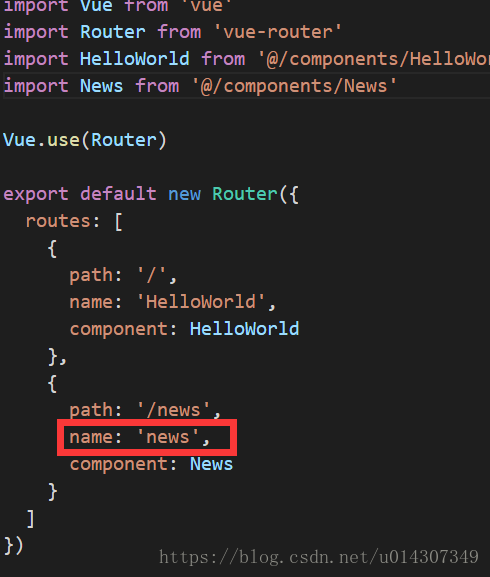
特别注意:命名路由这种方式传递的参数,如果在目标页面刷新是会出错的
使用方法如下:
this.$router.push({ name: 'news', params: { userId: 123 }})
代码如下:
<template>
<div class="hello">
<h1>{{ msg }}</h1>
<button @click="routerTo">click here to news page</button>
</div>
</template>
<script>
export default {
name: 'HelloWorld',
data () {
return {
msg: 'Welcome to Your Vue.js App'
}
},
methods:{
routerTo(){
this.$router.push({ name: 'news', params: { userId: 123 }});
}
}
}
</script>
<style>
</style>
接受传递的参数:
<template>

  <div>

    this is the news page.the transform param is {{this.$route.params.userId}}

  </div>

</template>

<script>

</script>
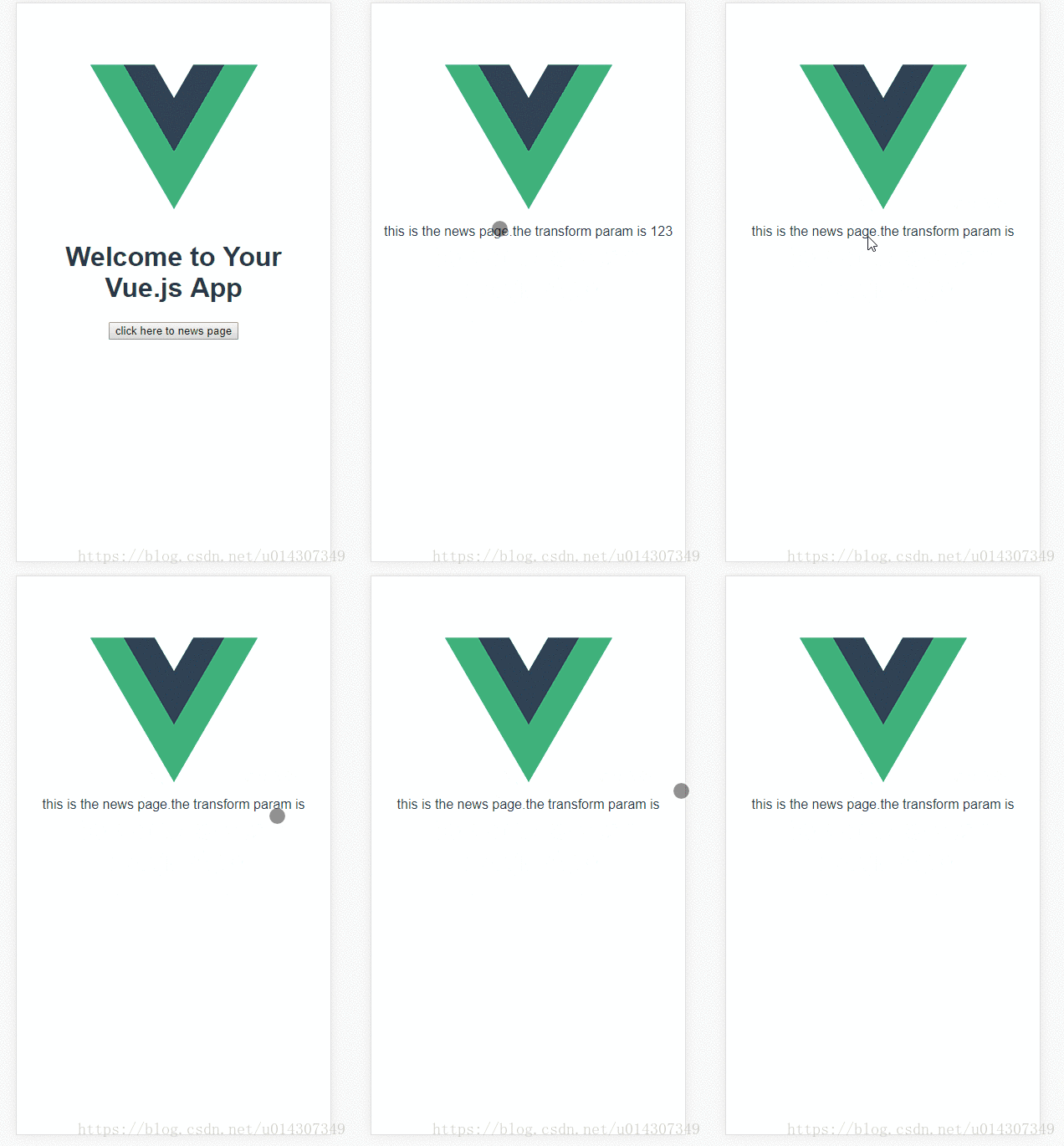
运行效果如下:
查询参数
查询参数其实就是在路由地址后面带上参数和传统的url参数一致的,传递参数使用query而且必须配合path来传递参数而不能用name,目标页面接收传递的参数使用query。
注意:和name配对的是params,和path配对的是query
使用方法如下:
this.$router.push({ path: '/news', query: { userId: 123 }});
代码如下:
<template>

  <div class="hello">

  <h1>{{ msg }}</h1>

  <button @click="routerTo">click here to news page</button>

  </div>

</template>

<script>

  export default {

    name: 'HelloWorld',

    data () {

      return {

        msg: 'Welcome to Your Vue.js App'

      }

    },

   methods:{

    routerTo(){

      this.$router.push({ path: '/news', query: { userId: 123 }});

      }

    }

  }

</script>

<style>

</style>
接收参数如下:
<template>

  <div>

    this is the news page.the transform param is {{this.$route.query.userId}}

  </div>

</template>

<script>

</script>
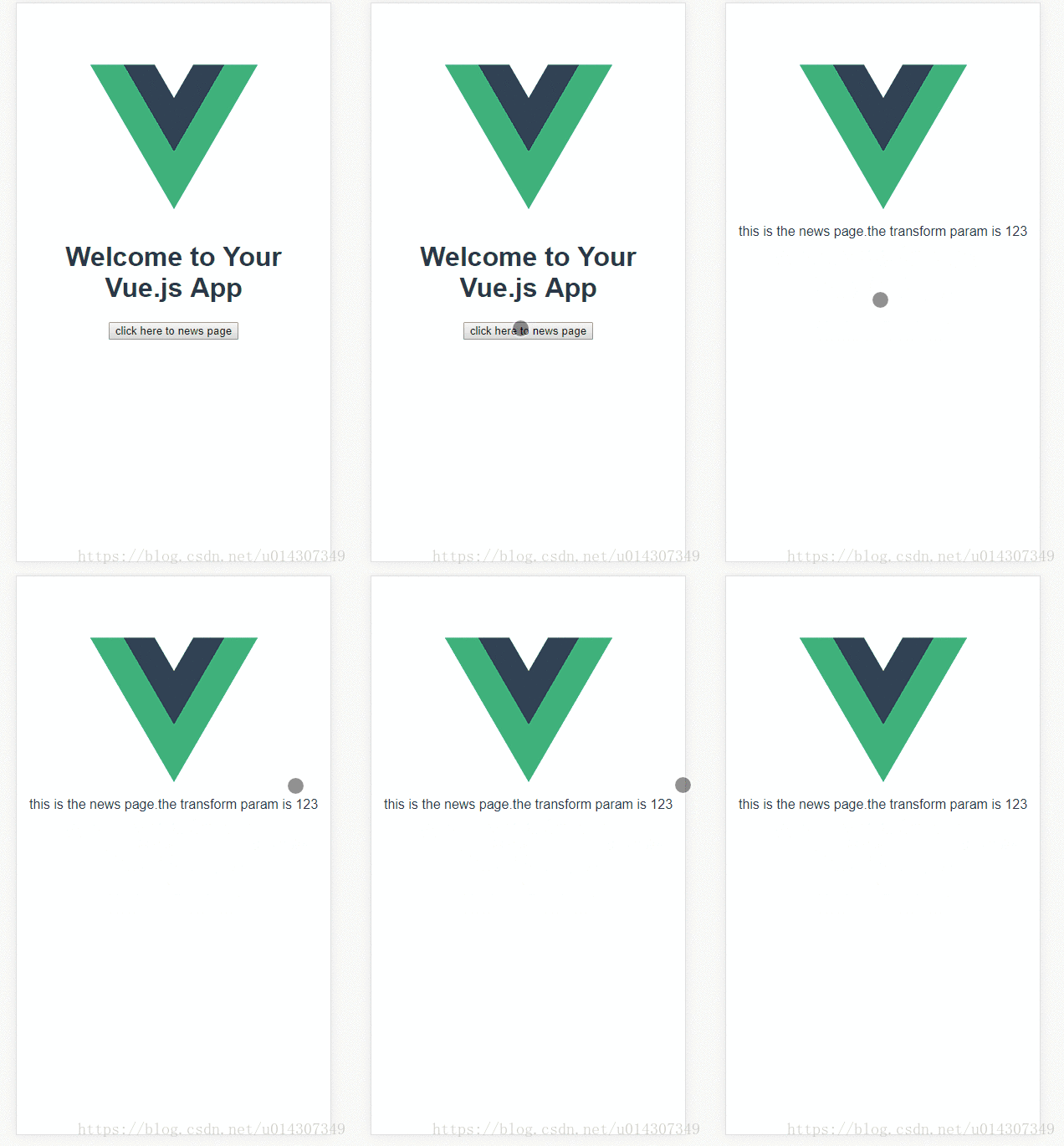
运行效果如下:
声明式的导航
声明式的导航和编程式的一样,这里就不在过多介绍,给几个例子大家对照编程式理解,例子如下:
字符串
<router-link to="news">click to news page</router-link>
命名路由
<router-link :to="{ name: 'news', params: { userId: 1111}}">click to news page</router-link>
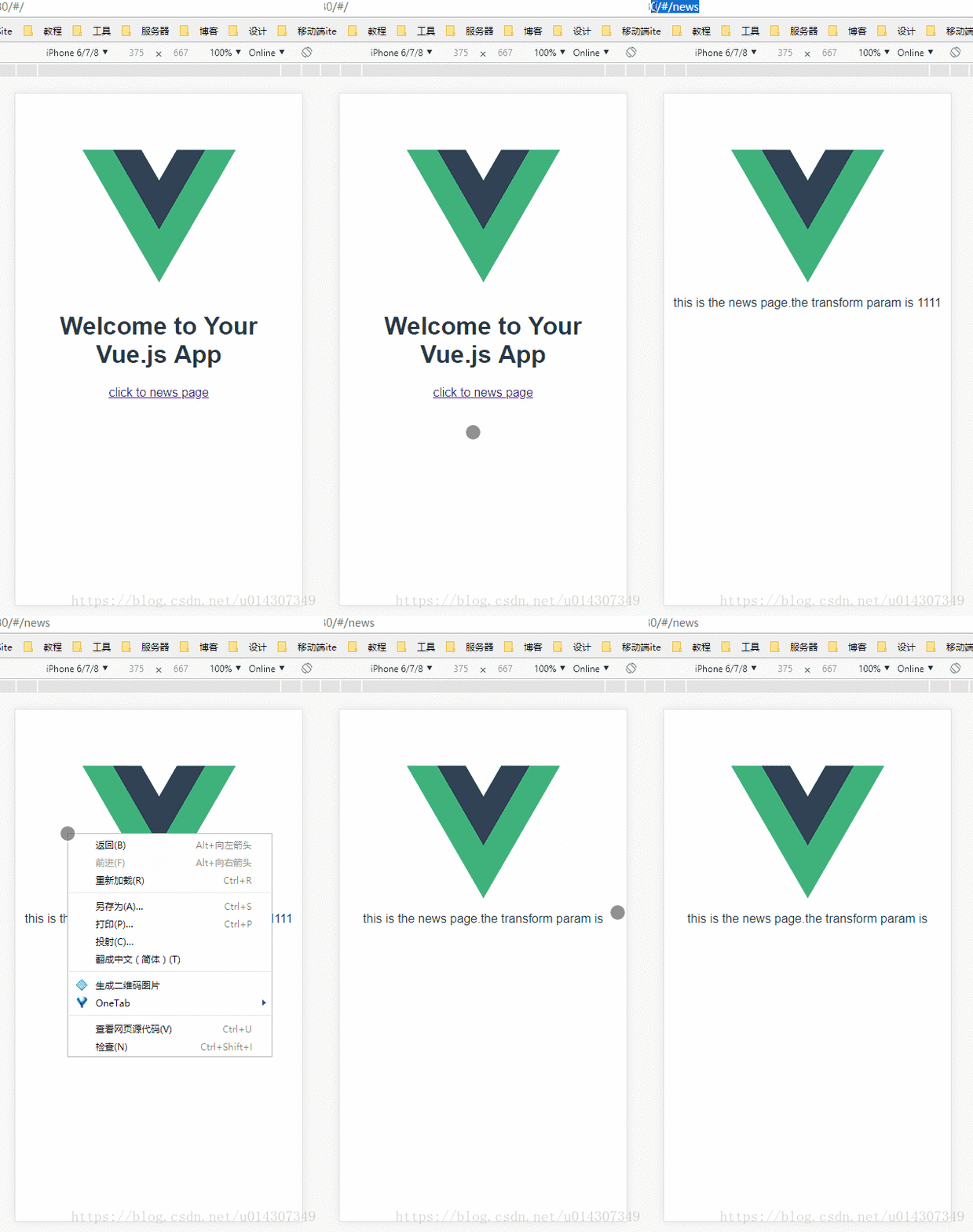
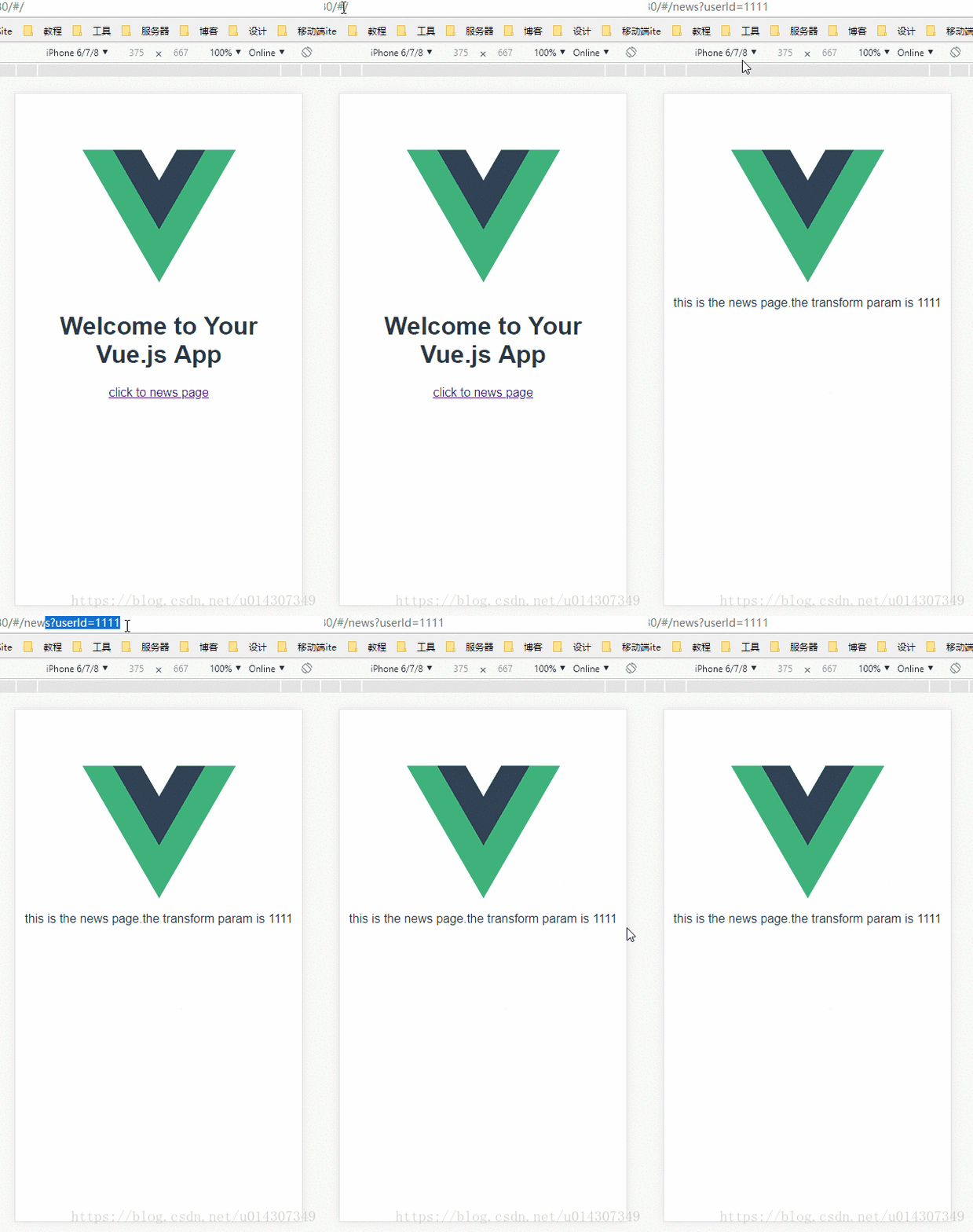
运行效果如下:
查询参数
<router-link :to="{ path: '/news', query: { userId: 1111}}">click to news page</router-link>
运行效果如下:
最后总结:路由传递参数和传统传递参数是一样的,命名路由类似表单提交而查询就是url传递,在vue项目中基本上掌握了这两种传递参数就能应付大部分应用了,最后总结为以下两点:
1.命名路由搭配params,刷新页面参数会丢失
2.查询参数搭配query,刷新页面数据不会丢失
3.接受参数使用this.$router后面就是搭配路由的名称就能获取到参数的值
vue-router 传递参数的几种方式的更多相关文章
- Delphi过程函数传递参数的几种方式
Delphi过程函数传递参数的几种方式 在Delphi过程.函数中传递参数几个修饰符为Const.Var.Out. 另一种不加修饰符的为默认按值传递参数. 一.默认方式以值方式传递参数 proced ...
- 【delphi】Delphi过程、函数传递参数的八种方式
Delphi过程函数传递参数的八种方式
- asp传递参数的几种方式
把下列代码分别加入a.asp和b.asp的<body></body>中,点提交,就可以将a.asp文本框的内容传给b.asp并显示出来 a.ASP <form actio ...
- vue-router传递参数的几种方式
参考资料:vue.js官网 博客 vue-router传递参数分为两大类 编程式的导航 router.push声明式的导航 <router-link>编程式导航传递参数有两种类型:字符串 ...
- shell 函数传递参数的几种方式
1.最近总结了 shell 中 function 的传递变量的几种方式 1.传递单个变量 2.传递数组变量 #!/bin/bash #trying to pass an variable. ...
- Delphi过程函数传递参数的八种方式
今天一同事问我为什么有些过程函数里面有Var而有些没有,不解,遂到网上百度,得解.快哉,快哉. 在Delphi过程.函数中传递参数几个修饰符为Const.Var.Out.另一种不加修饰符的为默认按值传 ...
- vue router 传递参数
vue-router 传参的方式 query 和params query 类似于get请求的传参方法 就是 ? 这种形式的 https://i.cnblogs.com/EditPosts.aspx?o ...
- JSP中页面向Action传递参数的几种方式
<form name="ThisForm" method="POST" action="index.jsp"> form是表单, ...
- Mybatis传递参数的几种方式
使用Map传递 优点:直接在sql中取出key即可 缺点:适用于小项目,不符合大公司规范 对象传递参数 优点:符合标准规范 缺点:麻烦 3.只有一个基本类型参数的情况下,直接在sql中取中 4.多个参 ...
随机推荐
- CodeChef 3-Palindromes(Manacher+dp)
3-Palindromes Problem code: PALIN3 Submit All Submissions All submissions for this problem are ...
- 1571. [Usaco2009 Open]滑雪课Ski
传送门 可以想到 $dp$,设 $f[i][j]$ 表示当前等级为 $i$,时间为 $j$ 的最大滑雪次数 显然上课不会上让自己等级降低的课,所以第一维 $i$ 满足无后效性 然后直接枚举 $i,j$ ...
- 使用定时器实现在console中打印内容
<!DOCTYPE html> <html lang="en"> <head> <meta charset="UTF-8&quo ...
- python常用函数 D
defaultdict(set_type) 可以定义字典多值映射,入参类型决定value类型. 例子: deque:(int) 保留最后N个元素 例子: Decimal(float) 直接对浮点数进行 ...
- 第二节:专做自己是小白——重新认识MySQL 学习记录
一.安装MySQL的一些知识点 1.进程号是操作系统随机分配,每次启动程序都会有一个新的进程号. 2.mysql服务器进程默认名称MySQL,MySQL客户端进程默认名称mysql. 3. ...
- 线程安全与非线程安全集合说一下,底层怎么实现的(hashmap,concurrenthashmap)
Hashmap本质是数组加链表.根据key取得hash值,然后计算出数组下标,如果多个key对应到同一个下标,就用链表串起来,新插入的在前面. ConcurrentHashMap:在hashMap的基 ...
- html5 像素模拟渐变
代码实例: <!DOCTYPE html> <html> <head> <style> canvas{ background:#eee; } </ ...
- 【串线篇】Mybatis缓存之二级缓存
1.应用 二级缓存:namespace级别的缓存:SqlSession关闭或者提交以后有效 一级缓存:SqlSession关闭或者提交以后,一级缓存的数据会放在二级缓存中: 二级缓存的使用:mybat ...
- ConcurrentLinkedDeque
import java.util.concurrent.ConcurrentLinkedDeque; /** * ConcurrentLinkedQueue : 是一个适用于高并发场景下的队列,通过无 ...
- 禁止打开 F12 开发者工具
禁止F12 window.onkeydown = window.onkeyup = window.onkeypress = function (event) { // 判断是否按下F12,F12键码为 ...