
Ionic环境搭建
stepts
npm install -g ionic@beta Make sure you have NodeJS installed. Download the installer here or use your favorite package manager. It’s best to get the 5x version of node along with the 3x version of npm. This offers the best in stability and speed for building.
Once that’s done, create your first Ionic app:
ionic start cutePuppyPics --v2To run your app, cd into the directory that was created and then run the ionic serve command:
$ cd cutePuppyPics

$ ionic serve
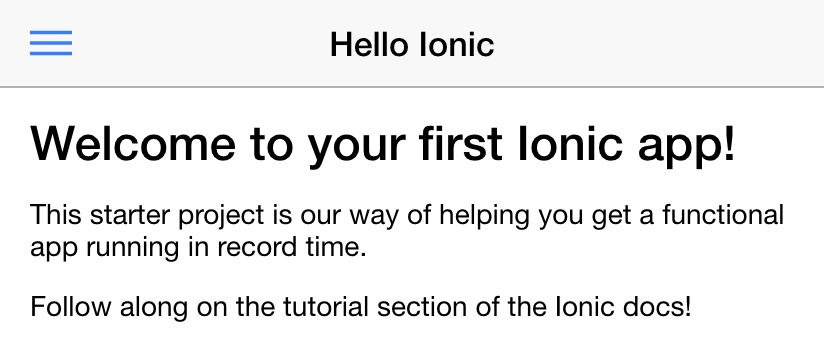
You can play with it right in the browser!
Building to a Device
After you have Ionic installed, you can build your app to a physical device. If you don’t have a physical device on hand, you can still build to a device emulator. Check out the iOS simulator docs if you are on a Mac, or the Genymotion docs if you are looking to emulate an Android device. You will also need Cordova to run your app on a native device. To install Cordova, run:
$ sudo npm install -g cordovaBuilding for Android
To build for Android, you’ll need to add the Android platform module to Cordova:
$ ionic platform add androidNext, you’ll need to install the Android SDK. The Android SDK allows you to build compile to a target device running Android. Although the Android SDK comes with a stock emulator, Genymotion is recommended, since it’s much faster. Once installed, start an Android image and run:
$ ionic run androidProblems
problem1
As a common cause for Chinese programmers,the existence of GFW will make it hard for us to dowlad gradles
solutions:
- dowload specificed version gradle from Internet.
- paste it in somewhere likes myApp\platforms\android\gradle\gradle-2.2.1-all.zip
- change distributionUrl in myApp/platforms/android/cordova/lib/builders/GradleBuilder.js
from

var distributionUrl = 'distributionUrl=http\\://services.gradle.org/distributions/gradle-2.2.1-all.zip';

to

var distributionUrl = 'distributionUrl=../gradle-2.2.1-all.zip';
references
ionic build android error when download gradle - Stack Overflow
problem2
ionic serve opened a blank page
solutions:
change your browse,firefox or chorme will be fine.
problem3
EveryTime I run ionic run android,the code will go back to the original and don’t change.
solutions:
there are three directory have page htmls
- app/
- www/
- android/
please edit code in app directory and it will work well.
Ionic环境搭建的更多相关文章
- ionic环境搭建及新建项目中的各种问题
具体流程可见http://bbs.ionic-china.com/read-7.html 问题1.安装ionic cordova失败 解决方法:修改npm的源,npm config set regis ...
- Ionic 入门与实战之第二章第一节:Ionic 环境搭建之开发环境配置
原文发表于我的技术博客 本文是「Ionic 入门与实战」系列连载的第二章第一节,主要对 Ionic 的开发环境配置做了简要的介绍,本文介绍的开发环境为 Mac 系统,Windows 系统基本类似,少许 ...
- ionic环境搭建和安装
1. 安装node环境 nodeJs环境的安装很简单,去官网下载最新版的NodeJs直接安装即可. Node官网: https://nodejs.org/ 安装完成后配置环境变量,计算机->属性 ...
- ionic 环境搭建
1.安装nodejs (8.4.0) 下载地址 https://nodejs.org/zh-cn/ 2.Java jdk 版本号 jdk1.8.0_121 3.安装 cordova npm ins ...
- 第三章:ionic环境搭建之windows篇
下面是在windows操作系统上面安装ionic的步骤,已经在Windows 10/ 7/ XP下面通过验证. 安装JDK 1.1 下载(http://www.oracle.com/technetwo ...
- Ionic 入门与实战之第二章第二节:Ionic 环境搭建之 Ionic Lab 使用
原文发表于我的技术博客 本文是「Ionic 入门与实战」系列连载的第二章第二节,主要对 Ionic Lab 工具作了介绍,并讲解了其使用方法,这也是一个开发 Ionic 比较好的调试工具. 原文发表于 ...
- Ionic01 简单介绍、环境搭建、创建项目、项目结构、创建组件、创建页面、子页面跳转
1 Ionic 基本介绍 Ionic 是一款基于 Angular.Cordova 的强大的 HTML5 移动应用开发框架 , 可以快速创建一个跨平台的移动应用.可以快速开发移动 App.移动端 WEB ...
- Cordova+ionic 开发hybird App --- 开发环境搭建
Cordova 开发hybird App 开发环境搭建 一.一些基础概念: Ant : 简单说来可以这么理解,如果你用记事本写JAVA程序,然后在cmd里输入javac命令编译它,但是有一天你发现每次 ...
- Ionic 开发环境搭建
android sdk环境搭建并非易事,本人经过无数失败,才使用以下方式成功 配置Ionic 开发环境 1.下载JDK并配置Java运行环境 http://www.oracle.com/technet ...
随机推荐
- Redhat EL安装curses
1.下载curses安装包 http://ftp.gnu.org/pub/gnu/ncurses/ncurses-5.6.tar.gz2. tar -zxvf nurses-5.6.tar.gz 3 ...
- [TimusOJ1057]Amount of Degrees
[TimusOJ1057]Amount of Degrees 试题描述 Create a code to determine the amount of integers, lying in the ...
- js生成当前时间
js生成当前时间 var today=new Date(); function itArray(){ this.length=itArray.arguments.length for(var i=0; ...
- jquery版悬浮模块demo
在做在线客服时,代码就是按照该模块命名.现在,我要添加一个返回主页的功能,我觉得再复制一遍之前的代码,那个量有点多,如果我再添加一个功能,那个量会很多……现在我用创建对象字面量的方式来创建(其实我还想 ...
- Windows系统使用putty远程连接DigitalOcean创建的Linux系统(CentOS6.7为例)
大部分vps提供网站都会在网站上提供一个控制台界面,方便操作远程vps.但是使用起来特别不方便,尤其在一个神奇的国家,打开国外网站都困难,何况还要在网站上不断的操作.这一教程记录如何在Windows系 ...
- vmware vcenter orchestrator configuration提示“用户名密码错误或登录失败超过次数被锁定”
首次登录,使用默认用户密码登录vmware/vmware vmware vcenter orchestrator configuration提示"用户名密码错误或登录失败超过次数被锁定&qu ...
- 6 HandlerDescriptor 处理程序描述类——Live555源码阅读(一)基本组件类
这是Live555源码阅读的第一部分,包括了时间类,延时队列类,处理程序描述类,哈希表类这四个大类. 本文由乌合之众 lym瞎编,欢迎转载 http://www.cnblogs.com/oloroso ...
- tcp 三次握手
- 初识hibernate小案例
使用hibernate前需要导入相关JAR包. 1.它可以接受词文法语言描述,并能产生识别这些语言的语句的程序 2.是一个Java的XML API,类似于jdom,用来读写XML文件的 3.支持注解配 ...
- 3.3---集合栈(CC150)
思路:注意一下别写错add还是remove public class SetOfStacks { public static ArrayList<ArrayList<Integer> ...