
LimeSDR Getting Started Quickly | LimeSDR上手指南
0x00 概览
LimeSDR部分特性: USB 3.0 ; 4 x Tx 发射天线接口 6 x Rx 接收天线接口;
可用于Wi-Fi, GSM, UMTS, LTE, LoRa, Bluetooth, Zigbee, RFID等开发测试环境中。
RTL电视棒、HackRF、BladeRF、USRP、LimeSDR参数对比表:
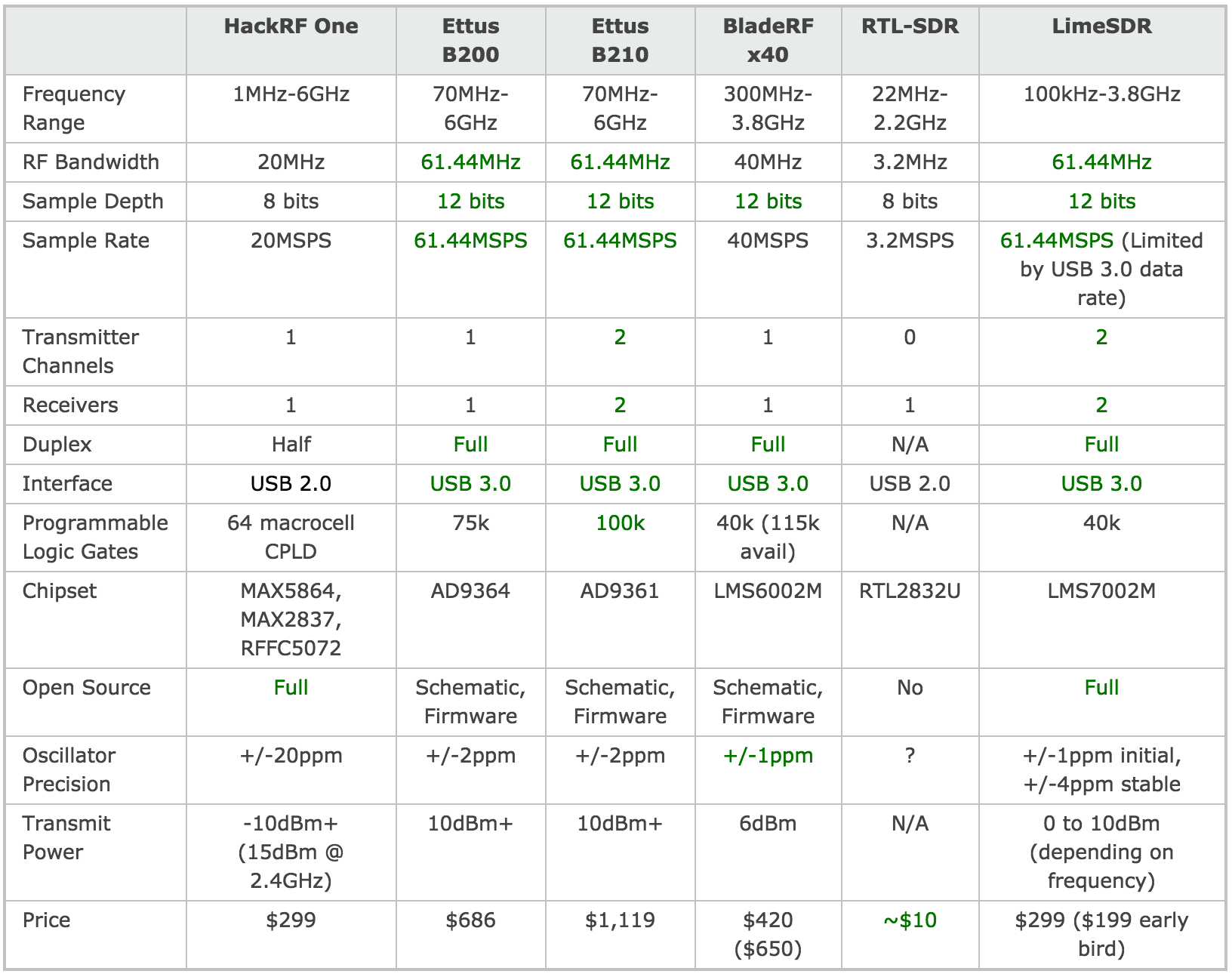
HackRF One的价格,性能参数却能跟BladeRF甚至USRP媲美!
LimeSDR核心组件:

先上几张特写:
主板长10cm,算上USB接口11.5cm:
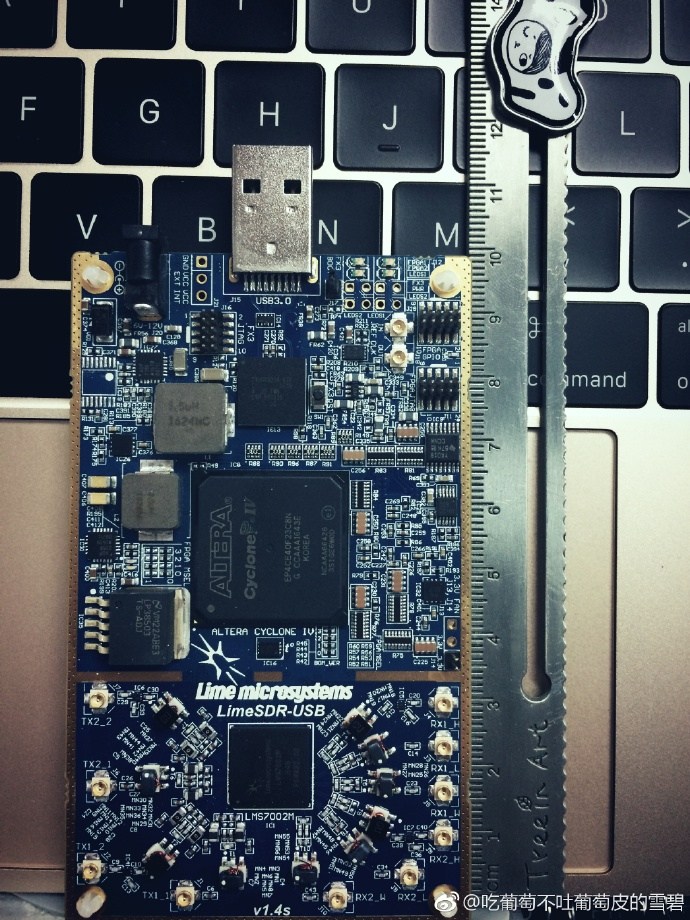
主板宽5.7cm:

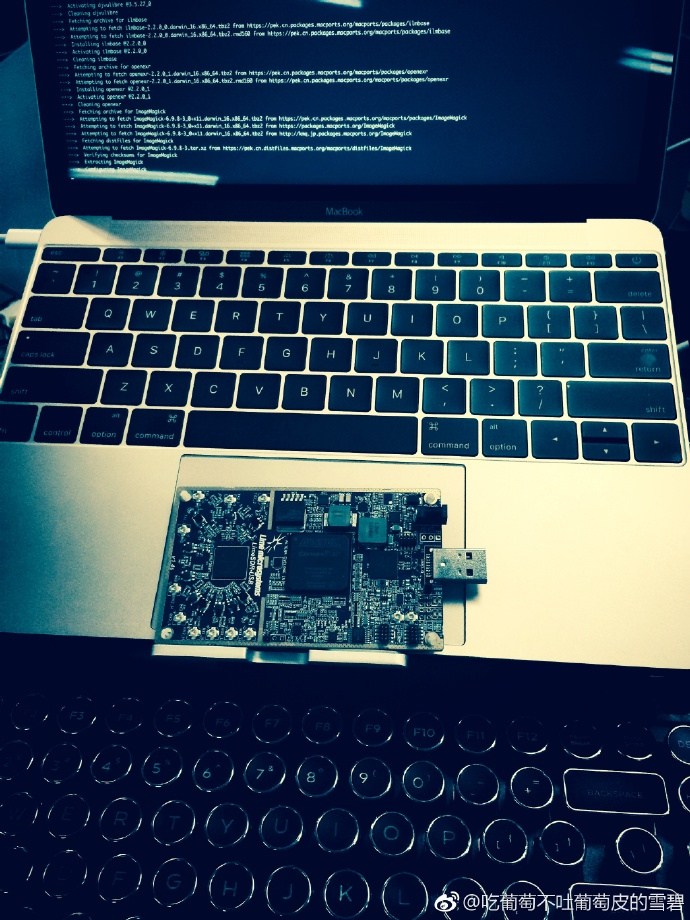
相对于HackRF、BladeRF、USRP这三款主流SDR硬件(USRP mini除外),体积已经很小巧了。LimeSDR其体积实测只有一个iPhone5s的体积大小!
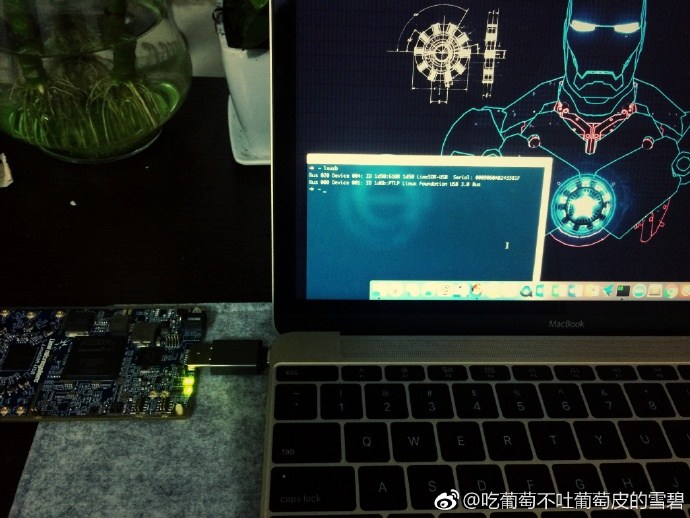
当插上USB供电后,除了上图显示的两颗绿色LED灯,还有一颗一闪一闪的红色LED灯也在工作。
接下来将分一键快速安装和源码编译安装来使用LimeSDR硬件,推荐使用源码编译安装。
0x01 Mac OSX
1.1 搭建开发环境
Mac OSX当中强烈推荐通过Mac Port 搭建SDR环境,配合源码编译达到最佳效果。
1.通过AppStore安装Xcode https://itunes.apple.com/cn/app/xcode/id497799835?mt=12
2.下载安装 XQuartz/X11 http://xquartz.macosforge.org/landing
3.下载安装 MacPorts https://trac.macports.org/wiki/InstallingMacPorts
sudo port search sdr

sudo port install rtl-sdr hackrf bladeRF uhd gnuradio gqrx gr-osmosdr gr-fosphor
完成之后便可从GayHub上clone源码并进行编译安装。
1.2 源码编译LimeSuite
git clone https://github.com/myriadrf/LimeSuite.git

cd LimeSuite

mkdir builddir && cd builddir

cmake ../

make -j4

sudo make install
1.3 源码编译UHD驱动&&增加UHD对LimeSDR的支持
jocover基于UHD给LimeSDR开发了LimeSDR的驱动支持OpenUSRP,把LimeSDR来模拟成USRP B210来使用。
git clone https://github.com/EttusResearch/uhd.git

cd uhd/host/lib/usrp

git clone https://github.com/jocover/OpenUSRP.git

echo "INCLUDE_SUBDIRECTORY(OpenUSRP)">>CMakeLists.txt

mkdir build && cd build

cmake ..

make -j4

sudo make install
1.4 添加环境变量
echo 'export UHD_MODULE_PATH=/usr/lib/uhd/modules' >> ~/.bashrc
如果用的是iTerm2+zsh则执行:
echo 'export UHD_MODULE_PATH=/usr/lib/uhd/modules' >> ~/.zshrc
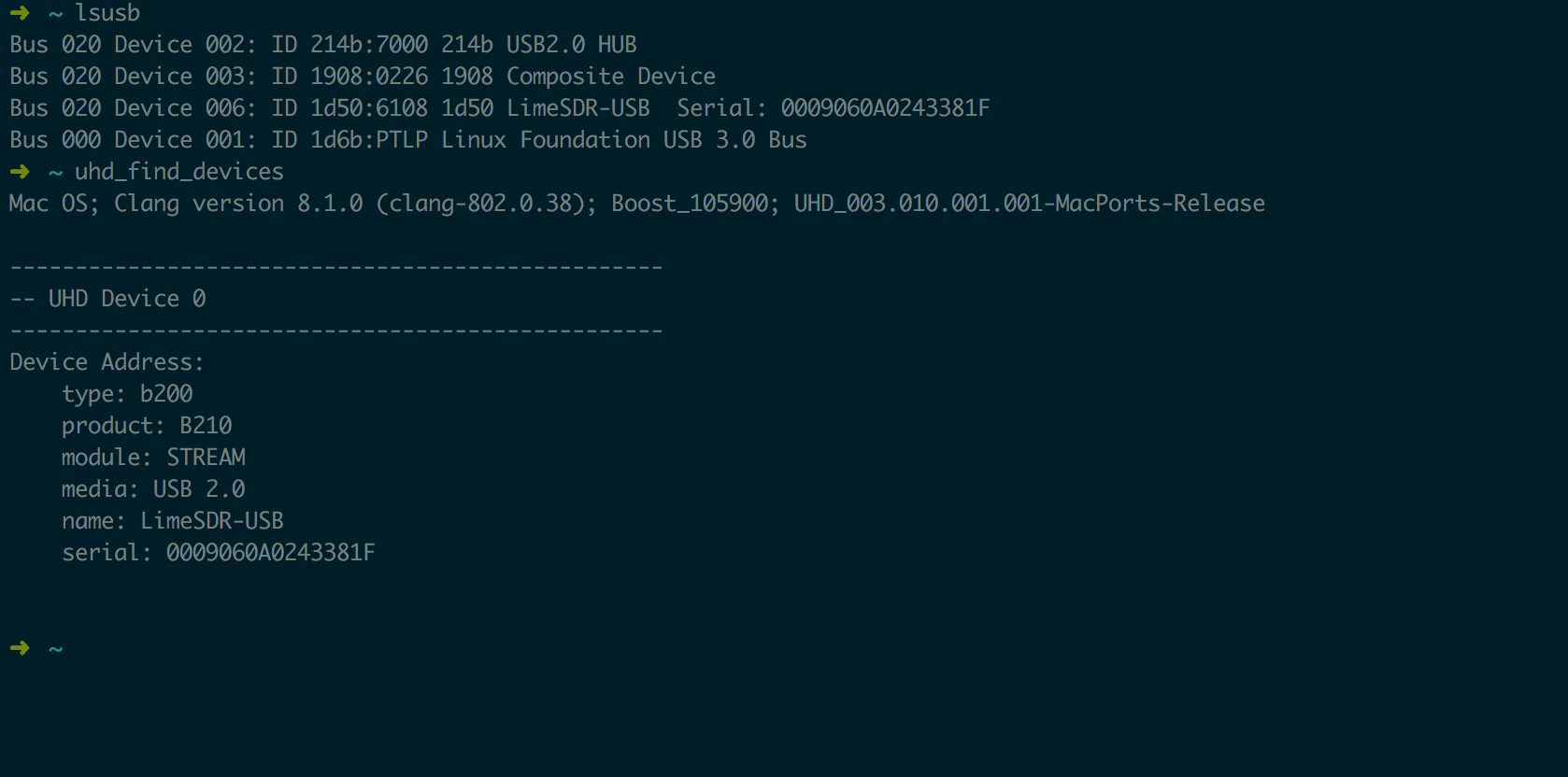
1.5 检测LimeSDR模拟USRP是否成功:
LimeSDR模拟成USRP B210之后最终的效果跟USRP是一样的:
uhd_find_devices
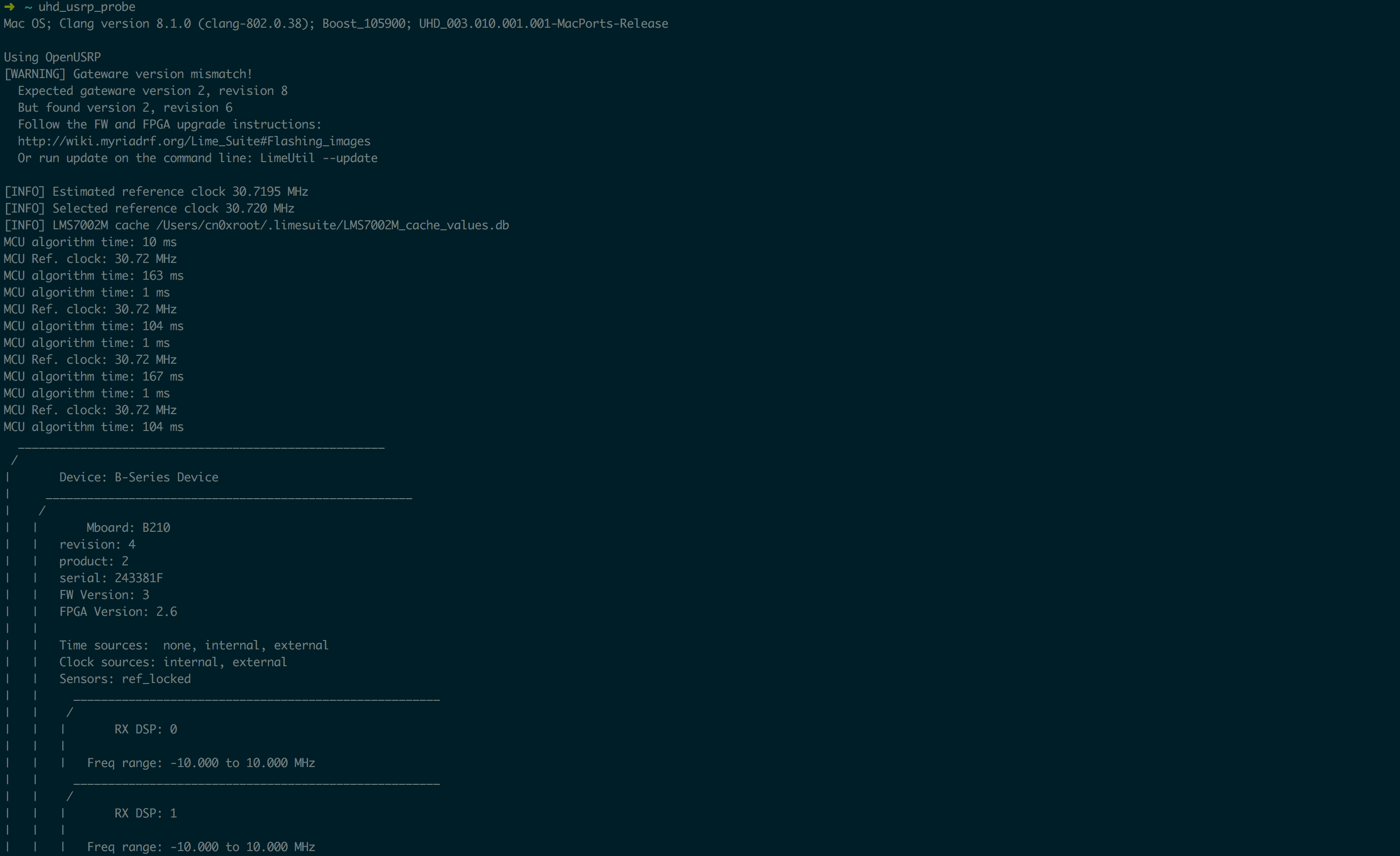
uhd_usrp_probe

Mac OS; Clang version 8.1. (clang-802.0.); Boost_105900; UHD_003.010.001.-MacPorts-Release

Using OpenUSRP

[WARNING] Gateware version mismatch!

  Expected gateware version , revision

  But found version , revision

  Follow the FW and FPGA upgrade instructions:

  http://wiki.myriadrf.org/Lime_Suite#Flashing_images

  Or run update on the command line: LimeUtil --update

[INFO] Estimated reference clock 30.7195 MHz

[INFO] Selected reference clock 30.720 MHz

[INFO] LMS7002M cache /Users/cn0xroot/.limesuite/LMS7002M_cache_values.db

MCU algorithm time:  ms

MCU Ref. clock: 30.72 MHz

MCU algorithm time:  ms

MCU algorithm time:  ms

MCU Ref. clock: 30.72 MHz

MCU algorithm time:  ms

MCU algorithm time:  ms

MCU Ref. clock: 30.72 MHz

MCU algorithm time:  ms

MCU algorithm time:  ms

MCU Ref. clock: 30.72 MHz

MCU algorithm time:  ms

  _____________________________________________________

 /

|       Device: B-Series Device

|     _____________________________________________________

|    /

|   |       Mboard: B210

|   |   revision:

|   |   product:

|   |   serial: 243381F

|   |   FW Version:

|   |   FPGA Version: 2.6

|   |

|   |   Time sources:  none, internal, external

|   |   Clock sources: internal, external

|   |   Sensors: ref_locked

|   |     _____________________________________________________

|   |    /

|   |   |       RX DSP:

|   |   |

|   |   |   Freq range: -10.000 to 10.000 MHz

|   |     _____________________________________________________

|   |    /

|   |   |       RX DSP:

|   |   |

|   |   |   Freq range: -10.000 to 10.000 MHz

|   |     _____________________________________________________

|   |    /

|   |   |       RX Dboard: A

|   |   |     _____________________________________________________

|   |   |    /

|   |   |   |       RX Frontend: A

|   |   |   |   Name: FE-RX1

|   |   |   |   Antennas: TX/RX, RX2

|   |   |   |   Sensors: temp, lo_locked, rssi

|   |   |   |   Freq range: 30.000 to 3800.000 MHz

|   |   |   |   Gain range PGA: 0.0 to 76.0 step 1.0 dB

|   |   |   |   Bandwidth range: 1000000.0 to 60000000.0 step 1.0 Hz

|   |   |   |   Connection Type: IQ

|   |   |   |   Uses LO offset: No

|   |   |     _____________________________________________________

|   |   |    /

|   |   |   |       RX Frontend: B

|   |   |   |   Name: FE-RX2

|   |   |   |   Antennas: TX/RX, RX2

|   |   |   |   Sensors: temp, lo_locked, rssi

|   |   |   |   Freq range: 30.000 to 3800.000 MHz

|   |   |   |   Gain range PGA: 0.0 to 76.0 step 1.0 dB

|   |   |   |   Bandwidth range: 1000000.0 to 60000000.0 step 1.0 Hz

|   |   |   |   Connection Type: IQ

|   |   |   |   Uses LO offset: No

|   |   |     _____________________________________________________

|   |   |    /

|   |   |   |       RX Codec: A

|   |   |   |   Name: B210 RX dual ADC

|   |   |   |   Gain Elements: None

|   |     _____________________________________________________

|   |    /

|   |   |       TX DSP:

|   |   |

|   |   |   Freq range: -10.000 to 10.000 MHz

|   |     _____________________________________________________

|   |    /

|   |   |       TX DSP:

|   |   |

|   |   |   Freq range: -10.000 to 10.000 MHz

|   |     _____________________________________________________

|   |    /

|   |   |       TX Dboard: A

|   |   |     _____________________________________________________

|   |   |    /

|   |   |   |       TX Frontend: A

|   |   |   |   Name: FE-TX1

|   |   |   |   Antennas: TX/RX

|   |   |   |   Sensors: temp, lo_locked

|   |   |   |   Freq range: 30.000 to 3800.000 MHz

|   |   |   |   Gain range PGA: 0.0 to 89.8 step 0.2 dB

|   |   |   |   Bandwidth range: 800000.0 to 60000000.0 step 1.0 Hz

|   |   |   |   Connection Type: IQ

|   |   |   |   Uses LO offset: No

|   |   |     _____________________________________________________

|   |   |    /

|   |   |   |       TX Frontend: B

|   |   |   |   Name: FE-TX2

|   |   |   |   Antennas: TX/RX

|   |   |   |   Sensors: temp, lo_locked

|   |   |   |   Freq range: 30.000 to 3800.000 MHz

|   |   |   |   Gain range PGA: 0.0 to 89.8 step 0.2 dB

|   |   |   |   Bandwidth range: 800000.0 to 60000000.0 step 1.0 Hz

|   |   |   |   Connection Type: IQ

|   |   |   |   Uses LO offset: No

|   |   |     _____________________________________________________

|   |   |    /

|   |   |   |       TX Codec: A

|   |   |   |   Name: B210 RX dual ADC

|   |   |   |   Gain Elements: None

➜  ~
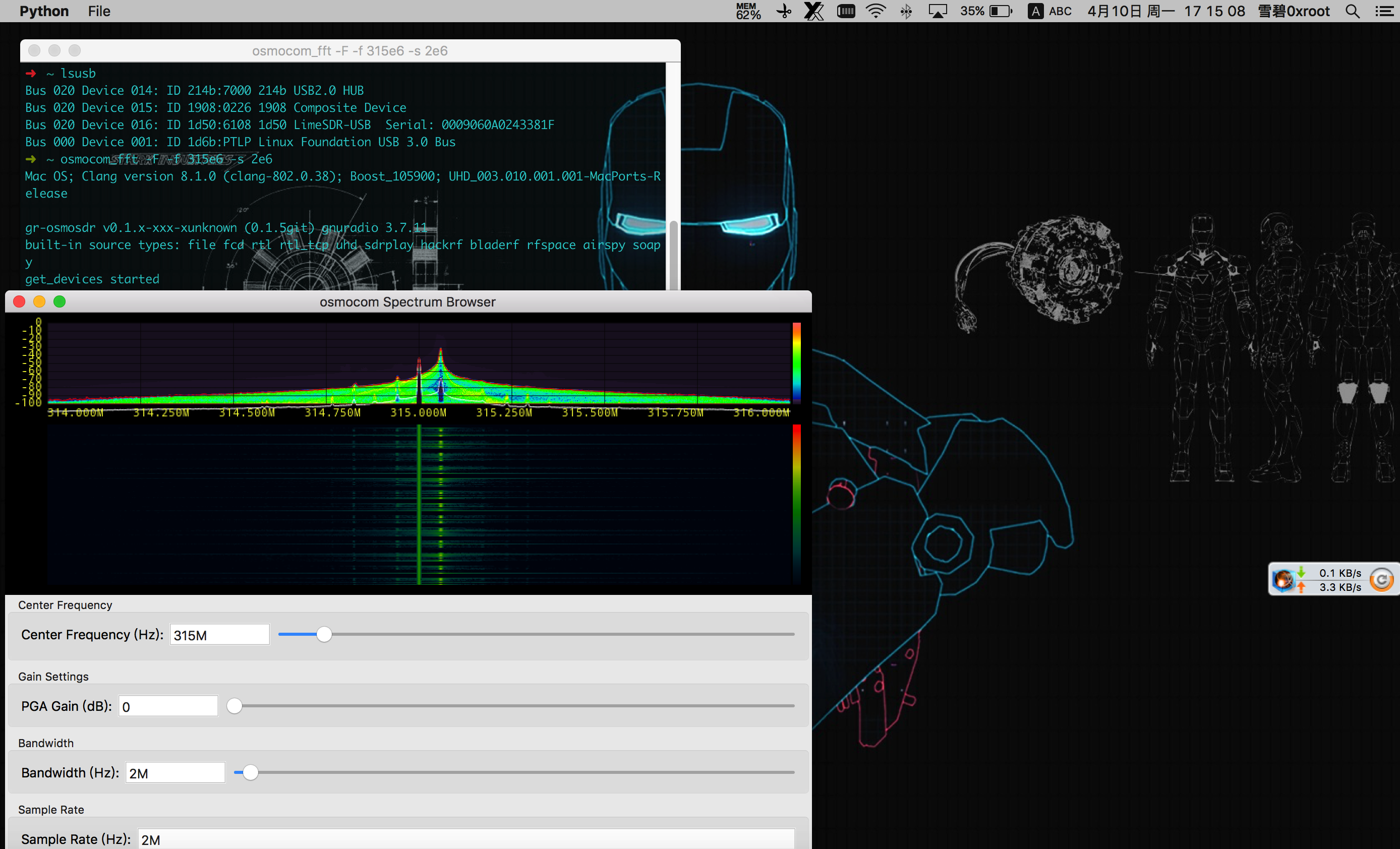
1.6 捕获遥控信号
osmocom_fft -F -f 315e6 -s 2e6
0x02 Ubuntu
2.1 更新软件包
sudo add-apt-repository -y ppa:myriadrf/drivers

sudo apt-get update
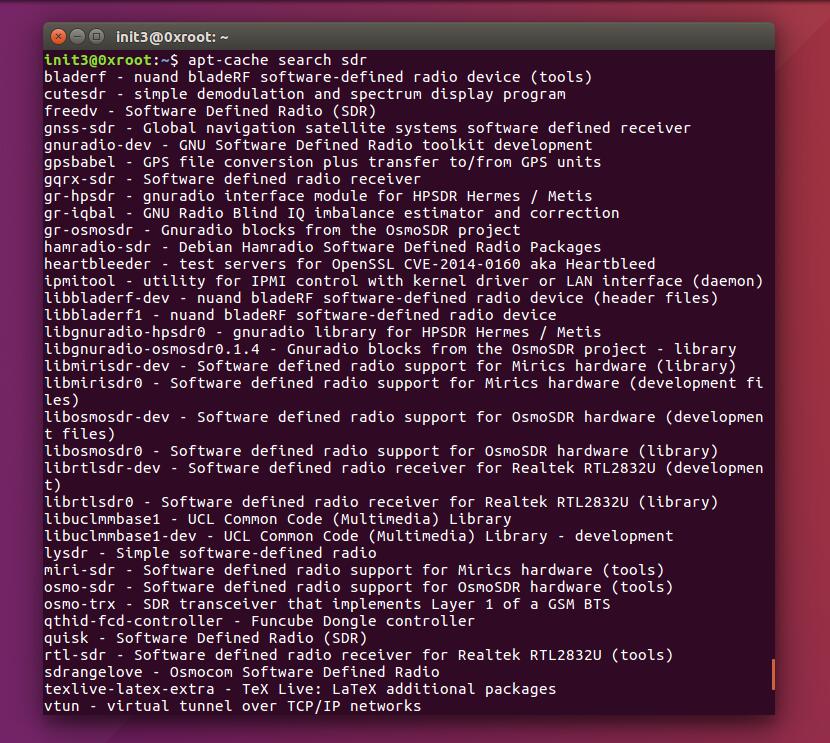
apt-cache search sdr
2.2 安装SDR常用软件:
sudo apt-get update

sudo apt-get install git

sudo apt-get install python-pip

pip install --upgrade pip

pip install git+https://github.com/gnuradio/pybombs.git

pybombs recipes add gr-recipes git+https://github.com/gnuradio/gr-recipes.git

pybombs recipes add gr-etcetera git+https://github.com/gnuradio/gr-etcetera.git

pybombs prefix init /usr/local -a myprefix -R gnuradio-default

pybombs install gqrx gr-osmosdr uhd
2.3 安装Lime_Suite所需依赖包
#packages for soapysdr available at myriadrf PPA

sudo add-apt-repository -y ppa:myriadrf/drivers

sudo apt-get update

#install core library and build dependencies

sudo apt-get install git g++ cmake libsqlite3-dev

#install hardware support dependencies

sudo apt-get install libsoapysdr-dev libi2c-dev libusb-1.0--dev

#install graphics dependencies

sudo apt-get install libwxgtk3.-dev freeglut3-dev
接下来的源码编译过程与在OSX下源码编译过程一样:
2.4 源码编译LimeSuite
git clone https://github.com/myriadrf/LimeSuite.git

cd LimeSuite

mkdir builddir && cd builddir

cmake ../

make -j4

sudo make install
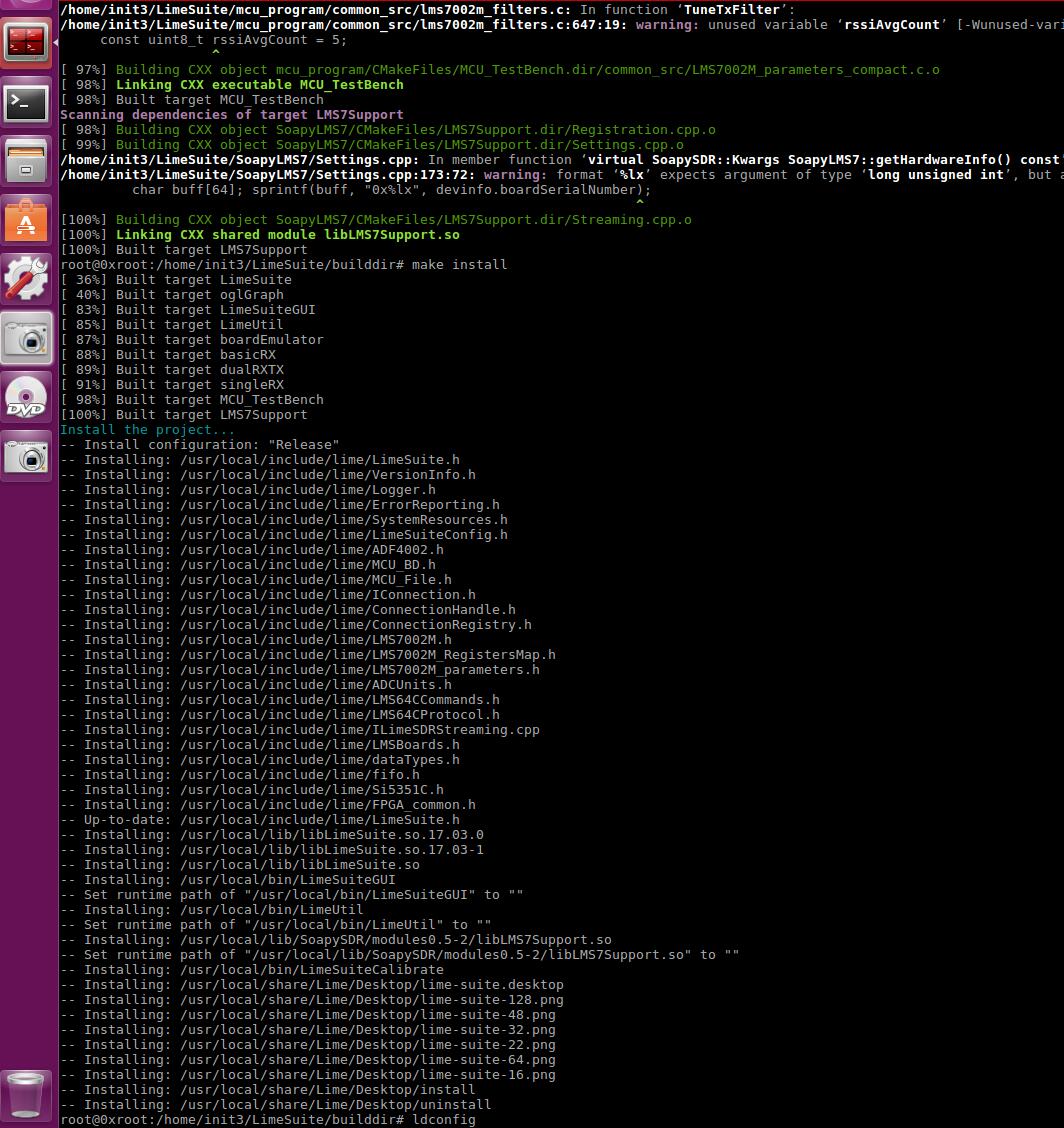
执行LimeSuiteGUI启动LimeSDR的软件图形化界面:

2.5 源码编译UHD驱动&&增加UHD对LimeSDR的支持
源码编译UHD+OpenUSRP
git clone https://github.com/EttusResearch/uhd.git

cd uhd/host/lib/usrp

git clone https://github.com/jocover/OpenUSRP.git

echo "INCLUDE_SUBDIRECTORY(OpenUSRP)">>CMakeLists.txt

cd ../../

mkdir build && cd build

cmake ..

make -j4

sudo make install

sudo ldconfig
2.6 添加环境变量
echo 'export UHD_MODULE_PATH=/usr/lib/uhd/modules' >> ~/.bashrc
2.7 GNURadio使用测试
wget http://www.0xroot.cn/SDR/signal-record.grc

gnuradio-companion signal-record.grc

0x03 Reference
https://wiki.myriadrf.org/Lime_Suite
http://linuxgizmos.com/open-source-sdr-sbc-runs-snappy-ubuntu-on-cyclone-v/
原文链接:https://cn0xroot.com/2017/04/12/limesdr-getting-started-quickly/
LimeSDR Getting Started Quickly | LimeSDR上手指南的更多相关文章
- Rancher 快速上手指南操作(1)
Rancher 快速上手指南操作(1)该指南知道用户如何快速的部署Rancher Server 管理容器.前提是假设你的机器已经安装好docker了.1 确认 docker 的版本,下面是 ubunt ...
- X下轻量级桌面WindowMaker上手指南
layout: post title: 轻量级桌面WindowMaker上手指南 tags: x11, cygwin, raspi --- 最近工作上需要在远程Linux上运行一个桌面(我需要跑Net ...
- UnityShader快速上手指南(三)
简介 这一篇还是一些基本的shader操作:裁剪.透明和法向量的应用 (纠结了很久写不写这些,因为代码很简单,主要是些概念上的东西) 先来看下大概的效果图:(从左到右依次是裁剪,透明,加了法向量的透明 ...
- Windows 8 系统完全上手指南 - 非常详尽的 Win8 系统入门学习手册与使用技巧专题教程!
每次当有新版本的操作系统发布的时候,市面上总会冒出各种从入门到精通类的学习书籍,这次最新的 Windows 8 也不例外!不过,今天给大家送上免费的大礼——<Windows 8 完全上手指南&g ...
- Resharper上手指南
原文http://www.cnblogs.com/renji/archive/2007/12/11/resharper.html Resharper上手指南 我是visual studio的忠实用户, ...
- NewLife.XCode 上手指南2018版(二)增
目录 NewLife.XCode 上手指南2018版(一)代码生成 NewLife.XCode 上手指南2018版(二)增 NewLife.XCode 上手指南2018版(三)查 NewLife.XC ...
- NewLife.XCode 上手指南2018版(一)代码生成
目录 NewLife.XCode 上手指南2018版(一)代码生成 NewLife.XCode 上手指南2018版(二)增 NewLife.XCode 上手指南2018版(三)查 NewLife.XC ...
- Gatsby上手指南 - 让你的静态网站用react来高逼格的写
注意:Gatsby V2版本安装及使用问题请移步<Gastby V2安装过程中常见问题>,此文较旧,主要针对V1版Gatsby而介绍 前言 一直以来都是用之前比较流行的静态网站生成器Hex ...
- [转]Rancher 快速上手指南操作(1)
本文转自:http://www.cppblog.com/zhiyewang/archive/2016/03/17/213053.aspx Rancher 快速上手指南操作(1)该指南知道用户如何快速的 ...
随机推荐
- 字符串加密解密(Base64)
var Base64 = { // private property _keyStr: "ABCDEFGHIJKLMNOPQRSTUVWXYZabcdefghijklmnopqrstuvwx ...
- ubuntu开启慢日志
ubuntu 开启mysql日志记录 1.找到mysql的配置文件sudo vim /etc/mysql/my.cnf将下面两行的#去掉#general_log_file = /var/log/mys ...
- js异常处理
<script> function myFunction() { try { var x=document.getElementById("demo").value; ...
- MongoDB 教程(四):MongoDB 概念解析
概述: 不管我们学习什么数据库都应该学习其中的基础概念,在mongodb中基本的概念是文档.集合.数据库,下面我们挨个介绍. 下表将帮助您更容易理解Mongo中的一些概念: 数据库 先运行数据库 C: ...
- myeclipse debug模式 报错source not found
myeclipse debug模式下,启动报错 source not found:SignatureParser.current() line: 解决方法:将debug视图下的右上方的jar有断点的地 ...
- 【Linux】shell学习之sed
sed替换命令 使用该命令,可以将特定字符串或匹配的规则表达式用另一个字符串替换. sed 's/88/--/' filename 将filename每行第一次出现的88用字符串--替换,然后将该文件 ...
- Sona
Sona Sona , Maven of the Strings . Of cause, she can play the zither. Sona can't speak but she can m ...
- Linux系统下tomcat的配置
Linux系统下tomcat的配置 完成后可以输入命令查看日志文件: 最后进入网页测试下吧: 可以出来这个网页就好了
- ORM框架之SQLALchemy
一.面向对象应用场景: 1.函数有共同参数,解决参数不断重用: 2.模板(约束同一类事物的,属性和行为) 3.函数编程和面向对象区别: 面向对象:数据和逻辑组合在一起:函数编程:数据和逻辑不能组合在一 ...
- JavaScript中 null 的 typeof是object
JavaScript中 null 的 typeof是object