
QMessageBox的用法
QMessageBox的用法
 QMessageBox::information(NULL, "Title", "Content", QMessageBox::Yes | QMessageBox::No, QMessageBox::Yes);
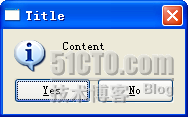 static StandardButton QMessageBox::information ( QWidget * parent, const QString & title, constQString & text, StandardButtons buttons = Ok, StandardButton defaultButton = NoButton );QMessageBox::critical(NULL, "critical", "Content", QMessageBox::Yes | QMessageBox::No, QMessageBox::Yes);
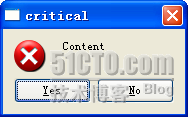 QMessageBox::warning(NULL, "warning", "Content", QMessageBox::Yes | QMessageBox::No, QMessageBox::Yes);
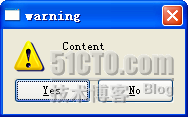 QMessageBox::question(NULL, "question", "Content", QMessageBox::Yes | QMessageBox::No, QMessageBox::Yes);
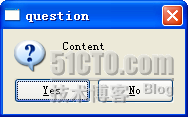 QMessageBox::about(NULL, "About", "About this application");
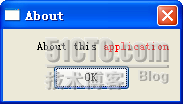
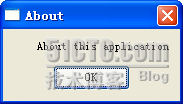 QMessageBox::about(NULL, "About", "About this <font color='red'>application</font>");
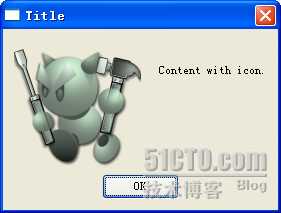
 QMessageBox message(QMessageBox::NoIcon, "Title", "Content with icon."); message.setIconPixmap(QPixmap("icon.png")); message.exec();
需要注意的是,同其他的程序类似,我们在程序中定义的相对路径都是要相对于运行时的.exe文件的地址的。比如我们写"icon.png",意思是是在.exe的当前目录下寻找一个"icon.png"的文件。这个程序的运行效果如下:
 QMessageBox::StandardButton rb = QMessageBox::question(NULL, "Show Qt", "Do you want to show Qt dialog?", QMessageBox::Yes | QMessageBox::No, QMessageBox::Yes); if(rb == QMessageBox::Yes) { QMessageBox::aboutQt(NULL, "About Qt"); }QMessageBox message(QMessageBox::NoIcon, "Show Qt", "Do you want to show Qt dialog?", QMessageBox::Yes | QMessageBox::No, NULL); if(message.exec() == QMessageBox::Yes) { QMessageBox::aboutQt(NULL, "About Qt"); }
QMessageBox的用法的更多相关文章
- python3+pyqt5+opencv3简单使用
python3+pyqt5+opencv3简单使用(转载) 关于python3下搭建pyqt5(pycharm)参考这条链接. 对于pyqt的使用个人比较建议ui设计与逻辑功能分开开发. 下面介绍下简 ...
- qt5信息提示框QMessageBox用法
information QMessageBox::information(NULL, "Title", "Content", QMessageBox::Yes ...
- qt5信息提示框QMessageBox用法(很全)
information QMessageBox::information(NULL, "Title", "Content", QMessageBox::Yes ...
- QMessageBox 用法
案例一:QMessageBox msgBox;msgBox.setText("The document has been modified.");msgBox.setInforma ...
- QMessageBox 的四种用法
void MainWindow::on_info_clicked() { //info QMessageBox::information(this, "Title", " ...
- paip.c++ qt messagebox用法
paip.c++ qt messagebox用法 作者Attilax , EMAIL:1466519819@qq.com 来源:attilax的专栏 地址:http://blog.csdn.net ...
- 六、pyqt5对话框——QInputDialog、QColorDialog、QFontDialog、QMessageBox、QFileDialog
目录: 一.对话框综合示例 二.QDialog 三.QInputDialog 四.QMessageDialog 五.QFileDialog pyqt5的对话框有多种类型,比如输入对话框(QInput ...
- Qt 信息提示框 QMessageBox
information QMessageBox::information(NULL, "Title","Content",QMessageBox::Yes | ...
- EditText 基本用法
title: EditText 基本用法 tags: EditText,编辑框,输入框 --- EditText介绍: EditText 在开发中也是经常用到的控件,也是一个比较必要的组件,可以说它是 ...
随机推荐
- 挖掘两个Integer对象的swap的内幕
public class SwapTest { public static void main(String[] args) throws Exception { Integer a = 1, b=2 ...
- More Effective C++ 条款0,1
More Effective C++ 条款0,1 条款0 关于编译器 不同的编译器支持C++的特性能力不同.有些编译器不支持bool类型,此时可用 enum bool{false, true};枚举类 ...
- npm快捷键
一.npm基本快捷键 node -v查看安装的nodejs版本,出现版本号,说明刚刚已正确安装nodejs.PS:未能出现版本号,请尝试注销电脑重试: npm -v查看npm的版本号,npm是在安装n ...
- 不断更新的 ToDo-List
有些事情要明着写出来才会去干. 这里是一个不断更新的 ToDo-List,大致按照重要度和列出时间排序,已经完成的会画上删除线. 主要着眼短期计划,其中的大部分事务应该在一周内解决,争取不做一只鸽子. ...
- 蓝牙HID协议笔记【转】
蓝牙HID协议笔记 转自:http://blog.sina.com.cn/s/blog_69b5d2a50101emll.html 1.概述 The Human Interface Devic ...
- javascript中cookie常用操作
//写cookies function setCookie(c_name, value, expiredays){ var exdate=new Date(); exdate.setTime(exda ...
- 如何设置使eclipse修改代码不重启tomcat
tomcat配置 1.server.xml reloadable="true"<Context docBase="ins" path="/ins ...
- win10 安装硕正
提示权限不够,解决方法:根据提示路径手动在路径下建立文件夹
- FreeSWITCH IVR中lua调用并执行nodejs代码
一.功能需求: 通过FreeSWITCH的IVR按键调用相应的脚本文件:nodejs提供很多的模组,可以方便的与其它系统或者进行任何形式的通讯,我的应用是通过nodejs发送http post请求: ...
- 关于XMLHttpRequest状态的讨论及处理方法
今天主要是讨论下XMLHttpRequest的响应状态问题.我们知道,XMLHttpRequest的响应阶段有5个,分别是: 请求未初始化 服务器连接已建立 请求已接收 请求处理中 请求已完成,且响应 ...