
Auto Layout Guide----(二)-----Auto Layout Without Constraints
Auto Layout Without Constraints
没有约束的自动布局
Stack views provide an easy way to leverage the power of Auto Layout without introducing the complexity of constraints. A single stack view defines a row or column of user interface elements. The stack view arranges these elements based on its properties.
堆栈视图为衡量(leverage)自动布局的强大提供了一个简单的方法,它不需要介绍各个约束的复杂性。 单个堆栈视图定义了用户界面的一行或一列元素。 堆栈视图根据这些元素的特性把它们组织到一起。
axis: (UIStackViewonly) defines the stack view’s orientation, either vertical or horizontal.axis: (仅UIStackView) 定义了堆栈视图的方向,垂直或是水平。orientation: (NSStackViewonly) defines the stack view’s orientation, either vertical or horizontal.orientation: (仅 NSStackView)定义了堆栈视图的方法,垂直或水平。
distribution: defines the layout of the views along the axis.distribution: 定义了沿着坐标轴的视图的布局。
alignment: defines the layout of the views perpendicular to the stack view’s axis.alignment: 定义了跟堆栈视图坐标轴垂直(perpendicular)的视图的布局。
spacing: defines the space between adjacent views.spacing: 定义了视图之间的间隔。
To use a stack view, in Interface Builder drag either a vertical or horizontal stack view onto the canvas. Then drag out the content and drop it into the stack.
要想使用一个堆栈视图,在界面构建器(Interface Builder)拖拉一个纵向或水平的堆栈视图到画布。然后拖拉content并把它放进栈中。
If an object has an intrinsic content size, it appears in the stack at that size. If it does not have an intrinsic content size, Interface Builder provides a default size. You can resize the object, and Interface Builder adds constraints to maintain its size.
如果一个对象有一个固定的内容尺寸,它在堆栈里的尺寸也不变。如果它没有一个固定的内容尺寸,Interface Builder将提供一个默认尺寸。 你可以重新定义该对象,Interface Builder添加各种约束来保持它的尺寸。
To further fine-tune the layout, you can modify the stack view’s properties using the Attributes inspector. For example, the following example uses an 8-point spacing and a Fills Equally distribution.
要想更进一步的微调布局,你可以使用属性检查器(Attributes inspector)来修改堆栈视图的特性。 比如,以下例子使用一个8点的间隔,并且填充时分布间隔也一样。
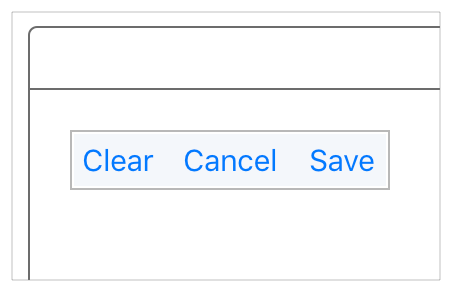
The stack view also bases its layout on the arranged views’ content-hugging and compression-resistance priorities. You can modify these using the Size inspector.
堆栈视图的布局还根据所组织视图的content-hugging 以及抗压缩(compression-resistance)优先级。你可以使用Size inspetor来修改这些特性。
NOTE
注意:
You can further modify the layout by adding constraints directly to the arranged views; however, you want to avoid any possible conflicts: As a general rule of thumb, if a view’s size defaults back to its intrinsic content size for a given dimension, you can safely add a constraint for that dimension. For more information on conflicting constraints, see Unsatisfiable Layouts.
你还可以通过直接添加各种约束到所组织的视图来更进一步的修改布局;但是,要避免任何可能的冲突:作为基本法则,如果一个视图的尺寸是它的原有的固定尺寸,则你可以安心地给那个尺寸添加一个约束。更多关于约束冲突的信息,请看Unsatisfiable Layouts
Additionally, you can nest stack views inside other stack views to build more complex layouts.
另外,堆栈视图里面还可以嵌套别的堆栈视图以构建更复杂的布局。
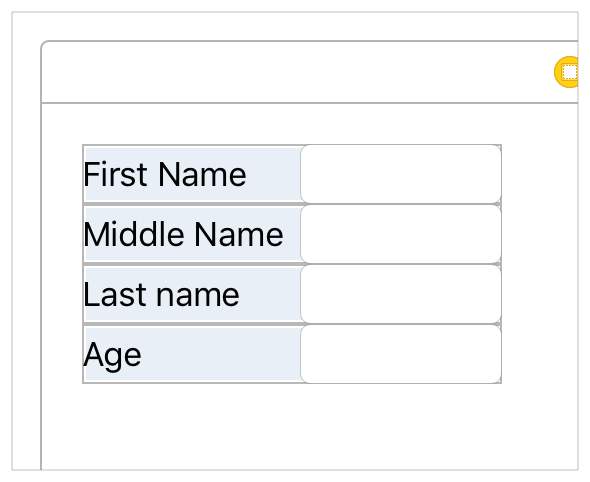
In general, use stack views to manage as much of your layout as possible. Resort to creating constraints only when you cannot achieve your goals with stack views alone.
For more information on using stack views, see UIStackView Class Reference or NSStackView Class Reference.
一般来说,尽可能使用堆栈视图来管理你的布局。只有当仅使用堆栈视图无法达到你的目标时,可以采用各种约束。
NOTE
注意:
Although the creative use of nested stack views can produce complex user interfaces, you cannot completely escape the need for constraints. At a bare minimum, you always need constraints to define the position (and possibly the size) of the outermost stack.
尽管创造性地使用嵌套堆栈视图可以生成复杂的用户界面,但是你不能完全逃脱约束的帮助。至少,你总是需要约束来定义最外层堆栈的位置(或者可能是尺寸)。
Auto Layout Guide----(二)-----Auto Layout Without Constraints的更多相关文章
- ios auto layout demystified (二)
Constraints Constraint Types Layout constraints (NSLayoutConstraint class, public)—这些规则指定了view的几何学.他 ...
- Auto Layout Guide----(一)-----Understanding Auto Layout
Understanding Auto Layout 理解自动布局 Auto Layout dynamically calculates the size and position of all the ...
- Safe Area Layout Guide
原文:Safe Area Layout Guide Apple在iOS 7中引入了topLayoutGuide和bottomLayoutGuide作为UIViewController属性.它们允许您创 ...
- 20181218 - PostgreSQL Auto Commit Guide(自动提交)
20181218 - PostgreSQL Auto Commit Guide 参考官网简介,https://www.postgresql.org/docs/10/ecpg-sql-set-autoc ...
- xcode9报错 Safe Area Layout Guide before iOS9.0
运行工程的时候会遇到 Safe Area Layout Guide before iOS9.0 这是因为xcode9 storyboard的设置里面多了 个 Safe Area Layout Gu ...
- Xcode 9.0 报错, Safe Area Layout Guide Before IOS 9.0
Xcode 9.0 新建工程报错 xcode Safe Area Layout Guide Before IOS 9.0 如下图,在Builds for 选择iOS9.0 and Later,不勾选U ...
- Safe Area Layout Guide before iOS 9.0
今天使用Xcode9.1重建项目,什么都没写运行报错:Safe Area Layout Guide before iOS 9.0!目前为止,不晓得原因,现记录解决方法:
- View的工作原理(二)——layout
1.当View的measure被确定后,会调用ViewGroup的layout方法,之后使用onLayout方法(同样也是系统未自动重写,要我们自己完成)遍历子View(根Measure的形式是一样得 ...
- [Effective Modern C++] Item 2. Understand auto type deduction - 了解auto类型推断
条款二 了解auto类型推断 基础知识 除了一处例外,auto的类型推断与template一样.存在一个直接的从template类型推断到auto类型推断的映射 三类情况下的推断如下所示: // ca ...
- EasyUI学习笔记(二)—— Layout
一.layout页面布局 EasyUI布局容器包括东.西.南.北.中五个区域,其中中心面板是必须的,而东.西.南.北这四个面板是可选的,如果布局里面不需要东.西.南.北这四个面板,那么可以把相应的di ...
随机推荐
- 1213 - Deadlock found when trying to get lock; try restarting transaction
1213 - Deadlock found when trying to get lock; try restarting transaction 出现这个原因要记住一点就是:innodb的行锁 和解 ...
- git查看某一次commit里面的内容,即本次commit相对于原来的版本进行了哪些修改
1 知道commit id的话 git show commit-id 2 想要查看某次commit的某个文件进行了哪些修改 git show commit-id filename
- JavaScript如何判断非空
JavaScript判断非空的语句一般为: var elvis; if (typeof elvis !== "undefined" && elvis !== nul ...
- 认识影片版本(CAM、TS、TC、DVD、HD、BD、TVRIP等)
许多朋友在下载电影的时候, 往往会被各种各样的版本标识弄糊涂,今天把各种版本的缩写收集在一起,希望对大家有所帮助 . 引用: 1.CAM(枪版) CAM 通常是用数码摄像机从电影院盗录.有时会使 ...
- RDS for MySQL 删除数据后空间没有减少处理方法
公司的程序和数据库部署在阿里云上,数据库使用的是阿里云的RDS,这天,经理在开发群中发了一个信息: 您的RDS实例rm********0oq的磁盘在过去一周平均使用率已超过80.%,建议您对实例规格进 ...
- 在JDK 6和JDK 7的substring()方法的区别?
原文链接:https://www.programcreek.com/2013/09/the-substring-method-in-jdk-6-and-jdk-7/ 在JDK 6和JDK 7中subs ...
- [容易]在O(1)时间复杂度删除链表节点
题目来源:http://www.lintcode.com/zh-cn/problem/delete-node-in-the-middle-of-singly-linked-list/
- Cocoapods的安装以及使用
在网上看博客,看了好多次,都没有学会cocoapods,今天上午浪费了一上午的时间,终于算是学会了.其实也是很简单的. iOS 新版 CocoaPods 安装流程 1.换掉现有Ruby默认源(由于好多 ...
- Android Weekly Notes Issue #317
July 8th, 2018 Android Weekly Issue #317 本期主要内容包括"重磅"的Udacity放弃RN(其实是因为他们RN写的那个Feature不要了) ...
- BZOJ1415 聪聪和可可 —— 期望 记忆化搜索
题目链接:https://vjudge.net/problem/HYSBZ-1415 1415: [Noi2005]聪聪和可可 Time Limit: 10 Sec Memory Limit: 16 ...