
【react】react-reading-track
这是一个很有趣的图书阅读demo
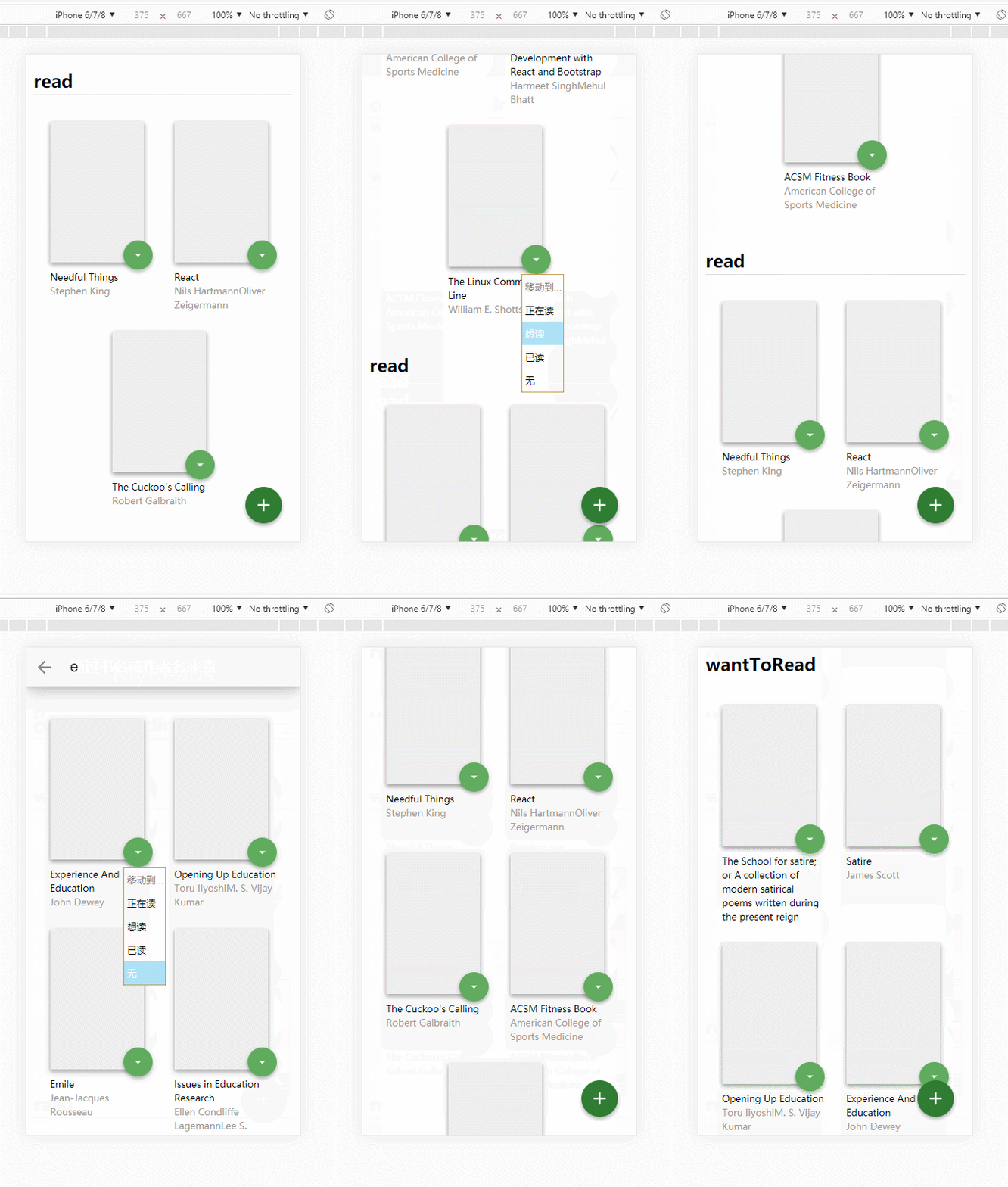
先放github地址:https://github.com/onlyhom/react-reading-track
我觉得这个博主的项目很有意思呢
我们一起看看代码啊
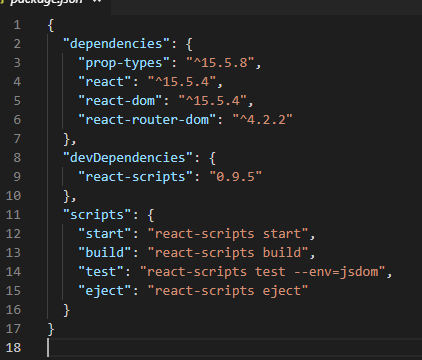
没有中间件对数据进行处理
//index.js

//这个是根index.js文件引用了app.vue

import React from 'react'

import ReactDOM from 'react-dom'

import {BrowserRouter} from 'react-router-dom'

import App from './App'

import './index.css'

ReactDOM.render(<BrowserRouter><App/></BrowserRouter>, document.getElementById('root'))
关于search页面

//src\BooksAPI.js

const api = "https://reactnd-books-api.udacity.com"

// Generate a unique token for storing your bookshelf data on the backend server.

let token = localStorage.token

if (!token)

  token = localStorage.token = Math.random().toString(36).substr(-8)

const headers = {

  'Accept': 'application/json',

  'Authorization': token

}

export const get = (bookId) =>

  fetch(`${api}/books/${bookId}`, { headers })

    .then(res => res.json())

    .then(data => data.book)

export const getAll = () =>

  fetch(`${api}/books`, { headers })

    .then(res => res.json())

    .then(data => data.books)

export const update = (book, shelf) =>

  fetch(`${api}/books/${book.id}`, {

    method: 'PUT',

    headers: {

      ...headers,

      'Content-Type': 'application/json'

    },

    body: JSON.stringify({ shelf })

  }).then(res => res.json())

export const search = (query) =>

  fetch(`${api}/search`, {

    method: 'POST',

    headers: {

      ...headers,

      'Content-Type': 'application/json'

    },

    body: JSON.stringify({ query })

  }).then(res => res.json())

    .then(data => data.books)
//src\Book.js

import React, {Component} from 'react'

import {Route, Link} from 'react-router-dom'

class Book extends Component {

  changeShelf(shelf) {

    this.props.moveBook(this.props.book, shelf)

  }

  render(){

    const {book} = this.props

    return(

        <div className="book">

          <div className="book-top">

            <div className="book-cover" style={{ width: 128, height: 193, backgroundImage: `url(${book.imageLinks !== undefined ? book.imageLinks.thumbnail: ''})` }}></div>

            <div className="book-shelf-changer">

              <select value={book.shelf!== undefined ? book.shelf : 'none'} onChange={(event) => this.changeShelf(event.target.value)}>

                <option value="none" disabled>移动到...</option>

                <option value="currentlyReading">正在读</option>

                <option value="wantToRead">想读</option>

                <option value="read">已读</option>

                <option value="none">无</option>

              </select>

            </div>

          </div>

          <div className="book-title">{book.title}</div>

          <div className="book-authors">{book.authors}</div>

        </div>

      )

  }

}

export default Book
//src\SearchPage.js

import React, {Component} from 'react'

import {Route, Link} from 'react-router-dom'

import Book from './Book'

import * as BooksAPI from './BooksAPI'

class SearchPage extends Component {

  state = {

    searchString: '',

    booksData: []

  }

  changeSearchString = (searchString) => {

    if (!searchString) {

    // 输入为空时,状态设置为初始状态;

      this.setState({searchString: '', booksData: []})

    } else {

      // 输入不为空时,使用BookAPI的search()异步更新状态数据

      this.setState({ searchString: searchString.trim() })

      BooksAPI.search(searchString).then((booksData) => {

        console.log(booksData);

        if (booksData.error) {

          booksData = [];

        }

        booksData.map(book => (this.props.booksData.filter((oneShelfBook) => oneShelfBook.id === book.id)

        .map(oneShelfBook => book.shelf = oneShelfBook.shelf)));

        this.setState({booksData})

      })

    }

  }

  render(){

    var booksArr = ['name1','name2','name3'];

    return(

          <div className="search-books">

            <div className="search-books-bar">

              <Link className="close-search" to="/">Close</Link>

              <div className="search-books-input-wrapper">

                {/*

                  NOTES: The search from BooksAPI is limited to a particular set of search terms.

                  You can find these search terms here:

                  https://github.com/udacity/reactnd-project-myreads-starter/blob/master/SEARCH_TERMS.md

                  However, remember that the BooksAPI.search method DOES search by title or author. So, don't worry if

                  you don't find a specific author or title. Every search is limited by search terms.

                */}

                <input type="text" placeholder="通过书名或作者名来查" onChange={(event)=> this.changeSearchString(event.target.value) }/>

              </div>

            </div>

            <div className="search-books-results">

              <ol className="books-grid">

                {

                  this.state.booksData.map((book,index)=>(

                   <li key={index}>

                    <Book

                      key={book.id}

                      book={book}

                      moveBook={this.props.moveBook}

                    />

                    </li>

                  ))

                }

              </ol>

            </div>

          </div>

    )

  }

}

export default SearchPage
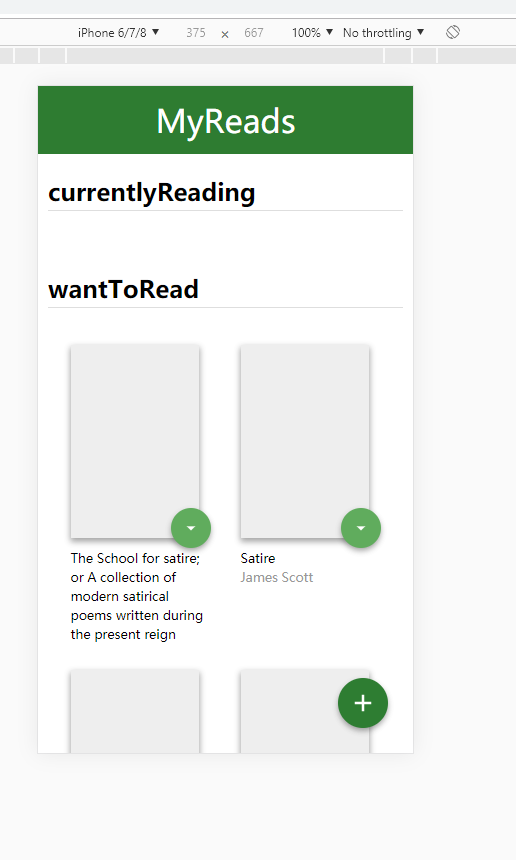
//src\ListBooks.js

import React, {Component} from 'react'

import {Route, Link} from 'react-router-dom'

import Book from './Book'

class ListBooks extends Component {

  render(){

    var titleArr = ["currentlyReading", "wantToRead", "read"];

    var booksArr = ['name1','name2','name3'];

    return(

          <div className="list-books">

            <div className="list-books-title">

              <h1>MyReads</h1>

            </div>

            <div className="list-books-content">

              <div>

                {

                  titleArr.map((booksort,index)=>(

                    <div className="bookshelf" key={index}>

                      <h2 className="bookshelf-title">{ booksort }</h2>

                      <div className="bookshelf-books">

                        <ol className="books-grid">

                          {

                            this.props.booksData.filter(book => book.shelf == booksort)

                            .map((book,index)=>(

                             <li key={index}>

                              <Book

                                key={book.id}

                                book={book}

                                moveBook={this.props.moveBook}

                              />

                              </li>

                            ))

                          }

                        </ol>

                      </div>

                    </div>

                    ))

                }

              </div>

            </div>

            <div className="open-search">

               <Link to="/searchpage">Add a book</Link>

            </div>

          </div>

    )

  }

}

export default ListBooks
代码和编程思想都挺有意思的
【react】react-reading-track的更多相关文章
- 【优质】React的学习资源
React的学习资源 github 地址: https://github.com/LeuisKen/react-collection https://github.com/reactnativecn/ ...
- 【前端】react and redux教程学习实践,浅显易懂的实践学习方法。
前言 前几天,我在博文[前端]一步一步使用webpack+react+scss脚手架重构项目 中搭建了一个react开发环境.然而在实际的开发过程中,或者是在对源码的理解中,感受到react中用的最多 ...
- 【温故知新】—— React/Redux/React-router4基础知识&独立团Demo
前言:React专注View层,一切皆组件:全部使用ES6语法,最新版本为React16. Redux是专注于状态管理的库,和react解耦:单一状态,单向数据流.[独立团github地址] 一.Re ...
- 【React】react学习笔记03-React组件对象的三大属性-state
今天晚上学习了React中state的使用,特做此记录,对于学习的方式,博主仍然推荐直接复制完整代码,对着注释观察现象!: 上文中,我列举了两种React自定义组件的声明,这里我拿方式二进行举例: / ...
- 【React】react学习笔记02-面向组件编程
react学习笔记02-面向组件编程 面向组件编程,直白来说,就是定义组件,使用组件. 以下内容则简单介绍下组建的声明与使用,直接复制demo观测结果即可. 步骤: 1.定义组件 a.轻量组件-函 ...
- 【独家】React Native 版本升级指南
前言 React Native 作为一款跨端框架,有一个最让人头疼的问题,那就是版本更新.尤其是遇到大版本更新,JavaScript.iOS 和 Android 三端的配置构建文件都有非常大的变动,有 ...
- 【原】react做tab切换的几种方式
最近搞一个pc端的活动,搞了一个多月,甚烦,因为相比于pc端,更喜欢移动端多一点.因为移动端又能搞我的react了. 今天主要总结一下react当中tab切换的几种方式,因为tab切换基本上都会用到. ...
- 【转载】React入门-Todolist制作学习
我直接看的这个React TodoList的例子(非常好!): http://www.reqianduan.com/2297.html 文中示例的代码访问路径:http://127.0.0.1:708 ...
- 【JAVASCRIPT】React入门学习-文本渲染
摘要 react 学习包括几个部分: 文本渲染 JSX 语法 组件化思想 数据流 文本渲染 1. 纯文本渲染 <!DOCTYPE html> <html> <head&g ...
- 【JAVASCRIPT】React + Redux
摘要 Redux 数据流图 View 层由React 控制, 根据state 变化 刷新渲染组件,作用是根据更新的数据重新渲染组件 Stroe 层其实就是state存储器,作用是更新数据 Dispat ...
随机推荐
- arguments的介绍(一)
arguments 是一个类数组对象.代表传给一个function的参数列表. 1.1 arguments length arguments 是个类数组对象,其包含一个 length 属性,可以用 a ...
- Windows的进程间通信
对于任何一个现代的操作系统,进程间通信都是其系统结构的一个重要组成部分.而说到Windows的进程(线程)间通信,那就要看是在什么意义上说了.因为正如"Windows的跨进程操作" ...
- iOS之UIGraphics.h方法简介
// // UIGraphics.h // UIKit // // Copyright (c) 2005-2017 Apple Inc. All rights reserved. // #import ...
- Linux 下的终端
终端: 1 虚拟终端 ctrl + alt + F(1-6) : ctrl + alt + F7 : 图形终端 启动图形终端 : Gnome : #startx 或者 #startx &am ...
- python collections模块 之 ChainMap
ChainMap提供了一种多个字典整合的方式,它没有去合并这些字典,而是将这些字典放在一个 maps (一个列表)里,内部实现了很多 dict 的方法,大部分 dict 的方法,ChainMap 都能 ...
- <每日一题>题目13:列表的简单问题
''' 分析: python赋值是通过指针来进行的. 很显然第一.三.四次调用都指向同一个列表,并未完成清空, 第二次调用只是指向了另一个列表,也未完成清空,很显然结果是累计的 结果: [0, 1] ...
- appscan如何扫描移动应用APP
1.前置条件:让手机和电脑处于同一WIFI下 1打开appscan,选择手动探索/外部设备. 2在弹出的对话框页面点击右上角“记录代理配置”. 3在弹出的页面选择记录代理页签,设置Appscan代理端 ...
- 使用Colaboratory的免费GPU训练神经网络
1 Colaboratory 介绍 Colaboratory 是一个 Google 研究项目,旨在帮助传播机器学习培训和研究成果.它是一个 Jupyter 笔记本环境,不需要进行任何设置就可以使用,并 ...
- mysql导入数据
1.准备sql文件:第一句话就是指定要操作的数据库,然后是insert语句,或者update语句或者delete语句 2.登录数据库,并执行: source sql文件位置 不要直接 ...
- List -- 变更列表
1,一些常见的内建函数 L.append # 加一个 L.extend # 加一串 L.insert(index, item) #固定位置插入 L.[index : index] = sequence ...