
iOS之CATiledLayer的属性简介和使用
1、CATiledLayer简介
CATiledLayer用于大型图片进行分割显示,需要显示的图片才会加载,直接上代码:
- (void)viewDidLoad {

    [super viewDidLoad];

    [self cutImageAndSave];

    [self addTiledLayer];

}

- (void)drawLayer:(CATiledLayer *)layer inContext:(CGContextRef)ctx{

    CGRect bounds = CGContextGetClipBoundingBox(ctx);

    NSInteger x = floor(bounds.origin.x / layer.tileSize.width);

    NSInteger y = floor(bounds.origin.y / layer.tileSize.height);

    //load tile image

    NSString *filePath = NSSearchPathForDirectoriesInDomains(NSDocumentDirectory, NSUserDomainMask, YES).lastObject;

    NSString *imageName = [NSString stringWithFormat:@"%@/pic-%02ld-%02ld.png",filePath,x,y];

    UIImage *tileImage = [UIImage imageWithContentsOfFile:imageName];

    UIGraphicsPushContext(ctx);

    [tileImage drawInRect:bounds];

    UIGraphicsPopContext();

}

//添加CATiledLayer

- (void)addTiledLayer{

    UIScrollView *scrollView = [[UIScrollView alloc]initWithFrame:CGRectMake(, , CScreenWidth, CScreenHeight)];

    [self.view addSubview:scrollView];

    UIImage *image = [UIImage imageNamed:@"pic1.jpg"];

    CATiledLayer *tiledLayer = [CATiledLayer layer];

    tiledLayer.frame = CGRectMake(, , image.size.width, image.size.height);

    tiledLayer.delegate = self;

    tiledLayer.tileSize = CGSizeMake(, );

    _tiledLayer = tiledLayer;

    scrollView.contentSize = tiledLayer.frame.size;

    [scrollView.layer addSublayer:tiledLayer];

    [tiledLayer setNeedsDisplay];

}

//切图保存到沙盒

- (void)cutImageAndSave{

    NSString *filePath = NSSearchPathForDirectoriesInDomains(NSDocumentDirectory, NSUserDomainMask, YES).lastObject;

    NSString *imageName = [NSString stringWithFormat:@"%@/pic-00-00.png",filePath];

    UIImage *tileImage = [UIImage imageWithContentsOfFile:imageName];

    NSLog(@"%@",imageName);

    if (tileImage) return;

    UIImage *image = [UIImage imageNamed:@"pic1.jpg"];

    UIImageView *imageView = [[UIImageView alloc]initWithImage:image];

    CGFloat WH = ;

    CGSize size = image.size;

    NSInteger rows = ceil(size.height / WH);

    NSInteger cols = ceil(size.width / WH);

    for (NSInteger y = ; y < rows; ++y) {

        for (NSInteger x = ; x < cols; ++x) {

            UIImage *subImage = [self captureView:imageView frame:CGRectMake(x*WH, y*WH, WH, WH)];

            NSString *path = [NSString stringWithFormat:@"%@/pic-%02ld-%02ld.png",filePath,x,y];

            [UIImagePNGRepresentation(subImage) writeToFile:path atomically:YES];

        }

    }

}

//切图

- (UIImage*)captureView:(UIView *)theView frame:(CGRect)fra{

    //开启图形上下文 将heView的所有内容渲染到图形上下文中

    UIGraphicsBeginImageContext(theView.frame.size);

    CGContextRef context = UIGraphicsGetCurrentContext();

    [theView.layer renderInContext:context];

    //获取图片

    UIImage *img = UIGraphicsGetImageFromCurrentImageContext();

    UIGraphicsEndImageContext();

    CGImageRef ref = CGImageCreateWithImageInRect(img.CGImage, fra);

    UIImage *i = [UIImage imageWithCGImage:ref];

    CGImageRelease(ref);

    return i;

}
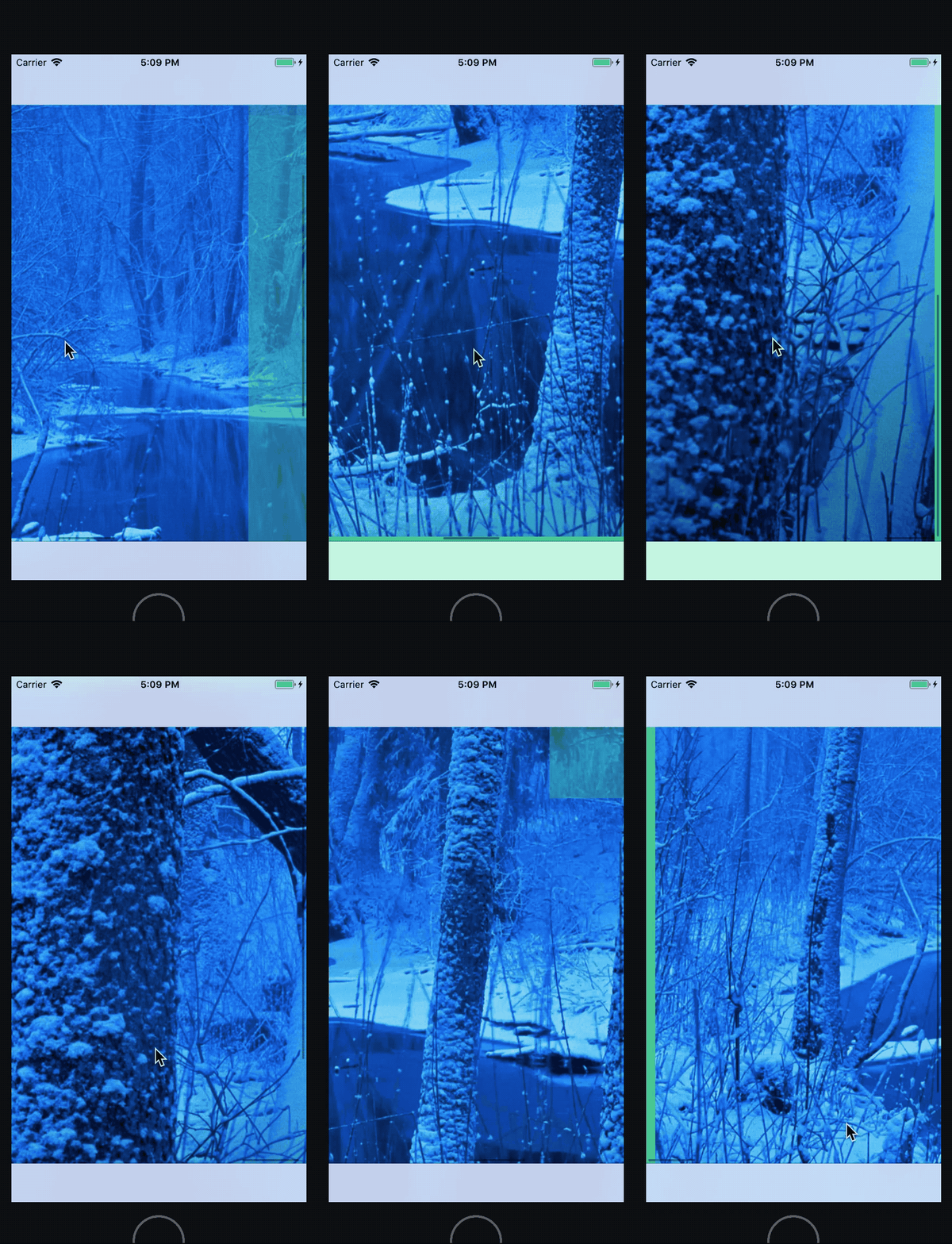
效果图
2、CATiledLayer属性
#import <QuartzCore/CALayer.h>

NS_ASSUME_NONNULL_BEGIN

CA_CLASS_AVAILABLE (10.5, 2.0, 9.0, 2.0)

@interface CATiledLayer : CALayer

//初次加载淡入时间,默认0.25s

//由于是类方法,无法直接修改,创建子类进行方法覆盖就行。

+ (CFTimeInterval)fadeDuration;

//这两个属性用处不太懂???

/* The number of levels of detail maintained by this layer. Defaults to

 * one. Each LOD is half the resolution of the previous level. If too

 * many levels are specified for the current size of the layer, then

 * the number of levels is clamped to the maximum value (the bottom

 * most LOD must contain at least a single pixel in each dimension). */

@property size_t levelsOfDetail;

/* The number of magnified levels of detail for this layer. Defaults to

 * zero. Each previous level of detail is twice the resolution of the

 * later. E.g. specifying 'levelsOfDetailBias' of two means that the

 * layer devotes two of its specified levels of detail to

 * magnification, i.e. 2x and 4x. */

@property size_t levelsOfDetailBias;

//Defaults to (256, 256),设置CATiledLayer的item的大小

@property CGSize tileSize;

@end

NS_ASSUME_NONNULL_END
iOS之CATiledLayer的属性简介和使用的更多相关文章
- iOS之CAGradientLayer属性简介和使用
1.CAGradientLayer简介 CAGradientLayer用于制作背景图层的颜色渐变,也就是颜色梯度!相关属性简介: #import <QuartzCore/CALayer.h> ...
- iOS开发UI篇—CALayer简介
iOS开发UI篇—CALayer简介 一.简单介绍 在iOS中,你能看得见摸得着的东西基本上都是UIView,比如一个按钮.一个文本标签.一个文本输入框.一个图标等等,这些都是UIView. 其实 ...
- (转)IOS之Info.plist文件简介
原文:IOS之Info.plist文件简介 http://www.apkbus.com/android-130240-1-1.html (出处: Android开发论坛 - 安卓开发论坛 - Andr ...
- iOS数据存储之属性列表理解
iOS数据存储之属性列表理解 数据存储简介 数据存储,即数据持久化,是指以何种方式保存应用程序的数据. 我的理解是,开发了一款应用之后,应用在内存中运行时会产生很多数据,这些数据在程序运行时和程序一起 ...
- Pop–实现任意iOS对象的任意属性的动态变化
简介 Pop 是一个可扩展的动画引擎,可用于实现任意iOS对象的任意属性的动态变化,支持一般动画,弹性动画和渐变动画三种类型. 项目主页: pop 最新示例: 点击下载 注意: 官方代码中,并不包含实 ...
- HTML5 Audio and Video 的新属性简介
前言:HTML5 中 Audio and Video的使用方法比较简单,但就是比较复杂,方法属性多.如果不常用的几乎难以记住,甚至有些人难以区分不同属性和方法的作用,更别说应用了.以下对Audio a ...
- iOS开发多线程篇—多线程简介
iOS开发多线程篇-多线程简介 一.进程和线程 1.什么是进程 进程是指在系统中正在执行的一个应用程序 每一个进程之间是独立的.每一个进程均执行在其专用且受保护的内存空间内 比方同一时候打开QQ.Xc ...
- Android Activity动画属性简介
Android Activity动画属性简介 在Android当中 设置activity的动画 需要复写 android:windowAnimationStyle这个属性 我们自定义一个动画样式来继承 ...
- iOS之CAScrollLayer属性简介和使用
1.CAScrollLayer的简介 CAScrollLayer用于显示一个滑动图层的一部分,可以确定滑动方向和可视区域面积,限制不滑出区域外!相关属性如下:其中 /* Scroll the cont ...
随机推荐
- sklearn算法中的顶层设计
sklearn监督学习的各个模块 neighbors近邻算法,svm支持向量机,kernal_ridge核岭回归,discriminant_analysis判别分析,linear_model广义线性模 ...
- netty 文件传输
FileServer package com.zhaowb.netty.ch13_1; import io.netty.bootstrap.ServerBootstrap; import io.net ...
- item字母问题
解决方法:复写toString方法 @Override public String toString() { return this.getBookTypeName(); } 将对象的toString ...
- 【学术篇】SDOI2008 仪仗队
Part1:传送门&吐槽 水题... 然而由于线筛里面的\(j\)打成了\(i\)然后就不能1A了OvO Part2:题目分析 这个正方形是对称的... 而且很显然对角线上只有一个点会被看到. ...
- Windows dir
显示目录中的文件和子目录列表. DIR [drive:][path][filename] [/A[[:]attributes]] [/B] [/C] [/D] [/L] [/N] [/O[[:]so ...
- Windows DHCP服务器
DHCP服务器 编辑 动态主机配置协议是一个局域网的网络协议.指的是由服务器控制一段IP地址范围,客户机登录服务器时就可以自动获得服务器分配的IP地址和子网掩码.首先, DHCP服务器必须是一台安装有 ...
- Perl 标量
Perl 标量 标量是一个简单的数据单元. 标量可以是一个整数,浮点数,字符,字符串,段落或者一个完整的网页. 以下实例演示了标量的简单应用: 实例 #!/usr/bin/perl $age = 20 ...
- C/C++语言实现单链表(带头结点)
彻底理解链表中为何使用二级指针或者一级指针的引用 数据结构之链表-链表实现及常用操作(C++篇) C语言实现单链表,主要功能为空链表创建,链表初始化(头插法),链表元素读取,按位置插入,(有序链表)按 ...
- Myeclipse从外部导入项目时,jsp和html页面中所有的onclick="return xx()"位置均出现cannot return from outside function() or method()错误
- 【转载】Delphi异常处理try except语句和try finally语句用法以及区别
Delphi异常处理try except语句和try finally语句用法以及区别 一直写程序都没管他们,也尽量很少用,今天终于想把他给弄个明白,在网上找来,记下!主要是前面小部分,后面的是详细说明 ...