
随着页面滚动,数字自动增大的jquery特效
首先为了截出gif图,我下载了一个小工具
GifCam: https://www.appinn.com/gifcam/
随着页面滚动,数字自动增大的jquery特效
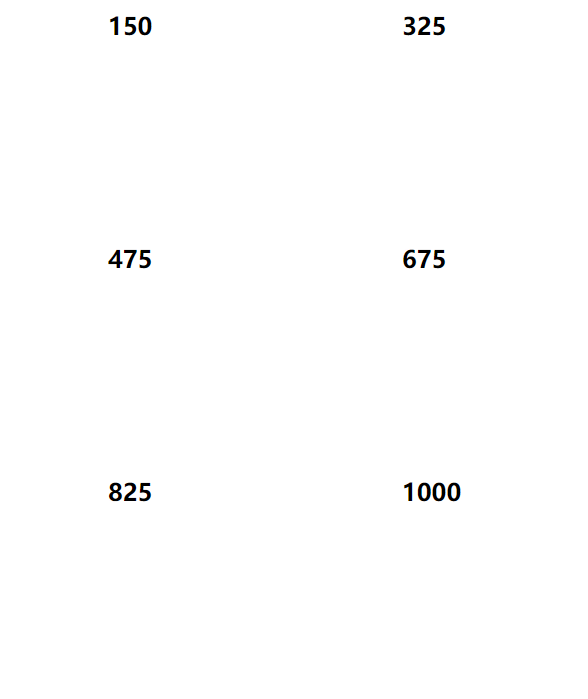
主要就是依赖这个脚本script.js
// JavaScript Document

$.fn.countTo = function (options) {

        options = options || {};

        return $(this).each(function () {

            // set options for current element

            var settings = $.extend({}, $.fn.countTo.defaults, {

                from:            $(this).data('from'),

                to:              $(this).data('to'),

                speed:           $(this).data('speed'),

                refreshInterval: $(this).data('refresh-interval'),

                decimals:        $(this).data('decimals')

            }, options);

            // how many times to update the value, and how much to increment the value on each update

            var loops = Math.ceil(settings.speed / settings.refreshInterval),

                increment = (settings.to - settings.from) / loops;

            // references & variables that will change with each update

            var self = this,

                $self = $(this),

                loopCount = 0,

                value = settings.from,

                data = $self.data('countTo') || {};

            $self.data('countTo', data);

            // if an existing interval can be found, clear it first

            if (data.interval) {

                clearInterval(data.interval);

            }

            data.interval = setInterval(updateTimer, settings.refreshInterval);

            // initialize the element with the starting value

            render(value);

            function updateTimer() {

                value += increment;

                loopCount++;

                render(value);

                if (typeof(settings.onUpdate) == 'function') {

                    settings.onUpdate.call(self, value);

                }

                if (loopCount >= loops) {

                    // remove the interval

                    $self.removeData('countTo');

                    clearInterval(data.interval);

                    value = settings.to;

                    if (typeof(settings.onComplete) == 'function') {

                        settings.onComplete.call(self, value);

                    }

                }

            }

            function render(value) {

                var formattedValue = settings.formatter.call(self, value, settings);

                $self.html(formattedValue);

            }

        });

    };

    $.fn.countTo.defaults = {

        from: 0,               // the number the element should start at

        to: 0,                 // the number the element should end at

        speed: 1000,           // how long it should take to count between the target numbers

        refreshInterval: 100,  // how often the element should be updated

        decimals: 0,           // the number of decimal places to show

        formatter: formatter,  // handler for formatting the value before rendering

        onUpdate: null,        // callback method for every time the element is updated

        onComplete: null       // callback method for when the element finishes updating

    };

    function formatter(value, settings) {

        return value.toFixed(settings.decimals);

    }

  // custom formatting example

  $('#count-number').data('countToOptions', {

    formatter: function (value, options) {

      return value.toFixed(options.decimals).replace(/\B(?=(?:\d{3})+(?!\d))/g, ',');

    }

  });

function count1(options) {

 document.getElementById('dt').style.display = "block"; //鎺у埗鐩掑瓙鏄剧ず

}

  function count(options) {

    var $this = $(this);

    options = $.extend({}, options || {}, $this.data('countToOptions') || {});

    $this.countTo(options);

  }
使用时首先在页面引入jquery.js和script.js
给要动画的元素添加 timer 类,data-to 表示最终到达的数字, data-speed 表示动画速度
<h2 class="timer" data-to="1000" data-speed="4000">1000</h2>
调用时的脚本
<script type="text/javascript">

    $('.timer').each(count)

    $('.timer').each(count1);

</script>
接下来是完整的页面
<!doctype html>

<html>

<head>

<meta charset="utf-8">

<title>demo</title>

<script type="text/javascript" src="js/jquery.js"></script>

<script type="text/javascript" src="js/script.js"></script>

</head>

<body>

<h2 class="timer" data-to="1000" data-speed="4000">1000</h2>

<script type="text/javascript">

    $('.timer').each(count)

    $('.timer').each(count1);

</script>

</body>

</html>
当然我这个比较丑,找了个好看的demo
<!doctype html>
<html>
<head>
<meta charset="utf-8">
<title>demo</title>
<script type="text/javascript" src="js/jquery.js"></script>
<script type="text/javascript" src="js/script.js"></script>
<style>
@charset "utf-8";
/* CSS Document */
/*时间人数开始*/
.time{ width:100%; height:298px; float:left; background:url(images/timebg.png) no-repeat center; background-size:cover;}
.time_content{ width:1200px; height:298px; margin:0 auto;}
.time_left{ width:40%; max-width:480px; float:left; height:298px;}
.time_left h1{ width:100%; float:left; height:24px; line-height:24px; font-size:22px; text-align:center; color:#FFF; font-weight:400; margin-top:96px;}
.time_left h2{ width:100%; float:left; height:56px; line-height:56px; font-size:54px; text-align:center; color:#FFF; margin-top:12px; font-weight:bold;} .time_right{ width:60%; max-width:720px; height:298px; float:left;}
.wrapper { width: 630px; height:90px; float:left; margin-left:100px; margin-top:110px; display:none;}
.wrapper1{ width:200px; float:left; height:90px;}
.wrapper2{ width:200px; float:left; height:90px; margin-left:20px; border-right:1px solid #FFF; border-left:1px solid #FFF;}
.wrapper3{ width:200px; float:left; height:90px;} .counter { color:#ffe400; border-radius: 5px;}
.time1{ width:100px; height:54px; float:left;}
.time1 h1{ float:left;}
.time1 h2{ float:left;}
.time2{ width:70px; height:54px; float:left; margin-left:50px;}
.time3{ width:100px; height:54px; float:left; text-align:center;margin-left:40px;}
.timex{ width:50px; height:30px; margin-top:24px;color:#FFF; float:left;}
.timey{ width:200px; float:left; color:#FFF;}
.wrapper2 .timey{ width:148px; margin-left:52px; float:left;}
.wrapper3 .timey{ width:152px; margin-left:48px; float:left;}
.count-title { font-weight: normal; text-align: center; }
.count-text { font-size: 13px; font-weight: normal; margin-top: 10px; margin-bottom: 0; text-align: center; }
/*时间人数结束*/
</style>
</head> <body> <div class="time">
<div class="time_content">
<div class="time_left">
<h1>真实数据 放心选择</h1>
<h2>专注学历教育15年</h2>
</div>
<div class="time_right">
<div class="wrapper" id="dt"> <div class="wrapper1">
<div class="counter col_fourth time1">
<h2 class="timer count-title" data-to="300000" data-speed="2000">300000</h2>
</div>
<div class="timex">以上</div>
<div class="timey">付费学员</div>
</div> <div class="wrapper2">
<div class="counter col_fourth time2">
<h2 class="timer count-title" data-to="107" data-speed="2000">107</h2>
</div>
<div class="timex">家</div>
<div class="timey">地区分部</div>
</div> <div class="wrapper3">
<div class="counter col_fourth time3">
<h2 class="timer count-title" data-to="1000" data-speed="2000">1000</h2>
</div>
<div class="timex">多人</div>
<div class="timey">教研团队</div>
</div>
</div> <script type="text/javascript">
$('.timer').each(count)
$('.timer').each(count1);
</script> </div>
</div>
</div> <script type="text/javascript">
$('.timer').each(count)
$('.timer').each(count1);
</script> </body>
</html>
效果图

随着页面滚动,数字自动增大的jquery特效的更多相关文章
- jQuery页面滚动数字增长插件
<!DOCTYPE html> <html> <head> <meta charset="UTF-8"> <title> ...
- AngularJS 实现页面滚动到底自动加载数据的功能
要实现这个功能,可以通过https://github.com/sroze/ngInfiniteScroll这个第三方控件来实现.步骤如下: 1. 下载ng-infinite-scroll.js程序ht ...
- AngularJS:实现页面滚动到底自动加载数据的功能
要实现这个功能,可以通过https://github.com/sroze/ngInfiniteScroll这个第三方控件来实现.步骤如下: 1. 下载ng-infinite-scroll.js程序ht ...
- IOS HTML5页面中数字自动变蓝并识别为手机号
开发HTML5的项目时发现页面元素为一串数字时,IOS手机会默认显示成蓝色字体,并且添加下划线,点击数字时会提示是否识别为手机号. 解决此问题的方法很简单,在head标签中添加下面的meta标记即可解 ...
- jquery 页面滚动到底部自动加载插件集合
很多社交网站都使用无限滚动的翻页技术来提高用户体验,当你页面滑到列表底部时候无需点击就自动加载更多的内容.下面为你推荐 10 个 jQuery 的无限滚动的插件: 1. jQuery ScrollPa ...
- 页面滚动动态加载数据,页面下拉自动加载内容 jquery
<!DOCTYPE=html> <html> <head> < script src="js/jquery.js" type=" ...
- Jquery页面滚动动态加载数据,页面下拉自动加载内容
<!DOCTYPE=html> <html> <head> <script src="js/jquery.js" type="t ...
- 20 个用于处理页面滚动效果的 jQuery 插件
对设计和开发一个网站来说,web开发者不能低估了网站滚动效果的重要性.如今,设计者们都视为一大挑战了,在网站中设计出吸引眼球的高效视觉滚动效果.幸运的是有各种各样的jquery 滚动插件可供他们使用, ...
- 10款无限滚动自动翻页jquery插件
2012年3月29日 无限滚动自动翻页可以说是web2.0时代的一项堪称伟大的技术,它让我们在浏览页面的时候只需要把滚动条拉到网页底部就能自动显示下一页的 结果,改变了一直以来只能通过点击下一页来翻页 ...
随机推荐
- IDEA工具java开发之 常用窗口
◆project窗口 ◆structure窗口 ◆todo窗口 ◆favorites窗口 ◆termimal窗口 此窗口默认打开的时cmd,所以才这里可以操作任何cmd可以操作的内容, 一般次 ...
- c# 三种计算程序运行时间的方法
三种计算c#程序运行时间的方法第一种:利用 System.DateTime.Now // example1: System.DateTime.Now method DateTime dt1 = Sys ...
- Math.Atan2 方法
返回正切值为两个指定数字的商的角度. public static double Atan2 ( double y, double x ) 参数 y 点的 y 坐标. x 点的 x 坐标. 返回值 角 ...
- flutter 与 android 混合开发
现有的混合开发方式,都是存flutter项目在android系统或者iOS上面跑. 但是,实际情况是,我们需要在一个成熟的native项目上面,跑几个flutter页面,逐步的进行flutter的融合 ...
- Python3-ORM-Sqlalchemy
目录: ORM介绍 sqlalchemy安装 sqlalchemy基本使用 多外键关联 多对多关系 表结构设计作业 1. ORM介绍 orm英文全称object relational mapping, ...
- Java常见问题汇总
1.String,StringBuffer,StringBulider的区别及应用场景 2.Servlet生命周期 3.向上转型与向下转型 4.Java的多态性 5.重写和重载的区别 6.深拷贝和浅拷 ...
- MySQL会话控制限制登录次数
前言 一般我们开发环境的MySQL是没有配置登录保护的,但仅限于开发环境,正式环境是不允许无限制登录,存在很大的风险. MySQL 5.7 以后提供了Connection-Contro ...
- JQuery--50个必备的实用jQuery代码段.
原文出处:http://my.oschina.net/chengjiansunboy/blog/55496?p=2#comments 1. 如何修改jQuery默认编码(例如默认UTF-8改成改GB2 ...
- 实验2: CDP命令操作
基本命令 1.获设备的相邻信息:CDP CDP1.不管上层协议 能够获取的信息包括:1.设备名2.对应各协议的地址3.端口名4.角色特征5.平台 全局启用/关闭CDP:cdp run/no cdp r ...
- 2、TCP/IP
TCP/IP协议栈:物理层.数据接口层.网络层.传输层.应用层或网络接口层.网络层.传输层.应用层 TCP/IP协议栈的核心协议:1.TCP2.UDP3.ICMP4.IGMP5.ARP:映射IP→Et ...