
随着页面滚动,数字自动增大的jquery特效
首先为了截出gif图,我下载了一个小工具
GifCam: https://www.appinn.com/gifcam/
随着页面滚动,数字自动增大的jquery特效
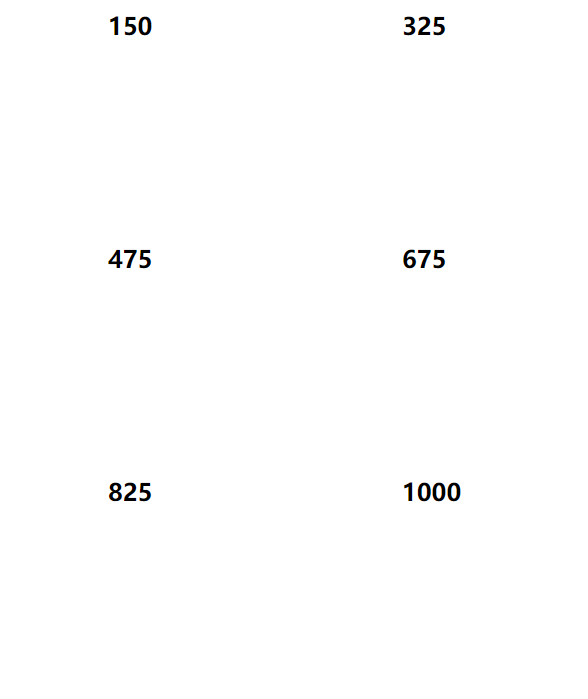
主要就是依赖这个脚本script.js
// JavaScript Document

$.fn.countTo = function (options) {

        options = options || {};

        return $(this).each(function () {

            // set options for current element

            var settings = $.extend({}, $.fn.countTo.defaults, {

                from:            $(this).data('from'),

                to:              $(this).data('to'),

                speed:           $(this).data('speed'),

                refreshInterval: $(this).data('refresh-interval'),

                decimals:        $(this).data('decimals')

            }, options);

            // how many times to update the value, and how much to increment the value on each update

            var loops = Math.ceil(settings.speed / settings.refreshInterval),

                increment = (settings.to - settings.from) / loops;

            // references & variables that will change with each update

            var self = this,

                $self = $(this),

                loopCount = 0,

                value = settings.from,

                data = $self.data('countTo') || {};

            $self.data('countTo', data);

            // if an existing interval can be found, clear it first

            if (data.interval) {

                clearInterval(data.interval);

            }

            data.interval = setInterval(updateTimer, settings.refreshInterval);

            // initialize the element with the starting value

            render(value);

            function updateTimer() {

                value += increment;

                loopCount++;

                render(value);

                if (typeof(settings.onUpdate) == 'function') {

                    settings.onUpdate.call(self, value);

                }

                if (loopCount >= loops) {

                    // remove the interval

                    $self.removeData('countTo');

                    clearInterval(data.interval);

                    value = settings.to;

                    if (typeof(settings.onComplete) == 'function') {

                        settings.onComplete.call(self, value);

                    }

                }

            }

            function render(value) {

                var formattedValue = settings.formatter.call(self, value, settings);

                $self.html(formattedValue);

            }

        });

    };

    $.fn.countTo.defaults = {

        from: 0,               // the number the element should start at

        to: 0,                 // the number the element should end at

        speed: 1000,           // how long it should take to count between the target numbers

        refreshInterval: 100,  // how often the element should be updated

        decimals: 0,           // the number of decimal places to show

        formatter: formatter,  // handler for formatting the value before rendering

        onUpdate: null,        // callback method for every time the element is updated

        onComplete: null       // callback method for when the element finishes updating

    };

    function formatter(value, settings) {

        return value.toFixed(settings.decimals);

    }

  // custom formatting example

  $('#count-number').data('countToOptions', {

    formatter: function (value, options) {

      return value.toFixed(options.decimals).replace(/\B(?=(?:\d{3})+(?!\d))/g, ',');

    }

  });

function count1(options) {

 document.getElementById('dt').style.display = "block"; //鎺у埗鐩掑瓙鏄剧ず

}

  function count(options) {

    var $this = $(this);

    options = $.extend({}, options || {}, $this.data('countToOptions') || {});

    $this.countTo(options);

  }
使用时首先在页面引入jquery.js和script.js
给要动画的元素添加 timer 类,data-to 表示最终到达的数字, data-speed 表示动画速度
<h2 class="timer" data-to="1000" data-speed="4000">1000</h2>
调用时的脚本
<script type="text/javascript">

    $('.timer').each(count)

    $('.timer').each(count1);

</script>
接下来是完整的页面
<!doctype html>

<html>

<head>

<meta charset="utf-8">

<title>demo</title>

<script type="text/javascript" src="js/jquery.js"></script>

<script type="text/javascript" src="js/script.js"></script>

</head>

<body>

<h2 class="timer" data-to="1000" data-speed="4000">1000</h2>

<script type="text/javascript">

    $('.timer').each(count)

    $('.timer').each(count1);

</script>

</body>

</html>
当然我这个比较丑,找了个好看的demo
<!doctype html>
<html>
<head>
<meta charset="utf-8">
<title>demo</title>
<script type="text/javascript" src="js/jquery.js"></script>
<script type="text/javascript" src="js/script.js"></script>
<style>
@charset "utf-8";
/* CSS Document */
/*时间人数开始*/
.time{ width:100%; height:298px; float:left; background:url(images/timebg.png) no-repeat center; background-size:cover;}
.time_content{ width:1200px; height:298px; margin:0 auto;}
.time_left{ width:40%; max-width:480px; float:left; height:298px;}
.time_left h1{ width:100%; float:left; height:24px; line-height:24px; font-size:22px; text-align:center; color:#FFF; font-weight:400; margin-top:96px;}
.time_left h2{ width:100%; float:left; height:56px; line-height:56px; font-size:54px; text-align:center; color:#FFF; margin-top:12px; font-weight:bold;} .time_right{ width:60%; max-width:720px; height:298px; float:left;}
.wrapper { width: 630px; height:90px; float:left; margin-left:100px; margin-top:110px; display:none;}
.wrapper1{ width:200px; float:left; height:90px;}
.wrapper2{ width:200px; float:left; height:90px; margin-left:20px; border-right:1px solid #FFF; border-left:1px solid #FFF;}
.wrapper3{ width:200px; float:left; height:90px;} .counter { color:#ffe400; border-radius: 5px;}
.time1{ width:100px; height:54px; float:left;}
.time1 h1{ float:left;}
.time1 h2{ float:left;}
.time2{ width:70px; height:54px; float:left; margin-left:50px;}
.time3{ width:100px; height:54px; float:left; text-align:center;margin-left:40px;}
.timex{ width:50px; height:30px; margin-top:24px;color:#FFF; float:left;}
.timey{ width:200px; float:left; color:#FFF;}
.wrapper2 .timey{ width:148px; margin-left:52px; float:left;}
.wrapper3 .timey{ width:152px; margin-left:48px; float:left;}
.count-title { font-weight: normal; text-align: center; }
.count-text { font-size: 13px; font-weight: normal; margin-top: 10px; margin-bottom: 0; text-align: center; }
/*时间人数结束*/
</style>
</head> <body> <div class="time">
<div class="time_content">
<div class="time_left">
<h1>真实数据 放心选择</h1>
<h2>专注学历教育15年</h2>
</div>
<div class="time_right">
<div class="wrapper" id="dt"> <div class="wrapper1">
<div class="counter col_fourth time1">
<h2 class="timer count-title" data-to="300000" data-speed="2000">300000</h2>
</div>
<div class="timex">以上</div>
<div class="timey">付费学员</div>
</div> <div class="wrapper2">
<div class="counter col_fourth time2">
<h2 class="timer count-title" data-to="107" data-speed="2000">107</h2>
</div>
<div class="timex">家</div>
<div class="timey">地区分部</div>
</div> <div class="wrapper3">
<div class="counter col_fourth time3">
<h2 class="timer count-title" data-to="1000" data-speed="2000">1000</h2>
</div>
<div class="timex">多人</div>
<div class="timey">教研团队</div>
</div>
</div> <script type="text/javascript">
$('.timer').each(count)
$('.timer').each(count1);
</script> </div>
</div>
</div> <script type="text/javascript">
$('.timer').each(count)
$('.timer').each(count1);
</script> </body>
</html>
效果图

随着页面滚动,数字自动增大的jquery特效的更多相关文章
- jQuery页面滚动数字增长插件
<!DOCTYPE html> <html> <head> <meta charset="UTF-8"> <title> ...
- AngularJS 实现页面滚动到底自动加载数据的功能
要实现这个功能,可以通过https://github.com/sroze/ngInfiniteScroll这个第三方控件来实现.步骤如下: 1. 下载ng-infinite-scroll.js程序ht ...
- AngularJS:实现页面滚动到底自动加载数据的功能
要实现这个功能,可以通过https://github.com/sroze/ngInfiniteScroll这个第三方控件来实现.步骤如下: 1. 下载ng-infinite-scroll.js程序ht ...
- IOS HTML5页面中数字自动变蓝并识别为手机号
开发HTML5的项目时发现页面元素为一串数字时,IOS手机会默认显示成蓝色字体,并且添加下划线,点击数字时会提示是否识别为手机号. 解决此问题的方法很简单,在head标签中添加下面的meta标记即可解 ...
- jquery 页面滚动到底部自动加载插件集合
很多社交网站都使用无限滚动的翻页技术来提高用户体验,当你页面滑到列表底部时候无需点击就自动加载更多的内容.下面为你推荐 10 个 jQuery 的无限滚动的插件: 1. jQuery ScrollPa ...
- 页面滚动动态加载数据,页面下拉自动加载内容 jquery
<!DOCTYPE=html> <html> <head> < script src="js/jquery.js" type=" ...
- Jquery页面滚动动态加载数据,页面下拉自动加载内容
<!DOCTYPE=html> <html> <head> <script src="js/jquery.js" type="t ...
- 20 个用于处理页面滚动效果的 jQuery 插件
对设计和开发一个网站来说,web开发者不能低估了网站滚动效果的重要性.如今,设计者们都视为一大挑战了,在网站中设计出吸引眼球的高效视觉滚动效果.幸运的是有各种各样的jquery 滚动插件可供他们使用, ...
- 10款无限滚动自动翻页jquery插件
2012年3月29日 无限滚动自动翻页可以说是web2.0时代的一项堪称伟大的技术,它让我们在浏览页面的时候只需要把滚动条拉到网页底部就能自动显示下一页的 结果,改变了一直以来只能通过点击下一页来翻页 ...
随机推荐
- 插画版Kubernetes指南
原文地址:https://www.cnblogs.com/kouryoushine/articles/8007648.html 是根据一个视频翻译过来的,比较形象 编者按:Matt Butcher 是 ...
- 夜晚 暴力 十点钟 jQuery 的 extend 实现 原理
jQuery 的 extend 是怎么实现的 一看代码 喉咙 就不爽 这是 jQuery JavaScript Library v1.6 一看代码 多的 屁股疼 , 排名 前三 的 文章 可以去参考下 ...
- 投入OJ的怀抱~~~~~~~~~~
OpenJudge C20182024 信箱(1) 账号 修改设定 退出小组 管理员 frank 林舒 Dzx someone 李文新 公告 11-05 程序设计与算法(大学先修课) 成员(61910 ...
- UIKit, AppKit, 以及其他API在多线程当中的使用注意事项
UIKit, AppKit, 以及其他API在多线程当中的使用注意事项 Overview The Main Thread Checker is a standalone tool for Swift ...
- 创建dynamics CRM client-side (九) - 用JS来获取look up 信息
我们用以下的代码可以获取到look up 的信息. 大家可以查看微软文档来查看更多关于 lookup object的信息 https://docs.microsoft.com/en-us/powera ...
- JVM第一弹
JVM第一弹 基本概念 JVM是可运行java代码的假想计算机,包括一套字节码指令集,一组寄存器,一个栈,一个垃圾回收.堆和一个存储方法域.JVM是运行在操作系统之上的,它与硬件没有直接的交互. 运行 ...
- UML--> plantUML安装
plantUML安装 因为基于intellid idea,所以第一步自行安装. setting->plugins 搜索plantUML 安装完成后,重启idea 会有如下显示 安装Graphvi ...
- servlet 深入了解
servlet 作用 在Java web b/s架构中,servlet扮演了重要的角色,作为一个中转处理的容器,他连接了客户端和服务器端的信息交互和处理.简单来说,客户端发送请求,传递到servle ...
- innobackupex 恢复脚本
此脚本需要与我前几天写的备份脚本配套才能使用 这里也对innobackupex吐槽下,当使用innobackupex进行恢复的时候,必须要清除所有原数据文件,但是一旦恢复失败,则连实例都将丢失,不成功 ...
- vuex之getter(二)
说明 使用vue,如果想对data数据派生一些状态,我们就用到计算属性或者侦听器,同样vux想要派生state中的一些状态,可以在store中定义一个getters属性,它相当于state的计算属性. ...