
Android Html处理器通用类 HtmlUtil
1.整体分析
1.1.首先看一下源代码,可以直接Copy。
public class HtmlUtil {

    /**

     * 获取 html 中的纯文本

     */

    public static String Html2Text(String inputString) {

        String htmlStr = inputString; // 含html标签的字符串

        String textStr = "";

        Pattern p_script;

        Matcher m_script;

        Pattern p_style;

        Matcher m_style;

        Pattern p_html;

        Matcher m_html;

        Pattern p_html1;

        Matcher m_html1;

        try {

            String regEx_script = "<[//s]*?script[^>]*?>[//s//S]*?<[//s]*?///[//s]*?script[//s]*?>"; // 定义script的正则表达式{或<script[^>]*?>[//s//S]*?<///script>

            String regEx_style = "<[//s]*?style[^>]*?>[//s//S]*?<[//s]*?///[//s]*?style[//s]*?>"; // 定义style的正则表达式{或<style[^>]*?>[//s//S]*?<///style>

            String regEx_html = "<[^>]+>"; // 定义HTML标签的正则表达式

            String regEx_html1 = "<[^>]+";

            p_script = Pattern.compile(regEx_script, Pattern.CASE_INSENSITIVE);

            m_script = p_script.matcher(htmlStr);

            htmlStr = m_script.replaceAll(""); // 过滤script标签

            p_style = Pattern.compile(regEx_style, Pattern.CASE_INSENSITIVE);

            m_style = p_style.matcher(htmlStr);

            htmlStr = m_style.replaceAll(""); // 过滤style标签

            p_html = Pattern.compile(regEx_html, Pattern.CASE_INSENSITIVE);

            m_html = p_html.matcher(htmlStr);

            htmlStr = m_html.replaceAll(""); // 过滤html标签

            p_html1 = Pattern.compile(regEx_html1, Pattern.CASE_INSENSITIVE);

            m_html1 = p_html1.matcher(htmlStr);

            htmlStr = m_html1.replaceAll(""); // 过滤html标签

            textStr = htmlStr;

        } catch (Exception e) {

            System.err.println("Html2Text: " + e.getMessage());

        }

        return textStr;// 返回文本字符串

    }

    /**

     * 移除段落标签

     */

    public static String removeP(String html) {

        String result = html;

        if (result.contains("<p>") && result.contains("</p>")) {

            result = result.replace("<p>", "");

            result = result.replace("</p>", "<br>");

            while (result.endsWith("<br>")) {

                result = result.substring(0, result.length() - 4);

            }

        }

        return result;

    }

}
1.2.这里面总共定义了两个静态方法。
- 获取html中的纯文本
- 移除段落标签
除此之外,其他方法,可以看情况添加进去。
2.局部分析
2.1.如何获取html中的纯文本
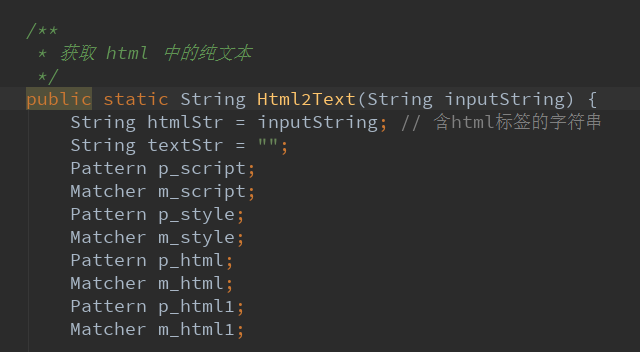
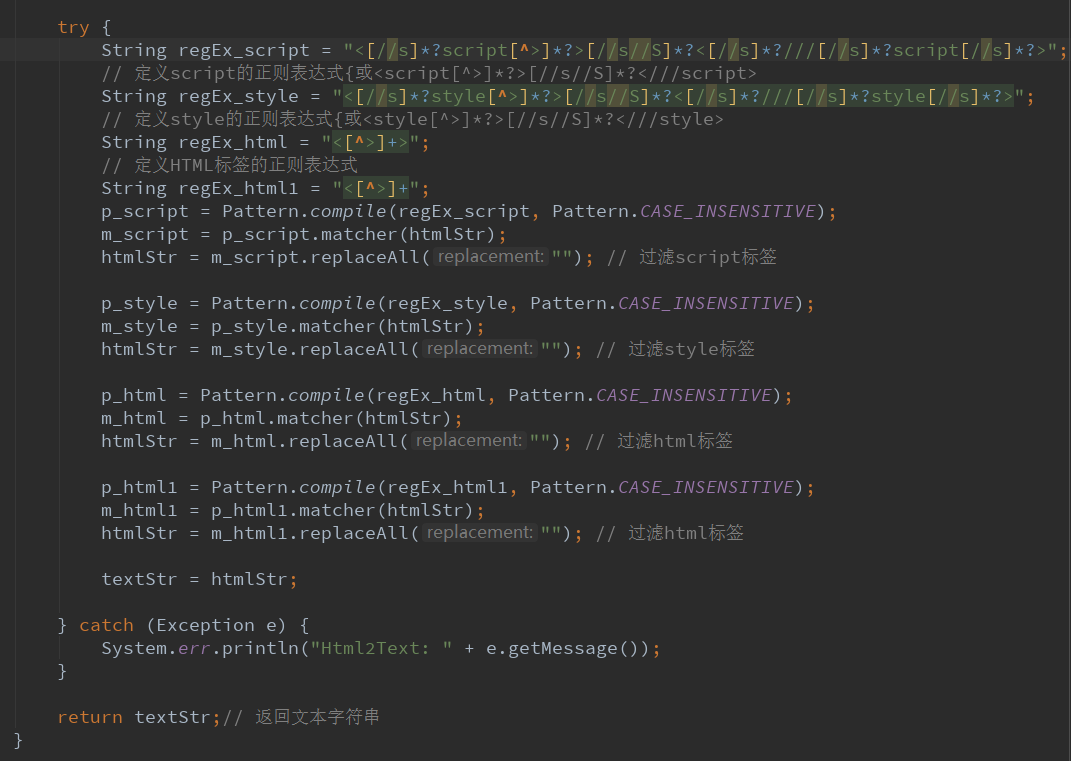
这里传进去一个html的字符串,然后通过一些过滤操作,返回一个纯文本。
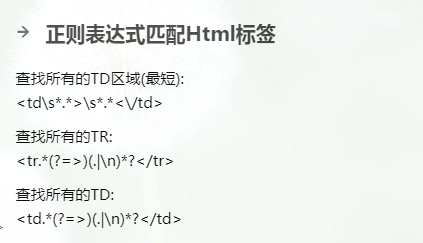
其实有多种方法都可以实现提取html纯文本==>Java实现从Html文本中提取纯文本


2.2.移除段落标签
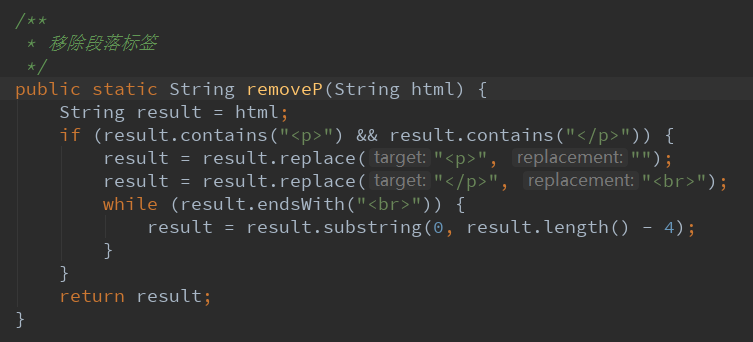
先将<p>==>""
将</p>==>"<br>"
最后判断末尾是否有<br>标签,如果有则清除。
3.案例
3.1.测试转换html
有如下html代码:
<html>

<head>

<meta charset="utf-8">

<title>菜鸟教程(runoob.com)</title>

<style>

body {color:red;}

h1 {color:#00ff00;}

p.ex {color:rgb(0,0,255);}

</style>

</head>

<body>

<h1>这是标题 1</h1>

<p>这是一个普通的段落。请注意,本文是红色的。页面中定义默认的文本颜色选择器。</p>

<p class="ex">这是一个类为"ex"的段落。这个文本是蓝色的。</p>

</body>

</html>
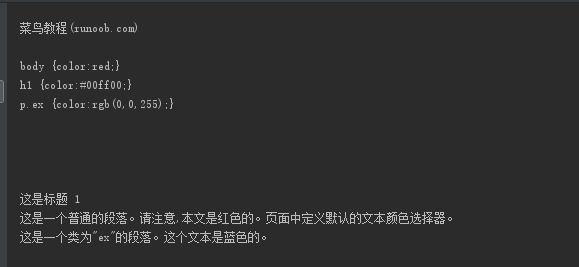
页面效果:

然后转换过后的数据为:
3.2.测试移除段落标签
测试几段文字
<p>第一段</p>
<p>第二段</p>
<p>第三段</p>
<p>第四段</p>
<p>第五段</p>
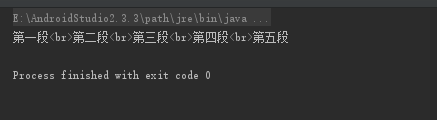
执行结果:
Android Html处理器通用类 HtmlUtil的更多相关文章
- Android 文件管理器通用类 FileUtil
1.整体分析 1.1.源代码如下,可以直接Copy. public class FileUtil { private FileUtil() { } //****系统文件目录************** ...
- Android 异步请求通用类
package com.example.demo1; import java.util.EventListener; public interface MyAsyncTaskListener exte ...
- Android Url相关工具 通用类UrlUtil
1.整体分析 1.1.源代码查看,可以直接Copy. public class UrlUtil { public static boolean isUrlPrefix(String url) { re ...
- (转载)实例详解Android快速开发工具类总结
实例详解Android快速开发工具类总结 作者:LiJinlun 字体:[增加 减小] 类型:转载 时间:2016-01-24我要评论 这篇文章主要介绍了实例详解Android快速开发工具类总结的相关 ...
- Android 通过 Intent 传递类对象或list对象
(转:http://www.cnblogs.com/shaocm/archive/2013/01/08/2851248.html) Android中Intent传递类对象提供了两种方式一种是 通过实现 ...
- poi导出excel通用类
一.关键的通用类public class PoiExportUtils { private static HSSFWorkbook workBook; public PoiExportUtils ...
- NPOI MVC 模型导出Excel通用类
通用类: public enum DataTypeEnum { Int = , Float = , Double = , String = , DateTime = , Date = } public ...
- MVC NPOI Linq导出Excel通用类
之前写了一个模型导出Excel通用类,但是在实际应用中,可能不是直接导出模型,而是通过Linq查询后获取到最终结果再导出 通用类: public enum DataTypeEnum { Int = , ...
- NPOI导入导出EXCEL通用类,供参考,可直接使用在WinForm项目中
以下是NPOI导入导出EXCEL通用类,是在别人的代码上进行优化的,兼容xls与xlsx文件格式,供参考,可直接使用在WinForm项目中,由于XSSFWorkbook类型的Write方法限制,Wri ...
随机推荐
- NoSQL(Not Only SQL)
Everything has its properties and has relation with each other. All in world can be related to each ...
- poi读取excel的辅助类
补充:对于这个工具已经转为一个工程项目,采用的是saxreader方式,支持大数据文件的读取.具体可以参照 github上的源码,使用可以简单参照wiki.项目wiki地址https://git.o ...
- (C#) Handling and Raising Events
Handling and Raising Events .NET Framework 4.5 Other Versions 6 out of 20 rated this helpful - ...
- 基于Python的开源人脸识别库:离线识别率高达99.38%
项目地址:https://github.com/ageitgey/face_recognition#face-recognition 本文的模型使用了C++工具箱dlib基于深度学习的最新人脸识别方法 ...
- django定时任务小插件
需求 每天请求一封邮件,并读取该邮件 这个其实可以使用linux 自带了crontab实现,但是毕竟是django 开发.想着不知道有没有方法可以从django 中实现. 简单搜索了下,这方面的方法确 ...
- sharepoint 查阅项SPFieldLookup 赋值 .
在项目中,经常会涉及列表或者文档库之间的相互引用,而这个时候我们用的更多的就是查阅项(lookup),以前没有去关注取值或者赋值的问题,今天正好碰到一个Case,就顺道总结一下.我们知道链接和图片的字 ...
- vscode:快速生成html的方法
第一步:在空文档中输入! 第二步:按下tab键. 以上
- 修改Linux中发送邮件中附件大小的限制
方法一: 在命令中设定postfix的message_size_limit值 (但系统重启后会失效) postconf -e "message_size_limit = 20480000&q ...
- DedeCms中出现Safe Alert: Request Error step 1/2 的解决方法
dedecms安全警告:Safe Alert: Request Error step 2!不知道大家有没有发现这个现象.只从Dedecms官方公布了之前的版本有严重的漏洞以来,现在在仿站的时候都是采用 ...
- EF写distinct
在日常开发中常常是这么写的 var logErrorRequest = from l in _logErrorRepository.Table select new { WrongTime = l.W ...