
【MySQL】使用MySQL(连接、选择数据库、显示数据库和表信息)
第3章 使用MySQL
文章目录
简单记录 - MySQL必知必会 - [英]Ben Forta
将学习如何连接和登录到MySQL,如何执行MySQL语句,以及如何获得数据库和表的信息。
连接
连接到MySQL,需要以下信息:
主机名(计算机名)——如果连接到本地MySQL服务器,为localhost;
一个合法的用户名;如root;
端口(如果使用默认端口3306之外的端口);
用户口令(你的用户名对应设置的密码)。
在连接之后,就可以访问登录名能够访问的任意数据库和表了
登录:mysql 【-h 主机名 -P 端口号】 -u 用户名 -p密码
退出:exit或ctrl+C
mysql 【-h 主机名 -P 端口号】 -u 用户名 -p密码
例子:mysql -h localhost -P3306 -u root -p123456 前面三个有没有空格都行,-p必须没有空格
-P是port端口号的意思,-h是host主机的意思,localhost是本地主机的意思。
如果是本地登录和使用默认端口3306的话,可以这样登录
mysql -u root -p123456
C:\Users\x1c>mysql -h localhost -P 3306 -u root -p123456

mysql: [Warning] Using a password on the command line interface can be insecure.

Welcome to the MySQL monitor.  Commands end with ; or \g.

Your MySQL connection id is 6

Server version: 5.7.28 MySQL Community Server (GPL)

Copyright (c) 2000, 2019, Oracle and/or its affiliates. All rights reserved.

Oracle is a registered trademark of Oracle Corporation and/or its

affiliates. Other names may be trademarks of their respective

owners.

Type 'help;' or '\h' for help. Type '\c' to clear the current input statement.

mysql> exit

Bye

C:\Users\x1c>mysql -h localhost -P 3306 -u root -p

Enter password: ******

Welcome to the MySQL monitor.  Commands end with ; or \g.

Your MySQL connection id is 7

Server version: 5.7.28 MySQL Community Server (GPL)

Copyright (c) 2000, 2019, Oracle and/or its affiliates. All rights reserved.

Oracle is a registered trademark of Oracle Corporation and/or its

affiliates. Other names may be trademarks of their respective

owners.

Type 'help;' or '\h' for help. Type '\c' to clear the current input statement.

mysql> exit

Bye

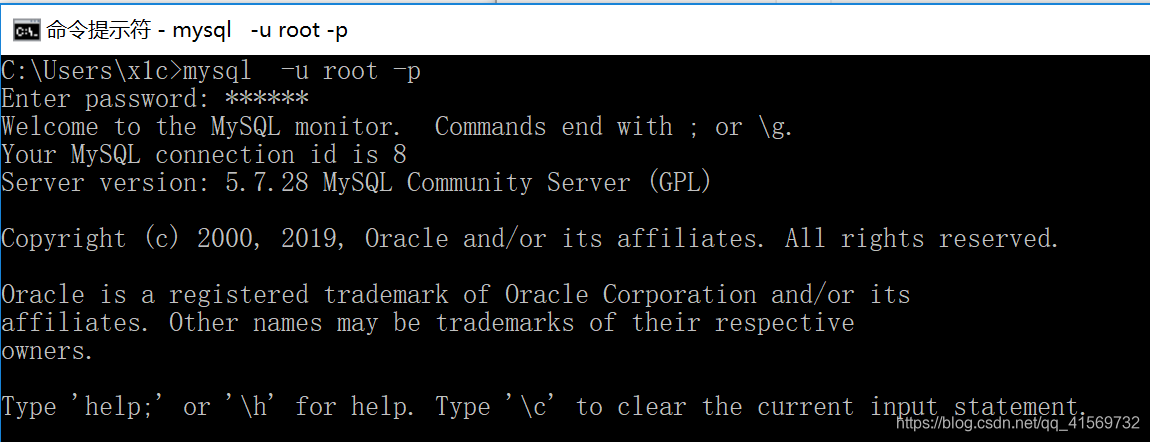
C:\Users\x1c>mysql  -u root -p

Enter password: ******

Welcome to the MySQL monitor.  Commands end with ; or \g.

Your MySQL connection id is 8

Server version: 5.7.28 MySQL Community Server (GPL)

Copyright (c) 2000, 2019, Oracle and/or its affiliates. All rights reserved.

Oracle is a registered trademark of Oracle Corporation and/or its

affiliates. Other names may be trademarks of their respective

owners.

Type 'help;' or '\h' for help. Type '\c' to clear the current input statement.

mysql>
选择数据库
连接到MySQL后,选择一个数据库操作,选择数据库可使用USE关键字。
术语:关键字(key word) 作为MySQL语言组成部分的一个保留字,我们不能用关键字命名一个表或列。
例如,为了使用mysqlcrashcourse数据库,应该输入以下内容USE mysqlcrashcourse:
mysql> USE mysqlcrashcourse;

Database changed

mysql>
分析:USE mysqlcrashcourse选择mysqlcrashcourse数据库,Database changed消息代表是mysql命令行程序选择数据库mysqlcrashcourse成功
注意:我们必须先使用USE打开对应的数据库,才能读取数据库中的数据。
了解数据库和表
如果不知道可以使用的数据库名时怎么办?
怎样能显示可用的数据库列表呢?
数据库、表、列、用户、权限等的信息被存储在数据库和表中(MySQL使用MySQL来存储这些信息)。不过,内部的表一般不直接访问。可用MySQL的SHOW命令来显示这些信息(MySQL从内部表中提取这些信息)。请看下面的例子:
mysql> SHOW DATABASES;

+--------------------+

| Database           |

+--------------------+

| information_schema |

| mmall_learning     |

| mysql              |

| mysqlcrashcourse   |

| performance_schema |

| spring             |

| sys                |

+--------------------+

7 rows in set (0.00 sec)
SHOW DATABASES;返回可用数据库的一个列表。包含在这个列表中的可能是MySQL内部使用的数据库(如例子中的mysql和information_schema等)。当然,还有很多自己创建的数据库(如mmall_learning,mysqlcrashcourse,,spring都是我之前创建的。)。
为了获得一个数据库内的表的列表,使用SHOW TABLES命令;如下所示:
mysql> SHOW TABLES;

+----------------------------+

| Tables_in_mysqlcrashcourse |

+----------------------------+

| customers                  |

| orderitems                 |

| orders                     |

| productnotes               |

| products                   |

| vendors                    |

+----------------------------+

6 rows in set (0.01 sec)

mysql>
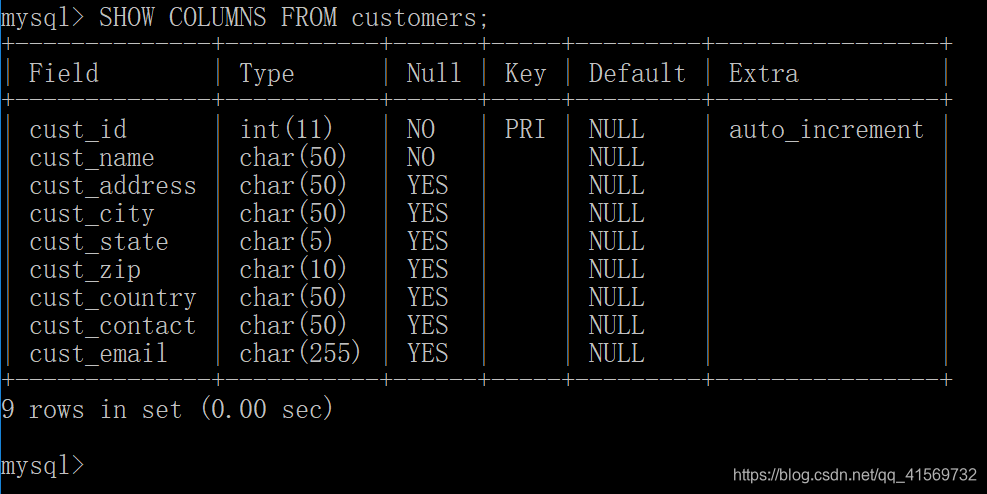
SHOW TABLES;返回当前选择的数据库内可用表的列表。SHOW也可以用来显示某个表的列,如显示customers表的所有列:
mysql> SHOW COLUMNS FROM customers;

+--------------+-----------+------+-----+---------+----------------+

| Field        | Type      | Null | Key | Default | Extra          |

+--------------+-----------+------+-----+---------+----------------+

| cust_id      | int(11)   | NO   | PRI | NULL    | auto_increment |

| cust_name    | char(50)  | NO   |     | NULL    |                |

| cust_address | char(50)  | YES  |     | NULL    |                |

| cust_city    | char(50)  | YES  |     | NULL    |                |

| cust_state   | char(5)   | YES  |     | NULL    |                |

| cust_zip     | char(10)  | YES  |     | NULL    |                |

| cust_country | char(50)  | YES  |     | NULL    |                |

| cust_contact | char(50)  | YES  |     | NULL    |                |

| cust_email   | char(255) | YES  |     | NULL    |                |

+--------------+-----------+------+-----+---------+----------------+

9 rows in set (0.00 sec)

mysql>
分析:
SHOW COLUMNS要求给出一个表名(这个例子中的FROM customers),它对每个字段返回一行,行中包含字段名、数据类型、是否允许NULL、键信息、默认值以及其他信息(如字段cust_id的auto_increment)。
说明:什么是自动增量? 某些表列需要唯一值。例如,(上面例子中所示的)顾客ID。在每个行添加到表中时,MySQL可以自动地为每个行分配下一个可用编号,不用在添加一行时手动分配唯一值(这样做必须记住最后一次使用的值)。这个功能就是所谓的自动增量。如果需要它,则必须在创建表时把它作为表定义的组成部分。
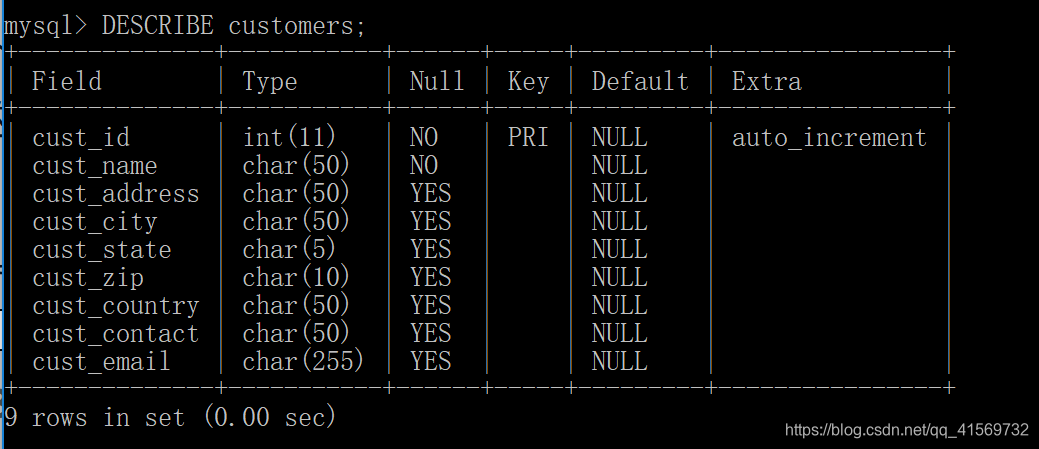
提示:DESCRIBE语句 MySQL支持用DESCRIBE作为SHOW COLUMNS FROM的一种快捷方式。换句话说,DESCRIBE customers;是SHOW COLUMNSFROM customers;的一种快捷方式。
所支持的其他SHOW语句还有:
SHOW STATUS,用于显示广泛的服务器状态信息;
SHOW CREATE DATABASE和SHOW CREATE TABLE,分别用来显示创建特定数据库或表的MySQL语句;
SHOW GRANTS,用来显示授予用户(所有用户或特定用户)的安全权限;
mysql> show grants;

+---------------------------------------------------------------------+

| Grants for root@localhost                                           |

+---------------------------------------------------------------------+

| GRANT ALL PRIVILEGES ON *.* TO 'root'@'localhost' WITH GRANT OPTION |

| GRANT PROXY ON ''@'' TO 'root'@'localhost' WITH GRANT OPTION        |

+---------------------------------------------------------------------+

2 rows in set (0.00 sec)
SHOW ERRORS和SHOW WARNINGS,用来显示服务器错误或警告消息。
提示:
进一步了解SHOW请在mysql命令行实用程序中,执行命令HELP SHOW;显示允许的SHOW语句。
mysql> HELP SHOW;

Name: 'SHOW'

Description:

SHOW has many forms that provide information about databases, tables,

columns, or status information about the server. This section describes

those following:

SHOW {BINARY | MASTER} LOGS

SHOW BINLOG EVENTS [IN 'log_name'] [FROM pos] [LIMIT [offset,] row_count]

SHOW CHARACTER SET [like_or_where]

SHOW COLLATION [like_or_where]

SHOW [FULL] COLUMNS FROM tbl_name [FROM db_name] [like_or_where]

SHOW CREATE DATABASE db_name

SHOW CREATE EVENT event_name

SHOW CREATE FUNCTION func_name

SHOW CREATE PROCEDURE proc_name

SHOW CREATE TABLE tbl_name

SHOW CREATE TRIGGER trigger_name

SHOW CREATE VIEW view_name

SHOW DATABASES [like_or_where]

SHOW ENGINE engine_name {STATUS | MUTEX}

SHOW [STORAGE] ENGINES

SHOW ERRORS [LIMIT [offset,] row_count]

SHOW EVENTS

SHOW FUNCTION CODE func_name

SHOW FUNCTION STATUS [like_or_where]

SHOW GRANTS FOR user

SHOW INDEX FROM tbl_name [FROM db_name]

SHOW MASTER STATUS

SHOW OPEN TABLES [FROM db_name] [like_or_where]

SHOW PLUGINS

SHOW PROCEDURE CODE proc_name

SHOW PROCEDURE STATUS [like_or_where]

SHOW PRIVILEGES

SHOW [FULL] PROCESSLIST

SHOW PROFILE [types] [FOR QUERY n] [OFFSET n] [LIMIT n]

SHOW PROFILES

SHOW RELAYLOG EVENTS [IN 'log_name'] [FROM pos] [LIMIT [offset,] row_count]

SHOW SLAVE HOSTS

SHOW SLAVE STATUS [FOR CHANNEL channel]

SHOW [GLOBAL | SESSION] STATUS [like_or_where]

SHOW TABLE STATUS [FROM db_name] [like_or_where]

SHOW [FULL] TABLES [FROM db_name] [like_or_where]

SHOW TRIGGERS [FROM db_name] [like_or_where]

SHOW [GLOBAL | SESSION] VARIABLES [like_or_where]

SHOW WARNINGS [LIMIT [offset,] row_count]

like_or_where:

    LIKE 'pattern'

  | WHERE expr

If the syntax for a given SHOW statement includes a LIKE 'pattern'

part, 'pattern' is a string that can contain the SQL % and _ wildcard

characters. The pattern is useful for restricting statement output to

matching values.

Several SHOW statements also accept a WHERE clause that provides more

flexibility in specifying which rows to display. See

https://dev.mysql.com/doc/refman/5.7/en/extended-show.html.

URL: https://dev.mysql.com/doc/refman/5.7/en/show.html

mysql>
小结
简单介绍了如何连接和登录MySQL,如何用USE选择数据库,如何用SHOW查看MySQL数据库、表和内部信息。
mysql -h localhost -P 3306 -u root -p123456;

use mysqlcrashcourse;

show databases;

show tables;

show columns from customers;

help show;

show status;

show grants;

show grants;

show errors;

show warnings;
【MySQL】使用MySQL(连接、选择数据库、显示数据库和表信息)的更多相关文章
- mysql增加远程连接用户及查看数据库表结构
一.增加远程连接用户 1.用root权限登录数据库 2.加用户:grant all privileges on *.* to '111'@'192.168.1.%' identified by '2 ...
- mysql添加类似oracle的伪列及查看表信息
sql格式: AS rownum, table_name.* ) r, table_name; AS rownum, table_name.字段1, table_name.字段2, table_nam ...
- Linux 对mysql远程授权连接操作 和 查看mysql数据库和表 基本命令
Linux 对mysql远程连接的授权操作 首先linux连接mysql数据库 授权: grant all on *.* to ' with grant option; //允许账户root从任何主机 ...
- 【mysql元数据库】使用information_schema.tables查询数据库和数据表信息
概述 对于mysql和Infobright等数据库,information_schema数据库中的表都是只读的,不能进行更新.删除和插入等操作,也不能加触发器,因为它们实际只是一个视图,不是基本表,没 ...
- (转)【mysql元数据库】使用information_schema.tables查询数据库和数据表信息 ---数据记录大小统计
转:https://www.cnblogs.com/ssslinppp/p/6178636.html https://segmentfault.com/q/1010000007268994?_ea=1 ...
- 如何用visual studio控件(repeater)绑定数据库(SQL server)信息并显示
今天学习了下如何间接绑定数据库网上看了很多信息,都云里雾里,没有图片说明,初学者完全看不懂,我自己做了一个DEMO,相信可以帮到大家! 一.建立数据库,并构建表信息,我的表信息如下: 表中的数据在数据 ...
- jsp连接MySQL数据库显示GIS地理数据乱码问题的解决(select AsText(the_geom))
oh,fuck,经过我昨天下午到今天的努力,终于将这一问题成功解决了,哈哈哈 问题详细描述: 我通过jsp页面连接上MySQL数据库,取出存在表中的地理数据(类型是geometry,具体有POINT. ...
- 错误解决记录------------mysql连接本地数据库显示"can't get hostname for your address"
mysql连接本地数据库遇到 can't get hostname for your address 不明原因的本地mysql数据库连接不上,总是显示can't get hostname for yo ...
- MySql常用命令集Mysql常用命令showdatabases;显示数据库createdatab
MySql 常用命令集 Mysql常用命令 show databases; 显示数据库 create database name; 创建数据库 use databasename; 选择数据库 drop ...
随机推荐
- 【ubantu 安装Jmeter和Jdk环境】
Linux环境安装Java(含安装包下载地址) 一定要使用有权限的用户 1.下载JDK压缩包,下载地址:https://blog.csdn.net/duketyson2009/article/deta ...
- springmvc中ModelAttribute注解应用在参数中
可以用@ModelAttribute来注解方法参数或方法.带@ModelAttribute创建的参数对象会被添加到Model对象中.注解在参数上时,可以从Form表单或URL参数中获取参数并绑定到mo ...
- oracle 常用语句2
-- number(38) -- char(2000) -- varchar(4000) create table student( sno number(3) primary key, sname ...
- vue第十九单元(mapState mapMutations等方法的使用)
第十九单元(mapState mapMutations等方法的使用) #课程目标 1.熟练使用mapState 2.熟练使用mapGetters 3.熟练使用mapActions 4.熟练使用mapM ...
- Flink如何做维表关联?
使用 RichAsyncFunction 加 CacheBuilder CacheBuilder.newBuilder() //最多存储10000条 .maximumSize(10000) //过期时 ...
- Python开发的面试准备
1.is和==的区别: is比较的是id,对象的内存地址 = =比较的是值 2.按字典中的value值进行排序 sorted(dict.items(), key = lambda x: x[1]) 3 ...
- .NET Core 下的 API 网关
网关介绍 网关其实就是将我们写好的API全部放在一个统一的地址暴露在公网,提供访问的一个入口.在 .NET Core下可以使用Ocelot来帮助我们很方便的接入API 网关.与之类似的库还有Proxy ...
- Java将List中的实体按照某个字段进行分组的算法
public void test() { List<User> list = new ArrayList<>(); //User 实体 测试用 String id,name; ...
- statementType 使用
要实现动态传入表名.列名,需要做如下修改 添加属性statementType="STATEMENT" 同时sql里的属有变量取值都改成${xxxx},而不是#{xxx}<de ...
- kaggle入门题Titanic
集成开发环境:Pycharm python版本:2.7(anaconda库) 用到的库:科学计算库numpy,数据分析包pandas,画图包matplotlib,机器学习库sklearn 大体步骤分为 ...