
Viewpager实现今日头条顶部导航的功能
利用简单的Textview 和Viewpager实现滑动、点击换页的效果,效果图如下:
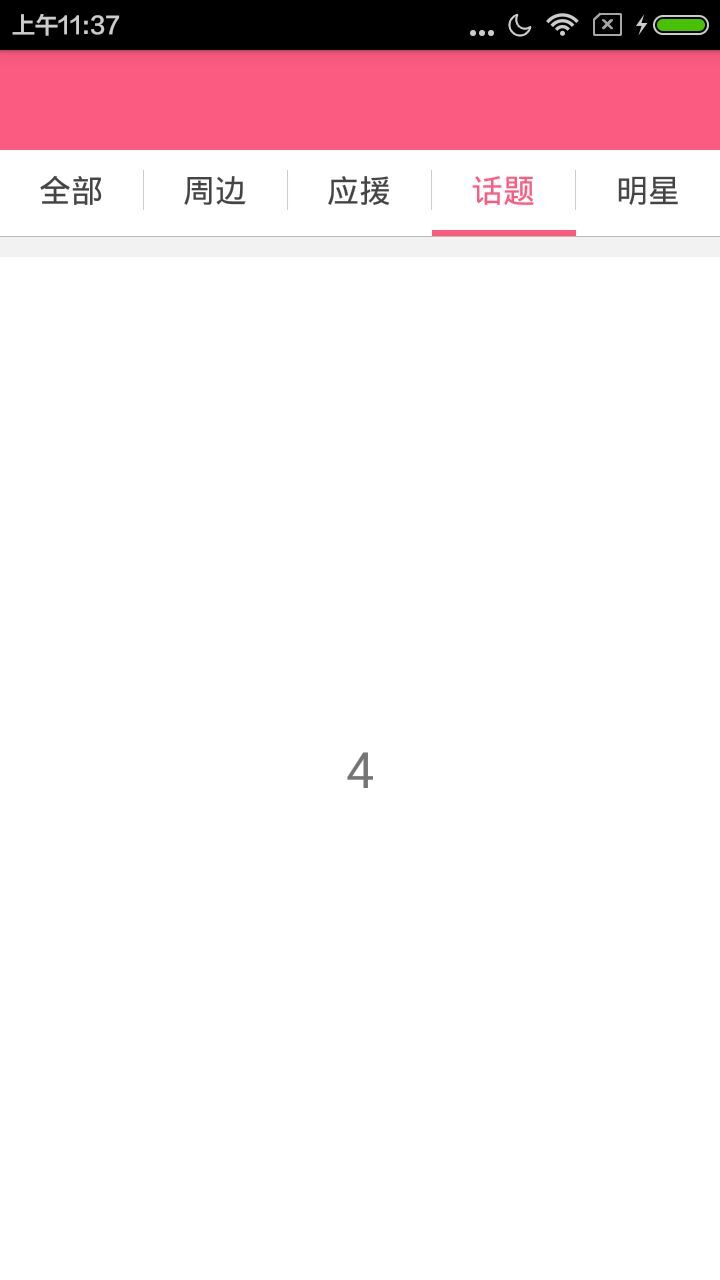
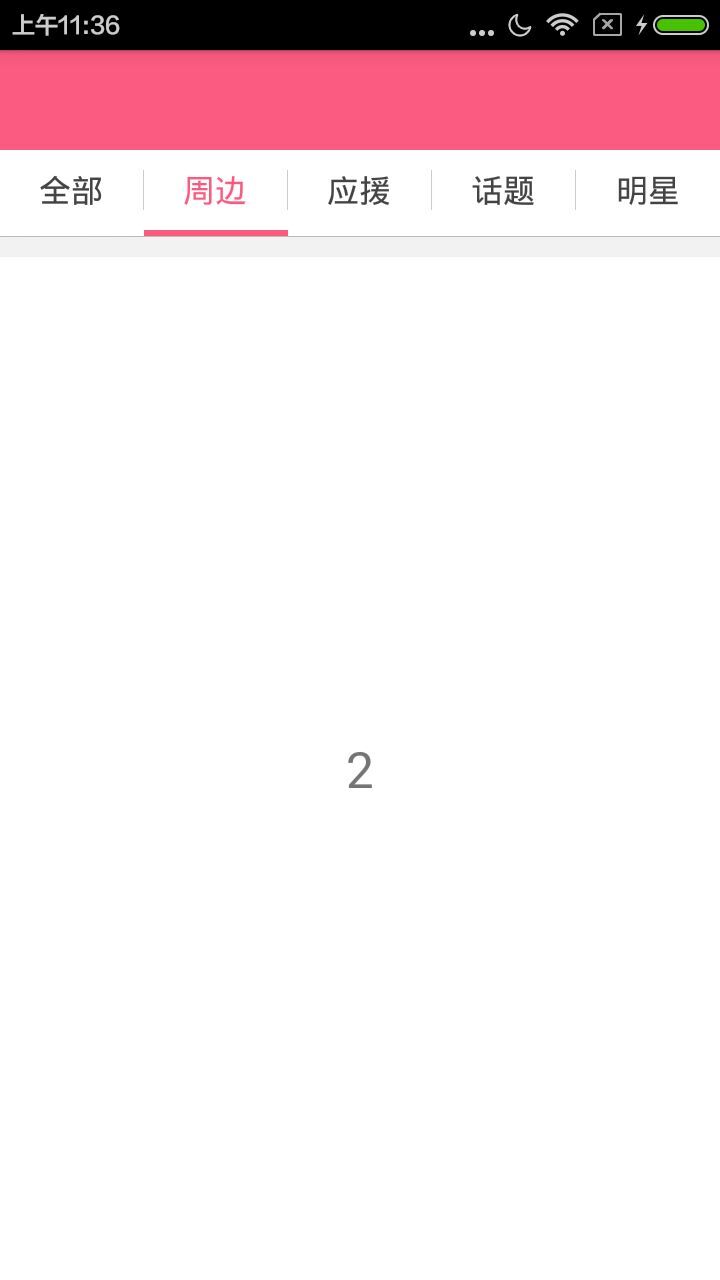
先上布局文件代码:
<?xml version="1.0" encoding="utf-8"?>

<LinearLayout xmlns:android="http://schemas.android.com/apk/res/android"

    android:layout_width="match_parent"

    android:layout_height="match_parent"

    android:background="@color/white"

    android:orientation="vertical" >

   <LinearLayout

       android:background="@color/red_base"

       android:orientation="horizontal"

       android:layout_width="match_parent"

       android:layout_height="50dp">

   </LinearLayout>

    <!-- 选项卡 -->

    <LinearLayout

        android:layout_width="match_parent"

        android:layout_height="40dp"

        android:background="@color/white"

        android:orientation="horizontal"

        android:weightSum="5" >

        <FrameLayout

            android:id="@+id/rim_tab1_fl"

            android:layout_width="0dp"

            android:layout_height="match_parent"

            android:layout_weight="1"

            android:clickable="true"

            android:gravity="center" >

            <TextView

                android:id="@+id/rim_tab1_tv"

                android:layout_width="wrap_content"

                android:layout_height="wrap_content"

                android:layout_gravity="center"

                android:text="全部"

                android:textColor="@color/red_base"

                android:textSize="16sp" />

        </FrameLayout>

        <View

            android:layout_width="0.5dp"

            android:layout_height="match_parent"

            android:layout_marginBottom="10dp"

            android:layout_marginTop="10dp"

            android:background="@color/divider_gray_line" />

        <FrameLayout

            android:id="@+id/rim_tab2_fl"

            android:layout_width="0dp"

            android:layout_height="match_parent"

            android:layout_weight="1"

            android:clickable="true"

            android:gravity="center" >

            <TextView

                android:id="@+id/rim_tab2_tv"

                android:layout_width="wrap_content"

                android:layout_height="wrap_content"

                android:layout_gravity="center"

                android:text="周边"

                android:textColor="@color/text_gray_4"

                android:textSize="16sp" />

        </FrameLayout>

        <View

            android:layout_width="0.5dp"

            android:layout_height="match_parent"

            android:layout_marginBottom="10dp"

            android:layout_marginTop="10dp"

            android:background="@color/divider_gray_line" />

        <FrameLayout

            android:id="@+id/rim_tab3_fl"

            android:layout_width="0dp"

            android:layout_height="match_parent"

            android:layout_weight="1"

            android:clickable="true"

            android:gravity="center" >

            <TextView

                android:id="@+id/rim_tab3_tv"

                android:layout_width="wrap_content"

                android:layout_height="wrap_content"

                android:layout_gravity="center"

                android:text="应援"

                android:textColor="@color/text_gray_4"

                android:textSize="16sp" />

        </FrameLayout>

        <View

            android:layout_width="0.5dp"

            android:layout_height="match_parent"

            android:layout_marginBottom="10dp"

            android:layout_marginTop="10dp"

            android:background="@color/divider_gray_line" />

        <FrameLayout

            android:id="@+id/rim_tab4_fl"

            android:layout_width="0dp"

            android:layout_height="match_parent"

            android:layout_weight="1"

            android:clickable="true"

            android:gravity="center" >

            <TextView

                android:id="@+id/rim_tab4_tv"

                android:layout_width="wrap_content"

                android:layout_height="wrap_content"

                android:layout_gravity="center"

                android:text="话题"

                android:textColor="@color/text_gray_4"

                android:textSize="16sp" />

        </FrameLayout>

        <View

            android:layout_width="0.5dp"

            android:layout_height="match_parent"

            android:layout_marginBottom="10dp"

            android:layout_marginTop="10dp"

            android:background="@color/divider_gray_line" />

        <FrameLayout

            android:id="@+id/rim_tab5_fl"

            android:layout_width="0dp"

            android:layout_height="match_parent"

            android:layout_weight="1"

            android:clickable="true"

            android:gravity="center" >

            <TextView

                android:id="@+id/rim_tab5_tv"

                android:layout_width="wrap_content"

                android:layout_height="wrap_content"

                android:layout_gravity="center"

                android:text="明星"

                android:textColor="@color/text_gray_4"

                android:textSize="16sp" />

        </FrameLayout>

    </LinearLayout>

    <LinearLayout

        android:layout_width="match_parent"

        android:layout_height="3dp"

        android:background="@color/white" >

        <ImageView

            android:id="@+id/rim_cursor"

            android:layout_width="80dp"

            android:layout_height="3dp"

            android:layout_marginTop="0dip"

            android:background="@color/title_bar_blue" />

    </LinearLayout>

    <View

        android:layout_width="match_parent"

        android:layout_height="0.1dp"

        android:background="@color/btn_bg_gray" />

    <!-- 选项卡内容显示区域 -->

    <View

        android:layout_width="match_parent"

        android:layout_height="10dp"

        android:background="@color/bg_light_gray" />

    <android.support.v4.view.ViewPager

        android:id="@+id/rim_third_vp"

        android:layout_width="match_parent"

        android:layout_height="match_parent" />

</LinearLayout>
上面红色指示器的view的初始化
private int screenWidth;//指示器

private ImageView cursorImg;

private LinearLayout.LayoutParams lp;

 private void initViews(){

        WindowManager wm = (WindowManager)

                getSystemService(Context.WINDOW_SERVICE);

        int width = wm.getDefaultDisplay().getWidth();

        screenWidth=width/5;

        cursorImg = (ImageView) findViewById(R.id.rim_cursor);

        lp = (LinearLayout.LayoutParams) cursorImg.getLayoutParams();

        lp.width = screenWidth;

        cursorImg.setLayoutParams(lp);

        leftMargin = lp.leftMargin;

  }
初始化indicater
private void initViewPager() {

        viewPager = (ViewPager) findViewById(R.id.rim_third_vp);

        fragmentsList = new ArrayList<Fragment>();

        fragment1 = new RimFragment();

        fragmentsList.add(fragment1);

        fragmentsList.add(fragment2);

        fragmentsList.add(fragment3);

        fragmentsList.add(fragment4);

        fragmentsList.add(fragment5);

        viewPager.setAdapter(new FragmentAdapter(getSupportFragmentManager(),

                fragmentsList));

        viewPager.setCurrentItem(0);

        viewPager.setOnPageChangeListener(this);

    }
设置上面选项卡的点击事件
 @Override

    public void onClick(View v) {

        switch (v.getId()){

            case R.id.rim_tab1_fl:

                viewPager.setCurrentItem(0);

                num_tab1_tv.setTextColor(getResources().getColor(R.color.red_base));

                num_tab2_tv.setTextColor(getResources().getColor(R.color.text_gray_4));

                num_tab3_tv.setTextColor(getResources().getColor(R.color.text_gray_4));

                num_tab4_tv.setTextColor(getResources().getColor(R.color.text_gray_4));

                num_tab5_tv.setTextColor(getResources().getColor(R.color.text_gray_4));

                fragment1.setMsgName("1","周边");//周边的官方和会员的接口参数,官方

                break;
设置viewpager 滑动事件
 @Override

    public void onPageScrolled(int position, float positionOffset, int positionOffsetPixels) {

        offset = (screenWidth - cursorImg.getLayoutParams().width) / 5;

        hidePoint(position, positionOffsetPixels);//设置红色指示器的位置

        cursorImg.setLayoutParams(lp);

        currentIndex = position;

    }

    @Override

    public void onPageSelected(int position) {

        switch (position){//设置点击事件

            case  0:

                fragment1.setMsgName("1","周边");

                num_tab1_tv.setTextColor(getResources().getColor(R.color.red_base));

                num_tab2_tv.setTextColor(getResources().getColor(R.color.text_gray_4));

                num_tab3_tv.setTextColor(getResources().getColor(R.color.text_gray_4));

                num_tab4_tv.setTextColor(getResources().getColor(R.color.text_gray_4));

                num_tab5_tv.setTextColor(getResources().getColor(R.color.text_gray_4));

                break;

        }

        if (position==0)

        {

        }else {

        }

    }

    @Override

    public void onPageScrollStateChanged(int state) {

    }

    //设置指示器的位置

    private void hidePoint(int position, int positionOffsetPixels) {

        if (position == 0) {// 0<->1

            lp.leftMargin = (int) (positionOffsetPixels / 5) + offset;

        } else if (position == 1) {// 1<->2

            lp.leftMargin = (int) (positionOffsetPixels / 5) + screenWidth

                    + offset;

        }else  if(position==2){

            lp.leftMargin = (int) (positionOffsetPixels / 5) + screenWidth*2

                    + offset;

        }

        else  if(position==3){

            lp.leftMargin = (int) (positionOffsetPixels / 5) + screenWidth*3

                    + offset;

        }

        else  if(position==4){

            lp.leftMargin = (int) (positionOffsetPixels / 5) + screenWidth*4

                    + offset;

        }

    }
代码并不难,希望通过我这个例子,一是巩固自己的学习和理解,二是希望更多的人更好的学习,我会再接再厉,写更多的博文。
Viewpager实现今日头条顶部导航的功能的更多相关文章
- Android之仿今日头条顶部导航栏效果
随着时间的推移现在的软件要求显示的内容越来越多,所以要在小的屏幕上能够更好的显示更多的内容,首先我们会想到底部菜单栏,但是有时候像今日头条新闻客户端要显示的内容太多,而且又想在主界面全部显示出来,所以 ...
- 自适应 Tab 宽度可以滑动文字逐渐变色的 TabLayout(仿今日头条顶部导航)
TabLayout相信大家都用过,2015年Google大会上发布了新的Android Support Design库里面包含了很多新的控件,其中就包含TabLayout,它可以配合ViewPager ...
- iOS仿今日头条滑动导航
之前写了篇博客网易首页导航封装类.网易首页导航封装类优化,今天在前两个的基础上仿下今日头条. 1.网易首页导航封装类中主要解决了上面导航的ScrollView和下面的页面的ScrollView联动的问 ...
- [Android] Android 类似今日头条顶部的TabLayout 滑动标签栏 效果
APP市场中大多数新闻App都有导航菜单,导航菜单是一组标签的集合,在新闻客户端中,每个标签标示一个新闻类别,对应下面ViewPager控件的一个分页面,今日头条, 网易新闻等. 本文主要讲的是用:T ...
- swfit - 实现类似今日头条顶部标签和底部内容的动态解决方案
TYPageView TYPageView 类似今日头条 的标签导航解决方案,支持多种样式选择,基于swift3.0,支持文字颜色动态变化,底部选中线的动态变化 配图: 使用方法: let title ...
- swift - 实现类似今日头条顶部标签和底部内容的动态解决方案
TYPageView TYPageView 类似今日头条 的标签导航解决方案,支持多种样式选择,基于swift3.0,支持文字颜色动态变化,底部选中线的动态变化 配图: 使用方法: let title ...
- Android 代码实现viewPager+fragment 模仿今日头条的顶部导航
模仿今日头条的顶部导航: 下载地址: http://download.csdn.net/detail/u014608640/9917700 效果图:
- 仿今日头条最强顶部导航指示器,支持6种模式-b
项目中经常会用到类似今日头条中顶部的导航指示器,我也经常用一个类似的库PagerSlidingTabStrip,但是有时并不能小伙伴们的所有需求,所以我在这个类的基础上就所有能用到的情况做了一个简单的 ...
- Android仿今日头条和知乎等App顶部滑动导航实现代码分析及源码下载
一.本文所涉及到的知识点 源码下载 二.目标 通过利用ViewPager+FragmentStatePagerAdapter+TabLayout 实现顶部滑动效果,如图: 三.知识点讲解 1.View ...
随机推荐
- 【JavaWeb】JSP九大内置对象
内置对象特点: 1. 由JSP规范提供,不用编写者实例化. 2. 通过Web容器实现和管理 3. 所有JSP页面均可使用 4. ...
- MyBatis 中 sqlmapconfig核心标签typeAliases配置说明
标签说明 在 MyBatis 的 sql 映射配置文件中,需要使用 paramterType.resultType 来设置 sql 语句的输入输出参数,一般参数都是基本的数据类型或封装类型,但都需要声 ...
- python的元组及其书写规矩
1.元组 (1)元组看起来犹如列表,但使用圆括号而不是方括号来标识.定义元组后,就可以使用索引来访问其元素,就像访问列表元素一样. (2)元组的元素不可修改,但是可以赋值. 2.规矩 (1)缩进:建议 ...
- android 短期计划
http://www.jianshu.com/p/2a9fcf3c11e4 http://www.jianshu.com/p/5f6d79323923 activity启动模式: http://www ...
- 重构指南 - 引入参数对象(Introduce Parameter Object)
当一个方法的参数超过3个以上,就可以考虑将参数封装成一个对象.将参数封装成对象后提高了代码的可读性,并且该参数对象也可以供多个方法调用,以后如果增加删除参数,方法本身不需要修改,只需要修改参数对象就可 ...
- scss-变量作用域
SCSS之所以便利,是因为它具有了编程语言的某些特性. 让原本规则刻板的CSS变的灵活起来,下面介绍一下SCSS中的作用域概念. 几乎所有编程语言都有作用域概念的涉及,原理大同小异,SCSS中的也是如 ...
- Android滑动删除功能
今天学习了新的功能那就是滑动删除数据.先看一下效果 我想这个效果大家都很熟悉吧.是不是在qq上看见过这个效果.俗话说好记性不如赖笔头,为了我的以后,为了跟我一样自学的小伙伴们,我把我的代码粘贴在下面. ...
- 关于js 中函数的参数
var a = 100; function test(a){ a++; //a(形参)是局部变量 console.log(a); } test(a); console.log(a); //结果是 10 ...
- PHP连接MySQL数据库的几种方式
PHP 5 及以上版本建议使用以下方式连接 MySQL : MySQLi :MySQLi 只针对 MySQL 数据库,MySQLi 还提供了 API 接口. PDO (PHP Data Objects ...
- wxpython CustomTreeCtrl
转自 http://xoomer.virgilio.it/infinity77/Phoenix/lib.agw.customtreectrl.CustomTreeCtrl.html这个网址中有许多控件 ...