
Quickstart: Embed a Power BI Report Server report using an iFrame in SharePoint Server
In this quickstart you will learn how to embed a Power BI Report Server report by using an iFrame in a SharePoint page. If you are working with SharePoint Online, Power BI Report Server must be publicly accessible. In SharePoint Online, the Power BI Web Part that works with the Power BI service doesn’t work with Power BI Report Server.
Prerequisites
- You will need to have Power BI Report Server installed and configured.
- You will need to have Power BI Desktop optimized for Power BI Report Server installed.
- You will need to have a SharePoint environment installed and configured.
Creating the Power BI Report Server report URL
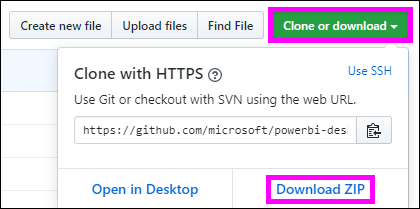
Download the sample from GitHub - Blog Demo.
Open the sample PBIX file from GitHub in Power BI Desktop optimized for Power BI Report Server.
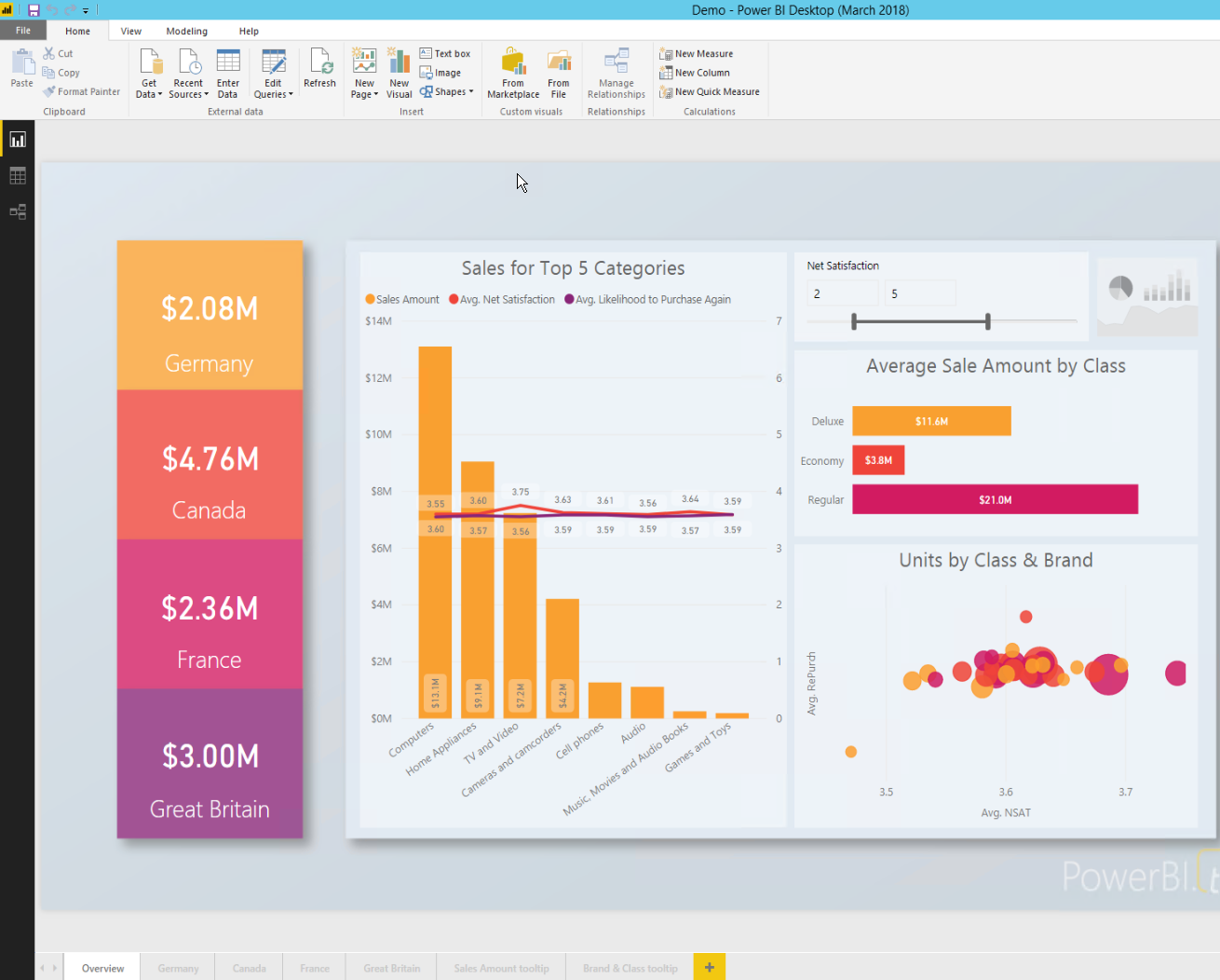
Save the report to the Power BI Report Server.

View report in the Web Portal.
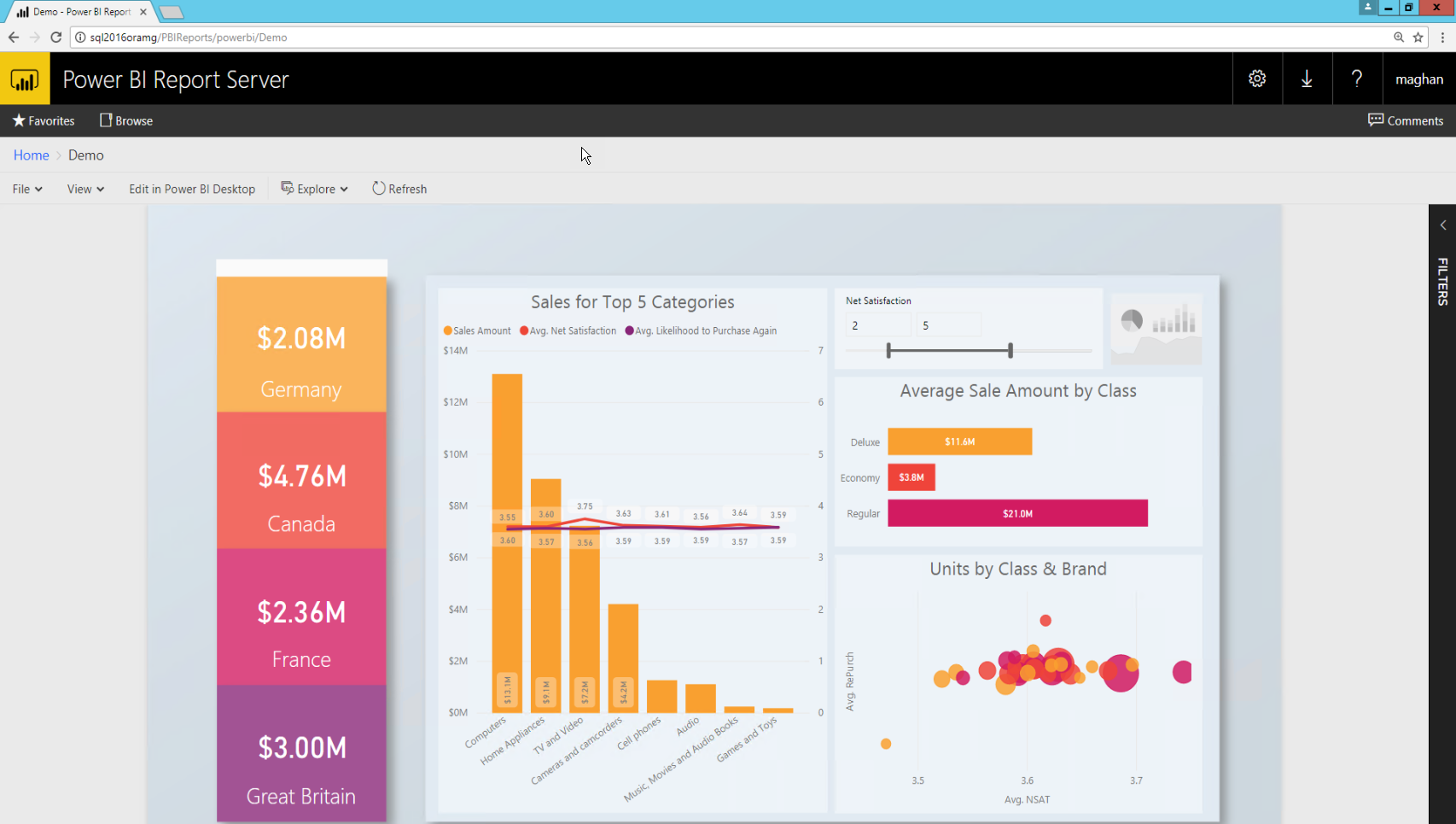
Capturing the URL parameter
Once you have your URL, you can create an iFrame within a SharePoint page, to host the report. For any Power BI Report Server report URL you can add a querystring parameter of ?rs:embed=true to embed your report into an iFrame.
For example: http://myserver/reports/powerbi/Sales?rs:embed=true
Embedding a Power BI Report Server report in a SharePoint iFrame
Navigate to a SharePoint Site Contents page.
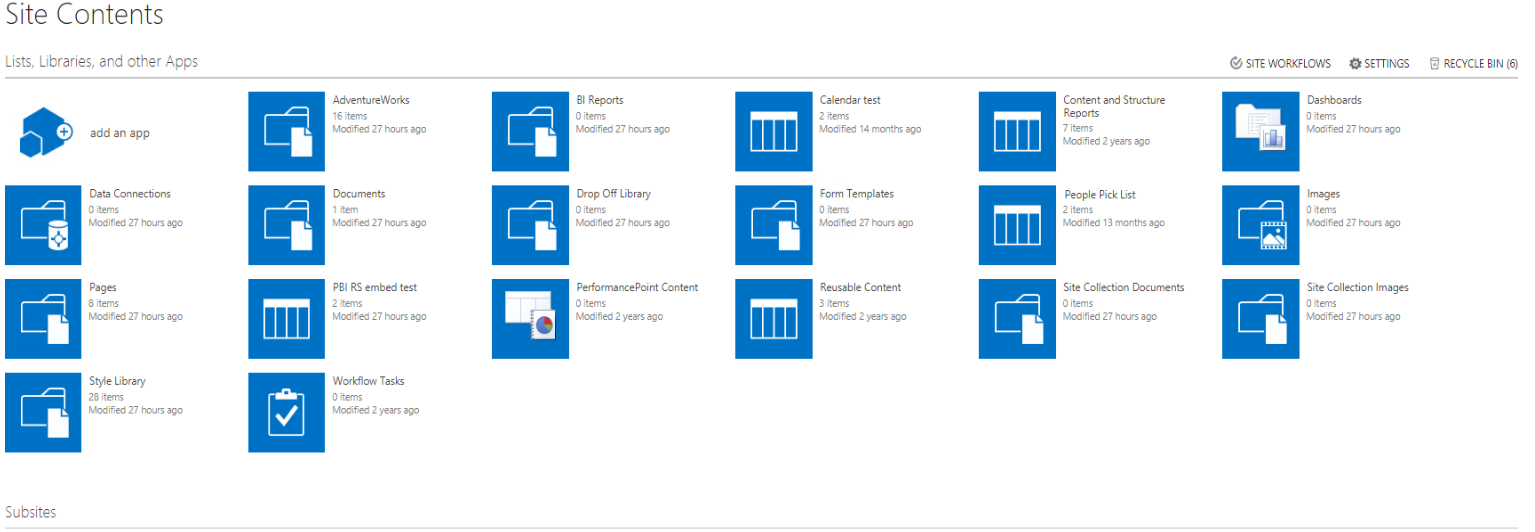
Choose the page where you want to add your report.
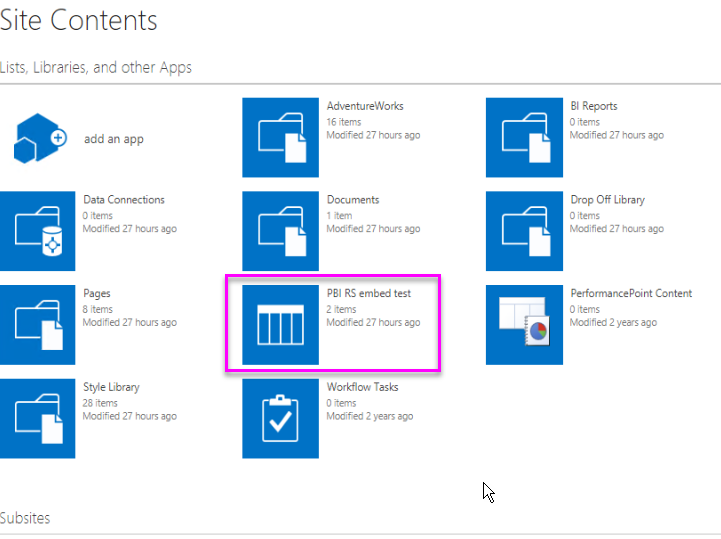
Select the gear on the top right and select Edit Page.

Select Add Web Part.

Under Categories select Media and Content, under Parts, select Content Editor, and then select Add.


Select Click here to add new content.

In the ribbon select the Format Text tab then select Edit Source.

In the Edit Source window paste your iFrame code and select OK.

For example:
Copy<iframe width="800" height="600" src="http://myserver/reports/powerbi/Sales?rs:embed=true" frameborder="0" allowFullScreen="true"></iframe>
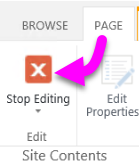
In the ribbon select the Page tab and select Stop Editing.
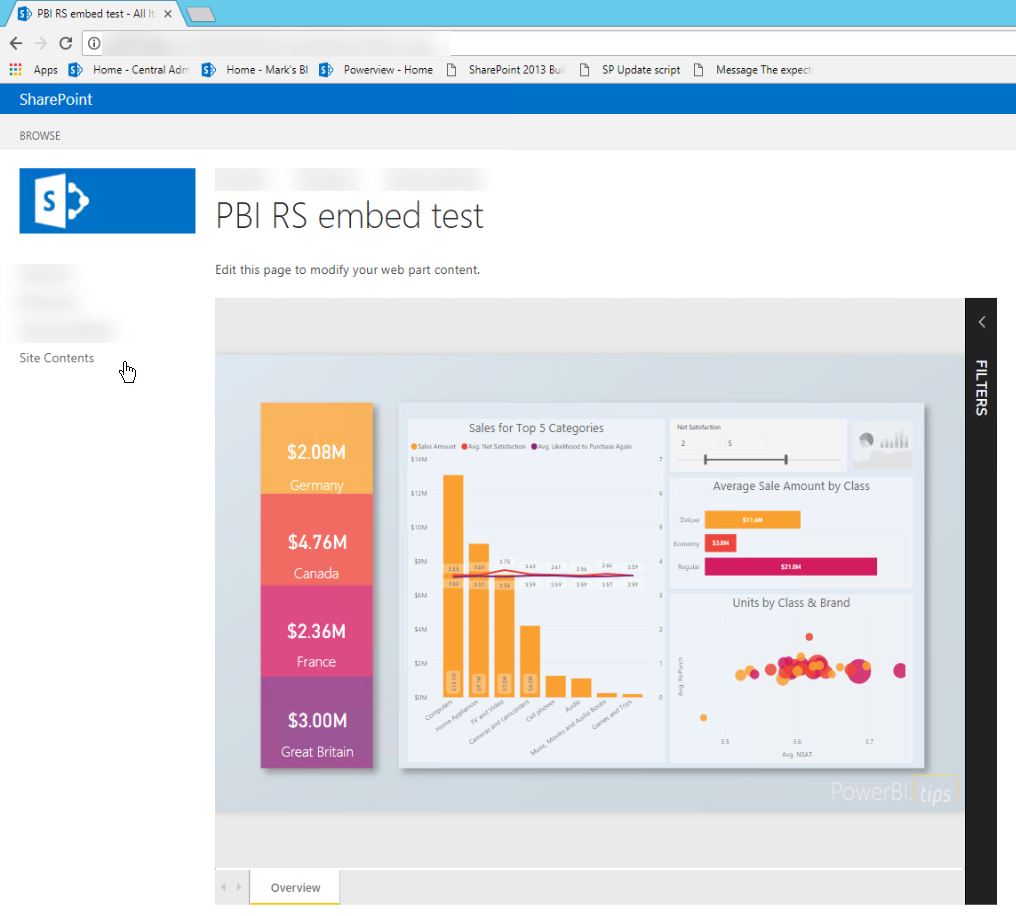
Now you should see the report on the page.
Quickstart: Embed a Power BI Report Server report using an iFrame in SharePoint Server的更多相关文章
- 微软Power BI报表服务器学习总览
今天,微软宣布了8月更新Power BI Report Server!此版本包含一些新功能,包括一些备受期待的项目,如报表主题,条件格式改进和报表页面工具提示. 报告 报告主题 用于触发操作的按钮 组 ...
- 微软Power BI 每月功能更新系列——8月Power BI 新功能学习
Power BI Desktop 8月新功能摘要 Power BI 产品八月发布的新版本又刷新了大家所期待的一些功能,它可以更方便的解决我们从用户那里听到的一些最重要的请求:其中最令人兴奋的是我们的导 ...
- Tutorial: Importing and analyzing data from a Web Page using Power BI Desktop
In this tutorial, you will learn how to import a table of data from a Web page and create a report t ...
- 2019微软Power BI 每月功能更新系列——Power BI 4月版本功能完整解读
Power BI4月份的更新对整个产品进行了重大更新.此版本增加了基于DAX表达式定义视觉效果标题和按钮URL的功能.本月Power BI也新增了许多新的连接器,现在可以使用几种预览连接器,包括Pow ...
- 2019 Power BI最Top50面试题,助你面试脱颖而出系列<下>
Q:什么是附加题? A:这就是常说的送分可选题,可做可不做:也可以说是加分项,是难点提升题. Power BI 面试题 — 附加题 33)什么是 Power View? 答案: Power View是 ...
- 自助分析工具Power BI的简介和应用
作为一名资深的IT技术人,特别喜欢学习和尝试新技术,也勇于接受挑战,勇于创新,不仅能发现问题,更要解决实际的疑难杂症,闲暇时光也乐于分享一些技术干货.记得2017年的时候,华章出版社的编辑通过网上找到 ...
- Power BI for Office 365 概览
伴随着数据量的日益增长,通过自服务式的商业智能把数据转换成辅助决策支持的工具,越来越成为迫切的需求.在以前,处理这些数据往往只是IT人员范围内的事,但是通过Power BI for Office 36 ...
- 系统升级日记(2)- 升级到SharePoint Server 2013
最近一段时间在公司忙于将各类系统进行升级,其最主要的目标有两个,一个是将TFS2010升级到TFS2013,另外一个是将SharePoint 2010升级到SharePoint 2013.本记录旨在记 ...
- 部署解决方案包 (SharePoint Server 2010)
转:http://technet.microsoft.com/zh-cn/library/cc262995(v=office.14).aspx 本文介绍各个解决方案包,及其在 Microsoft Sh ...
随机推荐
- WEB前端 HTML
目录 WEB前端 HTML WEB前端 HTML TOC 什么是html? html的固有结构 注释 什么是标签? 标签分类 什么是标签属性? 适用于大多数HTML标签的属性 常用标签 常用引用标签 ...
- 阿里巴巴TXD前端小报 - 2019年3月刊
原文:前端小报 - 201903月刊 Fundebug经授权转载,版权归原作者所有. [Alibaba-TXD 前端小报]- 热门前端技术快报,聚焦业界新视界:不知不觉 2019 年已经过去了 1/4 ...
- Snapde怎么添加行和列
Snapde,一个专门为编辑超大型数据量CSV文件而设计的单机版电子表格软件:它运行的速度非常快,反应非常灵敏.那么它是如何添加行列的呢? 它有三种方法可以添加: 1.在编辑下拉菜单下找到设置行列数菜 ...
- clCreateBuffer和clCreateBuufer + clEnqueueWriteBuffer
有两种方式实现从主机到CL设备的数据传递, 第一种: cl_mem input = clCreateBuffer(context,CL_MEM_READ_ONLY,sizeof(float) * DA ...
- 腾讯云服务器配置node环境
1:更新现有包 sudo apt-get update 2:安装依赖 sudo apt-get install vim openssl build-essential libssl-dev wget ...
- 四、View的工作原理
1.ViewRoot和DecorView ViewRoot对应于ViewRootImpl类,它是连接WindowManager和DecorView的纽带,View的三大流程均是通过ViewRoot来完 ...
- join的简单总结
BAT面试题:现在有T1.T2.T3三个线程,你怎样保证T2在T1执行完后执行,T3在T2执行完后执行? 这个线程问题通常会在第一轮或电话面试阶段被问到,目的是检测你对”join”方法是否熟悉.这个多 ...
- Xamarin 开发过的那些项目
您可能已经看到类似的统计数据:智能手机用户在手机媒体上花费了89%的时间使用应用程序.或者听说Gartner预测到2017年移动应用程序下载将产生价值770亿美元的收入.很难不考虑这些数字.今天,每个 ...
- Nginx+uWSGI启动Django
在之前的几篇博客中对Django的功能做了初步实践,这里链接贴一下: Django的安装和启动 Django之--网页展示Hello World! Django之--通过MVC架构的html模板展示H ...
- 爬虫实例系列一(requests)
一 爬虫简介 ''' 爬虫:通过编写程序,模拟浏览器上网,让其去互联网上爬取数据的过程 分类: 通用爬虫:爬取全部的页面数据 聚焦爬虫:抓取页面中局部数据 增量式爬虫:爬取网站中更新出的数据 反爬机制 ...