
使用 Sonar 检测代码质量
经历了一段时间的加班赶项目进度之后,今天终于闲下来了。忽然不知道干啥。于是,想着做点什么吧。突然想起了码云上面有个代码分析的功能,用的是 Sonar
于是想来玩玩这个。
一、下载Sonar,和初始化,启动
打开浏览器,搜索sonarqube,进入官网,找到download按钮,下载安装包。浏览器下载慢的话, 可以复制下载链接 到迅雷里边下载。
下载之后,解压到任意目录。
解压后,如果是 windows 64位系统,进入windows-x86-64 目录,双击InstallNTService.bat,成功之后,双击StartSonar.bat 启动。
然后打开浏览器输入:http://192.168.2.100:9000/。可以看到一个界面。
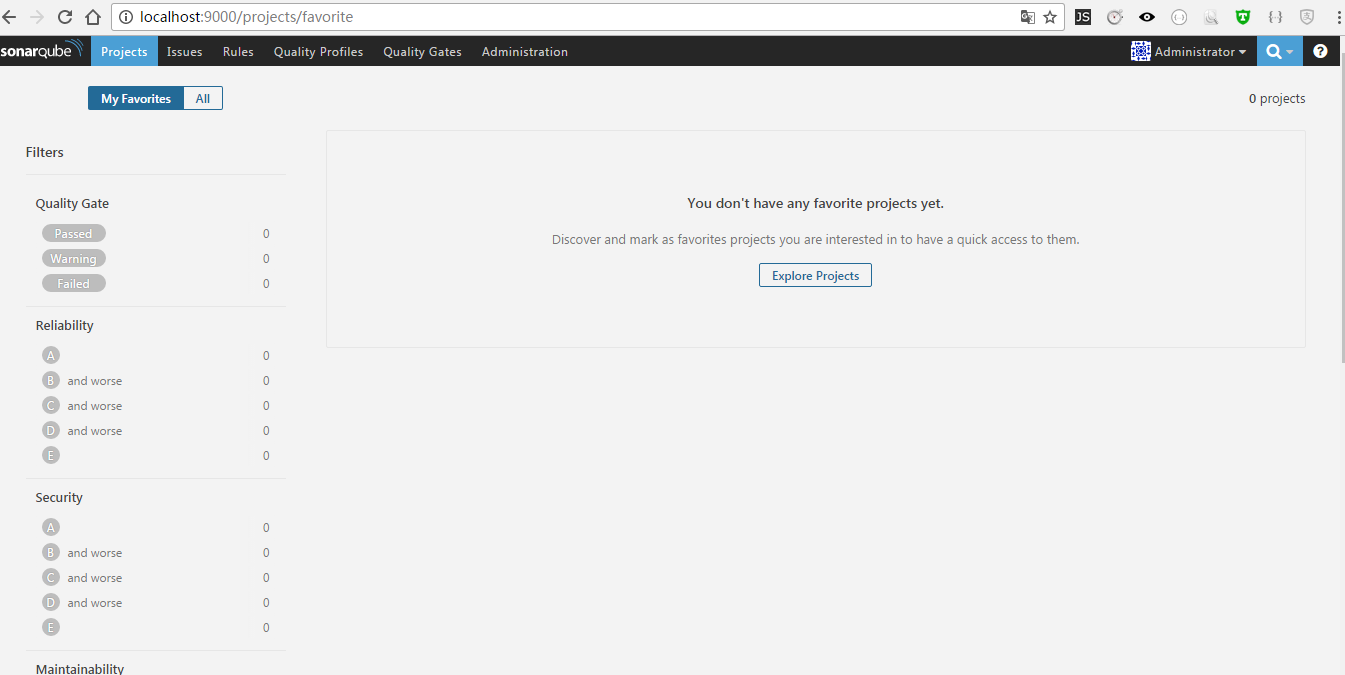
二、配置和创建数据库
sonar需要java环境的支持,分析数据会保存到保存到数据库。支持mysql,oracle,PostgreSQL,SQLServer
所以,这里需要默认你已经配置好了Java开发环境,已经安装了mysql数据库。
打开 sonar 解压目录的,conf,可以看到sonar.properties 文件中有如下配置:
# User credentials.

# Permissions to create tables, indices and triggers must be granted to JDBC user.

# The schema must be created first.

sonar.jdbc.username=sonar

sonar.jdbc.password=sonar

#----- Embedded Database (default)

# H2 embedded database server listening port, defaults to 9092

#sonar.embeddedDatabase.port=9092

#----- MySQL 5.6 or greater

# Only InnoDB storage engine is supported (not myISAM).

# Only the bundled driver is supported. It can not be changed.

sonar.jdbc.url=jdbc:mysql://localhost:3306/sonar?useUnicode=true&characterEncoding=utf8&rewriteBatchedStatements=true&useConfigs=maxPerformance

#----- Oracle 11g/12c

# - Only thin client is supported

# - Only versions 11.2.x and 12.x of Oracle JDBC driver are supported

# - The JDBC driver must be copied into the directory extensions/jdbc-driver/oracle/

# - If you need to set the schema, please refer to http://jira.sonarsource.com/browse/SONAR-5000

#sonar.jdbc.url=jdbc:oracle:thin:@localhost:1521/XE
上面红色加粗的东西本来是注释掉的,现在我给解开了。并增加了配置。这里的配置,说明的数据库信息,和连接的用户信息。
但是,咱们还没有这个用户,和这个数据库,所以需要执行如下命令来创建用户和数据库。:
#mysql -u root -p

mysql> CREATE DATABASE sonar CHARACTER SET utf8 COLLATE utf8_general_ci;

mysql> CREATE USER 'sonar' IDENTIFIED BY 'sonar';

mysql> GRANT ALL ON sonar.* TO 'sonar'@'%' IDENTIFIED BY 'sonar';

mysql> GRANT ALL ON sonar.* TO 'sonar'@'localhost' IDENTIFIED BY 'sonar';

mysql> FLUSH PRIVILEGES;
数据库弄好之后,同时需要复制一个数据库驱动放到安装目录的:extensions\jdbc-driver\mysql 下面。比如我用的是:mysql-connector-java-6.0.3.jar
到这里工作完成一半了。如果要想运行分析,则还需要一个东西。根据官方的文档,有如下内容:

- Created by Anonymous on Dec 06, 2016
Table of Contents
Once the SonarQube platform has been installed, you're ready to install an analyzer and begin creating projects. A project is created in the platform automatically on its first analysis. However, if you need to set some configuration on your project before its first analysis, you have the option of provisioning it.
Running Analysis
First, you should install the plugin(s) for the language(s) of the project to be analyzed, either by a direct download or through the update center.
Then, you need to choose an analysis method. The following are available:
- SonarQube Scanner: Launch analysis from the command line for any language
- SonarQube Scanner for MSBuild: Launch analysis of .Net projects
- SonarQube Scanner for Ant: Launch analysis from Ant
- SonarQube Scanner for Maven: Launch analysis from Maven with minimal configuration
- SonarQube Scanner for Gradle: Launch Gradle analysis
- SonarQube Scanner For Jenkins: Launch analysis from Jenkins
Note that we do not recommend running an antivirus on the machine where a SonarQube analysis runs, it could result in unpredictable behavior.
SonarQube.com User?
也就是,我们需要下载一个SonarQube Scanner 才能运行代码分析。上面提供了6种,我选择了第一种。下载点这里
1.下载之后,解压到随意目录。假设目录是:D:\develop\sonarqube-6.2\sonar-scanner-2.8
2. 将目录D:\develop\sonarqube-6.2\sonar-scanner-2.8\bin 配置到环境变了path中。
3.打开D:\develop\sonarqube-6.2\sonar-scanner-2.8\conf 下的sonar-scanner.properties 文件,进行如下配置:
#Configure here general information about the environment, such as SonarQube DB details for example

#No information about specific project should appear here

#----- Default SonarQube server

sonar.host.url=http://localhost:9000

#----- Default source code encoding

#sonar.sourceEncoding=UTF-8

#----- Global database settings (not used for SonarQube 5.2+)

sonar.jdbc.username=sonar

sonar.jdbc.password=sonar

#----- PostgreSQL

#sonar.jdbc.url=jdbc:postgresql://localhost/sonar

#----- MySQL

sonar.jdbc.url=jdbc:mysql://localhost:3306/sonar?useUnicode=true&characterEncoding=utf8

#----- Oracle

#sonar.jdbc.url=jdbc:oracle:thin:@localhost/XE

#----- Microsoft SQLServer

#sonar.jdbc.url=jdbc:jtds:sqlserver://localhost/sonar;SelectMethod=Cursor
三、运行代码分析
假设上的步骤你都配合好了。并且,启动了SonarQube。
假设现在有项目myproject,进入到项目的根目录创建一个文件sonar-project.properties,文件内容如下:
# must be unique in a given SonarQube instance

sonar.projectKey=my:myproject    #key是唯一的

# this is the name and version displayed in the SonarQube UI. Was mandatory prior to SonarQube 6.1.

sonar.projectName=myproject   #项目名字

sonar.projectVersion=1.0

# Path is relative to the sonar-project.properties file. Replace "\" by "/" on Windows.

# Since SonarQube 4.2, this property is optional if sonar.modules is set.

# If not set, SonarQube starts looking for source code from the directory containing

# the sonar-project.properties file.

sonar.sources=.

# Encoding of the source code. Default is default system encoding

#sonar.sourceEncoding=UTF-8
进入CMD.进入到项目的目录,就是刚才包含sonar-project.properties文件的这个目录。
执行命令:sonar-scanner
然后就是等待执行结果,大概几分钟吧。成功之后,进入:http://192.168.2.100:9000/
可以看到项目分析的结果,当然了,可能需要等待一会儿才能看到,因为有处理时间,我在运行上面的命令之后,看到cmd窗口成功完成了。马上到这个页面看,发现还没有。
大概一分钟之后刷新,发现,有了!如下所示:

点这个进去看就知道了。里边有很详细的结果汇报。有问题的代码片段展示,并提示如何修改。还是挺好的。
错误记录:
当时分析了三四个项目,其中有一个失败了,其他都成功了,观看日志发现描述是这样的:
INFO: Analysis report generated in 9263ms, dir size=11 MB
INFO: Analysis reports compressed in 5699ms, zip size=4 MB
INFO: ------------------------------------------------------------------------
INFO: EXECUTION FAILURE
INFO: ------------------------------------------------------------------------
INFO: Total time: 6:28.455s
INFO: Final Memory: 29M/1274M
INFO: ------------------------------------------------------------------------
ERROR: Error during SonarQube Scanner execution
ERROR: Failed to upload report - 500: An error has occurred. Please contact your administrator
ERROR:
ERROR: Re-run SonarQube Scanner using the -X switch to enable full debug logging.
结果是“EXECUTION FAILURE” 失败了。
失败原因是啥呢? 注意我加粗的文字。 分析的报告大小是 11MB,压缩之后4MB。还是很大的。上传失败的原因是 MYSQL配置问题。
在mysql的终端窗口输入如下命令:
show VARIABLES like '%max_allowed_packet%';
可以看到max_allowed_packet的大小,用这个值 max_allowed_packet / 1024 /1024 = ? M
所以把这个设置大点就好了。在mysql的命令行窗口执行如下命令:
set global max_allowed_packet=6*1024*1024
使用 Sonar 检测代码质量的更多相关文章
- RubyCritic:一款不错的检测代码质量工具
关注代码质量是高效开发必须要做的一件事,那么在 Ruby 开发的过程中,是否有什么好的代码质量检测工具呢?下面由 Ruby 工程师路英瑞介绍一下 RubyCritic--一款还不错的代码质量检测工具. ...
- 测试框架:使用SONAR分析代码质量
介绍 Sonar是一个用于代码质量管理的开源平台,用于管理Java源代码的质量.通过插件机制,Sonar 可以集成不同的测试工具,代码分析工具,以及持续集成工具,比如pmd-cpd.checkstyl ...
- ant+sonar+jacoco代码质量代码覆盖率扫描
使用ant构建的java web项目如何做sonar代码质量扫描?以下就是实际遇到并成功使用的案例一.做sonar扫描的准备工作 1.给web项目增加build.xml构建脚本. 2.下载 ...
- 通过Sonar的代码质量报告学习【如何写安全高质量的代码】
1.不要用.size(),改用isEmpty() Using Collection.size() to test for emptiness works, but using Collection.i ...
- sonar的安装与代码质量检测实例
说明:sonar依赖数据库. mysql优化 1.笔者使用的是mysql数据库.首先对mysql做简单的优化配置. [root@localhost bin]# cat /etc/my.cnf [mys ...
- Docker 搭建代码质量检测平台 SonarQube
开始搭建 1.获取 postgresql 的镜像 $ docker pull postgres 2.启动 postgresql $ docker run --name db -e POSTGRES_U ...
- Linux下SonarQube代码质量平台的安装和使用方法
Sonar简介: Sonar是一个用于代码质量管理的开源平台,用于管理源代码的质量,可以从七个维度检测代码质量 通过插件形式,可以支持包括java,C#,C/C++,PL/SQL,Cobol,Java ...
- 代码质量检测-Sonar
一. Sonar简介 sonarqube系统是一个代码质量检测工具 由以下四个组件组成(https://docs.sonarqube.org/display/SONAR/Architecture+an ...
- 代码质量检测(SonarQube)整合中文版+阿里P3C
代码质量检测(SonarQube)整合中文版+阿里P3C 简介 SonarQube是一种自动代码审查工具,用于检测代码中的错误,漏洞和代码异味.它可以与您现有的工作流程集成,以便在项目分支和拉取请求之 ...
随机推荐
- c指针作业(第一次)
1. 数据类型的本质是什么? (从编译器的角度考虑) 数据类型可理解为创建变量的模具:是固定内存大小的别名 数据类型的作用:编译器预算对象(变量)分配的内存空间大小 注意:数据类型只是模具,编译器并没 ...
- IIS部署ASP.Net Core 502.5错误和解决
在Win7的机器上部署ASP.Net Core程序,老是提示502.5错误. 已经安装了 Microsoft Visual C++ 2015 Redistributable .NET Core Win ...
- [hashcat]基于字典和暴力破解尝试找到rar3-hp的压缩包密码
1.使用rar2john找到md5 2.基于字典 hashcat -a 0 -m 12500 /root/Desktop/md5.txt /usr/share/wordlists/weakpass.t ...
- CAN总线报文浅析
CAN的报文格式 在总线中传送的报文,每帧由7部分组成.CAN协议支持两种报文格式,其唯一的不同是标识符(ID)长度不同,标准格式为11位,扩展格式为29位. 在标准格式中,报文的起始位称为帧起始(S ...
- 整体二分(SP3946 K-th Number ZOJ 2112 Dynamic Rankings)
SP3946 K-th Number (/2和>>1不一样!!) #include <algorithm> #include <bitset> #include & ...
- (字符串 数组 递归 双指针) leetcode 344. Reverse String
Write a function that reverses a string. The input string is given as an array of characters char[]. ...
- python中的装饰器迭代器生成器
装饰器: 定义:本质是函数(装饰其它函数) 为其它函数添加附加功能 原则: 1 不能修改被装饰函数源代码 2 不修改被装饰函数调用方式 实现装饰器知识储备: 1 函数即‘’变量‘’ 2 高阶函数 ...
- 分布式监控系统开发【day38】:报警阈值程序逻辑解析(三)
一.需求讨论 1.请问如何解决延迟问题 1000台机器,每1分钟循环一次但是刚好第一次循环第一秒刚处理完了,结果还没等到第二分钟又出问题,你那必须等到第二次循环,假如我这个服务很重要必须实时知道,每次 ...
- ETL过程跑完后,使用python发送邮件
目标库中,如果有行数为0的表,使用python发送邮件 # -*- coding:utf-8 -*- # Author: zjc # Description:send monitor info to ...
- Servlet中转发和重定向的路径问题【转】
转发和重定向的路径问题 Servlet中有两种方式获得转发对象(RequestDispatcher):一种是通过HttpServletRequest的getRequestDispatcher()方法获 ...