
5. repeater图片放大
当把鼠标放在一张小图片上时,图片会自动放大,离开时它变小。
我们在静态页面中可以用jQuery来操作。如下为html中的源码。
<!DOCTYPE html PUBLIC "-//W3C//DTD XHTML 1.0 Transitional//EN" "http://www.w3.org/TR/xhtml1/DTD/xhtml1-transitional.dtd">

<html xmlns="http://www.w3.org/1999/xhtml">

<head>

    <title></title>

    <script src="js/jquery-2.0.2.js" type="text/javascript"></script>

    <script type="text/javascript">

        $(function () {

            $("#table1 img").mouseover(function (e) {

            $(this).animate({ "width": "200", "height": 200 }, 1000);

            $("#table1 img").not(this).animate({ "width": "50", "height": "50" });

            });

            $("#table1 img").click(function (e) {

                $("#div img").attr("src", $(this).attr("src"));

                $("#div").css("display", "").css("left", e.pageX).css("top", e.pageY);

            });

        });

    </script>

</head>

<body>

<table id="table1" border="0" cellspacing="0" cellpadding="0"  >

    <tr>

        <td><img src="objsrc/imgs/1.jpg" width="50" height="50" /></td>

        <td><img src="objsrc/imgs/2.jpg" width="50" height="50" /></td>

        <td><img src="objsrc/imgs/3.jpg" width="50" height="50" /></td>

        <td><img src="objsrc/imgs/4.jpg" width="50" height="50" /></td>

        <td><img src="objsrc/imgs/5.jpg" width="50" height="50" /></td>

        <td><img src="objsrc/imgs/6.jpg" width="50" height="50" /></td>

    </tr>

</table>

<div id="div" style="display:none;position:absolute">

       <img src="" />

    </div>

</body>

</html>
截图:
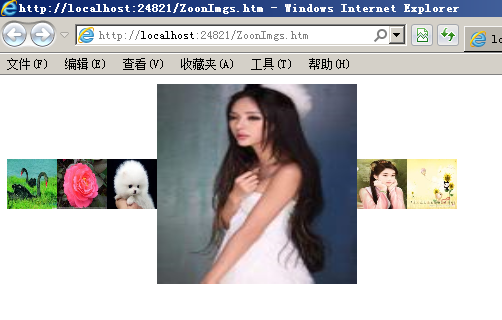
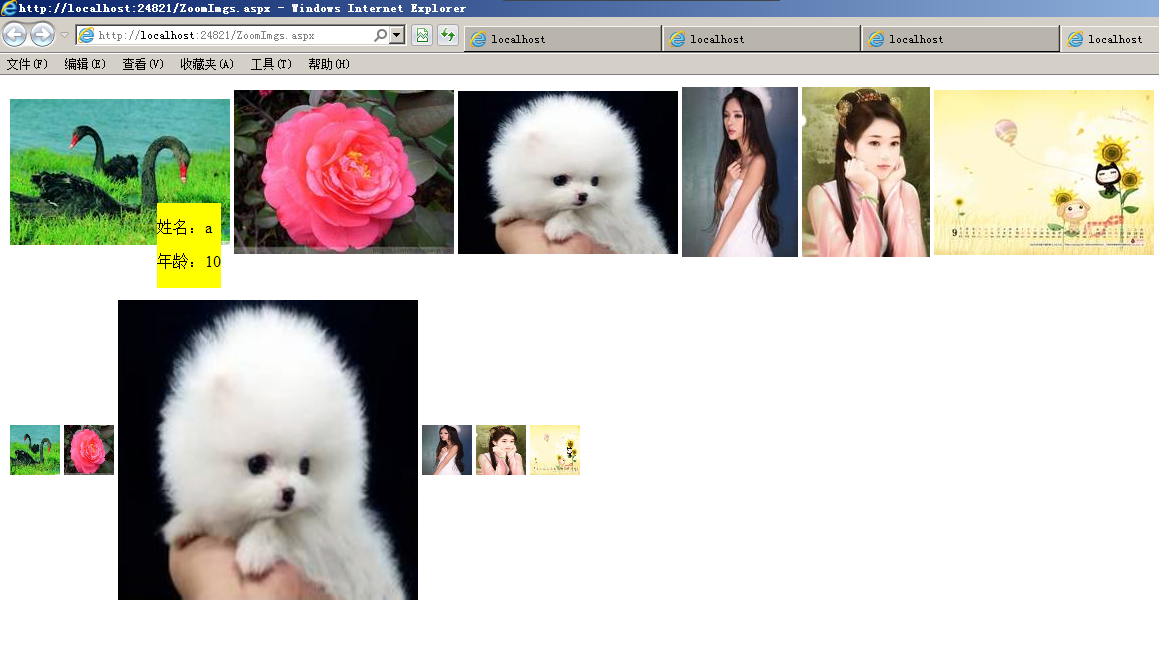
在用repeater显示数据库中的图片时,我们也可以用jquery方法把鼠标移动到图片上放大 。基本的操作方式和上例中的连接数据库是一样的,此处省略操作步骤。这里面有两个Repeater,一个为当鼠标在图片上移动时显示人的名称,另一个为自动放大图片。
它的源码为:
<%@ Page Language="C#" AutoEventWireup="true" CodeBehind="ZoomImgs.aspx.cs" Inherits="Repeater.ZoomImgs" %>

<!DOCTYPE html PUBLIC "-//W3C//DTD XHTML 1.0 Transitional//EN" "http://www.w3.org/TR/xhtml1/DTD/xhtml1-transitional.dtd">

<html xmlns="http://www.w3.org/1999/xhtml">

<head runat="server">

    <title></title>

    <script src="js/jquery-2.0.2.js" type="text/javascript"></script>

</head>

<body>

    <form id="form1" runat="server">

    <div>

        <asp:ObjectDataSource ID="ObjectDataSource1" runat="server"

            DeleteMethod="Delete" InsertMethod="Insert"

            OldValuesParameterFormatString="original_{0}" SelectMethod="GetData"

            TypeName="Repeater.objsrc.DAL.DataSetUserTableAdapters.T_UsersTableAdapter"

            UpdateMethod="Update">

            <DeleteParameters>

                <asp:Parameter Name="Original_id" Type="Int32" />

            </DeleteParameters>

            <InsertParameters>

                <asp:Parameter Name="name" Type="String" />

                <asp:Parameter Name="age" Type="Int32" />

                <asp:Parameter Name="imgname" Type="String" />

            </InsertParameters>

            <UpdateParameters>

                <asp:Parameter Name="name" Type="String" />

                <asp:Parameter Name="age" Type="Int32" />

                <asp:Parameter Name="imgname" Type="String" />

                <asp:Parameter Name="Original_id" Type="Int32" />

            </UpdateParameters>

        </asp:ObjectDataSource>

        <asp:Repeater ID="Repeater1" runat="server" DataSourceID="ObjectDataSource1">

          <HeaderTemplate><table id="imgtable"><tr></HeaderTemplate>

          <ItemTemplate>

            <td><img src='objsrc/imgs/<%#Eval("imgname")%>'  a1='<%#Eval("name") %>' a2='<%#Eval("age") %>' /></td>

          </ItemTemplate>

          <FooterTemplate></tr></table></FooterTemplate>

        </asp:Repeater>

        <br />

        <br />

        <asp:Repeater ID="Repeater2" runat="server" DataSourceID="ObjectDataSource1">

        <HeaderTemplate><table id="zoomtable"><tr></HeaderTemplate>

        <ItemTemplate>

        <td><img src='objsrc/imgs/<%#Eval("imgname") %>' width="" height="" /></td>

        </ItemTemplate>

        <FooterTemplate></tr></table></FooterTemplate>

        </asp:Repeater>

    <script type="text/javascript">

        $("#zoomtable img").mouseover(function () {

            /*$(this).attr("width", 200).attr("height", 200);*/

            $(this).animate({ "width": "", "height": "" }, "slow");

            $("#zoomtable img").not(this).animate({"width":"","height":""});

        });

    </script>

    </div>

    <div id="imgdiv" style="position:absolute;display:none;border:1px;background-color:Yellow">

      <p >姓名:<span id="span1"></span></p>

      <p >年龄:<span id="span2"></span></p>

    </div>

    </form>

    <script type="text/javascript">

        $("#imgtable img").mousemove(function (e) {

            $("#span1").text($(this).attr("a1"));

            $("#span2").text($(this).attr("a2"));

            $("#imgdiv").css("top",e.pageY).css("left", e.pageX).show();

        });

    </script>

</body>

</html>
截图:
5. repeater图片放大的更多相关文章
- (JS+CSS)实现图片放大效果
代码很简单,在这里就不过多阐述,先上示例图: 实现过程: html部分代码很简单 <div id="outer"> <p>点击图片</p> &l ...
- jQuery Lightbox图片放大预览
简介:jQuery Lightbox图片放大预览代码是一款可以在用户点击页面中的小图片时,将该图片的高清版本以Lightbox的方式放大显示在页面的中间,提高用户的体验度. 效果展示 http://h ...
- 网页mp3语音展示,点击图片放大,点击图片跳转链接,调表格
查看mp3语音 <td class="value"><embed src="${sounds.soundName}" type="a ...
- jq随手写图片放大
html: <img id="img1" src="<?php echo $info->business_licence_img; ?>" ...
- 推荐两款简单好用的图片放大jquery插件
一.zoomfiy.js 推荐可以从这里下载 使用说明: 使用该jquery 插件引入该插件的js:zoomfiy.js 或 min引入该插件的css:zoomfiy.css 或 min前后顺序都可j ...
- js图片放大效果
实现购物网站里的图片放大效果,jqzoom很好用.今天才接触它,很快就上手了.看了一个示例,在放大图像上方貌似有水印,后经排查,原来是图片的标题,然后设置title为false,搞定.
- magento中如何实现产品图片放大效果
Magento列表页用jQuery实现产品图片放大效果今天看到个网站,鼠标移到列表页的产品图片上,旁边会弹出一个大图,感觉不错,就自己在Magento里写了个.先看看效果 这个效果比较好实现,打开li ...
- 41.Android之图片放大缩小学习
生活中经常会用到图片放大和缩小,今天简单学习下. 思路:1.添加一个操作图片放大和缩小类; 2. 布局文件中引用这个自定义控件; 3. 主Activity一些修改. 代码如下: 增加图片操作类: ...
- 图片放大方法、、菜单栏的位置随滚轮移动固定方法、、<a></a>去外层虚线方法:a:focus { outline:none; -moz-outline:none;};
图片放大方法一: <style type="text/css">.xt{ width:230px; height:230px;}.tp{ width:230px; he ...
随机推荐
- 【linux驱动分析】ioctl函数的使用
一.用户空间的ioctl int ioctl(int fd, unsigned long cmd, void *data); 第一个參数是文件描写叙述符,第二个參数代表传递的命令,它会原样传 ...
- Apache SSL服务器配置SSL详解(转)
1.安装必要的软件 引用 我用的是apahce2.0.61版,可以直接官方提供的绑定openssl的apache. 文件名是:apache_2.0.61-win32-x86-openssl-0.9.7 ...
- mybatis0208 缓存
查询缓存 1.1缓存的意义 数据在磁盘会有一个IO,高并发读取效率就很低,将用户经常查询的数据放在缓存(内存)中,用户去查询数据就不用从磁盘上(关系型数据库数据文件)查询,从缓存中查询,从而提高查询效 ...
- 在LINUX中跟踪函数调用----http://stackoverflow.com/
http://stackoverflow.com/questions/311840/tool-to-trace-local-function-calls-in-linux I am looking f ...
- codevs 2149 矩形周长(暴力扫描线)
/* 暴力应该很好理解 不多说了 至于线段树维护的嘛 还没看懂 哪天突然想明白了在写吧 */ #include<iostream> #include<cstdio> #incl ...
- 【转】Windows环境下.NET 操作Oracle问题
目前,Windows操作系统可以分成两类,32位和64位(64位也区分x86_64位和Itanium ),同时Oracle客户端也做了同样的区分. 在安装和开发的过程中,经常会遇到一些问题,本文就总结 ...
- 关于一些Android冷知识
1. 在Android4.0以后,EditText就由以前的输入框变成了一条划线的输入方式,如需要变为老版本的,只需在layout里面引入代码: android:background="@a ...
- HTML5+移动APP(1)
前言: 介绍使用html5+(nativejs)和mui开发移动app(包括Android和iOs) HBuilder h5+开发app的环境,是一个对eclipse做了深度定的IDE. 官网: ht ...
- What and where are the stack and heap?
The stack is the memory set aside as scratch space for a thread of execution. When a function is cal ...
- OC - 19.GCD
简介 GCD(Grand Center Dispatch)是Apple为多核的并行运算提出的解决方案,纯C语言 更加适配多核处理器,且自动管理线程的生命周期,使用起来较为方便 GCD通过任务和队列实现 ...