
MVC方式显示数据(数据库)
新建实体数据模型
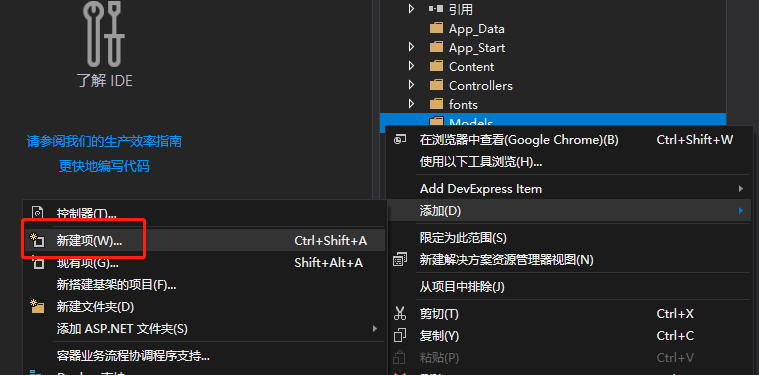
选择ADO.NET实体数据模型,名称改为数据库名
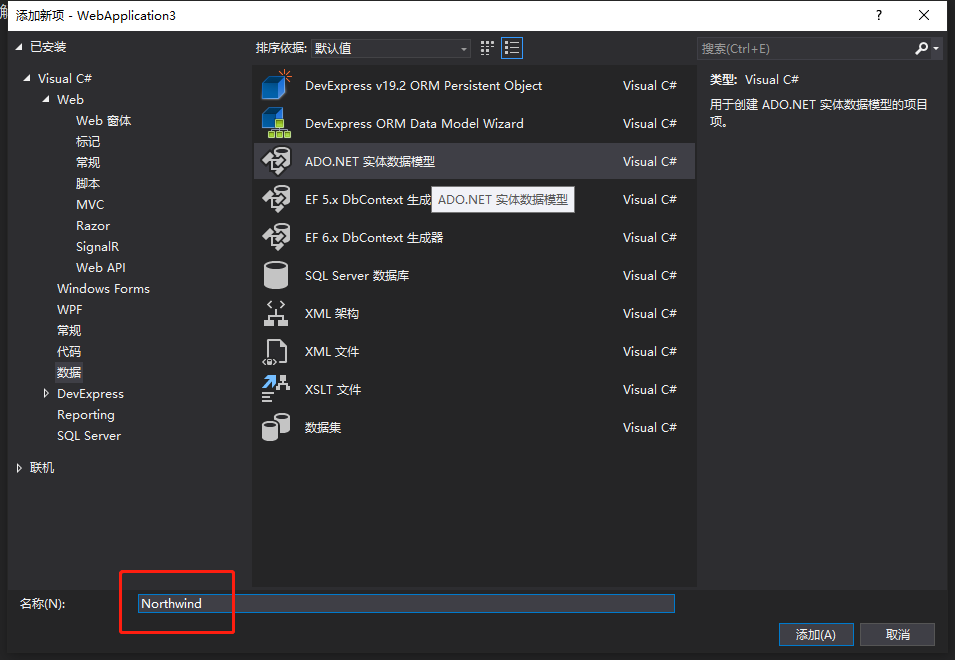
因为使用现有数据库,所以选择来自数据库的EF设计器,只演示所以只选择一个表,空模型可后期增加表
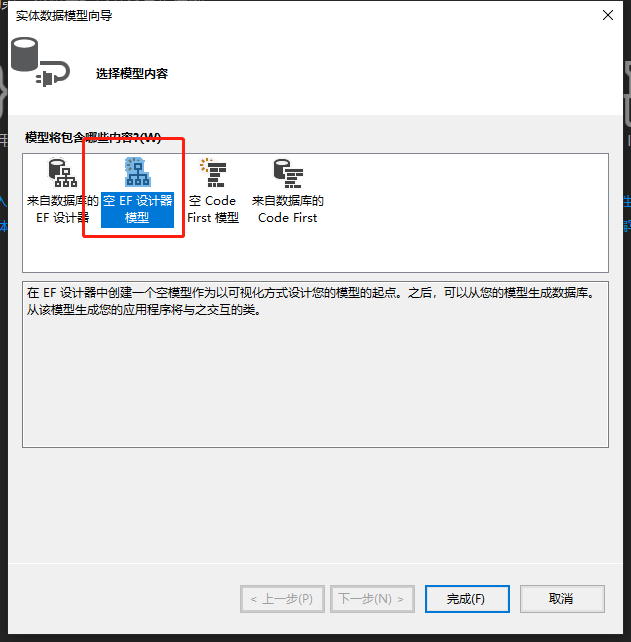
选择从数据库更新模型
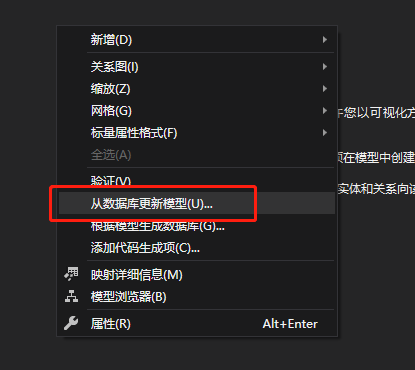
新建数据库连接
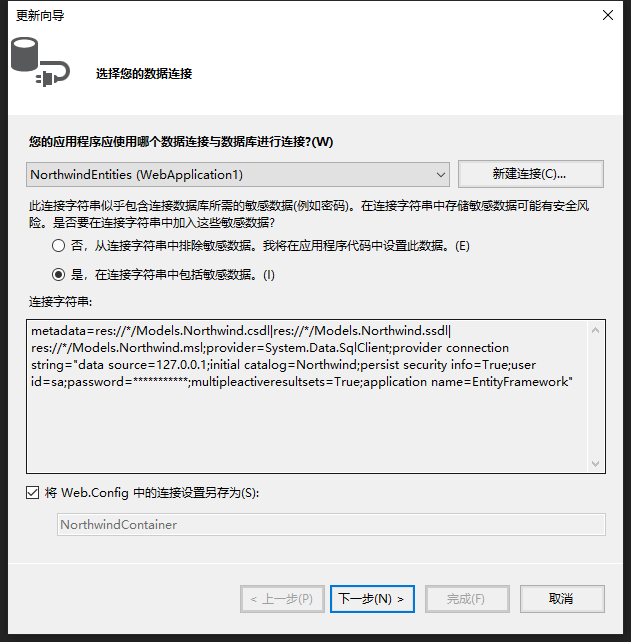
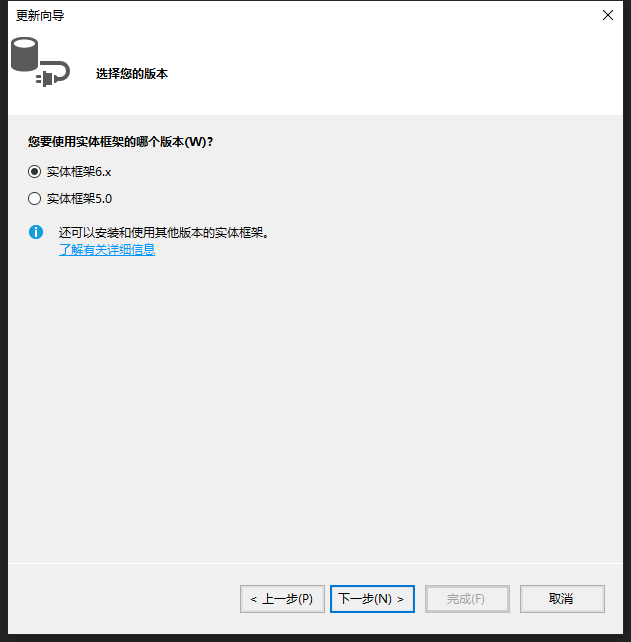
选择EF6.X框架
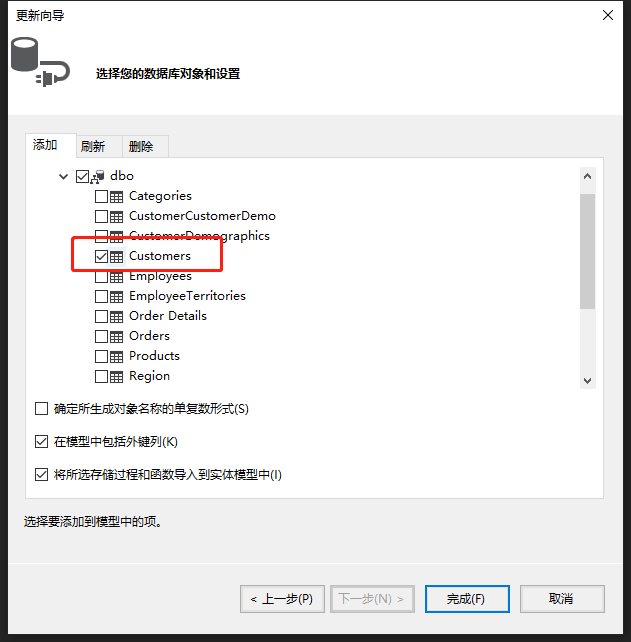
选择要查询数据的表
选择后的实体数据库设计视图

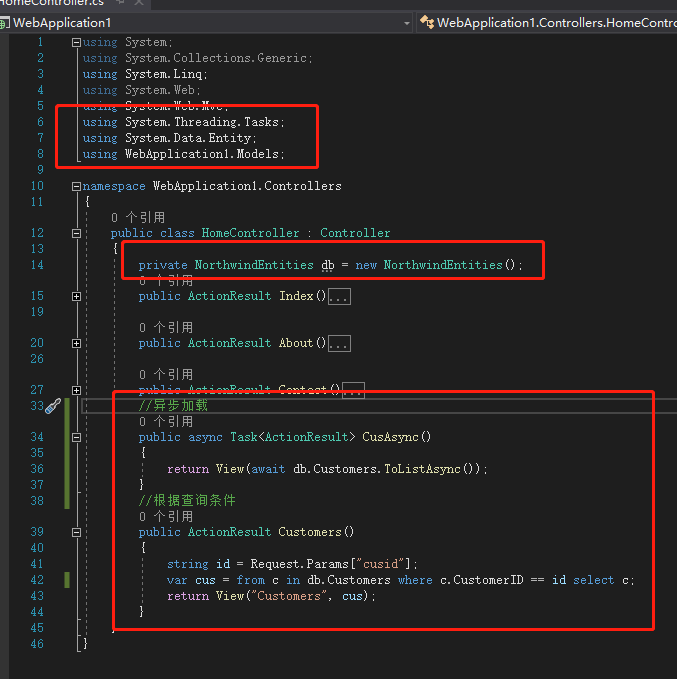
引用异步、EF、数据模型命名空间
 using System;

 using System.Collections.Generic;

 using System.Linq;

 using System.Web;

 using System.Web.Mvc;

 using System.Threading.Tasks;

 using System.Data.Entity;

 using WebApplication1.Models;

 namespace WebApplication1.Controllers

 {

     public class HomeController : Controller

     {

         private NorthwindEntities db = new NorthwindEntities();

         public ActionResult Index()

         {

             return View();

         }

         public ActionResult About()

         {

             ViewBag.Message = "Your application description page.";

             return View();

         }

         public ActionResult Contact()

         {

             ViewBag.Message = "Your contact page.";

             return View();

         }

         //异步加载

         public async Task<ActionResult> CusAsync()

         {

             return View("Customers", await db.Customers.ToListAsync());

         }

         //根据查询条件

         public ActionResult Customers()

         {

             string id = Request.Params["cusid"];

             var cus = from c in db.Customers where c.CustomerID == id select c;

             return View("Customers", cus);

         }

     }

 }
视图代码
 @model IEnumerable<WebApplication1.Models.Customers>

 @{

     ViewBag.Title = "Customers";

 }

 <h2>Customers</h2>

 <table class="table">

     <caption>基本的表格布局</caption>

     <thead>

         <tr>

             <th>CustomerID</th>

             <th>CompanyName</th>

             <th>ContactName</th>

         </tr>

     </thead>

     <tbody>

         @foreach (var item in Model)

         {

         <tr>

             <td>@Html.DisplayFor(modelitem => item.CustomerID)</td>

             <td>@Html.DisplayFor(modelitem => item.CompanyName)</td>

             <td>@Html.DisplayFor(modelitem => item.ContactName)</td>

         </tr>

         }

     </tbody>

 </table>
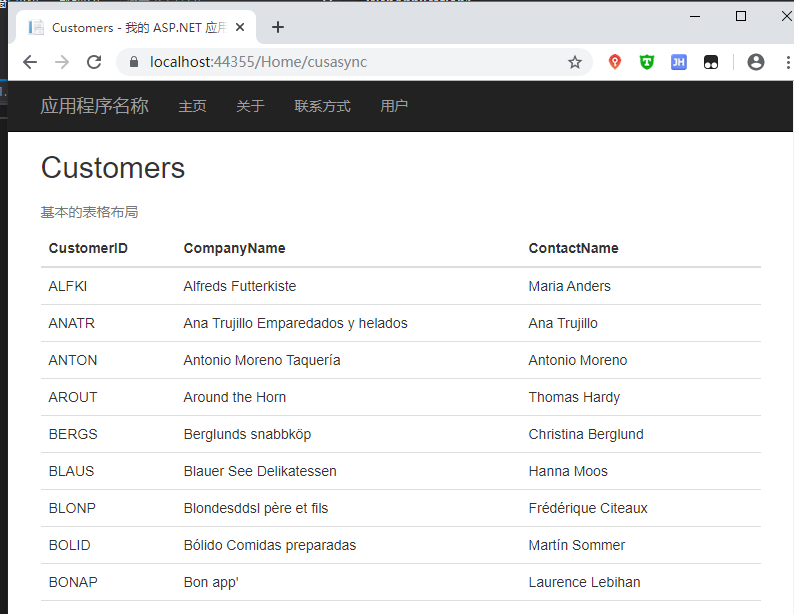
显示异步加载效果
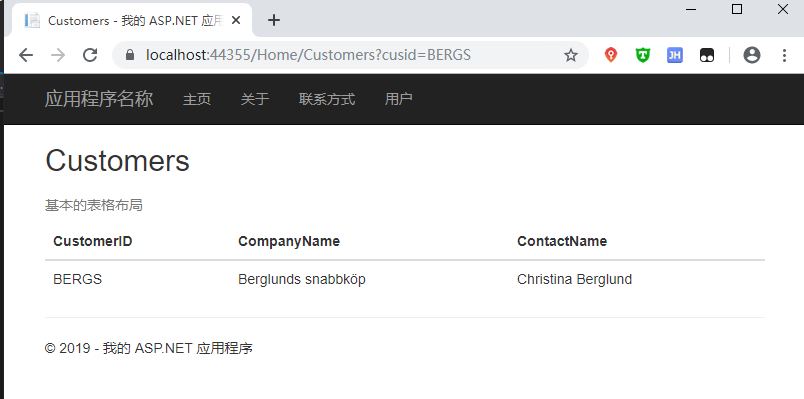
根据查询条件显示效果
MVC方式显示数据(数据库)的更多相关文章
- ABP 极简入门教程(二 MVC方式显示数据)
增加显示菜单 Sample.Web.MVC项目中找到startup目录打开SampleNavigationProvider.cs,根据现有内容添加以下内容 .AddItem( new MenuItem ...
- MVC方式显示数据(手动添加数据)
Model添加类 Customers using System; using System.Collections.Generic; using System.Linq; using System.W ...
- MVC bootstrap-table显示数据时显示No matching records found
问题:bootstrap-table加载数据不显示 @{ ViewBag.Title = "Index"; Layout = "~/Views/Shared/_Layou ...
- angularjs表格方式显示数据
<table> <tr ng-repeat="x in names"> <td>{{ x.Name }}</td> <td&g ...
- 怎样操作WebAPI接口(显示数据)
就在去年Insus.NET已经写好的一个WebAPI项目,并且发布在IIS中.参考<创建与使用Web API>http://www.cnblogs.com/insus/p/5019088. ...
- Django学习之天气调查实例(2):显示数据表数据
数据表数据添加后,如添加3条用户信息,分别为“aaa”.“bbb”.“ccc”,现在通过代码的方式显示数据表中的数据. 1.在website项目文件夹中创建 userload.py文件,并且写如下代码 ...
- 利用PHP实现登录与注册功能以及使用PHP读取mysql数据库——以表格形式显示数据
登录界面 <body><form action="login1.php" method="post"><div>用户名:&l ...
- MVC 5使用ViewData(对象)显示数据
控制器协调处理好数据之后,是交由视图来显示数据.在控制器与视图交互有一个是ViewData.这次练习,Insus.NET就以它来做实例. 前些时间,Insus.NET实现的练习中,也有从控制器传数据给 ...
- MVC 5使用ViewBag(对象)显示数据
前面Insus.NET有演示使用ViewData来实现控制器与视图的通讯.如果想了解的话,可以从下面两个链接可以查看:<MVC 5使用ViewData(对象)显示数据>http://www ...
随机推荐
- 编译安装python3事出错:
configure: error: no acceptable C compiler found in $PATH 问题解决 解决方法: yum intall gcc -y
- 123457123456#0#-----com.threeapp.ErTongPaint01-----儿童宝宝绘画涂鸦游戏02
com.threeapp.ErTongPaint01-----儿童宝宝绘画涂鸦游戏02
- markdown 测试博客发布
这是一个测试页面 无序列表 tet test 有序列表 特使团 tetst 引用 This is a test 插入图片 插入链接 baidu 粗体 这是粗体 斜体 这是斜体 表格 IP VIP 备注 ...
- 【Leetcode_easy】605. Can Place Flowers
problem 605. Can Place Flowers 题意: solution1: 先通过简单的例子(比如000)发现,通过计算连续0的个数,然后直接算出能放花的个数,就必须要对边界进行处理, ...
- 【c# 学习笔记】接口
一.什么是接口 接口 可以理解为对一组方法声明进行的同一命名,但这些方法没有提供任何实现.也就是说,把一组方法声明在一个接口中,然后继承于该接口的类都 需要实现这些方法. 例如,很多类型(比如int ...
- VMware虚拟机中CentOS7的硬盘空间扩容
查看centos7系统挂载点信息 扩展VMWare-centos7硬盘空间 对新增加的硬盘进行分区.格式化 添加新LVM到已有的LVM组,实现扩容 1.查看centos7系统挂载点信息 df -h查看 ...
- 遵循统一的机器学习框架理解高斯混合模型(GMM)
遵循统一的机器学习框架理解高斯混合模型(GMM) 一.前言 我的博客仅记录我的观点和思考过程.欢迎大家指出我思考的盲点,更希望大家能有自己的理解. 本文参考了网络上诸多资料,特别是B站UPshuhua ...
- pureftp 超时 mlsd
问题起因,新项目搭建系统环境,ftp总有问题 能连接成功,但总是时好时不好,解决处理,忘有用 mlsd 超时列目录问题 (一会好一会不好) # a.指定被动端口中,如20000-60000,在ipta ...
- 2、1 昨天讲列表缓存,为了让列表更新,我们需要在增、删、改方法之前加 @CacheEvict(value="list",allEntries = true)
package com.bw.service; import java.util.List; import javax.annotation.Resource; import org.springfr ...
- v-bind 绑定属性
与mustache相区别,他是对内容(content内部)进行修改的.v-bind的语法糖写法是 : v-bind 动态绑定class属性:v-bind:class="对象名" ...