
MVC方式显示数据(数据库)
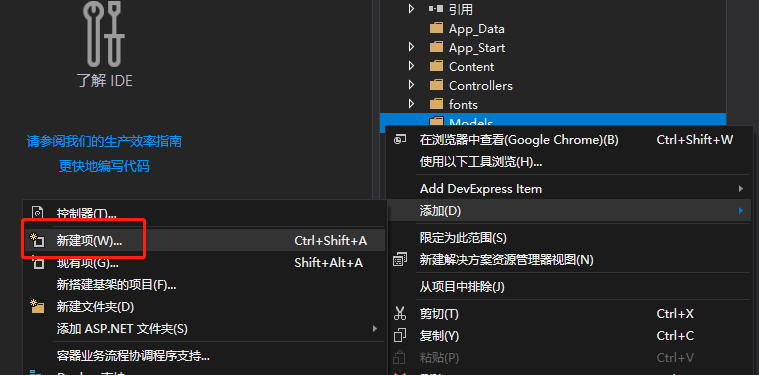
新建实体数据模型
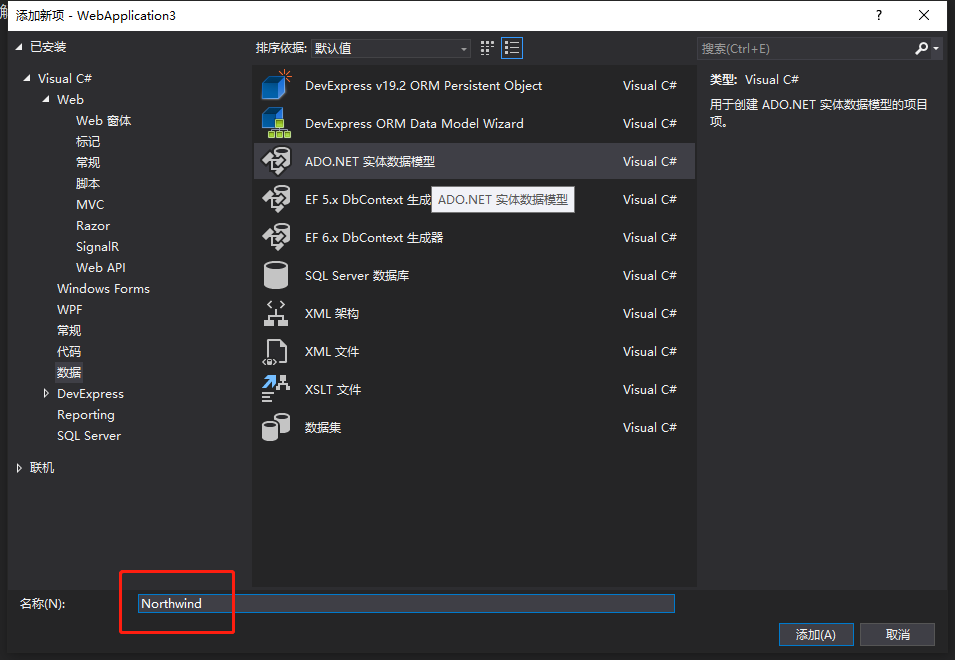
选择ADO.NET实体数据模型,名称改为数据库名
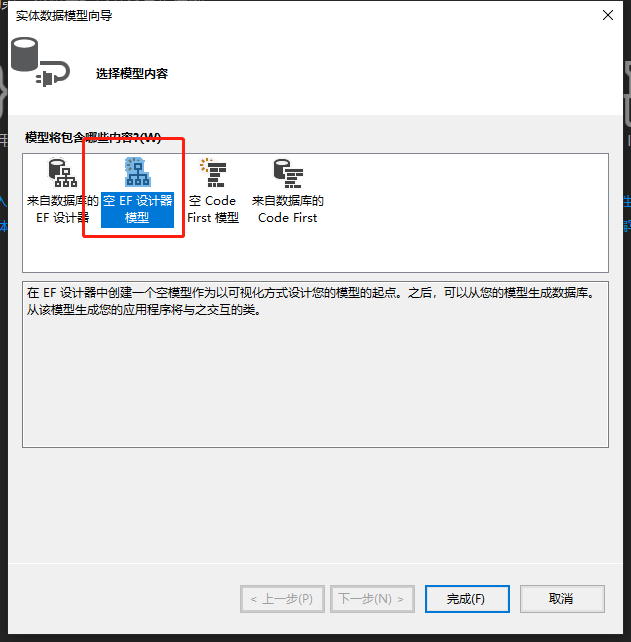
因为使用现有数据库,所以选择来自数据库的EF设计器,只演示所以只选择一个表,空模型可后期增加表
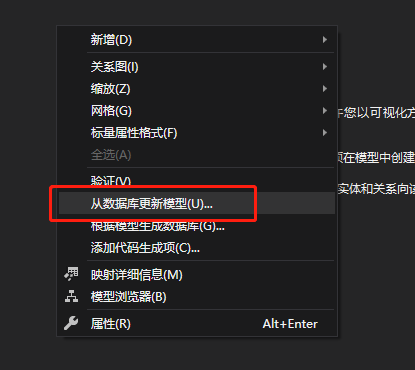
选择从数据库更新模型
新建数据库连接
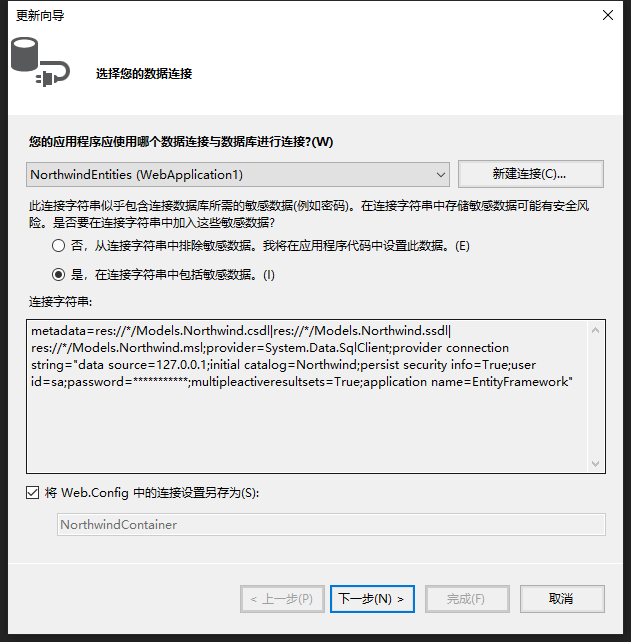
选择EF6.X框架
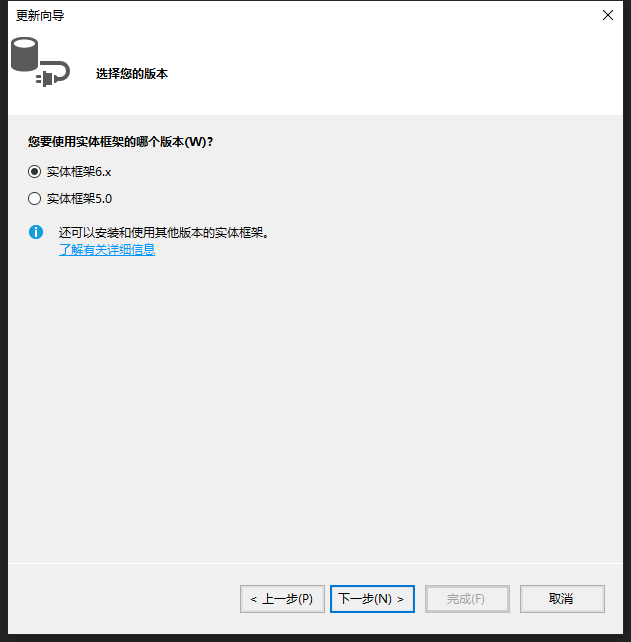
选择要查询数据的表
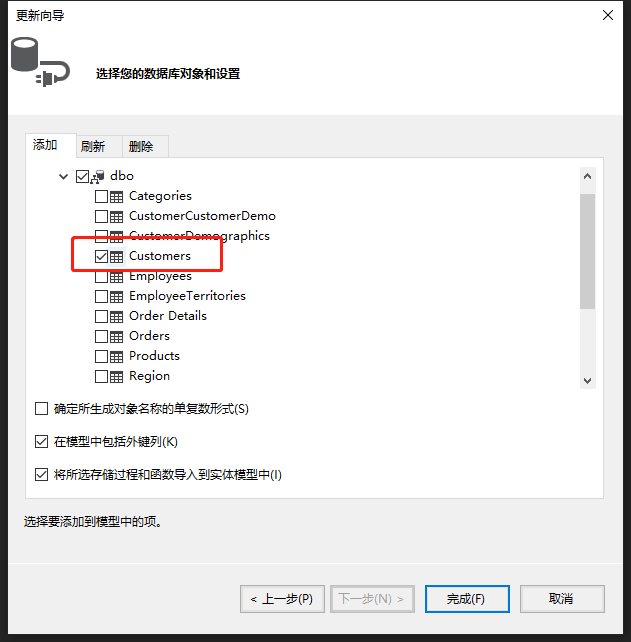
选择后的实体数据库设计视图

引用异步、EF、数据模型命名空间
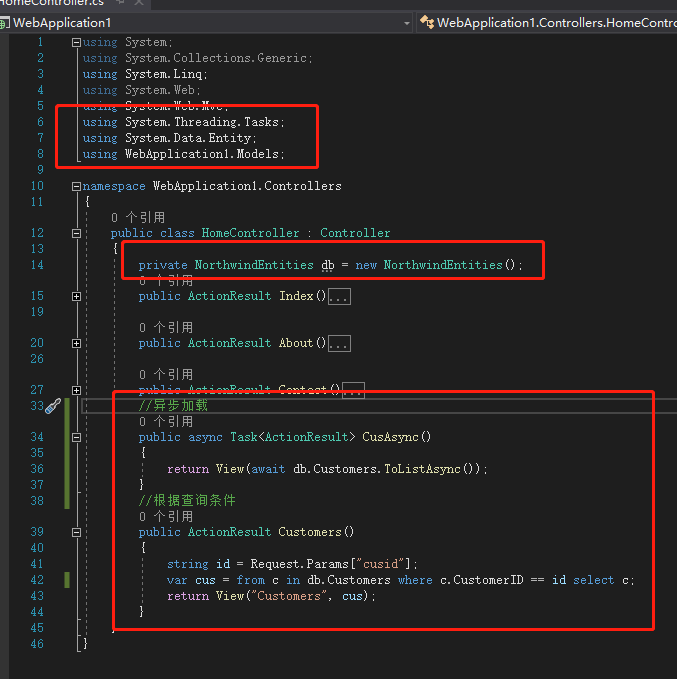
 using System;

 using System.Collections.Generic;

 using System.Linq;

 using System.Web;

 using System.Web.Mvc;

 using System.Threading.Tasks;

 using System.Data.Entity;

 using WebApplication1.Models;

 namespace WebApplication1.Controllers

 {

     public class HomeController : Controller

     {

         private NorthwindEntities db = new NorthwindEntities();

         public ActionResult Index()

         {

             return View();

         }

         public ActionResult About()

         {

             ViewBag.Message = "Your application description page.";

             return View();

         }

         public ActionResult Contact()

         {

             ViewBag.Message = "Your contact page.";

             return View();

         }

         //异步加载

         public async Task<ActionResult> CusAsync()

         {

             return View("Customers", await db.Customers.ToListAsync());

         }

         //根据查询条件

         public ActionResult Customers()

         {

             string id = Request.Params["cusid"];

             var cus = from c in db.Customers where c.CustomerID == id select c;

             return View("Customers", cus);

         }

     }

 }
视图代码
 @model IEnumerable<WebApplication1.Models.Customers>

 @{

     ViewBag.Title = "Customers";

 }

 <h2>Customers</h2>

 <table class="table">

     <caption>基本的表格布局</caption>

     <thead>

         <tr>

             <th>CustomerID</th>

             <th>CompanyName</th>

             <th>ContactName</th>

         </tr>

     </thead>

     <tbody>

         @foreach (var item in Model)

         {

         <tr>

             <td>@Html.DisplayFor(modelitem => item.CustomerID)</td>

             <td>@Html.DisplayFor(modelitem => item.CompanyName)</td>

             <td>@Html.DisplayFor(modelitem => item.ContactName)</td>

         </tr>

         }

     </tbody>

 </table>
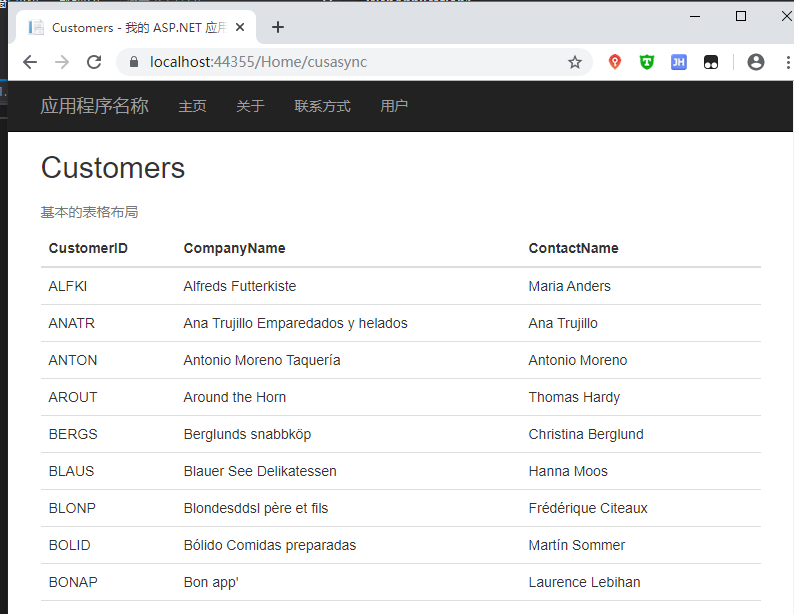
显示异步加载效果
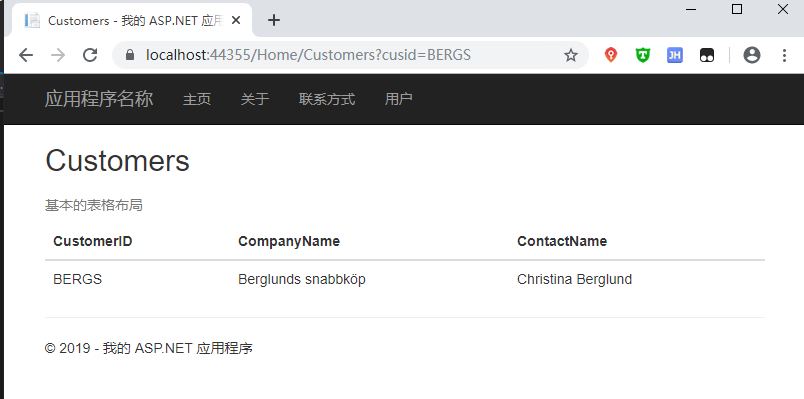
根据查询条件显示效果
MVC方式显示数据(数据库)的更多相关文章
- ABP 极简入门教程(二 MVC方式显示数据)
增加显示菜单 Sample.Web.MVC项目中找到startup目录打开SampleNavigationProvider.cs,根据现有内容添加以下内容 .AddItem( new MenuItem ...
- MVC方式显示数据(手动添加数据)
Model添加类 Customers using System; using System.Collections.Generic; using System.Linq; using System.W ...
- MVC bootstrap-table显示数据时显示No matching records found
问题:bootstrap-table加载数据不显示 @{ ViewBag.Title = "Index"; Layout = "~/Views/Shared/_Layou ...
- angularjs表格方式显示数据
<table> <tr ng-repeat="x in names"> <td>{{ x.Name }}</td> <td&g ...
- 怎样操作WebAPI接口(显示数据)
就在去年Insus.NET已经写好的一个WebAPI项目,并且发布在IIS中.参考<创建与使用Web API>http://www.cnblogs.com/insus/p/5019088. ...
- Django学习之天气调查实例(2):显示数据表数据
数据表数据添加后,如添加3条用户信息,分别为“aaa”.“bbb”.“ccc”,现在通过代码的方式显示数据表中的数据. 1.在website项目文件夹中创建 userload.py文件,并且写如下代码 ...
- 利用PHP实现登录与注册功能以及使用PHP读取mysql数据库——以表格形式显示数据
登录界面 <body><form action="login1.php" method="post"><div>用户名:&l ...
- MVC 5使用ViewData(对象)显示数据
控制器协调处理好数据之后,是交由视图来显示数据.在控制器与视图交互有一个是ViewData.这次练习,Insus.NET就以它来做实例. 前些时间,Insus.NET实现的练习中,也有从控制器传数据给 ...
- MVC 5使用ViewBag(对象)显示数据
前面Insus.NET有演示使用ViewData来实现控制器与视图的通讯.如果想了解的话,可以从下面两个链接可以查看:<MVC 5使用ViewData(对象)显示数据>http://www ...
随机推荐
- redis配置用户认证密码
1,下载安装 Download, extract and compile Redis with: $ wget http://download.redis.io/releases/redis-3.2. ...
- PostgreSQL学习笔记——摘要
因为PostgreSQL和MySQL.DB2等数据库均遵循SQL语法,所以这篇随笔仅记录一些PostgreSQL中和别的数据库有差别或之前学习中遗漏的地方,以及一些我觉得比较重点的地方. 通过psql ...
- iOS-类似微信摇一摇
首先,一直以为摇一摇的功能实现好高大上,结果百度了.我自己也模仿写了一个demo.主要代码如下: 新建一个项目,名字为AnimationShake. 主要代码: - (void)motionBegan ...
- 在搭建Hadoop集群环境时遇到的一些问题
最近在学习搭建hadoop集群环境,在搭建的过程中遇到很多问题,在这里做一些记录.1. SSH相关的问题 问题一: ssh: connect to host localhost port 22: Co ...
- SpringBoot+Vue前后端分离,使用SpringSecurity完美处理权限问题
原文链接:https://segmentfault.com/a/1190000012879279 当前后端分离时,权限问题的处理也和我们传统的处理方式有一点差异.笔者前几天刚好在负责一个项目的权限管理 ...
- uwp,右键浮出获取DataContext(数据上下文)
列表视图类控件,如ListView/GridView,有时项目需要按下右键浮出选项,来获取Item的DataContext. 下面的示例代码,事先我已经有了一个自定义类Video,并且已经绑定了数据源 ...
- 关于AES加密,以及各种分组加密
http://blog.csdn.net/searchsun/article/details/2516191
- airflow安装rest api插件发现airflow webserver服务不能启动的解决办法
安装插件airflow-rest-api 1)获取 wget https://github.com/teamclairvoyant/airflow-rest-api-plugin/archive/ma ...
- web 系统发展历程
文章目录 web系统的发展历程 ------- **单机`mysql`的美好年代** ------ **Memcached(缓存)+Mysql+垂直拆分** ------ **mysql 主从读写分离 ...
- 前端开发 — HTML
HTML HTML 超文本标记语言 HTML特征: 对换行和空格不敏感 空白折叠 1.1 HTML标签 标签也称为标记. 标签的种类: 1.双闭合标签 2.单闭合标签 1.1.1 head标签 met ...