
MVC过滤器使用方法
先介绍下什么是过滤器:ASP.NET MVC中的灭一个请求,都会分配给相应的控制器和对应的行为方法去处理,而在这些处理的前前后后如果想再加一些额外的逻辑处理,这时就用到了过滤器。
MVC支持的过滤器有四种:Authorization(授权)、Action(行为)、Result(结果)、Exception(异常)
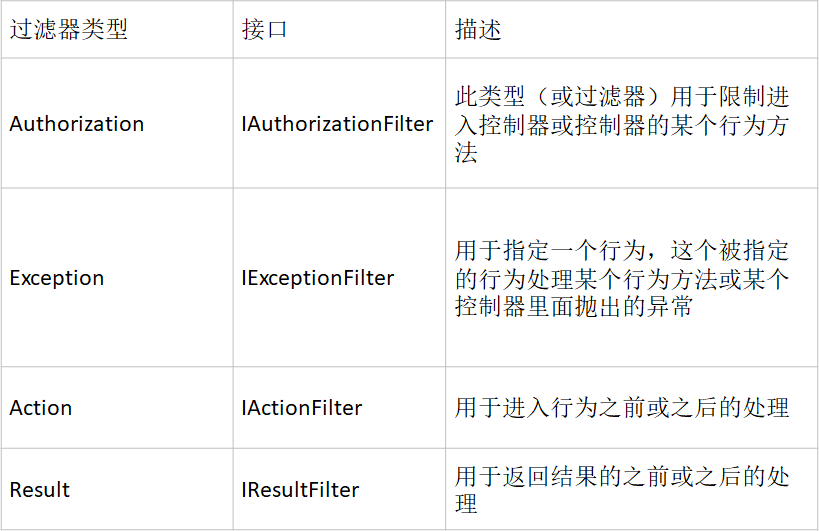
默认实现的过滤器如下:
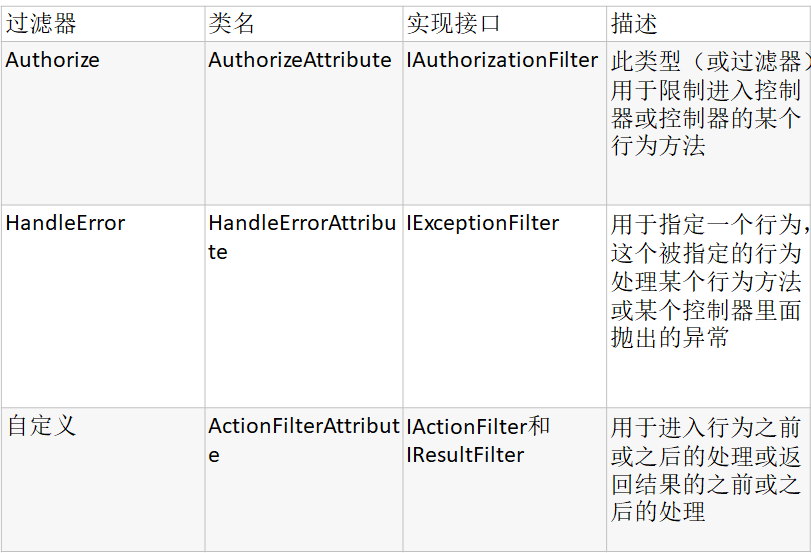
一、授权过滤器
给Index页面,添加授权过滤器,只有当用户名为admin1和admin,密码是123456时,才可以访问index页面。
1.无参数的授权过滤器
|
1
2
3
4
5
6
7
8
9
10
11
12
13
14
15
16
17
|
[Authorize]public ActionResult Index(){ return View();}public ActionResult Login(LoginModel login){ if ((login.UserName == "admin1" || login.UserName == "admin") && login.Password == "123456") { FormsAuthentication.SetAuthCookie(login.UserName, false); return Redirect("/Home/Index"); } return View();} |
此时,我们执行捷星程序,会发现报出无授权的错误,如下

这是由于Web.Config 中缺少如下代码:
|
1
2
3
|
<authentication mode="Forms"> <forms loginUrl="~/Home/Login" timeout="1"/></authentication> |
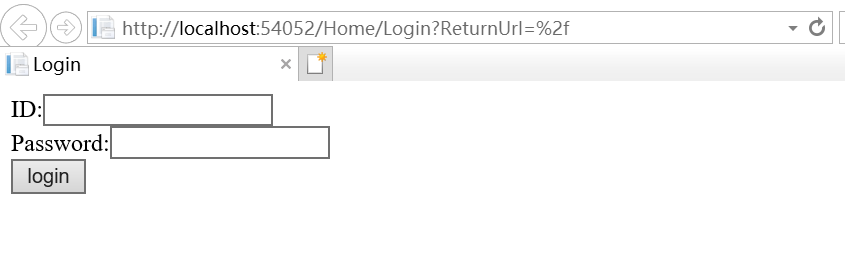
此时,再次执行则会跳转至登录界面。
2.有参数的授权过滤器
[Authorize(Users = "admin,admin1")],可以实现和上面无参相同的功能
[Authorize(Users = "admin")],此时,只有UserName为amin时,才会跳转至index页面。
二、HandleError过滤器
1、MVC默认错误页面
定义一个界面抛出异常,此时会进去MVC默认的错误页面,即Views/Shared下的Error.cshtml
|
1
2
3
4
5
6
|
//处理错误过滤器HandleError[HandleError(ExceptionType = typeof(Exception))]public ActionResult ThrowError(){ throw new Exception("this is ThrowErrorLogin Action Throw");} |
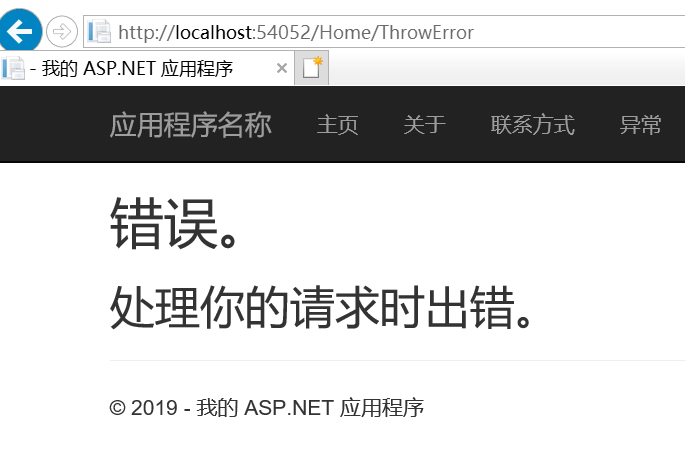
执行结果如下:
2、自定义错误页面
自定义一个错误页面MyError.cshtml
|
1
2
3
4
5
6
7
8
9
10
11
12
13
14
15
16
17
18
19
20
21
22
23
24
25
|
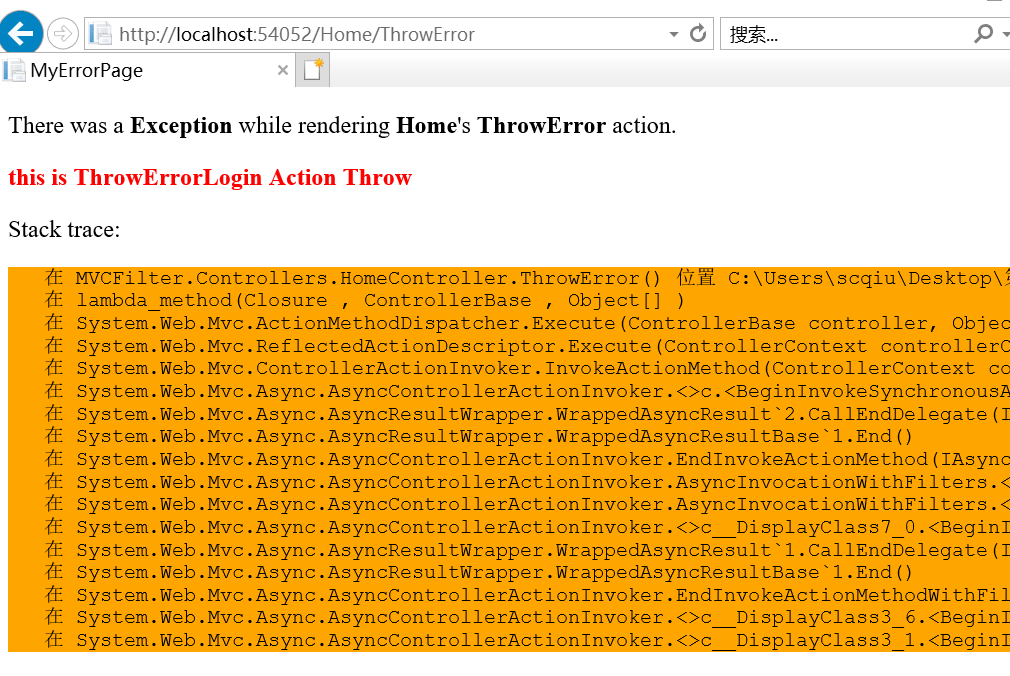
@{ Layout = null;}<!DOCTYPE html><html><head> <title>MyErrorPage</title></head><body> <div> <p> There was a <b>@Model.Exception.GetType().Name</b> while rendering <b>@Model.ControllerName</b>'s <b>@Model.ActionName</b> action. </p> <p style="color:Red"> <b>@Model.Exception.Message</b> </p> <p>Stack trace:</p> <pre style=" background-color:Orange">@Model.Exception.StackTrace</pre> </div></body></html> |
此时在方法前加上[HandleError(ExceptionType = typeof(Exception), View = "MyError")],则调用抛出异常的界面,则会跳转至我们自定义的错误界面
三、自定义过滤器
自定义过滤器需要继承ActionFilterAttribute抽象类,重写其中的方法。
|
1
2
3
4
5
6
7
8
9
10
11
12
13
14
15
16
17
18
19
20
21
22
23
24
25
26
27
28
29
30
31
32
33
34
35
36
37
38
39
40
|
public abstract class ActionFilterAttribute : FilterAttribute, IActionFilter, IResultFilter { // // 摘要: // 初始化 System.Web.Mvc.ActionFilterAttribute 类的新实例。 protected ActionFilterAttribute(); // // 摘要: // 在执行操作方法后由 ASP.NET MVC 框架调用。 // // 参数: // filterContext: // 筛选器上下文。 public virtual void OnActionExecuted(ActionExecutedContext filterContext); // // 摘要: // 在执行操作方法之前由 ASP.NET MVC 框架调用。 // // 参数: // filterContext: // 筛选器上下文。 public virtual void OnActionExecuting(ActionExecutingContext filterContext); // // 摘要: // 在执行操作结果后由 ASP.NET MVC 框架调用。 // // 参数: // filterContext: // 筛选器上下文。 public virtual void OnResultExecuted(ResultExecutedContext filterContext); // // 摘要: // 在执行操作结果之前由 ASP.NET MVC 框架调用。 // // 参数: // filterContext: // 筛选器上下文。 public virtual void OnResultExecuting(ResultExecutingContext filterContext); } |
1、不带参数的自定义过滤器
这里定义一个自定义的登录过滤器,用户名和密码为空,或者不为damin和123456,则会跳转至登录页面
|
1
2
3
4
5
6
7
8
9
10
11
12
13
14
15
16
17
18
19
|
public class CheckLogin: ActionFilterAttribute { public override void OnActionExecuting(ActionExecutingContext filterContext) { HttpCookieCollection CookieCollect = System.Web.HttpContext.Current.Request.Cookies; if (CookieCollect["username"] == null || CookieCollect["password"] == null) { filterContext.Result = new RedirectResult("/Home/Login"); } else { if (CookieCollect["username"].Value != "admin" && CookieCollect["password"].Value != "123456") { filterContext.Result = new RedirectResult("/Home/Login"); } } } } |
使用时只需要在方法名前加上[CheckLogin]即可。
2、带参数的自定义过滤器
|
1
2
3
4
5
6
7
8
9
10
11
12
13
14
15
16
17
18
19
20
21
22
23
24
25
26
27
28
|
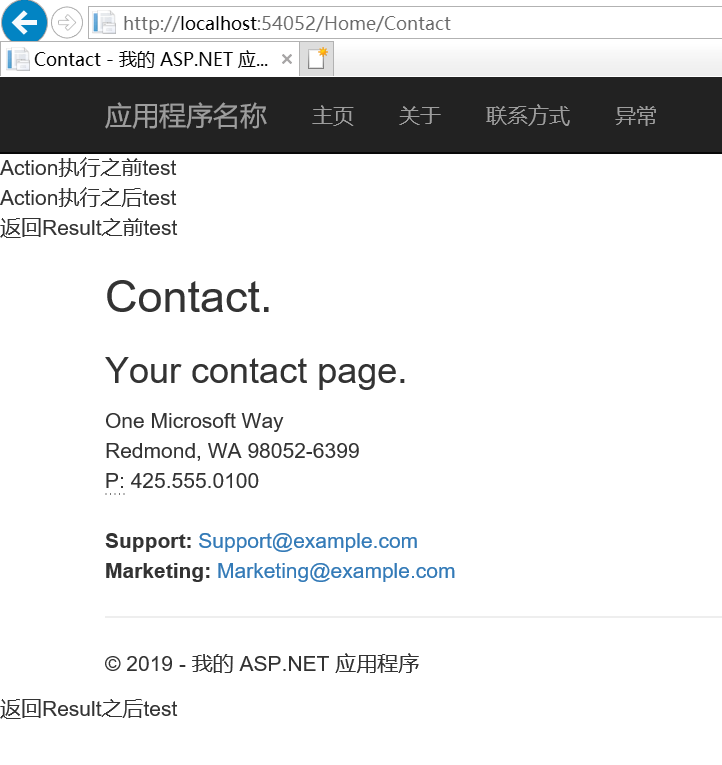
public class ParamsFilter : ActionFilterAttribute { public string Message { get; set; } public override void OnActionExecuting(ActionExecutingContext filterContext) { base.OnActionExecuting(filterContext); filterContext.HttpContext.Response.Write("Action执行之前" + Message + "<br />"); } public override void OnActionExecuted(ActionExecutedContext filterContext) { base.OnActionExecuted(filterContext); filterContext.HttpContext.Response.Write("Action执行之后" + Message + "<br />"); } public override void OnResultExecuting(ResultExecutingContext filterContext) { base.OnResultExecuting(filterContext); filterContext.HttpContext.Response.Write("返回Result之前" + Message + "<br />"); } public override void OnResultExecuted(ResultExecutedContext filterContext) { base.OnResultExecuted(filterContext); filterContext.HttpContext.Response.Write("返回Result之后" + Message + "<br />"); } } |
这个自定一过滤器定义了一个string类型的参数,使用时在Action上加[ParamsFilter(Message = "test")]
四、如果一个Control中所有的Action都需要用到同一个过滤器,则可以直接在Control上面加此过滤器
MVC过滤器使用方法的更多相关文章
- asp.net MVC 过滤器使用案例:统一处理异常顺道精简代码
重构的乐趣在于精简代码,模块化设计,解耦功能……而对异常处理的重构则刚好满足上述三个方面,下面是我的一点小心得. 一.相关的学习 在文章<精简自己20%的代码>中,讨论了异常的统一处理,并 ...
- MVC过滤器使用案例:统一处理异常顺道精简代码
重构的乐趣在于精简代码,模块化设计,解耦功能……而对异常处理的重构则刚好满足上述三个方面,下面是我的一点小心得. 一.相关的学习 在文章<精简自己20%的代码>中,讨论了异常的统一处理,并 ...
- mvc过滤器学习(1)
mvc 过滤器结构图 AuthorizeAttribute AuthorizeAttribute是IAuthorizationFilter的默认实现,添加了Authorize特性的Action将对用户 ...
- ASP.NET MVC 过滤器(一)
ASP.NET MVC 过滤器(一) 前言 前面的篇幅中,了解到了控制器的生成的过程以及在生成的过程中的各种注入点,按照常理来说篇幅应该到了讲解控制器内部的执行过程以及模型绑定.验证这些知识了.但是呢 ...
- ASP.NET MVC 过滤器(三)
ASP.NET MVC 过滤器(三) 前言 本篇讲解行为过滤器的执行过程,过滤器实现.使用方式有AOP的意思,可以通过学习了解过滤器在框架中的执行过程从而获得一些AOP方面的知识(在顺序执行的过程中, ...
- ASP.NET MVC 过滤器(四)
ASP.NET MVC 过滤器(四) 前言 前一篇对IActionFilter方法执行过滤器在框架中的执行过程做了大概的描述,本篇将会对IActionFilter类型的过滤器使用来做一些介绍. ASP ...
- ASP.NET MVC 过滤器(五)
ASP.NET MVC 过滤器(五) 前言 上篇对了行为过滤器的使用做了讲解,如果在控制器行为的执行中遇到了异常怎么办呢?没关系,还好框架给我们提供了异常过滤器,在本篇中将会对异常过滤器的使用做一个大 ...
- MVC过滤器详解
MVC过滤器详解 APS.NET MVC中(以下简称"MVC")的每一个请求,都会分配给相应的控制器和对应的行为方法去处理,而在这些处理的前前后后如果想再加一些额外的逻辑处理. ...
- ASP.NET MVC 过滤器详解
http://www.fwqtg.net/asp-net-mvc-%E8%BF%87%E6%BB%A4%E5%99%A8%E8%AF%A6%E8%A7%A3.html 我经历了过滤器的苦难,我想到了还 ...
随机推荐
- 北京U3D外包团队 UE4红军抗战案例 Unity3D红军抗战案例 UE4下载和安装虚幻4游戏引擎
刚完整UE4红军抗战案例 Unity3D红军抗战案例,有在线演示(版权关系不方便发图),有UE4或Unity项目定制外包开发的欢迎联系我们 进入虚幻4的官方主页(https://www.unreale ...
- 关于FIFO memory buffer模块的设计
关于FIFO memory buffer模块的设计 FIFO memory `timescale 1ns / 1ps ///////////////////////////////////////// ...
- 通用路由封装协议——GRE
一.GRE简介 通用路由封装协议GRE(Generic Routing Encapsulation)可以对某些网络层协议(如IPX.ATM.IPv6.AppleTalk等)的数据报文进行封装,使这些被 ...
- Azure CosmosDB (7) 分区键Partition Key
<Windows Azure Platform 系列文章目录> Azure Cosmos DB使用分区键(Partition Key),来对数据进行水平缩放(Horizon Scale), ...
- MySQL面试题中:主从同步的原理
主从同步的原理:1.主库上面有一个IO线程,从库上有一个IO线程和一个SQL线程,从库中的IO线程负责从主库读取binlog,并写入从库的中继日志:SQL线程负责读取并执行中继日志中的binlog,转 ...
- go语言学习--内核态和用户态(协程)
go中的一个特点就是引入了相比于线程更加轻量级的协程(用户态的线程),那么什么是用户态和内核态呢? 一.什么是用户态和内核态 当一个任务(进程)执行系统调用而陷入内核代码中执行时,我们就称进程处于内核 ...
- Centos7之系统优化
优化条目: 修改ip地址.网关.主机名.DNS等 关闭selinux,清空iptables 添加普通用户并进行sudo授权管理 更新yum源及必要软件安装 定时自动更新服务器时间 精简开机自启动服务 ...
- spring boot websocket stomp 实现广播通信和一对一通信聊天
一.前言 玩.net的时候,在asp.net下有一个叫 SignalR 的框架,可以在ASP .NET的Web项目中实现实时通信.刚接触java寻找相关替代品,发现 java 体系中有一套基于stom ...
- Ping 笔记
Ping 笔记 查看网络间的连通性. 当设备与PC在同一局域网中(连接同一路由器),设备与PC互Ping对方,若只有其中一个掉线连不上,两者可能存在网络端口的问题, 若设备与PC同时掉线,则为路由器 ...
- 最大化等比例测试演化Demo-传统方法
demo-1: <!doctype html> <html> <head> <meta charset="utf-8"> <t ...