
[翻译] JFMinimalNotifications
JFMinimalNotifications
This is an iOS UIView for presenting a beautiful notification that is highly configurable and works for both iPhone and iPad. JFMinimalNotification is only available in ARC and targets iOS 7.0+.
这是一个iOS的view,用以呈现非常漂亮的通知信息,高度定制,可以同时用于iPhone和iPad。JFMinimalNotification只支持ARC,iOS7.0以上。
What It Looks Like: 它看起来像这样子:
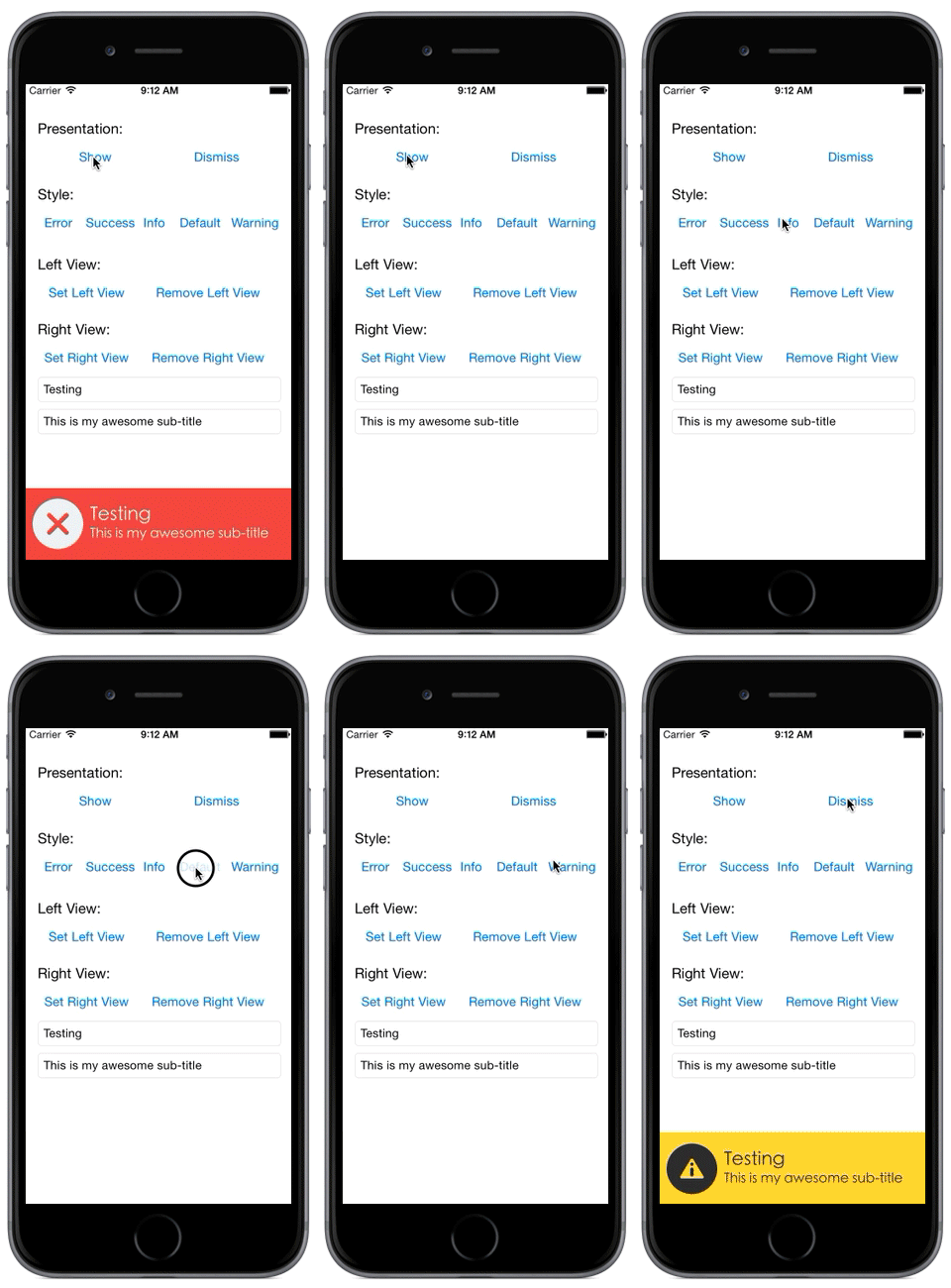
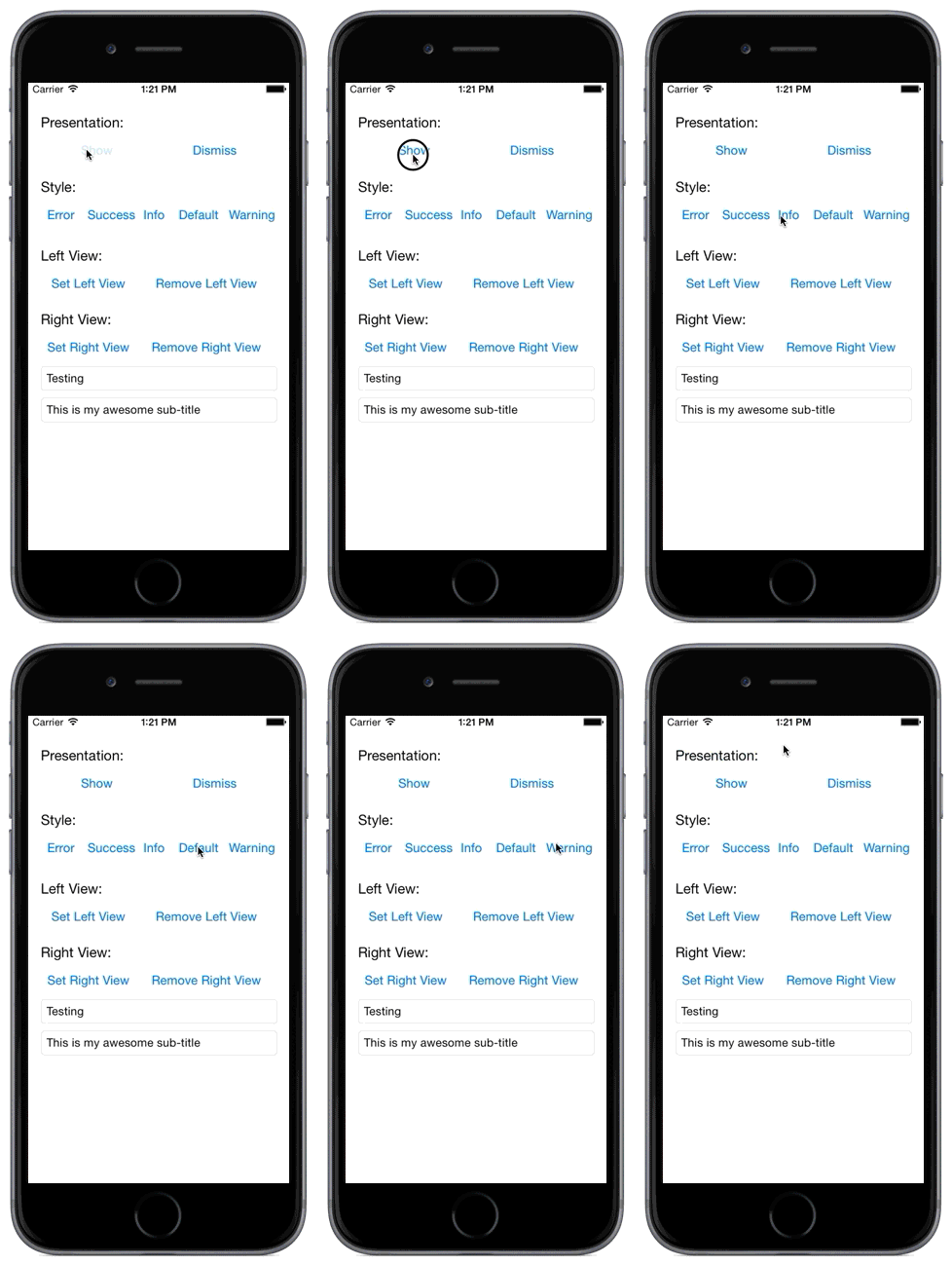
See a short video of this control here: https://www.youtube.com/watch?v=jDYC-NYKl9A
你可以在这个地方观看演示视频https://www.youtube.com/watch?v=jDYC-NYKl9A
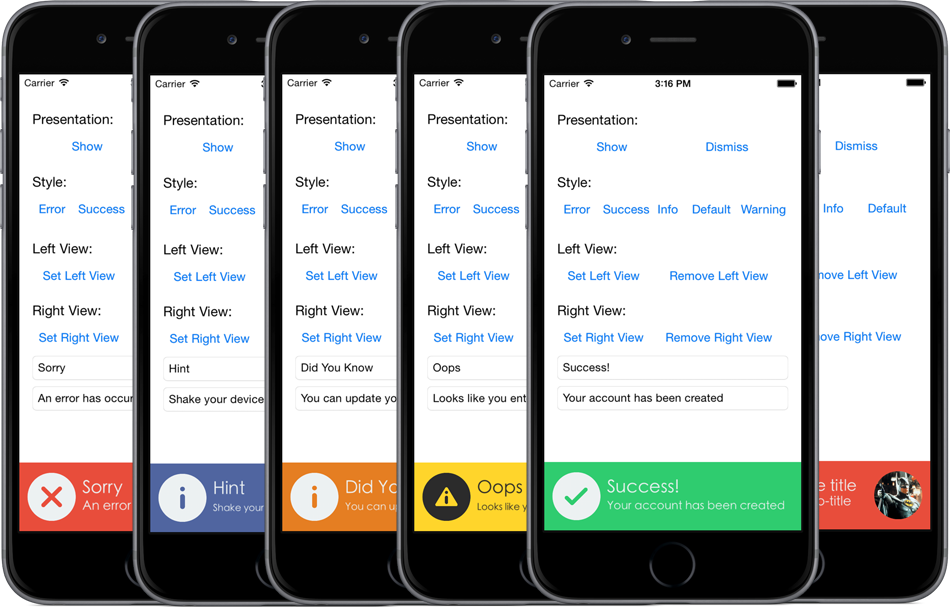
Screen Shots 截图
How To Use It: 这么用:
Basic Example
基本用法
- (void)viewDidLoad

{

    [super viewDidLoad];

    /**

     * Create the notification

     */

    self.minimalNotification = [JFMinimalNotification notificationWithStyle:JFMinimalNotificationStyleDefault

                                                                      title:@"This is my awesome title"

                                                                   subTitle:@"This is my awesome sub-title"];

    /**

     * Set the desired font for the title and sub-title labels

     * Default is System Normal

     */

    UIFont* titleFont = [UIFont fontWithName:@"STHeitiK-Light" size:22];

    [self.minimalNotification setTitleFont:titleFont];

    UIFont* subTitleFont = [UIFont fontWithName:@"STHeitiK-Light" size:16];

    [self.minimalNotification setSubTitleFont:subTitleFont];

    /**

    * Add the notification to a view

    */

    [self.view addSubview:self.minimalNotification];

}

/**

 * Showing the notification from a button handler

 */

- (IBAction)show:(id)sender {

    [self.minimalNotification show];

}

/**

 * Hiding the notification from a button handler

 */

- (IBAction)dismiss:(id)sender {

    [self.minimalNotification dismiss];

}
Constructors / Options
构造器 / 选项
/**

 * Note: passing a dismissalDelay of 0 means the notification will NOT be automatically dismissed, you will need to

 * dismiss the notification yourself by calling -dismiss on the notification object. If you pass a dismissalDelay

 * value greater than 0, this will be the length of time the notification will remain visisble before being

 * automatically dismissed.

 */

// With dismissalDelay

self.minimalNotification = [JFMinimalNotification notificationWithStyle:JFMinimalNotificationStyleError title:@"This is my awesome title" subTitle:@"This is my awesome sub-title" dismissalDelay:3.0];

// Without dismissalDelay and with touchHandler

self.minimalNotification = [JFMinimalNotification notificationWithStyle:JFMinimalNotificationStyleError title:@"This is my awesome title" subTitle:@"This is my awesome sub-title" dismissalDelay:0.0 touchHandler:^{

    [self.minimalNotification dismiss];

}];
// Available Styles

typedef NS_ENUM(NSInteger, JFMinimalNotificationStytle) {

    JFMinimalNotificationStyleDefault,

    JFMinimalNotificationStyleError,

    JFMinimalNotificationStyleSuccess,

    JFMinimalNotificationStyleInfo,

    JFMinimalNotificationStyleWarning

};
Please see the example project include in this repo for an example of how to use this notification.
你可以参考示例项目来看看怎么使用这个通知的控件。
Delegate Methods: 代理方法
- (void)willShowNotification:(JFMinimalNotification*)notification;

- (void)didShowNotification:(JFMinimalNotification*)notification;

- (void)willDisimissNotification:(JFMinimalNotification*)notification;

- (void)didDismissNotification:(JFMinimalNotification*)notification;
Installation: 安装
Cocoapods Cocoapods安装
pod 'JFMinimalNotifications', '~> 0.0.2'
Directly include source into your projects
直接将源码拖到你的项目当中即可
- Simply copy the source files from the "JFMinimalNotification" folder into your project. 你只需要简单的将JFMinimalNotification文件夹拖到你的项目当中
- In your application's project app target settings, find the "Build Phases" section and open the "Link Binary With Libraries" block and click the "+" button and select the "CoreGraphics.framework". 在你的工程项目当中,找到Build Phases区,打开Link Binary With Libraries,点击+按钮,然后选择CoreGraphics.framework框架
[翻译] JFMinimalNotifications的更多相关文章
- 《Django By Example》第五章 中文 翻译 (个人学习,渣翻)
书籍出处:https://www.packtpub.com/web-development/django-example 原作者:Antonio Melé (译者@ucag注:大家好,我是新来的翻译, ...
- 《Django By Example》第四章 中文 翻译 (个人学习,渣翻)
书籍出处:https://www.packtpub.com/web-development/django-example 原作者:Antonio Melé (译者注:祝大家新年快乐,这次带来<D ...
- [翻译]开发文档:android Bitmap的高效使用
内容概述 本文内容来自开发文档"Traning > Displaying Bitmaps Efficiently",包括大尺寸Bitmap的高效加载,图片的异步加载和数据缓存 ...
- 【探索】机器指令翻译成 JavaScript
前言 前些时候研究脚本混淆时,打算先学一些「程序流程」相关的概念.为了不因太枯燥而放弃,决定想一个有趣的案例,可以边探索边学. 于是想了一个话题:尝试将机器指令 1:1 翻译 成 JavaScript ...
- 《Django By Example》第三章 中文 翻译 (个人学习,渣翻)
书籍出处:https://www.packtpub.com/web-development/django-example 原作者:Antonio Melé (译者注:第三章滚烫出炉,大家请不要吐槽文中 ...
- 《Django By Example》第二章 中文 翻译 (个人学习,渣翻)
书籍出处:https://www.packtpub.com/web-development/django-example 原作者:Antonio Melé (译者注:翻译完第一章后,发现翻译第二章的速 ...
- 《Django By Example》第一章 中文 翻译 (个人学习,渣翻)
书籍出处:https://www.packtpub.com/web-development/django-example 原作者:Antonio Melé (译者注:本人目前在杭州某家互联网公司工作, ...
- 【翻译】Awesome R资源大全中文版来了,全球最火的R工具包一网打尽,超过300+工具,还在等什么?
0.前言 虽然很早就知道R被微软收购,也很早知道R在统计分析处理方面很强大,开始一直没有行动过...直到 直到12月初在微软技术大会,看到我软的工程师演示R的使用,我就震惊了,然后最近在网上到处了解和 ...
- ASP.NET MVC with Entity Framework and CSS一书翻译系列文章之第一章:创建基本的MVC Web站点
在这一章中,我们将学习如何使用基架快速搭建和运行一个简单的Microsoft ASP.NET MVC Web站点.在我们马上投入学习和编码之前,我们首先了解一些有关ASP.NET MVC和Entity ...
随机推荐
- Go语言学习笔记七: 函数
Go语言学习笔记七: 函数 Go语言有函数还有方法,神奇不.这有点像python了. 函数定义 func function_name( [parameter list] ) [return_types ...
- Chrome插件下载地址
www.crx4chrome.com可以直接下载 Chrome Store 插件 在chrome web store好像只能安装插件.
- mongodb二进制安装与yum安装
一.什么是mongodb MongoDB是一个高性能,开源,无模式的文档型数据库,是当前NoSql数据库中比较热门的一种.MongoDB 是一个介于关系数据库和非关系数据库之间的产品,是非关系数据库当 ...
- Go 提高性能的特性
1.值的高效处理和存储,允许创建紧凑的数据结构,避免不必要的填充字节.紧凑的数据结构能更好地利用缓存.更好的缓存利用率可带来更好的性能. 2.函数的调用有开销,减少函数调用开销的解决方案是内联.简单的 ...
- Java代码实现单例模式
public class Single { /*private static final Single single=new Single(); private Single(){} public s ...
- jquery.dataTables动态列--转
转自 https://www.cnblogs.com/lyeo/p/4765514.html jquery.dataTables 版本1.10.7 直接上代码: 0.table <table ...
- [经典]网关,DNS,DHCP三者关系详解
什么叫网关的精解 Sample Text转自(协议分析论坛)计算机主机网关的作用是什么?假设你的名字叫小不点,你住在一个大院子里,你的邻居有很多小伙伴,在门口传达室还有个看大门的李大爷,李大爷就是你的 ...
- LVS负载均衡DR模式部署
目录: 1. 拓扑图 2. 搭建环境 3. LVS服务器部署 4. 测试 1. 拓扑图 LVS-DR模式采的IP地址全部为外网IP. 本例中IP的设置全部采用临时设置IP的方式,重启后会 ...
- 如何使用 Telegram
Telegram是一款加密的实时通讯软件,本文告诉大家如何使用 这个软件. 在使用之前,需要保证自己已经开了梯子,如果没有梯子,那么就无法使用这个工具. 假如梯子是 127.0.0.1 端口 1080 ...
- Winform无边框窗体拖动
调用示例 当然,BUG还是有的,不过基本需求倒也可以