
python3 tornado api + angular8 + nginx 跨域问题
问题:
上一个博客部署好了api之后,前端开始吊发现了跨域的问题。
接口地址:
http://111.231.201.164/api/houses 服务器上使用的是nginx转发
数据:
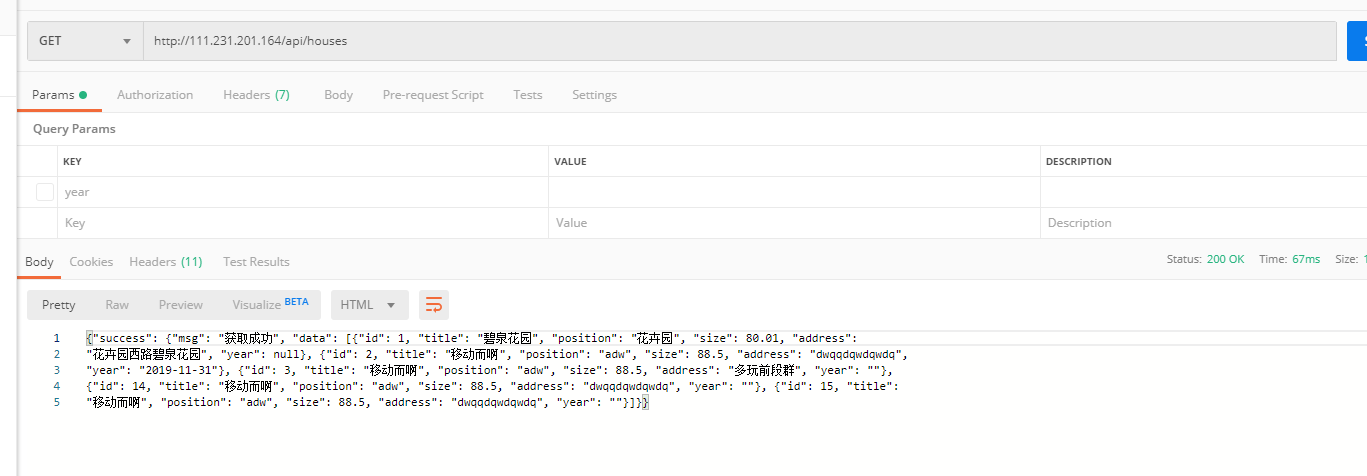
前端angular请求
this.http.get('http://111.231.201.164/api/houses').subscribe((res: any) => {

      console.log(res);

});
目前测试用的Google 和 Firefox两个。
Google 浏览器
需要注意的事我的Google浏览器已经配置过跨域,就是说服务器的代码无论可不可以跨域我的浏览器都可以访问api。
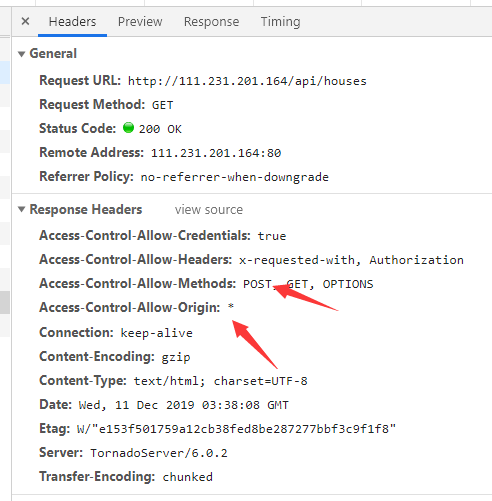
此时还没在后台或者nginx配置跨域。
Firefox 浏览器
而Firefox还是一如既往跨域问题
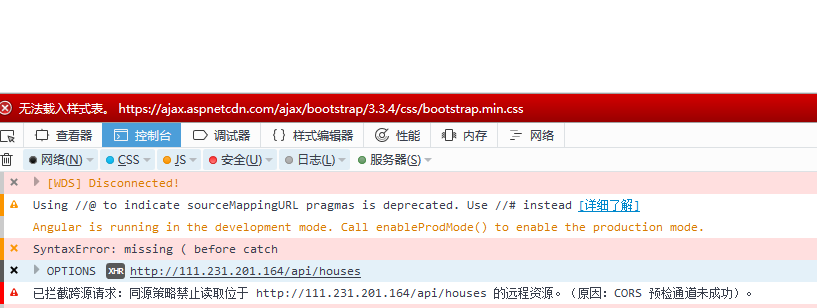
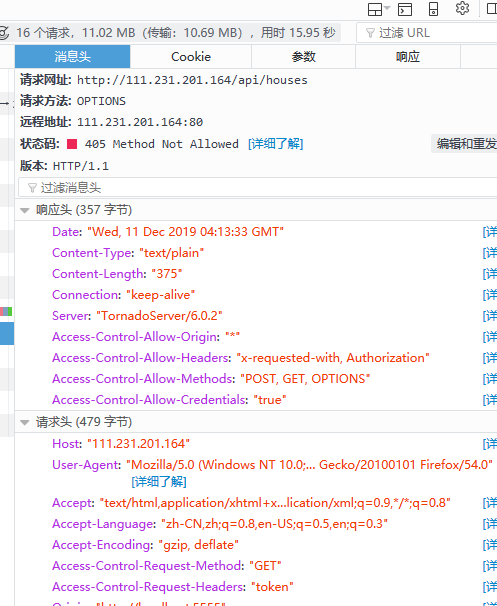
解决过程:
1、我先是配置的tornado,虽然没有鸟用
这是网上大部分的教程,都是如此说的,但是却没有起作用。
class BaseHandler(tornado.web.RequestHandler):

    # blog.csdn.net/moshowgame 解决跨域问题

    def set_default_headers(self):

        self.set_header("Access-Control-Allow-Origin", "*") # 这个地方可以写域名

        self.set_header("Access-Control-Allow-Headers", "token")

        self.set_header('Access-Control-Allow-Methods', 'POST, GET, OPTIONS')

        self.set_header('Access-Control-Allow-Credentials', 'true')

    def write(self, chunk):

        self.set_header('Access-Control-Allow-Origin', '*')

        super(BaseHandler, self).write(chunk)

class MainHandler(BaseHandler):

    @decoratore

    def get(self):

        self.write("Hello, World")

# 访问: http://localhost:8888/story/sishen232

# 显示:U get story id is sishen232

class HouseHandler(BaseHandler):

    '''house class'''

    def __init__(self, application, request):

        '''必填参数'''

        super().__init__(application, request)

        # 预处理

        self.data = ByteData(self.request.arguments)

        self.params = ['title', 'position', 'size', 'address']

    @decoratore

    def post(self):

        '''提交House接口'''

        # # 判断提交参数是否有误

        # if(('title' not in raw_data) or ('position' not in raw_data)):

        #     self.write(json.dumps(

        #         {"false": {"msg": '参数错误'}}, ensure_ascii=False))

        #     return

        code = paramsCheck(self.data,  self.params)

        if code == 1:

            raw_data = self.data

            if('year' not in raw_data):

                raw_data['year'] = ''

            print(raw_data)

            data = self.application.db.execute(

                "insert into house(title, position, size, address, year) values('{}', '{}', {}, '{}', '{}')".format(raw_data['title'], raw_data['position'], float(raw_data['size']), raw_data['address'], raw_data['year']))

            # self.write(json.dumps({"sum": s}))

            self.write(json.dumps(

                {"success": {"msg": '添加成功'}}, ensure_ascii=False))

        else:

            self.write(json.dumps(

                {"false": {"msg": '参数错误'}}, ensure_ascii=False))

    def get(self, House_id=''):

        '''

            # 获取House接口

            # House_id 存在则获取该条数据,不存在获取所有数据

        '''

        sql = 'select * from house' if House_id == '' else 'select * from house where id = {id}'.format(

            id=House_id)

        data = self.application.db.query(sql)

        # self.write(json.dumps({"sum": s}))

        self.write(json.dumps(

            {"success": {"msg": '获取成功', "data": data}}, ensure_ascii=False))
2、nginx配置
方法1没有起作用的话,那多半就是转发出的问题。
location /api/{

        allow 111.231.201.164;

        proxy_pass_header Server;

        proxy_set_header Host $http_host;

        proxy_redirect off;

        proxy_set_header X-Real-IP $remote_addr;

        proxy_set_header X-Forwarded-For $proxy_add_x_forwarded_for;

        proxy_set_header X-Scheme $scheme;

        proxy_pass http://127.0.0.1:8888/;

     ## 跨域

        if ($request_method = 'OPTIONS') {

            add_header 'Access-Control-Allow-Origin' '*';

            add_header 'Access-Control-Allow-Methods' "GET, POST, PUT, DELETE, PATCH, OPTIONS";

            add_header 'Access-Control-Allow-Headers' "token";

            return 200;

        }

    }
修改之后重启nginx。
Google浏览器
还是一样ok
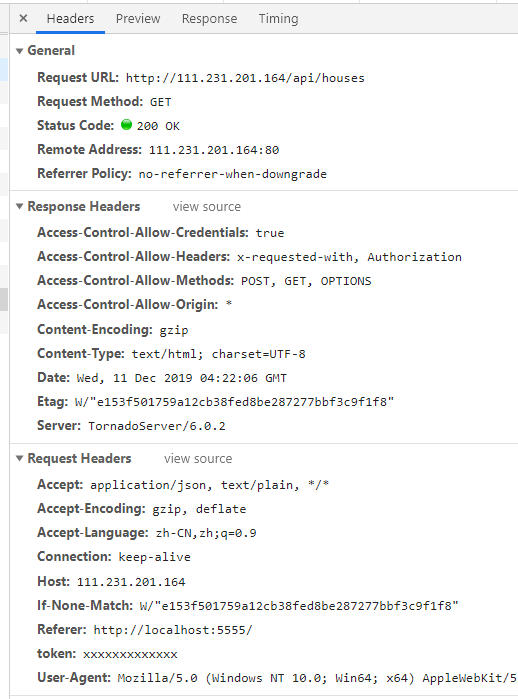
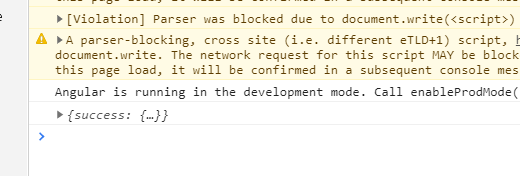
Firefox 浏览器
也请求到了
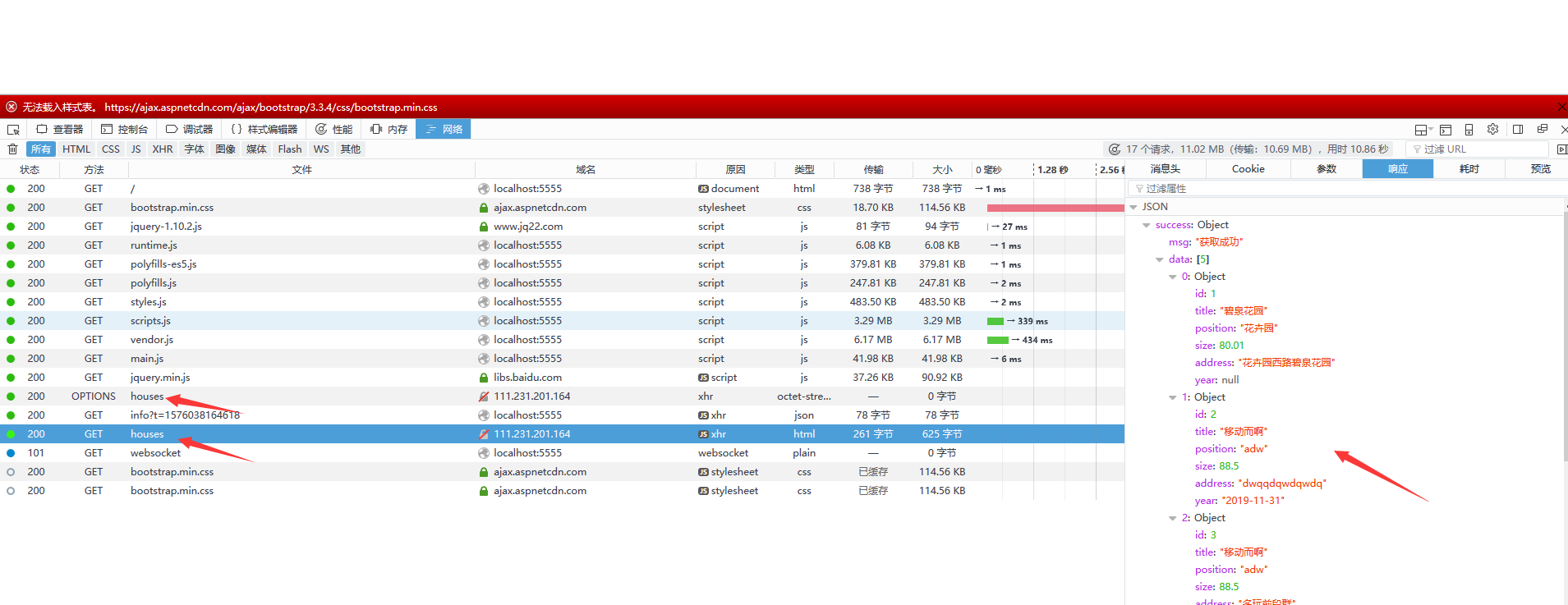
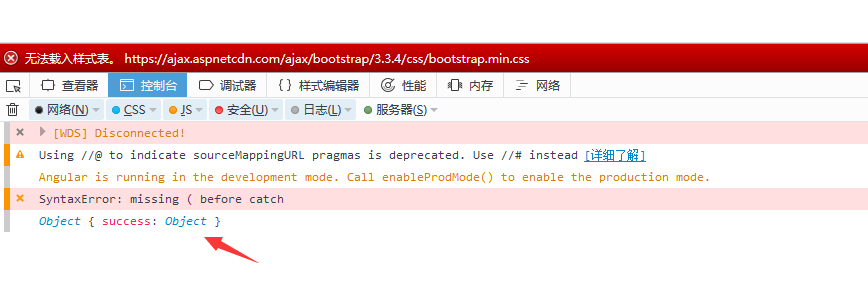
到此跨域问题解决。
python3 tornado api + angular8 + nginx 跨域问题的更多相关文章
- Nginx跨域及Https配置
一.跨域 1. 什么是跨域? 跨域:指的是浏览器不能执行其他网站的脚本.它是由浏览器的同源策略造成的,是浏览器对javascript施加的安全限制(指一个域下的文档或脚本试图去请求另一个域下的资源,这 ...
- Nginx跨域了解及模拟和解决
Nginx跨域 同源策略 何为同源: 1.协议(http/https)相同 2.域名(IP)相同 3.端口相同 详解请看我另一篇文章 https://www.cnblogs.com/you-men/p ...
- nginx跨域设置
nginx跨域问题例子:访问http://10.0.0.10/ 需要能实现跨域 操作:http://10.0.0.10/项目是部署在tomcat里面,tomcat跨域暂时还不会,按照网上的方法操作也没 ...
- Api之Cors跨域以及其他跨域方式
Web Api之Cors跨域以及其他跨域方式(三) 我们知道ajax不能跨域访问,但是有时我们确实需要跨域访问获取数据,所以JSONP就此诞生了,其本质使用的是Script标签,除JSONP以外还 ...
- nginx跨域的简单应用
nginx跨域的简单应用 要求:1.浏览器访问print.qianbaihe.wang/zt 直接调转至 www.flybirdprint.com/zt,浏览器显示域名不变. server { lis ...
- Web Api之Cors跨域(干货)---大家一定要看清我写的内容哦
Web Api之Cors跨域 要想跨域需要准备一下几步骤 1.创建WebAPI(请按照图片先后顺序来) 2.进入NuGet包管理搜 Microsoft.AspNet.WebApi.Cors 进行下载 ...
- nginx跨域解决方案
nginx跨域解决方案Access to Font at 'http://47.104.86.187/yinjiatoupiao2/iconfont/iconfont.woff' from origi ...
- nginx 跨域请求访问
1.nginx跨域请求访问 location ~ .*\.(htm|html)$ { add_header Access-Control-Allow-Origin(请求域名) *(所有域名) http ...
- Nginx跨域问题
Nginx跨域无法访问,通常报错: Failed to load http://172.18.6.30:8086/CityServlet: No 'Access-Control-Allow-Origi ...
随机推荐
- 大型情感剧集Selenium:1_介绍 #华为云·寻找黑马程序员#
学习selenium能做什么? 很多书籍.文章中是这么定义selenium的: Selenium 是开源的自动化测试工具,它主要是用于Web 应用程序的自动化测试,不只局限于此,同时支持所有基于web ...
- git的基本使用-1
1.git的安装 这里只介绍在 Linux 上安装. 如果你想在 Linux 上用二进制安装程序来安装 Git,可以使用发行版包含的基础软件包管理工具来安装. 如果以 Fedora 上为例,你可以使用 ...
- NSDateFormatter格式详细列表一览
转自:http://www.cnblogs.com/xinus/archive/2012/10/29/NSDateFormatter_samples.html 前言:iOS开发中NSDateForma ...
- [TimLinux] JavaScript 引用类型——Date
1. Date var now = new Date(); // 不传参数,获取当前日期.时间. now.getDay(); // 日期 now.getMonth(); // 月份 now.getFu ...
- UVA11324 The Lagest Lique(SCC缩点+DP)
Given a directed graph G, con- sider the following transformation. First, create a new graph T(G) to ...
- ACM小组的古怪象棋
Description ACM小组的Samsara和Staginner对中国象棋特别感兴趣,尤其对马(可能是因为这个棋子的走法比较多吧)的使用进行深入研究.今天他们又在 构思一个古怪的棋局:假如Sam ...
- UESTC1961-咸鱼睡觉觉
咸鱼睡觉觉 Time Limit: 1000 MS Memory Limit: 64 MB Submit Status 咸鱼要睡觉觉了! 但那群咕咕有点烦. 咸鱼决定要赶走一些咕咕,使得他们不 ...
- PHP原生实现简易的MVC框架
目录结构: —|controller —|Home.php —|model —|view —|welcome.php —|index.php 基本原理: 首页 index.php 通过获得地址栏中的路 ...
- GitHub上传自己的项目
git下载地址:https://git-scm.com/downloads 1.下载git,直接下一步进行安装 2.安装完成后,双击git-bash.exe运行 3.cd进入你的项目路径 4.输入 g ...
- 《Java练习题》进阶练习题(二)
编程合集: https://www.cnblogs.com/jssj/p/12002760.html 前言:不仅仅要实现,更要提升性能,精益求精,用尽量少的时间复杂度和空间复杂度解决问题. [程序58 ...