
Qt for Android修改应用程序的图标和名称
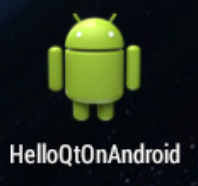
使用QT开发出的Android Apk安装后默认的图标是安卓的小机器人,下面介绍在QT5.12版本上修改APP名称和图标的方法。
1、 编译一次项目后,在编译目录下找到AndroidManifest.xml
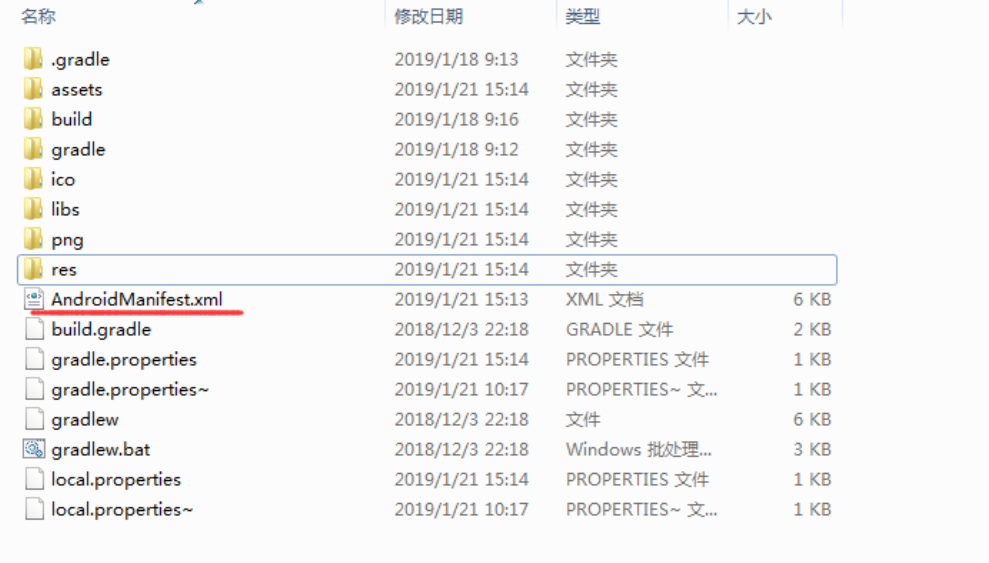
2、 试试在项目目录下创建一个文件夹android_sources,把图标和 AndroidManifest.xml文件放进去
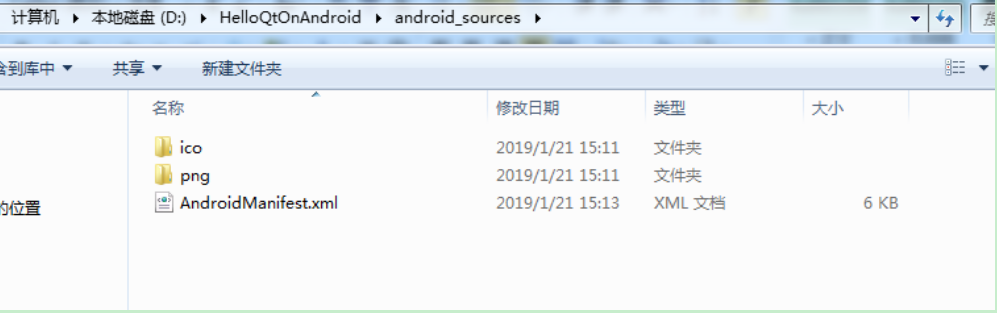
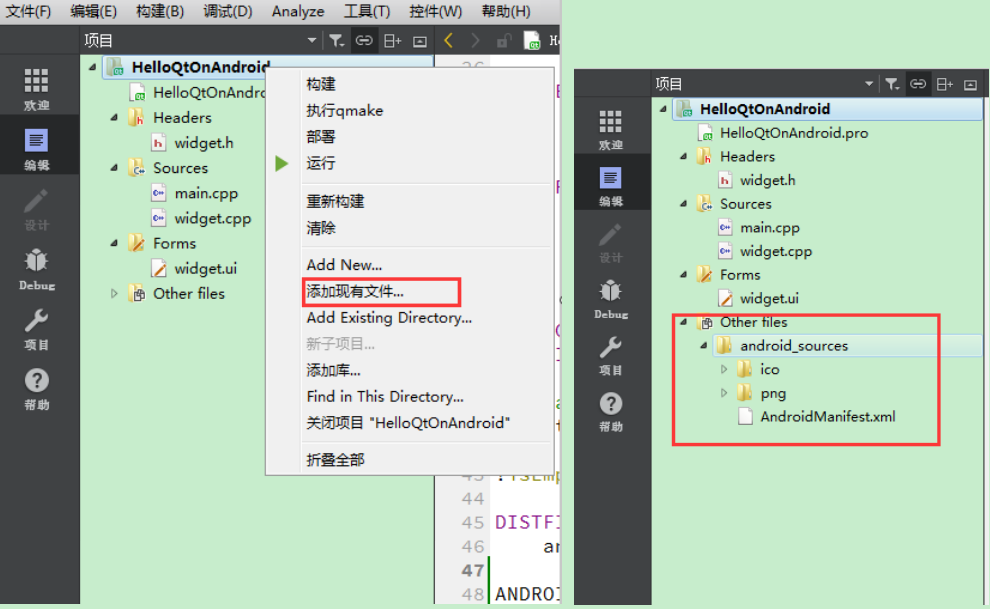
3、 右键项目,在弹出的菜单中选择“添加现有文件…”
4、 双击AndroidManifest.xml文件,在右侧进行修改,在"Application icon"处设置图标,这里有3种图标,分别为低、中、高。
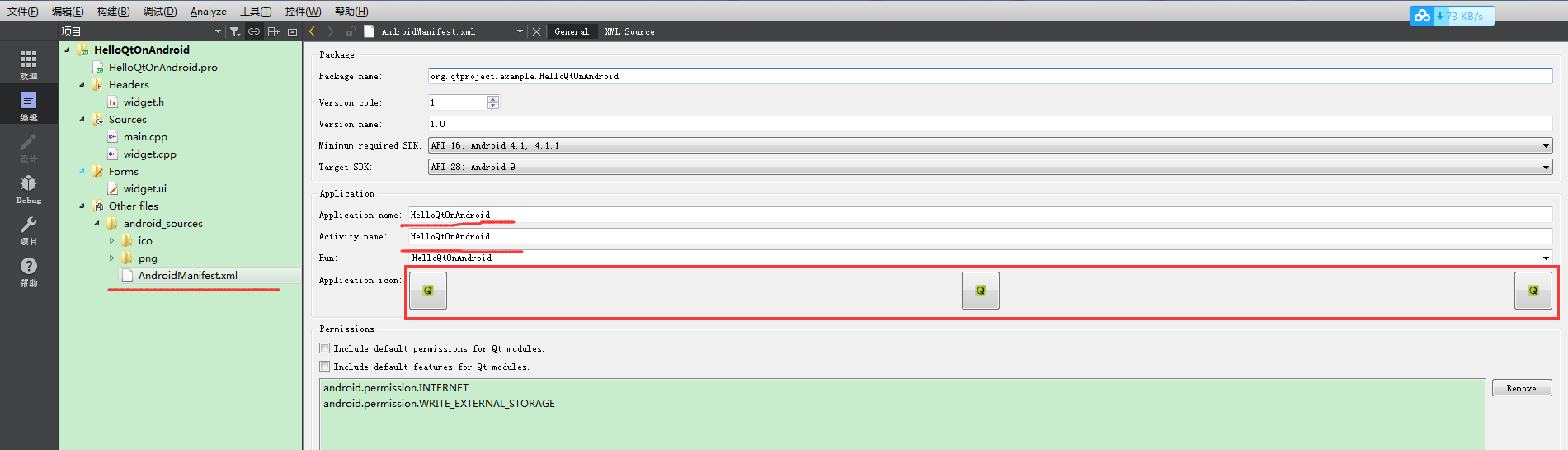
5、 最后需要在.pro文件最后加一句,表示包含Android资源文件目录:
ANDROID_PACKAGE_SOURCE_DIR = $$PWD/android_sources

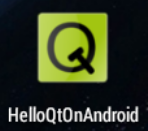
再次编译生成,安装后显示:
以下是参考的内容:
First of all Create a Qt Widgets application project for Android. (if you don’t have Qt for Android installed on your computer then you can refer to this post on how to get it done!)
Next, without changing anything, just build the project. (You can run clean, qmake and then build which is what I always do to make sure things are alright.)
When you build a Qt project, a folder will be created by Qt to contain your build files. If you are using the default settings then this folder is located in the same folder where your project is located. It usually has a name similar to this: (Note that this is just an example and the folder name depends on the version and type of Qt build you are using but it has the same pattern)
build-myproject-Android_for_x86_GCC_4_9_Qt_5_5_0-Debug
如果你使用的是默认设置会在你工程的同级目录下(注意,这里的同级目录不是指你的pro文件所在的目录,而是包涵pro文件的那个文件夹所在的目录,即pro文件的上级目录),会出现类似于“build-myproject-Android_for_x86_GCC_4_9_Qt_5_5_0-Debug”这种名字的目录。
If you go to the build folder mentioned above, there is a folder named “android-build” inside it. Inside android-build you will find a file named AndroidManifest.xml, copy that file.
在上面的那个目录下会有一个“android-build”,在“android-build”这个目录下又有一个名字为“AndroidManifest.xml”的文件,现在我们复制这个文件。
Next, create a folder named “android-sources” inside your Qt project folder and copy AndroidManifest.xml there. (Note that your Qt project folder is the folder where your Qt PRO and source code CPP files etc. are located.)
下面,在工程文件所在目录(这里是pro文件所在的目录)下创建文件夹“android-sources”,将刚才的文件“AndroidManifest.xml”复制到这里。
Now right click your project in Qt Creator and select Add Existing Files. And select AndroidManifest.xml from the android-sources folder to add it to your project.
现在右键点击你Qt Creator中的工程,选择Add Existing Files(添加已存在的文件),将“AndroidManifest.xml”添加到工程中。如下图:
Note that you should have this in “Other files” section of your project.
Now it’s time to actually add the icon to your android application in Qt. Double click AndroidManifest.xml to open the following window in Qt Creator. It is actually Qt’s Android Manifest editor. At the middle of the screen there are three buttons which you can press and select an icon for each one of them. They are used for setting Low DPI, Medium DPI and High DPI icons.
现在双击Qt中的AndroidManifest.xml文件就打开如下界面,在"Application icon"处设置图标,这里有3种图标,分别为低、中、高。
Finally, open your Qt project (.PRO) file and append the following line at the bottom of it.
最后在工程文件.PRO文件中加上下面这名话。
ANDROID_PACKAGE_SOURCE_DIR = $$PWD/android-sources
Now if you run your Qt Android project you should see that the icon is changed!
现在再次build,图标就改变了。
关于程序名的更改也在AndroidManifest.xml中,就是把图标上面的“Application name”“Activity name”改了就可以了。
Qt for Android修改应用程序的图标和名称的更多相关文章
- Android 修改应用程序字体
在网上搜索了相关资料,研究了两种算是比较快速的改变程序字体的方法,好,先来介绍着两种方法. 首先第一种方法是重写控件(以Textview为例): 1.Android在写程序的时候谷歌早已将所有字体都默 ...
- 创建一个QT for Android的传感器应用应用程序(摘自笔者2015年将出的《QT5权威指南》,本文为试读篇)
这个手册描述了使用Qt Quick面访的方式在Android和ios设备上开发QtQuick应用程序的方法.我们使用Qt Creator实现一个QtQuick应用程序,这个应用程序基于加速器的值 ...
- 【Qt开发】更改应用程序图标和任务栏图标
说明 实际开发过程中,生成的应用文件不会用默认的图标,同时程序启动后任务栏的图标也需要修改,还有窗口的图标,这样显得程序不那么low.更改程序的图标有多种方式,基于Qt Creator或vs开发的方式 ...
- 分享50款 Android 移动应用程序图标【下篇】
在这个移动程序流行的时代,持续增长的应用程序经济充满了商业机遇.任何对应用程序设计感兴趣的人,将会喜欢上这里的50个独特的 Android 应用程序图标.这些例子中的图标能够让应用程序的设计更具吸引力 ...
- 分享50款 Android 移动应用程序图标【上篇】
在这个移动程序流行的时代,持续增长的应用程序经济充满了商业机遇.任何对应用程序设计感兴趣的人,将会喜欢上这里的50个独特的 Android 应用程序图标.这些例子中的图标能够让应用程序的设计更具吸引力 ...
- Qt 程序运行图标
Qt5 添加程序图标在pro直接添加一句: RC_ICONS+=resource\appicons\app.ico resource程序代码目录下文件夹. Qt4方式 1.在工程文件夹新建一个res目 ...
- Qt for Android 程序禁止屏幕旋转
有时候我们希望让一个程序的界面始终保持在一个方向,不随手机(平板)方向旋转而变化:在AndroidManifest.xml的每一个需要禁止转向的Activity配置中加入 android:screen ...
- 如何在Ubuntu Unity上修改应用程序图标
转自如何在Ubuntu Unity上修改应用程序图标 这篇文章将教大家在Ubuntu Unity上修改应用程序图标,这个教程适合于Ubuntu 14.04, Ubuntu 13.10, Ubuntu ...
- QT如何设置应用程序的图标
QT如何设置应用程序的图标 准备:.ico格式的图片,可以选择任意其他图片格式的一张图片用格式工厂转换成.ico图片 例如选用的图片是Application.ico 把图片放到工程目录下 在工 ...
随机推荐
- git push origin master错误
以下错误是因为远程有的文件,本地没有,故而无法push文件到远程 $ git push origin master To git@github.com:AntonioSu/learngitWindow ...
- CF1045B Space Isaac
原题链接 DOWNLOAD AS PDF 题目大意 \(0\sim m-1\)的数被分成两个集合,你可以分别从两个集合中取一个数相加并对\(m\)取模,求一不能构造出的数. 题解 感觉如果\(\col ...
- 01-numpy-笔记-empty
import numpy as np >>> a = np.empty([2,3]) >>> a array([[0.00000000e+000, 4.935933 ...
- 洛谷 P1823 [COI2007] Patrik 音乐会的等待
洛谷 P1823 [COI2007] Patrik 音乐会的等待 洛谷传送门 题目描述 N个人正在排队进入一个音乐会.人们等得很无聊,于是他们开始转来转去,想在队伍里寻找自己的熟人.队列中任意两个人A ...
- cnpm包管理
C:\Users\Administrator>npm config set registry http://registry.npm.taobao.org vue 安装 npm install ...
- Linux性能优化实战学习笔记:第三十五讲
一.上节回顾 前面内容,我们学习了 Linux 网络的基础原理以及性能观测方法.简单回顾一下,Linux网络基于 TCP/IP 模型,构建了其网络协议栈,把繁杂的网络功能划分为应用层.传输层.网络层. ...
- JAVA开发者大会-Spring Cloud网关分享
新书购买:单本75折包邮
- 第04组 Alpha冲刺(1/6)
队名:new game 组长博客:戳 作业博客:戳 组员情况 鲍子涵(队长) 过去一段时间对项目的精度和分工进行了更加细致的划分,并初步进行了GamePlay逻辑部分的框架设计 GitHub签入记录: ...
- CSP-S 2019 简要题解
从这里开始 又考炸了,sad.....明年应该在准备高考了,考完把坑填了好了. 一半题都被卡常,qswl.[我汤姆要报警.jpg] dfs 怎么这么慢呀,sad..... i7 牛逼! 写的比较混乱, ...
- Supervisor-守护进程工具
前言 手头上的服务器程序1.0版本终于要进入线上测试阶段了