
Cross-compiling Qt Embedded 5.5 for Raspberry Pi 2
This tutorial shows how to cross-compile the Embedded build of Qt 5.5 for Raspberry Pi 2. The Embedded build does not use the X11 server and instead displays the GUI directly using the Raspberry Pi framebuffer. We will show how to use a Raspberry Pi cross-compiler to build the Qt5 framework for Raspberry Pi on a Windows machine.
- Download a fresh SD card image for your Raspberry Pi. In this tutorial we will use a Debian Jessieimage. Write the image into the SD card using WinFLASHTool or any other similar tool.
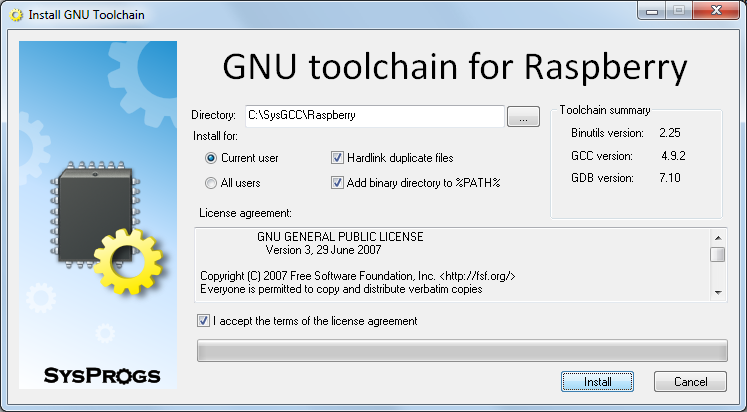
- Download a cross-toolchain matching the image and install it:
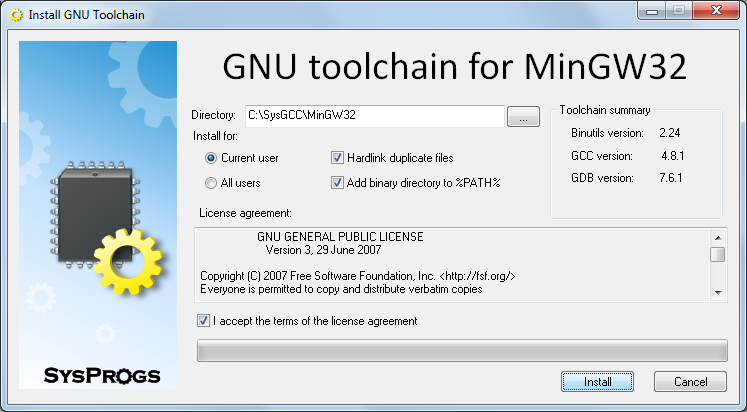
- Download and install a MinGW toolchain that will be used to build Windows versions of build tools like Qmake:
- Download and install Python 2.7 for Windows and ensure that its directory is added to PATH.
- Download the Qt source package (e.g. qt-everywhere-opensource-src-5.5.0.tar.xz) from the Qt Archive.
- Before we can build the Qt for Raspberry Pi, we need to resynchronize the sysroot with the toolchain to ensure that the toolchain has all the headers and libraries from your Raspberry. Start the UpdateSysroot.bat file from the <sysgcc>\Raspberry\TOOLS folder:
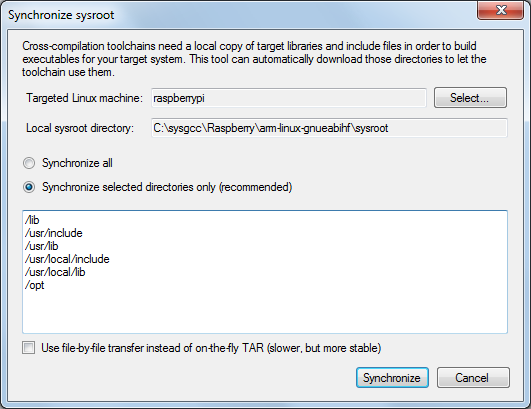 You need to synchronize at least the /opt folder, as it contains OpenGL headers that are not included in the toolchain. If you have installed additional packages on your Raspberry Pi, resynchronize other suggested directories as well.
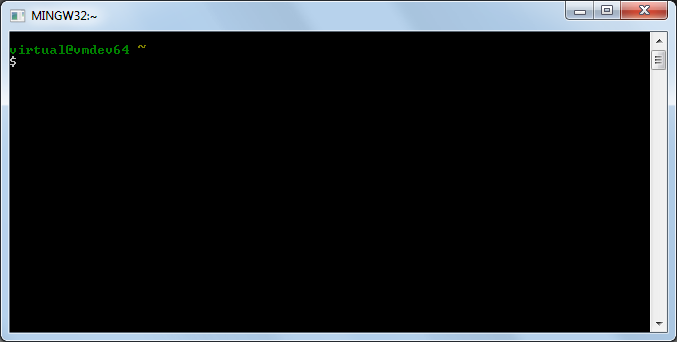
 - Launch the msys shell from the MinGW toolchain by running<sysgcc>\MinGW32\msys\1.0\msys.bat:
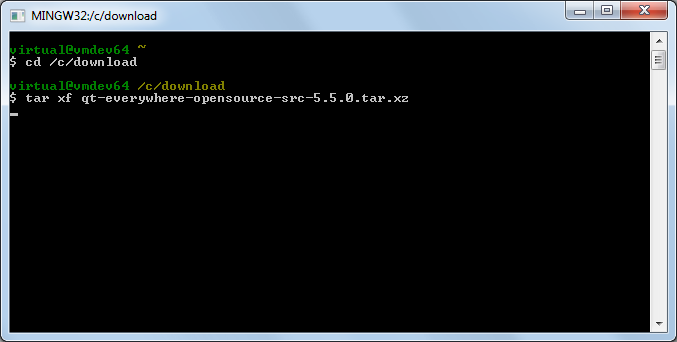
- Go to the directory containing the archive with the Qt source and extract it by running tar xf <archive name>:
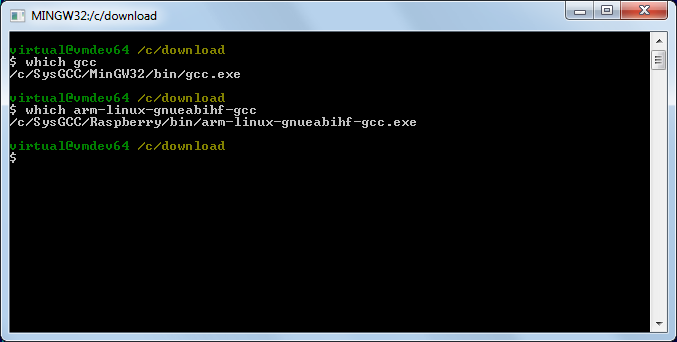
- Ensure that the directories containing the MinGW gcc compiler and the Raspberry Pi cross-compiler are added to PATH. If not, add them manually:
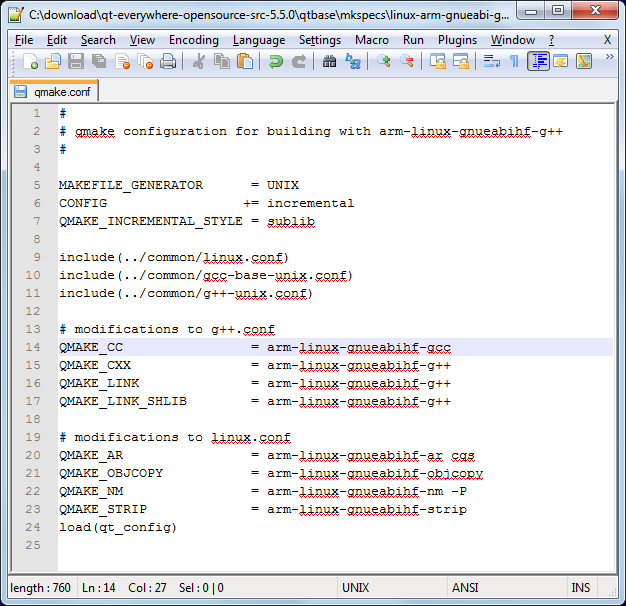
- Open the qt-everywhere-opensource-src-5.5.0\qtbase\mkspecs\linux-arm-gnueabi-g++\qmake.conf file and replace all occurences of arm-linux-gnueabi- with arm-linux-gnueabihf-:
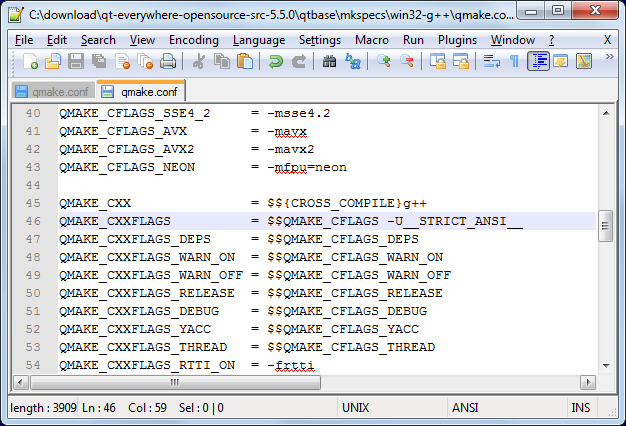
- Now we are ready to build Qt. Due to a bug in the Qmake build script, we will need to build it in 2 steps: first we will build a Qmake for Windows and then we’ll build the actual Qt binaries. First we will modify the win32-g++ platform definition to prevent MinGW from excluding some functions that Qt relies upon. Open the qt-everywhere-opensource-src-5.5.0\qtbase\mkspecs\win32-g++\qmake.conf file and add -U__STRICT_ANSI__ to CXXFLAGS:
- Now we can build the Windows tools. Create a directory (e.g. qt-build) and run the configuration script from there:
123mkdir qt-buildcd qt-build../qt-everywhere-opensource-src-5.5.0/configure -platform win32-g++ -xplatform linux-arm-gnueabi-g++ -release -opengl es2 -device linux-rasp-pi2-g++ -sysroot C:/SysGCC/Raspberry/arm-linux-gnueabihf/sysroot -prefix /usr/local/qt5
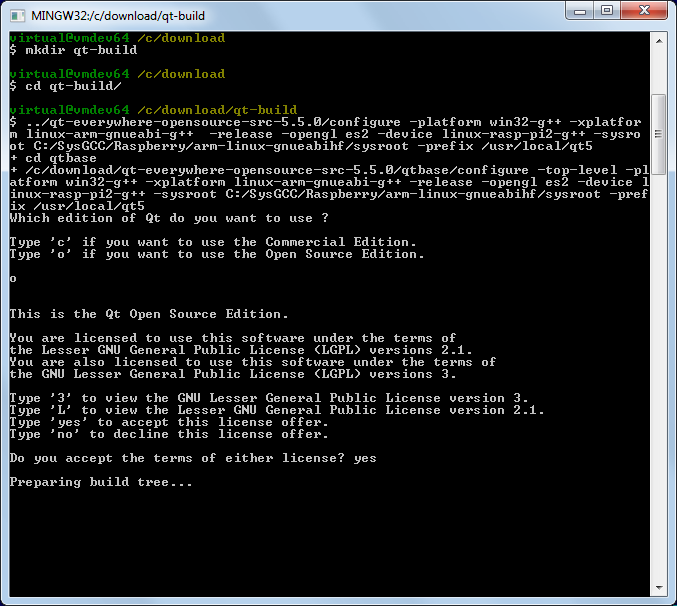 Note the “-opengl es2″ option that configures Qt to use the Raspberry Pi framebuffer directly instead of the X11 system.
 - Eventually the build should fail complaining about the errors to process specs for the raspberry device:
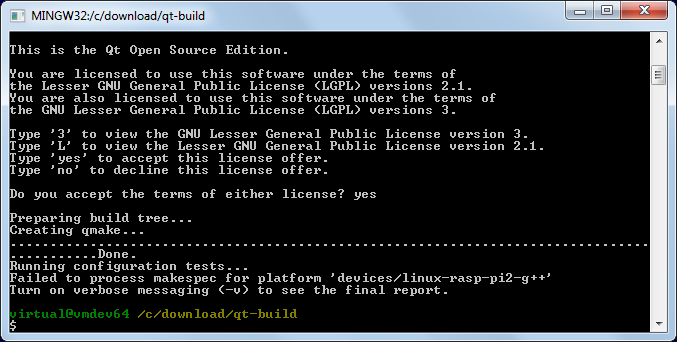
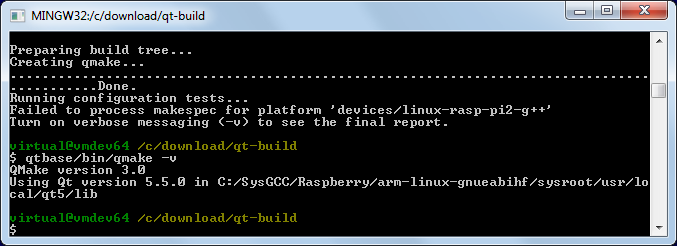
- This is normal as long as qmake.exe got built. Check this by running “qtbase/bin/qmake -v”:
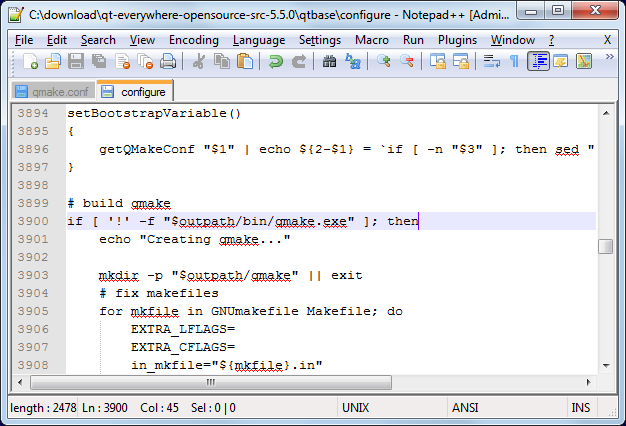
- Now we can build the rest of the Qt framework. First of all open the qtbase\configure file and replace the condition before the “Creating qmake line” with this one:
1if [ '!' -f "$outpath/bin/qmake.exe" ]; then
- Start the configure script again, this time adding the following argument to the end of the previous command line:
1-device-option CROSS_COMPILE=C:/SysGCC/Raspberry/bin/arm-linux-gnueabihf- -qt-xcb
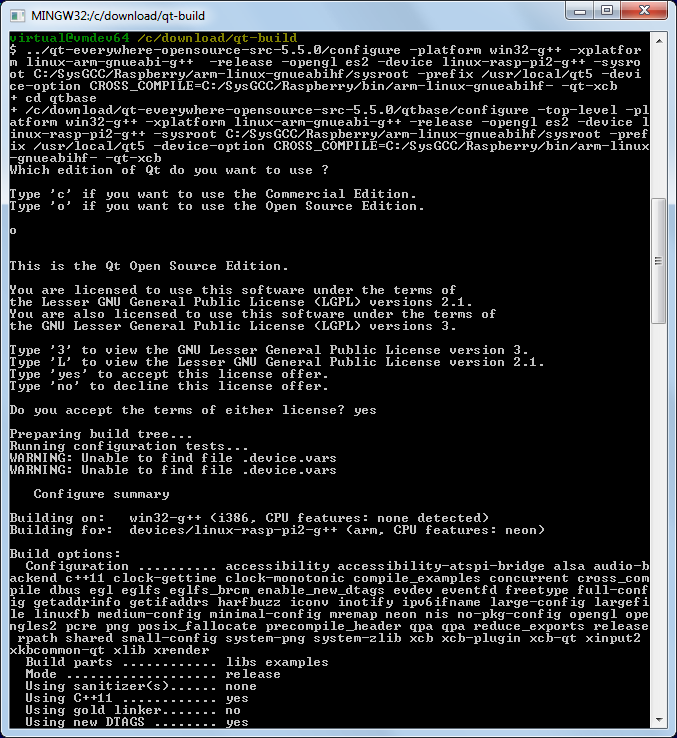 The -device-option is required when using the device specification, however if you specify it while building Qmake, the Qt build system will try to use the cross-compiler to build the Windows Qmake executable that will obviously fail.
 - Once the configure script reports that the configuration is complete, run the “make && make install” command to build the entire Qt framework and install it into the cross-compiler directory. The framework is huge, so the build process might take several hours to complete, even on a fast machine.
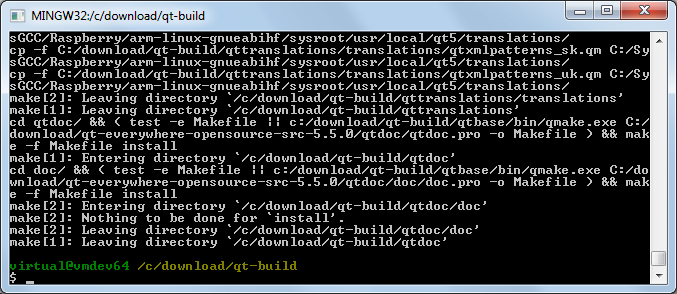 Warning: do not run “make install” before “make” succeeds as it would fail leaving the build directory in a partially built state failing further builds until the entire directory is deleted and re-created.
 - Open SmarTTY (a portable version can be found in <SysGCC>\Raspberry\TOOLS\PortableSmartty) and connect to your Raspberry Pi. Then run the following commands to create the /usr/local/qt5 folder and make it writable to the current user:
123cd /usr/localsudo mkdir qt5sudo chown pi qt5
Then select SCP->Upload directory:
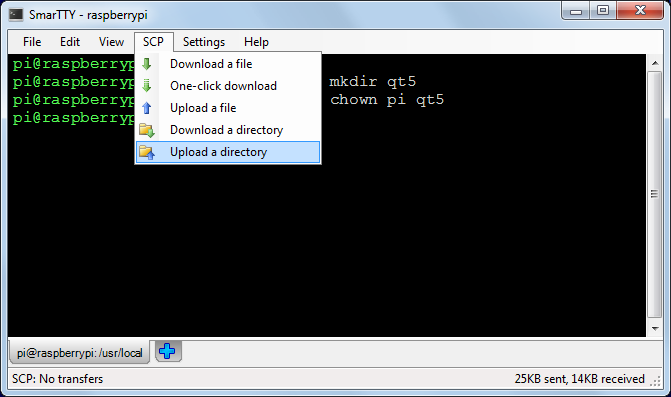
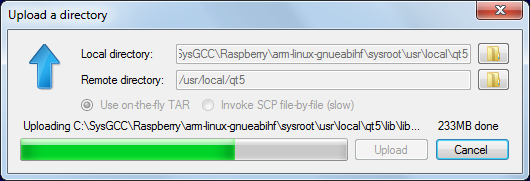
- Select the <sysroot>\usr\local\qt5 directory and upload it to /usr/local/qt5:
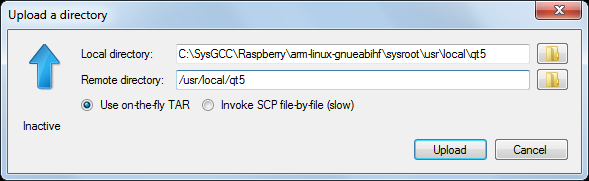
- Wait for the upload to complete. The built Qt framework is relatively large and would take several minutes to upload:
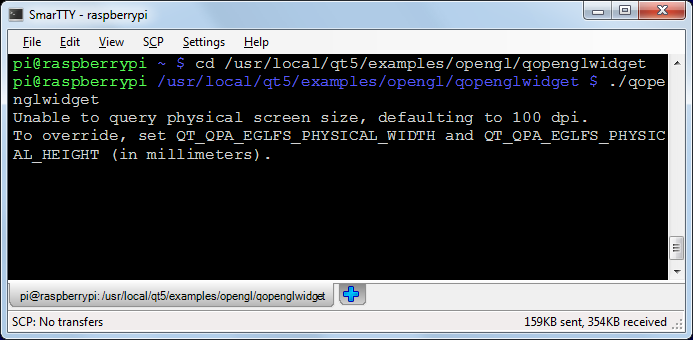
- Once the upload is complete, you can test out the framework. Go to the/usr/local/qt5/examples/opengl/qopenglwidget directory and launch ./qopenglwidget:
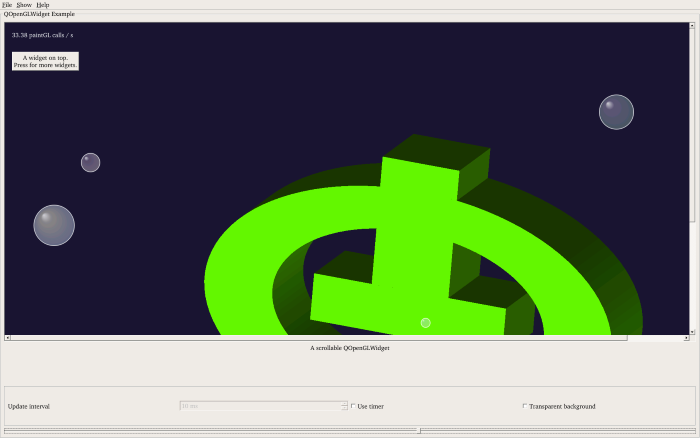
- Look at the screen connected to the HDMI port of the Raspberry Pi. You will see a rotating Qt logo animation:
 If the screen does not show anything, shut down your Raspberry Pi and re-plug the power connector. As long as the screen is connected when the device is powered on, Raspberry Pi should recognize it.
Now that you have cross-compiled the Qt framework for your Raspberry, follow this tutorial to create and build a basic Qt application using the same cross-compiler.
http://visualgdb.com/tutorials/raspberry/qt/embedded/
Cross-compiling Qt Embedded 5.5 for Raspberry Pi 2的更多相关文章
- Compiling a kernel module for the raspberry pi 2 via Ubuntu host
Compiling a kernel module for the raspberry pi 2 via Ubuntu host Normally compiling a kernel module ...
- Cross compiling coreutils and generate the manpages
When we cross compiling coreutils, there is an problem of generating man pages, because the source s ...
- 让QT/Embedded支持国际化
让QT/Embedded支持国际化 环境配置: Qt/Embedded ,在主机和目标板上存放路径都为:/root/qt-embedded-free- Qt/X11 3.3 (主要用到其中的lupda ...
- QT Embedded二三事之QObject的元对象
一.元对象 元对象被称做是meta object.在运行时刻(runtime),能够提供对象的运行时信息. 在C++语言发展的早期,C++语言本身没有定义对象的运行时信息,如输出类的名 ...
- Raspberry Pi 3 --- Kernel Building and Run in A New Version Kernal
ABSTRACT There are two main methods for building the kernel. You can build locally on a Raspberry Pi ...
- Raspberry Pi Kernel Compilation 内核编译官方文档
elinux.org/Raspberry_Pi_Kernel_Compilation#Use_the_provided_compiler Software & Distributions: S ...
- RASPBERRY PI 外设学习资源
参考: http://www.siongboon.com/projects/2013-07-08_raspberry_pi/index.html Raspberry Pi Get st ...
- [树莓派(raspberry pi)] 02、PI3安装openCV开发环境做图像识别(详细版)
前言 上一篇我们讲了在linux环境下给树莓派安装系统及入门各种资料 ,今天我们更进一步,尝试在PI3上安装openCV开发环境. 博主在做的过程中主要参考一个国外小哥的文章(见最后链接1),不过其教 ...
- Device trees, Overlays and Parameters of Raspberry Pi
Raspberry Pi's latest kernels and firmware, including Raspbian and NOOBS releases, now by default us ...
随机推荐
- DELPHI7如何调用带参数的JAVA WebService
对方提供的WebService地址是http://192.168.1.6:8080/test/pic?XH=XX用DELPHI如何调呢 ------解决方案--------------------通过 ...
- HDU_2052——画矩形
Problem Description Give you the width and height of the rectangle,darw it. Input Input contains a ...
- ELT工具Kettle之CDC(Change Data Capture)实现实例
ETL过程的第一步就是从不同的数据源抽取数据并把数据存储在数据的缓存区.这个过程的主要挑战就是初始加载数据量大和比较慢的网络延迟.在初始加载完成之后,不能再把所有数据重新加载一遍,我们需要的只是变化的 ...
- assertion的语法和语义
.1) 语法表示 在语法上,为了支持assertion,Java增加了一个关键字assert.它包括两种表达式,分别如下: assert expression1; assert expression1 ...
- 获取WebView加载HTML时网页中的内容
main.xml如下: [html] view plaincopy <RelativeLayout xmlns:android="http://schemas.android.com/ ...
- [转]Android访问网络,使用HttpURLConnection还是HttpClient
转载请注明出处:http://blog.csdn.net/guolin_blog/article/details/12452307 最近在研究Volley框架的源码,发现它在HTTP请求的使用上比较有 ...
- INSTALL_PARSE_FAILED_INCONSISTENT_CERTIFICATES错误解决方法
在安装APK文件时出现类似INSTALL_PARSE_FAILED_INCONSISTENT_CERTIFICATES的提示,同时类似的提示如下: Android Launch! adb is run ...
- 【SSH三框架】Struts2第六章的基础:他们拦截函数的定义
干web当然,需要做的事情时,项目管理登录身份验证及其他权利.假设我们必须使用相应的登陆,未经允许是不可能的. 因此,我们需要使用拦截器,拦截功能struts2它集成.当然,有可能在Spring正在使 ...
- SEOer怎样安排一天的工作
昨天一文谈到seo车型优化恐惧了,一些兄弟果断说,不玩seo.妮子不是吓人的,希望大家好好看清自己如今行业现状,怎样突破下步,如今仅仅剩下竞价和B2B付费平台了吗?每天坚持博客更新,尽管不像那些名博那 ...
- CSS3新特性(阴影、动画、渐变、变形、伪元素等) CSS3与页面布局学习总结——CSS3新特性(阴影、动画、渐变、变形、伪元素等)
目录 一.阴影 1.1.文字阴影 1.2.盒子阴影 二.背景 2.1.背景图像尺寸 2.2.背景图像显示的原点 三.伪元素 3.1.before 3.2.after 3.3.清除浮动 四.圆角与边 ...