
转场动画2-Pop动画
上一篇试讲push动画,这篇分解pop动画
里面关于矩阵有不懂得,参考CATransform3D 特效详解
上图(虚拟机下,图是渣渣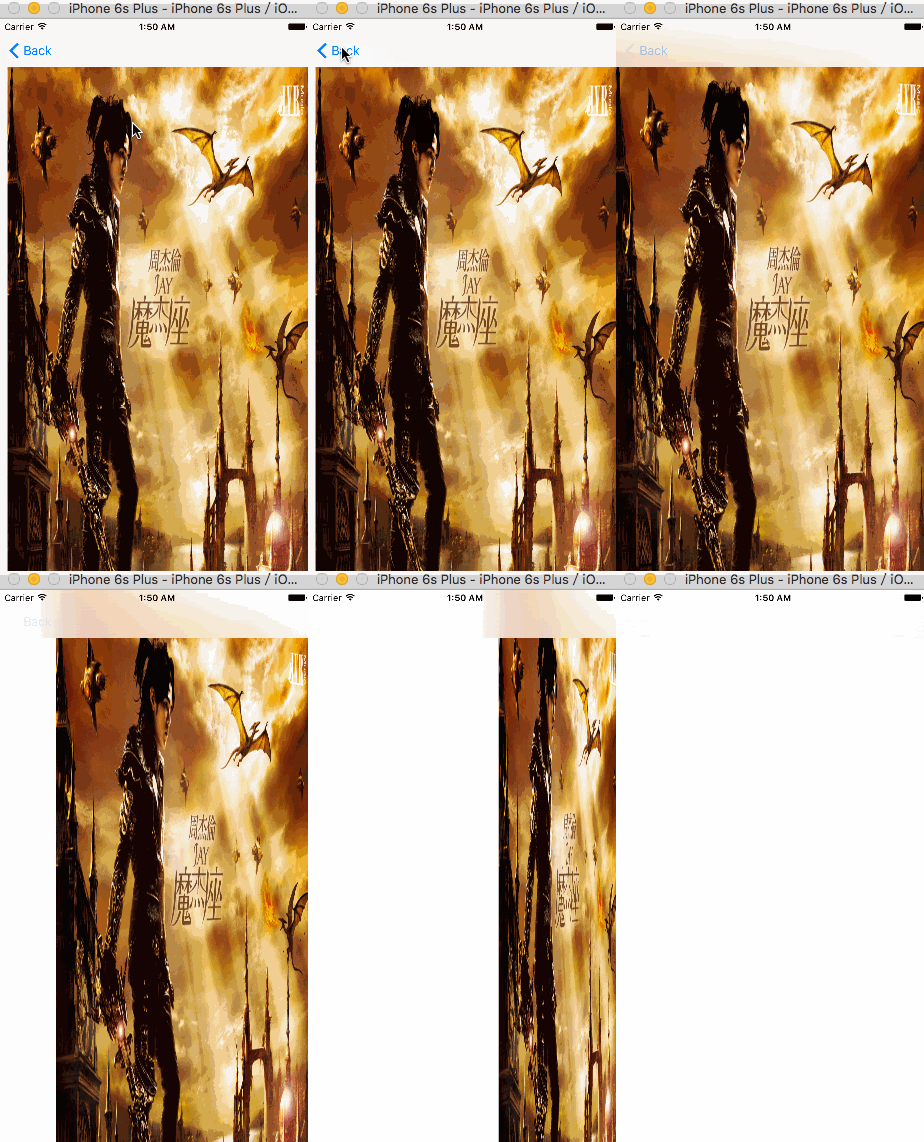
)
代码直接上
//

//  PopTransition.h

//  转场动画2-Pop

//

//  Created by MAc on 16/5/28.

//  Copyright © 2016年 李赵杰. All rights reserved.

//

#import <Foundation/Foundation.h>

#import <UIKit/UIKit.h>

@interface PopTransition : NSObject<UIViewControllerAnimatedTransitioning>

/** 全局上下文  */

@property (nonatomic,strong) id  transitionContext;

/** fromViewController  */

@property (nonatomic,strong) UIViewController * fromViewController;

@end
实现方法和Push里面基本一致
//

//  PopTransition.m

//  转场动画2-Pop

//

//  Created by MAc on 16/5/28.

//  Copyright © 2016年 李赵杰. All rights reserved.

//

#import "PopTransition.h"

@implementation PopTransition

- (NSTimeInterval)transitionDuration:(id<UIViewControllerContextTransitioning>)transitionContext{

    return 5.0;

}

- (void)animateTransition:(id <UIViewControllerContextTransitioning>)transitionContext{

    _transitionContext = transitionContext;

    UIViewController * fromViewController = [transitionContext viewControllerForKey:UITransitionContextFromViewControllerKey];

    UIViewController * toViewController = [transitionContext viewControllerForKey:UITransitionContextToViewControllerKey];

    UIView * containerView = [transitionContext containerView];

    _fromViewController = fromViewController;

    [containerView addSubview:toViewController.view];

    [containerView addSubview:fromViewController.view];

    CATransform3D transform =CATransform3DIdentity;

    //这个值表示:  m34(透视效果,要操作的这个对象要有旋转的角度,否则没有效果。正直/负值都有意义)

    transform.m34 = - 1/1500.0;

    fromViewController.view.layer.transform = transform;

    fromViewController.view.layer.anchorPoint = CGPointMake(1, 0.5);

    fromViewController.view.layer.position =CGPointMake(CGRectGetMaxX(toViewController.view.frame),CGRectGetMidY(toViewController.view.frame));

    CABasicAnimation * animation = [CABasicAnimation animationWithKeyPath:@"transform.rotation.y"];

    animation.duration = [self transitionDuration:transitionContext];

    animation.fromValue = @(0);

    animation.toValue =@(M_PI_2);

    animation.delegate = self;

    [fromViewController.view.layer addAnimation:animation forKey:@"rotateAnimation"];

}

-(void)animationDidStop:(CAAnimation *)anim finished:(BOOL)flag{

    if (flag) {

        // This must be called whenever a transition completes (or is cancelled.)

        // Typically this is called by the object conforming to the

        // UIViewControllerAnimatedTransitioning protocol that was vended by the transitioning

        // delegate.  For purely interactive transitions it should be called by the

        // interaction controller. This method effectively updates internal view

        // controller state at the end of the transition.

    //意思就是:必须调用在转场动画结束时(取消),....  最后这个方法有效的更新了试图控制器中转场动画的状态

        [_transitionContext completeTransition:YES];

    }

}

@end
//

//  PopViewController.m

//  转场动画2-Pop

//

//  Created by MAc on 16/5/28.

//  Copyright © 2016年 李赵杰. All rights reserved.

//

#import "PopViewController.h"

#import "PopTransition.h"

@interface PopViewController ()<UINavigationControllerDelegate>

@end

@implementation PopViewController

- (void)viewDidAppear:(BOOL)animated{

    [super viewDidAppear:animated];

    self.navigationController.delegate = self;

}

-(void)viewDidDisappear:(BOOL)animated{

    [super viewDidDisappear:animated];

    self.navigationController.delegate =nil;

}

- (void)viewDidLoad {

    [super viewDidLoad];

      // Do any additional setup after loading the view.

}

- (id<UIViewControllerAnimatedTransitioning>)navigationController:(UINavigationController *)navigationController animationControllerForOperation:(UINavigationControllerOperation)operation fromViewController:(UIViewController *)fromVC toViewController:(UIViewController *)toVC{

    if (operation == UINavigationControllerOperationPop) {

        return [[PopTransition alloc]init];

    }

    return nil;

}

- (void)didReceiveMemoryWarning {

    [super didReceiveMemoryWarning];

    // Dispose of any resources that can be recreated.

}

/*

#pragma mark - Navigation

// In a storyboard-based application, you will often want to do a little preparation before navigation

- (void)prepareForSegue:(UIStoryboardSegue *)segue sender:(id)sender {

    // Get the new view controller using [segue destinationViewController].

    // Pass the selected object to the new view controller.

}

*/

@end
demo地址
下一篇解析 吴彦祖的手势,尽请期待
转场动画2-Pop动画的更多相关文章
- iOS动画——弹窗动画(pop动画)
用pop动画简单实现弹窗的缩放和渐变,感觉这个动画常用,就写一下博客 pop动画是Facebook推出的动画引擎,请自行到GitHub上搜索下载拖拽导入xcode项目中. 更多pop动画使用和原理可网 ...
- POP动画[1]
POP动画[1] pop动画是facebook扩展CoreAnimation的,使用及其方便:) 1:Spring系列的弹簧效果(两个动画kPOPLayerBounds与kPOPLayerCorner ...
- POP动画[3]
POP动画[3] 这一节主要讲解POP动画的自定义动画属性. POP动画中有一个参数,叫timingFunction,与CoreAnimation中的一个参数CAMediaTimingFunction ...
- POP动画[2]
POP动画[2] 1:定制控制器间的转场动画. 源码有点多-_-!! // // RootViewController.h // Animation // // Copyright (c) 2014年 ...
- iOS开发UI篇—核心动画(转场动画和组动画)
转自:http://www.cnblogs.com/wendingding/p/3801454.html iOS开发UI篇—核心动画(转场动画和组动画) 一.转场动画简单介绍 CAAnimation的 ...
- 用POP动画引擎实现衰减动画(POPDecayAnimation)
效果图: #import "ViewController.h" #import <POP.h> @interface ViewController () @end @i ...
- POP动画引擎中Layer与CALayer的一点区别
POP动画引擎是facebook提供的一个开源框架, 可以实现很多的动画效果, 这里就不一一介绍啦, 有兴趣的童鞋请移步: https://github.com/facebook/pop 下面简单的讲 ...
- 用POP动画编写带富文本的自定义动画效果
用POP动画编写带富文本的自定义动画效果 [源码] https://github.com/YouXianMing/UI-Component-Collection [效果] [特点] * 支持富文本 * ...
- 用POP动画模拟真实秒钟摆动效果
用POP动画模拟真实秒钟摆动效果 静态图: 动画图: 此处用到了POP中的Spring系列动画,现提供源码如下: SecondClockView.h 与 SecondClockView.m // // ...
- ios基础动画、关键帧动画、动画组、转场动画等
概览 在iOS中随处都可以看到绚丽的动画效果,实现这些动画的过程并不复杂,今天将带大家一窥iOS动画全貌.在这里你可以看到iOS中如何使用图层精简非交互式绘图,如何通过核心动画创建基础动画.关键帧动画 ...
随机推荐
- Linux系统下安装phpmyadmin方法
phpmyadmin下载地址:不要分,赶紧去下载吧!http://download.csdn.net/detail/u011986449/7429799 1.找到 /libraries/config. ...
- Visual Studio使用技巧
编程部分: 1.TODO:书签 打开之后返回上次工作的位置.让我们不再用脑子去记忆,去回顾刚刚工作到的部分. 操作非常easy.例如以下代码所看到的: public DataTable SelectB ...
- ASP.Net连接SQLServer 连接字符串
引用命名空间 using System.Data; using System.Data.SqlClient; 连接字符串 // windows 验证方式数据库中存在单一实例 string connec ...
- 性能监控工具javamelody与spring的集成
详细信息可以访问javamelody的官方网站 我在集成的过程中,一直出现commonHibernateDao的加载问题, 另外,根据官方文档,如果你的应用与monitoring-spring.xml ...
- Spring-----Assert断言工具类
转载自:http://blog.csdn.net/hekewangzi/article/details/51956577
- TCP/IP详解之:ARP协议 和 RARP协议
ARP功能:从逻辑internet地址(IP地址)到对应的物理硬件地址(以太网地址)之间的转换 ARP工作原理: (1)首先每个主机都会在自己的ARP缓冲区中建立一个ARP列表,以表示IP和MAC间的 ...
- EC读书笔记系列之6:条款11 在operator=中处理自我赋值
记住: ★确保当对象自我赋值时operator=有良好行为.有三种方法:比较“来源对象”和“目标对象”的地址.精心周到的语句顺序.以及copy-and-swap技术 ★确定任何函数若操作一个以上对象, ...
- Module 模式 以及 揭示模式。
---恢复内容开始--- Module模式 : 在传统软件工程中为类提供私有和公有封装的方法. 在js中: Module 模式 使用闭包封装 私有状态和组织. 该模式,返回一个公有的API,而其他的一 ...
- 关于ThreadAbortExcption异常处理
之前程序中,使用Thread.Abort()方法来终止线程的运行,但它是抛出ThreadAbortException异常来终止线程. 异常信息摘要: Unhandled Exception:Threa ...
- cursor的形状
Example:CSS鼠标手型效果 <a href="#" style="cursor:hand">CSS鼠标手型效果</a> Exam ...