
原生js弹力球
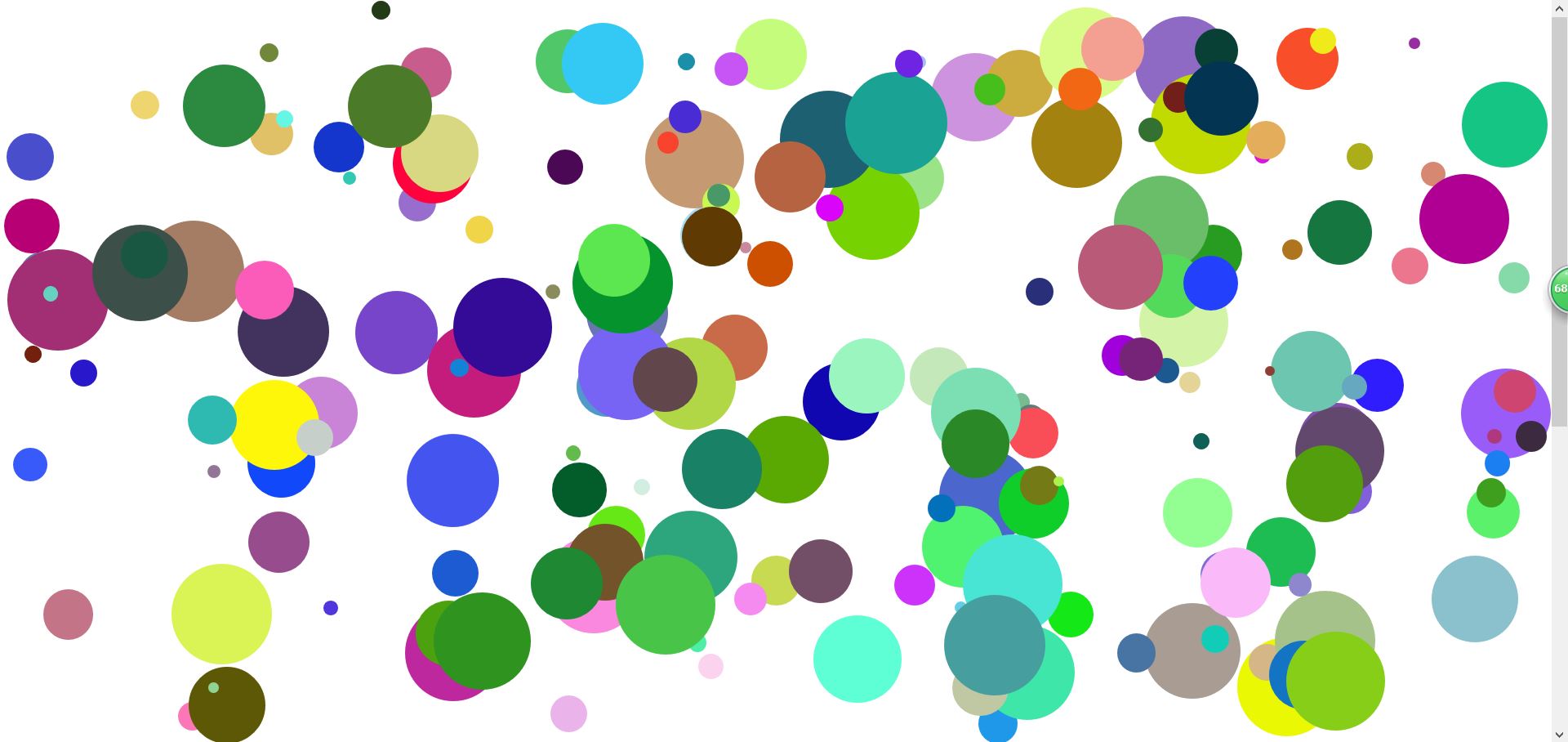
<!DOCTYPE html>

<html lang="en">

<head>

    <meta charset="UTF-8">

    <meta name="viewport" content="width=device-width, initial-scale=1.0">

    <meta http-equiv="X-UA-Compatible" content="ie=edge">

    <title>Document</title>

    <style>

        body {

            height: 1200px;

        }

    </style>

</head>

<body>

</body>

</html>

<script>

    // 面向对象的思想:

    //1、有哪些类:就只有一个弹力球类。

    //2、步骤

    // 定义类(弹力球类):构造函数

    function Ball( size, left1, top1, color, step, directionLeft, directionTop, timeSpace) {

        // 属性:(把面向过程中的全局变量变成属性)

        this.dom = null;

        //球球的大小

        this.size = size;

        // 位置

        this.left1 = left1;

        this.top1 = top1;

        //颜色

        this.color = color;

        // 步长

        this.step = step;

        this.timeSpace = timeSpace;

        // 方向

        this.directionLeft = directionLeft;

        this.directionTop = directionTop;

        // 创建dom

        this.createDom = function(){

            this.dom = document.createElement("div");

            this.dom.style.cssText = `

                position: absolute;

                left: ${this.left1}px;

                top: ${this.top1}px;

                width: ${this.size}px;

                height: ${this.size}px;

                border-radius: 50%;

                background-color:${this.color};

            `;

            document.body.appendChild(this.dom);

        }

        // 球球开始谈

        this.go = function () {

            setInterval(() => {

                this.left1 = this.left1 + this.directionLeft * this.step;

                this.top1 = this.top1 + this.directionTop * this.step;

                // 边界判断

                // 1)、纵向

                let clientHeigth = document.documentElement.clientHeight || document.body.clientHeight;

                let scrollTop = document.documentElement.scrollTop || document.body.scrollTop;

                if (this.top1 + this.size > clientHeigth + scrollTop) {

                    // 下边界

                    this.top1 = clientHeigth + scrollTop - this.size;

                    this.directionTop = -1;

                } else if (this.top1 < scrollTop) {

                    //上边界

                    this.top1 = scrollTop;

                    this.directionTop = 1;

                }

                //2)、横向

                let clientWidth = document.documentElement.clientWidth || document.body.clientWidth;

                let scrollLeft = document.documentElement.scrollLeft || document.body.scrollLeft;

                if (this.left1 + this.size > clientWidth + scrollLeft) {

                    // 右边界

                    this.left1 = clientWidth + scrollLeft - this.size;

                    this.directionLeft = -1;

                } else if (this.left1 < scrollLeft) {

                    //左边界

                    this.left1 = scrollLeft;

                    this.directionLeft = 1;

                }

                this.dom.style.left = this.left1 + "px";

                this.dom.style.top = this.top1 + "px";

            }, this.timeSpace);

        }

        this.createDom();

        this.go();

    }

    window.onload = function () {

        for(var i=0;i<200;i++){

            // 1、随机大小(10-100)

            let size = parseInt(Math.random()*91)+10;

            // 2、随机位置;(横向:10-1000,纵向:10-600)

            let left1 = parseInt(Math.random()*991)+10;

            let top1 = parseInt(Math.random()*591)+10;

            // 3、随机颜色

            let color = getColor();

            // 4、随机步长(1-10)

            let step = parseInt(Math.random()*11)+1;

            // 5、随机方向

            let directionLeft = parseInt(Math.random()*2)==0?-1:1;  //0和1

            let directionTop = parseInt(Math.random()*2)==0?-1:1;  //0和1

            // 6、随机时间间隔(5-100)

            let timeSpace = parseInt(Math.random()*96)+5;

            let b1 = new Ball( size, left1, top1, color, step, directionLeft, directionTop, timeSpace);

        }

    }

    function getColor(){

        var str = "#";

        for(var i=0;i<6;i++){

            str += parseInt(Math.random()*16).toString(16);

        }

        return str;

    }

</script>
原生js弹力球的更多相关文章
- js课程 6-15 js简单弹力球如何实现
js课程 6-15 js简单弹力球如何实现 一.总结 一句话总结:a.通过document的documentElement属性获取可是区域的高: b.通过增值变为负的实现到底部后反弹 1.docume ...
- js版弹力球实例
<!DOCTYPE html><html> <head> <meta charset="UTF-8"> <title>弹 ...
- JS实现弹性势能效果(弹力球效果[实现插件封装])
<!DOCTYPE html> <html> <head lang="en"> <meta charset="UTF-8&quo ...
- 原生JS封装Ajax插件(同域&&jsonp跨域)
抛出一个问题,其实所谓的熟悉原生JS,怎样的程度才是熟悉呢? 最近都在做原生JS熟悉的练习... 用原生Js封装了一个Ajax插件,引入一般的项目,传传数据,感觉还是可行的...简单说说思路,如有不正 ...
- 常用原生JS方法总结(兼容性写法)
经常会用到原生JS来写前端...但是原生JS的一些方法在适应各个浏览器的时候写法有的也不怎么一样的... 今天下班有点累... 就来总结一下简单的东西吧…… 备注:一下的方法都是包裹在一个EventU ...
- 原生JS实现"旋转木马"效果的图片轮播插件
一.写在最前面 最近都忙一些杂七杂八的事情,复习软考.研读经典...好像都好久没写过博客了... 我自己写过三个图片轮播,一个是简单的原生JS实现的,没有什么动画效果的,一个是结合JQuery实现的, ...
- 再谈React.js实现原生js拖拽效果
前几天写的那个拖拽,自己留下的疑问...这次在热心博友的提示下又修正了一些小小的bug,也加了拖拽的边缘检测部分...就再聊聊拖拽吧 一.不要直接操作dom元素 react中使用了虚拟dom的概念,目 ...
- React.js实现原生js拖拽效果及思考
一.起因&思路 不知不觉,已经好几天没写博客了...近来除了研究React,还做了公司官网... 一直想写一个原生js拖拽效果,又加上近来学react学得比较嗨.所以就用react来实现这个拖 ...
- 原生JS实现全屏切换以及导航栏滑动隐藏及显示——重构前
思路分析: 向后滚动鼠标滚轮,页面向下全屏切换:向前滚动滚轮,页面向上全屏切换.切换过程为动画效果. 第一屏时,导航栏固定在页面顶部,切换到第二屏时,导航条向左滑动隐藏.切换回第一屏时,导航栏向右滑动 ...
随机推荐
- JAVA校内赛
第一题: 问题描述 在计算机存储中,15.125GB是多少MB?答案提交 这是一道结果填空的题,你只需要算出结果后提交即可.本题的结果为一个整数,在提交答案时只填写这个整数,填写多余的内容将无法得分. ...
- 开源项目在闲鱼、b 站上被倒卖?这是什么骚操作?
起因 - 又是一封邮件 2020 年 3 月 2 日,收到了一封邮件,对,这次故事的起因又是一封邮件,和上次写个bug被国家信息安全漏洞共享平台抓到了一样. 这是一条评论通知邮件,一开始我以为只是正常 ...
- 搭建Java开发环境之配置环境变量
前言 初学Java不久的二胖在搭建Java开发环境一步就遇到问题,他不由得感叹:万事开头难啊!但感叹之后它还是鼓足了劲去努力解决它,二胖在电脑上Google了一番,最终环境是搭建成功了,但他心中对&q ...
- React 的 PureComponent Vs Component
一.它们几乎完全相同,但是PureComponent通过prop和state的浅比较来实现shouldComponentUpdate,某些情况下可以用PureComponent提升性能 1.所谓浅比较 ...
- mybatis探究之延迟加载和缓存
mybatis探究之延迟加载和缓存 一.什么是延迟加载 1.延迟加载的概念 在mybatis进行多表查询时,并非所有的查询都需要立即进行.例如在查询带有账户信息的用户信息时,我们们并不需要总是在加载用 ...
- node 微信支付
基于node 实现微信支付功能 需要了解的网站:微信支付 流程图: 1. 1.我的路由: const Koa = require('koa') const app = new Koa() const ...
- cat、head、sed 三盟友
在linux 中我们必不可少的会使用到这三个命令 他们有什么作用呢? 就是查看文档了,但他的功能远不止于此 来我们学习一下吧 cat [root@ESProbe ~]# cat --help Usag ...
- redis 持久化RDB、AOF
1.redis持久化简介 Redis是一种高级key-value数据库.它跟memcached类似,不过数据可以持久化,而且支持的数据类型很丰富.有字符串,链表,集合和有序集合.支持在服务器端计算集合 ...
- 4. selenium中鼠标和键盘操作
一.鼠标操作 第一步:引入模块函数 from selenium.webdriver.common.action_chains import ActionChains 第二步:元素定位 element ...
- Error while importing sbt project:--创建sbt项目导入文件出错
错误截图如下: Error while importing sbt project: List([info] Loading global plugins from C:\Users\RYJ\.sbt ...