
【代码笔记】iOS-书架页面
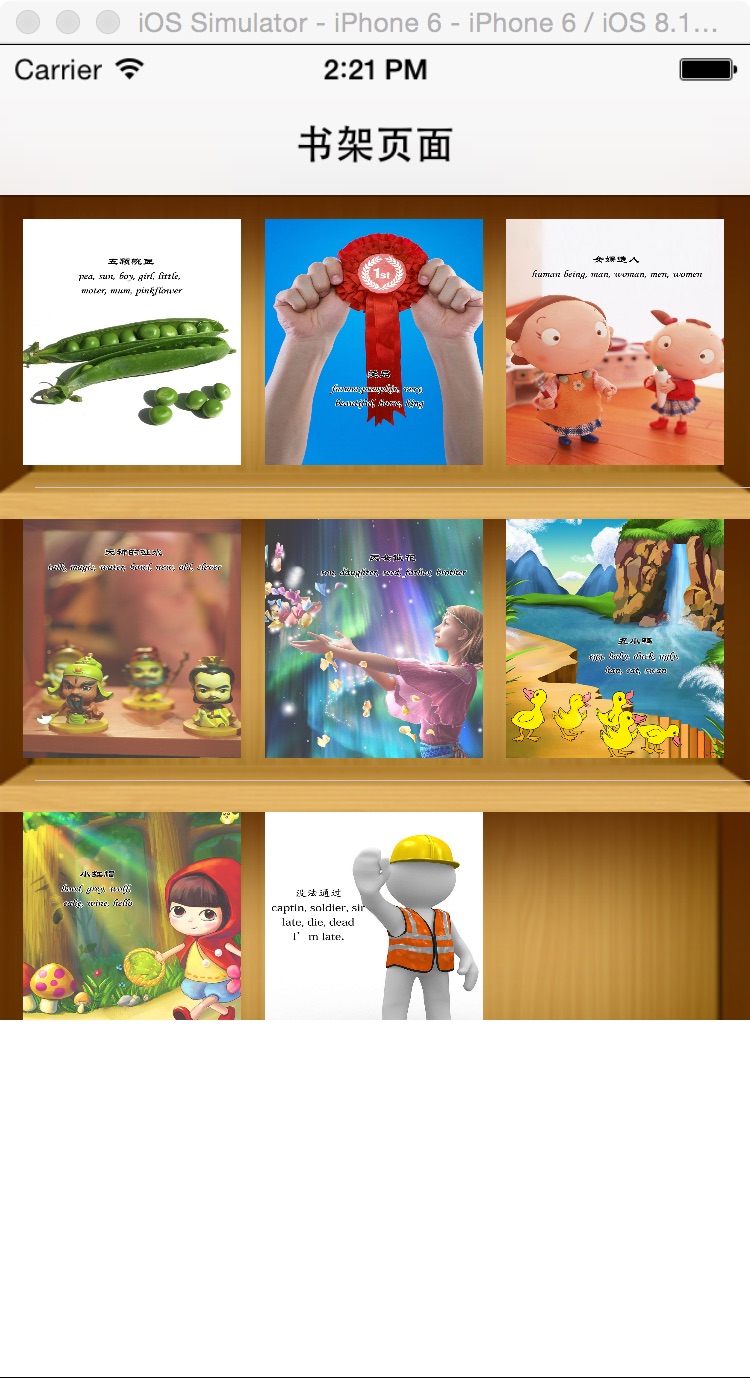
一,效果图。
二,工程图。
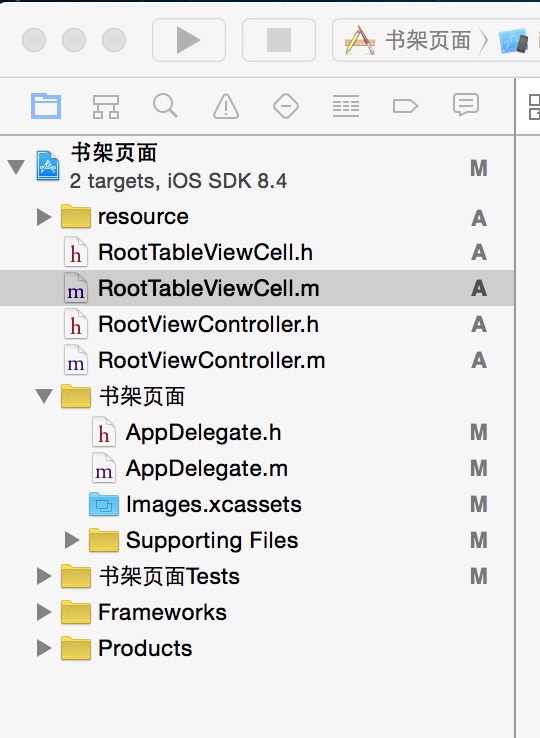
三,代码。
RootViewController.h

#import <UIKit/UIKit.h>

@interface RootViewController : UIViewController

<UITableViewDataSource,UITableViewDelegate>

{

    NSMutableArray * dataArray;

    UITableView * myTableView;

}

@end
RootViewController.m
#import "RootViewController.h"

//cell

#import "RootTableViewCell.h"

@interface RootViewController ()

@end

@implementation RootViewController

- (id)initWithNibName:(NSString *)nibNameOrNil bundle:(NSBundle *)nibBundleOrNil

{

    self = [super initWithNibName:nibNameOrNil bundle:nibBundleOrNil];

    if (self) {

        // Custom initialization

    }

    return self;

}

- (void)viewDidLoad

{

    [super viewDidLoad];

    // Do any additional setup after loading the view.

    //初始化背景图

    [self initBackGroundView];

}

#pragma -mark -functions

-(void)initBackGroundView

{

    self.title=@"书架页面";

    dataArray=[[NSMutableArray alloc]initWithObjects:@"1",@"2",@"3",@"4",@"5",@"6",@"7",@"8",@"9", nil];

    myTableView = [[UITableView alloc]initWithFrame:CGRectMake(0, 0, 320, 416) style:UITableViewStylePlain];

    myTableView.delegate = self;

    myTableView.dataSource = self;

    [self.view addSubview:myTableView];

}

#pragma -mark -UITableViewDelegate

-(NSInteger)tableView:(UITableView *)tableView numberOfRowsInSection:(NSInteger)section

{

    return 3;

}

-(CGFloat)tableView:(UITableView *)tableView heightForRowAtIndexPath:(NSIndexPath *)indexPath

{

    return 376/3;

}

-(UITableViewCell*)tableView:(UITableView *)tableView cellForRowAtIndexPath:(NSIndexPath *)indexPath

{

    RootTableViewCell * cell = [tableView dequeueReusableCellWithIdentifier:@"ID"];

    if(cell == nil)

    {

        cell =[[RootTableViewCell alloc]initWithStyle:UITableViewCellStyleValue1 reuseIdentifier:@"ID"];

    }

    cell.tag = indexPath.row;

    [cell.bookLeft addTarget:self action:@selector(buttonClick:) forControlEvents:UIControlEventTouchUpInside];

    [cell.bookMiddle addTarget:self action:@selector(buttonClick:) forControlEvents:UIControlEventTouchUpInside];

    [cell.bookRight addTarget:self action:@selector(buttonClick:) forControlEvents:UIControlEventTouchUpInside];

    [cell.bookLeft setBackgroundImage:[UIImage imageNamed:[NSString stringWithFormat:@"%@.jpg",[dataArray objectAtIndex:indexPath.row*3]]] forState:UIControlStateNormal];

    [cell.bookMiddle setBackgroundImage:[UIImage imageNamed:[NSString stringWithFormat:@"%@.jpg",[dataArray objectAtIndex:indexPath.row*3+1]]] forState:UIControlStateNormal];

    [cell.bookRight setBackgroundImage:[UIImage imageNamed:[NSString stringWithFormat:@"%@.jpg",[dataArray objectAtIndex:indexPath.row*3+2]]] forState:UIControlStateNormal];

    NSLog(@"--celll.tag--%ld",cell.tag);

    return cell;

}

#pragma -mark -doClickActions

-(void)buttonClick:(UIButton*)btn

{

    RootTableViewCell * cell = (RootTableViewCell *)[[btn superview] superview];

    NSIndexPath * path = [myTableView indexPathForCell:cell];

    NSLog(@"--点击图片的时候,所在的坐标-(%ld,%ld)--",path.row,btn.tag);

}

- (void)didReceiveMemoryWarning

{

    [super didReceiveMemoryWarning];

    // Dispose of any resources that can be recreated.

}

@end
RootTableViewCell.h
#import <UIKit/UIKit.h>

@interface RootTableViewCell : UITableViewCell

@property(nonatomic,strong) UIButton * bookLeft;

@property(nonatomic,strong) UIButton * bookMiddle;

@property(nonatomic,strong) UIButton * bookRight;

@end
RootTableViewCell.m
#import "RootTableViewCell.h"

@implementation RootTableViewCell

@synthesize bookLeft;

@synthesize bookMiddle;

@synthesize bookRight;

- (id)initWithStyle:(UITableViewCellStyle)style reuseIdentifier:(NSString *)reuseIdentifier

{

    self = [super initWithStyle:style reuseIdentifier:reuseIdentifier];

    if (self) {

        // Initialization code

        UIImageView  * imageview= [[UIImageView alloc]initWithFrame:CGRectMake(0, 0, 320, 416/3)];

        imageview.image = [UIImage imageNamed:@"BookShelfCell.png"];

        [self addSubview:imageview];

        bookLeft = [UIButton buttonWithType:UIButtonTypeCustom];

        bookLeft.frame = CGRectMake(10, 10, 280/3, 376/3-20);

        bookLeft.tag = 1;

        bookMiddle = [UIButton buttonWithType:UIButtonTypeCustom];

        bookMiddle.frame = CGRectMake(20+280/3, 10, 280/3, 376/3-20);

        bookMiddle.tag = 2;

        bookRight = [UIButton buttonWithType:UIButtonTypeCustom];

        bookRight.frame = CGRectMake(30+280/3*2, 10, 280/3, 376/3-20);

        bookRight.tag = 3;

        [self addSubview:bookLeft];

        [self addSubview:bookMiddle];

        [self addSubview:bookRight];

    }

    return self;

}
【代码笔记】iOS-书架页面的更多相关文章
- 【swift学习笔记】二.页面转跳数据回传
上一篇我们介绍了页面转跳:[swift学习笔记]一.页面转跳的条件判断和传值 这一篇说一下如何把数据回传回父页面,如下图所示,这个例子很简单,只是把传过去的数据加上了"回传"两个字 ...
- 笔记-iOS 视图控制器转场详解(上)
这是一篇长文,详细讲解了视图控制器转场的方方面面,配有详细的示意图和代码,为了使得文章在微信公众号中易于阅读,seedante 辛苦将大量长篇代码用截图的方式呈现,另外作者也在 Github 上附上了 ...
- IOS开发笔记 IOS如何访问通讯录
IOS开发笔记 IOS如何访问通讯录 其实我是反对这类的需求,你说你读我的隐私,我肯定不愿意的. 幸好ios6.0 以后给了个权限控制.当打开app的时候你可以选择拒绝. 实现方法: [plain] ...
- 在uwp仿IOS的页面切换效果
有时候我们需要编写一些迎合IOS用户使用习惯的uwp应用,我在这里整理一下仿IOS页面切换效果的代码. 先分析IOS的页面切换.用户使用左右滑动方式进行前进和后退,播放类似于FlipView的切换动画 ...
- DW网页代码笔记
DW网页代码笔记 1.样式. class 插入类样式 标签技术(html)解决页面的内容样式技术(css)解决页面的外观脚本技术 解决页面动态交互问题<form> ...
- 【swift学习笔记】一.页面转跳的条件判断和传值
在转跳页面之前我们可能会判断一下是否有输入正确的数据,如下图所示,如果没有数据输入则弹出提示,不进行转跳. 一:页面转跳 1.第一个页面的上放上一个Label一个textfield和一个按钮 2.在第 ...
- 阻止iOS中页面弹性回滚,只允许div.phone_body的区块有弹性
使用说明:只要替换选择器:var selector = '.phone_body'; /** * 阻止iOS中页面弹性回滚,只允许div.scroller的区块有弹性 */ (function () ...
- 【hadoop代码笔记】Mapreduce shuffle过程之Map输出过程
一.概要描述 shuffle是MapReduce的一个核心过程,因此没有在前面的MapReduce作业提交的过程中描述,而是单独拿出来比较详细的描述. 根据官方的流程图示如下: 本篇文章中只是想尝试从 ...
- 【hadoop代码笔记】hadoop作业提交之汇总
一.概述 在本篇博文中,试图通过代码了解hadoop job执行的整个流程.即用户提交的mapreduce的jar文件.输入提交到hadoop的集群,并在集群中运行.重点在代码的角度描述整个流程,有些 ...
随机推荐
- 矢量化的HTML5拓扑图形组件设计
HT一直被客户称道的就是其全矢量化的设计特色,矢量相比传统图片好处太多了: www.hightopo.com/guide/guide/core/vector/ht-vector-guide.html ...
- 百度地图与HT for Web结合的GIS网络拓扑应用
在<HT for Web整合OpenLayers实现GIS地图应用>篇中介绍了HT for Web与OpenLayers的整合,不少朋友反应国内用得比较多的还是百度地图,虽然HT整合百度地 ...
- ReflectionHelper
public static T GetInstance<T>(Assembly assembly, string fullNamespace) { return (T)assembly.C ...
- 【转载】HTTP 错误 500.19 - Internal Server Error
windows 2008下IIS7 安装ASP.NET 遇到如下错误: HTTP 错误 500.19 - Internal Server Error 无法访问请求的页面,因为该页的相关配置数据无效. ...
- 装饰者模式(Decorator pattern)
知识点 类应该对扩展开放,对修改封闭. 案例 (本故事纯属虚构) 某日早上,流年刚把新开发的游戏项目提交给经理 public abstract class Role { public virtual ...
- 基于Winform的.cs文件命名空间排序及注释批量处理工具
公司里每个程序员在命名空间的排序和注释上都有很多的不同. 杂乱的命名空间: using System; using System.Collections.Generic; using Autodesk ...
- MySQL: Tree-Hierarchical query
http://dba.stackexchange.com/questions/30021/mysql-tree-hierarchical-query No problem. ...
- 一个完整的类用来生成RSACryptoServiceProvider单例类(.NET)
internal class CcbRsaCryptProvider { private static RSACryptoServiceProvider _providerForSign; priva ...
- Atitit.事件机制 与 消息机制的联系与区别
Atitit.事件机制 与 消息机制的联系与区别 1. 消息/事件机制是几乎所有开发语言都有的机制,在某些语言称之为消息(Event),有些地方称之为(Message).1 2. 发布/订阅模式1 3 ...
- DOM相关知识点以及原型
DOM(增删改查): 查询 1.获取元素 1.1标准DOM API document.getElementById document.getElementsByTagName document.get ...