
REST-assured 2发送文字到接口
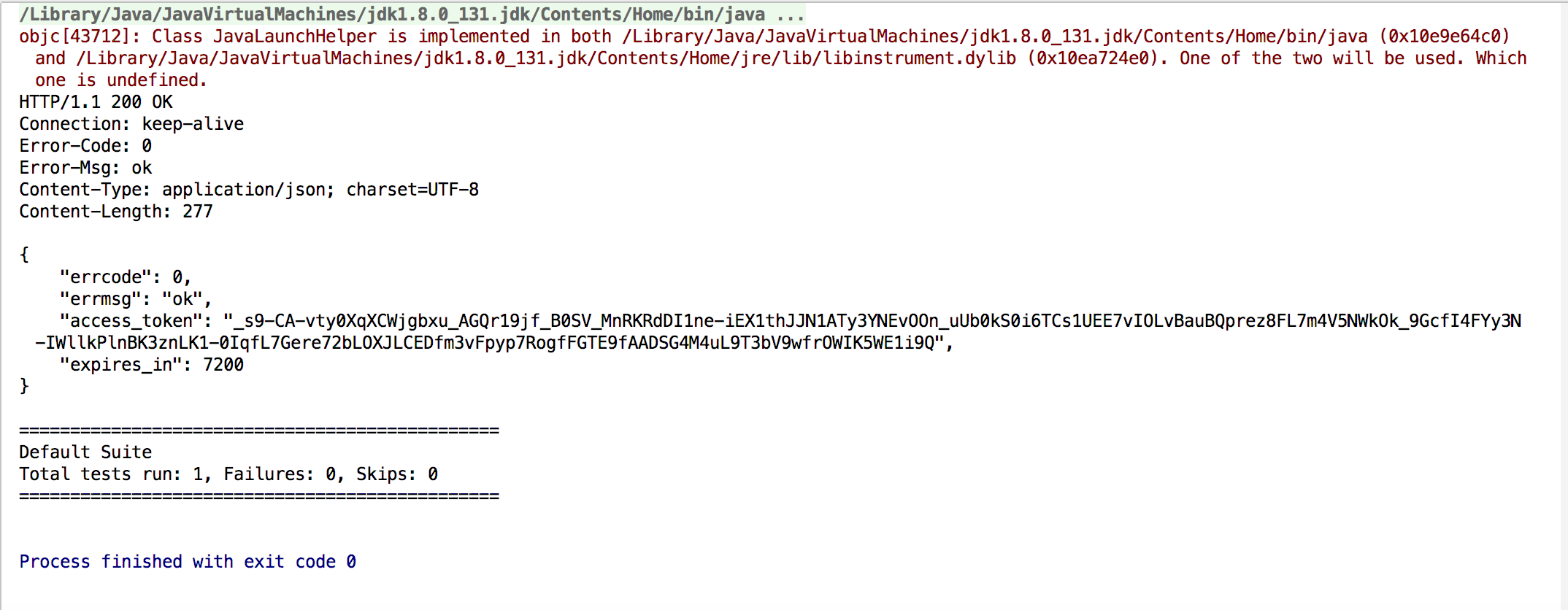
获取token
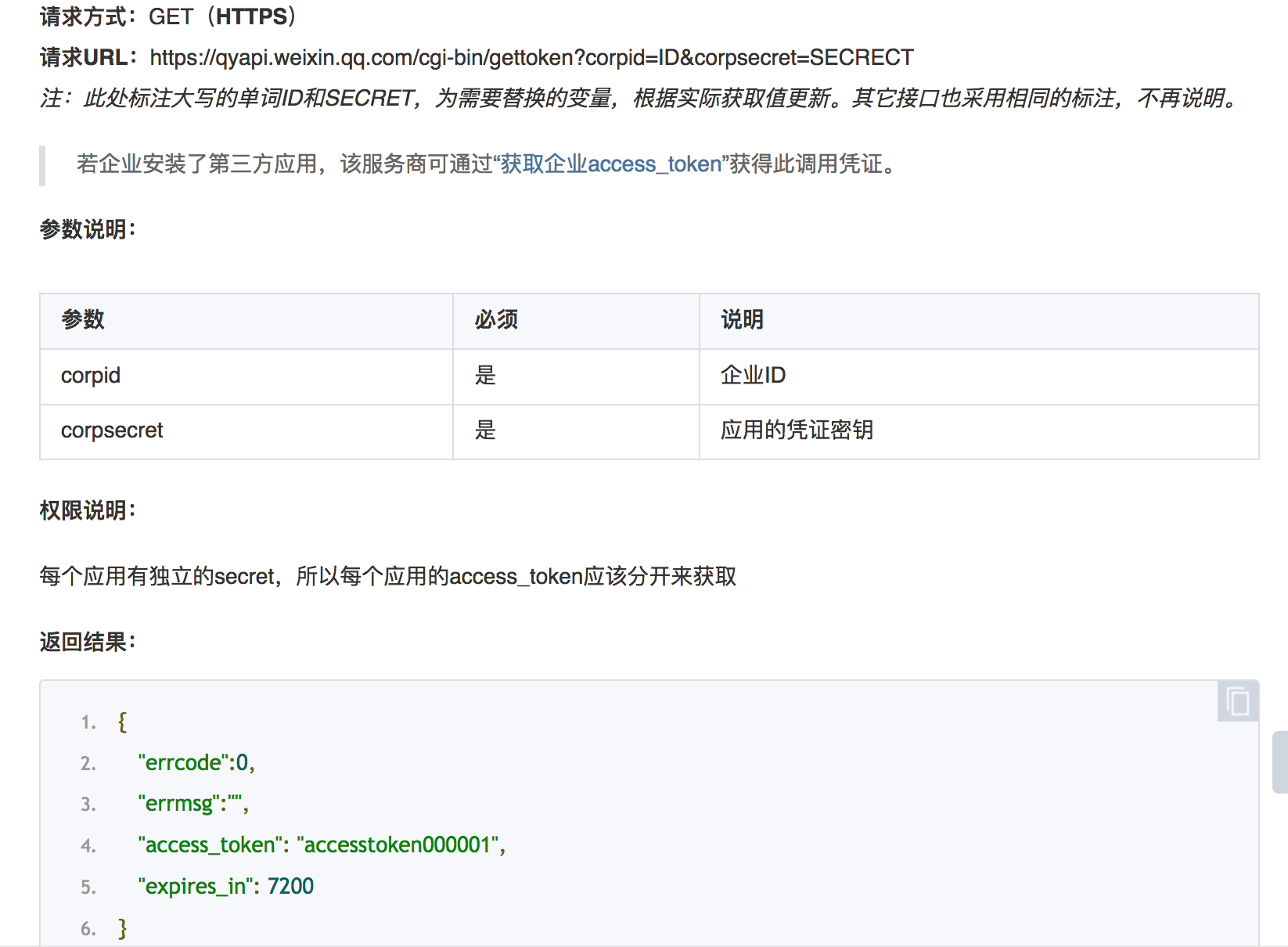
https://qyapi.weixin.qq.com/cgi-bin/gettoken?corpid=ID&corpsecret=SECRECT
#java

package date811;

import io.restassured.RestAssured.*;

import io.restassured.http.ContentType;

import io.restassured.matcher.RestAssuredMatchers.*;

import io.restassured.response.Response;

import org.hamcrest.Matchers.*;

import org.testng.annotations.Test;

import static io.restassured.RestAssured.given;

import static org.hamcrest.Matchers.equalTo;

//assertThat方法一定要静态导入

import static org.hamcrest.Matchers.notNullValue;

import static org.junit.Assert.assertThat;

public class GetToken {

    @Test

    public void getToken(){

        /**

         * 获取access token

         */

        String tokenUrl = "https://qyapi.weixin.qq.com/cgi-bin/gettoken";

        String corpId = "xxxxxx";

        String corpSecret = "xxxxxxx";

        Response res = given().param("corpid",corpId).param("corpsecret",corpSecret).get(tokenUrl).prettyPeek();

        String token_id = res.getBody().jsonPath().getString("access_token");

        res.then().statusCode(equalTo(200));

        assertThat(token_id,notNullValue());

    }

}
发送文字到接口
#java

package date811;

import io.restassured.RestAssured.*;

import io.restassured.http.ContentType;

import io.restassured.matcher.RestAssuredMatchers.*;

import io.restassured.response.Response;

import org.hamcrest.Matchers.*;

import org.testng.annotations.Test;

import static io.restassured.RestAssured.given;

import static org.hamcrest.Matchers.equalTo;

//assertThat方法一定要静态导入

import static org.hamcrest.Matchers.notNullValue;

import static org.junit.Assert.assertThat;

public class GetToken {

    @Test

    public void postMessage(){

        /**

         * 获取access token

         */

        String tokenUrl = "https://qyapi.weixin.qq.com/cgi-bin/gettoken";

        String corpId = "xxxxxx";

        String corpSecret = "xxxxxxxxxx";

        Response res = given().param("corpid",corpId).param("corpsecret",corpSecret).get(tokenUrl).prettyPeek();

        String token_id = res.getBody().jsonPath().getString("access_token");

        res.then().statusCode(equalTo(200));

        assertThat(token_id,notNullValue());

        /**

         * 发送消息

         *     {

         *        "touser" : "UserID1|UserID2|UserID3",

         *        "toparty" : "PartyID1|PartyID2",

         *        "totag" : "TagID1 | TagID2",

         *        "msgtype" : "text",

         *        "agentid" : 1,

         *        "text" : {

         *            "content" : "你的快递已到,请携带工卡前往邮件中心领取。\n出发前可查看<a href=\"http://work.weixin.qq.com\">邮件中心视频实况</a>,聪明避开排队。"

         *        },

         *        "safe":0

         *     }

         */

        String req ="    {\n" +

                "       \"toparty\" : \"1\",\n" +

                "       \"msgtype\" : \"text\",\n" +

                "       \"agentid\" : 1,\n" +

                "       \"text\" : {\n" +

                "           \"content\" : \"你的快递已到,请携带工卡前往邮件中心领取。\\n出发前可查看<a href=\\\"http://work.weixin.qq.com\\\">邮件中心视频实况</a>,聪明避开排队。\"\n" +

                "       },\n" +

                "       \"safe\":0\n" +

                "    }";

        /**

         * 传参有2中方法:1,将参数加入URL 2.使用queryParam传入参数

         */

        String post_url1 = "https://qyapi.weixin.qq.com/cgi-bin/message/send";

        String post_url2 = "https://qyapi.weixin.qq.com/cgi-bin/message/send?access_token="+token_id;

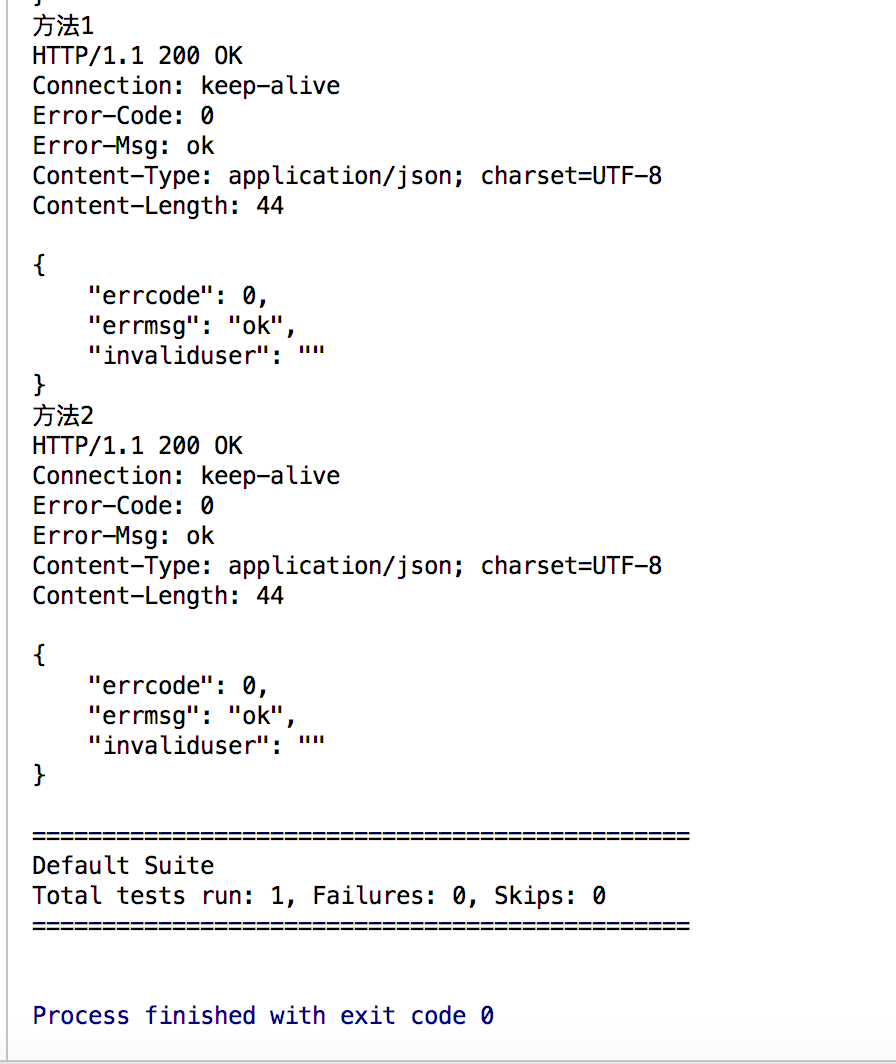
        System.out.println("方法1");

        given().contentType(ContentType.JSON).queryParam("access_token",token_id).body(req).post(post_url1).prettyPeek();

        System.out.println("方法2");

        given().contentType(ContentType.JSON).body(req).post(post_url2).prettyPeek();

    }

}
REST-assured 2发送文字到接口的更多相关文章
- HttpClient发送get,post接口请求
HttpClient发送get post接口请求/* * post * @param url POST地址 * @param data POST数据NameValuePair[] * @retur ...
- 短信接口调用以及ajax发送短信接口实现以及前端样式
我们短信api用的是云信使平台提供的非免费短信服务:官网提供的demo有两种,分别是function加其调用.class文件加其调用. 在这里我们用class文件加调用: 首先,ThinkPHP里面自 ...
- 模拟键盘发送文字(使用SendInput函数)
嗯...老生常谈的话题, 不过系统的总结了一下, 找了个相对简单的实现方式, 可以方便的发送任何文字 参考另一片文章: http://www.cnblogs.com/-clq/archive/2011 ...
- python接口自动化(六)--发送get请求接口(详解)
简介 如果想用python做接口测试,我们首先有不得不了解和学习的模块.它就是第三方模块:Requests. 虽然Python内置的urllib模块,用于访问网络资源.但是,它用起来比较麻烦,而且,缺 ...
- dos命令批处理发送文字到剪贴板
方法一(推荐): echo 要发送到剪贴板的字 | clip 方法二: @echo off::显示要发送的文字重定向到windows临时文件夹下echo 要发送到剪贴板的字>%system ...
- 接口测试基础——第一篇smtplib发送文字邮件
现在我们就开始进入接口测试框架的知识准备阶段,今天是第一篇,很简单的,就是发送纯文字的电子邮件,会的童鞋可以忽略,不会的就多敲几遍,直到自己能敲出来为止~~ # coding: utf-8 impor ...
- [Swift通天遁地]九、拔剑吧-(10)快速创建美观的聊天界面:可发送文字、表情、图片
★★★★★★★★★★★★★★★★★★★★★★★★★★★★★★★★★★★★★★★★➤微信公众号:山青咏芝(shanqingyongzhi)➤博客园地址:山青咏芝(https://www.cnblogs. ...
- Android简单实现Socket通信,client连接server后,server向client发送文字数据
案例实现的是简单的Socket通信,当client(Androidclient)连接到指定server以后,server向client发送一句话文字信息(你能够拓展其他的了) 先看一下服务端程序的实现 ...
- 模拟键盘发送文字(使用SendInput API函数)
嗯...老生常谈的话题, 不过系统的总结了一下, 找了个相对简单的实现方式, 可以方便的发送任何文字 参考另一片文章: http://www.cnblogs.com/-clq/archive/2011 ...
随机推荐
- 深入理解Linux网络技术内幕——网络设备初始化
概述 内核的初始化过程过程中,与网络相关的工作如下所示: 内核引导时执行start_kernel,start_kernel结束之前会调用rest_init,rest_init初始化内核线 ...
- js 的垃圾回收器 原理 坑 优化-- 待续
JavaScript垃圾回收的机制很简单: 找出不再使用的变量,然后释放掉其占用的内存,但是这个过程不是时时的, 因为其开销比较大,所以垃圾回收器会按照固定的时间间隔周期性的执行. 什么叫不再使用的变 ...
- js 兼容各类手机 的写法 待续
//通过高度来判断是否是iPhone 4还是iPhone 5 isPhone4inches = (window.screen.height==480); isPhone5inches = (windo ...
- HAWQ + MADlib 玩转数据挖掘之(七)——关联规则方法之Apriori算法
一.关联规则简介 关联规则挖掘的目标是发现数据项集之间的关联关系,是数据挖据中一个重要的课题.关联规则最初是针对购物篮分析(Market Basket Analysis)问题提出的.假设超市经理想更多 ...
- Excel 设置标题栏
1. 选中列表标题行, 可以设置字体居中显示,并放大字体以表示这是标题栏. 2. 选中列表第一数据行,即列表标题行下一行,选择View > Freeze Panes.
- Magento邮件发送完美设置
Magento新站上线伊始,不料在邮件上遇到了问题.此时常用的邮件模板已经编辑完毕,诸如New Account, New Order, Password Forget等. CentOS下发送邮件很简单 ...
- 配置海康相机SDK文件
前言 项目使用到海康摄像机,进行二次开发需要首先对SDK文件进行相关配置. 实现过程 1.下载SDK开发包: 网址:http://www.hikvision.com/cn/download_61.ht ...
- rm: 无法删除"xxxx.dir": 是一个目录
rm命令 -f:在删除过程中不给任何指示,直接删除. -r:将参数中列出的全部目录和子目录都递归地删除. -i:与-f选项相反,交互式删除,在删除每个文件时都给出提示. 删除文件可以直接使用rm命令, ...
- 粘包、拆包发生原因滑动窗口、MSS/MTU限制、Nagle算法
[TCP协议](3)---TCP粘包黏包 [TCP协议](3)---TCP粘包黏包 有关TCP协议之前写过两篇博客: 1.[TCP协议](1)---TCP协议详解 2.[TCP协议](2)---TCP ...
- (5)可变、不可变和hash函数
分类情况 与列表相似,列表用[],元组是()表示 内存角度看列表与数字的变与不变 列表 >>>l = [1,2,3,4] >>>id(l) 4392665160 & ...