
【Linux】使用Google Authenticator 实现ssh登录双因素认证
一般来说,使用ssh远程登录服务器,只需要输入账号和密码,显然这种方式不是很安全。为了安全着想,可以使用GoogleAuthenticator(谷歌身份验证器),以便在账号和密码之间再增加一个验证码,只有输入正确的验证码之后,再输入密码才能登录。这样就增强了ssh登录的安全性。账号、验证码、密码三者缺一个都不能登录,即使账号和密码正确,验证码错误,同样登录失败。其中,验证码是动态验证码,并且是通过手机客户端自动获取(默认每隔30秒失效一次)
Google Authenticator开源版主页 https://github.com/google/google-authenticator
一、Ubuntu安装
1、安装Google Authenticator
apt-get install libpam-google-authenticator
也可以通过源码编译安装
git clone https://github.com/google/google-authenticator.git

cd google-authenticator/libpam/

./bootstrap.sh

./configure

make

make install
注意:在Debian7中执行./configure时可能存在以下错误提示
configure: error: Unable to find the PAM library or the PAM header files
在此需要安装libpam0g-dev和libtool
apt-get -y install libpam0g-dev libtool
2、设置Google Authenticator
在手机端搜索安装 Google Authenticator
google-authenticator

Do you want authentication tokens to be time-based (y/n) y
然后出现二维码,使用手机端Google Authenticator扫码,接下来服务器端继续设置
如果没有出现二维码,可以将提示的以 https://www.google.com/chart? 开头的连接复制到浏览器中,就可以看到二维码了
Do you want me to update your "/root/.google_authenticator" file (y/n) y
Do you want to disallow multiple uses of the same authentication
token? This restricts you to one login about every 30s, but it increases
your chances to notice or even prevent man-in-the-middle attacks (y/n) Do you want to disallow multiple uses of the same authentication
token? This restricts you to one login about every 30s, but it increases
your chances to notice or even prevent man-in-the-middle attacks (y/n) y
By default, tokens are good for 30 seconds and in order to compensate for
possible time-skew between the client and the server, we allow an extra
token before and after the current time. If you experience problems with poor
time synchronization, you can increase the window from its default
size of 1:30min to about 4min. Do you want to do so (y/n) y
If the computer that you are logging into isn't hardened against brute-force
login attempts, you can enable rate-limiting for the authentication module.
By default, this limits attackers to no more than 3 login attempts every 30s.
Do you want to enable rate-limiting (y/n) y
修改配置文件
root@test:~# vim /etc/pam.d/sshd        #在第一行(即account    required     pam_nologin.so的下一行)增加以下代码

auth required pam_google_authenticator.so

root@test:~#  vim /etc/ssh/sshd_config

ChallengeResponseAuthentication yes          #修改no为yes

root@test:~#  service ssh restart
3、手机安装Google身份验证器
见Centos安装步骤
4、登录
再次登录的话输入用户名后就跟着提示两部验证码,然后才输入用户密码,如下:
root@test1:~$ ssh root@120.17.144.148 -p65322

The authenticity of host '[120.17.144.148]:65322 ([120.17.144.148]:65322)' can't be established.

RSA key fingerprint is 6f:d1:19:41:af:25:8d:ee:b9:54:11:c0:cc:c0:6e:cd.

Are you sure you want to continue connecting (yes/no)? yes

Warning: Permanently added '[120.17.144.148]:65322' (RSA) to the list of known hosts.

Verification code:

Password:

Last login: Tue Jan  8 16:55:15 2019 from 121.157.126.116

Welcome to aliyun Elastic Compute Service!

[root@test2 ~]#
二、Centos安装
1、关闭SELINUX
[root@test ~]# vim /etc/selinux/config      #永久关闭。需要reboot重启后生效

SELINUX=enforcing 改为 SELINUX=disabled

[root@test ~]# setenforce 0   #临时性关闭。不需要reboot重启
2、安装编辑工具包
[root@test ~]# yum install wget gcc make  pam-devel libpng-devel

[root@test ~]# yum -y install google-authenticator  qrencode mercurial
3、配置ssh服务调用google authenticator PAM插件
[root@test ~]# vim /etc/pam.d/sshd       #在第一行(即auth       required pam_sepermit.so的下一行)增加以下代码

auth required pam_google_authenticator.so

[root@test ~]# vim /etc/ssh/sshd_config

ChallengeResponseAuthentication yes          #修改no为yes

[root@test ~]# service sshd restart
4、使用google authenticator PAM插件为ssh登录账号生成动态验证码
注意:哪个账号需要动态验证码,请切换到该账号下操作。(可以在不同用户下执行这个命令以生成各自的二次验证码)
[root@test ~]# google-authenticator
https://www.google.com/chart?chs=200x200&chld=M|0&cht=qr&chl=otpauth://totp/root@iZ23e3f2jdcZ%3Fsecret%3DD76NMSG26PAUJGAR

Your new secret key is: D76NMSG26PAUJGAR
Your verification code is 829676
Your emergency scratch codes are:
51322579
63010483
39007873
32360318
54935046
Do you want me to update your "~/.google_authenticator" file (y/n) y
Do you want to disallow multiple uses of the same authentication
token? This restricts you to one login about every 30s, but it increases
your chances to notice or even prevent man-in-the-middle attacks (y/n) y
By default, tokens are good for 30 seconds and in order to compensate for
possible time-skew between the client and the server, we allow an extra
token before and after the current time. If you experience problems with poor
time synchronization, you can increase the window from its default
size of 1:30min to about 4min. Do you want to do so (y/n) y
If the computer that you are logging into isn't hardened against brute-force
login attempts, you can enable rate-limiting for the authentication module.
By default, this limits attackers to no more than 3 login attempts every 30s.
Do you want to enable rate-limiting (y/n) y
5、手机安装Google身份验证器
通过此工具扫描上一步生成的二维码图形,获取动态验证码。
在App Store里直接可以下载Authenticator

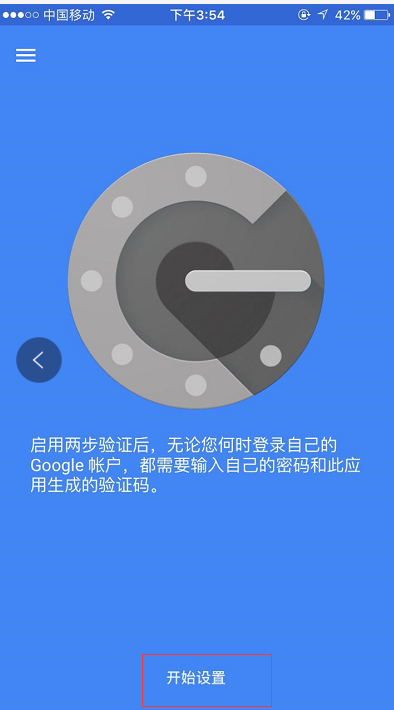
然后扫描上面在服务器上生成的二维码,每个用户都会有一个单独的二维码
接着在ssh的客户端里设置,如下,设置"Keyboard Interactive"方式登录
然后再次连接的时候,就会提示先输入二次身份验证码,再输入用户密码。

在Linux客户机上远程登录,效果一样:
root@test1:~$ ssh root@120.17.144.148 -p65322

The authenticity of host '[120.17.144.148]:65322 ([120.17.144.148]:65322)' can't be established.

RSA key fingerprint is 6f:d1:19:41:af:25:8d:ee:b9:54:11:c0:cc:c0:6e:cd.

Are you sure you want to continue connecting (yes/no)? yes

Warning: Permanently added '[120.17.144.148]:65322' (RSA) to the list of known hosts.

Verification code:

Password:

Last login: Tue Jan  8 16:55:15 2019 from 121.157.126.116

Welcome to aliyun Elastic Compute Service!

[root@test2 ~]#
【Linux】使用Google Authenticator 实现ssh登录双因素认证的更多相关文章
- Linux 利用Google Authenticator实现ssh登录双因素认证
1.介绍 双因素认证:双因素身份认证就是通过你所知道再加上你所能拥有的这二个要素组合到一起才能发挥作用的身份认证系统.双因素认证是一种采用时间同步技术的系统,采用了基于时间.事件和密钥三变量而产生的一 ...
- Linux下使用Google Authenticator配置SSH登录动态验证码
1.一般ssh登录服务器,只需要输入账号和密码.2.本教程的目的:在账号和密码之间再增加一个验证码,只有输入正确的验证码之后,再输入密码才能登录.这样就增强了ssh登录的安全性.3.账号.验证码.密码 ...
- centos6实现基于google authenticator 的ssh登录二次验证
1.手机安装google身份验证器,在浏览器搜索身份验证器安装即可. centos6安装所需要的软件--- google-authenticator 2.查看这个包生成的所有文件和命令 3.输入goo ...
- Linux 之 利用Google Authenticator实现用户双因素认证
一.介绍:什么是双因素认证 双因素身份认证就是通过你所知道再加上你所能拥有的这二个要素组合到一起才能发挥作用的身份认证系统.双因素认证是一种采用时间同步技术的系统,采用了基于时间.事件和密钥三变量而产 ...
- 在Xshell中上传下载文件到本地(linux中从多次ssh登录的dbserver里面的文件夹)
在Xshell中上传下载文件到本地(linux中从多次ssh登录的dbserver里面的文件夹) 1 列出所有需要copy的sh文件 -bash-4.1$ ll /mysqllog/osw/*.sh ...
- 业余草双因素认证(2FA)教程
所谓认证(authentication)就是确认用户的身份,是网站登录必不可少的步骤.密码是最常见的认证方法,但是不安全,容易泄露和冒充.越来越多的地方,要求启用双因素认证(Two-factor au ...
- 双因素认证(2FA)教程
所谓认证(authentication)就是确认用户的身份,是网站登录必不可少的步骤. 密码是最常见的认证方法,但是不安全,容易泄露和冒充. 越来越多的地方,要求启用 双因素认证(Two-factor ...
- 轻松搭建CAS 5.x系列(8)-在CAS Server增加双因素认证(DUO版)
概述说明 为了让系统更加安全,很多登录会加入双因素认证.何为双因素,如果把登陆作为开一扇门的话,那就是在原来的锁上再加一把锁,第二锁用新的钥匙,这样安全系数就更加高了. CAS是通过账号名和密码来认证 ...
- Google Authenticator加强ssh安全
一.安装依赖包 软件包可以在这个地址下载:https://pan.baidu.com/s/1r0CmwbtCfNiBqU9rh_TxtA yum -y install pam-devel tar jx ...
随机推荐
- UDF、UDAF、UDTF函数编写
一.UDF函数编写 1.步骤 1.继承UDF类 2.重写evalute方法 .继承GenericUDF .实现initialize.evaluate.getDisplayString方法 2.案例 实 ...
- 找bug hhh
http://oj.acm.zstu.edu.cn/JudgeOnline/problem.php?id=4434 没有用队列,疯狂找不到bug,后来发现很简单的判断时==n和m了,本来心花怒放,测试 ...
- UVa-156 Ananagrams 反片语【map】【vector】
题目链接:https://vjudge.net/contest/211547#problem/D 题目大意: 输入一些单词,找出所有满足以下条件的单词:该单词不能通过字母重排,得到输入文本中的另外一些 ...
- ACM10.14题解
ACM10.14题解 第一次打周赛,感觉还是比较紧张的,应该开完所有的题再做,而不是硬做,没必要硬杠英语,还是不要抱有侥幸心理,做对一定是完全理解且会,自己小心边界问题,不要瞎交. A:暴力明显不对嘛 ...
- shell下获取系统时间
shell下获取系统时间的方法直接调用系统变量 获取今天时期:`date +%Y%m%d` 或 `date +%F` 或 $(date +%y%m%d) 获取昨天时期:`date -d yesterd ...
- python Event对象、队列和多进程基础
Event对象 用于线程间通信,即程序中的其一个线程需要通过判断某个线程的状态来确定自己下一步的操作,就用到了event对象 event对象默认为假(Flase),即遇到event对象在等待就阻塞线程 ...
- 洛谷 P2814 家谱(gen)
题目背景 现代的人对于本家族血统越来越感兴趣. 题目描述 给出充足的父子关系,请你编写程序找到某个人的最早的祖先. 输入输出格式 输入格式: 输入由多行组成,首先是一系列有关父子关系的描述,其中每一组 ...
- 匪警请拨110——C++
问题描述 匪警请拨110,即使手机欠费也可拨通! 为了保障社会秩序,保护人民群众生命财产安全,警察叔叔需要与罪犯斗智斗勇,因而需要经常性地进行体力训练和智力训练! 某批警察叔叔正在进行智力训练: 1 ...
- Struts2网页面传值两种方式
第一种方式: /** 列表 */ public String list() throws Exception { List<Role> roleList = roleService.fin ...
- Java 服务端监控方案(四. Java 篇)
http://jerrypeng.me/2014/08/08/server-side-java-monitoring-java/ 这个漫长的系列文章今天要迎来最后一篇了,也是真正与 Java 有关的部 ...