
基于Python Pillow库生成随机验证码
from PIL import Image

from PIL import ImageDraw

from PIL import ImageFont

import random

class ValidCodeImg:

    """

        可以生成一个经过降噪后的随机验证码的图片

        :param width: 图片宽度 单位px

        :param height: 图片高度 单位px

        :param code_count: 验证码个数

        :param font_size: 字体大小

        :param point_count: 噪点个数

        :param line_count: 划线个数

        :param img_format: 图片格式

    """

    __str = ""

    def __init__(self, width=150, height=30, code_count=5, font_size=32, point_count=20, line_count=3, img_format='png'):

        image = Image.new('RGB', (width, height), self.getRandomColor())

        draw = ImageDraw.Draw(image)

        font = ImageFont.truetype('kumo.ttf', size=font_size)

        for i in range(code_count):

            random_str = self.getRandomStr()

            self.__str += random_str

            draw.text((10 + i * height, 0), random_str, self.getRandomColor(), font=font)

        for i in range(line_count):

            x1 = random.randint(0, width)

            y1 = random.randint(0, height)

            x2 = random.randint(0, width)

            y2 = random.randint(0, height)

            draw.line((x1, y1, x2, y2), fill=self.getRandomColor())

        for i in range(point_count):

            draw.point([random.randint(0, width), random.randint(0, height)], fill=self.getRandomColor())

            x = random.randint(0, width)

            y = random.randint(0, height)

            draw.arc((x, y, x + 4, y + 4), 0, 90, fill=self.getRandomColor())

        image.save(open('test.%s'%img_format, 'wb'), img_format)

    def getstr(self):

        return self.__str

    def getRandomColor(self):

        return random.randint(0, 255), random.randint(0, 255), random.randint(0, 255)

    def getRandomStr(self):

        random_number = str(random.randint(0, 9))

        random_low_alpha = chr(random.randint(97, 122))

        random_uppper_alpha = chr(random.randint(65, 90))

        return random.choice([random_number, random_low_alpha, random_uppper_alpha])
其中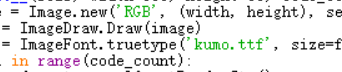 ImageFont.truetype()的第一个参数为字体类型, 需为用户有的*.ttf格式的字体文件。
效果:

基于Python Pillow库生成随机验证码的更多相关文章
- pillow实例 | 生成随机验证码
1 PIL(Python Image Library) PIL是Python进行基本图片处理的package,囊括了诸如图片的剪裁.缩放.写入文字等功能.现在,我便以生成随机验证码为例,讲述PIL的基 ...
- Python利用PIL生成随机验证码图片
安装pillow: pip install pillow PIL中的Image等模块提供了创建图片,制作图片的功能,大致的步骤就是我们利用random生成6个随机字符串,然后利用PIL将字符串绘制城图 ...
- Python 生成随机验证码
Python生成随机验证码 Python生成随机验证码,需要使用PIL模块. 安装: 1 pip3 install pillow 基本使用 1. 创建图片 1 2 3 4 5 6 7 8 9 fro ...
- Python生成随机验证码
Python生成随机验证码,需要使用PIL模块. 安装: pip3 install pillow 基本使用 1.创建图片 from PIL import Image img = Image.new(m ...
- Python使用PIL模块生成随机验证码
PIL模块的安装 pip3 install pillow 生成随机验证码图片 import random from PIL import Image, ImageDraw, ImageFont fro ...
- Django中生成随机验证码(pillow模块的使用)
Django中生成随机验证码 1.html中a标签的设置 <img src="/get_validcode_img/" alt=""> 2.view ...
- Java生成随机验证码
package com.tg.snail.core.util; import java.awt.Color; import java.awt.Font; import java.awt.Graphic ...
- PHP5 GD库生成图形验证码(汉字)
PHP5 GD库生成图形验证码且带有汉字的实例分享. 1,利用GD库函数生成图片,并在图片上写指定字符imagecreatetruecolor 新建一个真彩色图像imagecolorallocate ...
- C#生成随机验证码例子
C#生成随机验证码例子: 前端: <tr> <td width=" align="center" valign="top"> ...
随机推荐
- 记录sql server中数据创建时间和最后修改时间,方便查找问题
getdate()用例: 2008-12-29 16:25:46.635 1.创建时间:将字段设置为datetime类型,并设置默认值为 getdate() 2.修改时间:通过触发器,在 update ...
- .netcore读取配置文件
setting.json { "compilerOptions": { "noImplicitAny": false, "noEmitOnError& ...
- 一个kubeadm.config文件--定义了token,扩展了默认端口,外部ETCD集群,自定义docker仓库,基于ipvs的kubeproxy
这个版本是基于kubeadm.k8s.io/v1alpha3的,如果到了beta1,可能还要变动呢. apiVersion: kubeadm.k8s.io/v1alpha3 kind: InitCon ...
- Multi-Fiber Networks for Video Recognition (MFNet)
Motivation:减少时空网络的计算量,保持视频分类精度的基础上,使速度尽可能接近对应网络的2D版本. 为此提出 Multi-Fiber 网络,将复杂网络拆分成轻量网络的集成,利用 fibers ...
- 记录一次惊心动魄的sql去重
)) )) url 为判重依据,保留最大id其他的数据状态改为删除状态. concat()函数,为字符串拼接函数 从外到内分析sql 第一层四个条件界定,第一个是source渠道,第二个是未删除状态, ...
- Linux安装Tomcat-Nginx-FastDFS-Redis-Solr-集群——【第十三集之Redis的单机版搭建】
(转载其他博客的安装步骤,截图是自己的) 1, 第一步:安装gcc编译环境 yum install gcc-c++ 第二步:把redis的源码上传到linux服务器. 第三步:解压缩. tar -zx ...
- 061 SparkStream数据接收原理
1.宏观 2.看英文解释过程 ------------------------------------------------------------------------------------- ...
- Shiro笔记(三)shiroFilter拦截器配置原则
参考: http://blog.csdn.net/yaowanpengliferay/article/details/17281341
- sql语句表示不等于
<> != 后面均不带引号“”
- TensorFlow卷积层-函数
函数1:tf.nn.conv2d是TensorFlow里面实现卷积的函数,实际上这是搭建卷积神经网络比较核心的一个方法 函数原型: tf.nn.conv2d(input,filter,strides, ...