
基于Python Pillow库生成随机验证码
from PIL import Image

from PIL import ImageDraw

from PIL import ImageFont

import random

class ValidCodeImg:

    """

        可以生成一个经过降噪后的随机验证码的图片

        :param width: 图片宽度 单位px

        :param height: 图片高度 单位px

        :param code_count: 验证码个数

        :param font_size: 字体大小

        :param point_count: 噪点个数

        :param line_count: 划线个数

        :param img_format: 图片格式

    """

    __str = ""

    def __init__(self, width=150, height=30, code_count=5, font_size=32, point_count=20, line_count=3, img_format='png'):

        image = Image.new('RGB', (width, height), self.getRandomColor())

        draw = ImageDraw.Draw(image)

        font = ImageFont.truetype('kumo.ttf', size=font_size)

        for i in range(code_count):

            random_str = self.getRandomStr()

            self.__str += random_str

            draw.text((10 + i * height, 0), random_str, self.getRandomColor(), font=font)

        for i in range(line_count):

            x1 = random.randint(0, width)

            y1 = random.randint(0, height)

            x2 = random.randint(0, width)

            y2 = random.randint(0, height)

            draw.line((x1, y1, x2, y2), fill=self.getRandomColor())

        for i in range(point_count):

            draw.point([random.randint(0, width), random.randint(0, height)], fill=self.getRandomColor())

            x = random.randint(0, width)

            y = random.randint(0, height)

            draw.arc((x, y, x + 4, y + 4), 0, 90, fill=self.getRandomColor())

        image.save(open('test.%s'%img_format, 'wb'), img_format)

    def getstr(self):

        return self.__str

    def getRandomColor(self):

        return random.randint(0, 255), random.randint(0, 255), random.randint(0, 255)

    def getRandomStr(self):

        random_number = str(random.randint(0, 9))

        random_low_alpha = chr(random.randint(97, 122))

        random_uppper_alpha = chr(random.randint(65, 90))

        return random.choice([random_number, random_low_alpha, random_uppper_alpha])
其中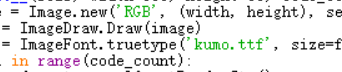 ImageFont.truetype()的第一个参数为字体类型, 需为用户有的*.ttf格式的字体文件。
效果:

基于Python Pillow库生成随机验证码的更多相关文章
- pillow实例 | 生成随机验证码
1 PIL(Python Image Library) PIL是Python进行基本图片处理的package,囊括了诸如图片的剪裁.缩放.写入文字等功能.现在,我便以生成随机验证码为例,讲述PIL的基 ...
- Python利用PIL生成随机验证码图片
安装pillow: pip install pillow PIL中的Image等模块提供了创建图片,制作图片的功能,大致的步骤就是我们利用random生成6个随机字符串,然后利用PIL将字符串绘制城图 ...
- Python 生成随机验证码
Python生成随机验证码 Python生成随机验证码,需要使用PIL模块. 安装: 1 pip3 install pillow 基本使用 1. 创建图片 1 2 3 4 5 6 7 8 9 fro ...
- Python生成随机验证码
Python生成随机验证码,需要使用PIL模块. 安装: pip3 install pillow 基本使用 1.创建图片 from PIL import Image img = Image.new(m ...
- Python使用PIL模块生成随机验证码
PIL模块的安装 pip3 install pillow 生成随机验证码图片 import random from PIL import Image, ImageDraw, ImageFont fro ...
- Django中生成随机验证码(pillow模块的使用)
Django中生成随机验证码 1.html中a标签的设置 <img src="/get_validcode_img/" alt=""> 2.view ...
- Java生成随机验证码
package com.tg.snail.core.util; import java.awt.Color; import java.awt.Font; import java.awt.Graphic ...
- PHP5 GD库生成图形验证码(汉字)
PHP5 GD库生成图形验证码且带有汉字的实例分享. 1,利用GD库函数生成图片,并在图片上写指定字符imagecreatetruecolor 新建一个真彩色图像imagecolorallocate ...
- C#生成随机验证码例子
C#生成随机验证码例子: 前端: <tr> <td width=" align="center" valign="top"> ...
随机推荐
- springboot的三种启动方式
一:IDE 运行Application这个类的main方法 二:在springboot的应用的根目录下运行mvn spring-boot:run 三:使用mvn install 生成jar后运行 先到 ...
- ionic2集成sdk后,连接超时的问题
这几天在测试app的时候,偶尔会发现集成的好视通sdk在进入会议室的时候出现连接超时的问题,一直卡在‘正在获取版本信息’的页面,经反复测试后这种现象主要出现在点击返回按钮和退出登录按钮的时候会出现,也 ...
- MySQL 命令总结
MySQL命令总结 1.数据库操作 查看在当前服务器中有多少个数据库 创建数据库 >CREATE DATABASE db_name DEFAULT CHARACTER SET utf8 COLL ...
- Codeforces 311D Interval Cubing 数学 + 线段树 (看题解)
Interval Cubing 这种数学题谁顶得住啊. 因为 (3 ^ 48) % (mod - 1)为 1 , 所以48个一个循环节, 用线段树直接维护. #include<bits/stdc ...
- BZOJ2534 Uva10829L-gap字符串 字符串 SA ST表
原文链接https://www.cnblogs.com/zhouzhendong/p/9240665.html 题目传送门 - BZOJ2534 题意 有一种形如 $uvu$ 形式的字符串,其中 $u ...
- 关于thinkphp3自动完成的笔记
当我在前台传入的主键id与字段表的主键id值时,在更新时tp总是判断为新增的状态(解决办法:将前台的表单主键名保持和数据表主键id名一只,手动创建数据) create时是先获取主键id判断'$type ...
- vue的中vuex为何需要mutation更新状态,vue-router的路由的理解
); ); ); history.back(); history.forward(); // 修改历史,包括二个方法pushState.replaceState二个方法(objState,title, ...
- 牛客练习赛A 【BFS】
<题目链接> 题目大意: 给出一张图,问你其中 ' # ' 加上那些不能够到达边界的 ' . ' 的点的个数,' # ' 会起阻挡作用. 解题分析: 本题很好做,无非就是将所有能够由边界上 ...
- datatables出现横向滚动条
datatables会扩大表单的宽度,设置为table-responsive 自适应的时候则会出现滚动条.
- Java内存管理-Stackoverflow问答-Java是传值还是传引用?(十一)
勿在流沙筑高台,出来混迟早要还的. 做一个积极的人 编码.改bug.提升自己 我有一个乐园,面向编程,春暖花开! 本文导图: 一.由一个提问引发的思考 在Stack Overflow 看到这样一个问题 ...