
PIL图片格式转换
PIL格式转换
原图:

#!/usr/local/bin/python

# -*- coding: utf8 -*-

from PIL import Image, ImageFilter

import os, sys

BASE_PATH = os.path.dirname(os.path.abspath(__file__))
· 1 (1-bit pixels, black and white, stored with one pixel per byte)

· L (8-bit pixels, black and white)

· P (8-bit pixels, mapped to any other mode using a colour palette)

· RGB (3x8-bit pixels, true colour)

· RGBA (4x8-bit pixels, true colour with transparency mask)

· CMYK (4x8-bit pixels, colour separation)

· YCbCr (3x8-bit pixels, colour video format)

· I (32-bit signed integer pixels)

· F (32-bit floating point pixels)
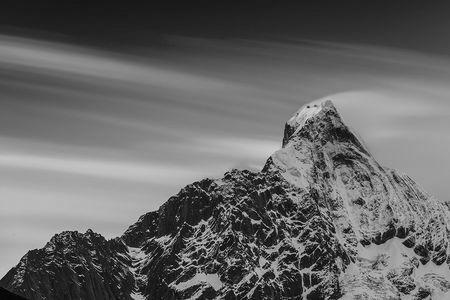
origin-->L-->RGB
模式“L”转换为模式“RGB”
模式“RGB”转换为模式“L”以后,像素值为[0,255]之间的某个数值。而从模式“L”转换成“RGB”时,“RGB”的三个通道都是模式“L”的像素值的拷贝。
file_path = os.path.join(BASE_PATH, "fj.jpg")

# 打开图片

img = Image.open(file_path)

# 转换为灰度模式

new_img_l = img.convert("L")

# 转换为RGB模式

new_img_rgb = new_img_l.convert("RGB")

print u"原图:", img.getpixel((0, 0))

print u"L:", new_img_l.getpixel((0, 0))

print u"RGB:", new_img_rgb.getpixel((0, 0))
# 存储图片
new_img_l.save("fj_l.jpg", "JPEG")
new_img_rgb.save("fj_rgb.jpg", "JPEG")

# 结果

原图: (0, 35, 54)

L: 26

RGB: (26, 26, 26)
L图片:
RGB图片:

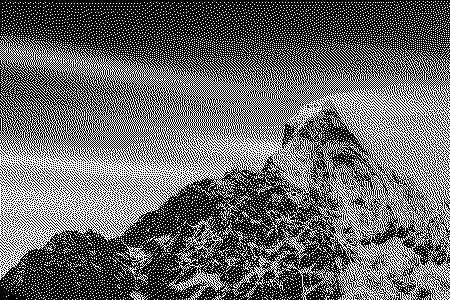
origin-->1-->RGB
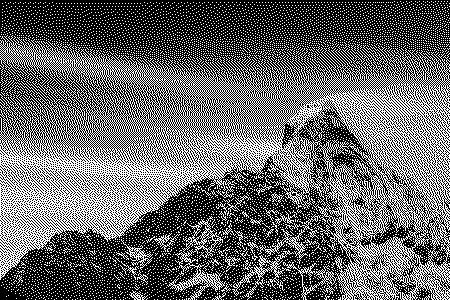
模式“1”转换为模式“RGB”
模式“RGB”转换为模式“1”以后,像素点变成黑白两种点,要么是0,要么是255。而从模式“1”转换成“RGB”时,“RGB”的三个通道都是模式“1”的像素值的拷贝。
file_path = os.path.join(BASE_PATH, "fj.jpg")

# 打开图片

img = Image.open(file_path)

# 转换为二值模式

new_img_1 = img.convert("1")

# 转换为RGB模式

new_img_rgb = new_img_1.convert("RGB")

print u"原图:", img.getpixel((0, 0))

print u"1:", new_img_1.getpixel((0, 0))

print u"RGB:", new_img_rgb.getpixel((0, 0))

# 存储图片

new_img_1.save("fj_1.jpg", "JPEG")

new_img_rgb.save("fj_1_rgb.jpg", "JPEG")

结果:

原图: (0, 35, 54)

1: 0

RGB: (0, 0, 0)
1图片:
RGB图片:
origin-->p-->RGB
模式“RGB”转换为模式“P”
像素值为[0,255]之间的某个数值,但它为调色板的索引值,其最终还是彩色图像。从模式“P”转换成“RGB”时,“RGB”的三个通道会变成模式“P”的像素值索引的彩色值
file_path = os.path.join(BASE_PATH, "fj.jpg")

# 打开图片

img = Image.open(file_path)

# 转换为P模式

new_img_p = img.convert("P")

# 转换为RGB模式

new_img_rgb = new_img_p.convert("RGB")

print u"原图:", img.getpixel((0, 0))

print u"p:", new_img_p.getpixel((0, 0))

print u"RGB:", new_img_rgb.getpixel((0, 0))

# 存储图片

new_img_p.save("fj_p.jpg", "JPEG")

new_img_rgb.save("fj_p_rgb.jpg", "JPEG")

结果:
原图: (0, 35, 54)
p: 52
RGB: (0, 51, 51)
p图片:
RGB图片:
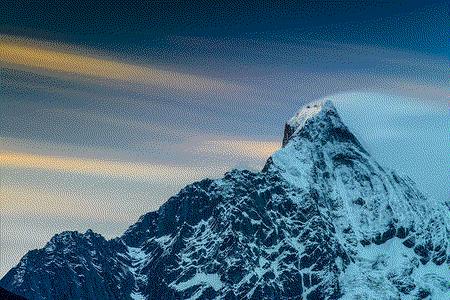
origin-->RGBA-->RGB
模式“RGB”转换为模式“RGBA”以后,图像从三通道变成了四通道,其R、G、B三个通道的数值没有变化,新增的alpha通道均为255,表示不透明。从模式“RGBA”转换成“RGB”时,“RGB”的三个通道又变回原来的数值。
file_path = os.path.join(BASE_PATH, "fj.jpg")

# 打开图片

img = Image.open(file_path)

# 转换为RGBA模式

new_img_rgba = img.convert("RGBA")

# 转换为RGB模式

new_img_rgb = new_img_rgba.convert("RGB")

print u"原图:", img.getpixel((0, 0))

print u"p:", new_img_rgba.getpixel((0, 0))

print u"RGB:", new_img_rgb.getpixel((0, 0))

# 存储图片

# new_img_rgba.save("fj_rgba.jpg", "JPEG")

new_img_rgb.save("fj_rgba_rgb.jpg", "JPEG")

结果:

原图: (0, 35, 54)

RGBA: (0, 35, 54, 255)

RGB: (0, 35, 54)
RGBA图片:
RGB图片:

origin-->CMYK-->RGB
模式“RGB”转换为模式“CMYK”以后,图像从三通道变成了四通道,其C、M、Y三个通道的数值是通过之前的公式计算得到,K通道被直接赋值为0。
C = 255 - R
M = 255 - G
Y = 255 - B
K = 0
从模式“CMYK”转换成“RGB”时,“RGB”的三个通道又变回原来的数值,这是无损的转换。
R = 255 - C
G = 255 - M
B = 255 - Y
file_path = os.path.join(BASE_PATH, "fj.jpg")

# 打开图片

img = Image.open(file_path)

# 转换为CMYK模式

new_img_cmyk = img.convert("CMYK")

# 转换为RGB模式

new_img_rgb = new_img_cmyk.convert("RGB")

print u"原图:", img.getpixel((0, 0))

print u"CMYK:", new_img_cmyk.getpixel((0, 0))

print u"RGB:", new_img_rgb.getpixel((0, 0))

# 存储图片

new_img_cmyk.save("fj_cmyk.jpg", "JPEG")

new_img_rgb.save("fj_cmyk_rgb.jpg", "JPEG")

结果:

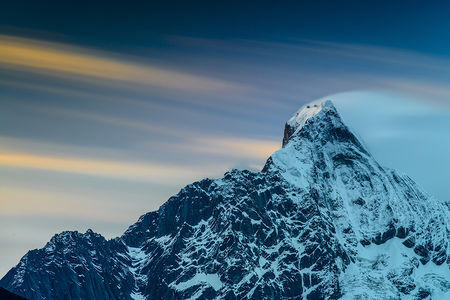
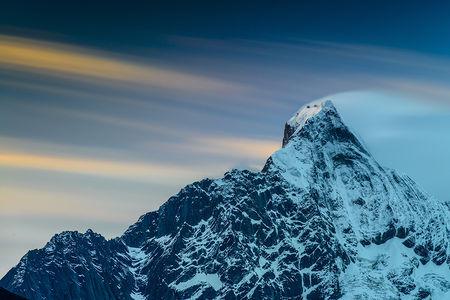
原图: (0, 35, 54)

CMYK: (255, 220, 201, 0)

RGB: (0, 35, 54)
CMYK图片:
RGB图片:
带矩阵模式转换
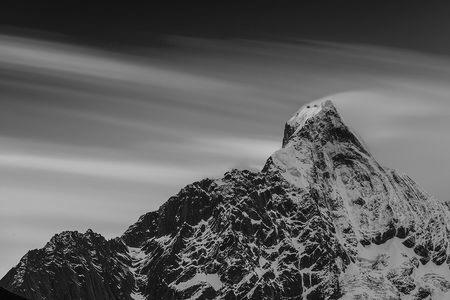
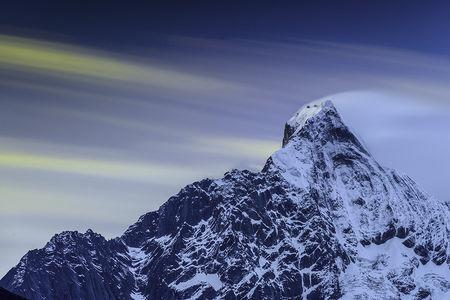
im.convert(mode,matrix) ⇒ image
这种定义只适合将一个“RGB”图像转换为“L”或者“RGB”图像,不能转换为其他模式的图像。变量matrix为4或者16元组。
file_path = os.path.join(BASE_PATH, "fj.jpg")

# 打开图片

img = Image.open(file_path)

rgb2xyz = (

    0.412453, 0.357580, 0.180423, 0,

    0.212671, 0.715160, 0.072169, 0,

    0.019334, 0.119193, 0.950227, 0)

img_L = img.convert("L", rgb2xyz)

img_rgb = img.convert("RGB", rgb2xyz)

img_L.save("img_L.jpg", "JPEG")

img_rgb.save("img_rgb.jpg", "JPEG")
img_L图片:
img_rgb图片:
调色板转换
file_path = os.path.join(BASE_PATH, "fj.jpg")

# 打开图片

img = Image.open(file_path)

p1 = img.convert("P", dither=Image.NONE)

p2 = img.convert("P", dither=Image.ADAPTIVE)

p3 = img.convert("P", palette=Image.ADAPTIVE, colors=10)

p2_ = p2.convert("RGB")

p2_.save("p2.jpg", "JPEG")

p3_ = p3.convert("RGB")
p2图片:
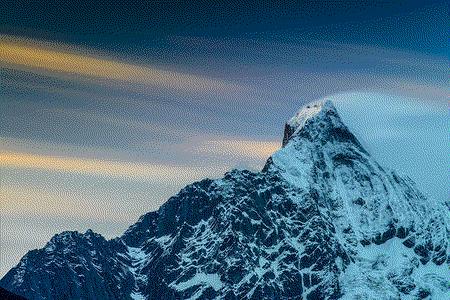
p3图片:

参考:http://blog.csdn.net/icamera0/article/details/50843196
PIL图片格式转换的更多相关文章
- python 将png图片格式转换生成gif动画
先看知乎上面的一个连接 用Python写过哪些[脑洞大开]的小工具? https://www.zhihu.com/question/33646570/answer/157806339 这个哥们通过爬气 ...
- 【VC++技术杂谈007】使用GDI+进行图片格式转换
本文主要介绍如何使用GDI+对图片进行格式转换,可以转换的图片格式为bmp.jpg.png. 1.加载GDI+库 GDI+是GDI图形库的一个增强版本,提供了一系列Visual C++ API.为了使 ...
- bmp,jpg,png,tif,wmf,emf与eps图片格式转换
wmf/emf是两种Microsoft Windows的图形文件格式.它是一个矢量图格式,但是也允许包含位图.本质上,一个WMF文件保存一系列可以用来重建图片的Windows GDI命令.在某种程度上 ...
- 利用PBFunc在Powerbuilder中进行图片格式转换
利用PBFunc的n_pbfunc_image对象可以方便的进行图片格式的转换与大小转换 支持相互转换的格式有以下几种: FORMAT_BMP //bmp格式FORMAT_GIF //gif格式FO ...
- php 图片格式转换-亲测ok
代码如下 /** * 图片格式转换 * @param string $image_path 文件路径或url * @param string $to_ext 待转格式,支持png,gif,jpeg,w ...
- 图片格式转换之ImageMagick
项目中需要实现一些图片文件到TIFF文件的转换,去网上下载了一些第三方软件. 好的软件需要收费,免费的存在各种问题. 自己动手,丰衣足食! 众里寻他千百度,蓦然回首,那人就是ImageMagick. ...
- MAC图片格式转换
OS X下有一个sips的程序可以用来处理图片. sips的名称功能非常强大,参考 帮助文档 . 这里我们只用到其中的一个功能,转换图片格式. 命令参考: sips - s format jpeg ...
- 关于PHP批量图片格式转换的问题--本文转成webp, 其他过程格式一样
最近要把项目中的图片全部生成webp格式, 过程整理一下, (直接存在本地,或者图片链接存在数据库都可以看看) 首先,肯定是批量处理, 一个php处理不了这么多, 会爆内存的, 个人建议用aja ...
- 自己积累的一些Emgu CV代码(主要有图片格式转换,图片裁剪,图片翻转,图片旋转和图片平移等功能)
using System; using System.Drawing; using Emgu.CV; using Emgu.CV.CvEnum; using Emgu.CV.Structure; na ...
随机推荐
- poj2001Trie树模板
#include<iostream> #include<cstdio> #include<cstdlib> #include<cstring> #inc ...
- ACM学习历程—FZU2195 检查站点(树形DP || 贪心)
Description 在山上一共有N个站点需要检查,检查员从山顶出发去各个站点进行检查,各个站点间有且仅有一条通路,检查员下山前往站点时比较轻松,而上山时却需要额外的时间,问最后检查员检查完所有站点 ...
- 【LeetCode】012. Integer to Roman
Given an integer, convert it to a roman numeral. Input is guaranteed to be within the range from 1 t ...
- 为啥要去IOE——分布式架构的由来
1946年2.14日,那是一个浪漫的情人节 , 世界上第一台电子数字计算机在美国宾夕法尼亚大学诞生了,她的名字叫ENIAC.这台计算机占地170平米.重达 30 吨,每秒可以进行 5000 次加法运算 ...
- css画三角形
效果图: 代码: <!DOCTYPE html> <html lang="en"> <head> <meta charset=" ...
- JavaScript-Tool:jquery.cxselect.js
ylbtech-JavaScript-Tool:jquery.cxselect.js 1.返回顶部 1.jquery.cxselect.js /*! * jQuery cxSelect * @name ...
- CUDA V9.2 sample编译问题
这个哥们也遇到一样的问题 CUDA 9.1/9.2 与 Visual Studio 2017 (VS2017 15.6.4) 的不兼容问题 错误有显示 #if _MSC_VER < 1600 | ...
- 全面解析JS字符串和正则表达式中的match、replace、exec等函数
转自:https://www.jb51.net/article/87730.htm 正则表达式(regular expression)描述了一种字符串匹配的模式,可以用来检查一个串是否含有某种子串.将 ...
- Git merge一个branch到另一个branch
在项目开发过程中,需要merge一个branch (branch名 taskBranch) 到另一个名为develop 的branch 方法: 先保证当前停留在develop的branch上 然后执行 ...
- hdu1076
#include<iostream> using namespace std; int main() { int cases; int k; cin>>cases; while ...