
jQuery 第五章 实例方法 详解动画之animate()方法
.animate()
.stop()
.finish()
------------------------------------------------------------------------------
.animate()
参数:(target, duration, easing, callback)
target: 到达的目标点, 例如{ width : '+=100', height: '+=100'} 选择器选中的元素的宽和高,加上100。值 可以写 数字 100, 可以写 字符串的 '100px' 也可以写计算 '+=100'
duration: 运动过程的时间, 如果你需要 这个动画 过程 1秒, 那么就填 1000,(毫秒) 这个动画会 1秒内 执行完。 3000,就是3秒完成这个动画。
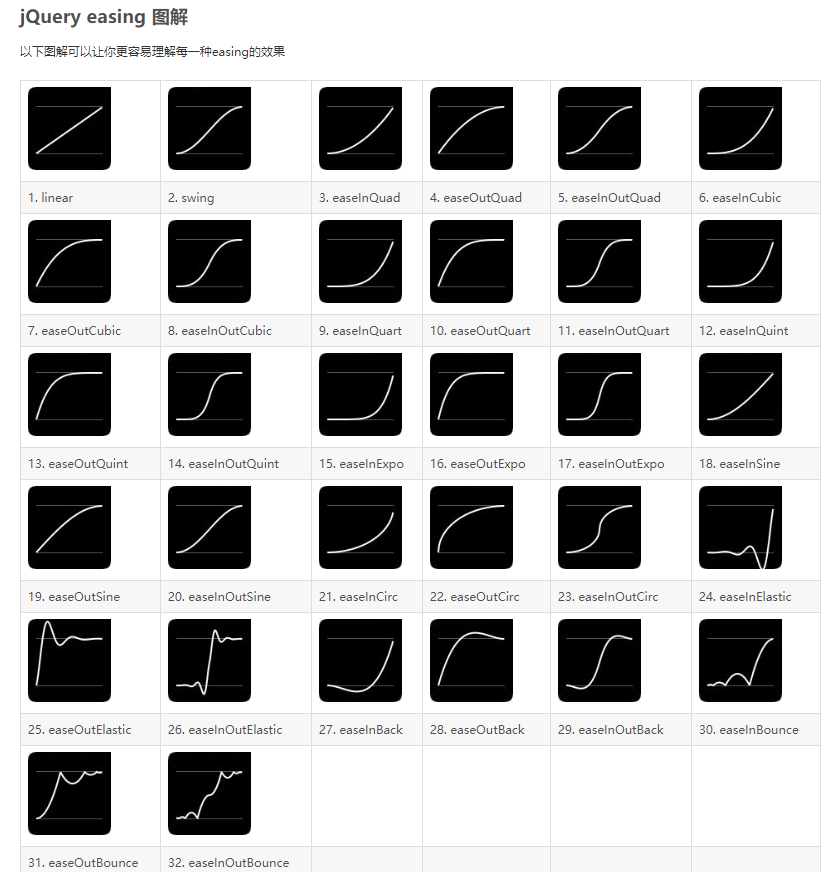
easing: 过度动画的效果, 例如jquery 自身提供的 两个, linear 匀速运动,swing 先慢后快,再快,再慢, 不写默认是 swing , jquery支持的动画插件( jQuery Easing Plugin) 记得在jquery 引入后 再引入 此插件
链接: https://cdnjs.cloudflare.com/ajax/libs/jquery-easing/1.4.1/jquery.easing.min.js
callback: 回调函数,动画结束后执行的函数。
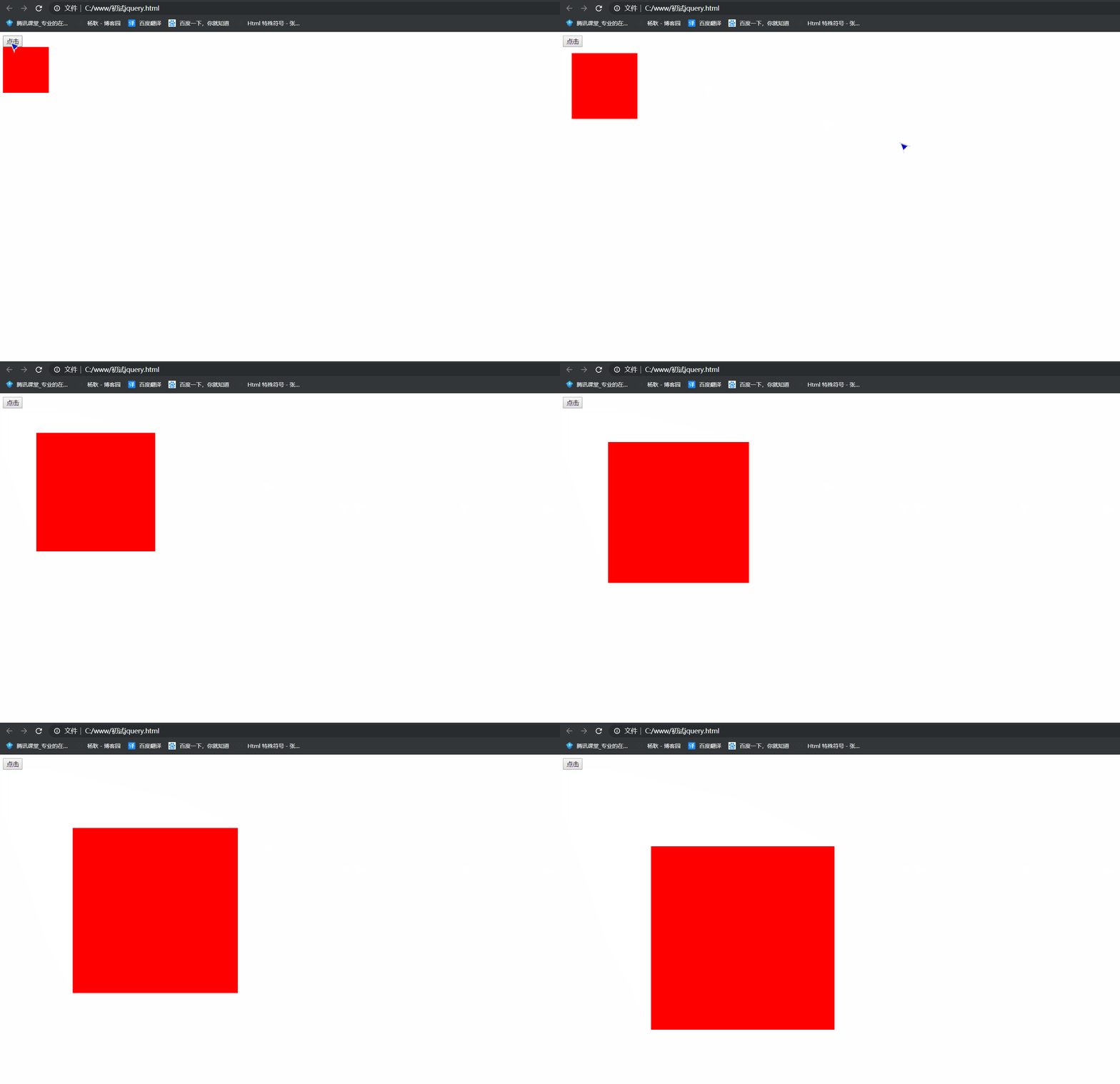
下面来看实际使用:
 1 <!DOCTYPE html>

 2 <html lang="en">

 3 <head>

 4     <meta charset="UTF-8">

 5     <meta name="viewport" content="width=device-width, initial-scale=1.0">

 6     <meta http-equiv="X-UA-Compatible" content="ie=edge">

 7     <title>Document</title>

 8 </head>

 9 <body>

10     <button>点击</button>

11     <div class="box" style="position: absolute; width: 100px; height: 100px; background: red"></div>

12

13     <script src="./jquery/jquery.js"></script>

14     <script>

15         $('button').click(function(){

16                 $('.box').animate({width: 300, height: 300, left: 100, top: 100},2000, function(){

17                     $('.box').animate({width: '+=100', height: '+=100', left: '+=100', top: '+=100'},2000)

18             })

19         })

20         //先让他运动到 width 300px, height 300px  left 100px  top 100px  ,运动完后, 执行回调函数,  再

21         // 让他运动, width: '+=100', height: '+=100', left: '+=100', top: '+=100'  所以你能明显的在中间看到有停顿

22     </script>

23 </body>

24 </html>
这样写,你会发现,如果回调函数多了, 看起来不直观, 所以animate() 有内置队列, 允许你 以下的 写法。
<script>

        $('button').click(function(){

                $('.box').animate({width: 300, height: 300, left: 100, top: 100},2000)

                    .animate({width: '+=100', height: '+=300', left: '+=100', top: '+=100'},2000)

        })

</script>
不用写回调函数, 直接在后面链式调用即可
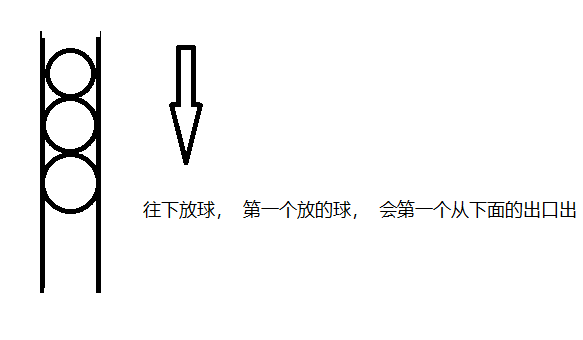
什么是内置队列呢, 第一个进去, 会第一个出, 所以,往后添加,会变成一个队列。
.stop()
停止当前动画。
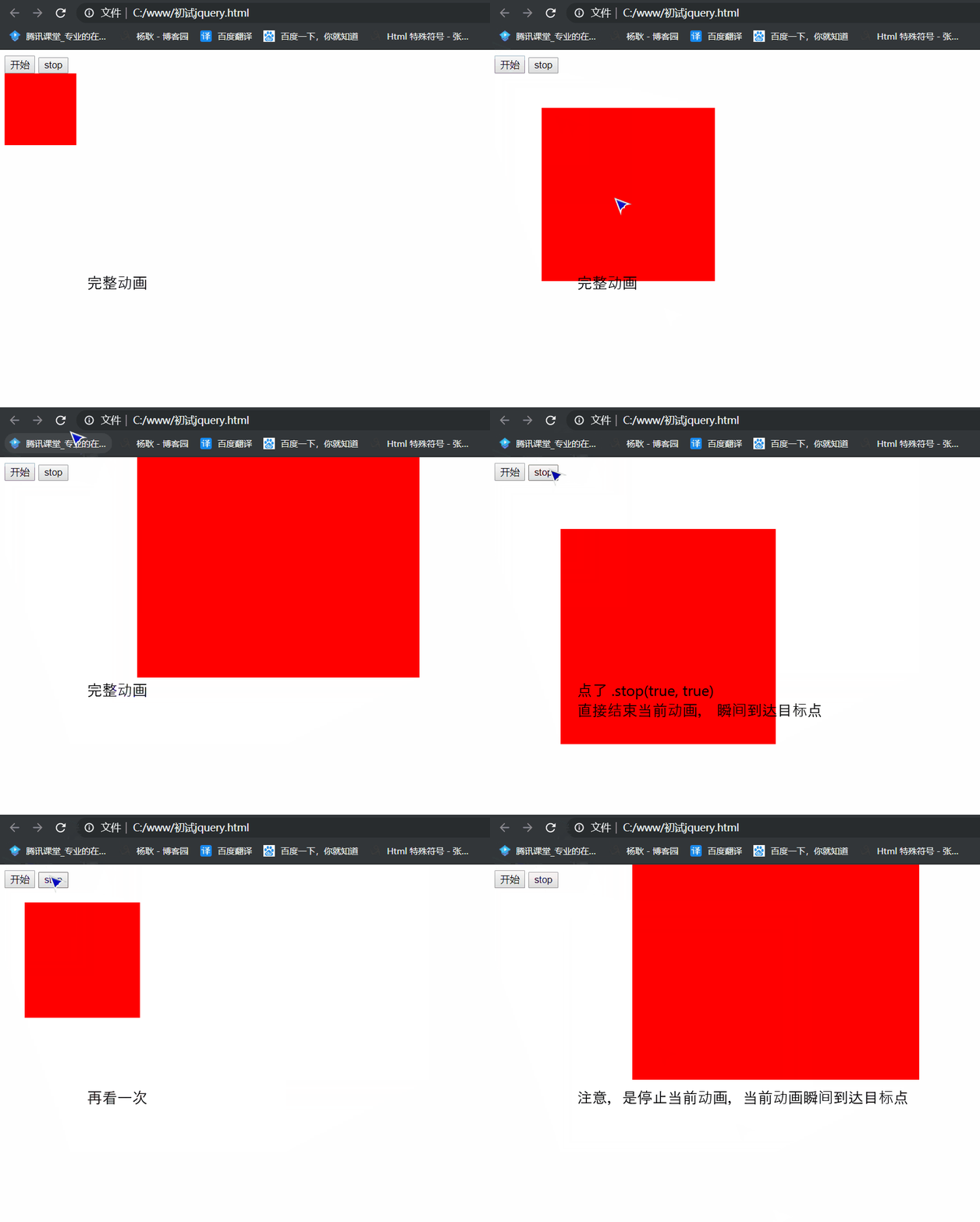
参数:null true true,true
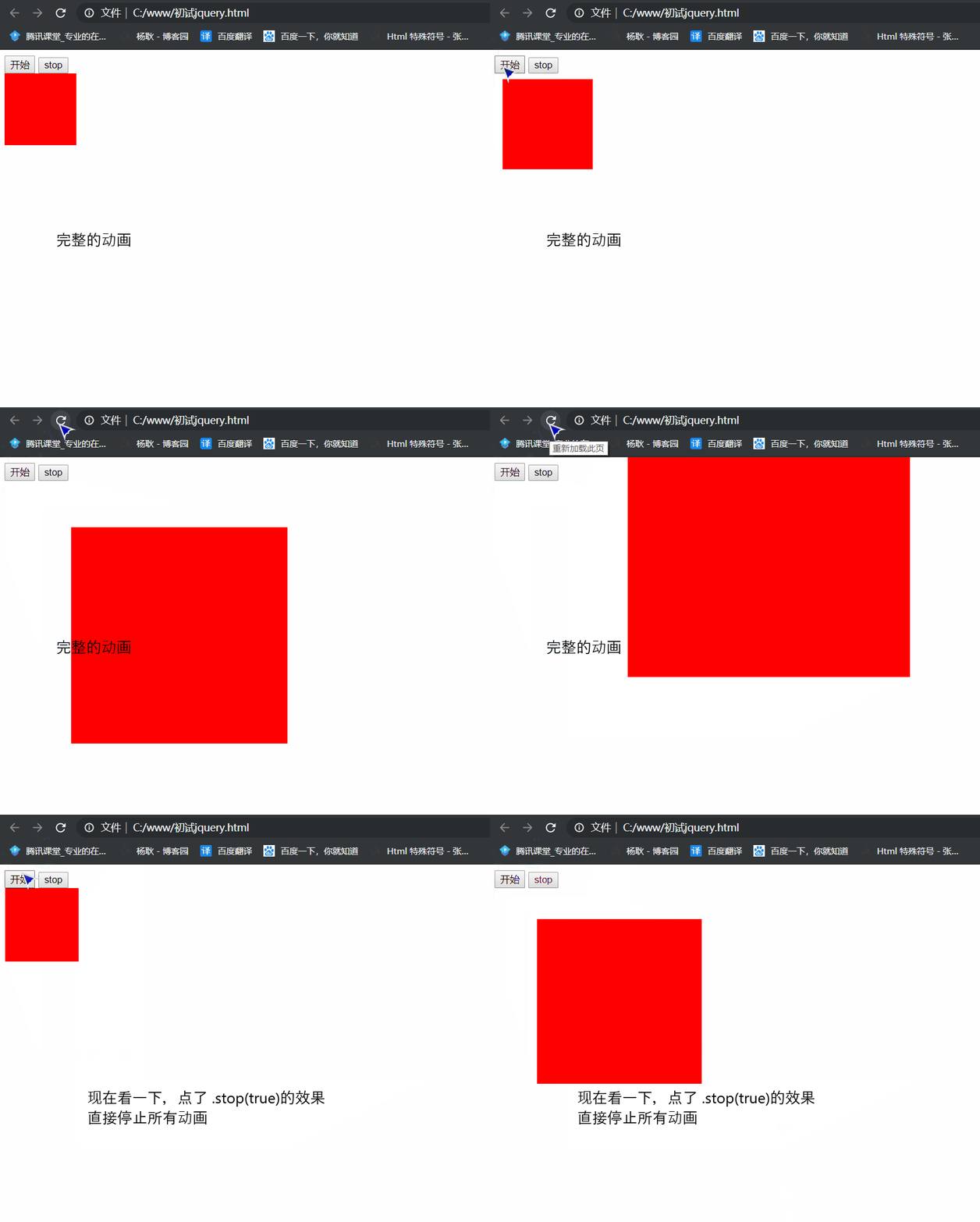
不填参数: 只有一段动画, 直接停止。 但是如果你当前有两段动画,就是你有一段动画,而且回调函数,又有一段动画。 执行了.stop() 会停止当前段的动画,并且开始 第二段的动画。
.stop(true): 停止动画, 无论你后面有多少段动画, 执行.stop(true), 就停在当前位置了。
.stop(true,true): 停止当前动画, 并且,瞬间到达目标点。
.stop() 不带参数

.stop(true)
.stop(true, true)
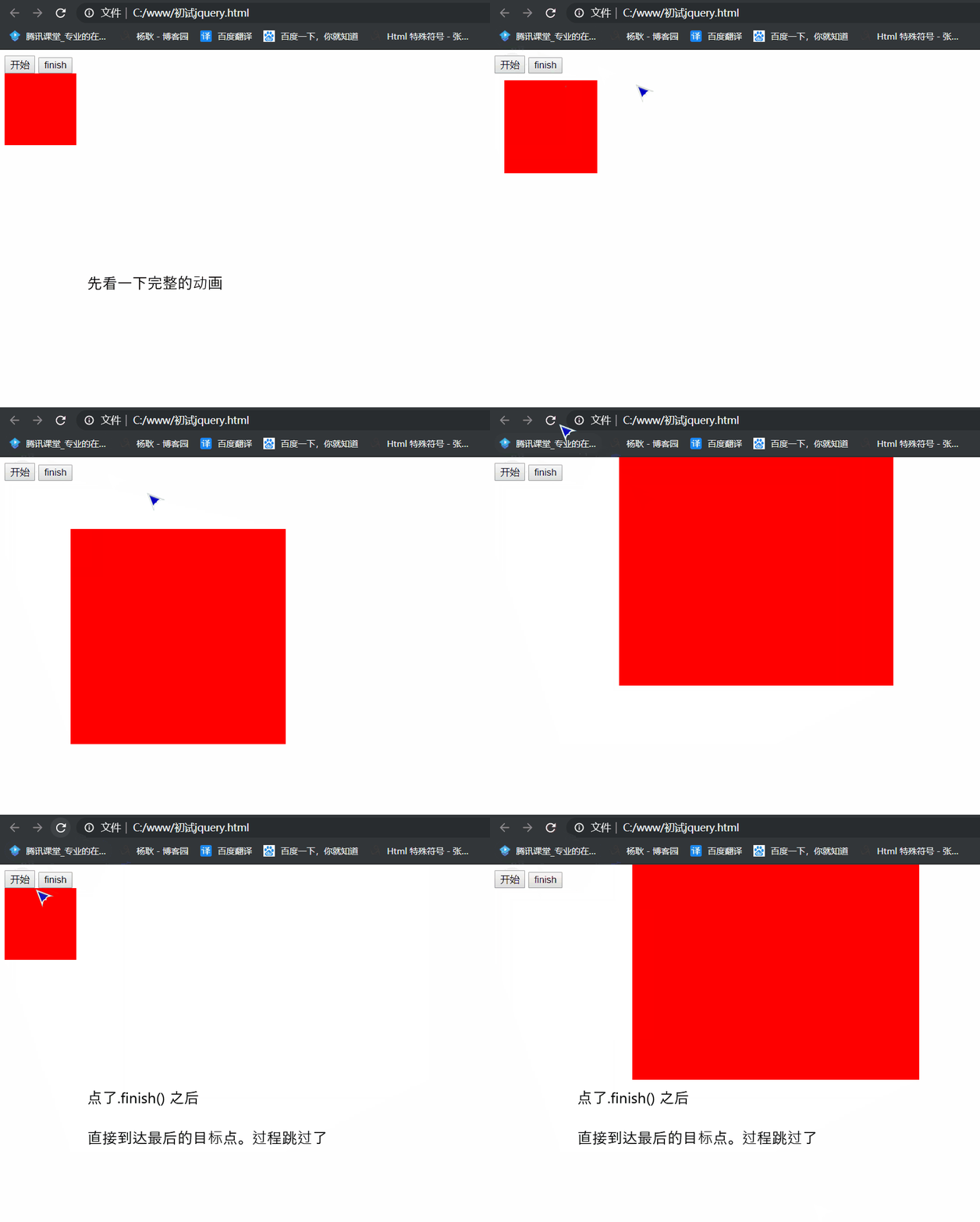
.finish()
跳过动画,直接到达目标点
没有参数可以传
 1 <!DOCTYPE html>

 2 <html lang="en">

 3 <head>

 4     <meta charset="UTF-8">

 5     <meta name="viewport" content="width=device-width, initial-scale=1.0">

 6     <meta http-equiv="X-UA-Compatible" content="ie=edge">

 7     <title>Document</title>

 8 </head>

 9 <body>

10     <button class="init">开始</button>

11     <button class="finish">finish</button>

12     <div class="box" style="position: absolute; width: 100px; height: 100px; background: red"></div>

13

14     <script src="./jquery/jquery.js"></script>

15     <script>

16         $('.init').click(function(){

17                 $('.box')

18                     .animate({width: 300, height: 300, left: 100, top: 100},2000)

19                         .animate({width: '+=100', height: '+=100', left: '+=100', top: '-100'},2000)

20         })

21

22         $('.finish').on('click', function(){

23             $('.box').finish();

24         })

25

26     </script>

27 </body>

28 </html>
.animate() 原理 39行
  1 jQuery.prototype.myDelay = function(duration){

  2         this.myqueue('fx',function(next){

  3             setTimeout(function(){

  4                 next();

  5             },2000)

  6         })

  7         return this;

  8     }

  9

 10     jQuery.prototype.myqueue = function(){

 11         var myqueueName = arguments[0] || 'fx';

 12         var myqueueFun = arguments[1] || null;

 13

 14         if(arguments.length == 1){

 15             return this[0][myqueueName];

 16         }

 17

 18         this[0][myqueueName] == undefined ? this[0][myqueueName] = [myqueueFun] : this[0][myqueueName].push(myqueueFun);

 19

 20         return this;

 21     }

 22

 23     jQuery.prototype.mydequeue = function(type){

 24         var self = this;

 25         var mydequeueName = type || 'fx';

 26         var myqueueArr = this.myqueue(mydequeueName);

 27         var currFun = myqueueArr.shift();

 28         if(currFun == undefined){

 29             return;

 30         }

 31         var next = function(){

 32            self.mydequeue(mydequeueName);

 33         }

 34         currFun(next);

 35

 36         return this;

 37     }

 38

 39     jQuery.prototype.myAnimate = function(obj, callback){

 40         var len = this.length;

 41         var self = this;

 42

 43         var baseFunc = function(next){

 44             var times = 0;

 45             for(var i = 0; i < len; i ++){

 46                 startMove(self[i], obj, function(){

 47                     times ++;

 48                     if(times == len){

 49                         callback && callback();

 50                         next();

 51                     }

 52                 });

 53             }

 54         }

 55

 56         this.myqueue('fx', baseFunc);

 57         if(this.myqueue('fx').length == 1){

 58             this.mydequeue('fx');

 59         }

 60

 61

 62         function startMove(dom, attrObj, callback) {

 63             clearInterval(dom.timer);

 64             dom.timer = setInterval(function () {

 65                 var speed = null, iCur = null;

 66                 var bStop = true;

 67

 68                 for (var attr in attrObj) {

 69                     if (attr == "opacity") {

 70                         iCur = parseFloat(getStyle(dom, attr)) * 100;

 71                     } else {

 72                         iCur = parseInt(getStyle(dom, attr));

 73                     }

 74                     speed = (attrObj[attr] - iCur) / 9;

 75                     speed = speed > 0 ? Math.ceil(speed) : Math.floor(speed);

 76

 77                     if (attr == "opacity") {

 78                         dom.style.opacity = (speed + iCur) / 100;

 79                     } else {

 80                         dom.style[attr] = speed + iCur + 'px';

 81                     }

 82

 83                     if (attrObj[attr] !== iCur) {

 84                         bStop = false;

 85                     }

 86                 }

 87                 if (bStop) {

 88                     clearInterval(dom.timer);

 89                     callback();

 90                 }

 91             }, 20)

 92         }

 93

 94         function getStyle(elem, prop){

 95             if(window.getComputedStyle){

 96                 return window.getComputedStyle(elem, null)[prop];

 97             }else{

 98                 return elem.currentStyle[prop];

 99             }

100         }

101

102         return this;

103     }
jQuery 第五章 实例方法 详解动画之animate()方法的更多相关文章
- jQuery 第五章 实例方法 详解内置队列queue() dequeue() 方法
.queue() .dequeue() .clearQueue() ------------------------------------------------------------------ ...
- jQuery 第五章 实例方法 事件
.on() .one() .off() .trigger() .click / keydown / mouseenter ... .hover() ----------------------- ...
- 搜索引擎算法研究专题五:TF-IDF详解
搜索引擎算法研究专题五:TF-IDF详解 2017年12月19日 ⁄ 搜索技术 ⁄ 共 1396字 ⁄ 字号 小 中 大 ⁄ 评论关闭 TF-IDF(term frequency–inverse ...
- jquery $.trim()去除字符串空格详解
jquery $.trim()去除字符串空格详解 语法 jQuery.trim()函数用于去除字符串两端的空白字符. 作用 该函数可以去除字符串开始和末尾两端的空白字符(直到遇到第一个非空白字符串为止 ...
- redis 五种数据结构详解(string,list,set,zset,hash)
redis 五种数据结构详解(string,list,set,zset,hash) Redis不仅仅支持简单的key-value类型的数据,同时还提供list,set,zset,hash等数据结构的存 ...
- Android Studio系列教程五--Gradle命令详解与导入第三方包
Android Studio系列教程五--Gradle命令详解与导入第三方包 2015 年 01 月 05 日 DevTools 本文为个人原创,欢迎转载,但请务必在明显位置注明出处!http://s ...
- redis 五种数据结构详解(string,list,set,zset,hash),各种问题综合
redis 五种数据结构详解(string,list,set,zset,hash) https://www.cnblogs.com/sdgf/p/6244937.html redis 与 spring ...
- 【Redis】redis 五种数据结构详解(string,list,set,zset,hash)
redis 五种数据结构详解(string,list,set,zset,hash) Redis不仅仅支持简单的key-value类型的数据,同时还提供list,set,zset,hash等数据结构的存 ...
- rabbitmq五种模式详解(含实现代码)
一.五种模式详解 1.简单模式(Queue模式) 当生产端发送消息到交换机,交换机根据消息属性发送到队列,消费者监听绑定队列实现消息的接收和消费逻辑编写.简单模式下,强调的一个队列queue只被一个消 ...
随机推荐
- python坐标获取经纬度或经纬度获取坐标免费模块--geopy
一.官方文档 https://github.com/geopy/geopy 二.模块安装 pip3 install geopy 三.简单实用 from geopy.geocoders import N ...
- Camera2使用surface支持
surfaceview是运行在子线程,可以为相机提供不断的刷新 public class MainActivity extends AppCompatActivity { public void on ...
- 从零造就JVM大牛(一)
引言 从事java的小伙伴大家好,如果你是一名从事java行业的程序员,无论你是小白还是工作多年的老司机,我相信这篇文章一定会给你带来 不同程度的收货不敢说你看完我的文章从此精通jvm打遍天下无对手, ...
- java安全编码指南之:文件IO操作
目录 简介 创建文件的时候指定合适的权限 注意检查文件操作的返回值 删除使用过后的临时文件 释放不再被使用的资源 注意Buffer的安全性 注意 Process 的标准输入输出 InputStream ...
- JUC---12深入理解CAS
一.什么是CAS Compare and Swap, 翻译成比较并交换,是java.util.concurrent.atomic包下的类里面的CompareAndSet()方法:java.util.c ...
- viewpage和tablayout导航栏
引入material库: implementation 'com.google.android.material:material:1.2.1' <?xml version="1.0& ...
- 在国内使用Google验证码reCaptcha
如今各大网站都不可缺少的一部分就是验证码,验证码具有防止恶意批量操作,保护账户安全等作用.但是现在各种暴力破解验证码的手段层出不穷,验证码的保护也就失去了意义.所以各大平台为了应对这种情况也是使用类似 ...
- ResultSet 处理方法
结果集(ResultSet)是数据中查询结果返回的一种对象,可以说结果集是一个存储查询结果的对象,但是结果集并不仅仅具有存储的功能,他同时还具有操纵数据的功能,可能完成对数据的更新等. 结果集读取数据 ...
- JAVA类库之——Character类(持续更新)
Character 类 目录 Character 类 判断该字符是不是一个数字的方法:isDigit(ch) 判断该字符是不是一个字母的方法:isLetter(ch) 判断该字符是不是一个数字或字母的 ...
- django路径问题
1. 初始化项目结构 2.创建Django项目 使用pycharm打开项目 1.右击---->编辑配置 > 2.文件---->设置 > 3.文件---->设置 > ...