
Linux驱动之GPIO子系统和pinctrl子系统
前期知识
1.如何编写一个简单的Linux驱动(一)——驱动的基本框架
2.如何编写一个简单的Linux驱动(二)——设备操作集file_operations
3.如何编写一个简单的Linux驱动(三)——完善设备驱动
4.Linux驱动之设备树的基础知识
前言
在学习单片机(比如51单片机和STM32)的时候,我们可以直接对单片机的寄存器进行操作,进而达到控制pin脚的目的。而Linux系统相较于一个单片机系统,要庞大而复杂得多,因此在Linux系统中我们不能直接对pin脚进行操作。Linux系统讲究驱动分层,pinctrl子系统和GPIO子系统就是驱动分层的产物。如果我们要操作pin脚,就必须要借助pinctrl子系统和GPIO子系统。
pinctrl子系统的作用是pin config(引脚配置)和pin mux(引脚复用),而如果pin脚被复用为了GPIO(注意:GPIO功能只是pin脚功能的一种),就需要再借助GPIO子系统对pin脚进行控制了,GPIO子系统提供了一系列关于GPIO的API函数,供我们调用。本章,我们会使用pinctrl子系统和GPIO子系统来完成对GPIO的操作。
本章的驱动代码和用户程序代码要在"如何编写一个简单的Linux驱动(三)——完善设备驱动"这一章所写的代码基础上进行修改。如果要下载"如何编写一个简单的Linux驱动(三)——完善设备驱动"这一章的代码,请点击这里。
1.阅读帮助文档
打开内核设备树目录下的文档kernel/Documentation/devicetree/bindings/pinctrl/samsung-pinctrl.txt,可以看到三星原厂提供的pinctrl子系统的帮助说明。
首先看下面这一段文档内容。
Eg: <&gpx2 6 0>
<[phandle of the gpio controller node]
[pin number within the gpio controller]
[flags]>
Values for gpio specifier:
- Pin number: is a value between 0 to 7.
- Flags: 0 - Active High 1 - Active Low
这段内容举例了如何使能某个GPIO。以<&gpx2 6 0>为例,第一个参数&gpx2是对应的gpio controller节点,第二个参数6是gpio controller的pin脚编号,第三个参数0是标志位(0表示高电平有效,1表示低电平有效)。
再看文档中的这一段内容。
- Pin mux/config groups as child nodes: The pin mux (selecting pin function mode) and pin config (pull up/down, driver strength) settings are represented as child nodes of the pin-controller node. There should be atleast one child node and there is no limit on the count of these child nodes. It is also possible for a child node to consist of several further child nodes to allow grouping multiple pinctrl groups into one. The format of second level child nodes is exactly the same as for first level ones and is described below.
The child node should contain a list of pin(s) on which a particular pin function selection or pin configuration (or both) have to applied. This list of pins is specified using the property name "samsung,pins". There should be atleast one pin specfied for this property and there is no upper limit on the count of pins that can be specified. The pins are specified using pin names which are derived from the hardware manual of the SoC. As an example, the pins in GPA0 bank of the pin controller can be represented as "gpa0-0", "gpa0-1", "gpa0-2" and so on. The names should be in lower case. The format of the pin names should be (as per the hardware manual) "[pin bank name]-[pin number within the bank]".
The pin function selection that should be applied on the pins listed in the child node is specified using the "samsung,pin-function" property. The value of this property that should be applied to each of the pins listed in the "samsung,pins" property should be picked from the hardware manual of the SoC for the specified pin group. This property is optional in the child node if no specific function selection is desired for the pins listed in the child node. The value of this property is used as-is to program the pin-controller function selector register of the pin-bank.
The child node can also optionally specify one or more of the pin configuration that should be applied on all the pins listed in the "samsung,pins" property of the child node. The following pin configuration properties are supported.
- samsung,pin-val: Initial value of pin output buffer.
- samsung,pin-pud: Pull up/down configuration.
- samsung,pin-drv: Drive strength configuration.
- samsung,pin-pud-pdn: Pull up/down configuration in power down mode.
- samsung,pin-drv-pdn: Drive strength configuration in power down mode.
这部分内容较长,简而言之就是描述了引用pin脚的写法、pin脚的功能复用属性、pin脚的配置属性。
引用pin脚的属性名为samsung,pins,它的值写法是[pin bank name]-[pin number within the bank],如samsung.pins = gpa0-1;。pin脚功能复用属性的属性名为samsung,pin-function,它的值的写法可以在dt-bindings/pinctrl/samsung.h文件中找到,如samsung,pin-function = EXYNOS_PIN_FUNC_OUTPUT;。pin脚的配置属性比较多,这里只选两个本章用得到的:samsung.pin-val是pin脚的默认输出值(高电平还是低电平),如samsung.pin-val = <1>;,而samsung.pin-pud是设置上拉或者下拉,如samsung.pin-pud = <EXYNOS_PIN_PULL_UP>;。
以上这两部分说明了pin脚复用为GPIO时该如何写设备树代码。
2.修改设备树源码
本章要实现的效果是让用户程序控制开发板上LED灯的亮灭。通过查看开发板原理图,得知两个LED灯连的pin脚是gpl2-0和gpk1-1。
(1) 打开pinctrl相关的设备树头文件kernel/arch/arm/boot/dts/exynos4412-pinctrl.dtsi,可以看到gpk和gpl是pinctrl_1的子节点,见下方代码。
...

pinctrl_1: pinctrl@11000000 {

		...

		gpk1: gpk1 {

			gpio-controller;

			#gpio-cells = <2>;

			interrupt-controller;

			#interrupt-cells = <2>;

		};

		...

		gpl2: gpl2 {

			gpio-controller;

			#gpio-cells = <2>;

			interrupt-controller;

			#interrupt-cells = <2>;

		};

		...

}

...
在pinctrl_1节点下添加两个自定义的节点pinctrl_shanwuyan_leds,如下方代码。
pinctrl_1: pinctrl@11000000 {

		...

		gpk1: gpk1 {

			gpio-controller;

			#gpio-cells = <2>;

			interrupt-controller;

			#interrupt-cells = <2>;

		};

		...

		gpl2: gpl2 {

			gpio-controller;

			#gpio-cells = <2>;

			interrupt-controller;

			#interrupt-cells = <2>;

		};

		...

		/*自己添加的设备树节点*/

		pinctrl_shanwuyan_leds: gpio_leds {

				samsung,pins = "gpl2-0","gpk1-1" ;	//LED的pin脚为gpl2-0和gpk1-1

				samsung,pin-function = <EXYNOS_PIN_FUNC_OUTPUT>;	//设置为输出

				samsung,pin-val = <1>;	//默认输出为低电平

				samsung,pin-pud = <EXYNOS_PIN_PULL_UP>;	//设置为上拉

		};

		...

}
(2) 然后打开设备树文件kernel/arch/arm/boot/dts/exynos4412-itop-elite.dts,在根节点下添加一个自定义节点shanwuyan_leds。另外,如果设备树文件中其他的代码段也使用了这两个pin脚,记得将它们注释掉。本文中,gpk1-1在设备树自带的led灯设备中被使用了,所以要先注释掉。如下方代码。
/ {

		model = "TOPEET iTop 4412 Elite board based on Exynos4412";

		compatible = "topeet,itop4412-elite", "samsung,exynos4412", "samsung,exynos4";

		chosen {

				bootargs = "root=/dev/mmcblk0p2 rw rootfstype=ext4 rootdelay=1 rootwait";

				stdout-path = "serial2:115200n8";

		};

		memory {

            	reg = <0x40000000 0x40000000>;

		       };

		leds {	//这是设备树自带的led设备节点

				compatible = "gpio-leds";

				led2 {

					label = "red:system";

					gpios = <&gpx1 0 GPIO_ACTIVE_HIGH>;

					default-state = "off";

					linux,default-trigger = "heartbeat";

				};

				led3 {

					label = "red:user";

				//	gpios = <&gpk1 1 GPIO_ACTIVE_HIGH>;	//和我们自己写的led设备所用的pin脚产生了冲突,要注释掉

					default-state = "off";

				};

			};

		...

		...

		/*自己添加的设备树节点*/

		shanwuyan_leds{

		compatible = "samsung,shanwuyan_leds";

		pinctrl-names = "default";

		pinctrl-0 = <&pinctrl_shanwuyan_leds>;

		led-gpios = <&gpl2 0 GPIO_ACTIVE_HIGH>,<&gpk1 1 GPIO_ACTIVE_HIGH>;

		status = "okay";

	};

};
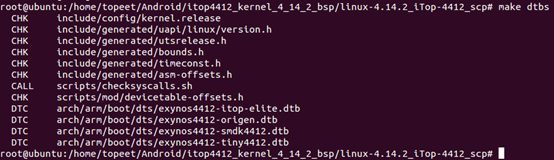
(3) 使用命令make dtbs编译设备树文件。
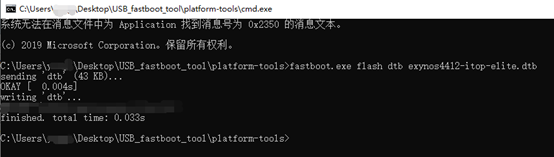
将生成的dtb文件烧写进开发板中。
重启开发板,在命令行输入ls /proc/device-tree/shanwuyan_leds/,可以查看到我们新添加的节点及其属性。

3.修改驱动程序
打开驱动代码文件。
(1) 首先添加四个新的头文件,然后把驱动名称修改一下,再添加三个宏定义。如下方代码。
/* 源代码文件名为"shanwuyan.c"*/

#include <linux/module.h>

#include <linux/kernel.h>

#include <linux/init.h>

#include <linux/fs.h>

#include <linux/uaccess.h>

#include <linux/cdev.h>

#include <linux/device.h>

/*新添加如下四个新的头文件*/

#include <linux/of_gpio.h>

#include <linux/gpio.h>

#include <linux/of.h>

#include <linux/io.h>

#define SHANWUYAN_NAME "shanwuyan_leds"	//修改驱动名称

/*添加三个新的宏定义*/

#define LEDS_NUM 2	//LED灯的个数为2

#define LEDS_ON	1	//LED灯的开启状态

#define LEDS_OFF 0	//lED灯的关闭状态

...
(2) 向结构体shanwuyan_dev中添加两个新的成员变量,如下方代码。
struct shanwuyan_dev

{

	struct cdev c_dev;		//字符设备

	dev_t dev_id;			//设备号

	struct class *class;	//类

	struct device *device;	//设备

	int major;				//主设备号

	int minor;				//次设备号

	/*新添加的成员变量*/

	struct device_node *node;	//用于获取设备树节点

	int led_gpios[2];	//用于获取两个led的GPIO编号

};
(2) 我们需要添加一个新的函数leds_init,用以初始化两个LED占用的GPIO。在该函数中,我们使用GPIO子系统提供的API函数,对pin脚进行操作。在添加之前,我们要先介绍几个函数。
//位于linux/of.h文件中

static inline struct device_node *of_find_node_by_path(const char *path);

//通过节点路径来查找设备树节点,若查找失败,则返回NULL
//位于linux/of_gpio.h文件中

static inline int of_get_named_gpio(struct device_node *np, const char *propname, int index);

//通过设备树节点、属性名、属性索引号来获取GPIO编号,若获取失败,则返回一个负数
//位于linux/gpio.h文件中

static inline int gpio_request(unsigned gpio, const char *label);

//申请GPIO,第一个参数是GPIO编号,第二个参数是给GPIO加的标签(由程序员给定),如果申请成功,则返回0,否则返回一个非零数

static inline void gpio_free(unsigned gpio);

//释放GPIO,参数是GPIO编号

static inline int gpio_direction_input(unsigned gpio);

//把GPIO设置为输入模式,参数是GPIO编号,如果设置成功,则返回0,否则返回一个非零数

static inline int gpio_direction_output(unsigned gpio, int value);

//把GPIO设置为输出模式,第一个参数是GPIO编号,第二个参数是默认输出值,如果设置成功,则返回0,否则返回一个非零数

static inline void gpio_set_value(unsigned int gpio, int value);

//设置GPIO的输出值,第一个参数是GPIO编号,第二个参数是输出值
接下来我们添加函数led_init,然后在入口函数shanwuyan_init中调用它,在加载驱动的时候就完成GPIO的初始化。相应的,在出口函数shanwuyan_exit中,要释放掉申请的GPIO。如下方代码。
...

static int leds_init(struct shanwuyan_dev *leds_dev)//初始化led的GPIO

{

	int ret = 0;

	int i = 0;

	char led_labels[][20] = {"led_gpio_0", "led_gpio_1"};	//定义两个设备标签

	/*1.根据设备节点在设备树中的路径,获取设备树中的设备节点*/

	leds_dev->node = of_find_node_by_path("/shanwuyan_leds");

	if(leds_dev->node == NULL)

	{

		ret = -EINVAL;

		printk("cannot find node /shanwuyan_leds\r\n");

		goto fail_find_node;

	}

	/*2.获取led对应的gpio*/

	for(i = 0; i < LEDS_NUM; i++)

	{

		leds_dev->led_gpios[i] = of_get_named_gpio(leds_dev->node, "led-gpios", i);

		if(leds_dev->led_gpios[i] < 0)	//如果获取失败

		{

			printk("cannot get led_gpio_%d\r\n", i);

			ret = -EINVAL;

			goto fail_get_gpio;

		}

	}

	for(i = 0; i < LEDS_NUM; i++)	//打印出获取的gpio编号

		printk("led_gpio_%d = %d\r\n", i, leds_dev->led_gpios[i]);

	/*3.申请gpio*/

	for(i = 0; i < LEDS_NUM; i++)

	{

		ret = gpio_request(leds_dev->led_gpios[i], led_labels[i]);

		if(ret)	//如果申请失败

		{

			printk("cannot request the led_gpio_%d\r\n", i);

			ret = -EINVAL;

			if(i == 1)

				goto fail_request_gpio_1;

			else

				goto fail_request_gpio_0;

		}

	}

	/*4.使用gpio:设置为输出*/

	for(i = 0; i < LEDS_NUM; i++)

	{

		ret = gpio_direction_output(leds_dev->led_gpios[i], 1);

		if(ret)	//如果是指失败

		{

			printk("failed to set led_gpio_%d\r\n", i);

			ret = -EINVAL;

			goto fail_set_output;

		}

	}

	/*5.设置输出高电平,led会亮*/

	for(i = 0; i < LEDS_NUM; i++)

		gpio_set_value(leds_dev->led_gpios[i], 1);

	return 0;

fail_set_output:

	gpio_free(leds_dev->led_gpios[1]);	//释放掉led_gpio_1

fail_request_gpio_1:

	gpio_free(leds_dev->led_gpios[0]);//如果led_gpio_1申请失败,则也要把led_gpio_0也要释放掉

fail_request_gpio_0:

fail_get_gpio:

fail_find_node:

	return ret;

}

static int __init shanwuyan_init(void)	//驱动入口函数

{

	int ret = 0;

	/*1.分配设备号*/

	...

	/*2.向内核添加字符设备*/

	...

	/*3.自动创建设备节点*/

	...

	/*4.初始化GPIO*/

	leds_init(&shanwuyan);

	return 0;

}

static void __exit shanwuyan_exit(void)	//驱动出口函数

{

	int i = 0;

	/*释放GPIO*/

	for(i = 0; i < LEDS_NUM; i++)

		gpio_free(shanwuyan.led_gpios[i]);

	/*注销设备号*/

	...

	/*摧毁设备*/

	...

	/*摧毁类*/

	...

}

...
(3) 然后一下open函数,因为该函数有一个参数我们一直没有使用,现在我们使用它,close函数无需改造。如下方代码。
...

/*打开设备*/

static int shanwuyan_open(struct inode *inode, struct file *filp)

{

	printk(KERN_EMERG "shanwuyan_open\r\n");

	filp->private_data = &shanwuyan;	//在设备操作集中,我们尽量使用私有数据来操作对象

	return 0;

}

...
(4) 最后改造write函数(用户程序控制GPIO,只需要用到write函数,用不到read函数,所以不用改造read函数)。如下方代码。
...

/*写设备*/

static ssize_t shanwuyan_write(struct file *filp, const char __user *buf, size_t count, loff_t *ppos)

{

	int i = 0;

	int ret = 0;

	char user_data;	//保存用户数据

	struct shanwuyan_dev *led_dev = filp->private_data;	//获取私有变量

	ret = copy_from_user(&user_data, buf, count);	//获取用户数据

	if(ret < 0)

		return -EINVAL;

	if(user_data == LEDS_ON)	//如果接到的命令是打开LED

		for(i = 0; i < LEDS_NUM; i++)

			gpio_set_value(led_dev->led_gpios[i], LEDS_ON);

	else if(user_data == LEDS_OFF)	//如果接到的命令是关闭LED

		for(i = 0; i < LEDS_NUM; i++)

			gpio_set_value(led_dev->led_gpios[i], LEDS_OFF);

	return 0;

}

...
4.修改用户程序
用户程序只用得到写操作,可以把读操作的代码删除。再另外修改一下写操作的代码,如下。
//源代码名称为 "shanwuyanAPP.c"

#include <sys/types.h>

#include <sys/stat.h>

#include <fcntl.h>

#include <stdio.h>

#include <unistd.h>

#include <stdlib.h>

#include <string.h>

/*

*argc:应用程序参数个数,包括应用程序本身

*argv[]:具体的参数内容,字符串形式

*./shanwuyanAPP <filename> <0:1> 0表示LED灭,1表示LED亮

*/

int main(int argc, char *argv[])

{

	int ret = 0;

	int fd = 0;

	char *filename;

	char user_data;

	user_data = atoi(argv[2]);

	if(argc != 3)

	{

		printf("Error usage!\r\n");

		return -1;

	}

	filename = argv[1];	//获取设备名称

	fd = open(filename, O_RDWR);

	if(fd < 0)

	{

		printf("cannot open device %s\r\n", filename);

		return -1;

	}

	/*写操作*/

	ret = write(fd, &user_data, sizeof(char));

	if(ret < 0)

		printf("write error!\r\n");

	/*关闭操作*/

	ret = close(fd);

	if(ret < 0)

	{

		printf("close device %s failed\r\n", filename);

	}

	return 0;

}
5.应用
编译驱动,交叉编译用户程序,拷贝到开发板中。
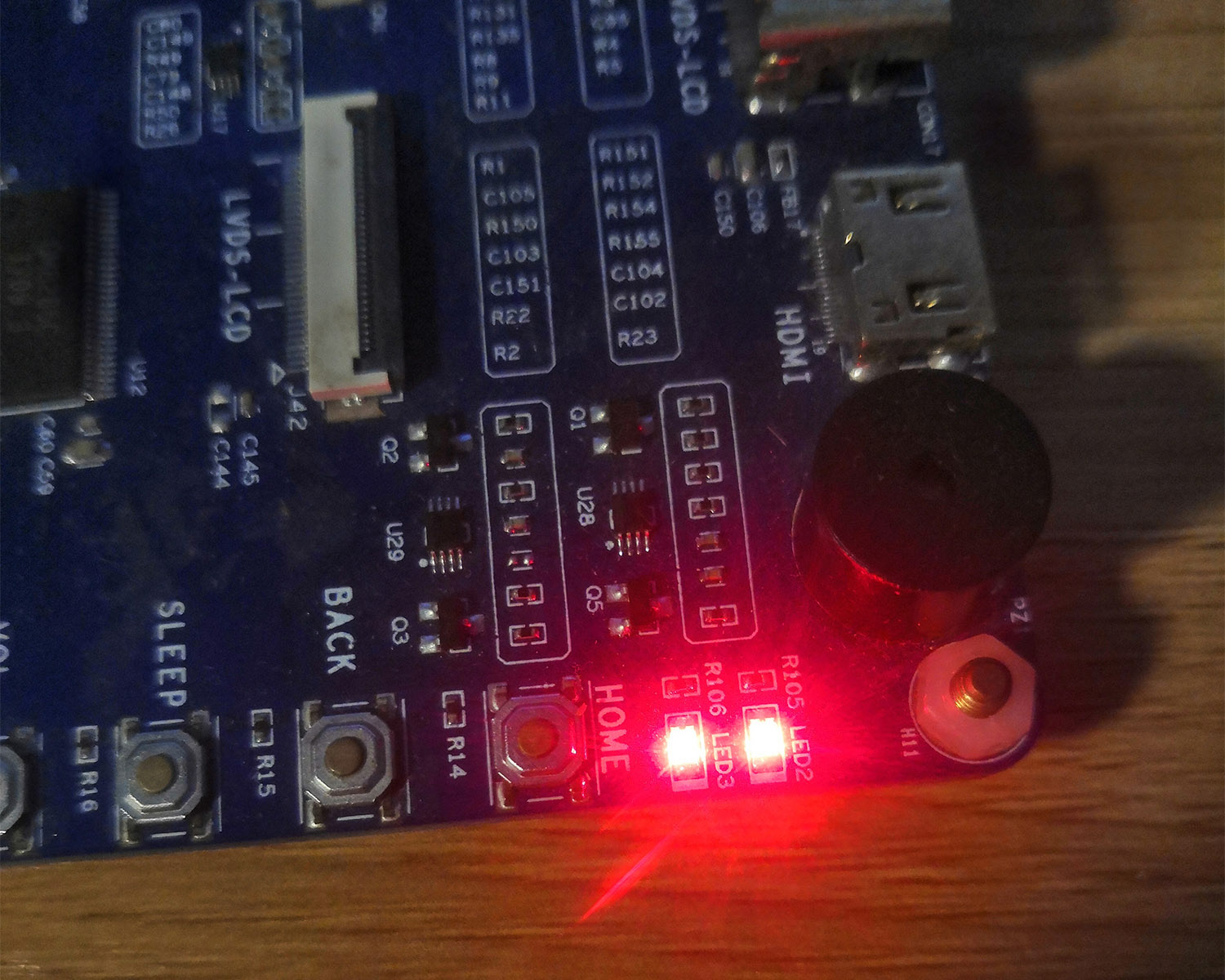
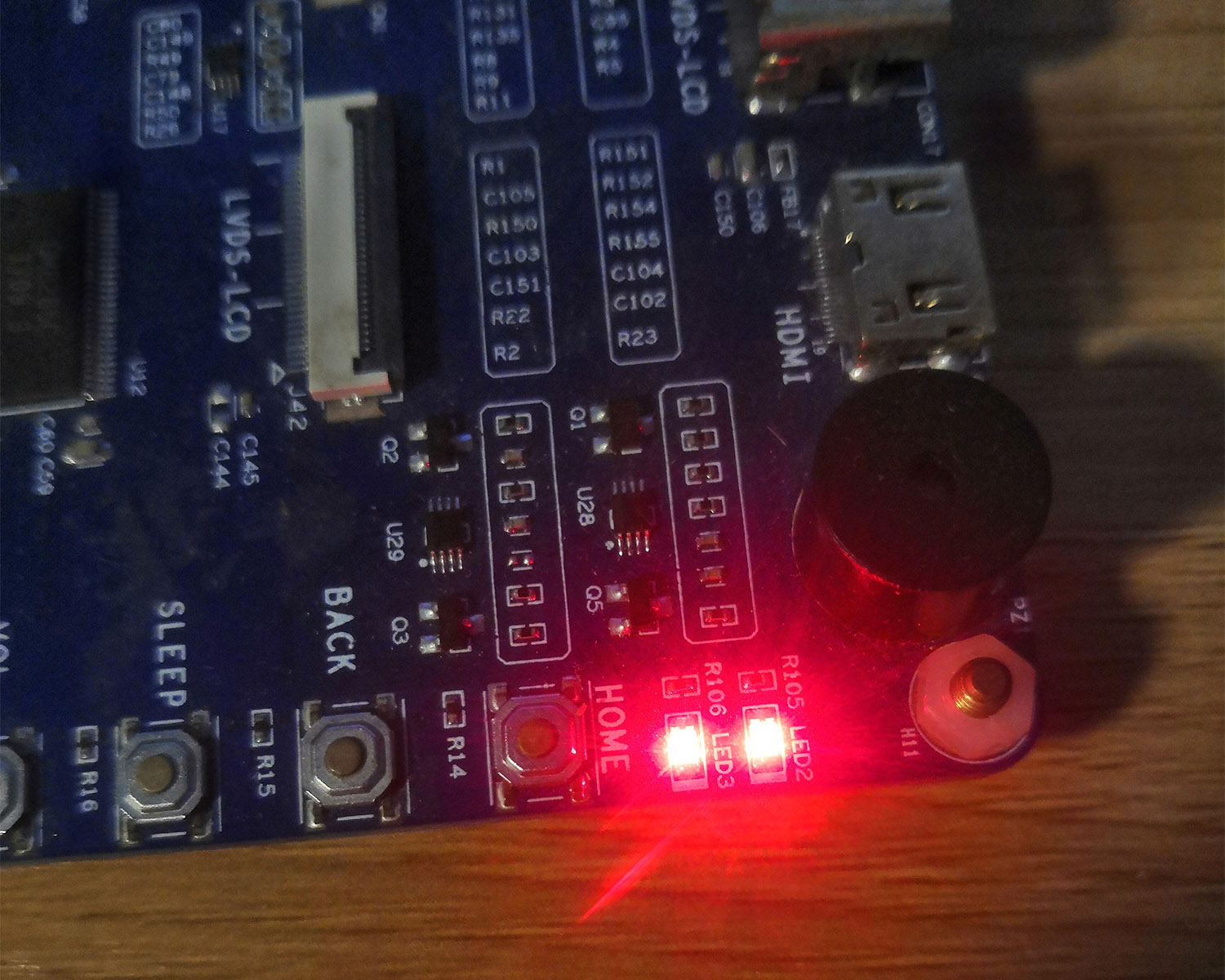
加载驱动,可以看到开发板上的LED灯亮了起来。
同时可以在终端看到两个LED的GPIO编号。

在终端输入命令./shanwuyanAPP /dev/shanwuyan_leds 0,可以看到两个LED灯灭掉。
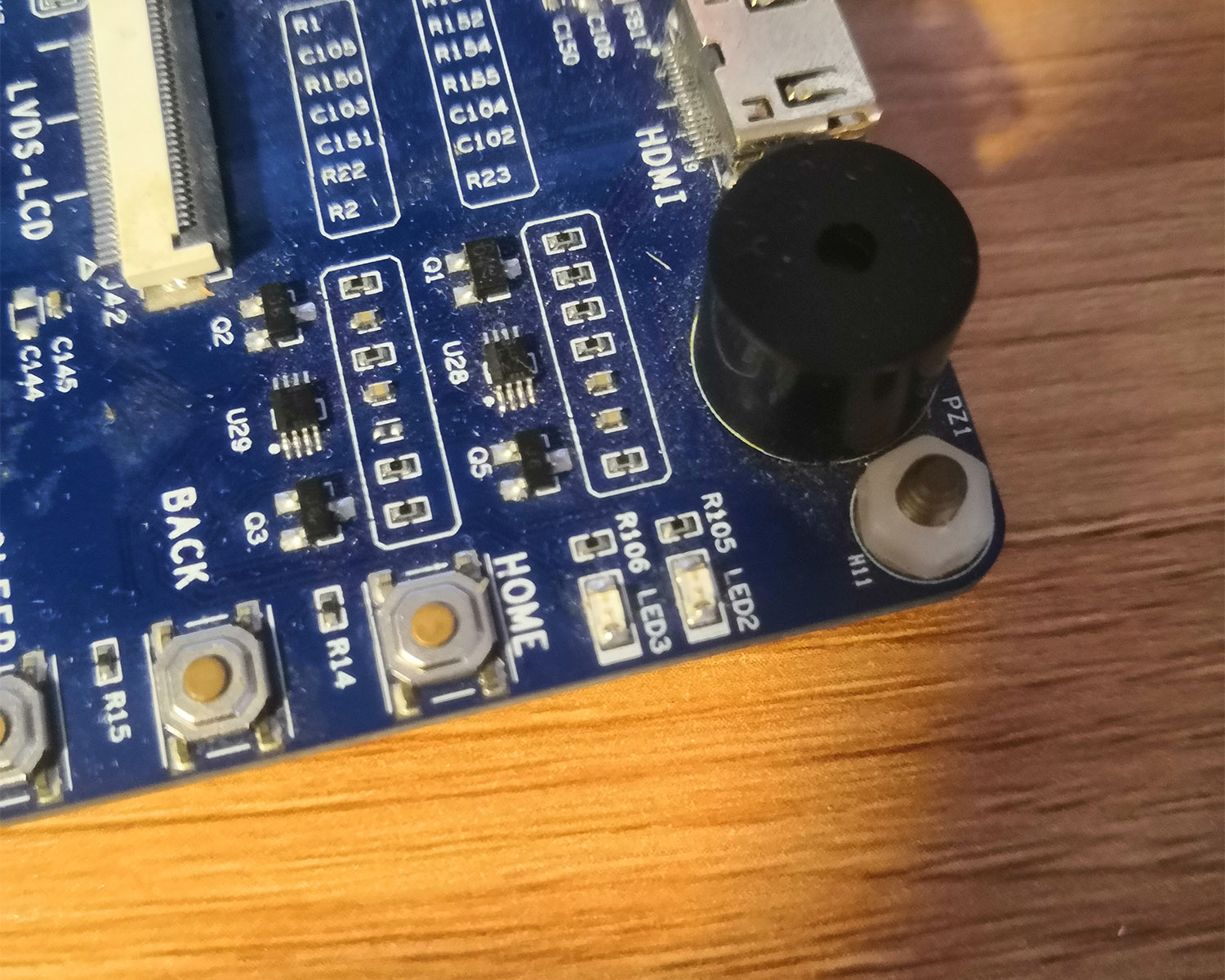
再在终端输入命令./shanwuyanAPP /dev/shanwuyan_leds 0,可以看到两个LED灯又亮起来。
本文全部代码在这里
Linux驱动之GPIO子系统和pinctrl子系统的更多相关文章
- gpio子系统和pinctrl子系统(上)
前言 随着内核的发展,linux驱动框架在不断的变化.很早很早以前,出现了gpio子系统,后来又出现了pinctrl子系统.在网上很难看到一篇讲解这类子系统的文章.就拿gpio操作来说吧,很多时候都是 ...
- gpio子系统和pinctrl子系统(下)
情景分析 打算从两个角度来情景分析,先从bsp驱动工程师的角度,然后是驱动工程师的角度,下面以三星s3c6410 Pinctrl-samsung.c为例看看pinctrl输入参数的初始化过程(最开始的 ...
- gpio子系统和pinctrl子系统(中)
pinctrl子系统核心实现分析 pinctrl子系统的内容在drivers/pinctrl文件夹下,主要文件有(建议先看看pinctrl内核文档Documentation/pinctrl.txt): ...
- 【原创】Linux环境下的图形系统和AMD R600显卡编程(1)——Linux环境下的图形系统简介
Linux/Unix环境下最早的图形系统是Xorg图形系统,Xorg图形系统通过扩展的方式以适应显卡和桌面图形发展的需要,然而随着软硬件的发展,特别是嵌入式系统的发展,Xorg显得庞大而落后.开源社区 ...
- Linux环境下的图形系统和AMD R600显卡编程(1)——Linux环境下的图形系统简介
转:https://www.cnblogs.com/shoemaker/p/linux_graphics01.html Linux/Unix环境下最早的图形系统是Xorg图形系统,Xorg图形系统通过 ...
- 嵌入式Linux驱动学习之路(十六)输入子系统
以前写的一些输入设备的驱动都是采用字符设备处理的.问题由此而来,Linux开源社区的大神们看到了这大量输入设备如此分散不堪,有木有可以实现一种机制,可以对分散的.不同类别的输入设备进行统一的驱动,所以 ...
- 【转】Linux內核驅動之GPIO子系統(一)GPIO的使用 _蝸牛
原文网址:http://tc.chinawin.net/it/os/article-2512b.html 一 概述 Linux內核中gpio是最簡單,最常用的資源(和interrupt ,dma,ti ...
- 【原创】Linux环境下的图形系统和AMD R600显卡编程(8)——AMD显卡DRM驱动初始化过程
前面几个blog对DRM驱动.显卡的显存管理机制.中断机制都进行了一些描述,现在阅读AMD drm驱动的初始化过程应该会轻松许多. 下面是一AMD的开发人员编写的文章(先暂时放在这里,后续有时间再添加 ...
- 【原创】Linux环境下的图形系统和AMD R600显卡编程(2)——Framebuffer、DRM、EXA和Mesa简介【转】
转自:http://www.cnblogs.com/shoemaker/p/linux_graphics02.html 1. Framebuffer Framebuffer驱动提供基本的显示,fram ...
随机推荐
- [C/C++]快速读入代码(快读)
快读 1.为什么要有快读 好吧,有些题目看上去十分简单,例如https://www.luogu.com.cn/problem/P4305这道题,实际上数据量巨多,光是一个测试点就可能有几个MB,在这种 ...
- 使用nebula把联想个人云存储映射到当前网络使用的方法
整个过程涉及三个主机一个是家里的台式机 home 内网ip为192.168.69.101一个是公司的笔记本 mac一个是有公网ip的服务器 server云存储在家里和home在同一个内网,IP地址为1 ...
- 攻防世界-web(进阶)-NewsCenter
打开文件发现有个搜索框,考虑是XSS或SQL注入,输入弹框语句不显示考虑到SQL注入,抓包将抓包信息保存为txt,用sqlmap爆破. 输入:sqlmap -r “sql.txt”,输出如下数据库版本 ...
- PHP、JS一些用法
PHP去除小数点后面的0,保留非零 floatval($num) PHP转数组var d = eval(数组d); PHP字符串转数组 $row['0'] = explode(";" ...
- AltiumDesigner20画图不求人10 | 提高AD20启动速度的方法六取消加入产品改善计划 | 视频教程 | 你问我答
教程内容:AltiumDesigner20画图不求人系列,是电子芯原创的AltiumDesigner绘图技巧视频教程,每一个技巧只需要不到3分钟的时间就可以完成学习.前期经过AD19的画图不求人,帮助 ...
- Python脚本实现在cmd执行相关命令
通过Python脚本实现,在cmd命令执行文件的cp(复制).rm(删除).rename(重命名).move(文件移动).mkdir(创建目录) cmd执行命令格式:python xxx.py 用户名 ...
- jenkins,开源CI工具
目前最热门CI工具的jenkins,学习笔记: 一.jenkins如何实现执行命令 1.执行jenkins同主机上的命令
- 精讲响应式WebClient第6篇-请求失败自动重试机制,强烈建议你看一看
本文是精讲响应式WebClient第6篇,前篇的blog访问地址如下: 精讲响应式webclient第1篇-响应式非阻塞IO与基础用法 精讲响应式WebClient第2篇-GET请求阻塞与非阻塞调用方 ...
- log4j升级到log4j2
log4j升级到log4j2 1.导入依赖 log4j2应尽量使用同一版本,否则可能出现不兼容的情况 <!-- log4j2 start --> <!-- log4j-1.2-api ...
- Kafka入门(3):Sarama生产者是如何工作的
摘要 在这一篇的文章中,我将从Sarama的同步生产者和异步生产者怎么创建开始讲起,然后我将向你介绍生产者中的各个参数是什么,怎么使用. 然后我将从创建生产者的代码开始,按照代码的调用流程慢慢深入,直 ...