
复习 | 彻底弄懂Flexbox之Demo篇
flexbox之前有接触,写项目时也用过,但也只是简单的,对其也是似懂非懂,所以今天下定决心把这个再学一遍,因为似懂非懂就是不懂
本文主要是的demo演示,想看flexbox语法 请移步flexbox语法
本文主要分两大部分:flexbox的Demo与常见的布局
以下demo的图片与css代码从左至右从上到下一一对应
flexbox的Demo
单元素demo四个角
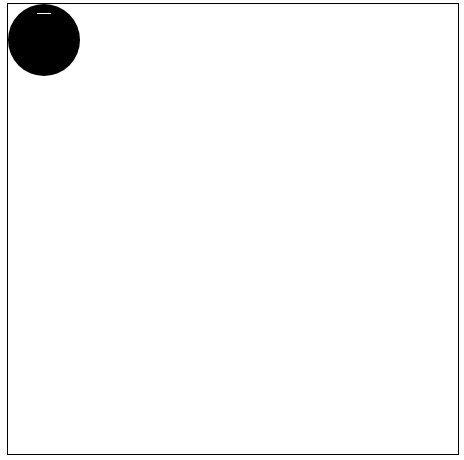

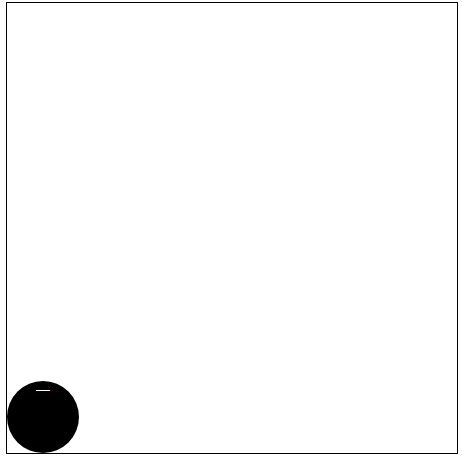
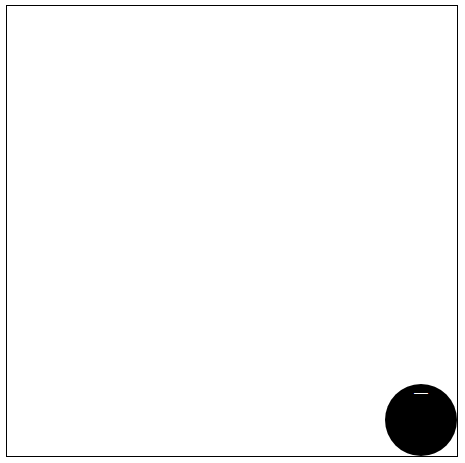
html
  <div class='box-1'>

    <span>一</span>

   </div>
css
       .box-1{

       /* 一个元素 */

       左上角

       display: flex;

      /* 右上角 */

       justify-content: flex-end;

      /* 左下角 */

       align-items: flex-end;

      /* 右下角 */

       justify-content: flex-end;

       align-items: flex-end;

     }
单元素居中


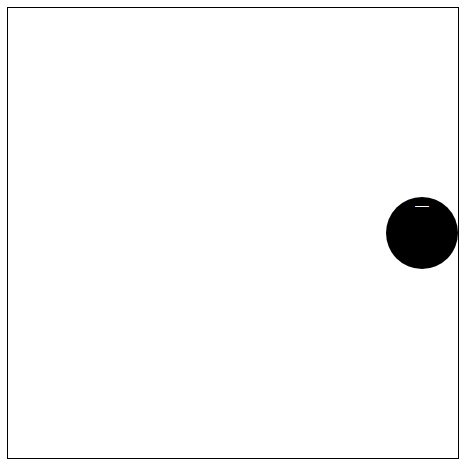
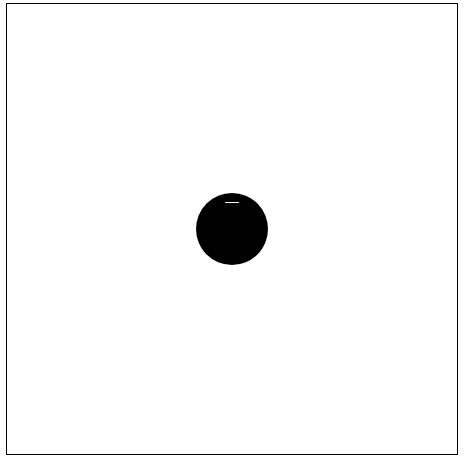
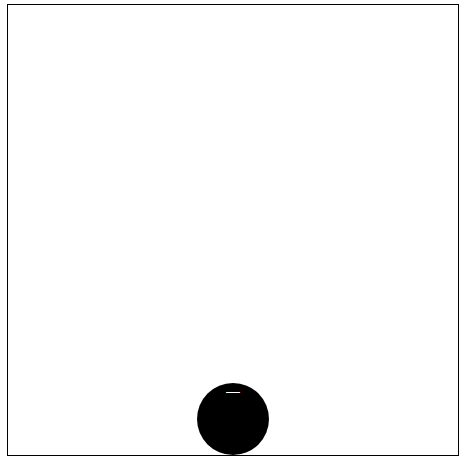
html
  <div class='box-1'>

    <span>一</span>

   </div>
css
      .box-1{

      /* 顶部水平居中 */

       justify-content: center;

      /* 左垂直居中 */

       align-items: center;

      /* 右垂直居中 */

       justify-content: flex-end;

       align-items: center;

      /* 垂直和水平居中 */

       justify-content: center;

       align-items: center; */

      /* 底部水平居中 */

       justify-content: center;

       align-items: flex-end;

      }
二个元素对齐方式

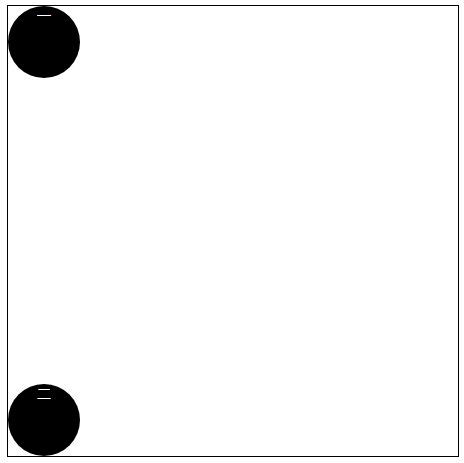

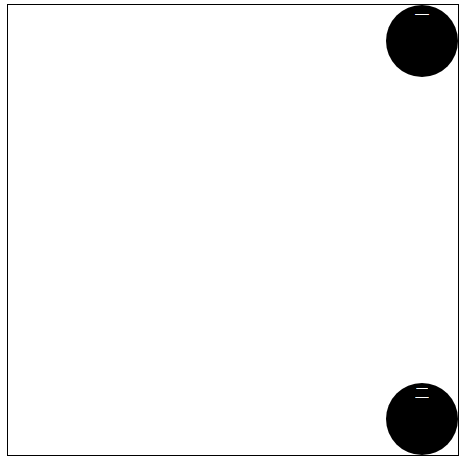

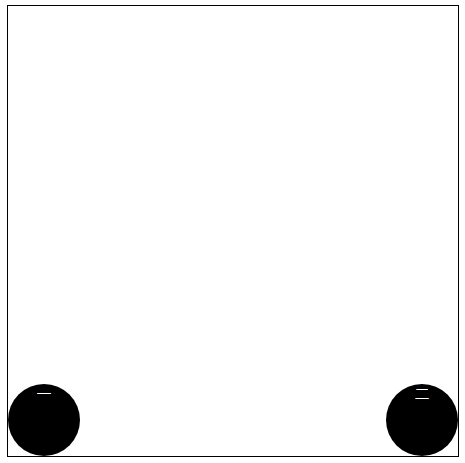
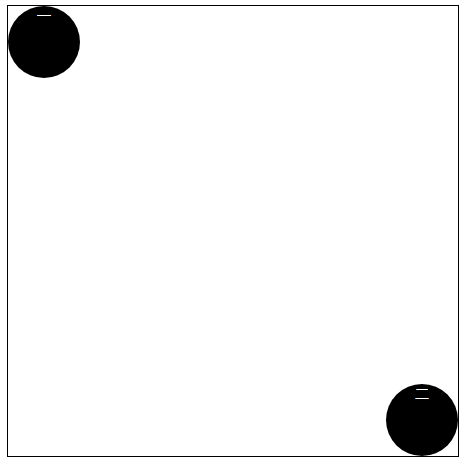
html
  <div class='box-1'>

    <span>一</span>

     <span>二</span>

   </div>
css
     .box-1{

      /* 二个元素 */

       display: flex;

      /* 水平两端对齐,项目之间的间隔都相等*/

       justify-content: space-between;

      /* 左垂直两端对齐,项目之间的间隔相等  flex-direction: column : 主轴为垂直方向,起点在上沿。*/

       flex-direction: column;

       justify-content: space-between;

      /* 垂直居中两端对齐,项目之间的间隔相等 flex-direction: column : 主轴为垂直方向,起点在上沿。align-items这时就代表水平方向*/

       flex-direction: column;

       justify-content: space-between;

       align-items: center;

      /* 右垂直两端对齐,项目之间的间隔相等 */

       flex-direction: column;

       justify-content: space-between;

       align-items: flex-end;

      /* 水平居中两端对齐,项目之间的间隔都相等 */

       justify-content: space-between;

       align-items: center;

      /* 底部两端对齐,项目之间的间隔都相等 */

       justify-content: space-between;

       align-items: flex-end;

      }

      /* 两元素左对角对齐 */

      .box-1{

       justify-content: space-between;

      }

      span:nth-child(2){

       align-self: flex-end;

    }
三元素对齐
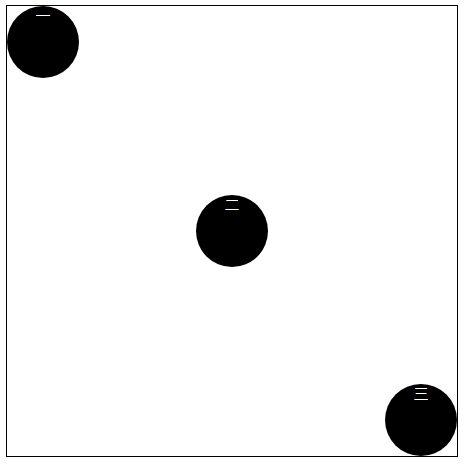
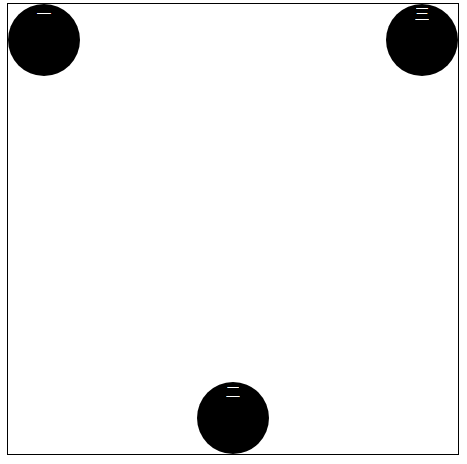
html
  <div class='box-1'>

    <span>一</span>

     <span>二</span>

    <span>三</span>

  <div>
css
    .box-1{

      /* 三元素左对角对齐 */

      justify-content: space-between;

      /* 倒三角 */

      justify-content: space-between;

    }

    /* 三元素左对角对齐 */

    span:nth-child(2){

      align-self: center;

    }

    span:nth-child(3){

      align-self: flex-end;

    }

    /* 倒三角 */

    span:nth-child(2){

      align-self: flex-end;

    }
13个元素换行操作

html
  <div class='box-1'>

    <span>一</span>

     <span>二</span>

    <span>三</span>

   <span>四</span>

    <span>五</span>

    <span>六</span>

    <span>七</span>

    <span>八</span>

    <span>九</span>

    <span>十</span>

    <span>十一</span>

    <span>十二</span>

    <span>十三</span>

  </div>
css
    .box-1{

      /* 十三元素换行操作 */

      display: flex;

      flex-wrap: wrap;

      justify-content: flex-end;

      align-content: space-between;

    }
四个元素占满4个角

html
  <div class="box-2">

    <div class="column">

      <span>1</span>

      <span>2</span>

    </div>

    <div class="column">

      <span>3</span>

      <span>4</span>

    </div>

  </div>
css
    .box-2 {

      float: left;

      width: 400px;

      height: 400px;

      border: solid 1px black;

      display: flex;

      flex-wrap: wrap;

      align-content: space-between;

    }

    .column {

      flex-basis: 100%;

      display:flex;

      justify-content: space-between;

    }

    .column span{

      display: inline-block;

      text-align: center;

      color: #fff;

      width: 80px;

      height: 80px;

      border-radius: 50%;

      background-color: #000;

    }
9元素水平和垂直平分容器
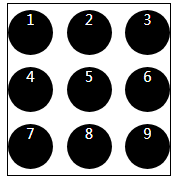
html
<div class="box-3">

    <div class="row">

      <span>1</span>

      <span>2</span>

      <span>3</span>

    </div>

    <div class="row">

      <span>4</span>

      <span>5</span>

      <span>6</span>

    </div>

    <div class="row">

      <span>7</span>

      <span>8</span>

      <span>9</span>

    </div>

  </div>
css
    .box-3 {

      width: 180px;

      height: 190px;

      border: solid 1px black;

      display: flex;

      flex-wrap: wrap;

      align-items: center;

    }

    .row{

      flex-basis: 100%;

      display: flex;

      justify-content: space-between;

      flex:;

    }

    .box-3 span {

      display: inline-block;

      text-align: center;

      color: #fff;

      width: 50px;

      height: 50px;

      border-radius: 50%;

      background-color: #000;

    }
常见的布局
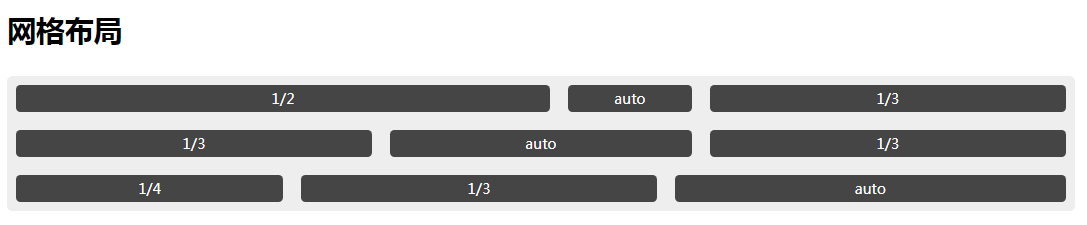
html
    <h1>网格布局</h1>

    <div class="grid grid1">

      <div class="grid-cell u-lof2" >1/2</div>

      <div class="grid-cell">auto</div>

      <div class="grid-cell u-lof3">1/3</div>

      <div class="grid-cell u-lof3">1/3</div>

      <div class="grid-cell">auto</div>

      <div class="grid-cell u-lof3">1/3</div>

      <div class="grid-cell u-lof4">1/4</div>

      <div class="grid-cell u-lof3">1/3</div>

      <div class="grid-cell">auto</div>

    </div>
css
  .grid {

    display: flex;

    margin:30px auto;

    width: 100%;

    text-align: center;

    border-radius:6px;

    background-color: #eee;

    box-shadow: 0 2px 10px 0 #111 ,

                insert 0 2px 0 0 #fff;

  }

  .grid .grid-cell{

    margin: 10px;

    height: 30px;

    border-radius: 5px;

    background-color: #454545;

    line-height: 30px;

    text-align: center;

    color: #fff;

  }

  .grid1 {

    display: flex;

    flex-wrap: wrap;

  }

  .grid1 .grid-cell{

    flex:;

  }

  .grid1 .u-lof2 {

    flex:0 0 50%;

  }

  .grid1 .u-lof3{

    flex: 0 0 33.333%;

  }

  .grid1 .u-lof4{

    flex: 0 0 25%

  }
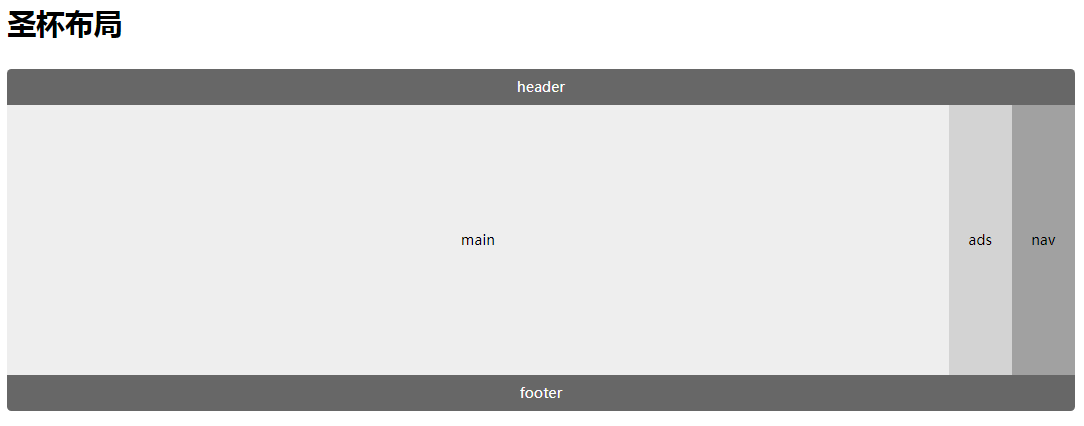
html
    <h1>圣杯布局</h1>

    <div class="grid holy-grid">

      <div class="header">header</div>

      <div class="content">

        <div class="nav">nav</div>

        <div class="main">main</div>

        <div class="ads">ads</div>

      </div>

      <div class="footer">footer</div>

    </div>
css
  .holy-grid {

    display: flex;

    flex-direction: column;

  }

  .holy-grid .header,

  .holy-grid .footer{

    flex:;

    height: 40px;

    background-color: #676767;

    line-height: 40px;

    color: #fff;

  }

  .holy-grid .header {

    border-top-right-radius: 5px;

    border-top-left-radius: 5px;

  }

  .holy-grid .footer {

    border-bottom-left-radius: 5px;

    border-bottom-right-radius: 5px;

  }

  .holy-grid .content{

    display: flex;

    flex:;

    min-height: 300px;

    line-height: 300px;

  }

  .holy-grid .nav,

  .holy-grid .ads{

    flex: 0 0 70px;

  }

  .holy-grid .main{

    flex:;

  }

  .holy-grid .nav {

    order:;

    background-color: #a1a1a1;

  }

  .holy-grid .ads {

    background-color: #d3d3d3;

  }

html
    <h1>悬挂式布局</h1>

    <div class="Media">

      <img src="./jr.png" alt="" class="Media-figure">

      <div class="Media-body">

        <p class="body-title">JR禁赛真正原因曝光:他向助教身上撒了一碗汤</p>

        <div class="body-content">

          腾讯体育讯(文/Brian Windhorst和Dave McMenamin,ESPN撰稿人) 北京时间3月3日,据ESPN报道,骑士后卫JR-史密斯被球队禁赛一场的原因曝光,原来是因为他向助理教练达蒙-琼斯身上撒了一碗汤。

        </div>

      </div>

    </div>
css
  .Media {

    display: flex;

    align-items: flex-start;

  }

  .Media-figure {

    margin-right: 1em;

    width: 200px;

    height: 100px;

  }

  .Media-body {

    border-radius: 5px;

    background-color: #eee;

    flex:;

    height: 100px;

  }

  .Media-body .body-title{

    font-weight: bold;

    margin:;

  }

  .Media-body .body-content {

    margin:;

  }
注意:设置align-items属性时必须保证容器有高度
    .item {flex: 1;}

    .item {

        flex-grow: 1;

        flex-shrink: 1;

        flex-basis: 0%;

    }
    这两者是等价的,三者含义见flexbox语法
参考文献:
https://codepen.io/lcc19941214/pen/vLdVNg
http://www.ruanyifeng.com/blog/2015/07/flex-examples.html
复习 | 彻底弄懂Flexbox之Demo篇的更多相关文章
- 30分钟彻底弄懂flex布局
欢迎大家前往腾讯云+社区,获取更多腾讯海量技术实践干货哦~ 本文由elson发表于云+社区专栏 目前在不考虑IE以及低端安卓机(4.3-)的兼容下,已经可以放心使用flex进行布局了.什么是flex布 ...
- 彻底弄懂JS的事件冒泡和事件捕获(不推荐阅读)
由于搬去敌台了,好久没来博客园,今天无意中翻到有“误认子弟”的评论,这里特意做个说明. 本文中关于事件冒泡和事件捕获的描述和例子都是OK的,错就错在后面用jquery去展示了利用事件冒泡的例子有误,其 ...
- 彻底弄懂LSH之simHash算法
马克·吐温曾经说过,所谓经典小说,就是指很多人希望读过,但很少人真正花时间去读的小说.这种说法同样适用于“经典”的计算机书籍. 最近一直在看LSH,不过由于matlab基础比较差,一直没搞懂.最近看的 ...
- SQL Server-聚焦NOLOCK、UPDLOCK、HOLDLOCK、READPAST你弄懂多少?(三十四)
前言 时间流逝比较快,博主也在快马加鞭学习SQL Server,下班回来再晚也不忘记更新下博客,时间挤挤总会有的,现在的努力求的是未来所谓的安稳,每学一门为的是深度而不是广度,求的是知识自成体系而不是 ...
- 彻底弄懂AngularJS中的transclusion
点击查看AngularJS系列目录 彻底弄懂AngularJS中的transclusion AngularJS中指令的重要性是不言而喻的,指令让我们可以创建自己的HTML标记,它将自定义元素变成了一个 ...
- Golang, 以 9 个简短代码片段,弄懂 defer 的使用特点
作者:林冠宏 / 指尖下的幽灵 掘金:https://juejin.im/user/587f0dfe128fe100570ce2d8 博客:http://www.cnblogs.com/linguan ...
- 一文弄懂神经网络中的反向传播法——BackPropagation【转】
本文转载自:https://www.cnblogs.com/charlotte77/p/5629865.html 一文弄懂神经网络中的反向传播法——BackPropagation 最近在看深度学习 ...
- 弄懂flex布局
目前在不考虑IE以及低端安卓机(4.3-)的兼容下,已经可以放心使用flex进行布局了.什么是flex布局以及它的好处,这里就不再赘述. 在这篇文章里,想说说flex布局的属性语法及其细节.那么网上也 ...
- [转]js模块化编程之彻底弄懂CommonJS和AMD/CMD!
原文: https://www.cnblogs.com/chenguangliang/p/5856701.html ------------------------------------------ ...
随机推荐
- excel如何写宏?如何用按钮?
注:本次测试版本 excel版本2019 写宏? 准备工作(使用宏的一切前提)===========文件-选项-自定义功能区 (勾选开发工具) 开始写宏=======右击sheet1--查看代码 ...
- WIN10家庭版安装ORACLE的问题
第一次安装成功后可启动ORACLE服务,重启计算机后服务监听无法启动,建议替换系统
- Linux C++实现一服务器与多客户端之间的通信
通过网络查找资料得到的都是一些零碎不成体系的知识点,无法融会贯通.而且需要筛选有用的信息,这需要花费大量的时间.所以把写代码过程中用到的相关知识的博客链接附在用到的位置,方便回顾. 1.程序流程 服务 ...
- 第2章 Hive安装
第2章 Hive安装 2.1 Hive安装地址 1.Hive官网地址 http://hive.apache.org/ 2.文档查看地址 https://cwiki.apache.org/conflue ...
- max user processes 导致的服务器大量close_wait问题解决过程
1.背景: 由于现网业务量增长过快,需要扩容应用程序服务器,分担来自前端的访问压力. 2.故障: 部署好业务启动程序后,发现程序运行一小会后不产生新的日志和数据. 3.查问题过程: 1.首先查看程序运 ...
- lx
自我介绍:我是18软件技术5班 张震. -统计截止目前为止我自己写过代码3000行,我希望在本课结束后累计到10000行代码, 选择自测题17分,错题大多是运算符和运算符先 后级一类的题,编程题不会, ...
- 如何为指定python解释器安装pip
有时候我们通常会有很多python解释器,例如python2.python3.python(Anaconda). 参考链接:https://www.cnblogs.com/michaelcjl/p/1 ...
- SPSSAU数据分析思维培养系列2:分析方法
大家好!在上篇文章中,我们一起学习了如何掌握正确的数据处理思维(文章链接:https://www.cnblogs.com/spssau/p/12523530.html).在完成数据准备和清理工作后,就 ...
- Shell编程—用户输入
1命令行参数 1.1读取参数 bash shell会将一些称为位置参数(positional parameter)的特殊变量分配给输入到命令行中的所有参数.这也包括shell所执行的脚本名称.位置参数 ...
- Java多线程_同步工具CountDownLatch
概念:CountDownLatch是多线程里面一个类似于计数器的高级同步工具,它的初始值代表线程的数量,当一个线程完成了任务后,CountDownLatch的值就减1,当值为0的时候,代表所有线程完成 ...