
AutoCompleteTextView的使用
AutoCompleteTextView的使用
一、简介
1、AutoCompleteTextView的作用

2、AutoCompleteTextView的类结构图
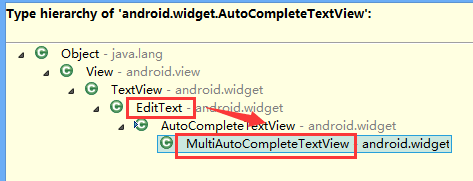
也就是拥有EditText的各种功能
3、AutoCompleteTextView工作原理
AutoCompleteTextView的自动提示功能肯定需要适配器提供数据
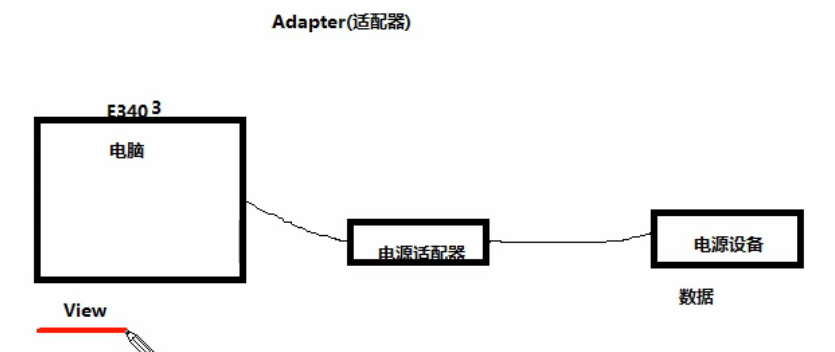
4、Android里的适配器
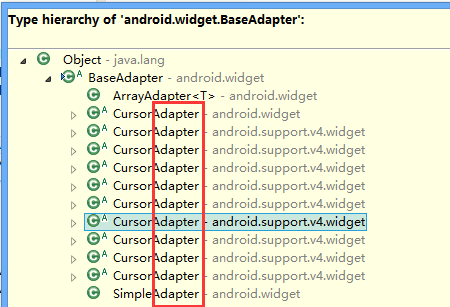
5、适合AutoCompleteTextView的适配器
ArrayAdapter
二、AutoCompleteTextView实现自动提示的方法
1)AutoCompleteTextView实现自动提示的方法
第一步、创建适配器
String[] arr={"凯撒","凯撒广场","凯撒大帝"};
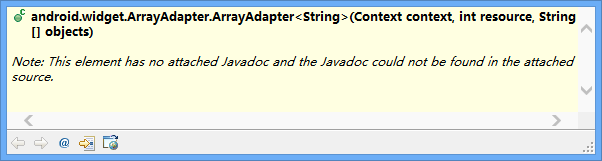
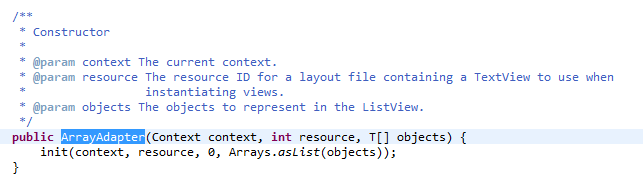
ArrayAdapter<String> adapter= new ArrayAdapter<String>(this, R.layout.textview, arr);
第二步、AutoCompleteTextView对象应用适配器
autoCompleteTextView1.setAdapter(adapter);
说明:
提示文本是用textview实现的,提示文本里面的提示数据就是String[] arr。
三、代码实例
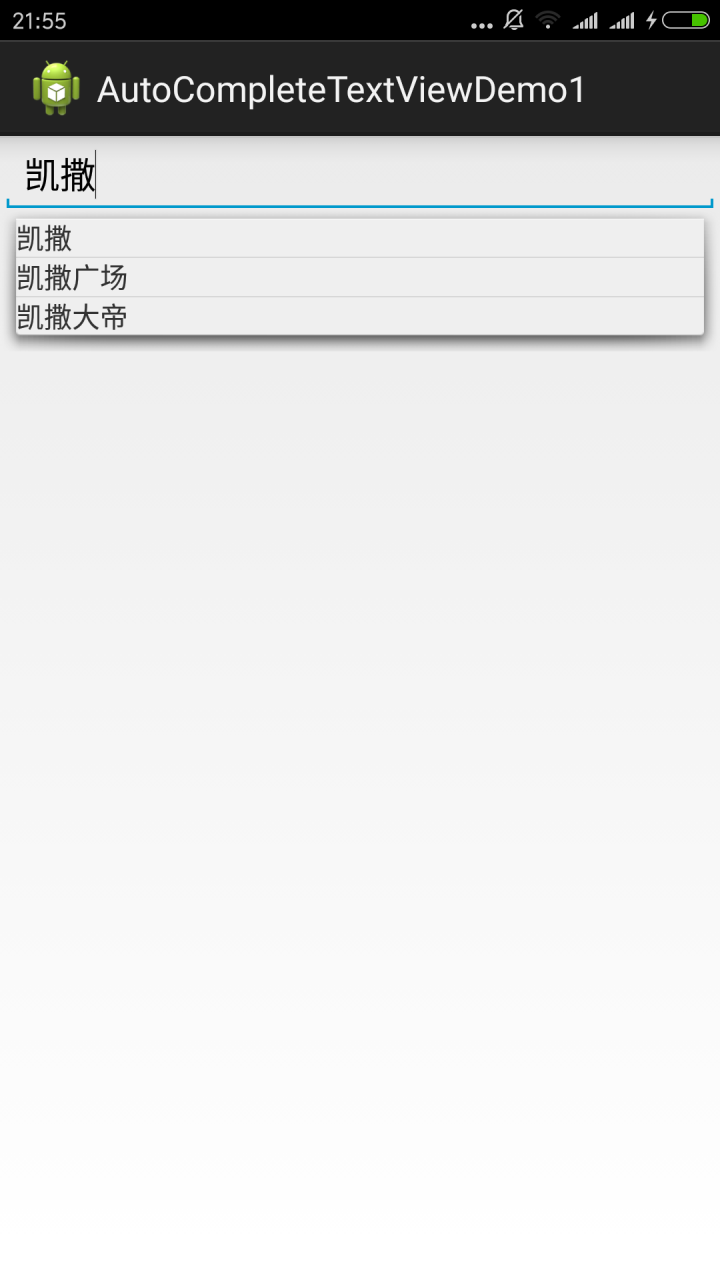
代码:
fry.Activity01
 package fry;

 import com.example.AutoCompleteTextViewDemo1.R;

 import android.app.Activity;

 import android.os.Bundle;

 import android.widget.ArrayAdapter;

 import android.widget.AutoCompleteTextView;

 public class Activity01 extends Activity{

     private AutoCompleteTextView autoCompleteTextView1;

     @Override

     protected void onCreate(Bundle savedInstanceState) {

         // TODO Auto-generated method stub

         super.onCreate(savedInstanceState);

         setContentView(R.layout.activity01);

         autoCompleteTextView1=(AutoCompleteTextView) findViewById(R.id.autoCompleteTextView1);

         /*

          * AutoCompleteTextView实现自动提示的方法

          * 第一步、创建适配器

          * 第二步、AutoCompleteTextView对象应用适配器

          *

          */

         String[] arr={"凯撒","凯撒广场","凯撒大帝"};

         ArrayAdapter<String> adapter= new ArrayAdapter<String>(this, R.layout.textview, arr);

         autoCompleteTextView1.setAdapter(adapter);

     }

 }
fry.Activity01
 <?xml version="1.0" encoding="utf-8"?>

 <LinearLayout xmlns:android="http://schemas.android.com/apk/res/android"

     android:layout_width="match_parent"

     android:layout_height="match_parent"

     android:orientation="vertical" >

     <AutoCompleteTextView

         android:id="@+id/autoCompleteTextView1"

         android:layout_width="match_parent"

         android:layout_height="wrap_content"

         />

 </LinearLayout>
/AutoCompleteTextViewDemo1/res/layout/textview.xml
 <?xml version="1.0" encoding="utf-8"?>

 <TextView  xmlns:android="http://schemas.android.com/apk/res/android"

     android:layout_width="match_parent"

     android:layout_height="match_parent"

     android:orientation="vertical" >

     <!-- 这里是直接TextView,而不是layout下的TextView -->

 </TextView >
四、易错点
1、这里是直接TextView,而不是layout下的TextView
/AutoCompleteTextViewDemo1/res/layout/textview.xml
 <?xml version="1.0" encoding="utf-8"?>

 <TextView  xmlns:android="http://schemas.android.com/apk/res/android"

     android:layout_width="match_parent"

     android:layout_height="match_parent"

     android:orientation="vertical" >

     <!-- 这里是直接TextView,而不是layout下的TextView -->

 </TextView >
AutoCompleteTextView的使用的更多相关文章
- Android常用组件之AutoCompleteTextView
安卓组件中,凡是需要配置数据的组件,一般都是用Adapter配置. AutoCompleteTextView的使用方法与ListView类似,也是用setAdapter来设置数据. MultiAuto ...
- Android:控件AutoCompleteTextView 自动提示
在文本框中输入,要这样的提示效果,如果你输入的是aac,在输入aa后,选择aac,文本框的内容会自动补齐,输入aac(类似百度搜索文本框的显示结果) <AutoCompleteTextVie ...
- Android 笔记 AutoCompleteTextView day8
用于自动补全内容 适应器可用于显示多行内容 package com.supermario.autocompletedemo; import android.app.Activity; import a ...
- Third Day:正式编程第三天,学习实践内容TextView跑马灯、AutoCompleteTextView、multiAutoCompleteTextView以及ToggleButton、checkedBox、RadioButton等相关实践
2.针对Focused的TextView跑马灯(文字较多一行无法显示)效果 针对单个TextView的跑马灯效果,可直接在TextView控件参数中添加三个属性: android:singleLine ...
- android内部培训视频_第三节 常用控件(Button,TextView,EditText,AutocompleteTextView)
第三节:常用控件 一.Button 需要掌握的属性: 1.可切换的背景 2.9.png使用 3.按钮点击事件 1) onClick 3) 匿名类 4) 公共类 二.TextView 常用属性 1.a ...
- DatePickerDialog、AutoCompleteTextView
DatePickerDialog选择日期,调用showDialog(int id)方法,会执行onCreateDialog方法: @Override protected Dialog onCreate ...
- AutoCompleteTextView自动补全文本框
AutoCompleteTextView的作用是在输入框中输入我们想要输入的信息,就会出现其他与其相关的提示信息 下面是实例代码: MainActivity.java package com.shao ...
- Android学习起步 - AutoCompleteTextView及MultiAutoCompleteTextView控件使用
大家在用百度搜索时,输入几个词就出现下拉框可选,以下两个控件就具有这个功能 AutoCompleteTextView:只能匹配输入的开始,只有一次匹配 MultiAutoCompleteTextVie ...
- Android 自动补全提示输入AutoCompleteTextView、 MultiAutoCompleteTextView
以在搜索框搜索时,自动补全为例: 其中还涉及到一个词,Tokenizer:分词器,分解器. 上效果图: MainActivity.java: package com.joan.testautocoml ...
- 用AutoCompleteTextView实现历史记录提示
自定义AutoCompleteTextView 博客分类: android进阶 android 网上找到的都是同ArrayAdapter一起使用的,有时候需要自定义风格,咋办?follow me! ...
随机推荐
- 《挑战程序设计竞赛》2.4 数据结构-并查集 POJ1182 2236 1703 AOJ2170
POJ1182 http://poj.org/problem?id=1182 题目 难得的中文题... 食物链 Time Limit: 1000MS Memory Limit: 10000K Tota ...
- Python 爬虫 学习一
# coding: utf8 import requests from bs4 import BeautifulSoup PhotoName = 1 DATA = [] def save_img(ur ...
- Python 模块之Logging——常用handlers的使用
一.StreamHandler 流handler——包含在logging模块中的三个handler之一. 能够将日志信息输出到sys.stdout, sys.stderr 或者类文件对象(更确切点,就 ...
- Django-1版本的路由层、Django的视图层和模板层
一.Django-1版本的路由层(URLconf) URL配置(URLconf)就像Django所支撑网站的目录.它的本质是URL与要为该URL调用的视图函数之间的映射表:我们就是以这种方式告诉Dja ...
- openPOWERLINK代码在vs2008下编译
以openPOWERLINK_V1.08为例: 1.在主目录下新建Build目录 2.使用cmake-gui对代码进行配置 3.配置完成后生成工程文件xxx.sln 4.使用vs2008打开上述文件, ...
- MySQL 数据备份,Pymysql模块(Day47)
阅读目录 一.IDE工具介绍 二.MySQL数据备份 三.Pymysql模块 一.IDE工具介绍 生产环境还是推荐使用mysql命令行,但为了方便我们测试,可以使用IDE工具 下载链接:https:/ ...
- 微信小程序组件progress
基础内容progress:官方文档 Demo Code: Page({ data:{ percent:0 }, onReady:function(){ this.percentAdd(); }, pe ...
- oracle 创建视图、修改视图、删除视图、利用视图操作基本表
转:http://blog.sina.com.cn/s/blog_6b58d2fa0100rgvw.html 1.使用create or replace view命令创建视图 语法格式: create ...
- sql创建表、改变表、关联查询语句
- HDU - 6395 Sequence (分块+快速矩阵幂)
给定递推式: 求Fn. 分析:给出的公式可以用快速矩阵幂运算得到,但 P/n 整除对于不同的i,值是不同的. 可以根据P将3-n分成若干块,每块中P整除n的值是相同的.分块的时候要注意判断. 将每块的 ...