
Zabbix - 部署随笔
部署Zabbix服务端
- 准备机器,初始化环境
#查看IP地址

[root@Minimal ~]# ifconfig ens33 | awk 'NR==2{print $2}'

10.0.0.243

#关闭防火墙

[root@Minimal ~]# sed -i 's/SELINUX=enforcing/SELINUX=disabled/' /etc/selinux/config

[root@Minimal ~]# systemctl disable --now firewalld

#检查是否成功关闭

[root@Minimal ~]# iptables -L

Chain INPUT (policy ACCEPT)

target     prot opt source               destination

Chain FORWARD (policy ACCEPT)

target     prot opt source               destination

Chain OUTPUT (policy ACCEPT)

target     prot opt source               destination

[root@Minimal ~]# getenforce

Disabled # 这样才是成功,如果提示Enforcing,需要重启。

[root@Minimal ~]# getenforce

Enforcing # 未生效,需要重启。
- Zabbix-server内存最好大于4G
- 获取Zabbix的下载源
[root@Minimal ~]# rpm -Uvh https://mirrors.aliyun.com/zabbix/zabbix/5.0/rhel/7/x86_64/zabbix-release-5.0-1.el7.noarch.rpm

获取https://mirrors.aliyun.com/zabbix/zabbix/5.0/rhel/7/x86_64/zabbix-release-5.0-1.el7.noarch.rpm

警告:/var/tmp/rpm-tmp.Q6ueOF: 头V4 RSA/SHA512 Signature, 密钥 ID a14fe591: NOKEY

准备中...                          ################################# [100%]

正在升级/安装...

   1:zabbix-release-5.0-1.el7         ################################# [100%]
- 替换zabbix.repo源为阿里源
[root@Minimal ~]# sed -i 's#http://repo.zabbix.com#https://mirrors.aliyun.com/zabbix#' /etc/yum.repos.d/zabbix.repo
- 清空缓存,下载Zabbix服务端
[root@Minimal ~]# yum clean all

# 或者使用yum makecache

[root@Minimal ~]# yum -y install zabbix-server-mysql zabbix-agent
- 安装 Software collections
安装 Software collections, 便于后续安装高版本的php,默认 yum 安装的php版本为 5.4 过低。SCL(Software collections)可以让你在同一个操作系统上安装和使用多个版本的软件,而不会影响整个系统的安装包。
软件包会安装在/opt/rh目录下。为了避免系统广泛冲突,/opt/ rh包安装在目录中,例如,这允许你在centos 7机器上安装Python 3.5,而不会删除或干扰Python2.7。
/etc/opt/rh/软件包的所有配置文件都存储在目录中相应的目录中,SCL包提供了定义使用所包含应用程序所需的环境变量的Shell脚本,例如PATH,LD_LIBBAR...
[root@Minimal ~]# yum -y install centos-release-scl
- 修改zabbix前端源
[root@Minimal ~]# vim /etc/yum.repos.d/zabbix.repo

[zabbix-frontend]

name=Zabbix Official Repository frontend - $basearch

baseurl=mirrors.aliyun.com/zabbix/zabbix/5.0/rhel/7/$basearch/frontend

enabled=1  #默认为0,修改成1。

gpgcheck=1

gpgkey=file:///etc/pki/rpm-gpg/RPM-GPG-KEY-ZABBIX-A14FE591
- 安装Zabbix前端环境,且是安装到scl环境下
[root@Minimal ~]# yum -y install zabbix-web-mysql-scl zabbix-apache-conf-scl
- 安装Zabbix所需的mariadb数据库
[root@Minimal ~]# yum -y install mariadb-server
- 配置数据库开机自启动
[root@Minimal ~]# systemctl enable --now mariadb

Created symlink from /etc/systemd/system/multi-user.target.wants/mariadb.service to /usr/lib/systemd/system/mariadb.service.

# 检查服务和端口号

[root@Minimal ~]# systemctl status mariadb

[root@Minimal ~]# netstat -tunlp
- 初始化数据库,设置密码
[root@Minimal ~]# mysql_secure_installation

# 输入当前数据库root用户密码,默认为空,直接回车

Enter current password for root (enter for none):

OK, successfully used password, moving on...

# 是否要设置root密码

Set root password? [Y/n] y

New password: # 新密码

Re-enter new password: # 再次输入以确认

Password updated successfully!

# 是否要移除匿名用户

Remove anonymous users? [Y/n] y

 ... Success!

# 是否禁止root远程登录

Disallow root login remotely? [Y/n] n

 ... skipping.

# 是否已出测试数据库

Remove test database and access to it? [Y/n] y

 - Dropping test database...

 ... Success!

# 是否刷新授权表

Reload privilege tables now? [Y/n] y

 ... Success!

Cleaning up...

All done!  If you've completed all of the above steps, your MariaDB

installation should now be secure.

# 配置完成

Thanks for using MariaDB!
- 添加数据库用户,以及Zabbix所需的数据库信息
[root@Minimal ~]# mysql -uroot -p

MariaDB [(none)]> show databases;

+--------------------+

| Database           |

+--------------------+

| information_schema |

| mysql              |

| performance_schema |

+--------------------+

3 rows in set (0.00 sec)

# 创建Zabbix数据库

MariaDB [(none)]> create database zabbix character set utf8 collate utf8_bin;

Query OK, 1 row affected (0.00 sec)

# 创建Zabbix用户

MariaDB [(none)]> create user zabbix@localhost identified by '密码';

Query OK, 0 rows affected (0.00 sec)

# 授权

MariaDB [(none)]> grant all privileges on zabbix.* to zabbix@localhost;

Query OK, 0 rows affected (0.00 sec)

# 刷新授权表

MariaDB [(none)]> flush privileges;

Query OK, 0 rows affected (0.00 sec)

# 退出Mariadb

MariaDB [(none)]> exit;

Bye
- 使用zabbix-mysql命令,导入数据库信息。
# mysql -u用户名 -p 数据库名

[root@Minimal ~]# zcat /usr/share/doc/zabbix-server-mysql*/create.sql.gz | mysql -uzabbix -p zabbix

# 检查是否导入成功

[root@Minimal ~]# mysql -uzabbix -p密码

MariaDB [(none)]> show databases;

+--------------------+

| Database           |

+--------------------+

| information_schema |

| zabbix             |

+--------------------+

2 rows in set (0.00 sec)

MariaDB [(none)]> use zabbix

MariaDB [zabbix]> show tables;

+----------------------------+

| Tables_in_zabbix           |

+----------------------------+

| acknowledges               |

| actions                    |

| alerts                     |

  ...

+----------------------------+

166 rows in set (0.00 sec)

MariaDB [zabbix]> exit

Bye
- 修改Zabbix server配置文件,修改数据库的密码
[root@Minimal ~]# vim /etc/zabbix/zabbix_server.conf

[root@Minimal ~]# grep '^DBPass' /etc/zabbix/zabbix_server.conf

DBPassword=数据库密码
- 修改Zabbix的PHP配置文件
[root@Minimal ~]# vim /etc/opt/rh/rh-php72/php-fpm.d/zabbix.conf

[root@Minimal ~]# grep 'timezone' /etc/opt/rh/rh-php72/php-fpm.d/zabbix.conf

php_value[date.timezone] = Asia/Shanghai
- 启动Zabbix相关服务
[root@Minimal ~]# systemctl restart zabbix-server zabbix-agent httpd rh-php72-php-fpm

[root@Minimal ~]# systemctl enable zabbix-server zabbix-agent httpd rh-php72-php-fpm
- 访问Zabbix入口:
IP地址/zabbix
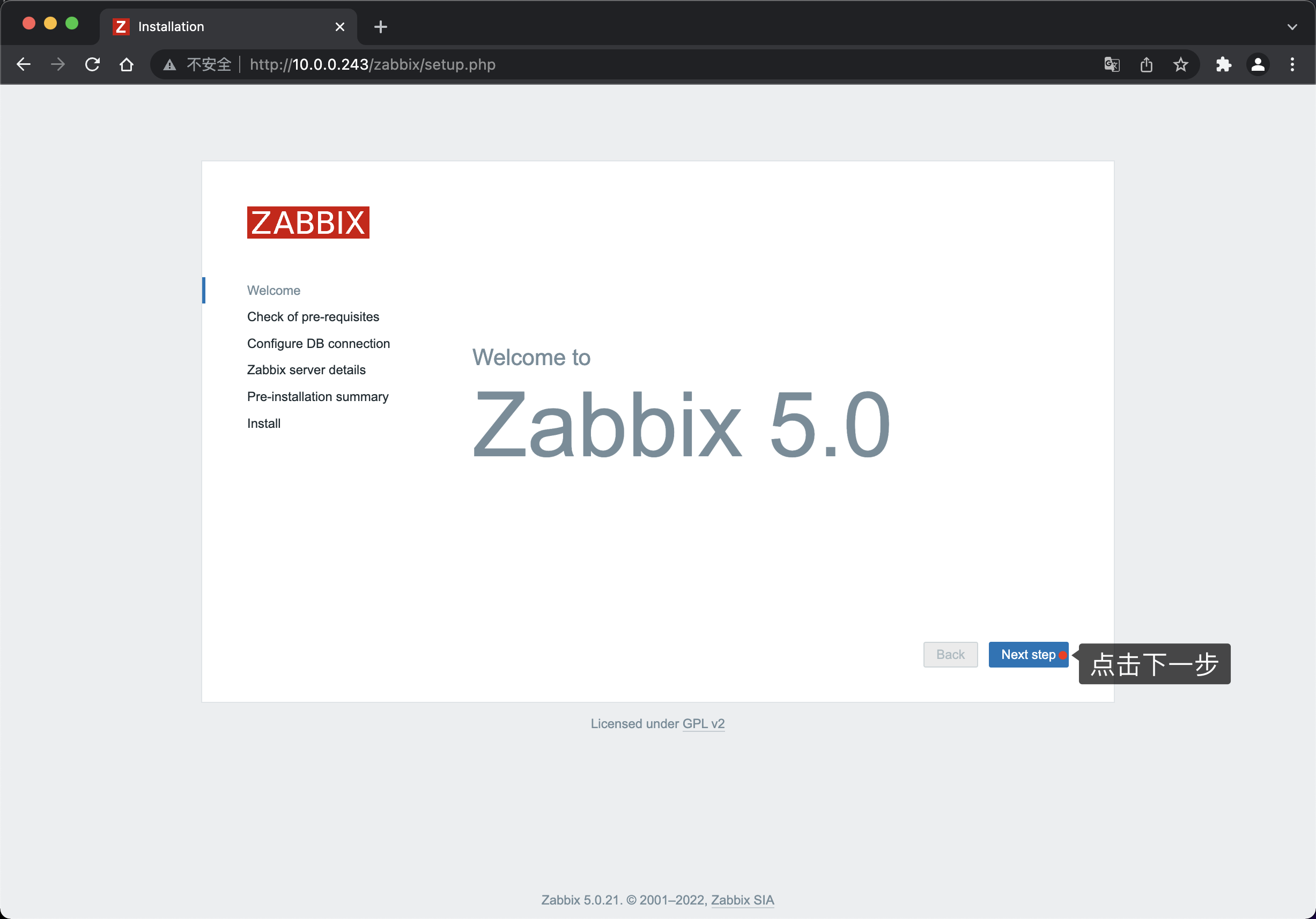
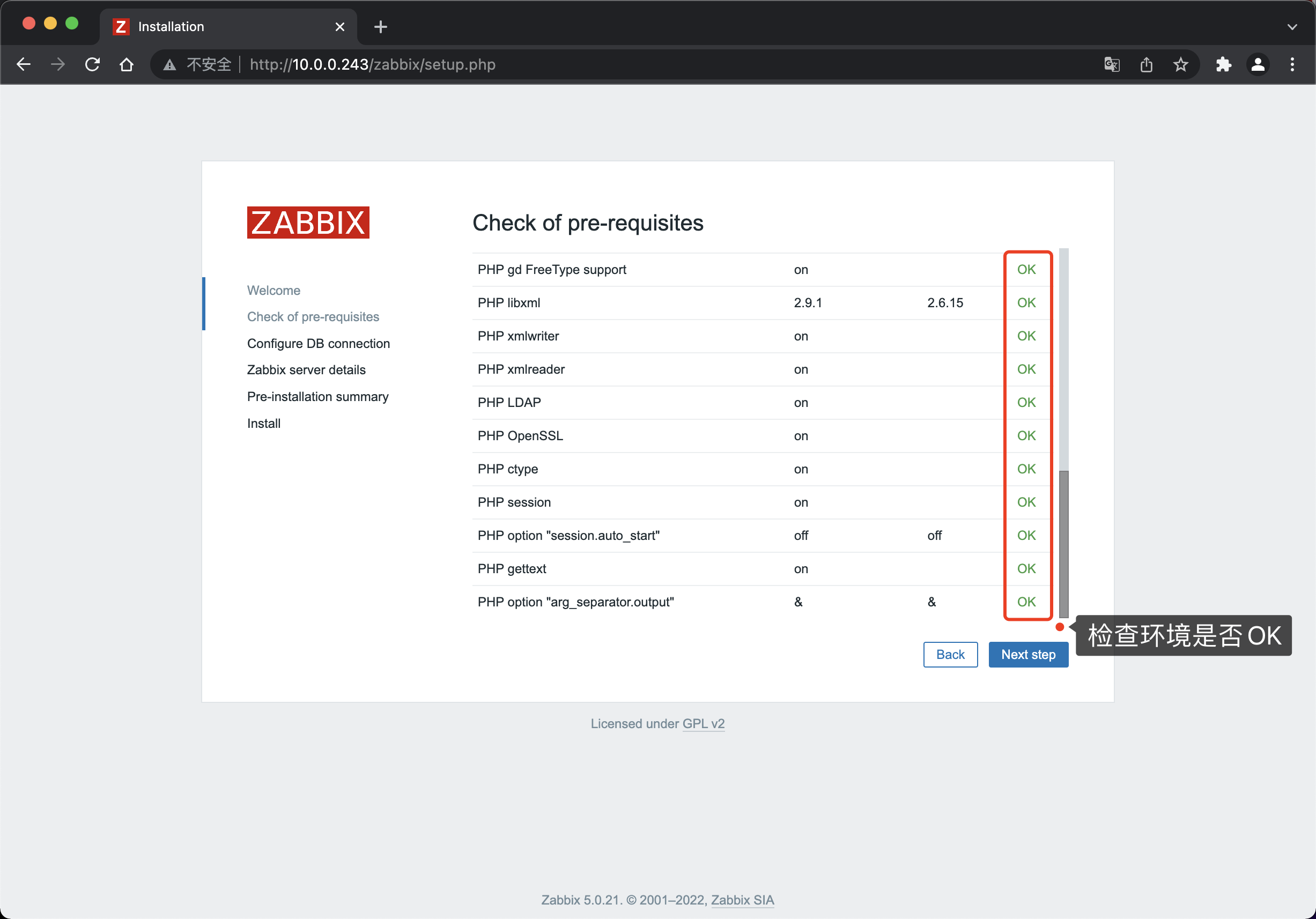
检查环境是否正常,没问题点击下一步
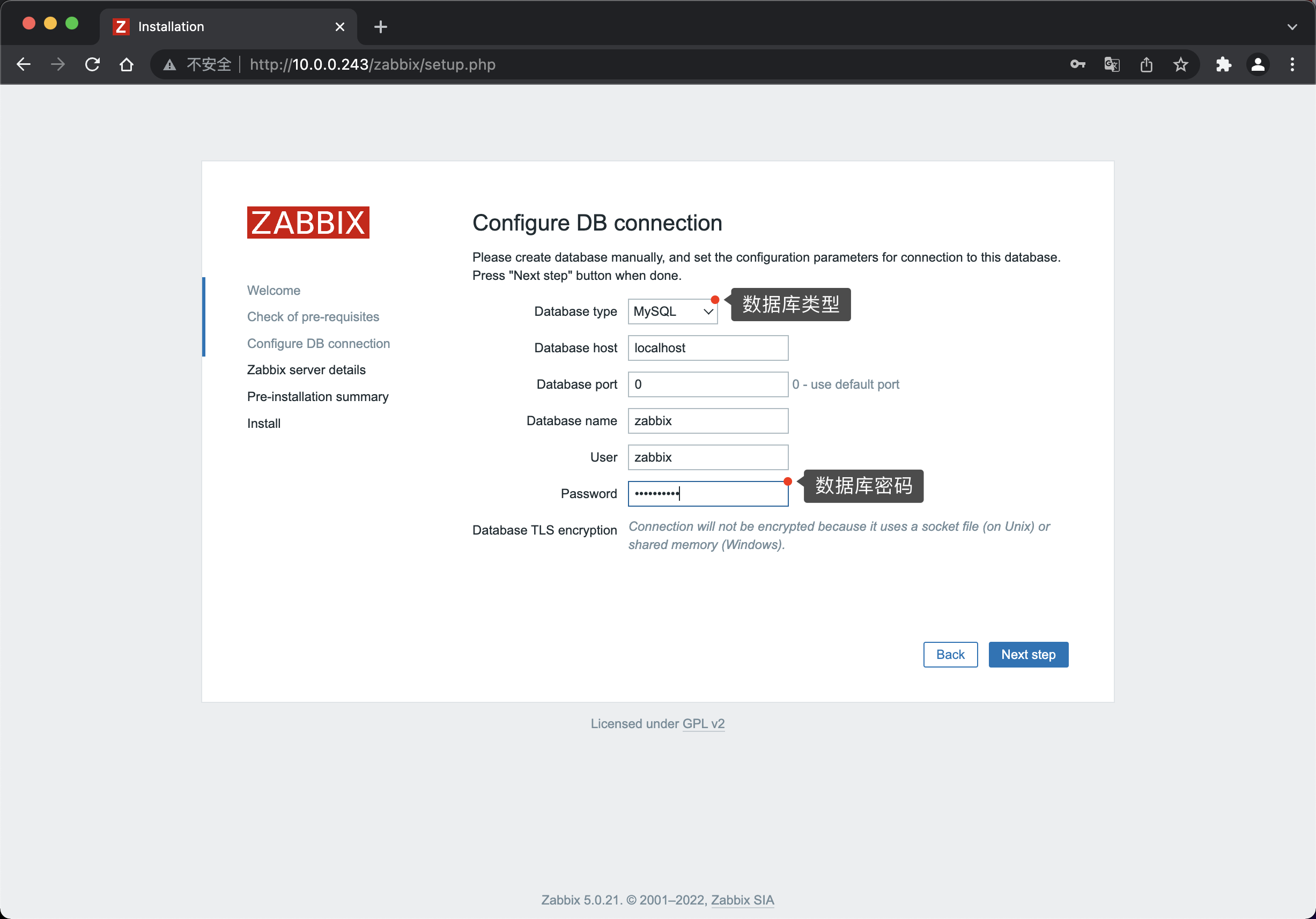
输入数据库密码,其他无特殊需求可以保持默认,然后下一步。
下一步
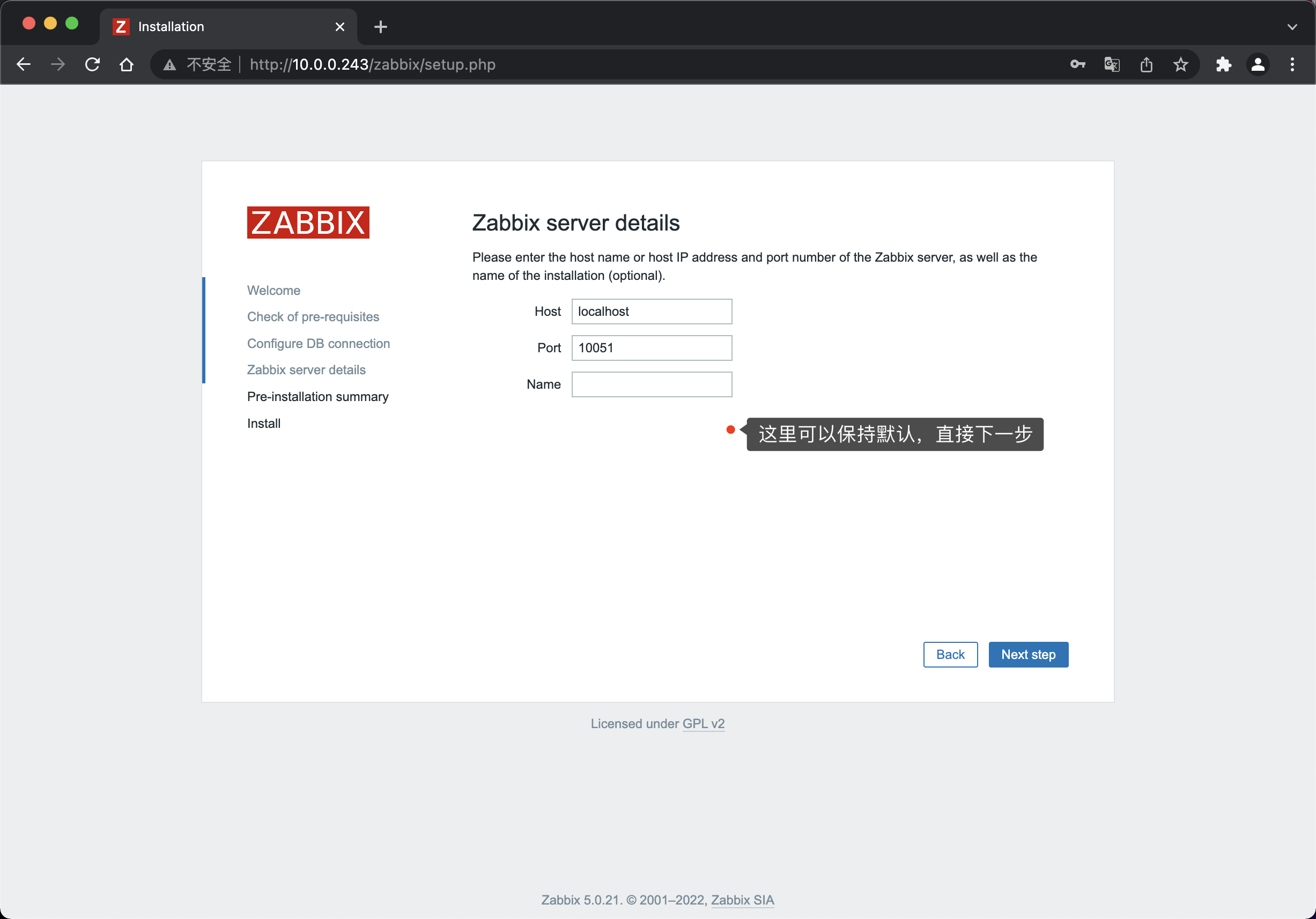
安装的细节信息,没问题可以直接下一步
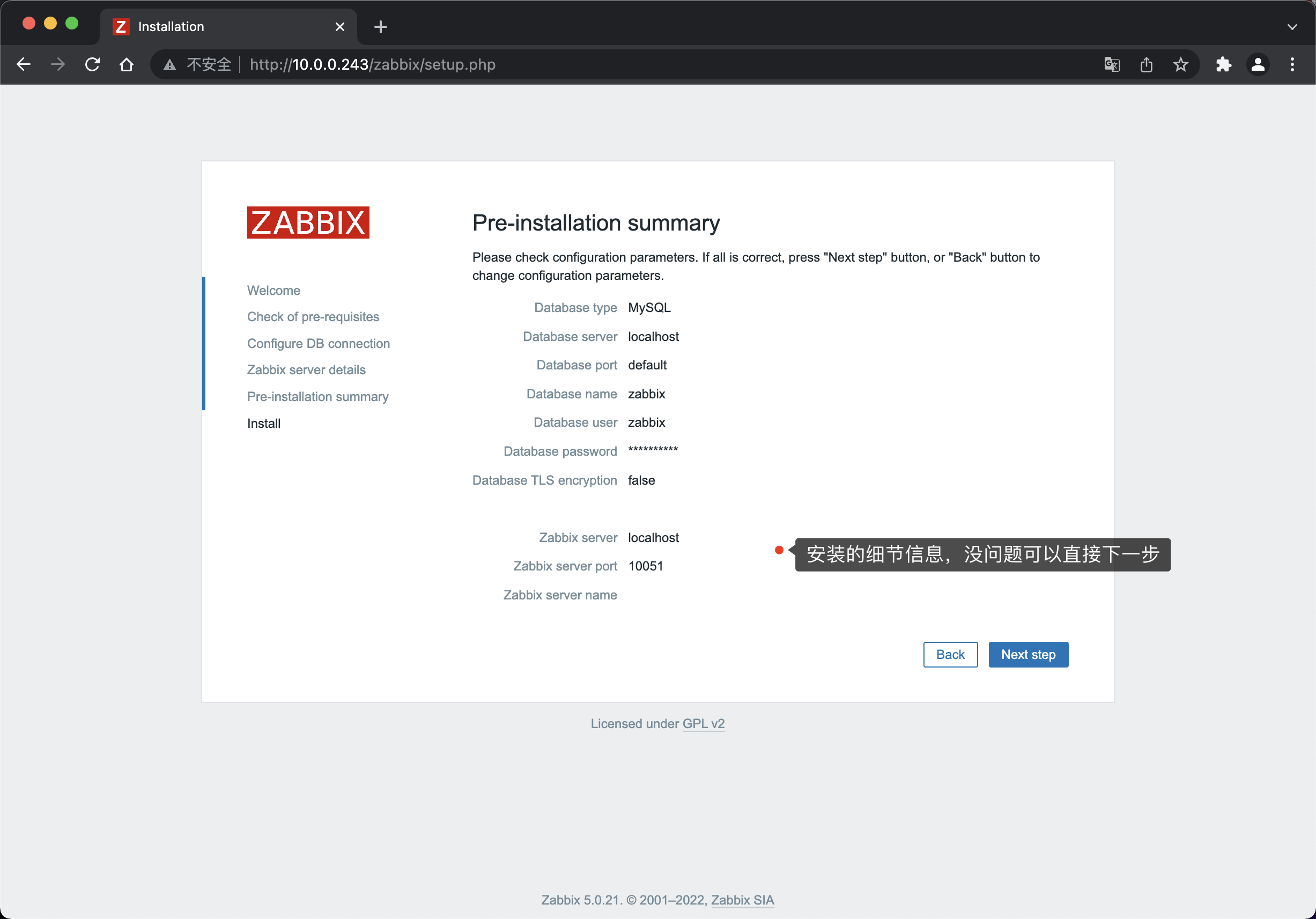
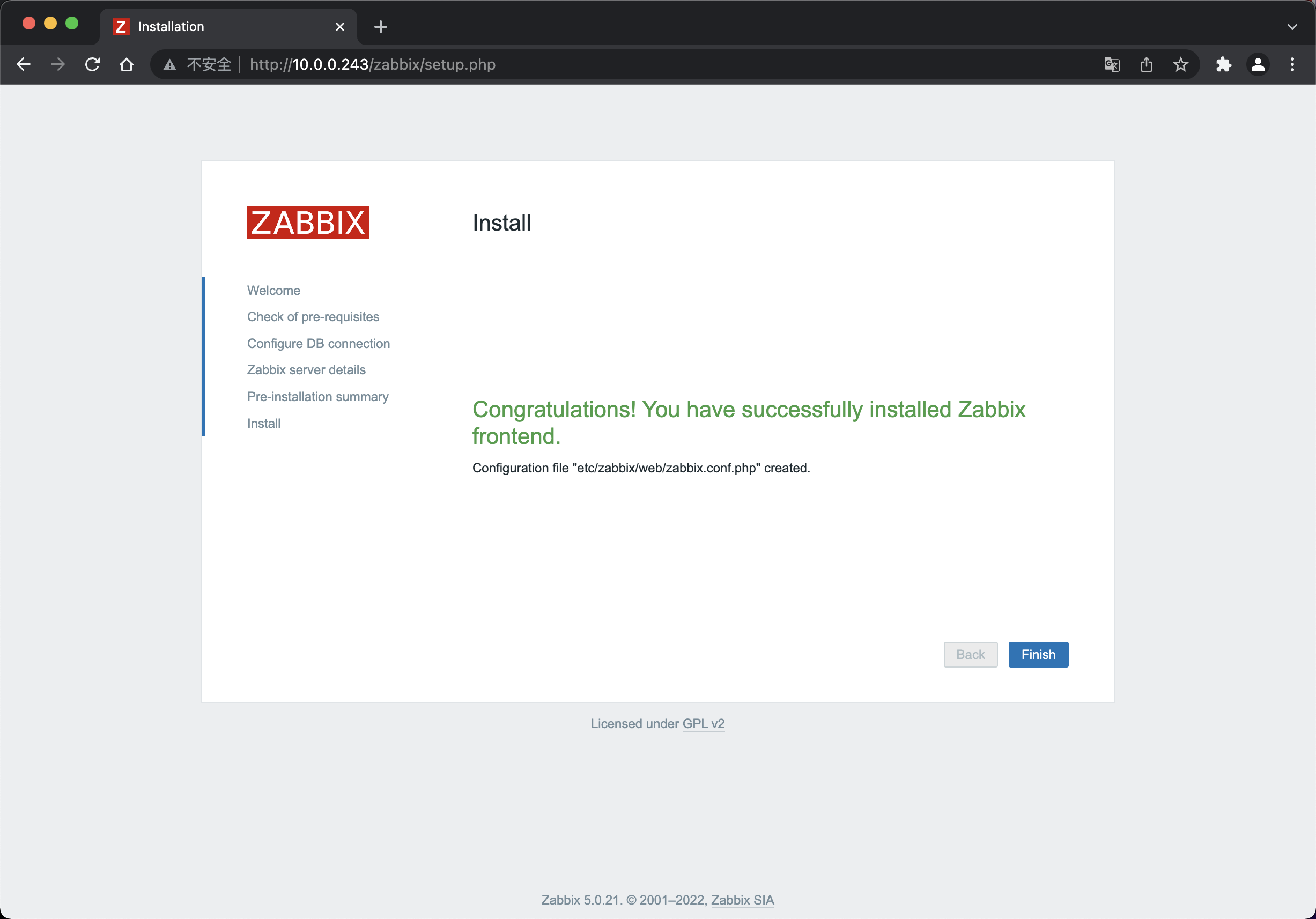
显示如下页面代表成功安装
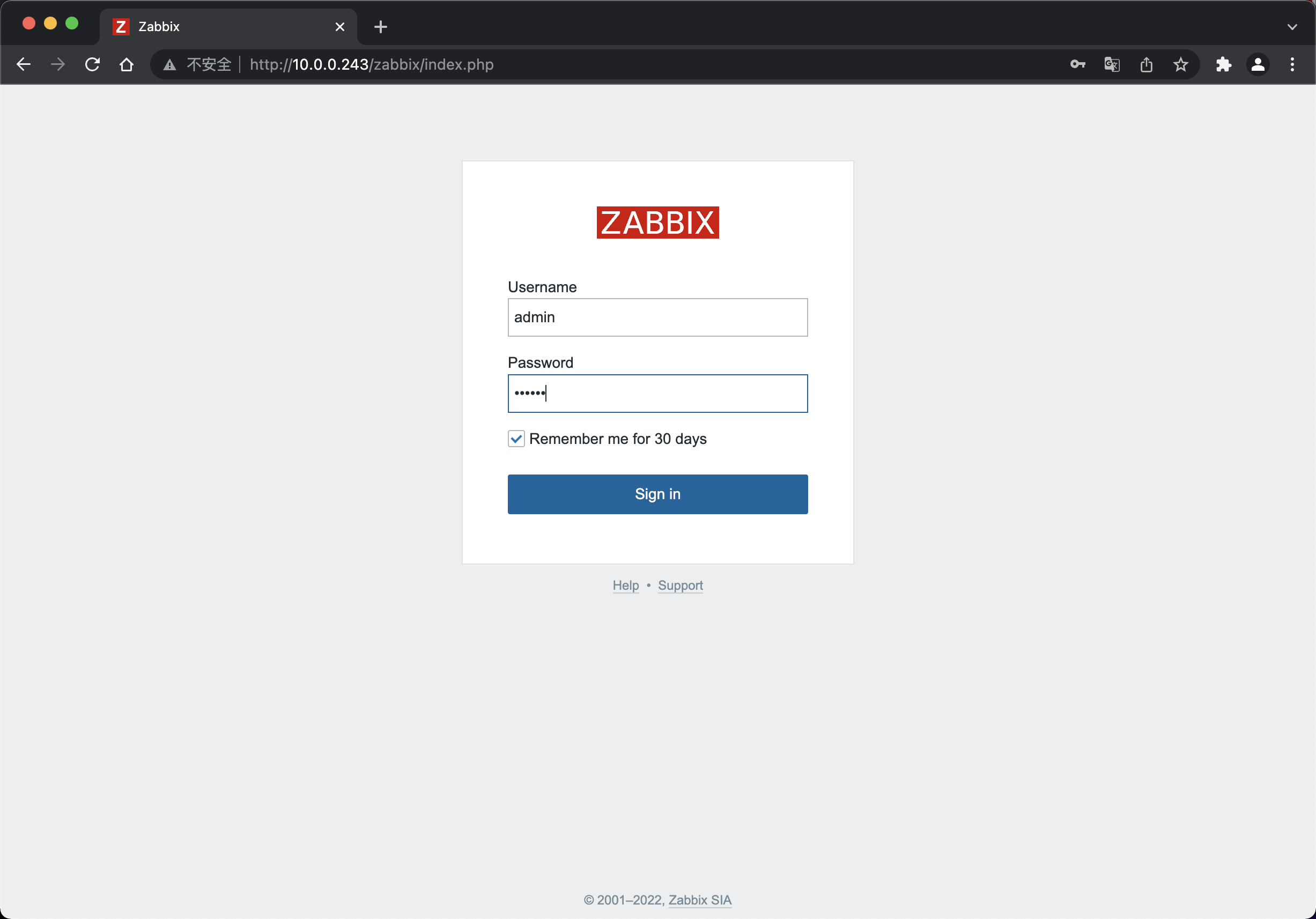
- 安装成功后,默认账户名为
Admin,密码为zabbix
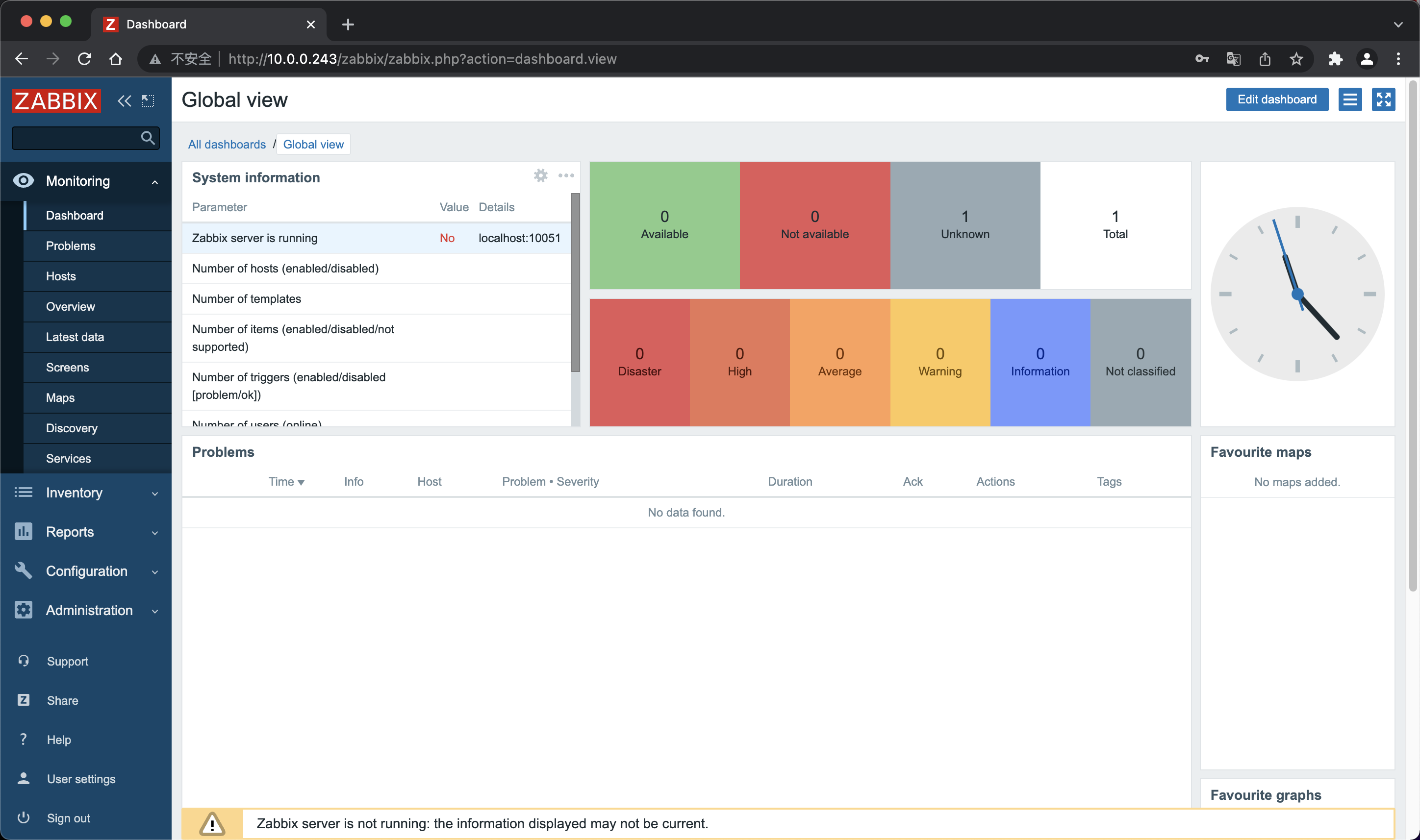
登录成功
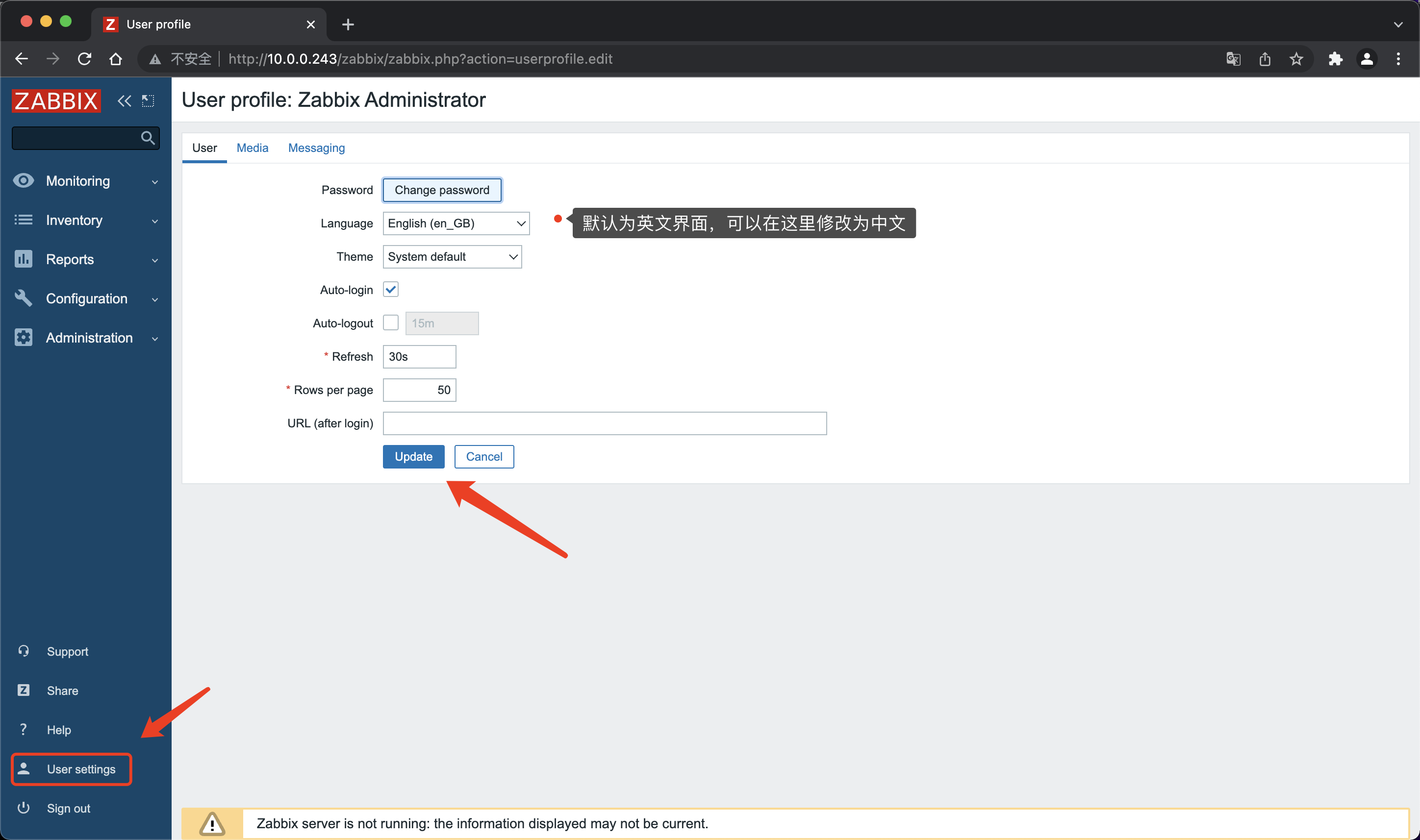
修改语言
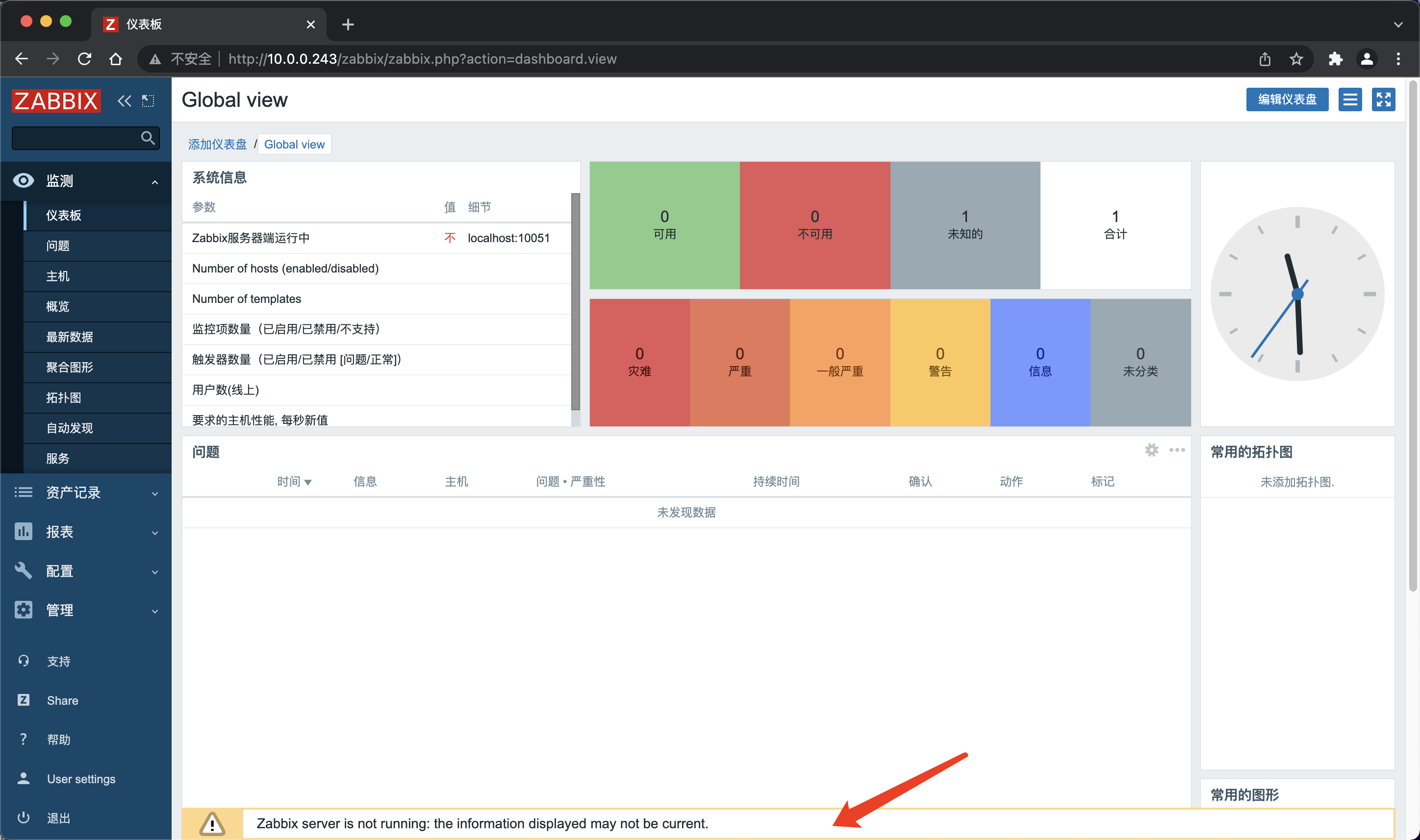
遇到问题:zabbix server is not running
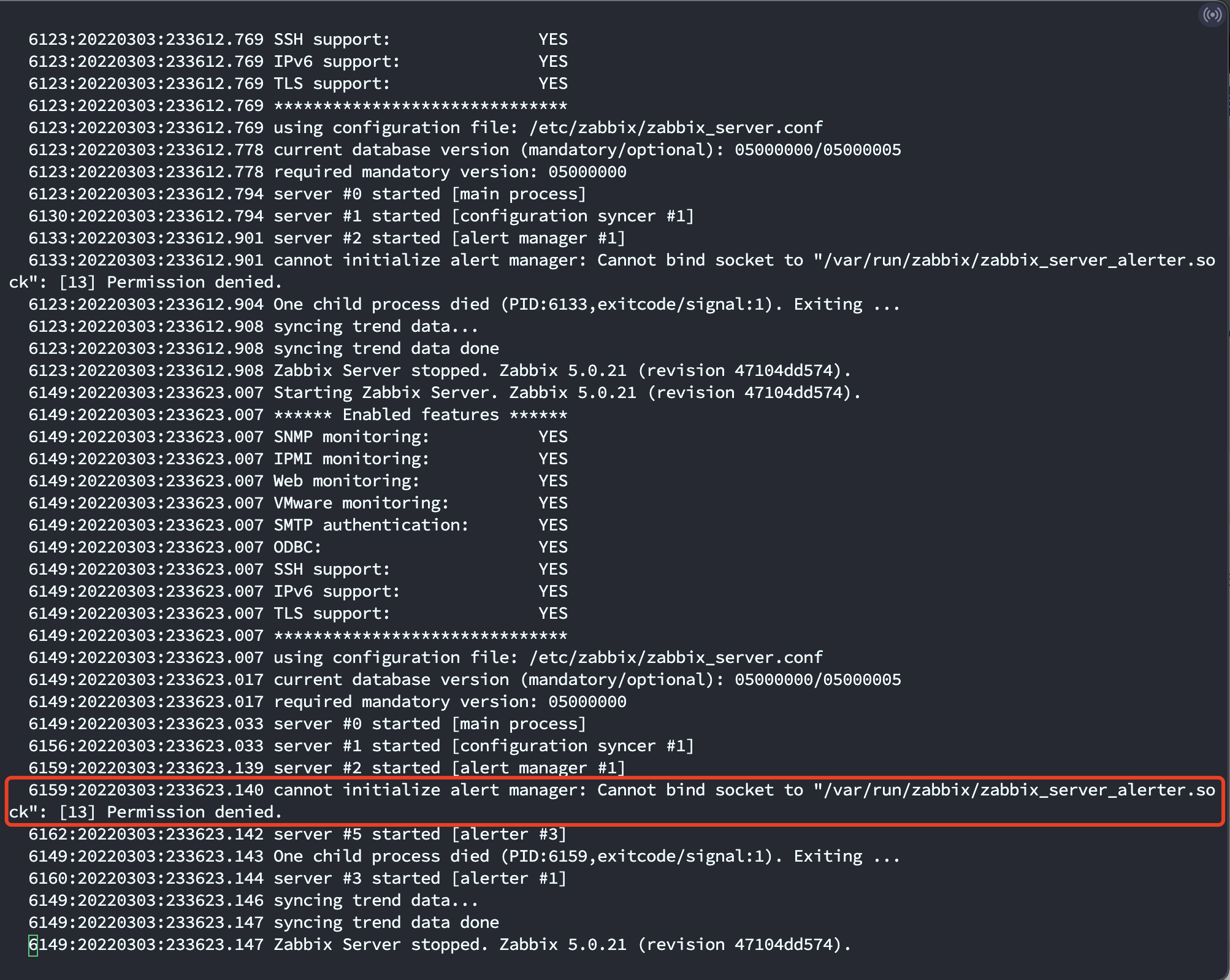
# 查看Zabbix日志,G跳到最后一行

[root@Minimal ~]# vi /var/log/zabbix/zabbix_server.log

# 发现提示

  6396:20220303:233805.643 cannot initialize alert manager: Cannot bind socket to "/var/run/zabbix/zabbix_server_alerter.sock": [13] Permission denied.

  6399:20220303:233805.646 server #5 started [alerter #3]

  6386:20220303:233805.646 One child process died (PID:6396,exitcode/signal:1). Exiting ...

  6397:20220303:233805.647 server #3 started [alerter #1]

  6386:20220303:233805.650 syncing trend data...

  6386:20220303:233805.651 syncing trend data done

  6386:20220303:233805.651 Zabbix Server stopped. Zabbix 5.0.21 (revision 47104dd574).
由提示可知是权限问题
解决办法:
一:关闭防火墙
systemctl stop firewalld && systemctl disable firewalld
二:关闭SELinux
setenforce 0 && sed -i 's/^SELINUX=.*/SELINUX=disabled/' /etc/selinux/config
然后重启Zabbix服务即可

部署Zabbix客户端
Zabbix5.0版本
agent2新版本采用golang语言开发的客户端
由于是go语言开发,部署起来就很方便了,和之前的程序部署形式不一样了
agnet2默认用10050端口,也就是zabbix客户端的端口
• 旧版本的客户端,zabbix-agent
• go语言新版客户端,zabbix-agent2
准备工作:确保防火墙和SELinux是关闭的
检查服务端和客户端时间和时区是否一致,如不一致,可以参考下面配置
时间
[root@Minimal ~]# yum -y install ntpdate

[root@Minimal ~]# ntpdate -u ntp.aliyun.com
时区
mv /etc/localtime{,.bak}

ln -s /usr/share/zoneinfo/Asia/Shanghai /etc/localtime
安装zabbix-agent2
# 提前配置好客户端的Zabbix源,参考前面部署服务端端配置即可。

[root@Minimal ~]# yum -y install zabbix-agent2

# 查看配置文件是否存在

[root@Minimal ~]# vim /etc/zabbix/zabbix_agent2.conf

# 查看zabbix_agent2是否存在

[root@Minimal ~]# ls -l /usr/sbin/zabbix_agent2

-rwxr-xr-x 1 root root 15958896 2月  28 22:36 /usr/sbin/zabbix_agent2
设置zabbix-agent2开机自启,并检查是否正常运行在10050端口
[root@Minimal ~]# systemctl enable --now zabbix-agent2

Created symlink from /etc/systemd/system/multi-user.target.wants/zabbix-agent2.service to /usr/lib/systemd/system/zabbix-agent2.service.

[root@Minimal ~]# netstat -ntlp|grep zabbix

tcp6       0      0 :::10050                :::*                    LISTEN      1435/zabbix_agent2
systemctl是怎么管理服务的
[root@Minimal ~]# ls /lib/systemd/system/zabbix-agent2.service

/lib/systemd/system/zabbix-agent2.service

[root@Minimal ~]# cat /lib/systemd/system/zabbix-agent2.service

[Unit]

Description=Zabbix Agent 2

After=syslog.target

After=network.target

[Service]

Environment="CONFFILE=/etc/zabbix/zabbix_agent2.conf"

EnvironmentFile=-/etc/sysconfig/zabbix-agent2

Type=simple

Restart=on-failure

PIDFile=/run/zabbix/zabbix_agent2.pid

KillMode=control-group

ExecStart=/usr/sbin/zabbix_agent2 -c $CONFFILE

ExecStop=/bin/kill -SIGTERM $MAINPID

RestartSec=10s

User=zabbix

Group=zabbix

[Install]

WantedBy=multi-user.target
修改agent2配置文件,查看配置信息
修改主机名可以使用下面这条命令
hostnamectl set-hostname 主机名称
[root@Minimal ~]# grep -Ev '^#|^$' /etc/zabbix/zabbix_agent2.conf

PidFile=/var/run/zabbix/zabbix_agent2.pid

LogFile=/var/log/zabbix/zabbix_agent2.log   # Zabbix客户端日志路径

LogFileSize=0     # 日志大小,默认为0代表没有限制

Server=127.0.0.1  # 服务端地址,这里需要修改。

ServerActive=127.0.0.1  # 修改成Zabbix服务端地址

Hostname=Zabbix server  # 修改为客户端的主机名称

Include=/etc/zabbix/zabbix_agent2.d/*.conf  # 配置文件地址

ControlSocket=/tmp/agent.sock

[root@Minimal ~]# vim /etc/zabbix/zabbix_agent2.conf  # 修改上面需要修改的信息

[root@Minimal ~]# cat /var/run/zabbix/zabbix_agent2.pid

1430[root@Minimal ~]# ps -ef | grep zabbix

zabbix     1430      1  0 00:27 ?        00:00:01 /usr/sbin/zabbix_agent2 -c /etc/zabbix/zabbix_agent2.conf

root       1449   1303  0 00:37 pts/0    00:00:00 grep --color=auto zabbix
重启zabbix-agent2
[root@zabbix-agent1 ~]# systemctl restart zabbix-agent2
验证Zabbix-agent2的连通性
在服务端上通过命令,主动获取数据。
# 安装zabbix-get

[root@Minimal ~]# yum -y install zabbix-get

# 采集客户端机器信息

zabbix_get -s '客户端IP地址' -p 端口号(默认10050) -k '指定执行的命令',返回结果为1代表成功。

[root@Minimal ~]# zabbix_get -s '10.0.0.38' -p 10050 -k 'agent.ping'

1

[root@Minimal ~]# zabbix_get -s '10.0.0.24' -p 10050 -k 'agent.ping'

1

# 测试获取主机名

[root@Minimal ~]# zabbix_get -s '10.0.0.38' -p 10050 -k 'system.hostname'

zabbix-agent1

[root@Minimal ~]# zabbix_get -s '10.0.0.24' -p 10050 -k 'system.hostname'

zabbix-agent2
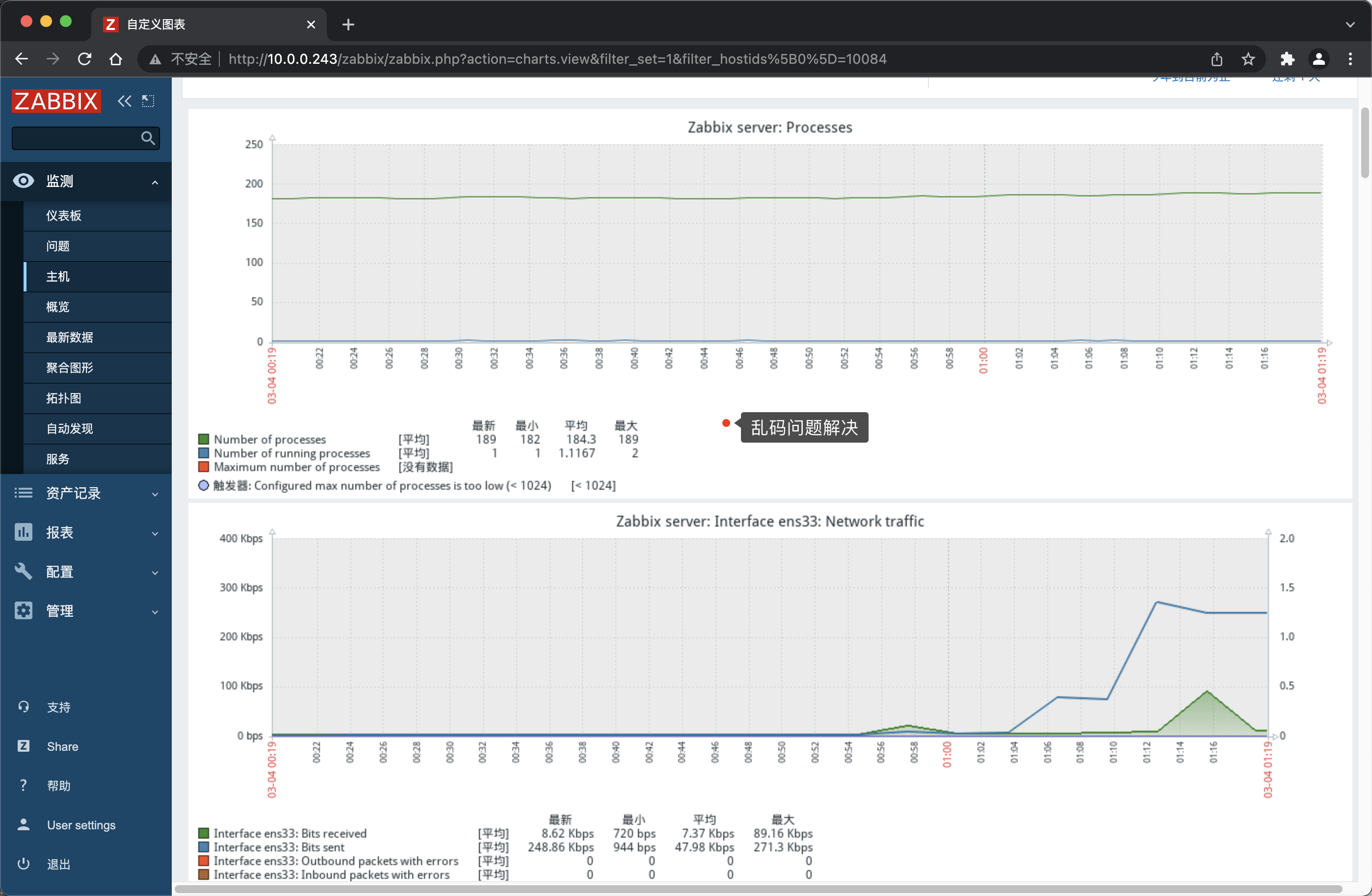
解决Zabbix-server查看的乱码问题
Zabbix默认检测了服务端本身,但是编码有问题。
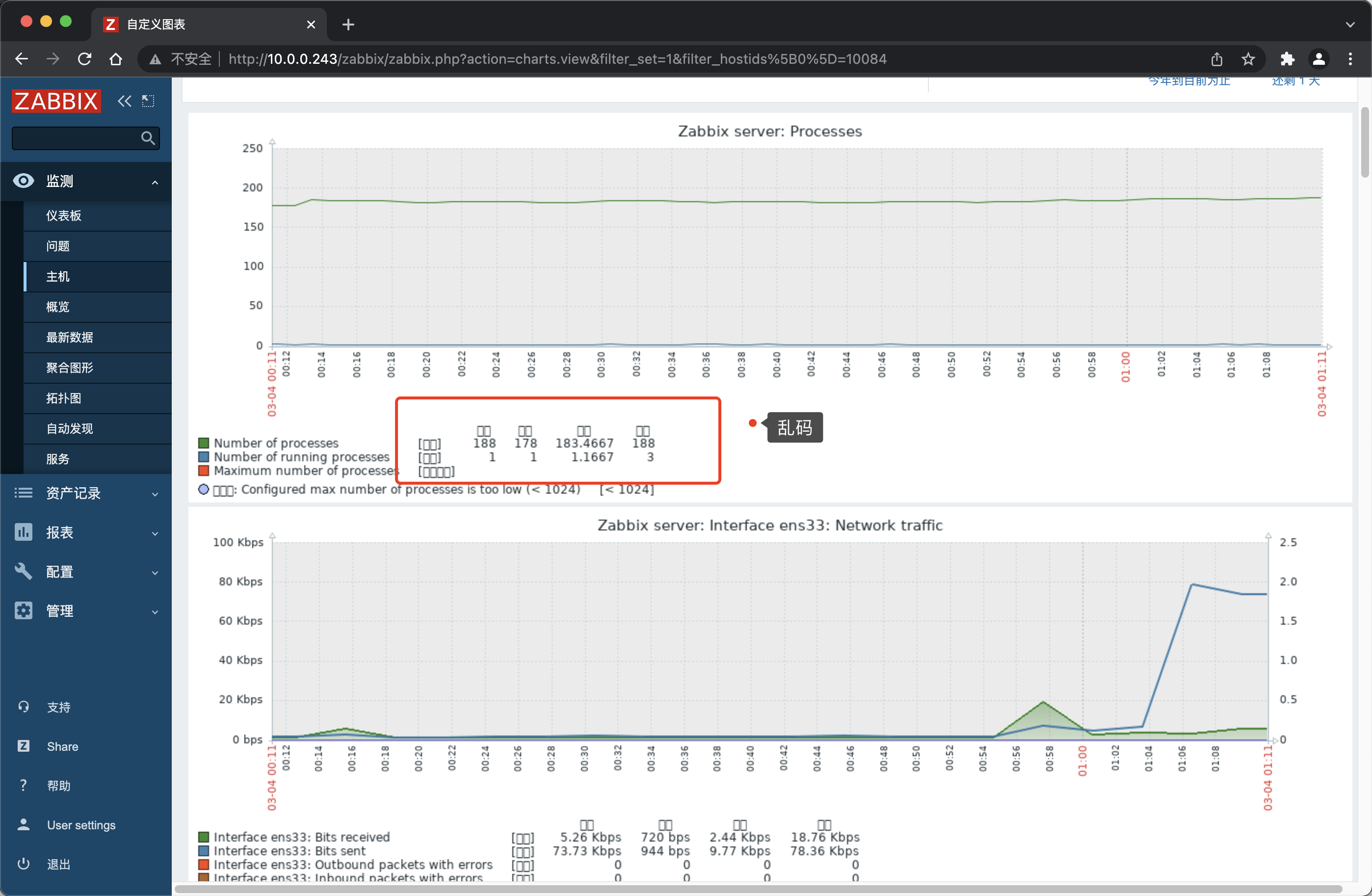
解决办法:
# 安装字体

[root@Minimal ~]# yum install wqy-microhei-fonts

# 复制字体

[root@Minimal ~]#  \cp /usr/share/fonts/wqy-microhei/wqy-microhei.ttc /usr/share/fonts/dejavu/DejaVuSans.ttf

# Windows平台如上面办法无法生效,可以使用下面这个方法

1. Zabbix的字体目录是/usr/share/fonts/dejavu/DejaVuSans.ttf

2. 在自己电脑里字体找到C:\Windows\Fonts\simkai.ttf

3. 上传到服务器/usr/share/fonts/dejavu然后把\simkai.ttf.重命名为DejaVuSans.ttf即可
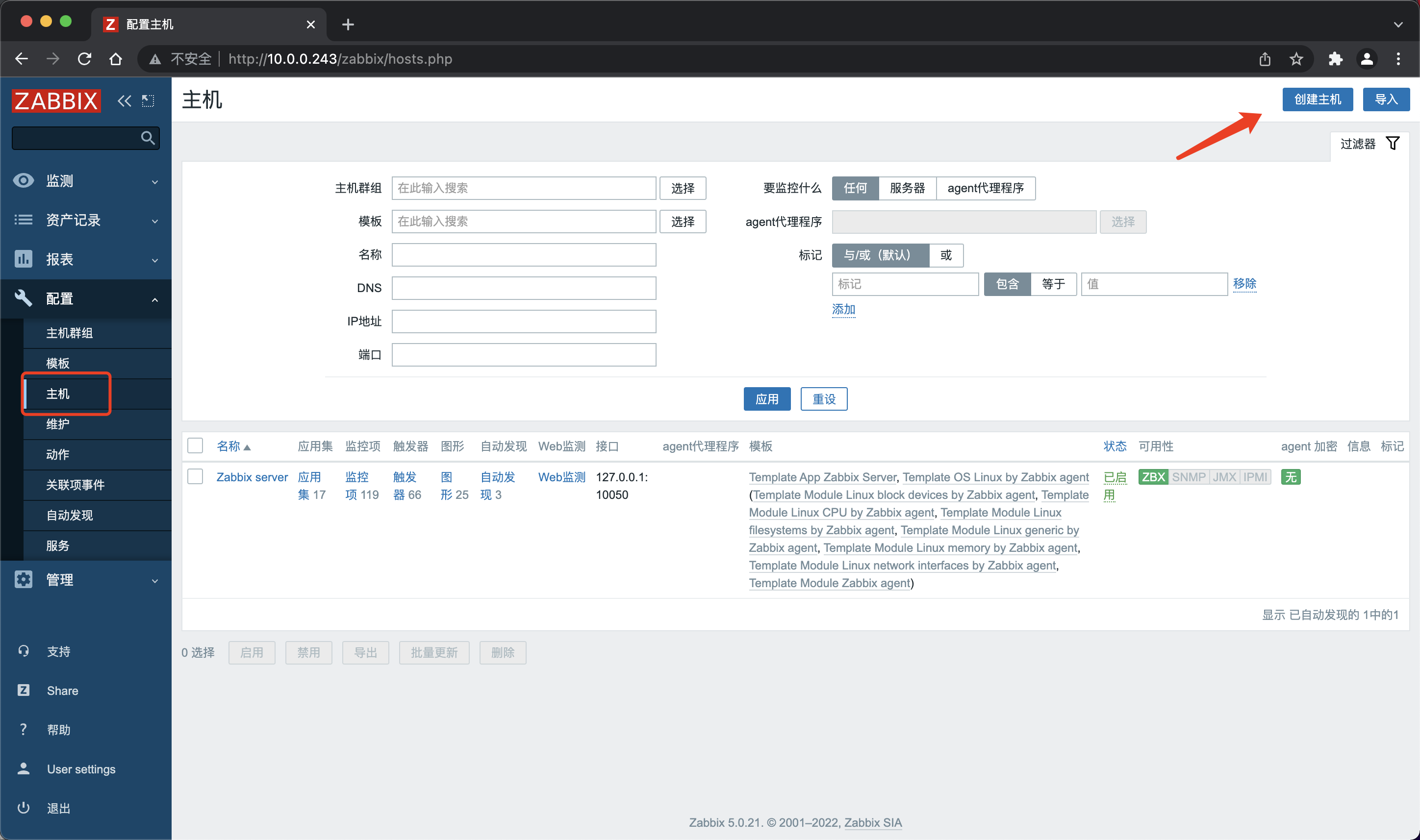
添加agent主机
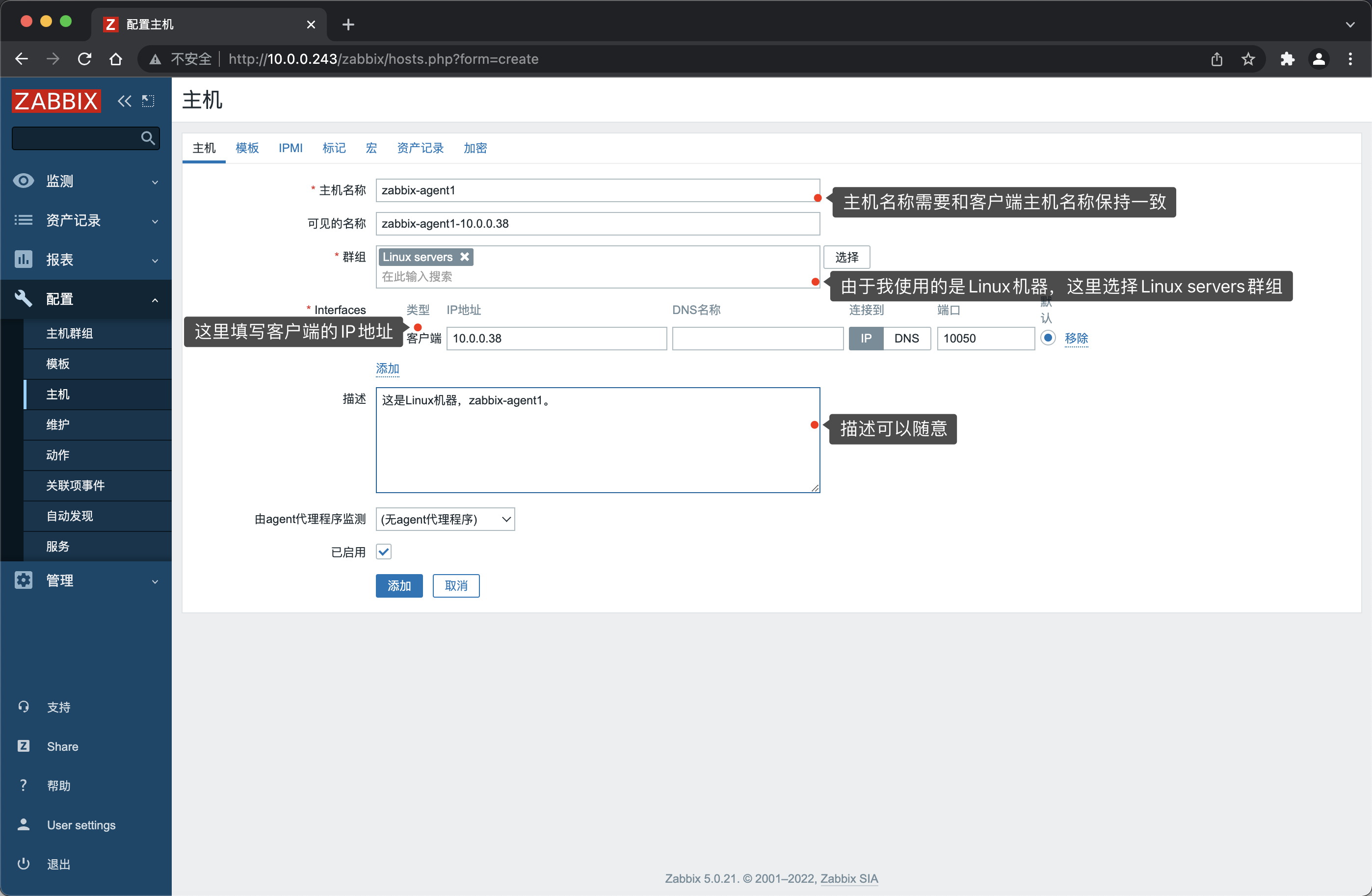
- 填写主机信息
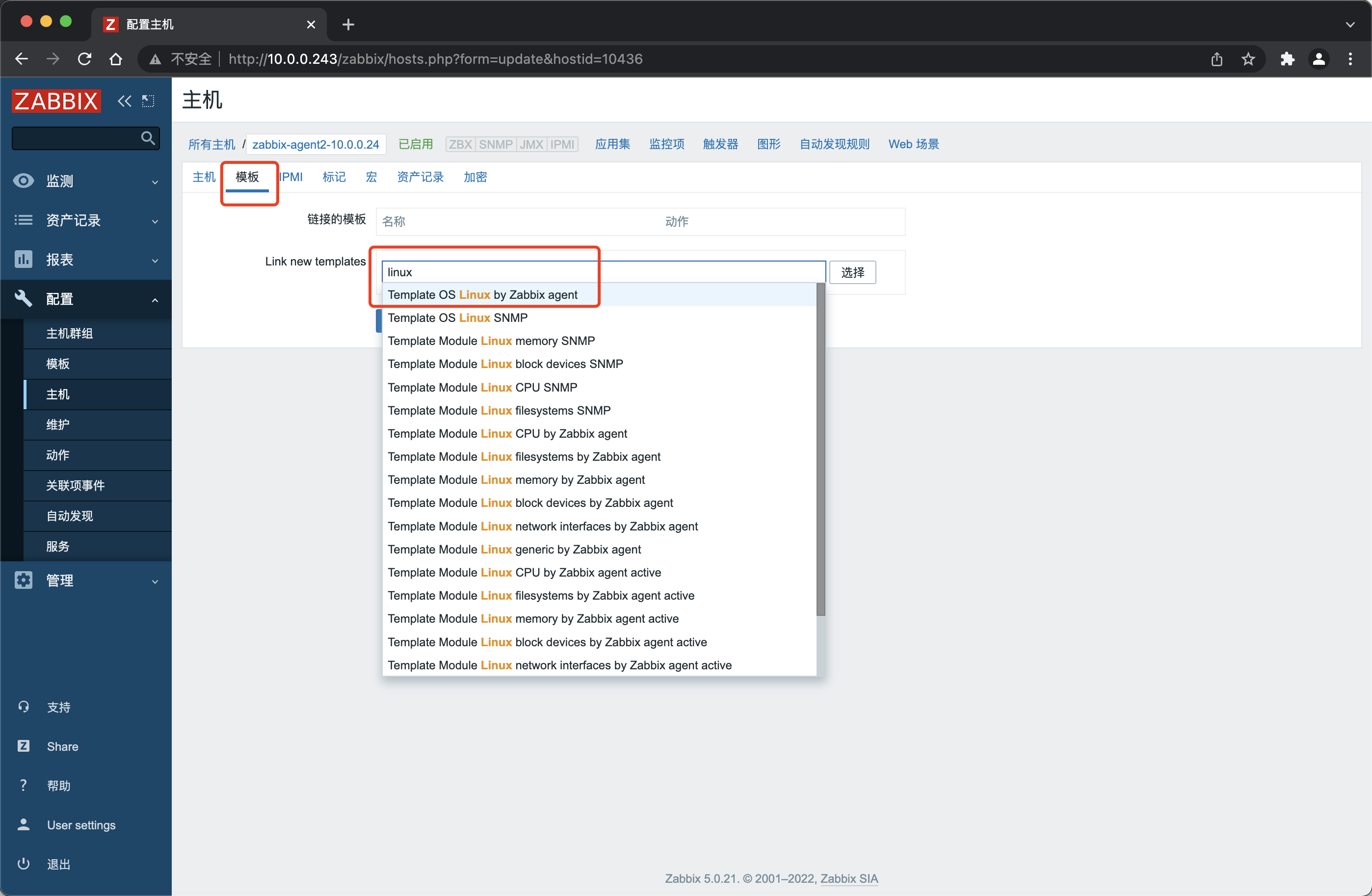
- 选择模板
- 成功添加

Zabbix - 部署随笔的更多相关文章
- zabbix部署
zabbix部署 ----2016年年终总结 二 服务器端安装 yum install zabbix-server 客户端安装 yum install zabbix-agent 配置Server ...
- Zabbix——部署(DB与web分离)
前提条件: 两台centos7设备 两台设备可以相互访问 Zabbix-Servser版本为4.0 mysql版本为8.0 关闭防火墙 Zabbix部署(包含server,web,agent) rpm ...
- 监控服务zabbix部署
目录 1. zabbix介绍 2. zabbix特点 3. zabbix配置文件 4. 部署zabbix 4.1 zabbix服务端安装 4.2 zabbix服务端配置 4.3 zabbix服务端we ...
- zabbix 部署包安装
关于zabbix的安装方式,官网提供了几种方法,分别是:部署包安装.源码安装.容器安装.容器安装我之前已经写过一篇,而现在这一篇是关于部署包安装的. 按照官网的说法,我们需要如下几个步骤: ...
- zabbix部署与配置
zabbix部署与配置 1.zabbix的web界面是基于php开发,所以创建lnmp环境来支持web界面的访问 yum install nginx php php-devel php-mysql p ...
- Centos 7.0 zabbix 部署
1.LAMP 环境搭建 初次安装可以先关闭selinux 和 firewall [root@localhost ~]# setenforce [root@localhost ~]# systemctl ...
- zabbix 部署 jmx 监控tomcat
zabbix提供了一个java gateway的应用去监控jmx(Java Management Extensions,即Java管理扩展)是一个为应用程序.设备.系统等植入管理功能的框架.JMX可以 ...
- Zabbix部署与使用
*******需要配置网易YUM源来安装相关依赖包: [local_yum] name=local_yum baseurl=http://mirrors.163.com/centos/6/os/x86 ...
- 【zabbix部署】基于linux安装zabbix监控服务和被监控服务
环境配置 zabbix_server:10.0.0.1 zabbix_agentd:10.0.0.1,10.0.0.2(暂定) 操作系统:centos7.6 安装环境配置 1. LNMP环境 zabb ...
- docker版的zabbix部署
环境准备:一台server端,两台agent端 server端部署zabbix-server和mariadb服务 agent端部署zabbix-agent服务 一.docker容器里下载zabbix和 ...
随机推荐
- numpy基本使用(一)
一.简介 NumPy(Numerical Python) 是用于科学计算及数据处理的Python扩展程序库,支持大量的维度数组与矩阵运算,此外也针对数组运算提供大量的数学函数库. 二.数据结构 n ...
- Delphi数据库备份
此处代码只是测试代码,仅仅是测试 //环境:D7+SQL Server 2008 1 unit Unit1; 2 3 interface 4 5 uses 6 Windows, Messages, S ...
- FastDFS安装(ARM同样支持)
一.服务器部署规划 服务器IP 部署服务 192.168.*. tracker.storage.nginx 二.数据存储目录 应用 目录 fastdfs /usr/bin nginx /usr/loc ...
- mysql安装调试
mysql安装 1.下载mysql的压缩包 tar -xvzf mysql-5.6.38-linux-glibc2.12-i686.tar.gz2.安装之后密码是随机的,所以我们需要重新修改密码: [ ...
- spring boot 常见问题
什么是 Spring Boot? 简单来说,spring boot 底层就是:spring + spring mvc + tomcat + 其他框架 starter: spring boot 依靠 s ...
- 韦东山005_ARM裸机1期加强版
005_ARM裸机1期加强版(又叫新1期,151节,23节免费,已完结)\新1期视频(151节,23节免费) 第006课开发板熟悉与体验(6节,免费) 第001节_开发板部件介绍与串口连接(免费) 如 ...
- ThinkPHP网站安全方案
一.ThinkPHP介绍 ThinkPHP是一款优秀的网站内容管理系统,因其功能强大,操作简单,拥有海量用户和其他CMS一样,安全漏洞也是其无法避免的问题.虽然官方不断发布补丁.升级版本,但安全问题依 ...
- https加固,https://ip暴露后端IP。
增加server配置server { listen 443 default_server; server_name _ ; ssl on; ssl_certificate test.crt 随便设置一 ...
- RPA的价值和优势
RPA机器人流程自动化(Robotic process automation):能够代替或者协助人类在计算机.RPA手机等数字化设备中完成重复性工作与任务. 只要预先设计好使用规则,RPA就可以模拟人 ...
- GO语言学习笔记-反射篇 Study for Go ! Chapter nine - Reflect
持续更新 Go 语言学习进度中 ...... GO语言学习笔记-类型篇 Study for Go! Chapter one - Type - slowlydance2me - 博客园 (cnblogs ...