
一文搞懂GitLab安装部署及服务配置
GitLab安装部署
Git,GitHub,GitLab,这三个东东长得好像呀,都是个啥?
Git是Linus Torvalds(如果不知道这位大神是谁,请出门左转,慢走不送~)为了帮助管理Linux内核而开发的一个开放源代码的版本控制软件。
GitHub,又名全球最大同行交友软件(O(∩_∩)O哈哈~),是一个面向开源及私有项目的托管平台,因为仅仅支持Git作为唯一的版本库格式,故名GitHub。
GitLab是由GitLabInc.开发的,是基于MIT许可证的Git仓库管理工具,具有Wiki和Issue跟踪功能,目前有企业版和社区版两个分支,对于个人来说,社区版应该是完全够用的。
其实,简单来说,可以把GitLab看做是个个人版的GitHub,也就是说,可以在自己服务器上部署一套GitLab服务,该服务可以提供代码仓库托管等功能,用法与GibHub基本一致。
GitLab安装
# 安装并配置必要的依赖

[root@cos ~]# yum install -y curl policycoreutils-python openssh-server

[root@cos ~]# systemctl enable sshd

[root@cos ~]# systemctl start sshd

# CentOS7系统中,在防火墙打开场景下,打开HTTP, HTTPS和SSH访问

[root@cos ~]# firewall-cmd --permanent --add-service=http

[root@cos ~]# firewall-cmd --permanent --add-service=https

[root@cos ~]# systemctl reload firewalld

# 安装Postfix,用来发送通知邮件

[root@cos ~]# yum install postfix

[root@cos ~]# systemctl enable postfix

[root@cos ~]# systemctl start postfix
注意:为了避免下载失败导致GitLab安装失败,可以配置清华镜像,镜像配置操作如下
# GitLab Community Edition镜像使用帮助

# https://mirror.tuna.tsinghua.edu.cn/help/gitlab-ce/

# 1. 新建/etc/yum.repos.d/gitlab-ce.repo, 内容如下

[gitlab-ce]

name=Gitlab CE Repository

baseurl=https://mirrors.tuna.tsinghua.edu.cn/gitlab-ce/yum/el$releasever/

gpgcheck=0

enabled=1
使用yum安装GitLab社区版
# yum安装GitLab社区版

[root@cos ~]# yum makecache

[root@cos ~]# yum install gitlab-ce

Loaded plugins: fastestmirror

Loading mirror speeds from cached hostfile

 * base: mirrors.huaweicloud.com

 * epel: hkg.mirror.rackspace.com

 * extras: mirrors.huaweicloud.com

 * updates: mirrors.huaweicloud.com

Resolving Dependencies

--> Running transaction check

---> Package gitlab-ce.x86_64 0:12.9.1-ce.0.el7 will be installed

--> Finished Dependency Resolution

Dependencies Resolved

=========================================================================================

 Package        Arch        Version            Repository        Size

=========================================================================================

Installing:

 gitlab-ce      x86_64      12.9.1-ce.0.el7    gitlab-ce         721 M

Transaction Summary

=========================================================================================

Install  1 Package

Total download size: 721 M

Installed size: 721 M

Is this ok [y/d/N]: y

Downloading packages:

gitlab-ce-12.9.1-ce.0.el7.x86_64.rpm                                                    | 721 MB  00:01:49

Running transaction check

Running transaction test

Transaction test succeeded

Running transaction

  Installing : gitlab-ce-12.9.1-ce.0.el7.x86_64                                                            1/1

It looks like GitLab has not been configured yet; skipping the upgrade script.

       *.                  *.

      ***                 ***

     *****               *****

    .******             *******

    ********            ********

   ,,,,,,,,,***********,,,,,,,,,

  ,,,,,,,,,,,*********,,,,,,,,,,,

  .,,,,,,,,,,,*******,,,,,,,,,,,,

      ,,,,,,,,,*****,,,,,,,,,.

         ,,,,,,,****,,,,,,

            .,,,***,,,,

                ,*,.

     _______ __  __          __

    / ____(_) /_/ /   ____ _/ /_

   / / __/ / __/ /   / __ `/ __ \

  / /_/ / / /_/ /___/ /_/ / /_/ /

  \____/_/\__/_____/\__,_/_.___/

Thank you for installing GitLab!

GitLab was unable to detect a valid hostname for your instance.

Please configure a URL for your GitLab instance by setting `external_url`

configuration in /etc/gitlab/gitlab.rb file.

Then, you can start your GitLab instance by running the following command:

  sudo gitlab-ctl reconfigure

For a comprehensive list of configuration options please see the Omnibus GitLab readme

https://gitlab.com/gitlab-org/omnibus-gitlab/blob/master/README.md

GitLab now ships with a newer version of PostgreSQL (11.7), but it is not yet

enabled by default. To upgrade, please see:

https://docs.gitlab.com/omnibus/settings/database.html#upgrade-packaged-postgresql-server

Verifying  : gitlab-ce-12.9.1-ce.0.el7.x86_64                                                            1/1

Installed:

  gitlab-ce.x86_64 0:12.9.1-ce.0.el7

Complete!
安装完成后,重点关注下面提示信息:
GitLab was unable to detect a valid hostname for your instance.

GitLab无法为你的GitLab检测到有效的主机名。

Please configure a URL for your GitLab instance by setting `external_url`

configuration in /etc/gitlab/gitlab.rb file.

请通过配置`external_url`为你的GitLab实例配置一个URL,该配置项在/etc/gitlab/gitlab.rb文件中。

Then, you can start your GitLab instance by running the following command:

  sudo gitlab-ctl reconfigure

然后,通过运行sudo gitlab-ctl reconfigure启动你的GitLab实例
注意:配置完成后,需要使用sudo gitlab-ctl reconfigure命令重新配置并启动GitLab实例才行。
在GitLab安装完成后,首次登录时,需要配置GitLab管理员密码,如下图所示。
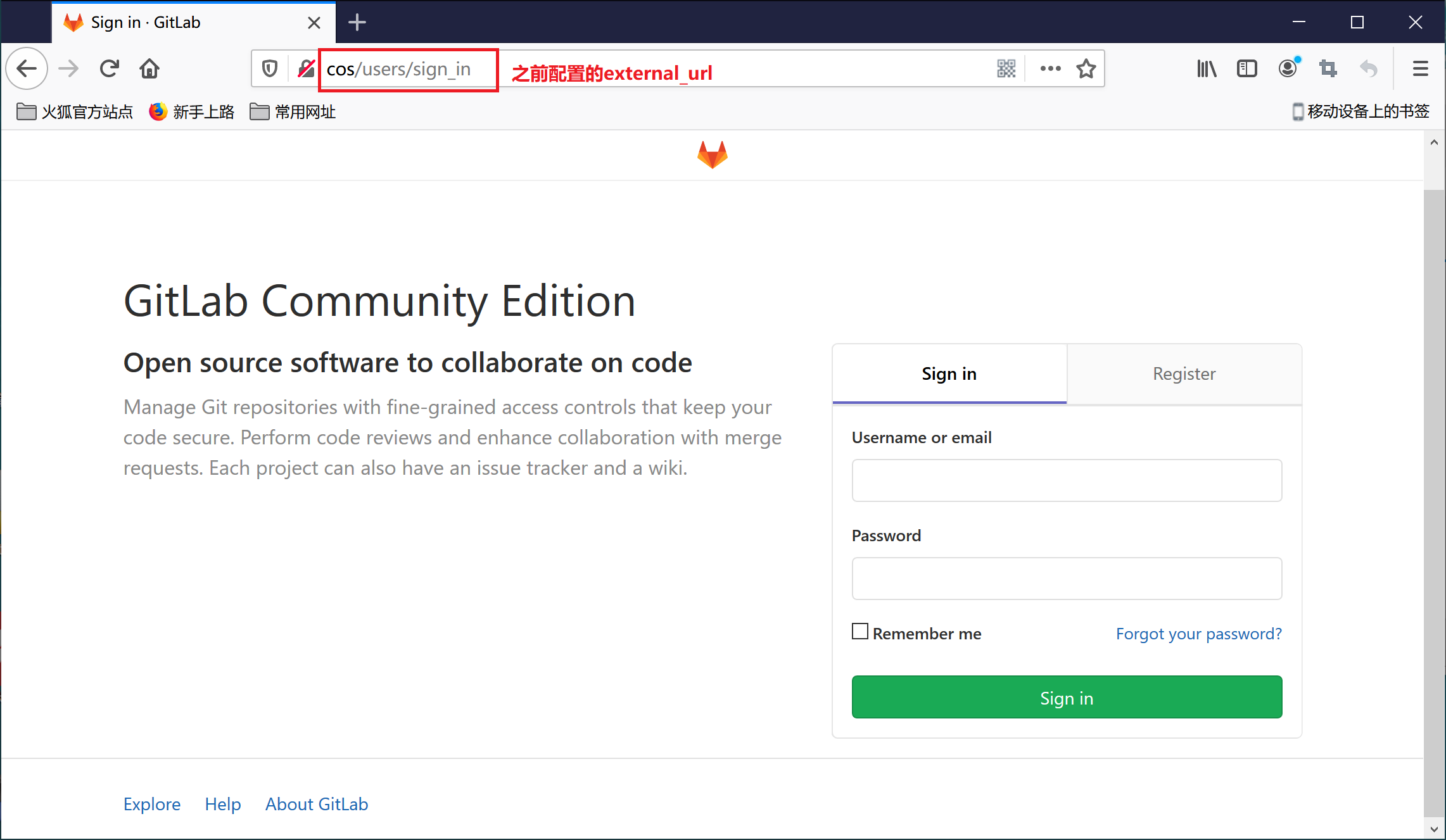
注意:管理员账号为root,管理员密码非常重要,是维护GitLab服务的重要账户,尽量不要搞忘了。
GitLab配置及内存优化
根据上面的安装步骤安装完成后后,启动GitLab实例后,你可能会想,这下可以愉快的与GitLab玩耍了吧、
砰,一大盆凉水浇过来、
GitLab是非常吃内存和服务器性能的,为了在自己主机或者虚拟机上正常启动和访问,需要进行下面配置和调优。
先看下官方给出的推荐CPU,内存配置:

GitLab推荐至少2核CPU,只有1核的话,可能会导致GitLab服务卡死,无法正常对外服务。
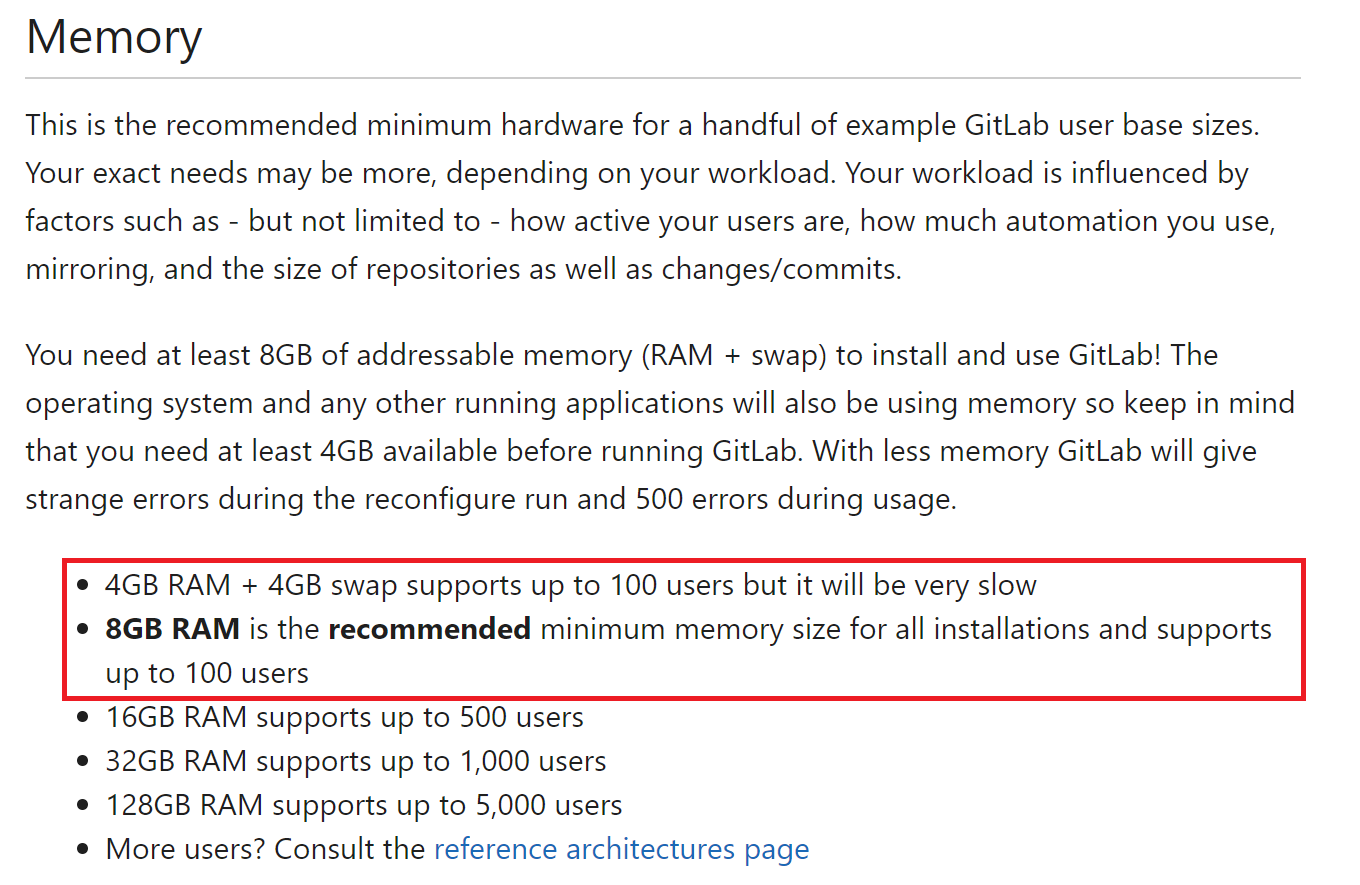
由上可知,内存配置主要影响GitLab服务的并发用户数量,对于自己使用来说,感觉2GB完全够用了。
GitLab配置文件路径:/etc/gitlab/gitlab.rb。下面对GitLab关键配置进行修改:
## GitLab URL

##! URL on which GitLab will be reachable.

##! 用户访问GitLab的URL地址

external_url 'http://cos'

###! Minimum worker_processes is 2 at this moment

###! GitLab默认开启进程数为CPU核数+1,可以提高服务器的相应时间,太吃内存

###! GitLab的最小工作进程,该参数最小值为2,设为1可能导致服务器卡死

unicorn['worker_processes'] = 2

### **Only change these settings if you understand well what they mean**

###! 工程进程的内存限制,默认最小为400MB,最大为650MB

unicorn['worker_memory_limit_min'] = "200 * 1 << 20"

unicorn['worker_memory_limit_max'] = "300 * 1 << 20"

# sidekiq并发数默认值为25

sidekiq['concurrency'] = 5

###! Changing any of these settings requires a restart of postgresql.

###! By default, reconfigure reloads postgresql if it is running. If you

###! change any of these settings, be sure to run `gitlab-ctl restart postgresql`

###! after reconfigure in order for the changes to take effect.

##! **recommend value is 1/4 of total RAM, up to 14GB.**

##! 数据库缓存,默认值为256MB

##!推荐值为1/4的RAM大小,按推荐值肯定崩了

postgresql['shared_buffers'] = "128MB"

##! 数据库并发数

postgresql['max_worker_processes'] = 4
GitLab启动
GitLab安装配置完成后,我们可以通过gitlab-ctl start命令启动,gitlab-ctl stop命令停止GitLab服务。
# 查看GitLab服务状态

[root@cos ~]# gitlab-ctl status

run: gitaly: (pid 2202) 830s; run: log: (pid 2201) 830s

run: gitlab-workhorse: (pid 2212) 830s; run: log: (pid 2211) 830s

run: logrotate: (pid 2217) 830s; run: log: (pid 2214) 830s

run: nginx: (pid 2198) 830s; run: log: (pid 2197) 830s

run: postgresql: (pid 2204) 830s; run: log: (pid 2203) 830s

run: redis: (pid 2213) 830s; run: log: (pid 2210) 830s

run: sidekiq: (pid 2195) 830s; run: log: (pid 2193) 830s

run: unicorn: (pid 2196) 830s; run: log: (pid 2194) 830s
GitLab服务启动后,我们可以通过Web页面访问GitLab服务。
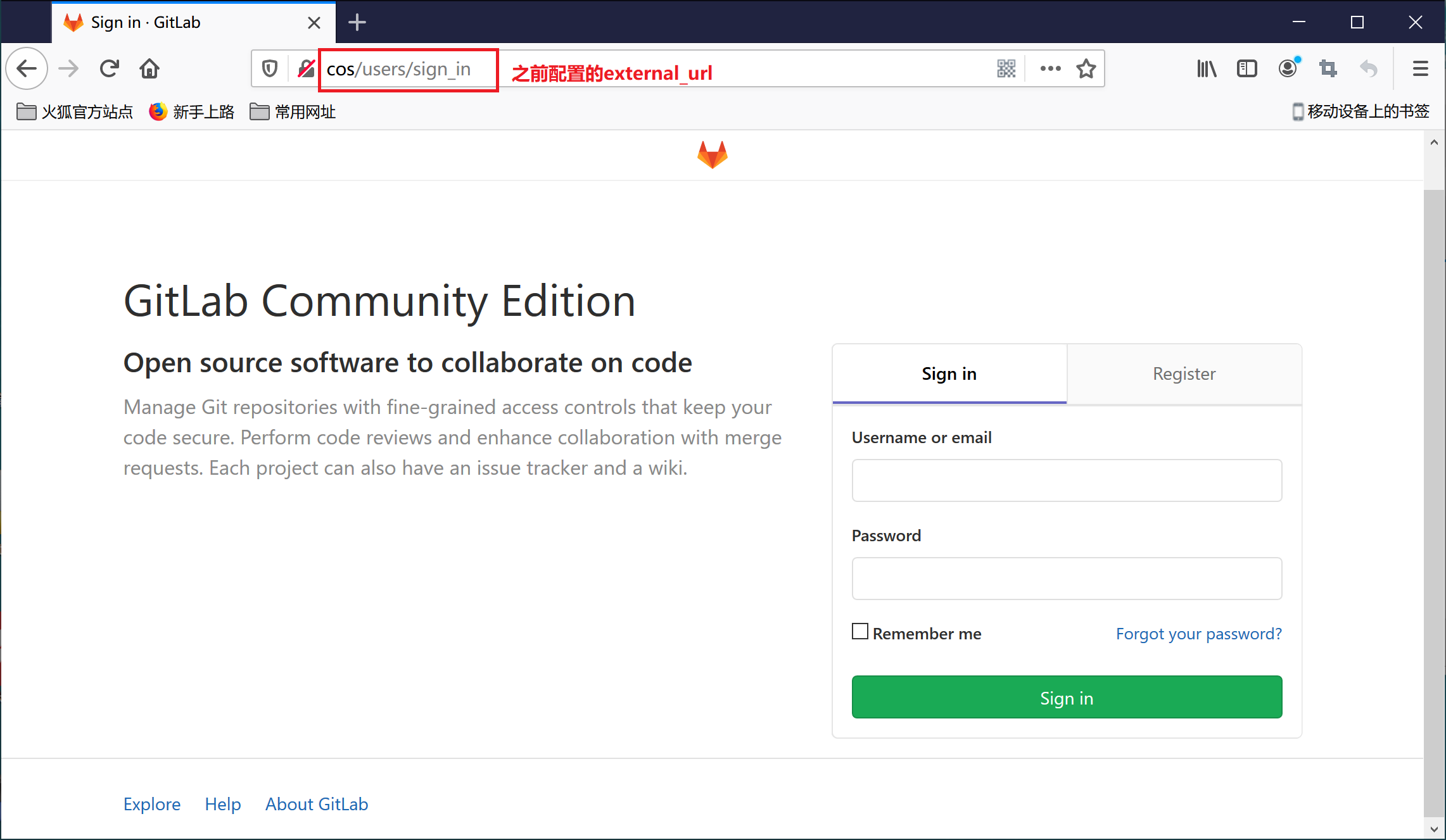
接下来,会专门再写一篇博客讲述如何在Windows上通过Git客户端像访问GitHub一样访问GitLab,敬请期待~
一文搞懂GitLab安装部署及服务配置的更多相关文章
- 教你搞懂Jenkins安装部署!
前言:请各大网友尊重本人原创知识分享,谨记本人博客:南国以南i Jenkins介绍 Jenkins是一个开源软件项目,是基于Java开发的一种持续集成工具,用于监控持续重复的工作,旨在提供一个开放易用 ...
- Web端即时通讯基础知识补课:一文搞懂跨域的所有问题!
本文原作者: Wizey,作者博客:http://wenshixin.gitee.io,即时通讯网收录时有改动,感谢原作者的无私分享. 1.引言 典型的Web端即时通讯技术应用场景,主要有以下两种形式 ...
- 一文搞懂vim复制粘贴
转载自本人独立博客https://liushiming.cn/2020/01/18/copy-and-paste-in-vim/ 概述 复制粘贴是文本编辑最常用的功能,但是在vim中复制粘贴还是有点麻 ...
- 三文搞懂学会Docker容器技术(下)
接着上面一篇:三文搞懂学会Docker容器技术(上) 三文搞懂学会Docker容器技术(中) 7,Docker容器目录挂载 7.1 简介 容器目录挂载: 我们可以在创建容器的时候,将宿主机的目录与容器 ...
- 一文搞懂指标采集利器 Telegraf
作者| 姜闻名 来源|尔达 Erda 公众号 导读:为了让大家更好的了解 MSP 中 APM 系统的设计实现,我们决定编写一个<详聊微服务观测>系列文章,深入 APM 系统的产品.架构 ...
- 一文搞懂RAM、ROM、SDRAM、DRAM、DDR、flash等存储介质
一文搞懂RAM.ROM.SDRAM.DRAM.DDR.flash等存储介质 存储介质基本分类:ROM和RAM RAM:随机访问存储器(Random Access Memory),易失性.是与CPU直接 ...
- 基础篇|一文搞懂RNN(循环神经网络)
基础篇|一文搞懂RNN(循环神经网络) https://mp.weixin.qq.com/s/va1gmavl2ZESgnM7biORQg 神经网络基础 神经网络可以当做是能够拟合任意函数的黑盒子,只 ...
- 一文搞懂 Prometheus 的直方图
原文链接:一文搞懂 Prometheus 的直方图 Prometheus 中提供了四种指标类型(参考:Prometheus 的指标类型),其中直方图(Histogram)和摘要(Summary)是最复 ...
- 三文搞懂学会Docker容器技术(中)
接着上面一篇:三文搞懂学会Docker容器技术(上) 6,Docker容器 6.1 创建并启动容器 docker run [OPTIONS] IMAGE [COMMAND] [ARG...] --na ...
随机推荐
- shiro认证通过之后的授权
subject.hasRole("") ; subject.hasRoles(List); subject.hasAllRoles(); subject.isPermitted(& ...
- DQN(Deep Q-learning)入门教程(三)之蒙特卡罗法算法与Q-learning算法
蒙特卡罗法 在介绍Q-learing算法之前,我们还是对蒙特卡罗法(MC)进行一些介绍.MC方法是一种无模型(model-free)的强化学习方法,目标是得到最优的行为价值函数\(q_*\).在前面一 ...
- ASP.NET Core WebAPI实现本地化(单资源文件)
在Startup ConfigureServices 注册本地化所需要的服务AddLocalization和 Configure<RequestLocalizationOptions> p ...
- [源创] STM32F103ZET6 基于XMODEM 通讯的 BOOTLOADER案列IAP
网上好多初学者 都想知道如何更好的用IAP,BOOTLOADER 功能 我给大家一个我自己的基于Xmodem的例子, 开发环境 KEIL 5.14 + STD标准库 芯片 STM32F103ZET6 ...
- Dubbo源码笔记-服务注册
今天来简单做一下Dubbo服务注册部分源码学习手记. 一.Dubbo配置解析 目前Dubbo最多的用法就是跟Spring集成,既然跟Spring集成,那么,Dubbo对象的实例化都将交由Spring统 ...
- ERROR: ...hbase.PleaseHoldException: Master is initializing
同学升级HBase后遇到这个问题,hbase shell,status就可以看到 ERROR: -hbase.PleaseHoldException: Master is initializing 解 ...
- ASP.NET MVC 数据传递 视图向控制器传递
视图向控制器传递 MVC 视图向控制器传递,就是获取用户输入的数据,在去进行操作 好了,我们不多说直接进行我们的案例. 在HomeController类中添加下来方法 [HttpPost] publi ...
- Java实现 蓝桥杯 算法训练 找零钱
试题 算法训练 找零钱 问题描述 有n个人正在饭堂排队买海北鸡饭.每份海北鸡饭要25元.奇怪的是,每个人手里只有一张钞票(每张钞票的面值为25.50.100元),而且饭堂阿姨一开始没有任何零钱.请问饭 ...
- Java实现 LeetCode 659 分割数组为连续子序列 (哈希)
659. 分割数组为连续子序列 输入一个按升序排序的整数数组(可能包含重复数字),你需要将它们分割成几个子序列,其中每个子序列至少包含三个连续整数.返回你是否能做出这样的分割? 示例 1: 输入: [ ...
- Java实现 蓝桥杯VIP 算法训练 平方计算
问题描述 输入正整数a, m,输出a2%m,其中表示乘方,即a^2表示a的平方,%表示取余. 输入格式 输入包含两个整数a, m,a不超过10000. 输出格式 输出一个整数,即a^2%m的值. 样例 ...